Secure Trade Copier
- Yardımcı programlar
- Maksim Novikov
- Sürüm: 1.0
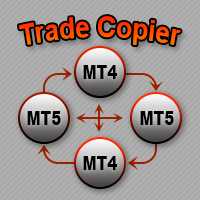
Secure Trade Copier - Synchronization of trading positions between terminals.
🏆 Main Features
Secure Trade Copier is a professional tool for synchronizing trading positions between MetaTrader 5 terminals. One Expert Advisor, two modes of operation: MASTER and SLAVE.
🔐 Unique Characteristics
✅ Built-in protection — access by password only
✅ Simple installation — 1 EA for both terminals
✅ Works via shared files — no network configuration required
✅ Automatic adjustment — StopLoss/TakeProfit synchronization
✅ Safe closing — deletion of positions absent on the master
⚙️ Technical Details
Type: Expert Advisor (EA)
Platform: MetaTrader 5
File Exchange: Terminals' shared folder
Support: All order types, hedging and netting accounts
📋 Installation and Usage Guide
STEP 1: Install the Expert Advisor
Copy the file Secure Trade Copier.ex5 to the folder MQL5/Experts/
Restart MetaTrader 5
Drag and drop the EA onto any chart
STEP 2: Configure the MASTER Terminal
Settings:
-
Mode: MODE_MASTER
-
Password: Zk8#pR2!qT9v
STEP 3: Configure the SLAVE Terminal
Settings: -
Mode: MODE_SLAVE
-
Password: Zk8#pR2!qT9v
STEP 4: Launch
Launch the EA on the MASTER terminal (password: Zk8#pR2!qT9v )
Launch the EA on the SLAVE terminal (password: Zk8#pR2!qT9v )
Ensure both EAs are active (smiley face in the upper right corner)
🔑 IMPORTANT: Activation Password
Activation code:
Zk8#pR2!qT9v
How to enter the password:
Open the EA settings
Find the "Password" field
Enter exactly: Zk8#pR2!qT9v
Click "OK"
Note: The password is case-sensitive! Copy it exactly as shown.
⚡ How It Works
Synchronization principle:
MASTER terminal → writes positions to a file → SLAVE terminal → reads the file → copies
What is synchronized:
Opening new positions
Stop Loss / Take Profit parameters
Closing positions
Position volume
Order type (BUY/SELL)
SLAVE Logic:
Reads data from the shared file
Compares with its own positions (by ticket number in the comment)
Opens missing positions
Adjusts SL/TP on changes
Closes positions removed from the MASTER
⚠️ Important Warnings
Requirements for the SLAVE Terminal:
Access to the same trading symbols
Sufficient deposit to copy the volume
Similar trading conditions (spread, swap)
Risks:
Synchronization delay ~1 second
Discrepancies possible during sharp market moves
Always test on a demo account first!
🔧 Troubleshooting
Problem: "Wrong password!"
Solution: Check that you entered the password exactly as Zk8#pR2!qT9v
Problem: Positions are not copying
Solution:
Make sure both EAs are active
Check the Journal for errors
Ensure there are open positions on the MASTER
Problem: Errors opening positions
Solution:
Check symbol availability on the SLAVE
Check sufficient funds
Ensure trading is allowed
🚀 Quick Start (Brief Guide)
Install the EA on both terminals
Configure MASTER: Mode = MODE_MASTER, Password = Zk8#pR2!qT9v

Configure SLAVE: Mode = MODE_SLAVE, Password = Zk8#pR2!qT9v
Launch on both terminals
Start trading on the MASTER — positions will automatically copy to the SLAVE