 MetaTrader 5
 Uzmanlar
 Göstergeler
 Kütüphaneler
 Yardımcı programlar
 Widget'lar
 Kurallar
YouTube'dan Mağaza ile ilgili öğretici videoları izleyin
Bir alım-satım robotu veya gösterge nasıl satın alınır?
Uzman Danışmanınızı
sanal sunucuda çalıştırın
sanal sunucuda çalıştırın
Satın almadan önce göstergeyi/alım-satım robotunu test edin
Mağazada kazanç sağlamak ister misiniz?
Satış için bir ürün nasıl sunulur?
MetaTrader 4 için ücretsiz alım-satım yardımcı programları - 9
 Aşağıda MetaTrader 4'te Forex alım-satımını kolaylaştıran alım-satım programları bulunmaktadır. Açıklamasını ve amacını okumak için aşağıdaki listeden ürünün üzerine gelin.
This tool can delete any object drawn on MT4 platform charts. you can delete: Line_Objects (Vertical_Line, Horizontal_Line, Trend_Line, TrendLinebyAngle, Cycle_Line) Channel_Objects (Fibo_Channel, Equidistant, Linear_Regression, Standard_Deviation, Andrews_Pitchfork) Gann_Objects (Gann_Line, Gann_Fan, Gann_Grid) Fibonacci_Objects (Fibo_Retracement, Fibo_TimeZones, Fibo_Fan, Fibo_Arcs, Fibo_Expansion) Shapes_Objects (Rectangle, Triangle, Ellipse, Text, Label) Arrows_Objects or you can Delete_All_
FREE
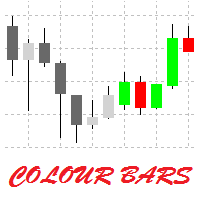
This is a simple utility for visual market analysis. Users can select trading day and time. Bullish candles located within the necessary time interval are shown in green, while bearish ones - in red. Candles outside of the trading time interval are shown in gray and dark gray.
Parameters Trade_Time = "00:00-00:00" - enter trading time. TradeSunday - trade on Sunday. TradeMonday - trade on Monday. TradeTuesday - trade on Tuesday. TradeWednesday - trade on Wednesday. TradeThursday - trade on
FREE

Automatic Trend Scanner for MT4 24/7 Global Market Monitoring and Instant Trend Identification. Are you still wasting valuable hours manually analyzing dozens of charts looking for the right market direction? Let technology do the heavy lifting for you. Automatic Trend Scanner is a powerful tool designed specifically for MetaTrader 4 that continuously scans global markets, identifying institutional trends and price direction reversals with surgical precision. Our tool completely eliminates the
FREE
SmartClose(Close All Orders) helps you close all your trades. You can use it on any symbol. You can also set a warm value to manage the risk. With these functions: Close Open Orders : Close all open trades in the trading account. You don't need to set a value for the "value" parameter. Close by Profit : Close trades when profit reaches a specific predefined level. You need to set a value for the "value" parameter. Close by Percentage : Close trades based on a certain percentage of the balance.
FREE

Tired of manually adjusting stops? This powerful EA automatically secures your profits with dynamic trailing stops, protecting gains while letting winners run. No trade openings – just effortless risk management for your existing positions. Why Traders Love This EA Never Miss Profits Again Auto-locks gains as price moves in your favor. Eliminates emotional decisions – sticks to your predefined rules. Three Smart Trailing Modes Choose the method that fits your strategy: F
FREE

Советник Time Line Auto Close (TLAC) позволит вам создавать вертикальные линии (Time Lines, линии времени), которые будут автоматически закрывать все или некоторые из ваших открытых ордеров. Вы можете создавать и управлять несколькими линиями, настроить для каждой из них закрываемые ордера и оповещения. Ордера можно фильтровать по валюте, магическому номеру, номеру ордера и типу ордера. Также можно настроить отправку уведомлений перед активацией линий.
Как она работает? С помощью TLAC вы сможет
FREE

This EA is designed to monitor the slippage of opening and closing orders, and save the records in files. It is useful to record the slippage and evaluate brokers. The record files are saved in the folder MT4_Data_Folder\MQL4\Files. Go to "File " --> "Open Data Folder" . Warning : Do NOT open the files directly, otherwise it will affect the exectution of EA, just copy them to another folder and open them.
Usage: Open a chart and load the EA on it, just need only one EA to run, it monitors al
FREE
The VR Orders History script is designed to upload a trade report to a csv file. This format is intended for additional analysis of trading history in programs such as EXCEL, Openoffice, and Libreoffice. Thanks to the script, it is now much easier for a trader to analyze their trading history. The program facilitates the analysis of the trading history for the MetaTrader 5 terminal. The trader sees structured trading. The entire report is based on the following principle: Position > Order on the
FREE

Take a Break FREE is the free version of Take a Break , the account protection and risk management tool for all your Expert Advisors. It pauses your EAs before news, after a daily loss or when your own rules say so, and lets them continue when the pause is over. What the free version does Daily loss brake: a fixed limit of -5% per day is always active (reset at 00:00 server time). When it triggers, one chart pauses. News filter for one chart symbol: pause before and after scheduled releases, cur
FREE

The new version of MirrorSoftware 2021 has been completely rewriten and optimized.
This version requires to be loaded only on a single chart because it can detect all actions on every symbol and not only the actions of symbol where it is loaded.
Even the graphics and the configuration mode have been completely redesigned. The MirrorSoftware is composed of two components (all components are required to work): MirrorController (free indicator): This component must be loaded into the MASTER
FREE

Basket Recovery System : is useful for trading multiple pair on a single account, single chart.
Functions Of this Ea
with a simple click on a button in any Symbol row, this Utilities will,
Open new Order, Set Lot, Close Order, Reverse Order, Add new Symbol, Delete Symbol, with a simple click on a Navigation Button, this Utilities will,
Select all Symbol Available on Broker, ReSet Symbol Lots, Close all Order, Set Low Risk for all Symbol, Remove all Pair with spread above 2two.
FREE

The panel for the MT4 terminal is designed to help the trader quickly set pending orders for a breakout of the previous bar.
The utility calculates the order lot itself at the specified stop loss price and maximum loss percentage.
The panel also has a button for converting to breakeven. When you click, the stop loss of an open position is converted to the order opening price.
FREE

Dear Friends, Practise master is a Utility program design to work in Live and Strategy Tester. But Main purpose is to work in Strategy Tester. With the help of this program you can take a good practise in strategy Tester. Please rate this application for the better
Benefits. 1. Save lot of time when using this program in Live or Strategy Tester. 2. Very useful to beginners. Demo account will not work in Sat & Sun Days(Market closed days). But for many users have office leave in Sat & Sun(h
FREE

you can close all your positions in profit or lost when you use this robot. 1.you set your max profit and max lost for all your positions. 2.the robot show you in a window beside your chart. 3.when your equity reach your target close all your positions. 4.you can use one of them or both (profit or lost)togather. 5.this robot close all your positions. ((if you have any idea or want somthing i can help you)) i hope you win in all your times of life. best regard
FREE

Investment Castle Panel — Your Trades, At a Glance
The Panel puts the numbers that matter right on your chart: floating profit and loss, drawdown and more — for manual trades and for any Expert Advisor. A clean, movable dashboard so you always know exactly where you stand.
What it does for you Live P/L on the chart: floating profit/loss for the current symbol, for both buy and sell orders, in your base currency and in pips. Max drawdown at a glance: keep an eye on risk without digging through
FREE

This tool will allow you to export MetaTrader indicators data (Buffers) for any financial instrument present in your MetaTrader 4. You can download multiple Symbols and Timeframes in the same csv file. Also, you can schedule the frequency of download (every minute, 5 minutes, 60 minutes, etc.). No need to open a lot of charts in order to get the last data, the tool will download the data directly. The CSV File will be stored in the folder: \MQL4\Files . MetaTrader 5 version : https://www.
FREE

Description Simple Trailing Manager is a professional MetaTrader 4 Expert Advisor that automatically manages trailing stops for your open positions. It provides a clean, visually intuitive interface showing exactly where your trailing stops will activate, helping you monitor your risk management strategy at a glance. Unlike standard trailing stop features, this tool gives you a visual preview of where your trailing stops will be placed before they activate, allowing you to plan your trades more
FREE

Panoramica Pending Order Assistant è progettato per automatizzare la creazione di ordini pendenti Buy Stop e Sell Stop su coppie di valute specifiche ( EURUSD, GBPUSD, AUDUSD ). Questo EA consente ai trader di impostare facilmente livelli di entrata strategici senza dover posizionare manualmente gli ordini.
Funzionalità Principali Creazione Automatica di Ordini Pendenti L'EA genera automaticamente 4 ordini Buy Stop e 4 ordini Sell Stop appena viene attivato sul grafico. Gli ordini sono distanzi
FREE

İstenen kaldıraçla kolayca alım ve satım yapmanızı sağlayan basit bir ticaret asistanı. Nihai veya acemi tüccar için oluşturuldu ve eToro veya Binary.com gibi popüler web tabanlı ticaret platformlarından ilham aldı. Farklı kaldıraç seçeneklerini uygulayan bir dizi işlem düğmesi ve tüm işlemleri kapatmak için ek bir düğme içerir. Tüm işlemler, kullanılan kaldıraca göre stop-loss ile yapılır. Diğer platformlardan Metatrader'a geçiş yapan tüccarlar için özellikle yararlı olacaktır. Sezgisel arayüz
FREE

This application is now replaced by Ofir Notify Light Edition (Free) or Ofir Notify (paid).
Thank all for your positive feedbacks.
Ofir Notify is a tool which send alerts on trades to Telegram Alert on any event concerning a position : Opening, Closing, modification (SL, TP) Send alerts to Chats, Groups and Channel Alert on Equity change Display Risk, Reward and progress of profit/lost for each position Customization of alerts ( only in full edition ) Sending charts screenshots with alerts
FREE

Close_All_Trades_with_TP_SL is a reliable and efficient MQL4 Expert Advisor designed to simplify and automate trade management for all open positions on your MT4 account. This EA is especially useful for traders who open multiple trades quickly or use high-frequency strategies where manual TP/SL placement becomes difficult and time-consuming. The primary purpose of the EA is to ensure that every open trade—whether Buy or Sell—always has a predefined Take Profit (TP) and Stop Loss (SL) applied. M
FREE

Ticaret paneli; "Little Helper", kısa bir süre içinde birkaç çift için anında Al veya Sat emirleri vermenize yardımcı olacaktır. Bu panelin avantajı, emirlerin kar al ve zararı durdur limitleri ile anında verilmesidir, sonuçta, emirler için kar, lot ve büyü üzerinde iyi bir etkiye sahiptir, eklerken panelin ilgili parametrelerini ayarlayabilirsiniz. çizelgeye. Ayrıca, çok çeşitli panel renkleri, panel bağlantı açıları seçenekleri ve yazı tipini adına göre ayarlama seçenekleri vardır.
FREE

If you need to quickly open grid of pending orders (Buy Limit, Sell Limit, Buy Stop, Sell Stop) on a certain distance from the current price, this script will do all the routine for you.
Usage Run the Script on a chart.
Input Parameters Lots - Lot size for pending orders. OpenDirection (SELL_LIMIT, BUY_LIMIT, SELL_STOP, BUY_STOP) - Type of pending orders. HowManyOrders - Number of orders to be opened. StepPoints - Distance between orders in points. StopLoss - SL Level Points TakeProfit - TP Le
FREE
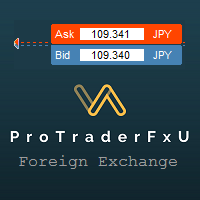
Description: - BidAskLine Indicator is very simple and easy, but each utility can be important in the probability that we will win in our trade. This utility Indicator shows lines and prices of the Bid, Ask and Spread. Input Parameters: - Visual Aspect Options : Select between 2 options with Box or Simple Style. - Parameters Bid Price : Select between show or hide line or box objects, change color, style or width line. - Parameters Ask Price : Select between show or hide line or
FREE

a Perfect TradingPanel for who wants to have entry in a RANGE .
Join my channel ===> https://t.me/Ash_TheTrader
For example : You have a zone and you don't know where of the zone will be your entry so , you will use this Tool , to separate your risk per position and it will automatically calculate your LOT SIZE . Total risk base on martingale rules or Grid input . You can choose how many positions you want to have and it will calc the Lot size for you .
Features :
Enter in a range of p
FREE

Trade Entry Journal is your ultimate solution for streamlining trade entries and journaling. Designed specifically for forex traders, this powerful tool automates the tedious tasks of calculating lot sizes, placing trades, and documenting your trading activities. Say goodbye to manual entries and focus on making smarter trading decisions. Key Advantages: Automated Lot Size Calculation : Calculate the perfect lot size based on your stop loss level and risk amount. The lot size will be adjusted t
FREE
Piyasa bilgilerini saniyelik güncelleme ile gösterir. Spread boyutu; Swap boyutu: kısa ve uzun pozisyonlar için; İsteğe bağlı olarak, mevcut saati gösterebilirsiniz; Çok fonksiyonlu araç : 66+ özellik, bu araç dahil | Sorularınız için iletişime geçin | MT5 sürümü Gösterge ayarlarında şunları yapılandırabilirsiniz: Yazı tipi boyutu; Metin rengi; Konum seçin: grafiğin sol/sağ köşesi; Mevcut saat görüntüsünü aç/kapat (bilgisayarınızın yerel saati); Program dosyası " Indicators " dizinine ye
FREE

EA REMOTE COPIER Copy Your Trades Across Different VPS — Fast, Secure & Reliable EA Remote Copier is a professional Expert Advisor designed to automatically copy trading activity between different VPS, trading accounts, and locations through the Internet . It is suitable for traders, money managers, signal providers, and anyone who needs to synchronize trades across multiple accounts efficiently.
Please download Slave EA here = https://www.mql5.com/en/market/product/190920
User Manual :
FREE

Easy Equity Builder 2026.....is back due to popular demand for testing before it becomes premium from my regular customers. This is easily a 1000$ EA but Im giving it for testing for friends who want to test with me. Do ask questions in comments.
Screenshots soon!
Plan your weekly profit target based on your risk appetite and let the robot manage it. Easy Equity Builder works on your strategy from Monday to Friday, shuts down as soon as the assigned target is reached and restarts automatica
FREE

A simple and useful Current Price Panel, which displays magnified current Bid, Ask prices and spread, movable anywhere on chart window using the mouse. Also provides an option to have as text at a static location showing bid or ask price along with spread, shown at any location on the chart. Allows display as pips or points along with spread highlighted in distinct color if it crosses the threshold point for the previous 100 ticks. Includes an option to show or hide the last digit (pipette) of t
FREE

Alarm Clock generates sound signal at the prescribed time. Time is set by a vertical line on the chart. Just shift this line on the chart to the future. After you set the line at the desired time, you can do whatever you want with the chart, like change a timeframe and a symbol - the alarm clock will generate a signal at the prescribed time anyway. If you accidentally remove the line, the indicator will restore it at the prescribed time. You can attach the indicator to different charts and set d
FREE

Auto risk manager easy demo version of the utility for order control. Regardless of whether orders are opened manually or by advisors, when the specified percentage of profit or loss is reached, the advisor will close all positions, delete (if necessary) pending orders and independently close the chart windows (will not allow advisors to open new transactions). The utility will be especially useful for traders who trade using advisors or manually on several currency pairs at the same time. The
FREE

Auto Close & Delete All is an assistant to help you quickly close all trades of a selected symbol or all symbols and delete pending orders. Through its flexible settings, you can set the script to either close only trades, or only pending orders, or both market trades and pending orders. The script can close deals and delete pending orders wither for the current instrument, or for all instruments. This is selected in settings. The settings are displayed on the screen before the script execution,
FREE

PulseBar is a visual trading tool designed for MT5/MT4 that eliminates guesswork when planning your trades. It draws an interactive horizontal line on your chart that instantly calculates and displays the projected PnL (Profit/Loss) of your open positions (long or short) if the price were to reach that exact level. It is ideal for Price Action traders, Scalpers, and Day Traders who need to quickly and cleanly visualize Take Profit targets, partial exit levels, or risk zones without leaving the
FREE

The Telegram EA can be used in conjunction with Abiroid Dashboard products. Detailed blog post with screenshots explained: https://www.mql5.com/en/blogs/post/758932
1. Abiroid Dashboards Setting: Within the Dashboard you have to set “File Alerts” to true. No need to give it a custom file name. It will use default file name and File will be created inside MQL4/Files folder. They will use “Prefix” setting as prefix by default. Unless you specify a Custom File Name. Then use this EA, and it will
FREE

Informational indicator to aid in trading English and Russian version Balance Equity Drawdown Margin level Opened orders Spread Total profit Profit for today Profit for yesterday Profit for the week Profit for a month Detailed statistics for 5 pairs Detailed statistics on the current pair ATR MarginCall quote and distance to it Breakeven quote and distance to it Minimum margin level Maximum drawdown Maximum possible lot to open Displaying the breakeven line Displaying MarginCall and Stopout lin
FREE

Stop and Reverse Martingale EA is an expert advisor that integrates the following inputs within it: Start lot size Lot multiplier Take profit distance in points Take profit distance in points *this input is a stop loss, is misspelled within the code of the EA Magic number A and B Start cycle with round number The distance of round number Daily maximum orders per cycle and close all Daily loss (maximum orders per cycle when this last order hit the stop loss the EA close all orders in the same m
FREE
Minimalist and fully customizable info panel. It works on any chart and timeframe, with 2 - 4 digits brokers and with 3 - 5 digits ones. It can show: Current Spread in pips (1 decimal digit if you are on a 3 - 5 digits broker) ATR (Average True Range) in pips Current Server Time Current GMT Time Important Account Info: Current Leverage and Stop-out Level (%) Time left for the current bar. Very useful on 4 h charts All info labels have a tooltip with the same data Available customizations : Enabl
FREE

Acemi tüccarların anlamasını kolaylaştırmak için herhangi bir ücret talep etmeyen bir ticaret platformu hesap bilgi paneli yaptım.
Her şeyden önce, işlem yapmadan önce platformu anlamalısınız.
Her platformun kotasyonları ve emtia özellikleri, hesap alım satım kuralları ile aynı değildir.
Panelin rengini ve boyutunu ayarlayabilirsiniz ve basmaya çalışırsanız panel hareket edebilir. Panel sipariş vermeyecek, UZMANLARI güvenle yükleyin Ücretsiz ürününüzü yükseltmek istiyorsanız, eski ürünü piya
FREE

HM (Yatay İşaretleme), yatay seviyelerin manuel olarak işaretlenmesi için tasarlanmıştır. İşaretleme, seviyeyi ve fiyat değerini içerir. Hattın kalınlığı ve rengi ve fiyat değeri ayarlarda ayarlanır. Seviyeler yerel olarak zaman dilimlerine yerleştirilebilir veya tüm zaman dilimleri için herkese açık olarak gösterilebilir.
Onun işi çok basit:
1) - Seviyeyi işaretlemek için ayarlarda ayarladığımız tuşa basıyoruz;
2) - çizgiyi istenen yere getiriyoruz;
3) - Farenin sağ düğmesine tıklıyoruz v
FREE

Ticaret hacimlerini bir MT5 veya MT4 hesabından başka bir MT4 hesabına kopyalamak için basit bir yardımcı program. Netleştirme ve Riskten Korunma hesapları arasındaki pozisyonları herhangi bir kombinasyonda kopyalayabilirsiniz. Varsayılan olarak, aynı hacimlere sahip tüm eşleşen semboller tarafından açılan pozisyonlar kopyalanacaktır. Sembol adları farklıysa veya kopyalanan konumların hacmi farklıysa veya tüm konumlar kopyalanmıyorsa, istenen davranış bu gönderide açıklanan ayarlarda belirti
FREE

The script opens 5 sell orders with 1 stop loss and 5 different take profits. And places 4 limit orders (sell). The following parameters are set by default: Stop loss for all open orders - 120 pips Take profit for 1 order (lot 0.1) - 30 pips take profit for other 4 orders (lot 0.04) - 50, 90, 140, 200 pips.
Stop loss for limit orders is 135-140 pips from the current price (at the time of placing orders). The distance of each limit order is 20 pips. Lot size with micro-martingale - 0.04, 0.05,
FREE

Bir tuş. Bir tıklama. Çıplak grafik. MT5 version
Her şeyi çizdiniz. Trend çizgileri, Fibonacci, dikdörtgenler, bölgeler, oklar... Grafiğiniz modern sanat eseri gibi görünüyor. Güzel — ama artık fiyatı göremiyorsunuz. NAKED CHART bunu tek tıklamayla çözüyor. Bir tıklama → tüm çizimler anında kayboluyor Tekrar tıklama → her şey bıraktığınız gibi geri dönüyor Göstergeler etkilenmiyor — sadece çizimleriniz gizleniyor Sürüklenebilir buton — grafikte istediğiniz yere yerleştirin Ayar yok. Karmaşıklık
FREE

This free light version is functionally limited with a maximum risk of 20 account-currency units per trade, a maximum lot size of 0.05, and a limited number of trading operations. RiskMaster Unified Panel Light , MT4 için grafik üzerinde (On-Chart) çalışan bir trading desk’tir: Entry / SL / TP çizgileriyle işlemi doğrudan grafikte görsel olarak kurarsınız, EA riski ve lot büyüklüğünü gerçek zamanlı hesaplar ( tutar veya serbest marjın %’si olarak) ve emirlerinizi butonla Market ya da Pen
FREE

Simple and lightweight utility for automatically synchronizing the symbol of multiple charts Synchronization in both directions, regardless of which chart you change the symbol on Quickly activate or deactivate the synchronization of individual charts at the touch of a button Create multiple synchronization groups by assigning different event IDs Themes for bright and dark chart layouts
FREE
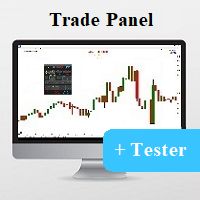
Universal tool for managing positions in one click with ability to test strategies
The utility has all functions of opening, tracking and closing trade orders with additional options for reversal, averaging and position compensation Extended order modification system with possibility of correction on price chart, taking into account conditions of partial or complete fixing of positions The panel allows you to test strategies in MetaTrader tester - all panel functions are available here with ab
FREE

If you like trading by candle patterns and want to reinforce this approach by modern technologies, this script is for you. In fact, it is a part of a toolbox, that includes a neural network engine implementing Self-Organizing Map (SOM) for candle patterns recognition, prediction, and provides you with an option to explore input and resulting data. The toolbox contains: SOMFX1Builder - this script for training neural networks; it builds a file with generalized data about most characteristic pric
FREE

The only drawdown guardian that stops your other EAs from digging you deeper. PropMarshal monitors your account equity in real time and instantly closes all positions the moment a drawdown or profit target threshold is breached. But it doesn't stop there — it closes every chart on your platform too, cutting off any other Expert Advisors before they can open new trades and compound the damage. The Problem PropMarshal Solves Most prop firm traders run multiple EAs across multiple charts. When
FREE

Copier Provider RAlabs MT4 — a signal source for local trade copying. A lightweight trade publishing tool for a copying system consisting of Copier Provider RAlabs (signal source) and Copier Master RAlabs (receiver). Copier Provider RAlabs is installed on the donor account whose trades need to be copied and transmits those trades to the Copier Master RAlabs receiver. The provider publishes: position openings, modifications, and trade closures. Features: instant local transmission, minimal resour
FREE

# AutoECPointer
**AutoECPointer** stands for **Auto Entry Close Pointer** .
AutoECPointer is a custom indicator for MetaTrader 4 (MT4) designed to visualize your trade history directly on the chart. It automatically draws arrows for trade entries and exits, distinguishing between profitable and losing trades, helping traders review their past performance visually.
## Features
- **Automatic History Visualization** : Scans account history and plots trades on the chart. - **Entry & Exit Marker
FREE
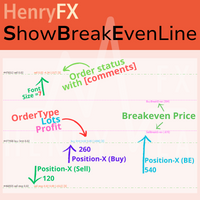
This indicator can help easy to management your order on screen.
FREE Version, included: - " Show Breakeven Price "
Show Breakeven Line Pro : : https://www.mql5.com/en/market/product/58289
Input Parameter: " Label Prefix "
:: [ ] Description; " Position-X-Dis "
:: [ ] Description; " Position-Y-Dis "
:: [ ] Description; " Show Market Price "
:: [ ] Description ; " Price Up Color "
:: [ ] Description; " Price Down Color "
:: [ ] Description ; " Position-Y-D
FREE

This EA is a small aid, suitable for all who like to trade on smartphones or tablets. The EA is placed on a chart and monitors all markets (multicurrency). No matter where you are, as long as you have internet, you can trade with it. Open position, set stop, and the EA automatically creates a TP in the previously set ratio (1:1, 1:2 etc.) to the stop. This is a very convenient feature that helps you manage your trades better. Ideal for trading on mobile devices. Whether you are on the bus or in
FREE

Bu EA, yatırımcılara aşağıdaki avantajlar konusunda yardımcı olur:
- Verdiğiniz satış veya alış emirleri için giriş noktasını gösterin.
-grafik üzerinde TP & SL seviyelerini göster
- parti boyutunu kontrol edin
- noktalarda TP & SL seviyesini kontrol edin
- tüm grafik periyodunda çalışır
- sinyalinizde yükselen algo ticareti sıralaması
- tek bir tıklamayla tüm anlaşmaları kapatma
- yalnızca karlı anlaşmaları kapatmak
- sadece kaybedilebilir tüccarları kapatmak
FREE
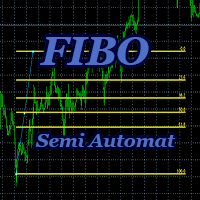
Advisor-assistant for those who like trading on Fibonacci levels. Automatically finds manually plotted Fibonacci Lines on the chart, and opens an order when the levels are broken. The Expert Advisor has 4 customizable levels and the ability to turn them off as unnecessary.
Parameters: Lot - order volume (lot); Requote - price slippage; Magic - individual number for all EA orders, works only with own orders; Name Fibo - set initial name of Fibonacci lines; Level parameters are ide
FREE

Have you ever wanted to back-test a strategy but never wanted to risk real money? And the thought of using a demo account is exhausting as real time markets develop your skills slowly. This utility will help you develop your strategy faster and will help determine if the strategy works long-term by simulating real trading through back-tests. This will save you time as you can back-test strategies from previous price data. In order to set an sl during the backtest you have to click on the sl b
FREE

Strateji test cihazında iyi çalışıyor. ÜCRETSİZ DEMO ile deneyin (yapı 1353)
How to run the FREE DEMO => https://www.mql5.com/en/blogs/post/749299
Msg2Discord, bir metin kutusundan Discord'a serbest metin ve yakalamalar gönderir.
Grafik üzerine çizgiler, işaretler veya yorumlar yazarsanız, görüntü gönderilecektir.
Çok kullanışlı ve basit bir araç.
- Ücretsiz Mesaj Gönderme
1. DÜZENLE kutusuna serbest metin girin.
2. GÖNDER düğmesine basın.
- Serbest mesaj gönderme + görüntü yakalama
1. D
FREE
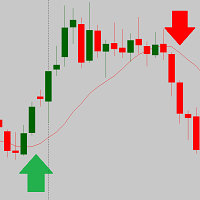
The script is based on the indicator Stochastic Oscillator.
The script draws up arrows or down arrows.
The tooltip arrows indicate the recommended price level.
The script can signal an alert, which also indicates the price level.
The script draws an up arrow when the Stochastic Oscillator lines go out of the oversold zone.
The script draws a down arrow when the Stochastic Oscillator lines out of the overbought zone.
Indicator signals are not filtered in any way - this is the classic Stocha
FREE

This MQL4 code is a custom indicator that draws multiple colored rectangles on a chart, spaced apart by a defined pip distance, and projected into the future. Here's a brief breakdown: Purpose: Draws several horizontal rectangles (zones) starting from a specified price. Rectangles are spaced apart vertically by a pip distance. Colors alternate between FirstColor and SecondColor . Rectangles can be drawn behind candles and optionally filled. Each rectangle extends into the future for a specified
FREE
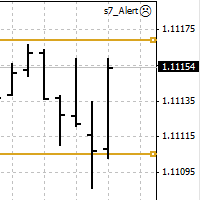
An Expert Advisor. A channel breakthrough signal. Attach two horizontal lines to a chart: one for the upper channel line, name it < Up > the other one for the lower border, name it < Dn >
Settings: sound = true - play a sound notification alert = true - show a dialog box containing user data comment = true - show a comment in the upper left corner of the chart print = false - print a message to the Experts log repet = 3 - number of times the sound file is played.
FREE
Простая утилита MQLTA Draw Grid поможет вам нарисовать сетку на вашем графике. Она полезна при изучении графика и моделирования сетки.
Как она работает? Утилита будет создавать горизонтальные линии в зависимости от заданных параметров
Как использовать этот инструмент Установите индикатор на график, выбрав параметры по умолчанию. Выберите начальную точку, значения минимума и максимума диапазона и стиль. В появившейся графической панели вы сможете создавать и удалять сетку, а также изменять неко
FREE

Why do you need this script? If you place lots of orders and re-calculate your risk for every order you placed, you definitely need such a script. This script places one or (optional) two different orders with the following script inputs.
Utility parameters Operation Type - "Buy","Sell","Buylimit","Selllimit","Buystop","Sellstop" Price - Entry price of the order(s). Stop Loss - Stop Loss of the order(s). Take Profit 1 - Take Profit of the first order. Take Profit 2 - Take Profit of the second o
FREE

Shved Position Pips Label MT4 is a professional utility indicator for the MetaTrader 4 terminal that displays the real-time floating profit or loss of all your active orders directly on the chart. No more switching to the "Trade" tab — all the crucial information is positioned right in front of your eyes next to the current price line! Key Advantages: Smooth Price-Anchored Alignment: The labels are anchored to the last bar and smoothly slide vertically following the market. When scrolling th
FREE

This is a simple risk/reward setter. You enter your TP and SL in the currency amount and it sets it for you, you set your targets in money (not in pips), it helps beginners who are still learning about risk/reward ratios to set their risk/reward based on their capital or amount of money. For example, if you want to risk $3 to make $10, you just fill it in and it sets your order targets accordingly. You can set the TP and SL per chart or all opened charts only. Please make sure your targets are r
FREE

Real-time spread tracking and monitoring software
Displays spread values in form of histograms on current timeframe of chart Convenient for analyzing spread changes, as well as for comparing trading conditions of different brokers By placing on desired chart, the spread changes at different trading times are displayed
Additionally Fully customizable Works on any instrument Works with any broker
FREE

The script is based on the simulation of trade transactions using a random number generator. This allows you to get completely different results, even with the same input parameters. When you run the script, a dialog box opens in which you can set the desired values for external variables. In the Trading options block, the basic parameters that are necessary for trading modeling are defined. Start Balance - sets the initial size of the trade balance. Number Trade - sets the number of trade tr
FREE

Risk Panel Pro (MT4) Risk Panel Pro is a Tool for MetaTrader 4 that automates placing Stop Loss and Take Profit based on a percentage of the account balance. It is a trade management utility; it does not provide trading signals and does not guarantee any profit. Main functions Auto-apply SL/TP on new orders using balance-based risk (default: SL 2%, TP 4%). Switch Automatic mode off to manage SL/TP manually. One-click buttons to apply SL or TP to existing positions at any time. Close Chart : clo
FREE

Sentinel Pro V is a professional-grade MetaTrader 4 Expert Advisor designed for traders who demand precision and mobility. By combining three layers of RSI and Stochastic analysis with custom trendline tracking, this bot ensures you stay informed of every critical market move via instant Telegram notifications. Key Specialized Features 1. Triple-Level RSI & Stochastic Alerts Unlike standard bots, Version 2 allows you to set three distinct alert zones for both RSI and Stochastic indicators. This
FREE

The Equity Curve indicator is a simple and helpful tool that shows the development of the equity curve in real time. For precision measurement, it should be used in a separate window with a period of M1.
Main features The indicator shows the development of the equity curve in real time. High precision on the minute chart. High-speed calculation. Available for MT4 and MT5. Please visit the Equity Curve indicator product page for the input and output parameters settings.
FREE
The VR Close orders script is designed to close positions in the terminal at a profit or loss mark set by the trader. The program is written as a script and can work together on the same chart with any other indicators and expert advisors. The program has a simple visual panel and is easy to configure with the mouse. With this program's help, the trader can automatically close positions and delete orders depending on the conditions set. There is often a situation when you need to close position
FREE

Product Overview DW Connection Monitor MT4 is a lightweight utility EA for MetaTrader 4 that keeps a constant eye on your terminal's connection to the broker and its network latency. The moment your connection drops — or comes back — it sends a push notification straight to your phone, so you always know the real state of your trading terminal, even when you're away from the screen. It's built for traders running EAs on a VPS or a home PC who need to be sure their automated strategies are actu
FREE
MetaTrader Mağazasının neden alım-satım stratejileri ve teknik göstergeler satmak için en iyi platform olduğunu biliyor musunuz? Reklam veya yazılım korumasına gerek yok, ödeme sorunları yok. Her şey MetaTrader Mağazasında sağlanmaktadır.

Alım-satım fırsatlarını kaçırıyorsunuz:
- Ücretsiz alım-satım uygulamaları
- İşlem kopyalama için 8.000'den fazla sinyal
- Finansal piyasaları keşfetmek için ekonomik haberler
Kayıt
Giriş yap
Web sitesi politikasını ve kullanım şartlarını kabul edersiniz
Hesabınız yoksa, lütfen kaydolun