 MetaTrader 5
 Uzmanlar
 Göstergeler
 Kütüphaneler
 Yardımcı programlar
 Widget'lar
 Kurallar
YouTube'dan Mağaza ile ilgili öğretici videoları izleyin
Bir alım-satım robotu veya gösterge nasıl satın alınır?
Uzman Danışmanınızı
sanal sunucuda çalıştırın
sanal sunucuda çalıştırın
Satın almadan önce göstergeyi/alım-satım robotunu test edin
Mağazada kazanç sağlamak ister misiniz?
Satış için bir ürün nasıl sunulur?
MetaTrader 4 için ücretsiz alım-satım yardımcı programları - 16
 Aşağıda MetaTrader 4'te Forex alım-satımını kolaylaştıran alım-satım programları bulunmaktadır. Açıklamasını ve amacını okumak için aşağıdaki listeden ürünün üzerine gelin.
This expert is a tool which helps every trader to see the historical results by magic number or orders' comment.
You can to get source code from here .
Parameters MagicNumber - Here we put the orders' identifier ID we want to analyze. OrdersComm - Here we put the orders' comment we want to analyze.
How use it Add file in "expert" folder. Attach expert on a chart with your settings (MagicNumber or OrdersComm).
FREE
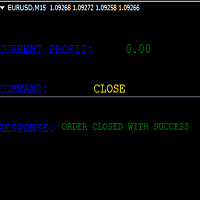
KEYBOARD CONTROL TRADING This script allows you to buy, sell or close positions using the keys on your keyboard. This allows you to create shortcuts to place buy or sell orders or to close an open position.
Setting:
LOT: To choose the lot size of your order.
TAKE PROFIT PIPS: To set your take profit in pips
STOP LOSS PIPS: To set the stop loss in pips
KEY FOR BUYING: To choose the keyboard touch to buy: -Up : To choose the UP direction key to place purchases -B : To choose the direction k
FREE

This script allows selecting the TakeProfit and StopLoss levels. It analyzes the history data, and then calculates the probability of reaching a given price level.
How the script works Suppose you have a trading strategy and you want to select the TakeProfit and StopLoss levels. Run the script and set the parameter: Number of Bars - the average position holding time in bars. Once the script operation is complete, the AIS-PPL.csv file will be created in the Files folder in the terminal data cata
FREE

Customize your charts with this simple utility.
Choose in the 24 pre-built color sets, or use your own colors, save them to re-use them later.
You can also add a text label on your chart.
--- Chart Colors--
Color Set : 24 prebuilt color sets (select "Custom" to use colors below) Background color Foreground color Grid color Chart Up color Chart Down color Candle Bull color Candle Bear color Line color Volumes color --- Label--- Text Label : Type the text you want to appear on the chart Label P
FREE
WalkForwardReporter is a script creating HTML reports from walk-forward optimization results generated by WalkForwardOptimizer (WFO) library. It allows you to easily view and analyze your expert adviser (EA) performance and robustness in unknown trading conditions of future. You may find more details about walk-forward optimization in Wikipedia . Once you have performed optimization using WFO, the library generates a CSV-file and special global variables with resulting data. Copy the CSV-file fr
FREE

This indicator allows you to monitor the vitals of your account and notifies of some events, in accordance with user settings. Keep your finger on the pulse of trading.
Control elements
Main panel of the indicator shows the following values: chart symbol, bid/ask prices, spread, free margin, equity, total number of orders and total profit/loss.
There are also two buttons: "Alarm" and "Mute". "Alarm" button starts up a timer, which will notify user in a period of time, defined in the settings. I
FREE

Patrick Loquema is a fully automatic robot, entering the market randomly will always remain with a sell order and another open buy order ... he uses a system similar to martingale, only without keeping open orders, but increasing the volume by multiplying by 1.5 for each new losing order until it closes positively. The only parameters to be changed by the user is the initial lot, of course ... and “Stopp Distance”. Now you ask yourself, and take profit? double the stop ... And what is the multi
FREE

Stop controller – утилита, которая следит за тем, чтобы у ордеров были установлены стоп-приказы и за уровнем просадки или прибыли. Стоп-приказы можно установить, как пользовательские, так и расчётные. Также она способна сопровождать рыночные ордера. Сопровождение выглядит следующим образом: утилита отслеживает промежуточные между ценой открытия и тейкпрофитом цели и частично закрывает сделки, при этом переводя стоплосс на уровень предыдущей цели. Частичное закрытие ордеров можно отключить. Чтобы
FREE

This simple EA closes old losing trades at the expense of a portion of your profits. This helps to slowly work away drawdown and accelerate the closure of martingale grids
*** New Features *** Added - Option to close oldest or furthest from current price trades Added - Calculation of profits that will be sacrificed.
Anyone who has traded with martingale knows that you can get trapped in grids and be hoping for a quicker recovery. This led me to create this EA with the goal of helping to r
FREE

ExpertLines is a productivity expert to open orders by the breaking of the buy or sell lines, providing risk x reward and pips information on every trade. The expert can close the opened order by virtual lines of stop loss and take profit or by close buy or sell button. He also has a trailing stop resource if enabled. All this in a fast and easy way. Arm your trade with ExpertLines and have a good trade.
Main Parameters Magic_Number - It is the magic number that the expert advisor uses to ident
FREE

This free utility is a must to manage your risk.
Very easy to calculate a new position size (number of lots), based on: Your equity
Your risk per trade (% of equity) Your entry price Your stop loss This utility gives the right information to enter the market. A paid version is also available, Ofir Calculator+, to open the trade by a single click. Telegram Setup instruction
Open your Telegram APP and search for "BotFather" Type /start and click/type /newbot to create a new bot Give your bot
FREE

This utility adds a customizable button to your MetaTrader 4 chart, allowing you to close all open orders with a single click. The button's position automatically adjusts based on the chart size, ensuring it remains visible and accessible. Customize the button's appearance, text, and tooltip to suit your preferences. Simplify your trading workflow and manage your open positions more efficiently with this convenient tool. The UPDATES Would be based on your feedback!
Features: Single-click button
FREE
This script permits to delete the pending orders or close the market positions on platform. Very simple to use. Upload the script on the chart and the script will done the work for you following the input values.
An utility to manage very quickly your trading.
Input Values TypeOrders Only BUY (delete or close only BUY) Only SELL (delete or close only SELL) BUY and SELL (delete or close ALL) Type Positions (close only market orders) Only STOP (delete STOP pending orders) Only LIMIT (delete LIMIT
FREE

TelegramTradeReports - Your Trading Always Under Control The price will increase by $50 after every 10 sales TelegramTradeReports is the essential Expert Advisor for the trader who never wants to miss a beat. Instantly connect your MT4 terminal to your Telegram account, sending real-time notifications on every trading event and periodic reports on your account performance.
Ideal for those who manage Expert Advisors, signals, or discretionary trading and need to monitor account activity eve
FREE
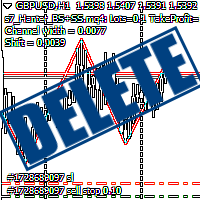
Script Deleting the Hunter The script is developed for fast deletion of pending orders, Up and Dn border lines, as well as arrows (symbols) which appear when an order is placed.
Features: Can delete all pending orders of the current chart in one go Can delete all pending orders of the current account in one go Can delete only those orders which have specified magic number Can delete lines which show the channel's border, support and resistance levels marked Up and Dn Can delete all arrows (symb
FREE
This indicator is a tool to show history orders on chart. Indicator show open time and price, close time and price and profit in pips on chart. It can to help the trader to see all history orders which are opened either manually or by an automated system.
You can to use indicator on any symbol and any time frame.
You can to get the source code from here .
Parameters
Delete Objects If Terminated Indicator - Delete objects of chart if terminate indicator. Size Fonts Of Info On Chart - Size of
FREE

www tradepositive .lat
ALGO Smart Flow Risk Manager (Keyboard Edition)
Have you ever spotted the perfect entry but hesitated so long calculating the lot size that the price ran away without you? Or has a bad streak ever wiped out 20% of your account because you didn't know when to stop? The ALGO Smart Flow Risk Manager is not an automated trading bot. It is a professional Execution Tool designed strictly for Manual Traders who demand speed, structure, and discipline. We turn your
FREE

Signal Tester and Trader is an Expert Advisor that is capable to reading most indicators (except for indicator that has string as an input). Custom backtest the signal on a live chart and trade the signal on live account [Full Version Only] .
The expert has 2 modes: Backtest mode (custom backtest on current indicator and strategy settings) Trading mode (trade based on current indicator and strategy settings) [Full Version Only] Available Indicator types: Two cross indicator: indicator that gen
FREE

Demo version of the paid product - Copy MT4 copier , limited to lot size of 0.01 Universal copier of deals from MetaTrader 4 to MetaTrader 4 ( MT5<->MT5 version is available ; with both versions, you can copy MetaTrader 5<->MetaTrader 4, MetaTrader 4<->MetaTrader 5, MetaTrader 5<->MetaTrader 5, MetaTrader 4<->MetaTrader 4). Spread filter. Select the best price (start copying positions with a profit or loss). Configure the lot size, fixed or ratio-based (provider signals can be copied with an inc
FREE

Overview Custom Logic for Trading Mini is the free version of Custom Logic for Trading that designed to execute trades based on custom indicator signals, with robust position management features with break-even settings. This script allows traders to implement their strategies with high precision and flexibility, enhancing their trading efficiency and profitability. Input Parameters Indicator Settings indicator_name : Name of the custom indicator to be used for generating signals. buy_signal :
FREE

Price Alert EA for MT4 – Customizable Alert System with Intuitive Chart Interface The CFN Price Alerts EA is a powerful yet easy-to-use Expert Advisor designed for traders who want full control over price level alerts directly from their MT4 charts. No need to manually set alerts through MT4’s native system – this EA gives you an on-chart interface to quickly set, view, and remove price alerts with flexibility. Key Features: Set unlimited price alerts directly on your chart. Visual display
FREE

We use Price Action and Japanese Candlesticks at important price zones and standard times to open positions and use Risk/Reward: 1/2 - 0.2%/trade. Recommended symbol: EURUSD, GBPUSD, AUDUSD, USDCAD, USDJPY, GBPJPY, EURJPY. Contact me: Gmail: fifund.cuscare@gmail.com, Facebook , Twitter , Instagram . Product: Metatrader4 , Metatrader5 . Broker references: Exness , ICMarket , FBS .
FREE

Designed to revolutionize trading efficiency, this app enables traders to seamlessly cycle through Market Watch symbols using intuitive keyboard arrow keys or dynamically positioned on-chart buttons, minimizing navigation time and enhancing focus on market analysis.
Potential : This lightweight MetaTrader 4 tool unlocks rapid symbol switching for comparative analysis across assets, supports wrap-around navigation for uninterrupted workflows, and adapts button placement to stay within chart b
FREE

A utility for automatically detecting the GMT offset of your broker To use the utility, place it in the Scripts folder of the terminal data directory, enable WebRequest in the terminal settings and add the address https://www.worldtimeserver.com/ to the list of allowed ones. Run the Check GMT script on the chart with any currency pair There is only one setting in the script: site = https://www.worldtimeserver.com/ just for your convenience. Copy this address from the script setti
FREE

New opportunities for analyzing cryptocurrency in the usual MetaTrader 4. For example : We select the symbol of the cryptocurrency and attach any indicators, Expert Advisors or scripts.
Startup Mode View Cryptocurrency; Data collection.
Capabilities Work as with a standard currency chart; Automatic update of open charts; Selection of individual cryptocurrency for updating; Selection of individual timeframes for updating (only H1 in the free version); Work on the desired timeframes (only H1 in
FREE

Discover our all-in-one monitoring and notifications EA for MetaTrader. Designed to ensure traders’ security and peace of mind, this unique EA offers a full range of advanced features that will allow you to stay informed and control your account activity, anytime and anywhere. Key Features : Continuous server monitoring: real-time notification on server availability and performance (Cpu, Ram, disk), connectivity, latency and more Advanced account management: live tracking of margin calls,
FREE

IzaRP - Risk / Profit Monitor (MT4) IzaRP — это вспомогательный индикатор для трейдеров, предназначенный для анализа открытых позиций и контроля рисков в реальном времени. Индикатор автоматически рассчитывает ожидаемый риск и ожидаемую прибыль по всем открытым сделкам на торговом счёте на основе установленных уровней Stop Loss и Take Profit и отображает результат непосредственно на графике. Основные возможности Анализирует все открытые рыночные ордера (BUY и SELL) Игнорирует отложенные орде
FREE
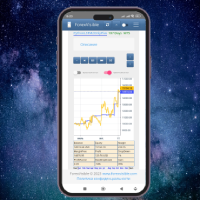
This client utility is intended for sharing and copying signals, as well as for monitoring your Expert Advisor on the site https://forexvisible.com . The Android version of the site can be downloaded here The version for the MT4 terminal can be downloaded here https://www.mql5.com/en/market/product/106509 There are many reasons to use this application in your trading, and these are: 1. If you have many trading advisors and many accounts, it is very difficult to track them and monitor everyt
FREE

TRAILINATOR is a unique Solution to use different Trailing-Stop Variants and change your settings via Remotecontrol. You configure your Trailing-Stop for a specified Symbol only once. This setting will be used for all your Positions of the same Symbol. Currently we support these different Trailing-Stops: Standard : works like you use in Metatrader Terminal, starts trailing if your profit is greater than trailing stop Start after points : trailing stop will start after your defined points in p
FREE

BRiCK is a simple and versatile Utility.
By combining Experts, Indicators and utilities like the Lego block, various trading styles can be realized. "BetByTrade" is a utility to automatically add / close positions when trading. If you open the position in the trade pool, if the calculation result of the betting method exceeds the initial lot, the utility will order additional.
If you close the position in the trade pool, if the position that was additionally ordered by the utility remains, it w
FREE

This simple free script will allow you to show your trade levels on the chart without disclosing their size. If the chart has no trade levels, the script will plot them using a white horizontal line for the order price, a red one for the stop loss and a blue one for the take profit. If the chart already shows trade levels, the script will delete them, this will allow avoiding doubling trade level indications. Every trade level line will contain in its description the ticket of the order.
Tip:
FREE

JVH Trading Information Panel v3.93 Professional Trading Dashboard for MetaTrader 4 The JVH Trading Information Panel is an advanced, real-time trading dashboard for MetaTrader 4 , designed to give traders a clear, structured overview of risk, performance and execution quality — all in one clean, dark-themed panel. Built for retail traders and prop-firm traders (FTMO, FundedNext, etc.) who require accurate, equity-based risk tracking and professional-level statistics. Key Advantages Liv
FREE
This demo EA only sends text messages to a predefined Telegram channel ( there is no need to confiure telegram ). The messages can be customized to show information about the trading activity. Also it shows the daily account PnL. Several instances of this EA can be used simultaneously from the same MT4 terminal but ensure that each one has different EA ID number (setting B16) I have tested this EA with forex symbols but it should work fine with any MT4 symbol (e.g. indexes, commodities, stocks,
FREE

Super Copier GG Free Super Copier GG Full Version Super Copier GG Full FREE
Super Copier G&G Free (Symbol USDCHF and EURAUD only, Max three order) Expert Advisor copies orders to several trading accounts (regardless of a broker) if their respective MetaTrader 4 terminals are opened on a single PC/VPS. The EA may copy from multiple (unlimited) initial accounts to a single target one or from a single initial account to multiple (unlimited) target ones. The work of other EAs and manual tradin
FREE

Using hotkeys, you can create graphic objects of different drawing styles and different colors on the active chart. You can change the formatting styles for graphics. You can choose default drawing styles, or set them in the advisor properties selection window. Going to the graph, when creating graphic objects, the color, line type and line thickness are selected automatically. Drawing styles for graphical objects will depend on the current timeframe where drawing will be performed. Please watch
FREE
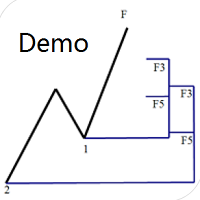
Dinapoli Levels Expansion and Retracement Demo An auxiliary tool written specifically for the DiNapoli point trading method. This is a trial version and there are no restrictions on the XAUUSD H4. Official version https://www.mql5.com/en/market/product/32213
The main function:
1. You can directly draw multiple sets of Fibonacci retracements, and the relationship between important return points is clear at a glance.
2. You can draw Fibonacci extensions, the ratio has three kinds of 0.618, 1, 1
FREE
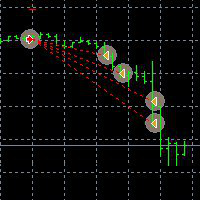
This Demo Version will only work with CHFJPY
For the full version :
For English go here: https://www.mql5.com/en/market/product/41117
For Spanish go here: https://www.mql5.com/en/market/product/41141
This EA does partial close to your positions every certain pips, and can move your Stop Loss to Break Even (Open Proce + 1 pip) when one of the partial close is made. The EA handles all trades of the chart symbol. It can be used with any pair or instrument on MT4. This EA will remember the sta
FREE

Indicator Profitability Check Introduction: IPC means "Indicator Profitability Check". Some features will be locked in free version. Also you cannot check result more than 1 month. For paid version, please visit: https://www.mql5.com/en/market/product/45247 Here Indicator Profitability Check is a custom script which will check the profitability of a buy-sell arrow based custom indicator’s signal profitability. So traders who are very confusing for a buy-sell arrow based custom signal indicato
FREE

This Expert Advisor sends an email notification, generates an alert or outputs a message to the journal (depending on the settings) every time a new order is opened (buy, sell, limit, stop). It also sends a similar message about closure of orders. The EA can be useful for those who want to always be informed of which orders had been opened/closed on the account. Limitations: In this demo version, notifications are available only for the GBPCHF currency pair. To use notifications on all currency
FREE

This Expert Advisor alerts users when the price crosses the chart lines. Horizontal and trend lines can be processed. Number of lines is not limited. Parameters prefix of signal line – prefix for the names of the objects (lines) processed by the indicator. If left empty, all horizontal and trend lines are processed. price Mode – bid or ask. timeout – crossing alert timeout. number of repeats – number of crossing alert repeats. number of comment lines – self-explanatory.
FREE
TP Exposure Matrix (MT4)
---
Compatibility
Platform: Meta Trader 4
Timeframes: All
Symbols: Any (Forex, Gold, Crypto, Indices, etc.)
---
Version 1.0 Highlights
Clean sub-window layout
Grouped symbol display (Buy/Sell)
Multiple totals modes
Optional live P/L view
Complete color and spacing customization
Automatic object cleanup.
For any inquiries please contact me in MQL5.com
FREE

This script is created for you if you : • You trade on several instruments or timeframes at the same time and want all charts to look the same . • You can set up each chart manually , change the settings of trading strategies • You teach trading and want to quickly bring all student terminals to a single view • Just appreciate the order and professional look of your workspace ________________________________________ What will it improve in your trading Time saving — setting up 10-20 charts tak
FREE

Simple Stats is utility for history management. Allowing you to clearly see trading performance for each symbol separately , and so it helps you to find the most and the worst profitable type of trades based on past results. History period depends on settings of your terminal, so if you want to get report for each month, you have to use custom period and run SIMPLE STATS for each. SS will distinguish reports with filename - each history report is named with account number and date of the oldest
FREE

Free version. Only works on EURUSD. Would you like to have statistics about your trades displayed while you operate? Have you a solid understanding of the symbol you are trading? Do you really know everything you need to about your trading account? Do you need to keep an eye on the local times around the world? Advanced Info Displayer answers to all that. It is the ultimate tool to know all sort of useful information and hidden or hard to find data. It is important if you are serious about tradi
FREE

Convenient and easy to use mini-panel, which displays the profitability from January to the current month .
This will help to quickly evaluate the results of transactions without resorting to monitoring the account.
Data is updated automatically
Each panel element can be configured with its own color and transparency .
There are English and Russian languages.
The panel can be run in the strategy tester and see how it is built.
Monthly profitability is calculated using the fo
FREE

The News Filter based EA Controller (NFC) is a very convenient utility to control the live trading status of your Expert Advisors during important news events. The NFC was programmed to prevent all Expert Advisors of live trading during significant news events. The NFC is resource-efficient and uses the Forex Factory Calendar. It is not necessary to set offset hours dependent on your broker, it will be done by the NFC. The NFC was successfully used and tested under MetaTrader 4 on a personal com
FREE

With Symbol Switch you can easily change the symbol of all open charts without losing your analysis or template. Easily monitor many symbols with only one monitor. Auto save\load analysis separately for each symbol (including all graphical analysis and attached indicators). The indicator shows the symbols which are visible in your MT4 "Market Watch" window. To add\remove a symbol just add\remove it from MT4 "Market Watch" window. Monitoring all symbols profit with the panel. Works with all broke
FREE
R E F R E S H 28 C H A R T S For traders who use a tool like "Volatility Watcher" and "OBOS Watcher" that use the 28 pairs of 8 commonly traded currencies.
You can find "Volatility Watcher" here: https://www.mql5.com/en/market/product/46475 You can find "OBOS Watcher" here: https://www.mql5.com/en/market/product/47894 8 C O M M O N L Y T R A D E D C U R R E N C I E S EUR - Euro GBP - British Pound AUD - Australian Dollar NZD - New Zealand Dollar USD
FREE

This is a DEMO version of the Smarter Trade Manager Smarter Trade Manager is an advanced trade management tool that can monitor and manage your manual and EA trades according to the settings you choose. It works as an Expert Advisor (EA), it does not open any trades but it closes trades as per the auto closing settings or when manually pressing any of the close buttons.
FEATURES:
Three-dimensional interactive view of your trades Trade Summary, P/L, Alerts, Closure by Currency Trade Summary,
FREE

This is a plug-in indicator for Control-adora that eliminates all the listed labels when a specific price is reached. Just add the indicator to the same chart where Control-adora runs and place a price label named Killer at the level where you want to trigger the label deletion. The trigger will be activated when the price goes beyond the Killer label. In its properties, set the labels you wish to delete separated with comma, replace the default values with the list of your desired labels to rem
FREE

This is a very simple script that will show you the following info about any symbol in your chart: Point, digits, spread, stop level, lot size, tick value, tick size, swap long, swap short, starting date (if future contract), expiration date (if future contract), trade allowed, minimum lot size, lot step, maximum lot size, swap type, profit calculation mode, margin calculation mode, initial margin, margin maintenance, margin when hedged, margin required, freeze level. All this info is extracted
FREE

BigPanel is a plug-in indicator that works exclusively with Control adora Expert Advisor. Its main functions are as follows: Select two types of button arrangement (horizontal or vertical) Change the buttons' size (from small to big; there are five different sizes in total) Move the buttons' panel around the chart. The arrangement and size can be settled in the indicators properties. To move the buttons' panel, click once over the hand button and move your mouse, the panel will follow it. To sto
FREE
This is a utility to copy in Expert Advisor folder. The EA will force the download of your History Center MetaTrader. It will not download new data from your broker but it will aid your MT4 to charge every chart correctly. You can choose the symbols to download. After the launch, the EA will be removed automatically from the chart. After the launch, you can see results under Experts panel on MT4. The log will show you the data charged or not charged. Symbol TF = Number of candles charged. Ex: Su
FREE

Broker & Account Info / Network Connection / Historical Order Benchmarks / Market Watch Symbols / Current Order Status
Features:
1. Symbol’s Trading Privileges – Ensure the symbol is tradable.
2. Order Execution Mode – Check the broker’s execution type.
3. Trade Session Hours – Verify the trading hours.
4. Min/Max Lot Sizes – Check the allowed lot range.
5. Max Pending Orders – Confirm the maximum number of pending orders allowed.
6. Freeze Point & Pending Order Distance – Minimum distance re
FREE

By applying this expert onto any char window, you are able to force download the historical data upon all time-frame (PERIOD_M1, PERIOD_M5, PERIOD_M15, PERIOD_M30, PERIOD_H1, PERIOD_H4, PERIOD_D1, PERIOD_W1, PERIOD_MN1) of 28 major pairs. The 28 major pairs are the combination of the 8 major currencies.
8 major currencies "USD", "EUR", "GBP", "JPY", "AUD", "NZD", "CAD", "CHF"
28 pairs "AUDCAD","AUDCHF","AUDJPY","AUDNZD","AUDUSD","CADCHF","CADJPY" "CHFJPY","EURAUD","EURCAD","EURCHF","EURGBP","E
FREE

This utility binds each created graphical object to the chart symbol. Binding is performed by adding a symbol prefix to a graphical object name. Later, after you change the symbol on the chart, it provides displaying only the objects binded to the current symbol and all other objects become hidden.
Parameters Ignore objects with prefix - the indicator will skip graphical objects with the specified prefix in their names. Note: demo version from the market is limited to strategy tester and cannot
FREE

Please note: This demo will work only on EURUSD live chart. It will not run in the strategy tester. ChartTrader is a professional trading tool that every trader needs in their toolbox. It has been developed to work with the MetaTrader 4 platform. ChartTrader offers a number of options to make placing orders in the Forex market quick and easy. The GUI sits on the chart window, so there is no need to navigate to separate windows when placing orders. The program allows you to set pending and insta
FREE

Did you ever encounter a problem that your terminal failed to reestablish a connection and caused your EA to stop working? How much money did you lose because you were not aware of the connection error? Worry no more, I am here to present you a solution for your nightmare. This utility indicator sends a real time push notification or email when your terminal encounters a connection failure. You will be notified immediately even if your terminal is yet to establish a success connection to your br
FREE

This utility allow you to switch your chart symbol rapidly by simply clicking on any two of the currencies that made up the currency pair. The supported currencies for demo version are USD, EUR and GBP but you may purchase the paid version for extra supported currencies (JPY, AUD, NZD, CHF and CAD) There are two rows of buttons at the panel. To switch to a new chart symbol, all you need to do is select a currency from each row. It is not necessary to click the currencies in a correct sequence be
FREE
This script allows performing a walk-forward analysis of trading experts based on the data collected by the WalkForwardLight library. The script builds a cluster walk forward report and rolling walk forward reports that refine it, in the form of a single HTML page. Since the library generates files with the metadata in the "tester\Files" directory (during the optimization), it is necessary to manually move the files to the "MQL4\Files" directory. The script only works in conjunction with the lib
FREE
This is a free demo version of the Replicator utility ( https://www.mql5.com/en/market/product/23028 ), which trades the minimum lot and only on EURUSD. The program is designed for copying your successful orders. The price is often fluctuates within a channel. But there is no time to place the next orders, especially if it happens at night. Place an order, when it closed with profit, the program repeats your order as a pending limit order. This will continue until the order closes with a loss, o
FREE

A Utility used for accounts with multiple open positions with Magic numbers added via Expert Advisors or manually. The Utility closes specific Magic number open positions when a certain profit in currency $ has been reached. The Utility also closes specific Magic numbers open positions with a break-even feature when the Expert Advisors or manually a certain amount of open positions has been placed. The Utility also closes all buy stops and sell stops when the "Take profit sum $" has been reache
FREE

It can only be used in EURCHF / M15 . The Expert Advisor is a great tool that allows you to control your trade with ease and precision. The tool can be moved in the graphs and offers the following characteristics:
Instant order entry with a single click. Entry of pending orders using price tags and trend lines. Instant order closure with a single click. Instant order closure using trend lines as output levels that the broker can not see. We can modify the way to enter and exit the market, allow
FREE

FastMove is a panel with 5 buttons, a notification area and a text entry. Its goal is to enable quick and simple execution. Buttons: MOVE - Move the interface BUY - Start of buy process SELL - Start of sell process L - Select quantity of lots % - Select quantity of percent of balance Areas: Notifications - This area displays notifications of the various states of the program and the commands sent. Text input - Here you enter the number of lots or the percentage of risk capital depending on the o
FREE

The StarBot Demo utility works with open Sell and Buy orders, partially closes profit when the specified level is passed. There are three levels for partially closing the Sell and Buy orders. The utility also transfers Stop Loss to breakeven when the specified level is passed. It works on all currency pairs and timeframes. The demo version is limited to trading only on the EURUSD currency pair and with the initial lot limited to 0.04. The full version can be purchased here: https://www.mql5.com/
FREE
With this utility, switching the object visibility for individual objects has never been easier. This will help eliminate the clutter that plagues MetaTrader 4 traders when they create objects and then go to a higher timeframe and see that the objects interfere with the visibility of the chart. The demo version of Visibility Switch only works on the EURUSD currency pair. The full version of Visibility Switch can be found here. By default, every new object created has its visibility set to the cu
FREE

The panel shows the relative position of the price and the selected moving averages (MA) for the selected timeframes and symbols.
You can simultaneously control: up to 3 symbols; up to 6 periods; up to 10 different Moving Averages. Version for MetaTrader 4: https://www.mql5.com/ru/market/product/28281 Version for MetaTrader 5: https://www.mql5.com/ru/market/product/28096
Parameters NUM_BAR - number of the bar to analyze (set a value greater than 0 to work on closed bars). timeframe_1....timefr
FREE
Manage your risk and make your trading easier This is a free demo of Fx Easy Trade. It works without restrictions, it is only limited to 20 trades. The full version is available here . With Fx Easy Trade you can create orders easily and system will calculate automatically the position size, create statistical report, draw supports and resistances on all timeframe you have in one click, create alerts, send notification, scan the market, etc. More details below. Define your risk in euro or dollar
FREE
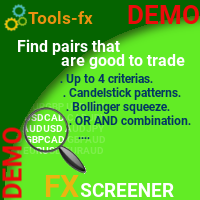
Find pairs are good to trade. This demo version is unlimited and can be use with all functionalities, but displays only 3 results max. Up to 4 criteria. Candlestick patterns. Create your own screener with OR/AND conditions. Ex: (condition 1 OR condition 2) AND (condition 3 OR condition 4). From the result, simple click on the pair label displays the symbol in all charts you have. Load your own pair list. By default, the program works with: AUDCAD, AUDCHF, AUDJPY, AUDUSD, CADJPY, CADCHF, CHFJPY,
FREE
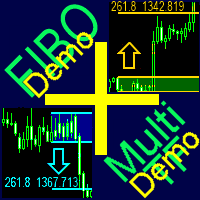
A ready-made multitimeframe trading system based on automatic plotting and tracking of Fibonacci levels for buying and selling any symbol. Demo version - calculation of the last 390 bars is not performed.
Advantages Determines the trend direction based on a complex of 14 indicators ( Cx ), extremums of ZigZag ( Z ), RSI ( R ), Impulse ( I ) Displaying the values of 14 indicators comprising the trend direction ( Cx ) Plotting horizontal levels, support and resistance lines, channels View the plo
FREE
MetaTrader Mağazası, MetaTrader platformu için uygulama satın almak adına rahat ve güvenli bir ortam sunar. Strateji Sınayıcıda test etmek için Uzman Danışmanların ve göstergelerin ücretsiz demo sürümlerini doğrudan terminalinizden indirin.
Performanslarını izlemek için uygulamaları farklı modlarda test edin ve MQL5.community Ödeme Sistemini kullanarak istediğiniz ürün için ödeme yapın.

Alım-satım fırsatlarını kaçırıyorsunuz:
- Ücretsiz alım-satım uygulamaları
- İşlem kopyalama için 8.000'den fazla sinyal
- Finansal piyasaları keşfetmek için ekonomik haberler
Kayıt
Giriş yap
Web sitesi politikasını ve kullanım şartlarını kabul edersiniz
Hesabınız yoksa, lütfen kaydolun