 MetaTrader 5
 Uzmanlar
 Göstergeler
 Kütüphaneler
 Yardımcı programlar
 Widget'lar
 Kurallar
YouTube'dan Mağaza ile ilgili öğretici videoları izleyin
Bir alım-satım robotu veya gösterge nasıl satın alınır?
Uzman Danışmanınızı
sanal sunucuda çalıştırın
sanal sunucuda çalıştırın
Satın almadan önce göstergeyi/alım-satım robotunu test edin
Mağazada kazanç sağlamak ister misiniz?
Satış için bir ürün nasıl sunulur?
MetaTrader 4 için ücretsiz alım-satım yardımcı programları - 12
 Aşağıda MetaTrader 4'te Forex alım-satımını kolaylaştıran alım-satım programları bulunmaktadır. Açıklamasını ve amacını okumak için aşağıdaki listeden ürünün üzerine gelin.
Tester for binary options, strategies and indicators. It allows you to test yourself, test strategies and indicators on binary options. The EA does not perform any real deals! It is for testing purposes only. It can be run both on a live chart, and in the MetaTrader 4 Strategy Tester. MetaTrader 4 provides numerous indicators, you can attach them to the chart and test indefinitely. There are two buttons on the chart, Call and Put, as well as a field for specifying the lot. During testing, it dis
FREE

【MT4 Edition】One-Click Theme Changer: Instantly Switch Up Your Chart's Look! "If only changing chart colors wasn't such a hassle..." Sound familiar? We heard you! Introducing the "Theme Changer" for MT4 – a handy indicator that lets you instantly switch your chart's color scheme with a single click! If you need the MT5 version, please click the link below: MT5 Theme Changer No more fiddling with complicated settings windows. With just one button on your chart, you can transform its appearance i
FREE

Universal trading advisor "WOz" with a built-in trading panel
The EA's capabilities can be easily tested in the strategy tester in visual mode.
The EA can simulate real trading with the ability to move the SL and TP levels.
The EA has 5 modes of operation:
1. AUTOTRADING automatic trading mode on a set signal
2. ONLY SIGNAL mode of tracking the set signal without auto trading
3. RANGE MODUS mode of automatic placement of equidistant orders on Bayi Sell at a specified time
4. HAND MODUS
FREE

After purchasing Dash Supply Demand, download "Connect Supply Demand" for free, which will be the information link that will fuel your Dash. "Connect Supply Demand" will be the information fuel that will carry data to your Dash. Don't forget that it must be in the same folder as your Dash! You can confirm the path to it through the indicator window! If you have any questions, we'll be happy to assist you!
FREE

<b>AZ_OrderGun FREE - 1-Click Trading Panel (Free Version)</b>
The powerful free version of AZ_OrderGun to test the execution speed.
<b> WHAT'S INCLUDED IN FREE?</b> 4 Instant Entries: Buy SLL / Sell SLH / Buy SLO / Sell SLO Automatic Lot Size calculation by % Risk Full Features: Close All, BE All, Close %, Close Pending 100% Visual and draggable panel
<b> LIMITED FEATURES IN FREE:</b> Advanced management features Pend. Send, Mkt. Send, Close Winners and Close Losers are only avai
FREE

Tester BO and Tester Signal Bar is a script that allows you to test your trading strategies. The tester has two buffers with up / down signals. An example of use can be seen in the screenshots below. Using the indicator tester, you can achieve the maximum ratio of profitable trades for binary options. Improvement for forex is also planned. I wrote the idea at the very bottom in the “Planned work” group. You can filter your signals by the following data: 1- start date analyze. Interval (1 day, 7
FREE

Metatrader 4 protection EA that limits profit Ways of working: * Aktif this EA to any pair in metatrader 4, you can start trade manual * Close all open orders if you have profit equity in money according to settings "Will close all open buy and sell orders regardless of profit or loss" * The EA/robot does not open orders, only closes orders if the settings are reached, this could be more or less due to market movements. For example, setting a profit of 5 $, the estimated profit can be 4.8 $ or
FREE

Reverse copier is a tool that will open opposite buy/sell orders from your master account. It will help you with low profit EA's that lose consistenly and turn it to wins.
Feel free to ask for new functions/features and I will add it. Now it's a simple MT5 to MT4 bridge with straightforward logic of one position open/close.
How to install: https://www.mql5.com/en/market/product/141604
FREE

Portfolio Aggregator - one dashboard, total clarity across all your trading accounts Portfolio Aggregator unifies account data from multiple brokers and currencies into a single, transparent dashboard, giving real-time visibility into equity, margin, P&L, and risk metrics so traders can maintain control and confidence across diversified strategies. It converts all values into a chosen base currency using live FX rates, and displays equity, balance, unrealized P&L, margin usage, and open position
FREE

A simple risk management tool that closes all open orders if equity drops by a specified percentage. This tool is useful if you are running multiple EAs and multiple charts and pairs in order to control your risk. All orders will close accordingly. Once it hits specified percentage drawdown the closing of all orders cannot be stopped. The EA will reset once all orders are closed, until account equity drops again relative to account balance. Use at your own risk. This is only for MT4. There is on
FREE

Keyboard Trading Open and Close orders with your keyboard. This tool allows you to open and close orders with your keyboard. As opening and closing orders with your keyboard is faster than with your mouse, this tool is very useful for Scalpers. How does it work? If you press the key "b", it will open a buy order with lot size, SL and TP as specified in the settings. If you press the key "s", it will open a sell order with lot size, SL and TP as specified in the settings. If you press the key "c
FREE

If you execute or test an Expert Advisor on a laptop, personal computer or a VPS, you may face the situation when Internet connection is lost and the EA stops. Of course, this utility ( Disconnect Alerts ) will not help you restore the Internet connection, but it will gather the information and will send an alert to you about when and how long your terminal was without access to the Internet and did not actually work. After receiving such a notification, you can check your trades or think about
FREE

Why do you need this script? If you place lots of orders and re-calculate your risk for every order you placed, you definitely need such a script. This script places one or (optional) two different orders with the following script inputs.
Utility parameters Operation Type - "Buy","Sell","Buylimit","Selllimit","Buystop","Sellstop" Price - Entry price of the order(s). Stop Loss - Stop Loss of the order(s). Take Profit 1 - Take Profit of the first order. Take Profit 2 - Take Profit of the second o
FREE

Layering — Build Profit in Measured Steps
Layering helps you grow and protect a position by placing additional trades at equal, defined distances as the market moves. It's a structured layering approach designed to secure the account and bank profit as each take-profit is reached.
What it does for you Measured layering: trades are added at equal distances you define — no guesswork. Account protection built in: the layering logic is designed to secure your account as it works. Profit-locking: a
FREE

This is a simple risk/reward setter. You enter your TP and SL in the currency amount and it sets it for you, you set your targets in money (not in pips), it helps beginners who are still learning about risk/reward ratios to set their risk/reward based on their capital or amount of money. For example, if you want to risk $3 to make $10, you just fill it in and it sets your order targets accordingly. You can set the TP and SL per chart or all opened charts only. Please make sure your targets are r
FREE
This practical tool let you setup your keyboard to have shortcuts and hotkeys to change Chart TimeFrame.
Bring your trading to another level by actually take fast and smooth control of switching Time Frames without losing time clicking all over the Meta Trader Terminal. This tool is born due to scalping issues, where switching from higher timeframe and lower timeframes is really mandatory to make a multi timeframe analysis of the trading setup. Uplift your trading activity, by letting your ke
FREE
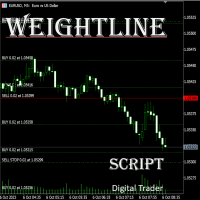
In multi-asset, multi-position trading environments—such as those involving forex, stocks, gold, and other instruments—traders often face a critical pain point: when holding multiple positions in the same instrument, it’s difficult to quickly and intuitively assess the current market price relative to all long and short positions. This makes it challenging to accurately determine the overall average entry cost, leading to delayed stop-loss and take-profit decisions. The problem worsens with mixe
FREE

Delete All Pending Orders for MT4 script - closes absolutely all orders, whether pending or market ones.
Orders are closed at the current profit/loss indicators at the time of closing.
The script is suitable for moments when you need to quickly close all orders at the current indicators.
The script is very easy to use, just drag the script onto the chart and it will do its job.
Add me as a friend, I have many other useful products.
FREE

TradePulseMonitor for MetaTrader 4 & 5 Overview: TradePulseMonitor is a comprehensive, real-time dashboard indicator designed for MetaTrader 4 and MetaTrader 5. It provides traders with an at-a-glance overview of their account's financial health, risk exposure, position metrics, and historical performance. By consolidating critical data into a single, customizable on-chart dashboard, it eliminates the need to constantly check the Terminal window, allowing for faster and more informed trading
FREE
The VR Close orders script is designed to close positions in the terminal at a profit or loss mark set by the trader. The program is written as a script and can work together on the same chart with any other indicators and expert advisors. The program has a simple visual panel and is easy to configure with the mouse. With this program's help, the trader can automatically close positions and delete orders depending on the conditions set. There is often a situation when you need to close position
FREE

IzaRP - Risk / Profit Monitor (MT4) IzaRP — это вспомогательный индикатор для трейдеров, предназначенный для анализа открытых позиций и контроля рисков в реальном времени. Индикатор автоматически рассчитывает ожидаемый риск и ожидаемую прибыль по всем открытым сделкам на торговом счёте на основе установленных уровней Stop Loss и Take Profit и отображает результат непосредственно на графике. Основные возможности Анализирует все открытые рыночные ордера (BUY и SELL) Игнорирует отложенные орде
FREE

Updated Premium Description (with Pricing Strategy) Copy Trade PRO – Professional Master + Slave Copy Trading System Complete MT4 Copy Trading Solution with Intelligent Symbol Matching & Premium Dashboard Master Copy Trade Pro (Paid) + Slave Copy Trade Pro (Free)
Master Copy Trade Pro Download link
: https://www.mql5.com/en/market/product/185085?source=Site+Market+My+Products+Page
The most reliable and user-friendly copy trading system for MetaTrader 4. Broadcast your trades from the M
FREE

SI Connect is a utility that establishes the connection to our servers to use FX Volume. This tool is part of the Stein Investments ecosystem - 18+ tools plus Max, your 1-on-1 AI trading mentor.
Always on, knows every indicator in depth, available the moment you need to think something through. Meet him at https://stein.investments
Technical instructions to prepare your terminal for the usage of SI Connect Allow web requests and insert https://stein.investments to the list of allowed URLs in
FREE
* Based on this product "BRiCK Convert4To5 MT5 Free" was created. "Convert4To5" is a Script that converts MQL4 source files into MQL5 source files.
Experts, Indicators, Scripts, and Libraries with extension ".mq4" will be available for MT5.
Parameter
None.
Procedure
1. Open the following folder.
terminal_data_folder\MQL4\Files\ (in the terminal menu select to view "File" - "Open the data directory") 2. Confirm that the BRiCK_Convert4To5 folder exists.
If it does not exist, insert
FREE

Note: This is EA only panel for manage Orders ------------------------- EA input inclde
- EA_Comment
------------------------
The panel include - Lot size input for BUY and SELL button
- Close ALL SELL orders (same symbol)
- Close ALL BUY orders (same symbol)
- Close ALL orders (same symbol)
-------------------------
You can use on any pair and any time frame
Thanks
FREE

This free light version is functionally limited with a maximum risk of 20 account-currency units per trade, a maximum lot size of 0.05, and a limited number of trading operations. RiskMaster Unified Panel Light , MT4 için grafik üzerinde (On-Chart) çalışan bir trading desk’tir: Entry / SL / TP çizgileriyle işlemi doğrudan grafikte görsel olarak kurarsınız, EA riski ve lot büyüklüğünü gerçek zamanlı hesaplar ( tutar veya serbest marjın %’si olarak) ve emirlerinizi butonla Market ya da Pen
FREE

Important! Demo version will work only on EURGBP. One Click Trader is a tool designed for MetaTrader 4 platform, which enables you to take your trading to the next level. It enables you to open, manage and close your trades in simple an efficient way by just one click of your mouse button. Up arrow minimizes the OCT panel Down arrow maximizes the OCT panel Right arrow displays the next panel with additional features Left arrow hides the panel with additional features Red SELL button enables you
FREE
This is a technical indicator that put on strategy tester the buttons of the expert adviser "Control adora". Usually when applied the controladora to the strategy tester, the buttons do not appear and therefore its functions (like directly buy, sell, close orders or place stop loss indicator) can't be used. But now you can if have the Manual Backtest indicator. If you don't have Control adora, you can get it from here . This indicator get on the chart the buttons that can be of use in strategy t
FREE
This is a technical indicator that works as a plug-in for "Control adora" - the Expert Advisor that helps you to calculate, place and control positions on the chart. When run on a chart with Control adora EA, this plug-in allows setting entry levels that send orders at contact, while you have StopCloseOnly (OCO in Comments) = 1 settled in Control adora (meaning that without this, the indicator will send the order only when the price Close crosses the arrow level). This indicator only works if yo
FREE

ClosureMaster Utility closes all orders and offers 7 additional modes. If you have dozens or even hundreds of orders and need to close them all or some of them selectively by comment, magic number, buy only, sell only, if Stop Loss is not set, only profitable or losing trades, then ClosureMaster Utility can take care of this task.
External parameters:
Close all Losing trades Close all Profitable trades Close all orders without Stop Loss Close Buy orders only Close Sell orders only Close by Magic
FREE

Simply Trailing Stop is a simple Expert Advisor that automatically trails stop on the chart that has been activated. It can be used as a complement to orders placed manually or through another expert advisor that does not perform a trailing stop, you only have to activate it in a new chart, not in the same one in which you already have your expert advisor but it will not work. You can see more of my products here: www.mql5.com/en/users/joaquinmetayer/seller
FREE

EAsynRightNow - Professional Trading Expert Advisor for manual trading with advanced functionality
EAsyRightNow is a multifunctional trading Expert Advisor for MetaTrader 4, featuring a Trading Panel with a user-friendly interface and extensive trading position management capabilities. Perfect for scalping, it works on all timeframes.
Key Features
1. Trading Modes
- Single Orders: Management of one trading position
- Multiple Orders: Ability to open multiple orders in the same direction
- M
FREE

The scripts adds order tracing icons in the chart window. Trace orders are similar to the standard terminal tracing. Icons are added for both closed orders and current (market) orders. The Days of history to check parameter means the depth of the order history to be traced (number of days). If the parameter value = 0, all orders in the available history will be traced.
FREE

History Exporter can help to export your orders history from MT4 account. After that you can use another data analysis tools to get what you want. File format is .csv file, the content such as below OrderID,Symbol,Type,Lots,OpenTime,OpenPrice,StopLoss,TakeProfit,CloseTime,ClosePrice,Commission,Swap,MagicNo,Comment,ProfitUSD,ProfitPips,NetProfit,Duration,(Days),(HH:MM:SS), 21520206,EURCHF,buy,0.05,2020.03.10 08:06:15,1.06304,0.00000,0.00000,2020.03.11 13:37:38,1.06015,-0.60,-0.05,28282888,RedRab
FREE

By default Metatrader will show any newly created chart object on all timeframes.
This handy utility will set the visibility of any new chart object drawn to be that of the current chart only.
e.g. If the chart timeframe is H4 then a new object will only be visible on the H4 timeframe.
Each object type can be included or excluded as required and, of course you can change the timeframes setting afterwards as this only operates at the point the chart object is created.
Add to your chart and f
FREE
Simple buy and sell buttons to execute orders instant with automatically stop loss and take profit levels.
Stop loss and Take profit- levels can be changed in settings. Free version, only for US30- market.
Feel free to send direct message for improvements or other ideas..
---------------------- Payed version comming soon (for all markets/ timeframes).
FREE

Tool to send alerts to the phone when the account is in a negative balance.
- Push Noti to phone: Enable Push notifications to phone - Percents Equity/Balance, %: Percents loss - Loss amount, -$: Money loss Note: You need to Enable Push notifications on MT4 and enter your MetaQuotes ID The tool only serves the function of sending notifications to your phone when the account is in a negative balance
FREE

MT4 Position manager
- Open/Sell buttons for open orders - Lot size, SL, TP for positions - "Set Breakeven" button for set SL on all opened positions - "Set TP" button for set TP on all opened positions - "Close Half lot" button for closing all open positions half lot size( opened 1.0Lot, click the button and automated close 0.5Lot) - "Positions Half Close" button for close open positions half qty. (Opened 10 position, ckick the button and automated close 5 positions) - "Close All" button for
FREE
While using the Double Action EA, you can take advantage of this free tool available on the market to plan your trades and potentially double your account. Simply download it, attach it to a chart, fill in the input fields, and you’ll receive four breakeven points, and profit. Then, apply those levels to the Double Action EA. Trade with confidence, knowing your risk in advance.
The inputs include: • Lot Sizes: INITIAL TRADE : (Lot1), TOPUPS 1-3: (Lot2, Lot3, Lot4). • Grid Sizes: Grid1, Grid2,
FREE

特徴: このツールはDOWやNIKKEIなど500や1000ポイントがラウンドナンバーの 指数を取引する際に表示するように開発しました。 もちろんメジャー通貨でも表示はされます。
更新頻度を制限しているのでチャート表示が遅くなるということは ありません。
XMでDOWを取引される場合、Main Levelsを10000 Sub Levelsを5000にしてください。
各パラメータの説明: Number to display lines:表示するライン数を設定します。 Main Levels:メインレベルをポイントで指定します。 Main Line Color:メインラインの色を設定します。 Main Line Style:メインラインで使用されるラインを設定します。 Show Sub Lines:サブラインを表示するか設定します。 Sub Levels:サブレベルをポイントで指定します。 Sub Line Color:サブラインの色を設定します。 Sub Line Style:サブラインで使用されるラインを設定します。 Update Frequency(600
FREE

This reliable, professional trade copier system is without a doubt one of the best on the market, it is able to copy trades at very fast speeds from one master account (sender) to one or multiple slave accounts (receivers). The system works very fast and mimics the master account a full 100%. So changing stop losses, take profits, pending orders on the master account is executed on the slave accounts too, like each other action. It is a 100% full copy (unlike many other copiers who only copy mar
FREE

MO Spread Monitor — know your spread before it costs you
Spread Monitor shows the live spread in points against a limit you set, with a clear OK / BLOCKED state and an alert whenever the spread blows past the limit. It also tracks the session maximum, the running average, and how many times the limit was exceeded.
Utility only: it never sends, modifies, or closes orders.
Diğer MO göstergelerime ve EA'larıma göz atın — tüm ücretsiz ve ücretli işlem araçları için yukarıdaki adıma tıklayın.
FREE
Blind Broker System 'in tek amacı ticaret planlarınızı gizlemek ve onları Broker'ınız için görünmez kılmaktır. Onu gerçekten "kör" yapmak ve zarar durdurma seviyeleriniz, hacimleriniz, kar alma seviyeleriniz hakkında önceden hiçbir şey bilmediğinden emin olmak istiyorsanız, bu ticaret robotunu kullanın.
Blind Broker System alternatif bir sipariş yönetimi sistemidir. Bir anlamda Meta Trader Terminal içindeki sistemle aynıdır.
Aradaki fark, Blind Broker System üzerinden verilen tüm emirlerin
FREE

EA Master Version any Follow Copy Account (Acc. Number) need a open MT Terminal, download multiple times Step1: Open Master MT5 Terminal = install master- Version (on any Symbol just one Time) Step2: Open Follower MT5 Terminal = install follower- Version (on any Symbol just one Time) Step3: all Trades from any Symbol or any Robot are copy now to follow- Terminal immediately for simple copy set on Chart and Start no optimization. This Robot is a Trade Copier for MT5 that automa
FREE

RiskLock MT4 — Professional Drawdown Protection & Emergency Account Lock System RiskLock MT4 is a professional risk management utility designed to protect trading accounts from excessive drawdown and catastrophic loss events.
Main Features Drawdown Percentage Protection
Fixed Monetary Loss Protection
Emergency Account Lockdown
Automatic Position Liquidation
Pending Order Deletion
Optional Close-All-Charts Protection
Real-Time Color Dashboard
Emergency Global Variable Lock
Mult
FREE

Automatic transmission is for the traders who are annoyed by constantly putting manual take profit and stop loss. This will take some of the burden. All you need is a laptop/pc at home or a VPS, so that you can press buy or sell on your phone and all will be automatically done for you. Check out parameters below.
This utility is for every symbol. Watch for oddities when trading crypto.
Other products Automatic Transmission MT5 XAU Breakout MT5
Parameters
-Manage Magic Number (0 = Disabled)
FREE

Tired of laggy panels with a bunch of unnecessary buttons? This linker is designed for those who value clean graphics and speed. Nothing extra - just instant switching of tools in one click
Advantages: - Solves the main problem of the Meta Trader terminal - inconvenient and slow switching of charts -Not overloaded with unnecessary functionality - Works lightning fast -Easy to install and configure -Can be customized to suit your chart color scheme
This is a free Lite version. The difference fr
FREE
OrderSend Time - Automated Trading at Specified Time OrderSend Time is a convenient utility that allows you to schedule trade executions at specific times. Simply set the desired hour, minute, lot size, and order type (buy or sell), and the utility will automatically execute the trade at the designated time. IMPORTANT! Please note that this utility operates based on the broker's time in the 24-hour format, not your computer's time. Key Features: Select the hour, minute, lot size, and order type.
FREE

A utility to close all orders automatically. There are simple options as follows: - Close orders created by EA . - Close manually created orders. - Close orders by Symbol . - Close buy order separately. - Close sell order separately. - Close all orders. Please refer to the video for more details about our products:
We are ready to help you with the use of EA, Please contact us.
FREE

HM (Yatay İşaretleme), yatay seviyelerin manuel olarak işaretlenmesi için tasarlanmıştır. İşaretleme, seviyeyi ve fiyat değerini içerir. Hattın kalınlığı ve rengi ve fiyat değeri ayarlarda ayarlanır. Seviyeler yerel olarak zaman dilimlerine yerleştirilebilir veya tüm zaman dilimleri için herkese açık olarak gösterilebilir.
Onun işi çok basit:
1) - Seviyeyi işaretlemek için ayarlarda ayarladığımız tuşa basıyoruz;
2) - çizgiyi istenen yere getiriyoruz;
3) - Farenin sağ düğmesine tıklıyoruz v
FREE

The CandleStick Factory is a tool that allow you to perform a market scan and search any candlestick pattern that you already created. The lite version can be downloaded here : https://www.mql5.com/en/market/product/75622 You can perform a quick search in the current chart (500 bars will be scanned), or save your custom candlestick patterns, and search in different Symbols/Timeframes that you can select in the settings tab, the scan can be scheduled every 1, 5 or 10 minutes by updating t
FREE
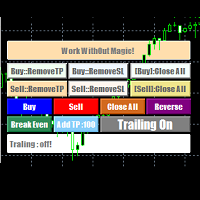
EasyAgent Trade Tool.This is not an automatic trading robot (EA) and it doesn’t take decisions or opens position, but it helps your work when you trading manual work with Strategy Tester and you can control trade via magic number. The following functions are available: Order opening in one click. Order closing/deleting in one click. Modification of Stop Loss and Take Profit using a mouse. Closing all orders based on their type. Order reversal. Breakeven function. Trailing Stop function.
FREE

ManageEquity - A Powerful Trading Utility for Risk Management ManageEquity is a simple yet powerful trading utility designed to enhance risk management strategies. By attaching this utility to a single chart and specifying the maximum dollar amount for both profit and loss, traders can effectively manage their open orders. With ManageEquity, traders can easily set their desired profit target and maximum acceptable loss for all open trades. Once the profit target is reached or the maximum loss th
FREE

OnBoard stats is a panel that show in a single view a lot of usefull information about working orders and trading account. It has 4 different sub-panels (from left to right): Symbols order statistics : it can be found symbols for which there are orders (market or pendings). Symbol with pendings are colored with "Pendings color". Clicking on a specific symbol row, chart will be changed to that symbol. Current symbol statistics : informations about the "current" symbol, the one which is opened in
FREE

Bir trend uzun süredir devam ederken, anlık piyasa hareketlerine kapıldığınız oldu mu?
"Her an tersine dönecek" hissiyle trende karşı işlem yapmak. "Kazandığımı kaybetmek istemiyorum" kaygısıyla erkenden kar almak. Bunların hepsi, sadece mumun kapanmasını bekleyebilseydiniz önlenebilecek pişmanlıklardır.
Bu araç, monitör başında bekleme stresini ortadan kaldırmak ve disiplinli ticareti desteklemek için yapıldı.
Bu araç, boğa veya ayı mumunun onaylandığı anda sizi uyaran basit bir izleme EA's
FREE

This is a free plug-in for Control-adora Expert adviser. It's main function is to create a Buy Stop arrow on the chart or a Sell Stop arrow when the price crosses above or below a trend line, which will allow Control-adora expert open a new trade when the desired lines will be crossed by the price.
Settings Prefix: Write here the prefix used to identify which trend lines are subject to be watched, value "Trendline" is set by default. Always use On Close Only: When set to true (by default) the c
FREE

Narcis Trader is an expert designed for managing trades and facilitating trading. Attention, the application does not work in the strategy tester. Download Real
Its features include: Determining the trade volume based on the selected trader's risk. Setting specific and fixed stop-loss and take-profit levels. Defining the take-profit level based on the specified risk-to-reward ratio (r/r). Entering trades using static and dynamic lines based on the predetermined risk. Position closure management
FREE

Risk Optimizer is the absolute solution for applying risk management on your account. Bad risk management is the main reason that causes traders to lose money. Risk Optimizer calculates and suggests the correct lot size for each position according to your personal, customized risk profile. You can give directly your preferred risk as percentage (%) for each position or you can trust our algorithms to calculate and optimize according to your risk category selection. But it is not only that! Selec
FREE

Elsna Alert (MT4 EA) is a lightweight Expert Advisor that monitors your trading account in real time and alerts you whenever a trade is opened or closed . It uses MetaTrader 5’s built-in OnTradeTransaction event to instantly detect any new executed deals—manual or automated—and plays a custom sound for each event.
You can choose whether it tracks all symbols or only the chart’s symbol . Key features: Instant audio alert when a trade opens or closes. Works with both manual and EA-driven trades. O
FREE

Plain — Semi-Automatic Trading, Your Direction
Plain keeps you in control: you choose the direction, and the EA handles the execution automatically. A clean, semi-automatic Expert Advisor for traders who want to call the bias and let automation do the rest.
What it does for you You set the direction: the EA opens and manages trades the way you decide. Hands-off execution: automation handles the mechanics once you've chosen the bias. Simple and transparent: no black box — you stay in charge. Fu
FREE

NNFX TOOL – The Essential Order Management Tool for the Modern Trader A "small but mighty" EA, designed to optimize your trading workflow: High Performance: Lightweight yet powerful operation, ensuring precise and efficient order execution. Versatile: Perfect for NNFX method followers, while being incredibly user-friendly for beginners and sophisticated enough for pro-traders. SPECIAL FEATURE - Mobile Trading Support: Automatically sets immediate Stop Loss (SL) and Take Profit (TP) for pending
FREE

The script closes all positions for which the profit is more than 5 pips. Checks all open positions for all pairs (you can run it on any chart). The terminal must have the "Algo trading" mode enabled.
It is effective if there are many open positions that need to be closed quickly.
The script does not replace a trailing stop or an advisor. The script checks all open deals and closes those that meet the condition (profit is more than 5 pips) once at the time of launch.
For the subsequent closi
FREE

The script opens 5 sell orders with 1 stop loss and 5 different take profits. And places 4 limit orders (sell). The following parameters are set by default: Stop loss for all open orders - 120 pips Take profit for 1 order (lot 0.1) - 30 pips take profit for other 4 orders (lot 0.04) - 50, 90, 140, 200 pips.
Stop loss for limit orders is 135-140 pips from the current price (at the time of placing orders). The distance of each limit order is 20 pips. Lot size with micro-martingale - 0.04, 0.05,
FREE

Bir tuş. Bir tıklama. Çıplak grafik. MT5 version
Her şeyi çizdiniz. Trend çizgileri, Fibonacci, dikdörtgenler, bölgeler, oklar... Grafiğiniz modern sanat eseri gibi görünüyor. Güzel — ama artık fiyatı göremiyorsunuz. NAKED CHART bunu tek tıklamayla çözüyor. Bir tıklama → tüm çizimler anında kayboluyor Tekrar tıklama → her şey bıraktığınız gibi geri dönüyor Göstergeler etkilenmiyor — sadece çizimleriniz gizleniyor Sürüklenebilir buton — grafikte istediğiniz yere yerleştirin Ayar yok. Karmaşıklık
FREE

Automation for setting up Stop Loss, Take Profit and Trailing Positions can be opened with all platforms MetaTrader 4 MetaTrader Android MetaTrader iOS MT4 Web Trader The Expert Advisor will arrange Trailing of trades Market Execution Pending Order (Buy Stop, But Limit, Sell Stop, Sell Limit)
Input Parameters (all in pips) Take Profit - take profit value. Stop Loss - stop loss value. Trailing Start - trailing start. Trailing Step - trailing step/stop. Lock Start - lock start (first time trailin
FREE

Price action Telegram is designed to follow the price while away from the trading terminal. There is no need to remember how the name of the currency is spelled correctly, those currencies on which expert is installed are available, because the trader does not jump aimlessly from currency to currency, he knows what he wants and what he is waiting for.
Through telegram, you can work with any timeframe and currency on which the expert is installed. You will always be aware of the market situatio
FREE

A simple script that can delete all the drawing objects on a chart, or just the objects of a specific type.
Settings:
DeleteObjectsOfType By default the value will be blank which means ALL drawing objects on the chart will be deleted. If you only wish to delete specific types of drawing object, change this setting to the type of object to delete. For example, Fibonacci Retracement, Text, Label or Trend Line.
Please see the demonstration video for more information.
FREE

Советник Time Line Auto Close (TLAC) позволит вам создавать вертикальные линии (Time Lines, линии времени), которые будут автоматически закрывать все или некоторые из ваших открытых ордеров. Вы можете создавать и управлять несколькими линиями, настроить для каждой из них закрываемые ордера и оповещения. Ордера можно фильтровать по валюте, магическому номеру, номеру ордера и типу ордера. Также можно настроить отправку уведомлений перед активацией линий.
Как она работает? С помощью TLAC вы сможет
FREE

Welcome to the World of our Trade Copier via Internet *whatever is the technology we can copy trades from/to MT4 platforms. You can trade manually from your mobile phone or you can attach your trading robots (EA) to your master account(s) and the trades will be copied to all your usersaccount(s). Our trade copier is not self-hosted, it means that you need to keep your computer or VPS running, everything is managed via internet.
Everything works Via Internet! ( Please add the address "
FREE

• OrderInfo • Created by gyurix
Introduction
Are you tired of not knowing exactly how much can your orders win or lose and the complexity of figuring it out? With using this script you can get all of that information instantly.
Features Shows your open orders current • P&L •,• stop lose • and • take profit • levels Shows your pending orders and open positions potential wins and loses in your • accounts currency • for: the current market price your stop lose levels price your take profit leve
FREE
MetaTrader Mağazasının neden alım-satım stratejileri ve teknik göstergeler satmak için en iyi platform olduğunu biliyor musunuz? Reklam veya yazılım korumasına gerek yok, ödeme sorunları yok. Her şey MetaTrader Mağazasında sağlanmaktadır.

Alım-satım fırsatlarını kaçırıyorsunuz:
- Ücretsiz alım-satım uygulamaları
- İşlem kopyalama için 8.000'den fazla sinyal
- Finansal piyasaları keşfetmek için ekonomik haberler
Kayıt
Giriş yap
Web sitesi politikasını ve kullanım şartlarını kabul edersiniz
Hesabınız yoksa, lütfen kaydolun