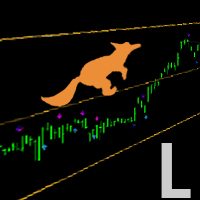
Hurst Channel
- Индикаторы
- Версия: 2.2
- Обновлено: 1 ноября 2026

🎁FREE INDICATOR — PLEASE LEAVE A REVIEW! Thank you! 😊
HURST CHANNEL PRO — MTF Trend & Dynamic Support/Resistance
Professional Multi-Timeframe Price Channels | Trend Analysis | Pullback Trading | Fully Customizable
Hurst Channel Pro is a technical analysis indicator designed to help traders identify market trends, dynamic support and resistance levels, and potential trading opportunities based on price structure.
Inspired by the traditional Hurst Channel concept, this enhanced version combines two independently configurable price channels with multi-timeframe analysis, ATR-based channel widths, advanced calculation options, and professional chart customization.
Whether you trade Forex, gold, indices, commodities, or cryptocurrencies, Hurst Channel Pro helps you analyze price movements, identify potential retracement areas, and follow the prevailing market trend.
1. HOW HURST CHANNEL WORKS
The Hurst Channel, sometimes called Hurst Bands, may initially resemble Bollinger Bands because it displays upper and lower price boundaries around a central reference.
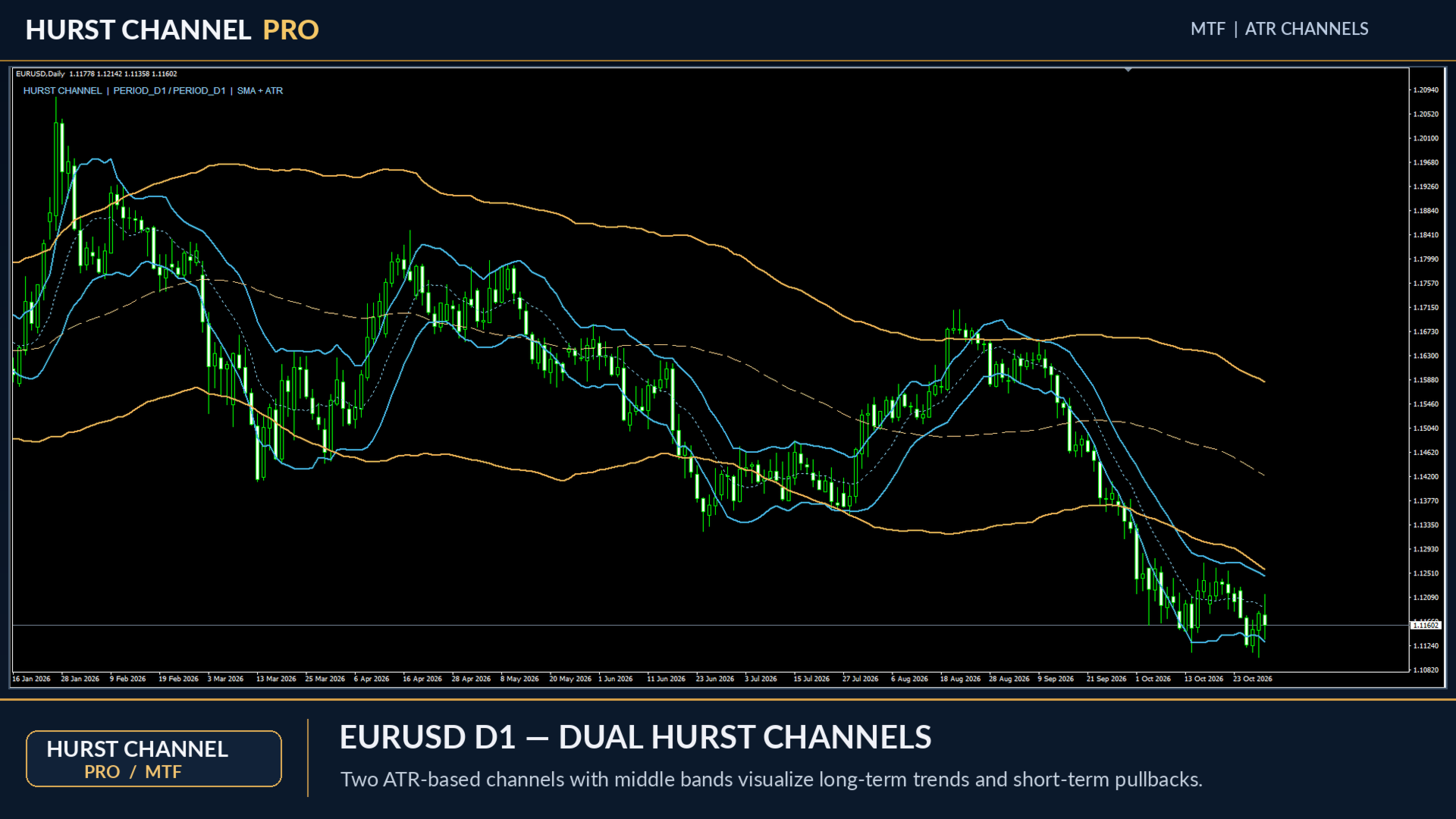
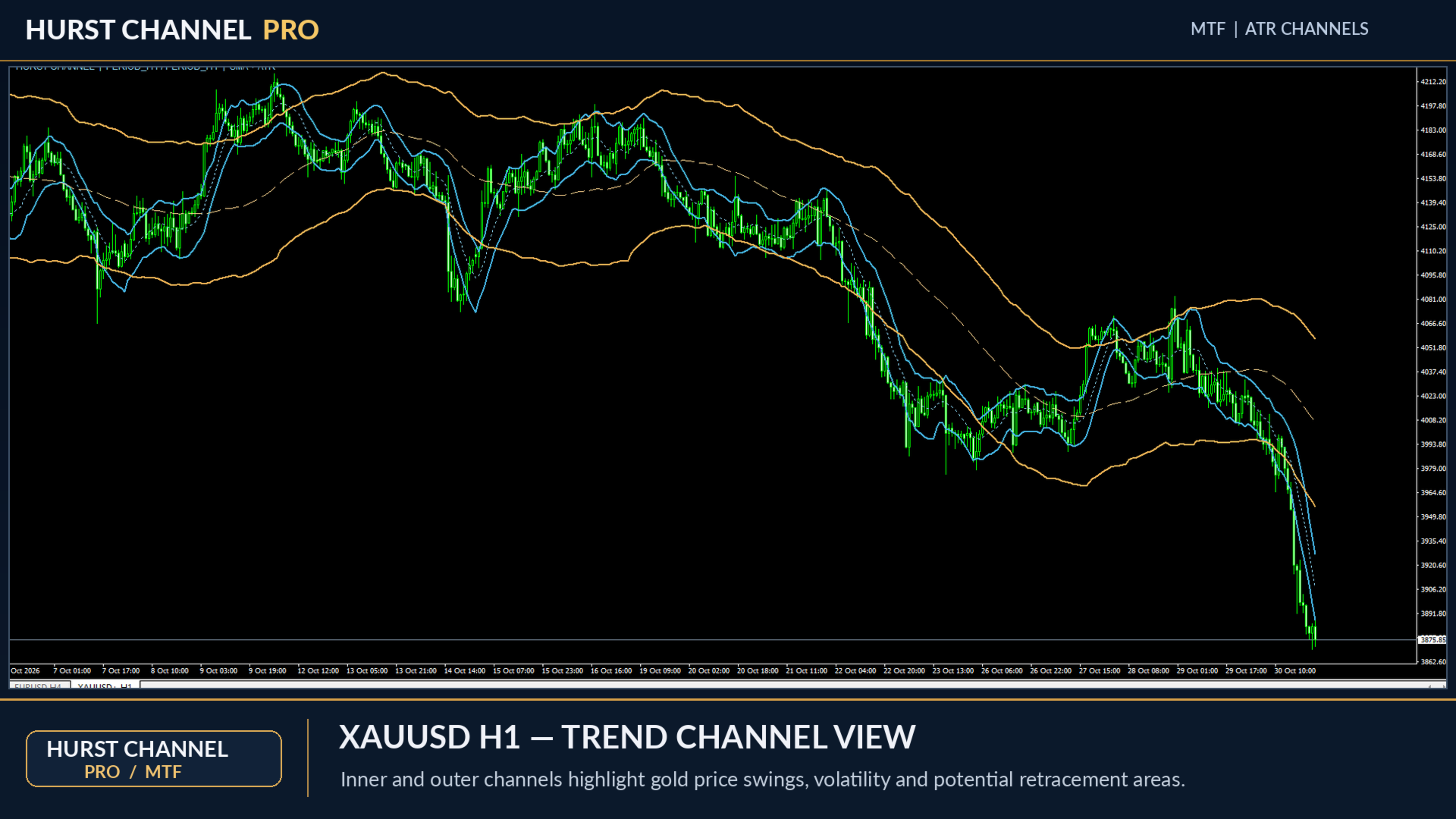
Hurst Channel Pro provides two configurable channels:
-
Inner Channel: Tracks shorter-term price fluctuations and potential pullback opportunities.
-
Outer Channel: Provides a broader perspective on price movement and trend boundaries.
-
Optional Centerlines: Display the central reference values for each channel.
Channel widths are calculated using Average True Range (ATR), allowing the boundaries to adapt to changing market volatility.
The indicator is designed to work alongside traditional price action analysis, particularly the identification of higher highs, higher lows, lower highs, and lower lows.
2. HOW TO TRADE WITH HURST CHANNEL PRO
SELL OPPORTUNITIES — DOWNTREND
In a downtrend, price typically forms lower highs and lower lows.
When price retraces upward toward the upper Hurst Channel boundary, traders can look for potential selling opportunities in the direction of the prevailing trend.
Look for:
-
An established bearish trend.
-
A sequence of lower highs.
-
Price retracing toward the upper channel.
-
Bearish rejection or confirmation from price action.
The objective is to identify potential entries during temporary retracements rather than chase an already extended price movement.
BUY OPPORTUNITIES — UPTREND
In an uptrend, price typically forms higher highs and higher lows.
When price retraces downward toward the lower Hurst Channel boundary, traders can look for potential buying opportunities in the direction of the prevailing trend.
Look for:
-
An established bullish trend.
-
A sequence of higher lows.
-
Price retracing toward the lower channel.
-
Bullish rejection or renewed upward momentum.
The key principle is simple: concentrate on swing highs and swing lows, and trade in the direction of the prevailing market structure.
3. MULTI-TIMEFRAME (MTF) ANALYSIS
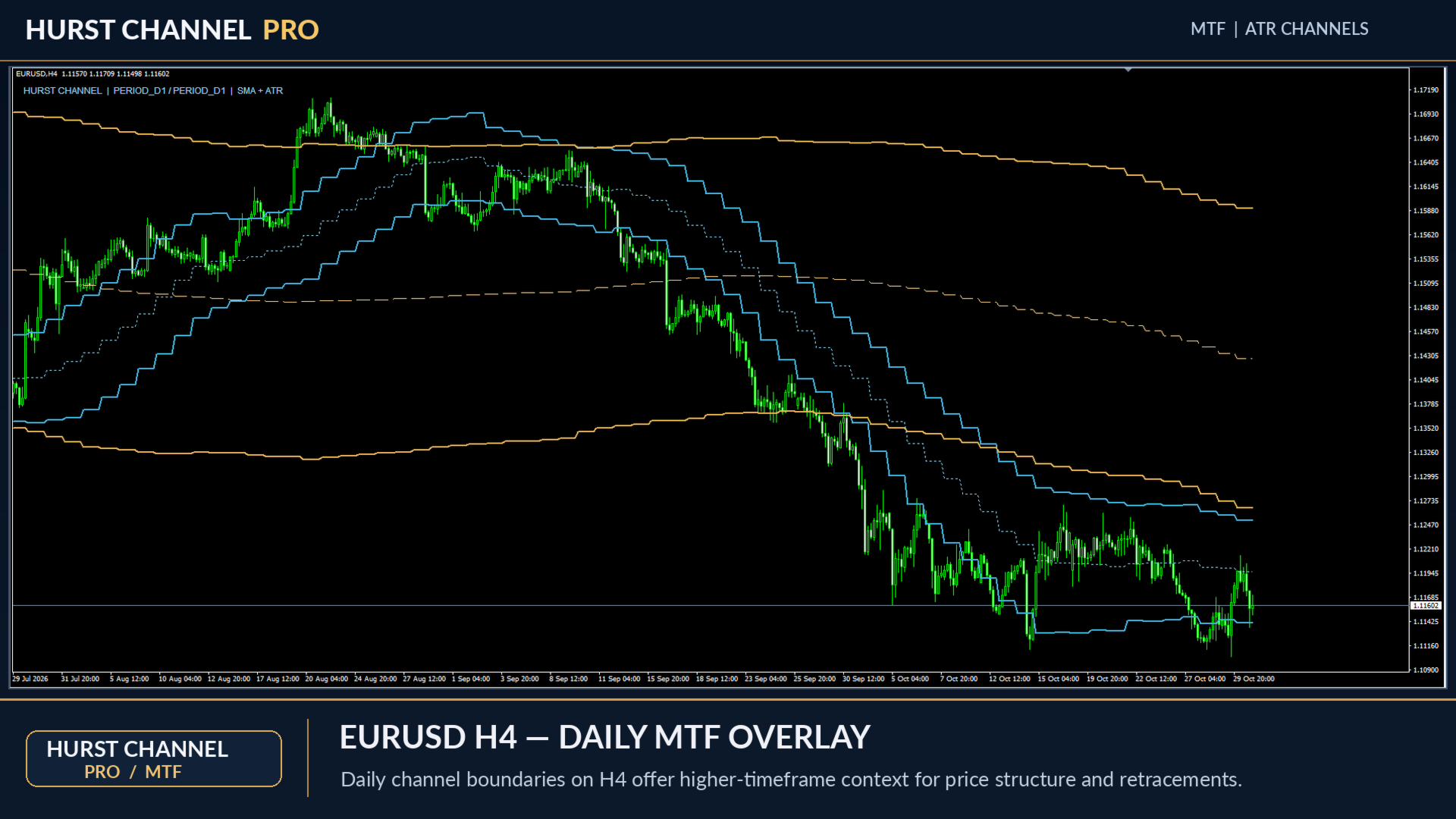
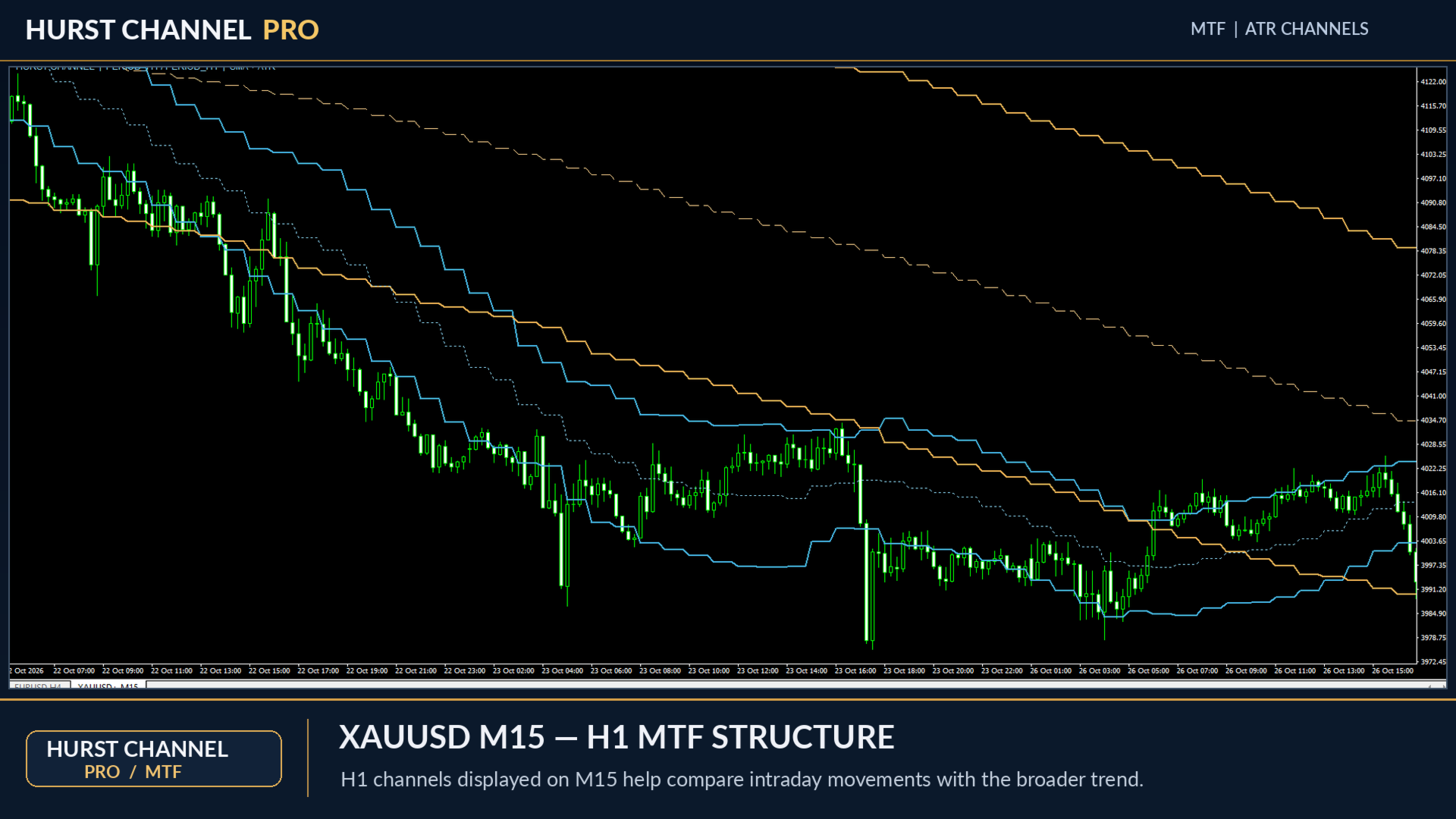
Hurst Channel Pro includes multi-timeframe functionality, allowing traders to display channel calculations from different timeframes directly on their current chart.
For example:
-
Trade on M5 while observing the H1 channel.
-
Analyze M15 price movements using H4 channel boundaries.
-
Use a daily channel to identify broader support and resistance areas.
-
Configure the inner and outer channels to use different timeframes.
Each channel has its own timeframe setting.
An optional higher-timeframe closed-bar setting allows traders to base higher-timeframe calculations on completed candles.
This provides a broader market perspective without constantly switching between charts.
4. TWO CALCULATION MODES
Choose the calculation method that best suits your trading approach.
Simple Moving Average (SMA)
A conventional moving-average foundation for smoother channel calculations.
Quadratic Regression
An alternative calculation using a fitted quadratic curve based on available historical prices.
Both modes use ATR-based channel boundaries, with independently adjustable periods and volatility multipliers.
5. PREMIUM VISUAL DESIGN
Hurst Channel Pro features a clean, professional appearance designed to integrate naturally with your trading charts.
Three color configurations:
-
Dark Theme: Optimized for black and dark chart backgrounds.
-
Light Theme: Designed for white and light chart backgrounds.
-
Custom Theme: Choose your own line colors.
Full line customization:
-
Independent inner and outer channel colors.
-
Adjustable line thickness.
-
Solid, dashed, dotted, and other supported line styles.
-
Optional centerline visibility.
-
Individual channel visibility controls.
The indicator uses clearly defined channel boundaries without unnecessary shaded areas or distracting visual elements.
6. COMBINE WITH PIVOT POINTS AND CAMARILLA LEVELS
Hurst Channel Pro can be particularly useful when combined with horizontal support and resistance analysis.
For potential profit targets and market reference levels, consider using:
-
Classic Pivot Points
-
Camarilla Pivot Points
-
Previous daily or weekly highs and lows
-
Established support and resistance zones
Example: In an established downtrend, a bearish reaction near the upper Hurst Channel may provide a potential selling setup. A nearby Classic Pivot or Camarilla support level can then be considered as a possible profit-taking area.
Pivot Point indicators are complementary tools and are not included in Hurst Channel Pro.
7. MAIN FEATURES
-
Dual Hurst-style price channels.
-
Full Multi-Timeframe (MTF) functionality.
-
Independent timeframe selection for each channel.
-
ATR-based dynamic channel boundaries.
-
Adjustable channel periods and ATR multipliers.
-
SMA and Quadratic Regression calculation modes.
-
Optional completed higher-timeframe candle calculations.
-
Dark, Light, and Custom color themes.
-
Customizable line colors, widths, and styles.
-
Optional centerlines.
-
Independent channel visibility controls.
-
Configurable historical calculation limit.
-
Optional chart information label.
-
No DLL requirements.
-
No external data files required.
-
No unnecessary shaded channel objects.
8. DEFAULT SETTINGS
Inner Channel
-
Period: 10
-
ATR Multiplier: 1.0
Outer Channel
-
Period: 60
-
ATR Multiplier: 3.0
Calculation Mode: SMA
Color Theme: Dark
Centerlines: Disabled
Multi-Timeframe Mode: Current chart timeframe for both channels.
All major parameters can be adjusted in the indicator settings.
9. WHO IS THIS INDICATOR FOR?
Hurst Channel Pro is suitable for traders who use:
-
Trend-following strategies.
-
Pullback and retracement trading.
-
Multi-timeframe technical analysis.
-
Dynamic support and resistance.
-
Swing trading and intraday analysis.
-
Price action and market structure.
-
Pivot Points and Camarilla-based strategies.
The indicator can be applied to various trading instruments and timeframes, subject to sufficient historical data.
10. IMPORTANT INFORMATION
Hurst Channel Pro is a technical analysis tool, not an automated trading system.
It does not open trades, guarantee profitable entries, or predict future market prices.
Channel contacts are potential areas of interest rather than automatic buy or sell signals. In strong trends, price may continue beyond the channel boundaries.
The indicator does not calculate the statistical Hurst exponent or provide a dedicated market-cycle forecasting model.
Always combine indicator analysis with appropriate confirmation, position sizing, and risk management.
HURST CHANNEL PRO
Follow the trend. Identify the pullback. Understand the price structure.