Automatic Stops MT5
- Утилиты
- Версия: 1.5
- Обновлено: 8 апреля 2026
- Активации: 5

Effortless Trade Management – Automatic Stops & Trailing
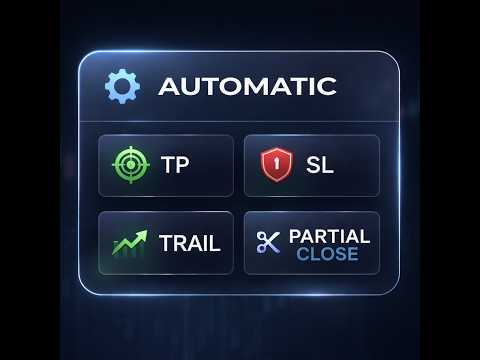
Take the guesswork and manual effort out of risk management. Our Automatic Stops tool continuously monitors your account and instantly applies your predefined stop loss, take profit, partial close levels (scaling out), and trailing stop to every new trade. Once the EA is attached to a chart, it automatically sets and manages these levels for any new trade on that currency pair – so you never have to enter them manually again.
Key Features
-
Selective Trade Monitoring via Magic Number
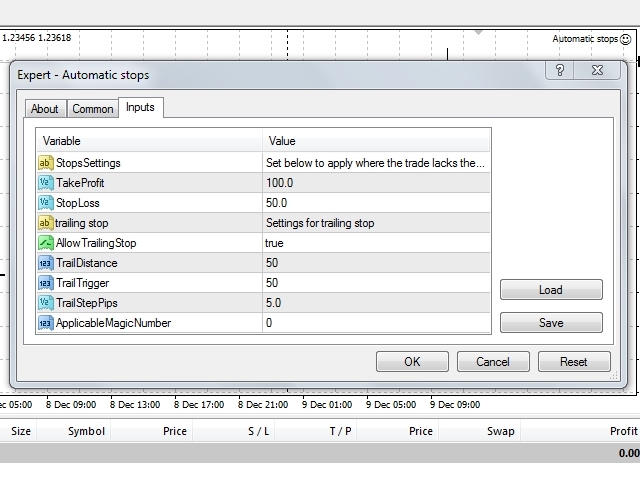
Choose exactly which trades to manage. Set a specific magic number to monitor trades opened by another EA, or leave the value at 0 to manage only manual trades. -
Smart Trailing Stop
Enable or disable the trailing stop option with a single setting. When active, your trailing stop is applied automatically to every monitored trade. -
Flexible Stop Loss & Take Profit
Define your SL and TP in pips. Set either value to 0 and that parameter will be safely ignored – giving you full control over which protective orders are applied. -
Partial Closing (Scaling Out)
Enables you to close a small percentage of the trade. You can adjust the levels directly on the chart by dragging the lines to your preferred partial close levels.