RBR Lot Calculator
- Индикаторы
- Версия: 1.0

RBR Lot Calculator shows the lot size for a chosen risk directly on the chart. You drag the stop loss line, and the panel shows the lot, the money at risk and the loss per lot. It never sends, changes or closes an order.
How it calculates
The loss per lot is calculated from the contract specification of your terminal: contract size, profit currency, tick value rules and conversion to the account currency. The lot is rounded down to the volume step and never up, so the money at risk is never larger than the risk you set. If even the minimum volume is too large for your risk, the panel shows lot 0 and the risk of the minimum volume instead of rounding up.
A slippage buffer and a commission per lot can be included in the loss per lot. With a buffer of 0 the calculator uses max(10 points, 2 x spread).
What the panel shows
- lot size for the risk you set
- money at risk at the stop loss (1 R) in account currency and in percent
- loss per 1 lot and the value of 1 point per lot
- take profit in money and in R, if the take profit line is on
- warnings: risk too small for the minimum volume, lot limited by the maximum volume, stop loss closer than the broker stop level, netting account with an open position on the symbol
Lines on the chart
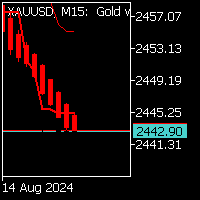
Stop loss line (red), optional take profit line (green) and optional entry line (blue) for a pending order. Without the entry line the calculation uses the market price: buy at ask, sell at bid. The direction follows the position of the stop loss. With the entry line the panel shows the pending order type (limit or stop). Lines stay when you change the timeframe.
Inputs
Risk as: percent of the base or amount in account currency. Base: balance, equity or a fixed account size (for prop accounts that count limits from the initial balance). Commission per 1 lot round turn. Slippage buffer in points. Stop loss distance and take profit in R at start. Entry line at start. Panel side.
Notes
The panel follows the terminal language (English, Polish, German). The calculation needs a tick for the conversion pair when the profit currency differs from the account currency; if the pair is not in Market Watch, the panel asks you to add it. The indicator works only on the chart it is attached to and does not store any files.