True Risk
- Индикаторы
- Версия: 1.20

Your lot may risk more than the percent you set. True Risk shows the real risk of your next trade before you open it.
The problem
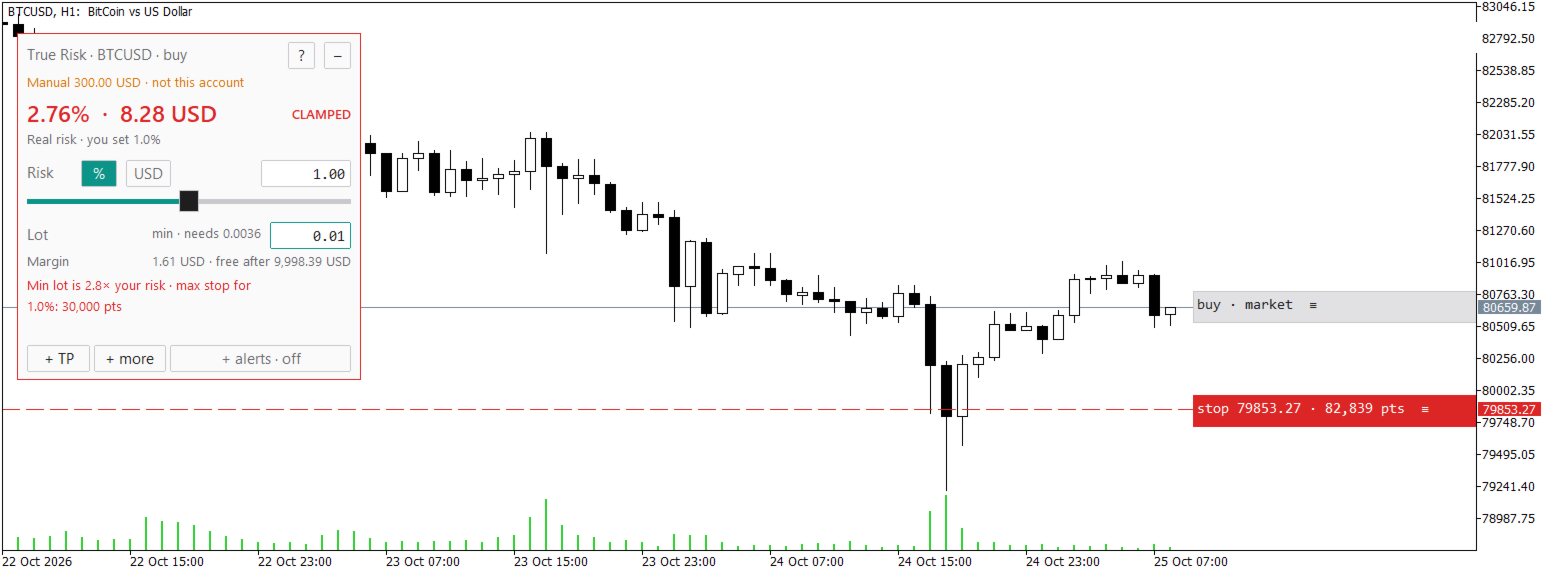
Brokers round every lot down to a step and never go below the minimum lot. On a small account the minimum lot alone can be many times your plan. With 300 dollars and a gold stop 25 dollars away, 0.01 lot already risks 25 dollars, which is 8.3 percent and not the 1 percent you set. The spread and the commission are part of the loss as well. Most calculators show the lot they would like you to trade. This indicator shows what you really risk with the lot you can actually open.
What it shows
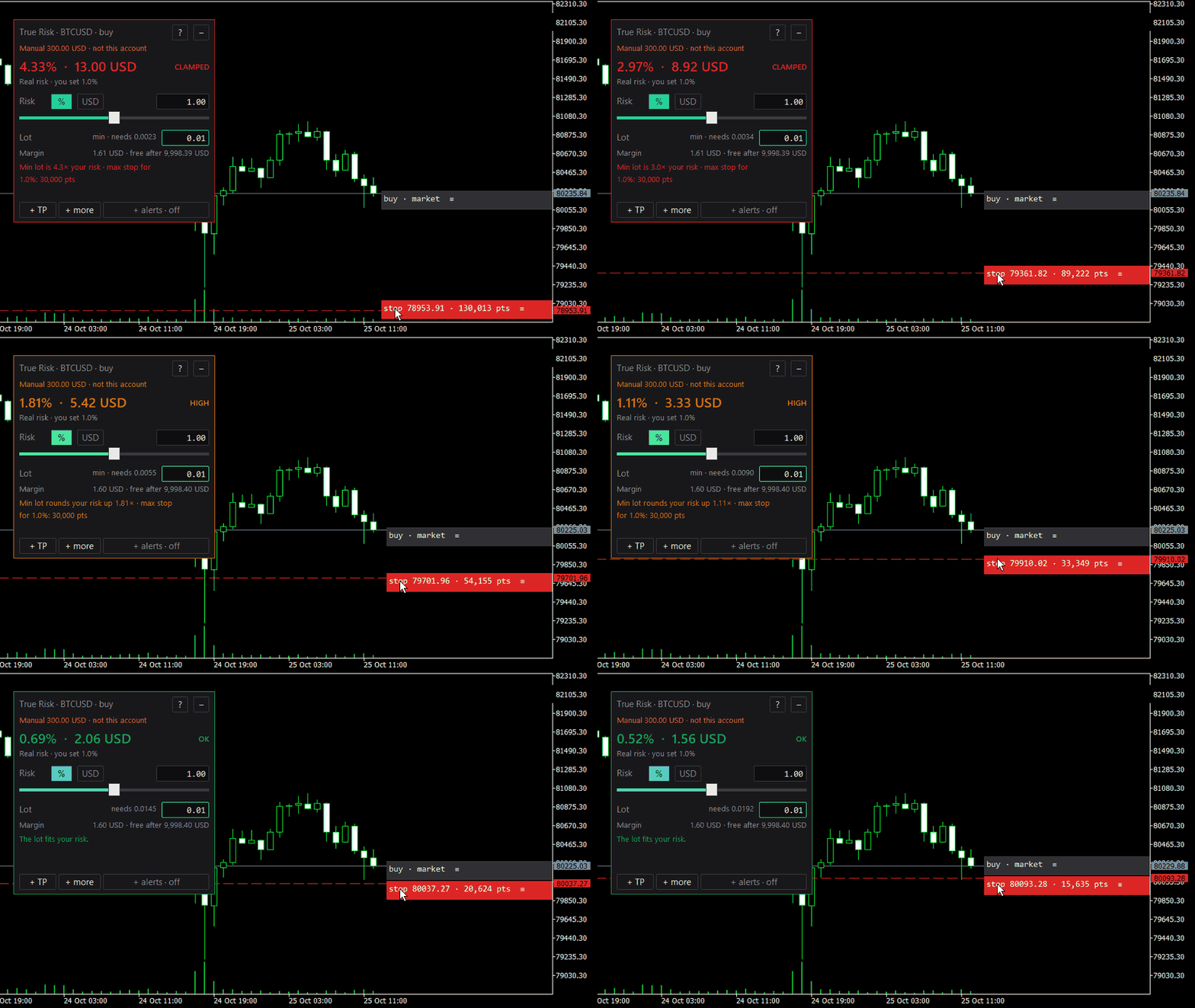
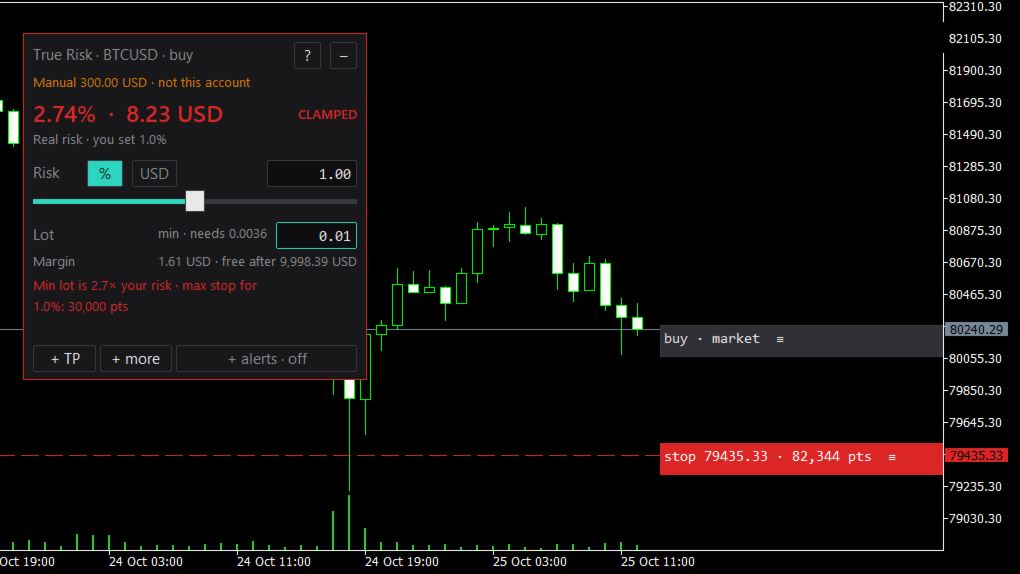
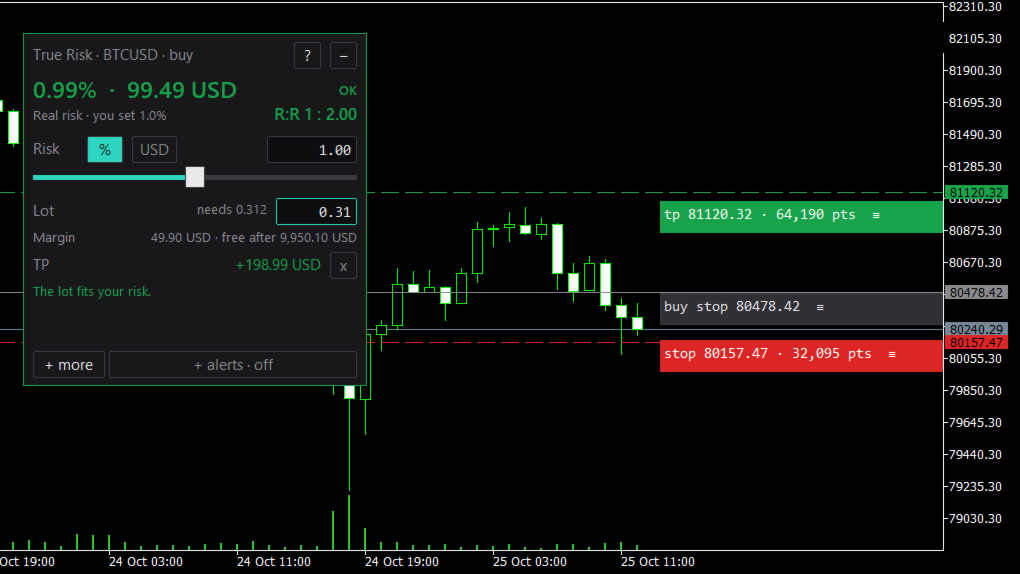
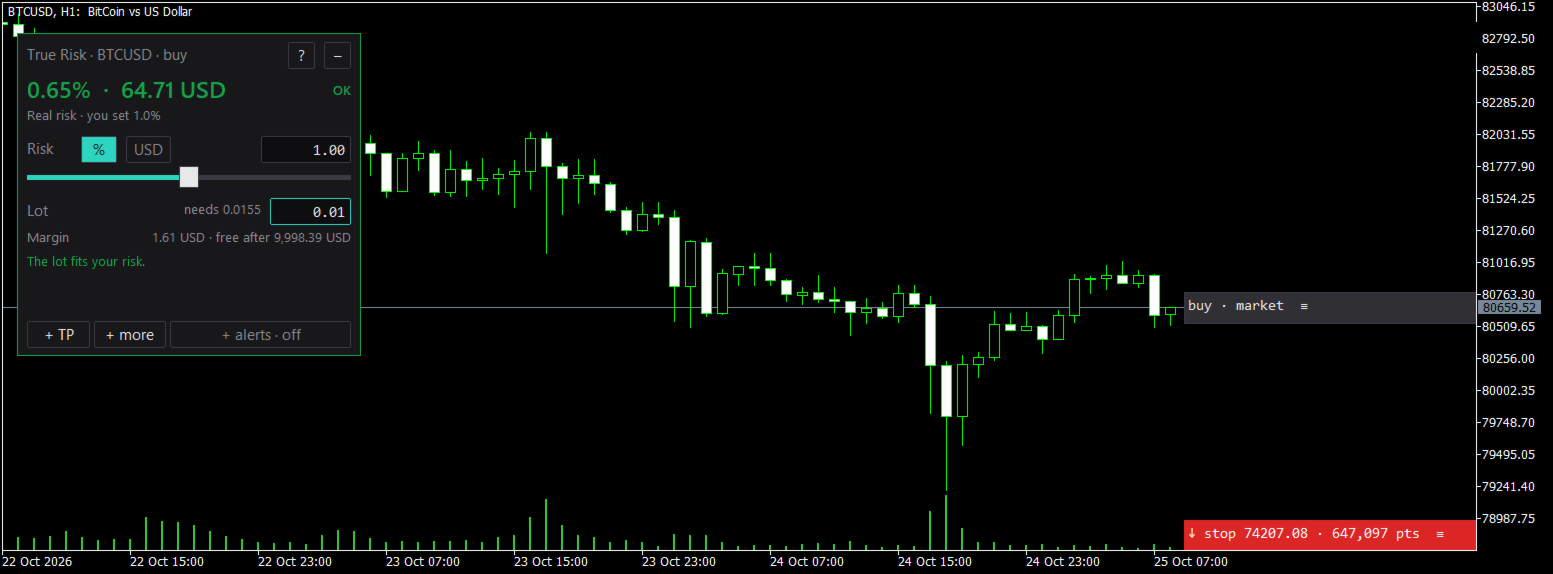
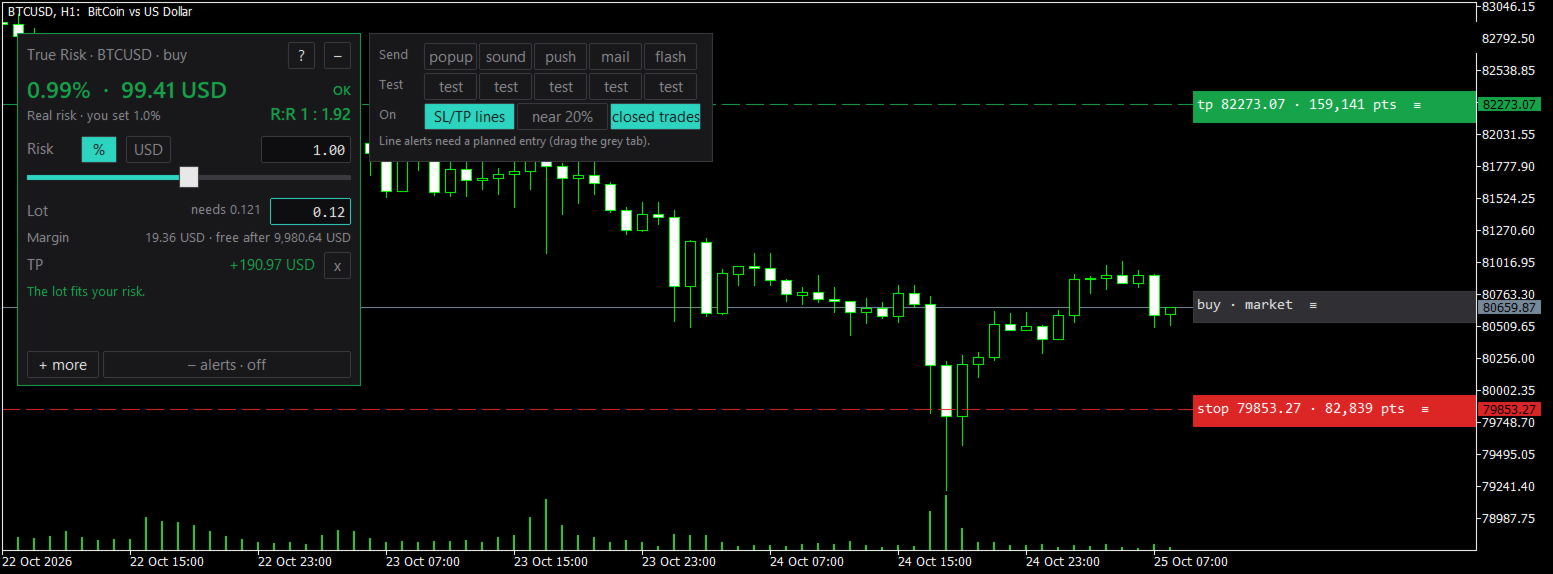
- The real risk of the lot after rounding, in money and in percent, in large type. Green when it fits your plan, amber when rounding adds more than 10 percent, red when the real risk is more than twice the risk you set.
- The reason in plain words, for example "Min lot is 13x your risk, max stop for 1%: 21 pts".
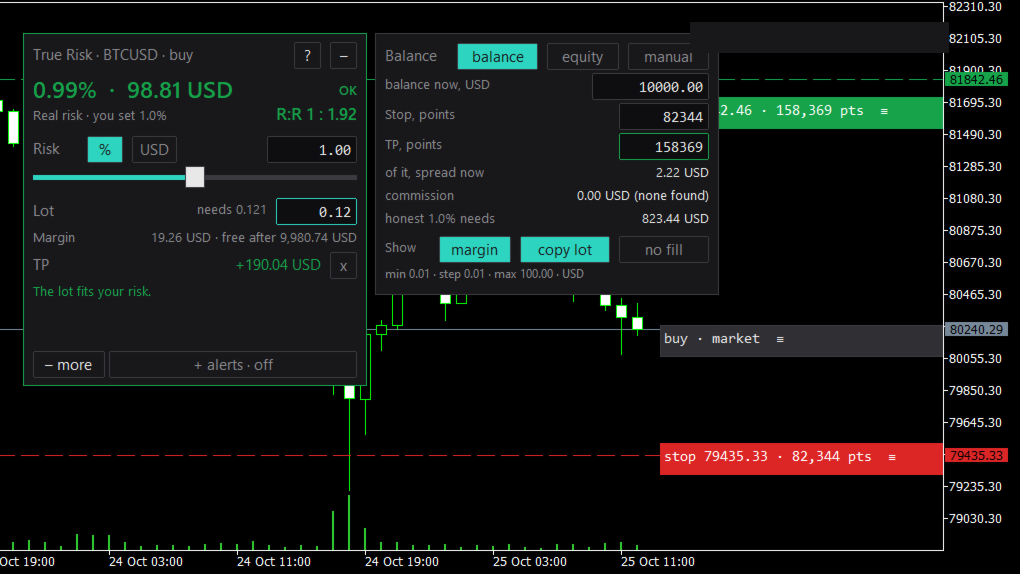
- The lot your risk allows and the lot the broker allows, in a field you can copy.
- The margin of that lot and the free margin left after it.
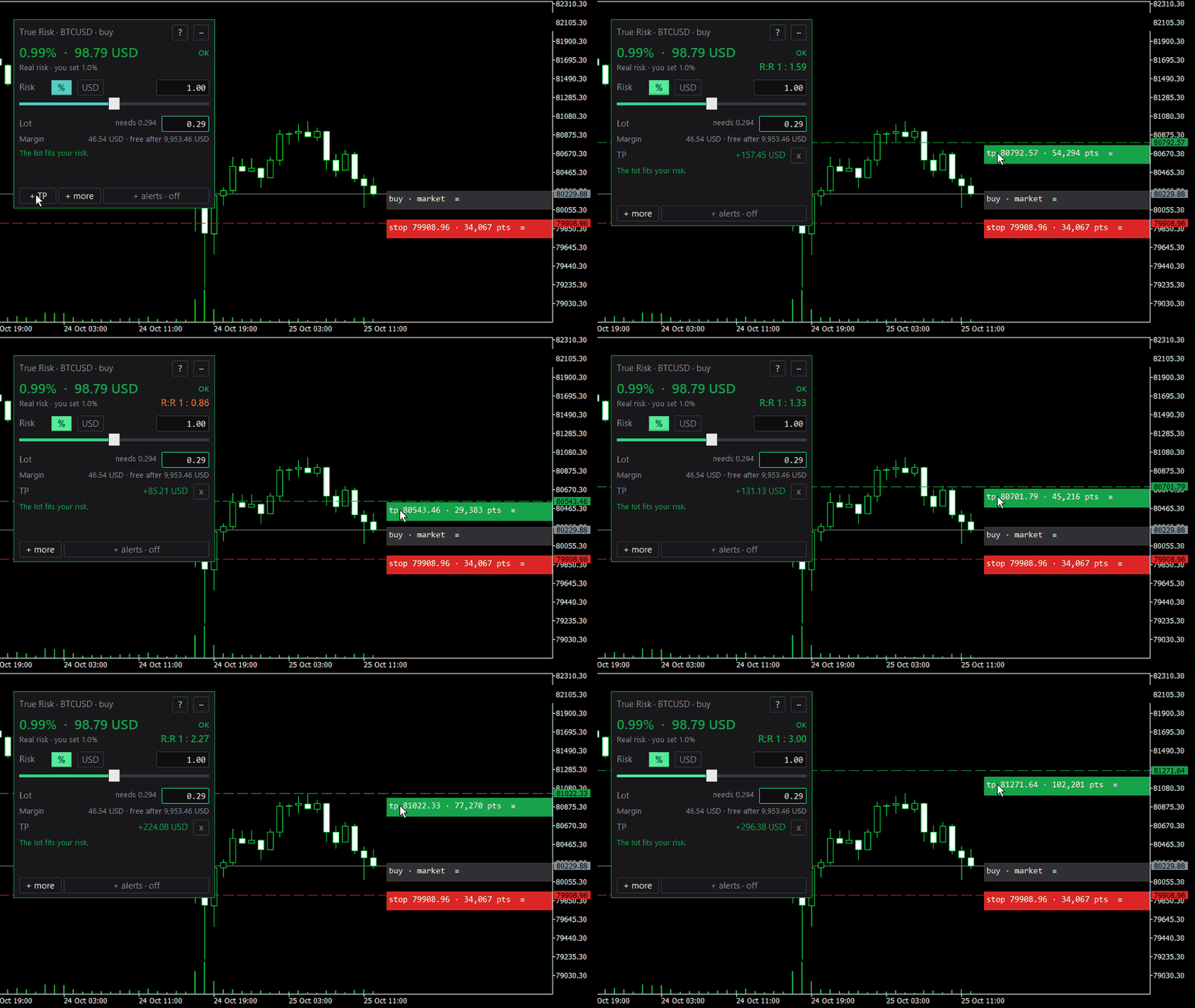
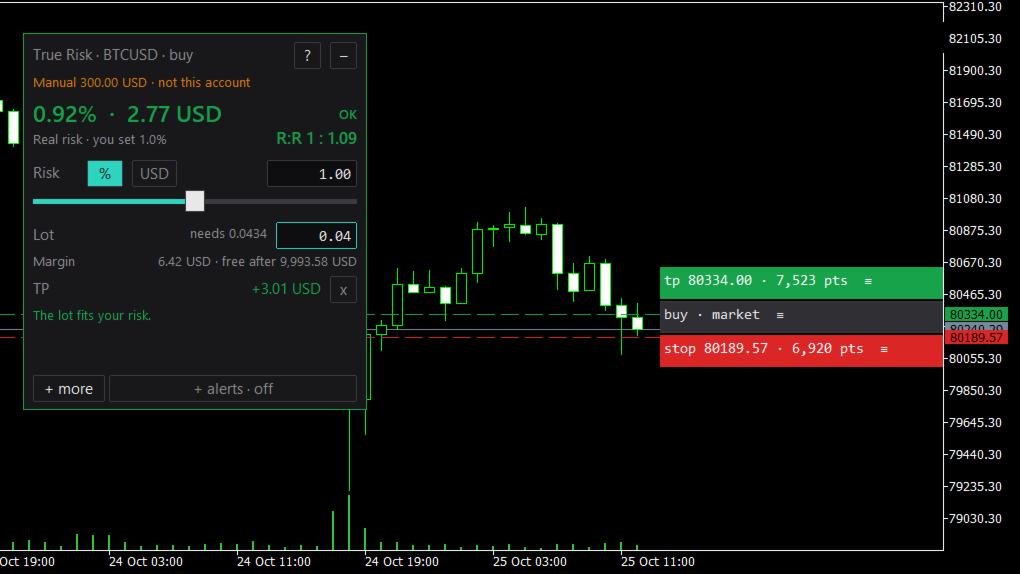
- The take profit and the reward to risk ratio, once you add a take profit.
- The balance an honest 1 percent needs at this stop.
- Whether the trade is a buy or a sell, and which order to place: market, buy stop, sell limit and so on.
How to use it
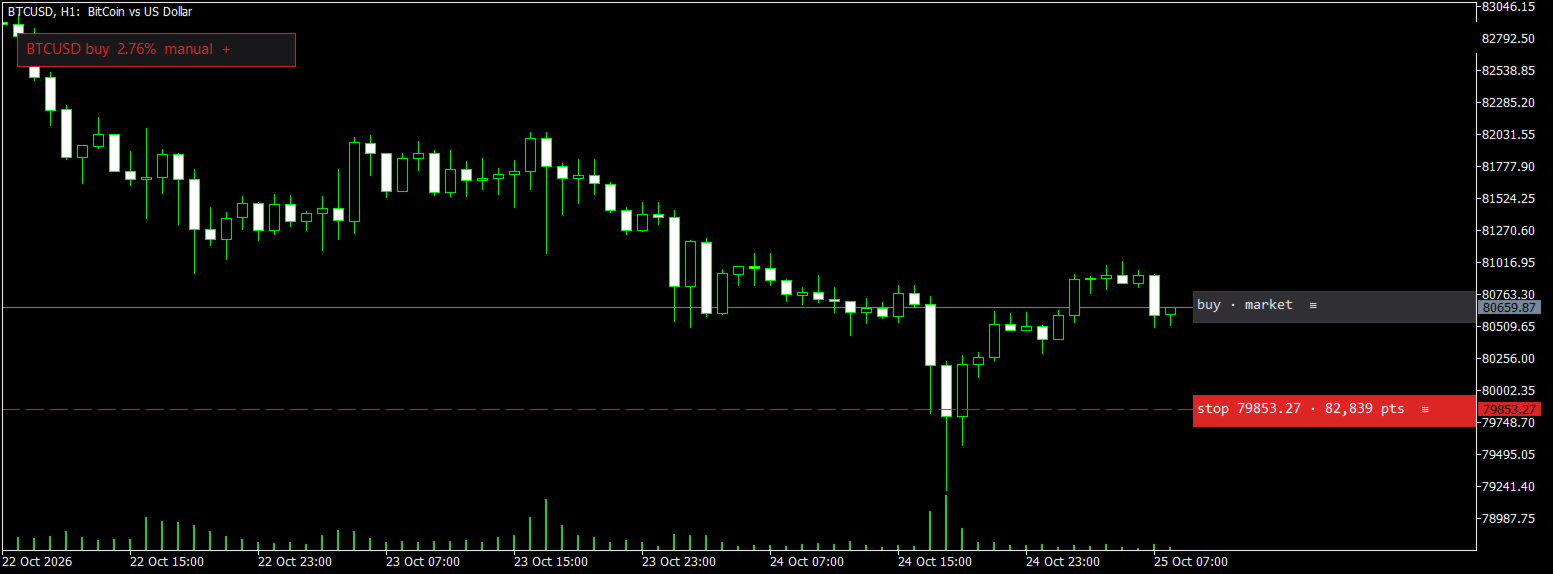
- Attach True Risk to any chart. A stop appears a short distance from the price.
- Drag the red tab on the right to your stop. Drag the grey tab for a planned entry, and click + TP for a take profit.
- Read the large line. If it is red, move the stop closer, use a larger balance, or skip the trade.
Settings you can change on the panel
The risk as a percent or as a fixed amount of money. The balance from the account, from the equity, or a manual amount (useful for a prop challenge or a planned deposit). The panel can be dragged by its title, collapsed to a small chip, or switched to "no fill". Everything you set is kept for each chart and each symbol, also after a change of timeframe.
Inputs
- Risk. Risk as: % of the balance
- Risk. Risk, % (0.01 to 100): 1.0
- Risk. Risk, fixed amount in the account currency: 50
- Balance. Balance from: the account balance
- Balance. Manual balance in the account currency: 0
- Panel. Lot rounding: down to the lot step
- Panel. Commission per lot, round trip: -1 (found from your trade history)
- Panel. Panel corner at the start: upper left
- Panel. Panel scale: 0 (from the screen)
- Panel. Show the margin line: yes
- Panel. Show the lot in a field you can copy: yes
- Alerts. Alert sound: alert.wav
- Alerts. "Approaching" alert, percent of the distance left: 20
Alerts
All alerts are off until you switch one on. The channels are a popup, a sound, a push message to your phone, an e-mail, and a flash of the panel. The events are the price reaching the stop or the take profit of a planned entry, the price coming close to them, and a trade of this symbol closed at its stop or take profit.
Questions
Does it trade? No. It is an indicator. It never opens, changes or closes an order.
Can it run beside my expert advisor? Yes. An indicator shares the chart with an expert advisor and does not touch its trades.
Why is the panel grey? There is no price or no tick value from the broker yet, for example when the market is closed. It shows no number rather than a wrong one.
My broker calls gold XAUUSD.m or GOLD. Does it work? Yes. Every number comes from the specification of the symbol on your chart.
How is the loss counted on pairs like USDJPY? At the price of your stop, where the trade would close, not at today's price. In our tests a stop 2 percent away changed the loss by about 2 percent.
Where does the commission come from? From the deals of this symbol in your history. If there are none, set it in the inputs.
Limits
Desktop MetaTrader 4 and 5 only; the mobile apps do not run custom indicators. On a netting account the panel notes when the trade would first reduce an open position. The margin line does not include the margin relief some brokers give for hedged positions.
Versions
MT5: this product. MT4: True Risk for MetaTrader 4, the same panel and numbers.