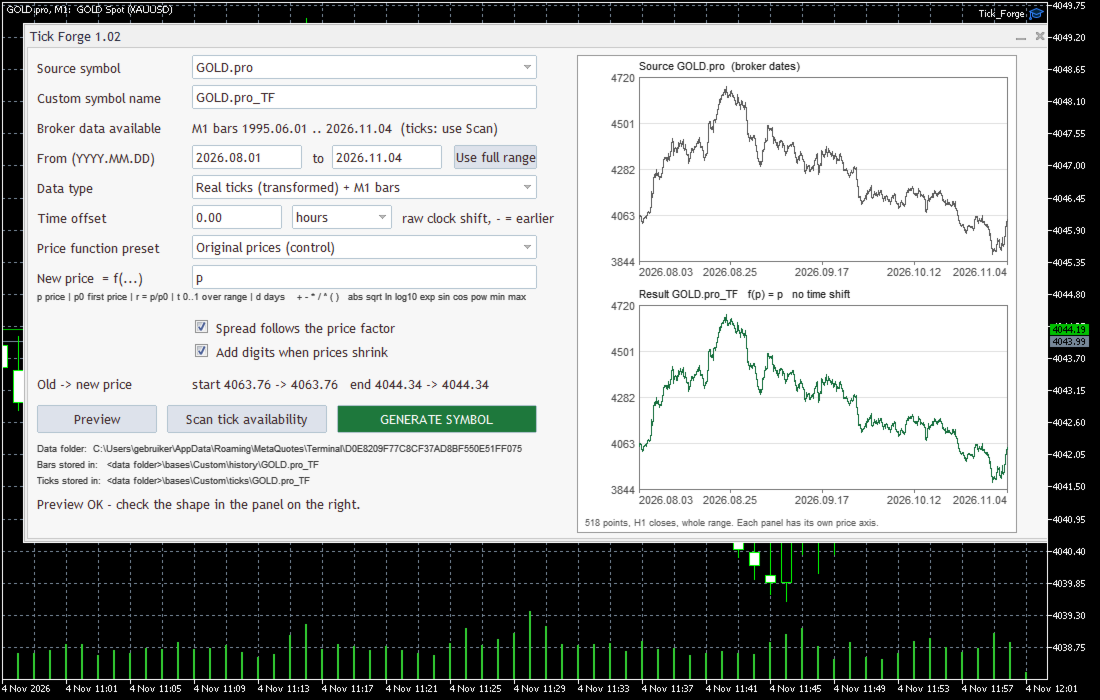
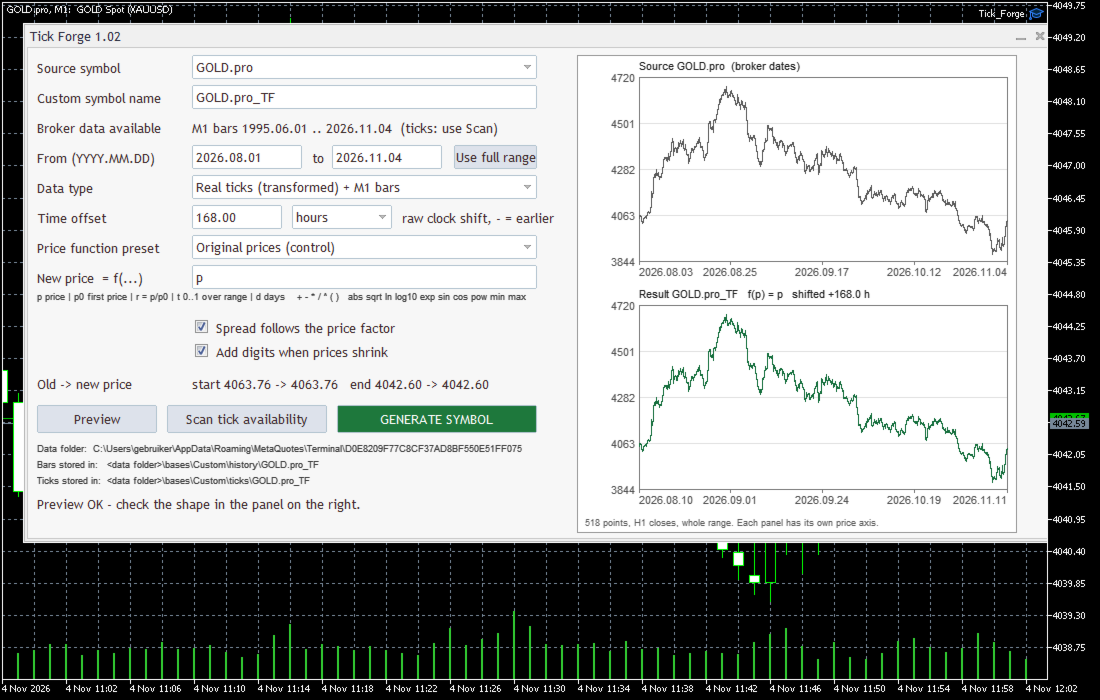
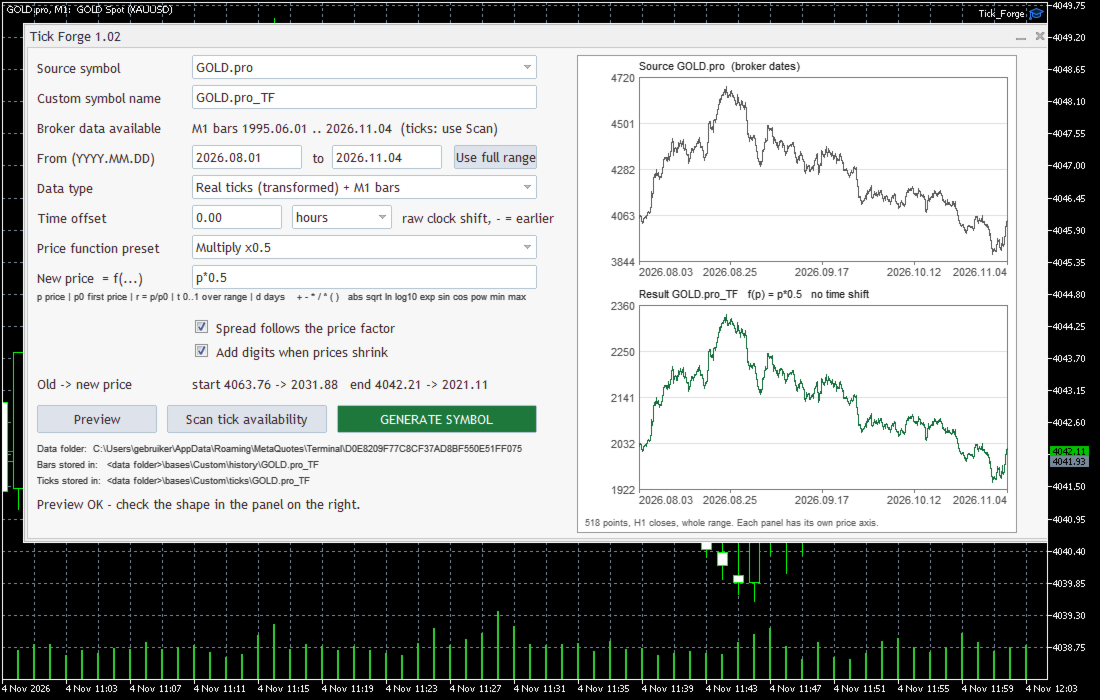
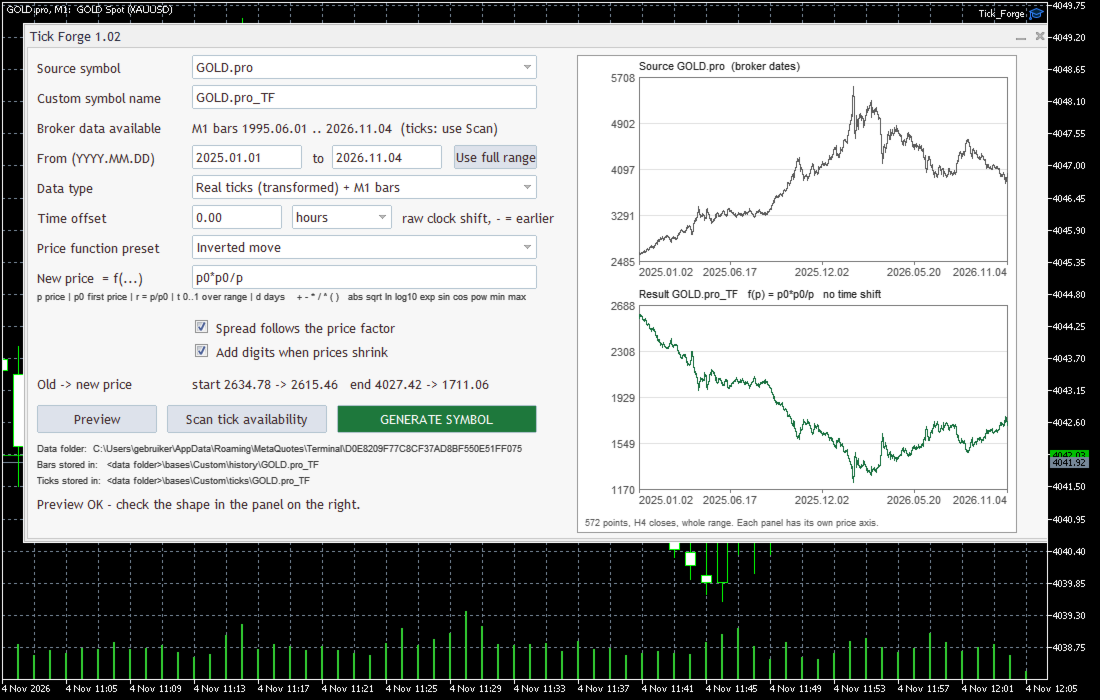
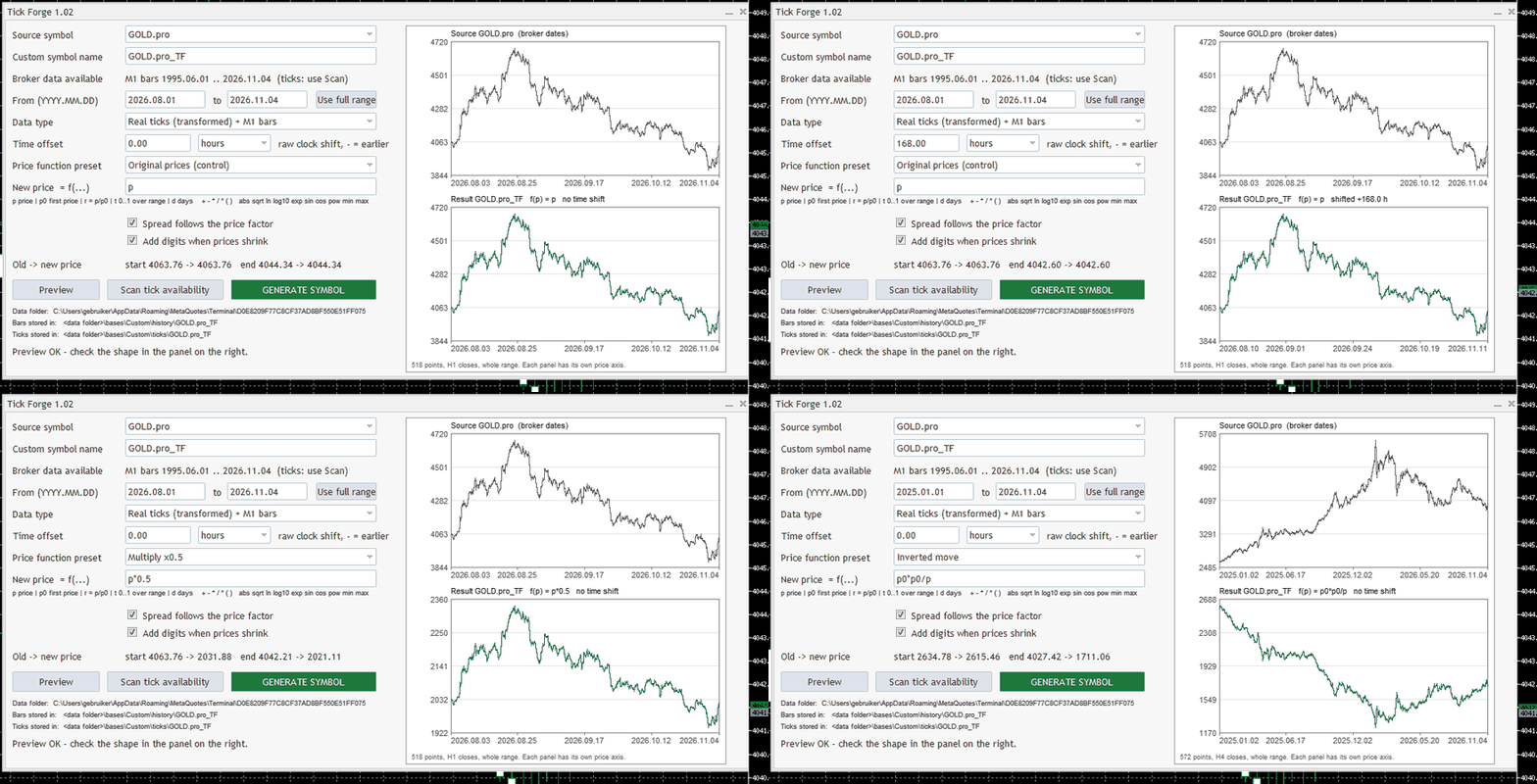
Tick Forge: does your Expert trade on logic, or on a memorised history? A perfect backtest proves nothing if the Expert only knows the past it was tested on. Tick Forge rebuilds the same real broker ticks on a different calendar and price level, so you can test the Expert in the normal Strategy Tester on a market it has never seen. | What it is | A free utility with a window. Attach it to any chart, fill in a few fields, press one button. Algo trading can stay off. | | Who it is for | Anyone who bought an Expert that looked perfect in the backtest and then behaved differently live, and anyone who wants to check an Expert before putting money behind it. | | What it makes | An ordinary custom symbol in Market Watch and in the Strategy Tester, built from your own broker's history. | | What it never does | It never opens, modifies or closes a trade, never touches your live symbols, uses no DLL and has no internet access. | | Cost and source | Free. Open source (MIT licence), you can read every line. forge.mql5.io/joshuadunnink/Tick_Forge | The problem A backtest shows what an Expert did on one stretch of history. It does not show why. Some Experts are sold on backtests that look flawless because the "strategy" is partly a memory: a list of dates, a table of times, hard-coded price levels, or entries written after the fact. On the original data they look brilliant. Live, there is no list for the future. Change the history in a controlled way. Logic survives the change. A memorised list does not. The tests | Test | What you do | What it exposes | | Control | Function p, no shift. Run it first. | Proves the pipeline changes nothing by itself. | | Calendar shift | Shift all timestamps by a multiple of 7 days, for example +7 days. Weekday and time of day stay the same, only the date changes. | Logic trades much as before. A list of dates loses its trades or its edge. | | Price level | Multiply the prices: p*0.5 or p*2. | Hard-coded levels and fixed distances stop fitting. | | Mirror, reshape | p0*p0/p, p0*r^2, p*(1+t). | Reliance on the direction or size of one period's moves. | Not a "100 worlds" simulation Some audit tools re-order or re-sample the trades an Expert already made and call the result many worlds. That is the same trades, rearranged. It is not a new market, and an Expert that memorised its history passes it as easily as before. Tick Forge changes the price data itself. Every tick is a real broker tick. The order, the volatility clusters, the gaps and the spreads are real. Only the date and the price level change. What it does not do - It does not invent random price paths or simulate possible futures.
- It does not read, decompile or unlock any Expert. It only gives the Expert different data.
- It does not prove an Expert is honest, safe or profitable. A pass means the Expert did not depend on what you changed. It is no promise about the future.
- It does not catch every problem. A failed test is a flag, not a verdict. Honest Experts can depend on sessions, weekdays or round levels, so check which trades changed.
- It is a research tool: a stress test, not a forecast, not a trading result.
One-click audit set The Audit set button builds the standard set in one go, after you confirm: _C control, _S7, _S14, _S28 shifted by 7, 14 and 28 days, _L50 prices x0.5, _L200 prices x2 and _MIR mirrored moves. Nothing is created silently: you see how many symbols and days first, and each symbol uses the disk space of one generated symbol (real ticks use far more than M1 bars). The Delete audit set button removes the set again. It only touches symbols Tick Forge created. It cannot start the Strategy Tester for you. MQL5 programs are not allowed to launch the tester. So you run your Expert on each symbol yourself, control first, with identical settings. A free helper script in the source repository can run the whole set automatically on a terminal you choose and write a comparison report: trade count, net, profit factor, drawdown, and how many of the control's entries reappear at the shifted time. How to use it - Pick a source symbol and a date range. The window shows what your broker provides and can scan which months have tick history.
- Pick the data type. Real ticks: use the tester model "Every tick based on real ticks". M1 bars only: the tester builds the ticks.
- Set the time offset (hours or days, negative = earlier) and the price function. Press Preview: it draws the whole range, source on top, result below.
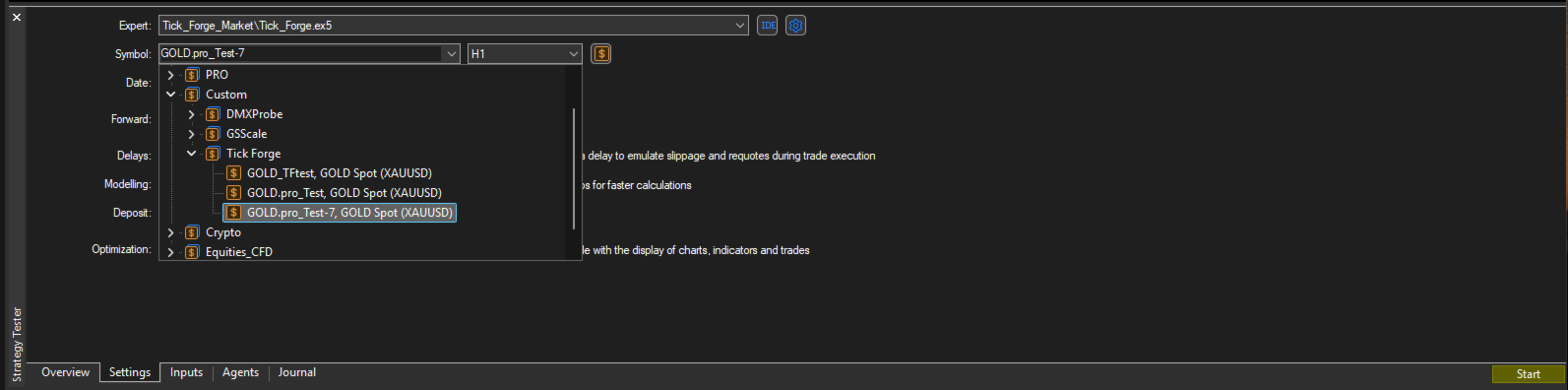
- Press GENERATE SYMBOL. When it says DONE, pick the new symbol in the Strategy Tester.
- Test the Expert on the control, then on the changed symbol, with identical settings. Compare trade count, profit factor and equity curve.
Price functions - Variables: p price, p0 first price, r = p/p0, t progress 0..1, d days since start.
- Operators: + - * / ^ and parentheses.
- Functions: abs sqrt ln log10 exp sin cos pow min max.
- Examples: p*2 | p0*r^2 | p*(1+t) | p+1000 | p0*p0/p
Spread can follow the price factor. Digits, tick size and tick value adjust when the level changes a lot. An existing custom symbol asks before it is replaced. A real broker symbol is never overwritten. The window shows where the data is stored. Good to know - It uses only history your terminal holds or can download. Tick depth depends on the broker.
- The custom symbol keeps the contract settings of the source symbol. Its name differs from the real one, so an Expert that only runs on one exact name will refuse. That is information too.
- Works with any Expert that runs in your own Strategy Tester. Seller demos may or may not run on a custom symbol.
- Needs a chart of about 1070 x 640 pixels or more. It does nothing in the Strategy Tester.
- The audit set also writes one small text file (the list of its symbols) to MQL5\Files\TickForge.
- After generating, close MetaTrader normally (File, Exit) so the symbol list is saved.
|

 ОБО МНЕ