KZ Chart Synchronizer MT5

User manual: English Part 1 | English Part 2 

KZ Chart Synchronizer MT5 keeps grouped charts aligned while you explore different timeframes. Navigate from any participating chart, share your drawings, and bookmark chart ranges for later review.

A chart utility implemented as an indicator. It does not place orders or provide trading signals.

Main features

  • Synchronized navigation: keep chart positions and horizontal zoom aligned within a synchronization group.
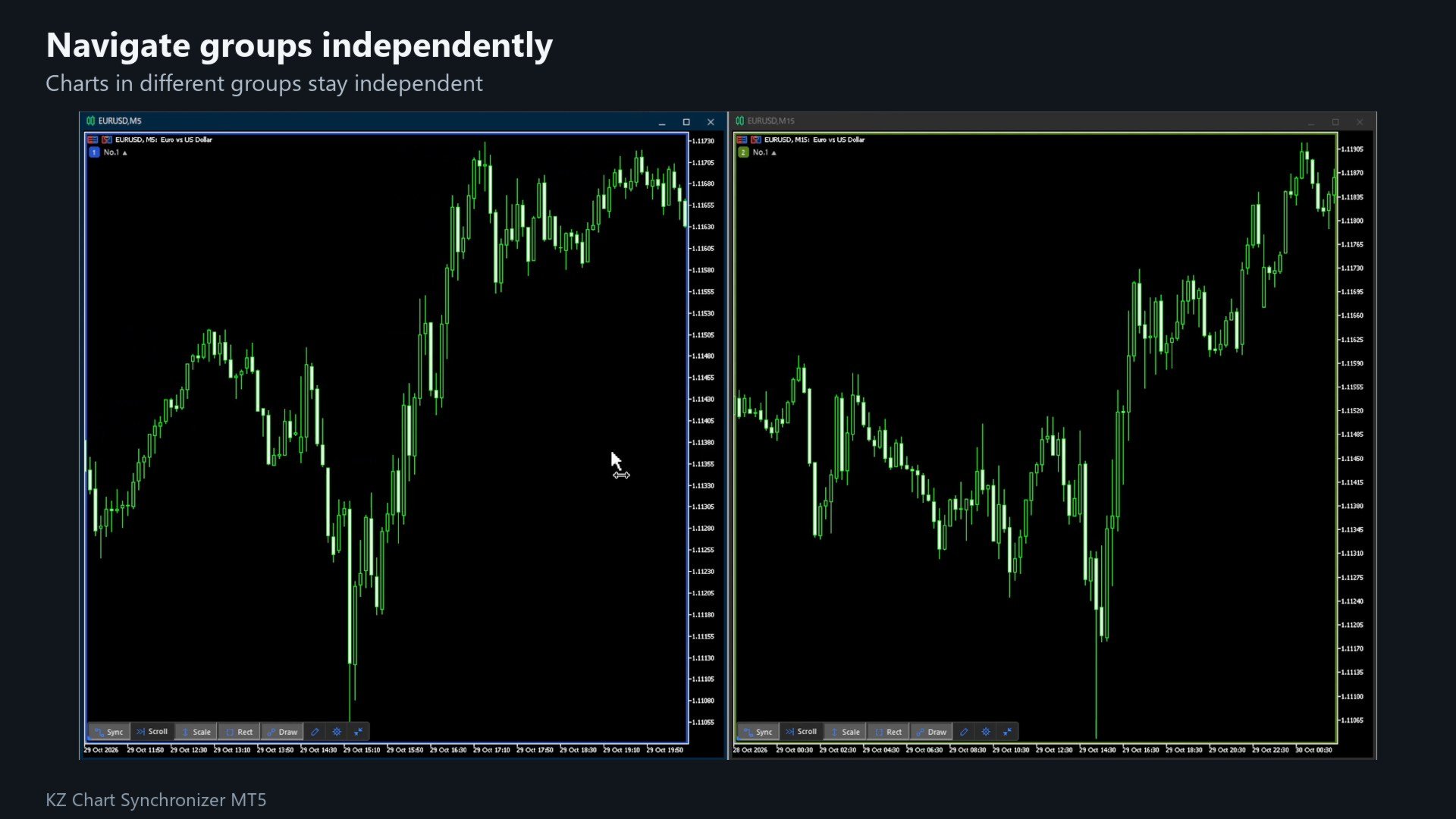
  • Independent groups: organize charts into separate workspaces, with colors identifying each group.
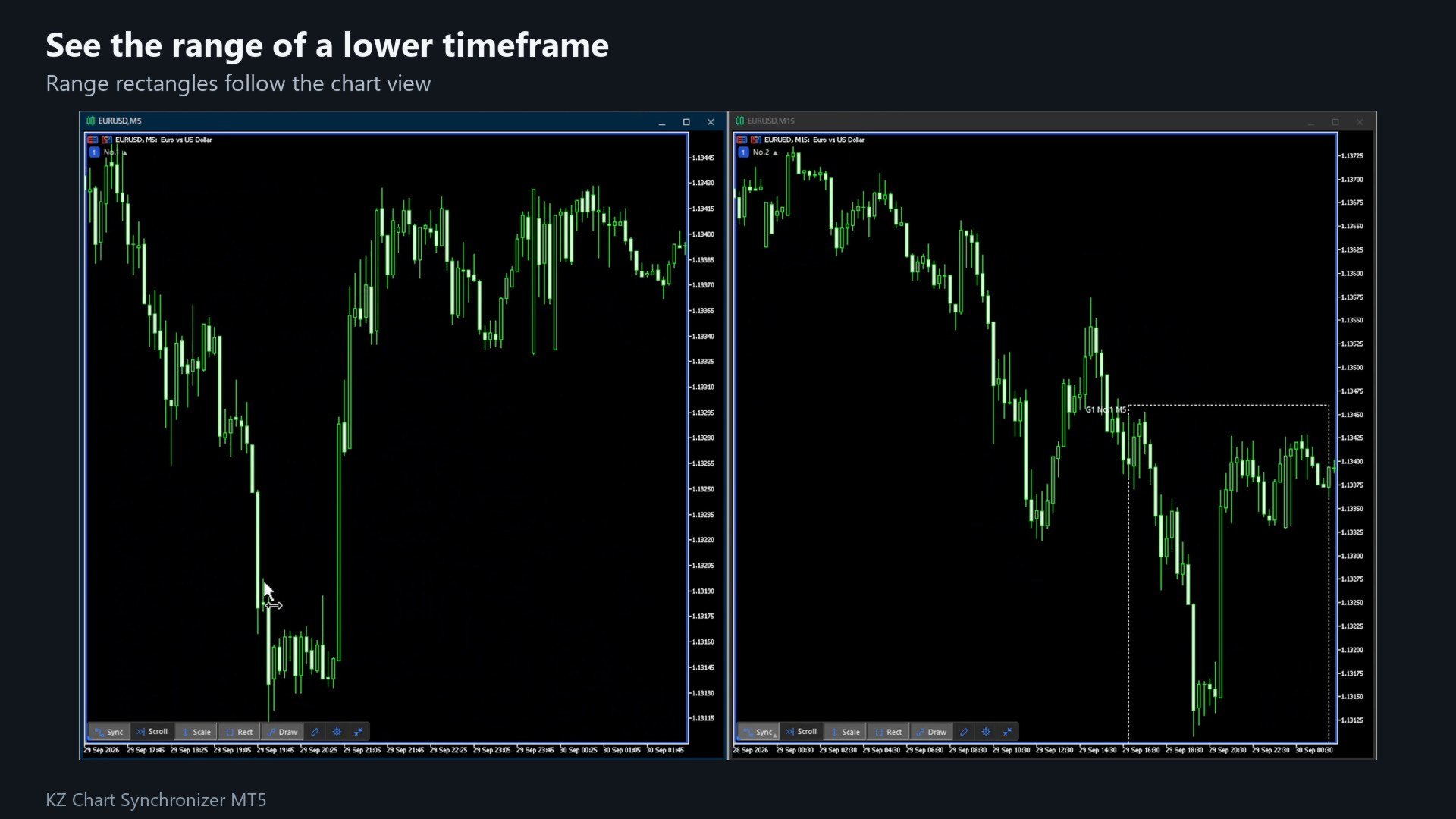
  • Visible-range rectangles: see the next lower timeframe's visible time and price range on a higher-timeframe chart of the same symbol.
  • Drawing synchronization: share supported lines, Fibonacci tools, channels, arrows and text across eligible charts of the same symbol.
  • Object management: browse drawings, jump to their locations, synchronize or unsynchronize them, and perform bulk operations.
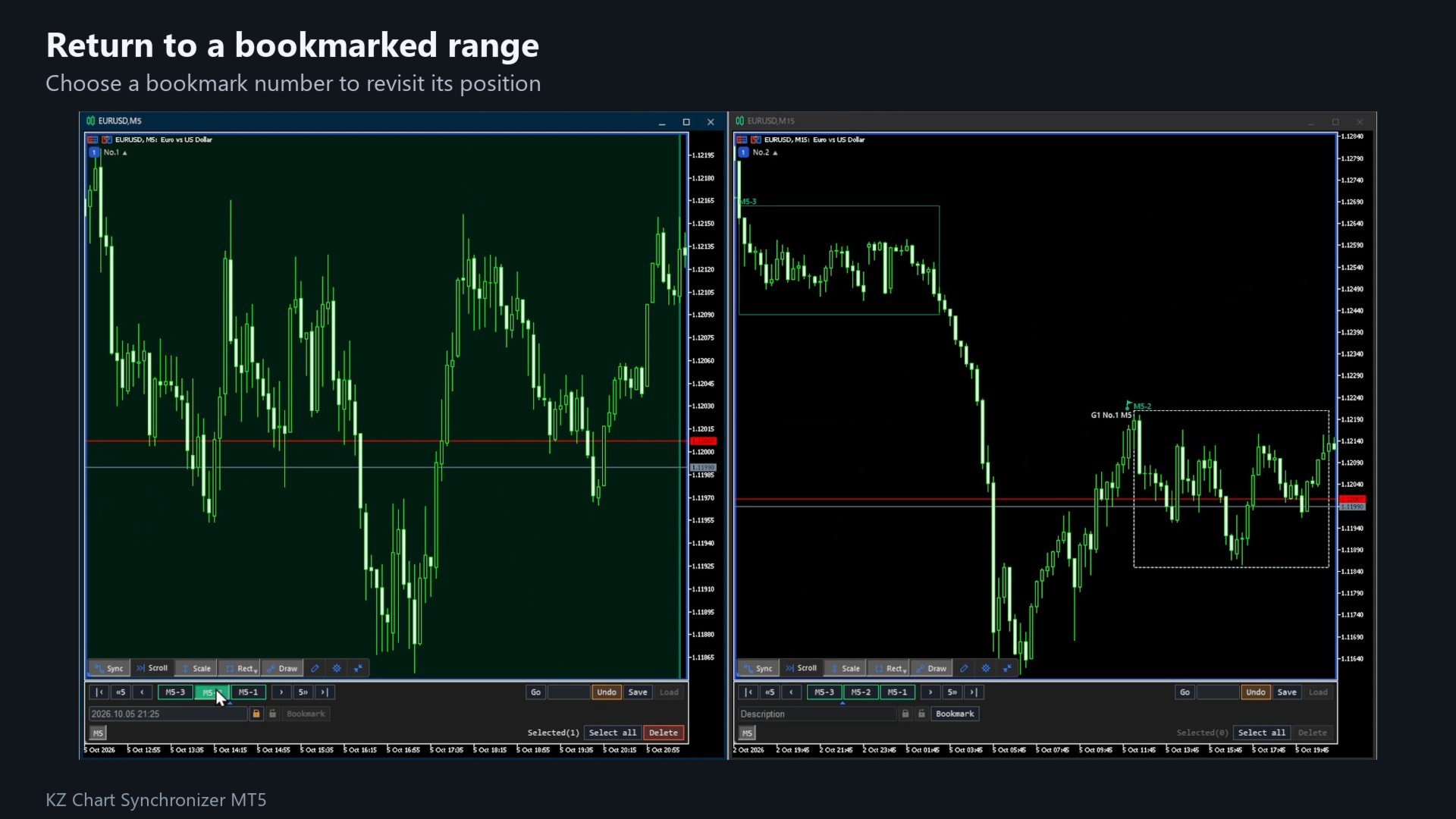
  • Bookmarks: record chart ranges, add descriptions, and return to saved locations.
  • Save, Load and Undo: save synchronized drawings and bookmarks by symbol, load them later, and undo supported operations.
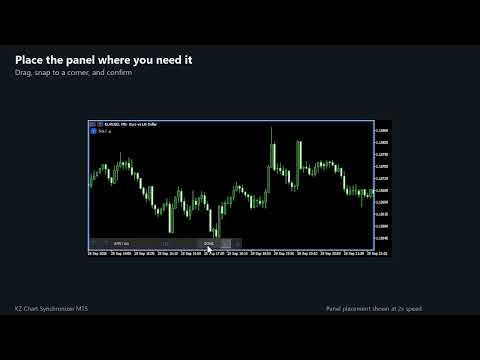
  • Flexible controls: choose synchronization settings per chart, reposition or minimize the panel, and customize its appearance.

Quick start

  1. Attach the indicator to a chart.
  2. Attach it to another chart.
  3. Move either chart, and the other follows.
  4. Within the same group, use the Draw caret button (▼) to synchronize newly drawn objects, and the Rect caret button (▼) to create and synchronize bookmarks of visible chart ranges.

How synchronization works

Charts can synchronize across different symbols within the same synchronization group. Range rectangles, drawings and bookmarks are shared only between charts with exactly matching symbol names.

Drawing propagation to higher timeframes follows the configured maximum timeframe ratio. Vertical price scaling is controlled separately on each chart.

Supported environment

Designed for normal charts in the current public release of MetaTrader 5 on Windows 10 or 11. Attach the indicator to every chart you want to participate, within the same client terminal.

Strategy Tester, MQL5 VPS, macOS and Wine are outside the supported environment. The product sets no additional chart-count limit; practical performance depends on your computer, chart configuration and other running indicators.

Support

Support is available in English and Japanese through the product comments and MQL5 private messages.
Рекомендуем также
MT5 Chart Replay
Hlomohang John Borotho
MT5 Chart Replay Rewind the Market. Replay Every Trade You Took. Review Every Decision . Have you ever wished you could rewind the candlesticks on your chart and the trades you took and watch the market unfold again ? Perhaps you wanted to see exactly where a trade started going wrong, identify the setup you missed, or revisit a period when your strategy was perfectly aligned with market structure. Introducing MT5 Chart Replay  — a professional MetaTrader 5 chart replay engine designed to help t
SessionSync   is a smart and elegant timing tool for MetaTrader 5, created to keep traders fully synchronized with the market. It shows the remaining time of the current candle in real time and displays the main trading clocks, including server time, local time, New York, and London. With a clean floating panel and an intuitive layout, SessionSync helps you track candle expiration and market sessions quickly and efficiently, without overloading your chart. Whether you trade price action, intrada
AKCAP Hotkey Tool
AK Capital Markets Limited
5 (3)
Special offer for the next 10 copies Are you tired of manually navigating through menus and inputting data every time you want to execute a trade or open an order on Meta Trader? Our hotkey tool is here to make your life easier and boost your trading efficiency. Our tool is natively coded for lightning-fast performance and comes loaded with all the features you could possibly want. From pending orders and OCO orders to trailing and multiple buckets, it has everything a scalper could need. And
Open Risk Profit  shows your current risk or possible profit of all open positions. Total open risk is your loss if all positions run into the stop loss. Total open profit is your profit if all positions reach your take profit. Total float is your current profit or loss of all positions. The program also breaks down the information into the individual symbols. For example, you can monitor how much is your current profit and your potential risk in EURUSD, no matter how many individual positions
Operative Management Pro – Advanced Trading Utility Operative Management Pro is a smart visual tool for traders who want to analyze and simulate their trades before placing them on the market. This panel displays in real-time the most important parameters of the current symbol: Current price and minimum lot size Required margin Spread cost in USD and pips Take Profit and Stop Loss value in USD Automatic risk and reward calculation With just a click on the chart, you can simulate BUY or SELL t
Sync In Many Ways MT5
Sa No Tsuyoshi Kokorozashi
Description This is a Utility tool for MT5 which will make our chart analysis task quite more efficient and save large amount of time. As for chart analysis, some are watching out several symbol simultaneously with single timeframe and others are trading only one single pair with   multi timeframe analysis. For both, a common troublesome issue is “scroll chart to look back” or “draw chart objects” in multi charts at the same time.  Especially for those who are trading with multi timeframe soluti
Session panel
Timo Mario Hoffmann
Session Panel for MT5 Session Panel is a free MT5 indicator that gives you a fast and convenient live overview of the major trading sessions directly from the chart. Monitor Tokyo, London, and New York session times, see which session is currently active, track countdowns to the next session, and view session overlap information in one compact dashboard. Built for traders who want better market timing, clearer session awareness, and a cleaner chart workflow in live market conditions. Session Pan
FREE
SPICA CLICK TRADE CONTROL MT5 Spica Click Trade Control is a complete one-click trading panel for MT5 — built for traders who want speed without giving up control. Every trade shows you the exact lot size, dollar risk, and reward before you click Buy or Sell. Manage open positions with breakeven, trailing stops, and partial closes. Protect your whole account with automatic equity-based shutoffs. All from a clean, tabbed panel that stays out of your way until you need it. KEY FEATURES Trading

TradingX Hotkeys
Johannes Stephanus Lombard
Inputs Available Lotsizes Partial Close % You can change lotsizes as you require On an open chart click once to select chart to be able to use hotkeys on specific chart. All Pairs can be used with this expert We created this expert to be able to still trade C300 with a 0.06 Lotsize If you enter a 0.6 lot and close 0.90% you can trade with 0.06 Lot Keys to be used: B -Buy S -Sell C -Close Profitable D -Breakeven (Note if stoploss is set it won't break even) P -Partial close X -Close all
DD Guardian Bot — User Guide Requirements MetaTrader 5 (any broker) A Telegram account Step 1 — Create your Telegram Bot Open Telegram and search for @BotFather Send /newbot and follow the prompts to set a name and username BotFather will reply with a Bot Token — copy and save it Send any message to your new bot (e.g. /start ) so it can detect your Chat ID Open the following URL in a browser to find your Chat ID: https://api.telegram.org/bot&lt ;YOUR_TOKEN>/getUpdates Look for "chat":{"id": 12
Obiriec Order Panel is a panel shown on the chart for placing and managing orders by hand. It does not open trades on its own. Features - Shows the current Bid price, Ask price and spread of the symbol you choose. Type the symbol in the panel (the default is XAUUSD). - Places Buy and Sell orders as Market, Limit or Stop orders, with the entry price you enter. - Takes a total lot size and up to five Take Profit levels. Each Take Profit can have its own lot size. If a lot size is left empty, the
ReverseTune
Konstantin Chernov
Скрипт для быстрого переворота позиции и/или ордеров. Если Вам необходимо перевернуть позицию с равным лотом, выставить встречную позицию объемом, отличным от существующего, или заменить ордера другим типом (например, Buy Limit -> Sell Limit, Buy Stop -> Sell Limit и т.д.) с сохранением или выставлением новых значенийстоп лосс и/или тейк профит, то этот скрипт избавит Вас от рутинных действий! Разрешите авто-торговлю перед запуском скрипта. Использование: Запустите скрипт на графике. Входные пар
Risk Panel - Click to Trade Risk Panel - Click to Trade is a manual trade execution utility for MetaTrader 5. It provides a chart-based interface for preparing and placing buy and sell orders with risk-based position sizing. Features Adjustable risk percentage based on account equity. ATR-based stop-loss calculation. Take-profit calculation using a configurable risk-to-reward ratio. Buy and Sell trade controls. Order placement through a dedicated trade button. Spread limit and trade deviation se
Equity based Position Closure
POCKETSQUARE CONSULTING PRIVATE LIMITED
Our selling bot envisions a seamless and efficient selling experience for clients. We understand the importance of optimizing the selling process and maximizing sales potential. With our bot, clients can effortlessly list their products, services, or assets, and attract buyers through intelligent pricing strategies and targeted promotions. Our vision is to provide clients with a user-friendly interface where they can easily input all the necessary details for their listings. We aim to simplify t
AI QUANT SYSTEM EA — Institutional Neural Engine (v52.0) Fully Automatic Trading EA Please Note:- First that this is an EXPERT ADVISOR, not a Utility. However, due to certain restrictions, I have to publish this  EXPERT ADVISOR  under the Utilities category.  We are  Provided  including a FREE OpenAI API key with this product, so you do not need to purchase AI API KEYS one separately, With Lifetime FREE Upgardes in Future. The AI Quant System EA is a next-generation, high-frequency quantitative
Данная завершенная система сетки отложенных ордеров открывает любую комбинацию отложенных ордеров (Buy Stop, Sell Stop, Buy Limit и Sell Limit) и закрывает все существующие отложенные ордера. Вы сможете перемещать скрипт по графику. Он подхватит начальную цену для первой позиции в сетке с той точки, на которой вы его оставите. Обычно такая точка располагается в области линий поддержки/сопротивления. Входные параметры Перед выставлением отложенных ордеров открывается окно входных параметров, в к
Risk Basket Planner
Mohamed Qosyairy Bin Shamsuddin
Risk Basket Planner Risk Basket Planner — это утилита для ручного планирования совокупного риска в MetaTrader 5. Она помогает трейдеру планировать несколько уровней входа, задавать технический Stop Loss и рассчитывать размер лота и фактический риск по каждому уровню до ручного открытия сделок. Основные функции Планирование от 1 до 5 уровней входа . Выбор направления BUY или SELL . Риск задается в процентах от Equity счета . Цены L1-L5 можно вводить вручную или перетаскивать на графике. Общий Tec
FREE
Position Limit Monitor: Efficient Control of Your Trading Operations Have you ever worried about having too many open trades simultaneously? Would you like precise control over the maximum number of positions in your account? Position Limit Monitor is the solution you need. Main Features: • Real-time monitoring: Constantly supervises the number of open positions in your account. • Customizable limit: Easily set the maximum number of positions you want to keep open. • Automatic closure: When the
MT5 AI Chatbot
Thomas Bradley Butler
БУДЬТЕ ТЕРПЕЛИВЫ С БОТОМ, ТАК КАК ВРЕМЯ ОТВЕТА МОЖЕТ СОСТАВЛЯТЬ СЕКУНДЫ. ОН ОТВЕТИТ. ОБЯЗАТЕЛЬНО НАЖМИТЕ ОТПРАВИТЬ И ЖДИТЕ. ЭТО ПРОСТОЙ ЧАТ-БОТ GPT ДЛЯ MT5 И MQL5. В комментариях добавьте свой ключ API во входные данные и добавьте их в веб-запрос на вкладке Expert Advisor: ЧАТ С ИИ НА MQL5 И MT5. ЗАПРОС ДОЛЖЕН СОДЕРЖАТЬ MQL5 ИЛИ MT5, В ПРОТИВНОМ СЛУЧАЕ ОН НЕ ОТВЕТИТ. ОН ОБУЧЕН ТОЛЬКО НА MT5 И MQL5. ОБРАТИТЕ ВНИМАНИЕ, ЧТО ОН БУДЕТ РАБОТАТЬ ТОЛЬКО НА ГРАФИКАХ В РЕАЛЬНОМ ВРЕМЕНИ, А НЕ НА ИСХОДНЫХ
Сопровождение позиций с помощью: трейлинг-стопа, безубытка, стоп-лосса и тейк-профита.‌ Необходимо разрешить автоматическую торговлю в настройках терминала. В режиме тестирования утилита на первых тиках открывает позиции Buy или Sell, что позволяет в визуальном режиме наблюдать заданную логику, меняя параметры утилиты. В реальном режиме утилита не открывает позиции. Обсудить сложности торговли на Форекс здесь:   чат "Age of Expert Advisors" .   Параметры magic  - магический номер. Если меньше 0,
EQUITY DRAWDOWN MONITOR   This is a simple mt5 advisor that monitors the drawdon levels Features: Easy to use Useful for money managers How to Use  Load the EA once a single chart Type the maximum drawdown desired in inputs Leave the EA alone and never close that chart The EA monitors all trades and magic numbers in your account. Input Parameter Drawdown Percent:   Maximum drawdown in percentage terms allowable in the account. When the drawdown level is surpassed, the EA will close all trades
Position Dealer — Risk-First Trade Panel for MT5 Position Dealer is a multi-functional trading assistant built around one idea: never place a trade that breaks your risk rules. Size every position by risk, set stops and targets visually on the chart, enforce a hard maximum-risk limit, and fire market or pending orders in one click — without ever doing the lot math yourself. One-click, risk-based sizing Size by Risk $ , Risk % , or fixed Lot — the panel computes the exact volume from your stop
SyncDB LT
Maxim Kuznetsov
Сервис для постоянной поддержки базы SQLite в актуальном состоянии. Быстрая работа в реальном времени.   Сохраняет открытые позиции и ордера, текущие котировки, торговую историю. Воспользуйтесь возможностями SQLite для промежуточного хранения данных, аналитики и интеграций платформы MetaTrader. Сохраняйте все данные в едином месте. Используйте сохранённые данные в аналитических запросах SQL, из Питон и других языков, для построения dash-boards и интеграции MetaTrader Эта версия " Learn & Test "
FREE
Информер представляет информацию о текущем состоянии открытых рыночных позиций. Визуальное представление состоит из двух частей.  В левой части собраны последние сделки исполненные на счете. Сделки отсортированы по времени совершения. В правой части представлены текущие состояния совокупных позиций по инструментам. Сортировка позиций осуществляется по убыванию маржинальной нагрузки на счет. Обновление и пересчет состояния позиций выполняется автоматически и/или по клику мыши. Параметры управле
product video: https://vimeo.com/824742776?share=copy Trade Assistant, Trade Manager, Trade Panel for MetaTrader 5 with the following functions: - Display the remaining candle time and the current time of day - Open long and short positions without SL and TP at the current market price - Display of the current ask, bid and spread - Open long and short positions with predefined lot size, SL and TP at the current market price - Quick selection of the lot size (freely selectable lot sizes) -
Smart Bulk Order Closer
Muhammad Hassan Muhammad Ahmad Atiyah
Smart Bulk Order Closer Скрипт MT5 – Закрытие сделок по PnL Описание Smart Bulk Order Closer — это скрипт для MetaTrader 5, который закрывает позиции в зависимости от их текущей прибыли или убытка на счете. Скрипт выполняется один раз при запуске и закрывает только те позиции, которые соответствуют условиям PnL, заданным пользователем. Не работает в фоне, не изменяет Stop Loss или Take Profit и не открывает новые сделки. Функциональность Скрипт оценивает каждую позицию отдельно и применяет след
Danko DTC Panel
Ricardo Almeida Branco
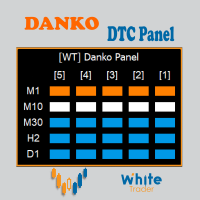
Do not buy before seeing the Danko Trend Color product, as this panel is a way to view a summary of this indicator on various timeframes. The Danko DTC Panel utility allows you to look at the trend in up to 5 timeframes. When clicking on the timeframe texts, a new window will open with the indicator plotted on the screen so you can see the complete chart. The width of the panel, with the amount of candles you want to see, is customizable, see the images below. Ao clicar nos textos dos timeframe
ICT PD Arrays Trader
Aesen Noah Remolacio Perez
Attention All ICT Students! This indispensable tool is a must-have addition to your trading arsenal... Introducing the ICT PD Arrays Trader: Empower your trading with this innovative utility designed to enhance and simplify your ICT trading strategy and maximize your potential profits.  How does it work? It's simple yet highly effective. Begin by placing a rectangle on your trading chart and assigning it a name like 'ict' or any preferred identifier. This allows the system to accurately ident
Overview AlphaForge Range Chart is a professional non-trading range-bar charting utility for MetaTrader 5. It generates live Range charts as MT5 custom symbols, helping traders analyze price movement through fixed-range bars instead of standard time-based candles. Unlike visual-only overlays, the generated Range chart behaves like a real MT5 custom-symbol chart. This means you can open it as a normal chart, apply templates, draw analysis objects, and add indicators directly to the Range chart fo
Crystal Trade Manager – Advanced MT5 Risk and Trade Control Utility Overview Crystal Trade Manager (CTM) is a professional MetaTrader 5 utility designed for risk management, trade automation, and instant execution control. It provides traders with an integrated system for protecting equity, managing daily drawdowns, controlling lot sizes, and applying automation features such as automatic SL/TP, break-even, and trailing stop. The tool is suitable for manual traders, prop-firm challenge particip
С этим продуктом покупают
Trade Assistant MT5
Evgeniy Kravchenko
4.43 (216)
Помогает рассчитать риск на сделку, простая установка нового ордера с помощью линий, управление ордерами с функциями частичного закрытия, 7 типов трейлинг-стопа и другие полезные функции. Дополнительные материалы и инструкции Инструкция по установке - Инструкция к приложению Функция Линии   - отображает на графике линию открытия, стоп-лосс, тейк-профит. С помощью этой функции легко установить новый ордер и увидеть его дополнительные характеристики перед открытием. Управление риском   -   функ
Добро пожаловать в Trade Manager EA — лучший инструмент для управления рисками, предназначенный для упрощения, точности и эффективности торговли. Это не просто инструмент для размещения ордеров; это комплексное решение для удобного планирования торгов, управления позициями и усиленного контроля над рисками. Независимо от того, начинающий вы трейдер, опытный специалист или скальпер, нуждающийся в быстром исполнении, Trade Manager EA адаптируется к вашим потребностям и работает с любыми активами:
Farmed Hedge Yield Farming | All Markets (Manual - Hybrid - Semi/Automated EA) VERIFIED TRADING RESULTS - Farmed Hedge Yield Axi Copy:  https://www.mql5.com/en/signals/2356376 - Farmed Hedge Yield Exn Copy:   https://www.mql5.com/en/signals/2356404 - Farmed Hedge Yield V Copy:  https://www.mql5.com/en/signals/2357156 IMPORTANT NOTICE: FarmedHedge is a MANUAL-FOCUSED TRADING UTILITY ,not a fully automated EA. Results shown on this Signal include manual trades and overall strategic management.
Telegram to MT5 Multi-Channel Copier   автоматически копирует торговые сигналы из ваших Telegram- и Discord -каналов прямо в MetaTrader 5. Без ботов, без браузерных расширений, без ручного копирования. Сигнал приходит в Telegram или Discord — и советник открывает сделку в вашем терминале за считанные секунды. А перед тем как копировать канал, встроенный бэктестер покажет, что этот канал сделал бы на вашем счёте. Продукт состоит из двух компонентов: приложения для Windows, которое слушает ваши Te
Local Trade Copier EA MT5
Juvenille Emperor Limited
4.94 (149)
Local Trade Copier EA MT5 — это быстрый и гибкий копировщик сделок для копирования и управления сделками между несколькими счетами MetaTrader 5 на одном компьютере с Windows или Windows VPS. Он сочетает локальную синхронизацию сделок с настройками на стороне Receiver для управления размером лота, рисками, фильтрацией сделок, сопоставлением символов, управлением сделками и защитой счета. Настройте терминалы Transmitter и Receiver примерно за 1 минуту и копируйте ручные сделки или сделки, открыты
Strategy Ledger Pro
Abdullah Uygar Tuna
5 (14)
Теперь доступно на русском языке. Strategy Ledger Pro — панель анализа счёта для MetaTrader 5, работающая только на чтение. Она разделяет результаты счёта по советникам, стратегиям, символам и magic-номерам, чтобы было видно, что на самом деле вносит каждый из них. Панель доступна на 11 языках: English, Français, Deutsch, Español, Italiano, Português, Русский, Türkçe, 中文, 日本語 и 한국어. Перед загрузкой демоверсии. Маркет запускает демоверсию любого платного продукта только в тестере стратегий. Эта
Копируйте сигналы из Telegram по своим торговым правилам Telegram to MT5 Signal Trader автоматически копирует текстовые торговые сигналы из открытых и закрытых каналов и групп Telegram в MetaTrader 5. Управляйте несколькими поставщиками сигналов и счетами MT5 из одного приложения для компьютера, задавая индивидуальные параметры риска и торговли для каждого поставщика . Для копирования не нужны бот Telegram и настройка API. Просто войдите в свой аккаунт Telegram по номеру телефона или QR-коду и в
TradePanel MT5
Alfiya Fazylova
4.88 (170)
Trade Panel — это многофункциональный торговый помощник. Приложение содержит более 50 торговых функций для ручной торговли и позволяет автоматизировать большинство торговых операций. Инструкция к приложению: https://www.mql5.com/ru/blogs/post/756476 Пробная версия приложения для демо-счета: https://www.mql5.com/ru/blogs/post/750864 Как установить приложение: https://www.mql5.com/ru/blogs/post/750096 Как тестировать приложение в визуальном режиме: https://www.mql5.com/ru/blogs/post/770274 Как уст
================================================================================ POC BREAKOUT - V20.72. Full Professional Grade Toolkit ================================================================================ POC Breakout is a full MetaTrader 5 trading dashboard for discretionary traders who want breakout signals, Point of Control (POC) context, volume profiles, order flow, market structure, news, alerts, and advanced trade planning in one professional workspace. Attached directly to you
MT5 to Telegram Signal Provider — это простой в использовании полностью настраиваемый инструмент, который позволяет отправлять определённые сигналы в чат, канал или группу Telegram, превращая вашу учётную запись в провайдера сигналов . В отличие от большинства конкурирующих продуктов, он не использует импорт DLL. [ Демо ]   [ Руководство ] [ Версия MT4 ] [ Версия для Discord ] [ Канал в Telegram ]  New: [ Telegram To MT5 ] Настройка Доступно пошаговое руководство пользователя . Никаких знаний A
VirtualTradePad PRO SE MT5 — профессиональный торговый центр управления для MetaTrader 5 VirtualTradePad PRO SE — это премиальная торговая панель и рабочая среда управления сделками на графике для MetaTrader 5 . Она создана для трейдеров, которым нужны более быстрое исполнение, более понятный контроль позиций, структурированное управление сделками, визуальное планирование уровней и профессиональный рабочий процесс прямо с графика. Это не просто панель BUY / SELL. PRO SE объединяет ручную торговл
REVDEN AI Desk: ведите свою торговлю в одном разговоре с собственным ИИ на рыночном контексте REVDEN Представьте, что вся ваша торговля ведётся в одном разговоре. REVDEN AI Desk переносит это в MetaTrader 5: вы спрашиваете собственный ИИ, как он читает рынок, и он отвечает на основе полного контекста REVDEN по символам, которыми вы торгуете, с их состоянием, картиной риска и предстоящими релизами. Его предложения приходят с входом, стопом, целью и риском, и вы одобряете те, что вам подходят. Ваш
Trade copier MT5
Alfiya Fazylova
4.61 (57)
Trade Copier — это профессиональная утилита, предназначенная для копирования и синхронизации сделок между торговыми счетами. Копирование происходит от счета/терминала поставщика к счету/терминалу получателя, которые установлены на одном компьютере или vps. Перед покупкой вы можете протестировать демо-версию на демо-счете. Демо-версия здесь . Полная инструкция здесь . Основной функционал и преимущества: Русифицированный интерфейс, поддержка на русском языке. Поддерживает копирование МТ5 > МТ5, МТ
News Trade EA MT5
Konstantin Kulikov
4.55 (11)
Представляю полезного робота, которым пользуюсь сам уже несколько лет. Может использоваться как в полуавтоматическом, так и в полностью автоматическом режиме. >>> Chat <<< Программа содержит гибкие настройки торговли на новостях экономического календаря. В тестере стратегий проверить нельзя. Только реальная работа. В настройках терминала необходимо добавить новостной сайт в список разрешенных URL. Кликните Сервис > Настройки > Советники. Поставьте галочку в "Разрешить WebRequest для следующих U
Exp COPYLOT CLIENT for MT5
Vladislav Andruschenko
3.97 (35)
Профессиональный копировщик сделок для MetaTrader 5 Быстрый, профессиональный и надежный копировщик сделок для MetaTrader . COPYLOT позволяет копировать сделки Forex между терминалами MT4 и MT5 с поддержкой счетов Hedge и Netting . Версия COPYLOT для MT5 поддерживает: - MT5 Hedge → MT5 Hedge - MT5 Hedge → MT5 Netting - MT5 Netting → MT5 Hedge - MT5 Netting → MT5 Netting - MT4 → MT5 Hedge - MT4 → MT5 Netting Версия MT4 Полное описание + DEMO + PDF Как купить Как установить Как получить файлы жур
RETAILBERG FOOTPRINT CHART PRO — Order-Flow Workspace for MetaTrader 5 Version 7.00  |  Professional System  |  31 tools  |  One chart A full 150-page illustrated User Manual is included. Please read the full manual to understand this feature packed footprint chart elements and ui. https://www.mql5.com/en/blogs/post/777982 DEMO / STRATEGY TESTER — PLEASE READ FIRST
The Patch
Mian Rameez Ali
The Patch It never opens a trade. It walks behind the ones that did. Every open position, every pending order — checked twice a second for the one thing that's easy to forget: a stop, a target. Found bare, it doesn't ask. It writes the missing number in, measured in points from wherever the position began, and moves on to the next. No strategy, no opinion on direction. Just the quiet assumption that nothing should ever sit on the market unprotected — not because someone decided it shouldn't,
Telegram To MT5 Ultra
Mirel Daniel Gheonu
5 (5)
Telegram To MT5 — копировщик сигналов Превратите торговые сигналы из ваших Telegram-каналов в реальные ордера MT5 — автоматически, на любом количестве счетов, с полным контролем над риском и правилами. Telegram To MT5 связывает VIP / сигнальные каналы, на которые вы уже подписаны в Telegram, с вашим терминалом MetaTrader 5. Бесплатное приложение-компаньон для ПК читает сообщения (даже из каналов, которые не допускают ботов), а этот советник исполняет их на вашем счёте — применяя ваши настройки р
Следующее обновление — версия 2.52 уже скоро! [НОВОЕ] Приготовьтесь к 4 новым важным функциям, призванным улучшить ваш анализ рынка и торговый процесс. Мы выводим анализ рынка на новый уровень с помощью 4 новых функций, разработанных с учётом ваших потребностей в трейдинге. Представляем: 1. TRADE OVERVIEW DASHBOARD 2. CONFLUENCE AT ZONE 3. STRONG & WEAK HIGH/LOW 4. OTE 1. TRADE OVERVIEW DASHBOARD Панель, которая помогает легче понимать общую картину рынка, предоставляя рекомендации для поддержк
Grid Manual MT5
Alfiya Fazylova
4.73 (22)
Grid Manual — это торговая панель для работы с сеточными стратегиями. Утилита универсальная, имеет гибкие настройки и понятный интерфейс. Работает с сеткой ордеров не только в сторону усреднения убытков, но и в сторону наращивания прибыли. Трейдеру не нужно создавать и сопровождать сетку ордеров, это сделает утилита. Достаточно открыть ордер и Grid manual автоматически создаст ему сетку ордеров и будет сопровождать его до самого закрытия. Полная инструкция и демо-версия здесь . Основные особенно
Anchor Trade Manager
Kalinskie Gilliam
5 (8)
Your EAs cannot see each other, but Anchor can. Anchor gives you one place to coordinate your EAs, manage risk, and decide when trading is allowed. It works alongside the trading bots you already use without any changes to them. The Problem One EA opens a trade. Then another starts trading. The next thing you know, you wake up to multiple grids built across your account. Each EA may be doing exactly what it was designed to do, but together they can place far more risk on your account than you in
EA Portfolio Control & Cloud Monitoring for MetaTrader 5 Your EAs manage trades. KONTROL_01 manages your EAs. A control system for traders running multiple Expert Advisors on the same account. Coordinate EA activity, manage trading risks and monitor your setup remotely. A detailed User Manual is available via DM after purchase. IN PRACTICE Multiple EAs. No coordination. Your EAs trade independently, unaware of each other's activity. KONTROL_01 coordinates them, limits simultaneous activity a
The product will copy all telegram signal to MT5 ( which you are member) , also it can work as remote copier.  Easy to set up, copy order instant, can work with almost signal formats, image signal,  s upport to translate other language to English Work with all type of channel or group, even channel have "Restrict Saving Content", work with  multi channel, multi MT5 Work as remote copier: with signal have ticket number, it will copy exactly via ticket number. Support to backtest signal. How to s
Astro Trade MT5
Indra Maulana
5 (8)
25% discount on the release of the tool: only for the next 3 buyers Send a message to receive a demo version. AstroTrade Trading Assistant AstroTrade is a comprehensive multi-functional trading utility developed for the MetaTrader 5 platform. It integrates essential tools for trade execution, risk management, and technical monitoring into a single unified interface. The application is designed to assist traders in managing their daily operations through a visual and structured environment. Vi
Timeless Charts
Samuel Manoel De Souza
5 (9)
Timeless Charts is an all-in-one trading utility for professional traders. It combines custom chart types such as Seconds Charts and Renko with advanced order flow analysis using Footprints , Clusters , Volume Profiles , VWAP studies, and anchored analysis tools for deeper market insight. Trading and position management are handled directly from the chart through an integrated trade management panel , while Market Replay and Virtual Accounts provide environments for practicing trading skills and
Floor Watch
Syed Tauqeer Hussain Shah
Floor Watch One number, watched every thirty seconds: how far equity has fallen since the day began — or since its highest point, if it's told to trail the peak instead of the open. Cross the line and it doesn't argue. Every open position closes, every pending order vanishes, and anything that slips through afterward gets shut the moment it appears. Not asked. Removed. The floor holds until the clock turns 5 AM Pakistan time — then, and only then, does the day start over. One rule. No except
RS Trade Copier - сверхбыстрый локальный копировщик сделок с полноценным графическим интерфейсом. Хватит вбивать номера счетов вручную. Никаких 200+ непонятных параметров в настройках. Надёжный и гибкий инструмент для копирования торговых операций между несколькими терминалами MT5 и MT4. Подходит как опытным трейдерам и сигнал-сервисам, так и частным инвесторам. Позволяет синхронизировать торговлю от одного или нескольких источников к одному или нескольким приёмникам с высокой точностью и минима
Seconds Chart MT5
Boris Sedov
4.61 (18)
Seconds Chart - уникальный инструмент для создания секундных графиков в MetaTrader 5 . С помощью Seconds Chart вы можете построить график с таймфреймом, заданным в секундах, получая идеальную гибкость и точность анализа, недоступную на стандартных минутных или часовых графиках. Например, таймфрейм S15 обозначает график со свечами продолжительностью 15 секунд. Вы можете использовать любые индикаторы и советники с поддержкой пользовательских символов. Работать с ними так же удобно, как и на станда
Power Candles Strategy Scanner — самооптимизирующийся инструмент для поиска настроек по нескольким инструментам Power Candles Strategy Scanner использует тот же самооптимизирующийся движок, что и индикатор Power Candles — для всех символов в вашем Market Watch, одновременно. На одной панели отображается информация о том, какие символы в данный момент являются статистически торгуемыми, какая стратегия выигрывает на каждом из них, оптимальная пара Stop Loss / Take Profit, а также отправляется увед
Trader Evolution
Siarhei Vashchylka
5 (7)
"Trader Evolution" - Утилита, предназначенная для трейдеров, которые используют в своей работе волновой и технический анализ. Одна вкладка утилиты способна управлять капиталом и открывать ордера, а другая - помогать в построении волн Эллиотта, уровней поддержки и сопротивления, а также линий тренда. Инструкция/Мануал ( Обязательно читайте перед приобретением ) | Версия для МТ4 Преимущества 1. Торговля в несколько кликов. В панели доступны немедленные и отложенные ордера 2. Управление капиталом
Фильтр:
Нет отзывов
Ответ на отзыв