Abj Ea Dashboard
- Утилиты
-
Abdellah Afkir
 HELLO
HELLO - Версия: 1.0
- Активации: 20
ABJ EA DASHBOARD turns your account history into a clean, full-window dashboard on your chart. You can see which Expert Advisors or strategies make money and which lose, without opening the History tab or using spreadsheets.
The tool is display-only. It never opens, closes or modifies a trade.
Main features
- Fills the whole chart window. The layout, fonts and buttons scale automatically when you resize or maximize the chart. The A-, Auto and A+ buttons let you adjust the size by hand.
- Automatic grouping by EA. Trades are grouped by their comment, so the results of each EA or strategy appear separately. Names that differ only by a suffix or number are merged into one group.
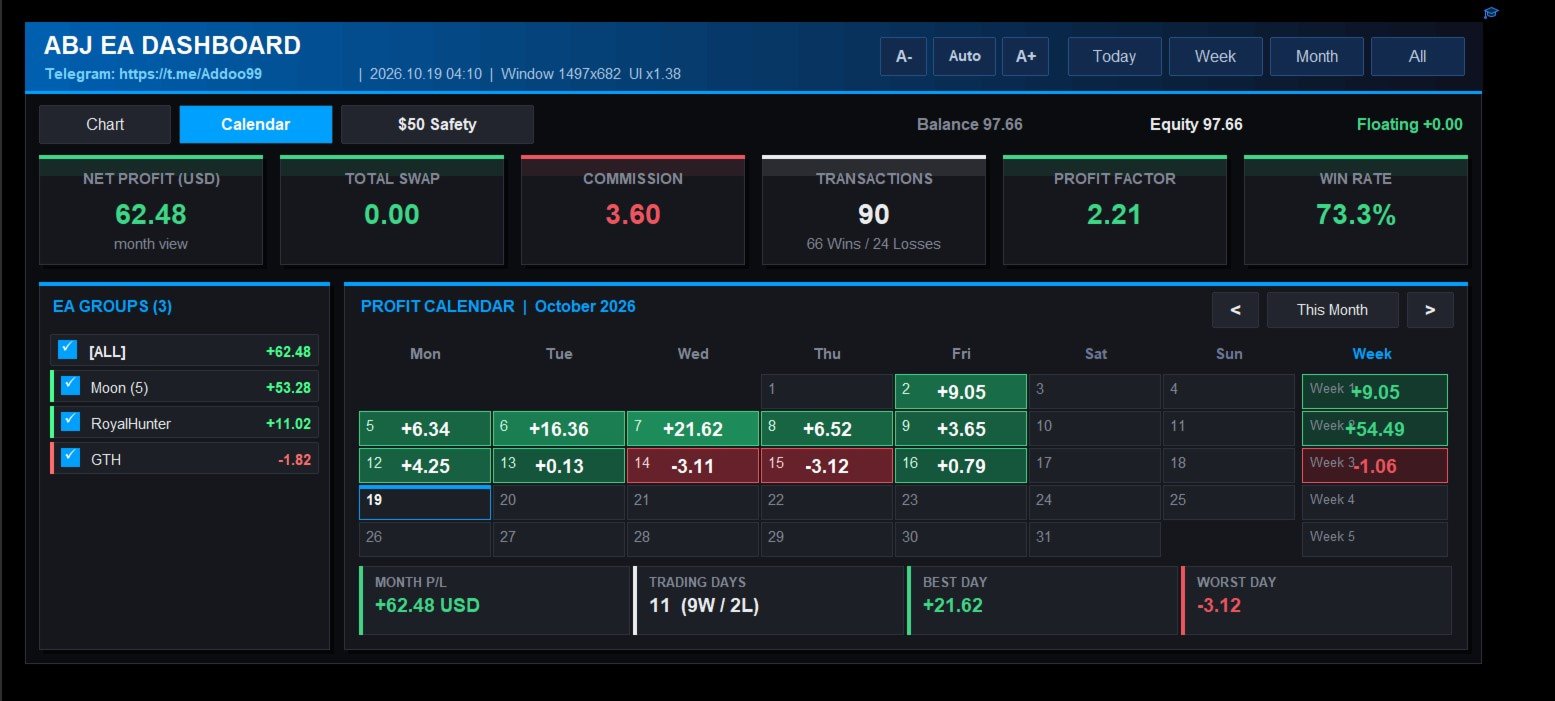
- Group filter. Tick or untick any group, and the stat cards, chart and calendar update at once.
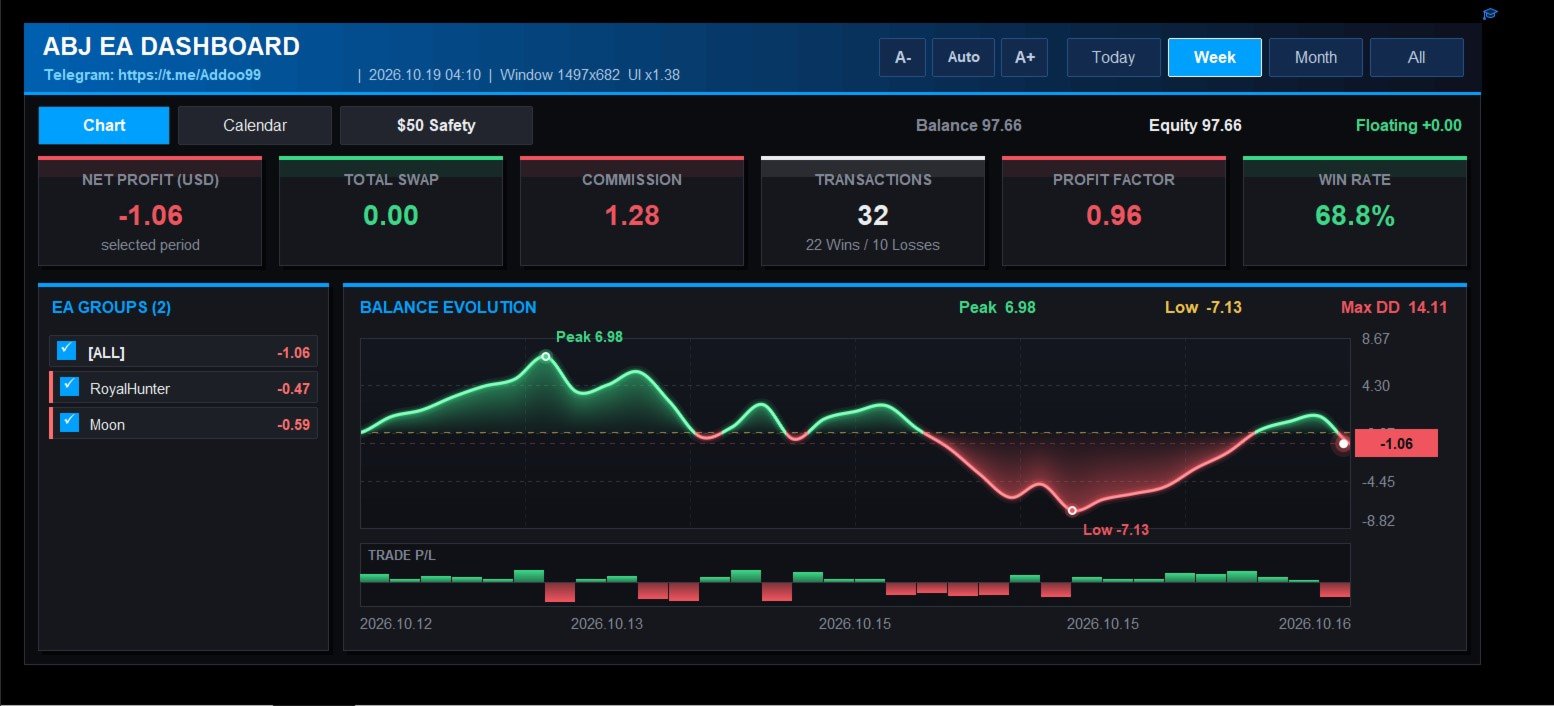
- Stat cards. Net profit, total swap, commission, number of transactions (wins and losses), profit factor and win rate.
- Balance evolution chart. A smooth line with a gradient area, a zero line, and markers for the peak, the low and the latest value. Peak, low and maximum drawdown are shown above the chart.
- Trade P/L bars. A strip under the chart shows each trade’s result as a green or red bar.
- Profit calendar. A month view with the net profit or loss and trade count for each day, colour-shaded by size. It has weekly totals, month navigation, and a summary of month P/L, trading days, best day and worst day.
- Period tabs. Switch between Today, Week, Month and All.
- Small-account safety check. It replays your history on a virtual small account (default $50, 0.01 lot) and rates each EA as SAFE, RISKY or UNSAFE. The rating is based on drawdown, worst day, losing streak and the balance needed to survive.
- Live account bar. Balance, equity and floating profit are always visible.
How to use
- Attach the indicator to any chart.
- Make sure your account history is loaded in the terminal.
- Use the tabs to switch between Chart, Calendar and the Safety check. Click the group list to filter.
Important notes
- The dashboard reads the trade history of the connected account. The Strategy Tester has no real account history, so the dashboard looks empty there. Test it on a demo or live account.
- Grouping depends on trade comments. Trades with no comment are grouped as “(no comment)”.
- The safety check uses closed trades only. It does not include floating drawdown, and it is a historical estimate, not a guarantee of future results.
Input parameters
Layout
- InpMargin : gap between the dashboard and the window edge, in pixels.
- InpMinW , InpMinH : smallest dashboard width and height allowed.
- InpScaleBoost : extra scale multiplier on top of the automatic fit (1.0 = automatic).
- InpRefreshSec : how often the data refreshes, in seconds.
Grouping
- InpDelimiters : characters that end the EA name in a trade comment.
- InpStripTrailingDigits : remove trailing numbers from the name.
- InpMinPrefixLen : minimum length of a name that other names can be merged into.
Chart
- InpSmoothChart : use the smooth anti-aliased chart. Turn it off to use the simpler chart.
- InpMaxColumns : detail level of the simpler chart.
Small-account safety check
- InpTestBalance : size of the virtual account.
- InpTestLot : lot size used on the virtual account.
- InpScaleToTestLot : rescale every trade to that lot size.
- InpMaxDDPct : maximum drawdown allowed, in percent.
- InpMaxDayLossPct : daily loss in percent that counts as a “bad day”.
- InpMinTrades : minimum number of trades needed before a group can be rated SAFE.