RR Calculator Pro

RR Calculator Pro - Interactive Risk / Reward Trade Planner

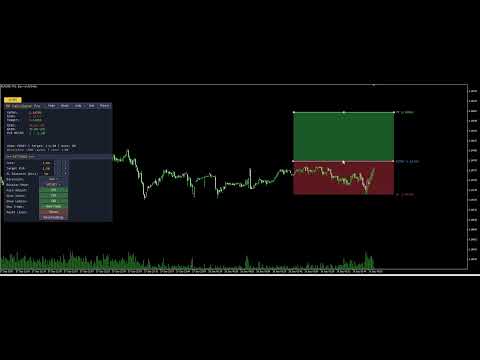
Interactive Risk/Reward planner with draggable Entry/SL/TP lines, auto-adjusting R:R ratio, colored zones behind price bars, on-line price labels, and a professional draggable panel with live in-panel settings.

Full Product Description

Overview

RR Calculator Pro is a professional trade-planning tool for MetaTrader 5 that turns your chart into an interactive Risk/Reward workbench. Instead of doing mental math or opening a separate calculator every time you plan a trade, you drag three price lines directly on the chart — Entry, Stop-Loss, and Take-Profit — and the tool instantly calculates and displays your risk, reward, R:R ratio, and money exposure in real time.

The tool combines a chart-integrated visual system (draggable price lines, colored risk/reward zones behind the candles, on-line price labels) with a professional draggable information panel that shows all the numbers in the format you prefer (pips, points, money, or account percentage).

Whether you trade forex, gold, indices, futures, or crypto, RR Calculator Pro removes the friction between "seeing a setup" and "sizing it properly." Every trade decision becomes visual, immediate, and quantitatively clear.

Understanding R:R — Why This Matters

The Risk-to-Reward Ratio (written 1 : X ) is the single most important number in trade management. It tells you how much profit you stand to make relative to the loss you accept if the trade goes against you.

  • 1 : 1 — reward equals risk. Break-even long term unless win rate is above 50%.
  • 1 : 2 — reward is twice the risk. You can lose 60% of trades and still be profitable.
  • 1 : 3 — reward is three times the risk. You can lose 70% of trades and still profit.

Traders who consistently use good R:R ratios ( 1:2 or better) can sustain lower win rates and still grow their accounts. RR Calculator Pro makes this ratio explicit, editable, and visual — before you place the trade.

The Two Sides of R:R — Both Adjustable

In the notation 1 : X , the 1 represents your unit of risk (the SL distance) and X represents the reward multiple (the TP distance in units of R).

Most calculators only let you change X (the target R:R multiplier). RR Calculator Pro lets you adjust both sides independently:

  • Target R:R button — changes X (moves the TP)
  • SL Distance button — changes R itself (moves the SL, adjusts TP proportionally if auto-adjust is on)

This means you can prototype trades from either direction:

  • Volatility-first: pick your SL distance based on market structure, then choose a target R:R
  • Reward-first: fix your target R:R, then adjust SL distance to fit market conditions

Key Features

Three Draggable Price Lines

  • Entry (blue): your intended entry price
  • Stop-Loss (orange-red): where the trade thesis is invalidated
  • Take-Profit (green): your target price
  • Grab any line with the mouse and drag it — the others reposition intelligently to maintain your target R:R (or stay fixed if auto-adjust is off)

Colored Risk & Reward Zones Two rectangles are drawn between the price levels, showing at a glance:

  • The Risk zone (Entry to SL) in dim red — the area of maximum loss
  • The Reward zone (Entry to TP) in dim green — the area of maximum gain

The zones are drawn behind the price bars (using OBJPROP_BACK, the only way in MQL5 to achieve this effect), so they never obscure your candles. Colors and visibility are fully configurable.

On-Line Price Labels Each line carries its own text label at the right edge, showing what it represents and the current price:

ENTRY 1.08432 SL 1.08300 TP 1.08650

Labels move with the lines automatically and update as the chart scrolls.

Auto-Adjust Intelligence With auto-adjust on:

  • Drag Entry → both SL and TP reposition to keep the same risk and target R:R
  • Drag SL → TP repositions to maintain target R:R
  • Drag TP → SL repositions to derive risk from the new reward

With auto-adjust off, each line moves independently for full manual control.

Four Display Modes Switch on the fly between:

  • Pips — classic forex convention (5-digit brokers auto-detected)
  • Points — raw broker units
  • Money — risk and reward in your account currency
  • Account % — risk and reward as a percentage of account balance (institutional style)

Direction Control The tool auto-detects Long vs Short from the SL position relative to Entry, but you can also force a specific direction (useful for planning both scenarios on the same chart before committing).

The Professional Panel

Draggable Panel The information panel starts in the corner you choose but can be moved anywhere on the chart by clicking and dragging its title bar. Position is saved automatically and restored when you reopen MT5.

Top-Row Buttons Five buttons in the panel title bar for the most-used actions:

  • Hide — collapses the panel to a small toggle button
  • Mode — cycles display modes (Pips → Points → Money → Percent)
  • Auto — toggles auto-adjust on/off
  • Set — opens the settings sub-panel
  • Reset — resets lines to default positions around current price

Always-Visible Toggle Button When you hide the panel, a small [ ] RR button remains in the corner so you can bring the panel back with a single click. The toggle button label reflects the current state.

Settings Sub-Panel (11 rows) Click Set to open a rich configuration panel below the main panel:

  • Lots — position size with [-] [+] presets
  • Target R:R — reward multiplier with [-] [+] presets
  • SL Distance (pts) — direct control over the risk unit
  • Direction — cycle Auto / Long / Short
  • Display Mode — cycle Pips / Points / Money / Percent
  • Auto Adjust — ON / OFF toggle
  • Show Zones — ON / OFF toggle
  • Show Labels — ON / OFF toggle
  • New Trade — recreates lines if missing, positions at current price
  • Reset Lines — repositions existing lines to defaults
  • Reset Settings — restores all runtime settings to your input defaults

All settings apply instantly, with no need to remove and re-add the indicator.

Chart Lines Are Preserved on Hide Unlike simpler tools, hiding the panel does not remove your Entry/SL/TP lines from the chart. Your trade plan stays visible and interactive even when the panel is minimized.

Two Status Lines Always visible at the bottom of the panel:

  • Line 1: Mode: PIPS | Target: 1:2.00 | Auto: ON
  • Line 2: Direction: LONG (auto) | Lots: 1.00

Full State Persistence

Everything you customize persists between MT5 restarts, per chart:

  • Panel position and visibility
  • Settings sub-panel visibility
  • All runtime settings (Lots, Target R:R, Direction, Display Mode, Auto, Show Zones, Show Labels)
  • Line prices (Entry, SL, TP) — your active trade plan is exactly where you left it

Each chart has its own state file (identified by ChartID), so you can plan different trades on different charts simultaneously without them interfering with each other.

Practical Trading Applications

Pre-Trade Sizing Before placing any order, drag the three lines to your planned levels. The panel immediately shows what you stand to lose in dollars (or your account currency), what you stand to gain, and the resulting R:R. If the ratio is below your minimum threshold (say, 1:1.5), you can either move the SL closer, extend the TP further, or skip the trade entirely — all without leaving the chart.

Position Sizing by Risk Percentage Set display mode to Percent and adjust lots until the "RISK" line reads your target percentage of account (e.g., 1.00%). Now your position is sized exactly to your risk rules, regardless of market volatility.

Trade Plan Documentation Capture a screenshot of the chart with the lines, zones, labels, and panel visible. It becomes an instant, self-explanatory trade plan for your journal or for sharing with mentors and communities.

"What If" Analysis Play with the SL distance and Target R:R settings to explore trade-off scenarios. Would a wider SL help you avoid stop-hunting but reduce your R:R? The tool answers this instantly, visually.

Comparing Long and Short Setups Set Direction to "Long", position your lines, note the numbers. Switch Direction to "Short" and see the same setup inverted. Useful for range-bound markets where either direction could work.

Full Input Parameter List

Trade Settings

  • Position size (lots)
  • Target R:R ratio
  • Trade direction (Auto / Long / Short)

Display Settings

  • Distance display mode (Pips / Points / Money / Percent)
  • Enable auto-adjust R:R

Chart Lines

  • Entry line color, Stop-loss color, Take-profit color
  • Line width (1-5)
  • Line extends left / right (bars)

Risk / Reward Zones

  • Show colored fill zones (on/off)
  • Risk zone color
  • Reward zone color
  • Draw zones behind price bars (on/off)

Price Labels

  • Show price labels on lines (on/off)
  • Label font size
  • Label font name

Panel Settings

  • Show info panel
  • Initial panel corner (Top-Left, Top-Right, Bottom-Left, Bottom-Right)
  • Panel X / Y offset (px)
  • Font size
  • Background, header, text, and accent colors

Persistence

  • Save state between MT5 restarts
  • Panel refresh interval (seconds)

Technical Specifications

  • Platform: MetaTrader 5 (build 3815 or later)
  • Type: Chart-window custom indicator (no separate window)
  • CPU load: Minimal — line segments only recompute on new bars, not every tick
  • Memory: Standard indicator footprint plus one small state file per chart (~500 bytes)
  • No DLL dependencies — pure native MQL5
  • No external network requests — fully offline
  • File system access: state persistence file inside the MT5 sandbox only
  • Compatible with: all account types (real, demo, netting, hedging)
  • Broker support: universal — auto-detects tick value and tick size, falls back to contract size
  • Language: all interface elements in English

Why RR Calculator Pro Over Free Alternatives

Basic R:R indicators have consistent limitations:

  1. Static text-only display — no draggable lines, forcing you to type prices manually
  2. Fixed R:R side — you can only adjust the reward, not the risk directly
  3. No colored zones — impossible to visualize risk and reward areas at a glance
  4. No on-line labels — you must open the tool's panel to see what each line represents
  5. Panel gets in the way — anchored to a specific corner, cannot be moved
  6. Lines vanish when panel is hidden — losing your active trade plan
  7. No state persistence — settings reset every time you restart MT5
  8. Cannot adjust settings live — requires removing and re-adding the indicator
  9. Broken alignment between visual elements — lines and zones drift out of sync when dragged

RR Calculator Pro addresses every one of these limitations. It is designed as a professional daily-use tool for traders who take position sizing seriously.

Support and Updates

  • Free lifetime updates via the MQL5 Market
  • Responsive support: contact via MQL5 profile messages
  • Bug fixes prioritized within 48 hours
  • Feature requests welcome — leave a comment on the product page
  • Detailed change log with each release

Frequently Asked Questions

Q: Does the tool actually place trades? A: No. RR Calculator Pro is a visual planning tool. It calculates risk, reward, R:R, and money exposure, but it does not send orders to the broker. You use it to plan the trade, then place the order manually or through your preferred execution method.

Q: Does it work on all brokers? A: Yes. The money calculations use SYMBOL_TRADE_TICK_VALUE and SYMBOL_TRADE_TICK_SIZE , with a fallback to SYMBOL_TRADE_CONTRACT_SIZE . This covers forex, CFDs, futures, indices, metals, and crypto across all standard MT5 brokers.

Q: Can I use this in the Strategy Tester? A: Yes, the indicator loads and displays correctly in the Strategy Tester Visual Mode. However, the money and account-percent calculations use the live account values from your terminal, so results in the tester assume your current live account context.

Q: Do the lines disappear when I close and reopen the chart? A: No. Line prices are saved in the persistence file and restored on reload. If you want a fresh setup, click the New Trade button.

Q: What happens if I accidentally delete a line from the chart? A: Click New Trade in the settings panel. It recreates all three lines at the current price with default distances.

Q: How do I make my SL wider or narrower without touching the mouse? A: Open settings and use the SL Distance (pts) row. The [-] and [+] buttons cycle through preset distances (20, 50, 100, 200, 300, 500, 1000, 2000 points). If Auto Adjust is on, the TP repositions automatically to maintain your target R:R.

Q: Can I use multiple instances of the tool on different charts? A: Yes. Each chart runs an independent instance with its own state file, settings, and line positions. Plan different trades on different charts simultaneously.

Q: The zones sometimes look opaque — can I make them more transparent? A: MQL5 does not support alpha channels for chart objects (a known platform limitation). The workaround built into RR Calculator Pro is:

  1. Zones are drawn with OBJPROP_BACK = true so they appear behind the candles
  2. Default zone colors are dim (dark red / dark green) rather than saturated
  3. You can further tune the colors via the input parameters

Q: What is the difference between "New Trade" and "Reset Lines"? A: Reset Lines repositions existing lines to defaults around the current price. New Trade does the same, but also recreates the lines if any were accidentally deleted. Use New Trade when starting a fresh plan; use Reset Lines to quickly recentter around the current market.

Q: Can EAs read the current risk and reward values from this indicator? A: The indicator does not expose iCustom buffers because it does not compute values on price bars — it maintains state on chart-object positions. For automated trading, you would replicate the calculation logic inside your EA using the same formulas (which are all standard).

Getting Started

  1. Purchase and download from MQL5 Market
  2. The indicator installs automatically to your MetaTrader 5 terminal
  3. Drag RR_Calculator_Pro from the Navigator onto any chart
  4. Accept default settings — the tool immediately displays Entry, SL, and TP lines at current price with a 1:2 R:R and 100-point SL
  5. Drag any line to reposition it — watch the panel update in real time
  6. Click Set in the panel title bar to explore the settings
  7. Adjust lots and target R:R to match your risk rules
  8. Drag the panel to your preferred location

Within one minute of installation, you have a working, personalized trade-planning workspace.

Tags: risk reward, rr calculator, trade planner, position size, stop loss, take profit, money management, risk management, forex, futures, indices, crypto, professional indicator, interactive, draggable, chart tool

Version History

Version 2.20 — Current release

  • Direct SL Distance control from settings panel (adjusts the "R" of the R:R ratio)
  • Line-zone alignment fix: forced canonical time positions on all lines after any drag or setting change
  • Auto-adjust intelligence improved for SL distance changes
  • RefreshAllVisuals helper for consistent state across all interactions

Version 2.10 — Feature release

  • Colored Risk and Reward zones drawn behind price bars
  • On-line price labels showing each level's name and current price
  • New Trade button — recreates lines if missing
  • Show Zones and Show Labels toggles in settings panel
  • Namespace separation between panel and line objects (fix: lines no longer disappear when panel is hidden)

Version 2.00 — Major release

  • Professional draggable panel with title bar
  • Settings sub-panel with live in-panel controls
  • 4 display modes (Pips, Points, Money, Account Percent)
  • 3 line direction options (Auto, Long, Short)
  • Full state persistence between MT5 restarts
  • Universal broker compatibility (forex, CFD, futures)

Version 1.00 — Initial release

  • 3 draggable price lines (Entry, SL, TP)
  • Auto-adjust R:R ratio
  • Basic info panel with distance display

Recommended Product Metadata for MQL5 Market

Category: Indicators > Trading Tools Suggested price: 29 - 49 USD Free demo: Yes (30 days recommended) Product type: Indicator


Рекомендуем также
Free automatic Fibonacci is an indicator that automatically plots a Fibonacci retracement based on the number of bars you select on the BarsToScan setting in the indicator. The Fibonacci is automatically updated in real time as new highest and lowest values appears amongst the selected bars. You can select which level values to be displayed in the indicator settings. You can also select the color of the levels thus enabling the trader to be able to attach the indicator several times with differe
FREE
EA Claim Consistency Checker — это локальная утилита для MT5, которая проверяет, являются ли введённые вручную показатели со страницы продажи EA статистически согласованными между собой. Вы вводите ключевые значения со страницы продажи или из описания EA прямо в параметры скрипта: Profit Factor, процент прибыльных сделок, соотношение прибыль/риск или средняя прибыль/средний убыток, количество сделок, максимальная просадка, месячная доходность, заявленный период и начальный капитал. Утилита не
TradeGate
Alex Amuyunzu Raymond
TradeGate – Product Description / Brand Story “The gatekeeper for your trading success.” Overview: TradeGate is a professional MT5 validation and environment guard library designed for serious traders and EA developers who demand safety, reliability, and market-ready performance . In today’s fast-moving markets, even a small misconfiguration can cause EAs to fail initialization, skip trades, or be rejected by MQL5 Market. TradeGate acts as a smart gatekeeper , ensuring your EA only operates un
PropGuard OS — подушка безопасности для вашего проп-трейдинг счёта Risk Manager | Trade Panel | Prop Firm EA | FTMO & Funding Pips Ready Честно: как вы на самом деле провалили последнюю challenge? Это была стратегия? Скорее всего — нет. Это был один момент : момент, когда небольшой минус превратился в revenge-trade; момент, когда вы «всего на минутку» нарушили правила; момент, когда голова кричала «BUY», хотя план говорил «STOP». Вы бы не сели в машину без ремня безопасности. Почему тогда риску
Custom Alerts: Контролируйте все рынки и не упустите ни одного сигнала Обзор Custom Alerts — это динамический инструмент для трейдеров, которые хотят отслеживать потенциальные торговые сигналы по множеству инструментов в одном месте. Он объединяет данные от наших флагманских индикаторов — FX Power, FX Volume, FX Dynamic, FX Levels и IX Power — и автоматически уведомляет вас о важных изменениях на рынке. Теперь инструмент поддерживает все классы активов, предлагаемые вашим брокером. Вы можете н
AI Trade Analyzer — интеллектуальный инструмент рыночного анализа, реализованный в формате индикатора. Программа визуализирует сигналы на графике и помогает трейдеру оценивать рыночную ситуацию на основе технических индикаторов и новостного фона. Поддерживаемые модели: Индикатор совместим с актуальными версиями ChatGPT, включая GPT-5.5 , GPT-5.4 , GPT-5.4-mini , GPT-5.4-nano , GPT-5.1 , GPT-4o , GPT-4o-mini , O1 и GPT-3.5-turbo . GPT-5.5 — новейшая модель в списке, подходящая для наиболее глубо
Topos e fundos com fibo
Paulo Henrique Sanches Bonanni
PHSB_Топ_Дно Более четкое понимание экстремумов и текущей структуры рынка PHSB_Топ_Дно — это индикатор, разработанный для MetaTrader 5 с целью облегчить визуализацию структуры цены внутри определенного рыночного диапазона , выделяя его основные экстремумы и промежуточные области. Помимо визуального определения Топа и Дна , индикатор объединяет другую важную информацию в одном интерфейсе, позволяя трейдеру одновременно наблюдать анализируемый ценовой диапазон, относительное положение рынка и неда
FREE
Price Retest MT5
Suvashish Halder
4.83 (6)
Introducing our exciting new Price Retest indicator! Get instant alerts when the price retests, giving you a powerful edge in your trading strategy. Remember to do your own analysis before making any moves in the market. MT4 Version -  https://www.mql5.com/en/market/product/118031 Join To Learn Market Depth -   https://www.mql5.com/en/channels/suvashishfx Here’s a detailed explanation of how the Price Retest indicator works, its components, and how you can incorporate it into your trading strat
FREE
PROMETHEUS TECHNICAN VERSION Free | By THE SONS A gift from The Sons — no strings, no trial, no expiry. Every trader deserves access to professional-grade market intelligence. That belief is why Prometheus Technical Version exists, and why it costs nothing. Consider it our handshake to the trading community. What You're Getting This is not a simplified tool dressed up as a gift. Prometheus Technican Version is a fully built, institutional-quality technical analysis indicator running a dual-model
FREE
The jcoworld OTE EA is an automated trading bot for MetaTrader 5 built on Smart Money Concepts (SMC) . It accurately identifies market impulse moves and automatically enters trades within the Optimal Trade Entry (OTE) zone (61.8% – 79.0% Fibonacci) as soon as a confirmation candle closes. Optimized for: XAUEUR, XAUUSD, and Major Forex Pairs Features: Automatic risk management, dynamic lot sizing & automated Stop Loss/Take Profit. Try for free: This demo version is 100% free! Pricing Plans for Fu
FREE
High Low Open Close
Alexandre Borela
4.98 (45)
Если вам нравится этот проект, оставьте 5-звездочный обзор. Данный показатель рисует открытые, высокие, низкие и закрывающие цены на указанные период и его можно отрегулировать для специфического часового пояса. Это важные уровни, которые выглядят многие институциональные и профессиональные трейдеры и могут быть полезны для вас, чтобы знать места, где они могут быть больше активный. Доступные периоды: Предыдущий день. Предыдущая неделя. Предыдущий месяц. Предыдущий квартал. Предыдущий год. Или
FREE
Представляем NAS100 Auto SL и TP Maker для MT5: Никогда больше не пропустите установку StopLoss и TakeProfit с нашим NAS100 Auto SL и TP Maker, незаменимым помощником для трейдеров, работающих на рынке Nasdaq 100 в MetaTrader 5. Этот инструмент предназначен для тех, кто ищет беспроблемное решение для автоматизации управления уровнями StopLoss и TakeProfit. Ключевые особенности: Эффективная автоматизация: Автоматически отслеживает сделки Nasdaq 100 без StopLoss и/или TakeProfit. Динамически ре
FREE
Развитие предыдущей версии индикатора  ZigZag WaveSize MT4 ZigZag WaveSize -  модифицированный стандартный индикатор ZigZag с добавлением информации о длине волны в пунктах, уровней и разной логики алертов Общие улучшения: Адаптация кода под MetaTrader 5 Оптимизирована работа с графическими объектами Новое: Горизонтальные уровни на экстремумах Выбор типа уровней: горизонт/лучи/отрезки Фильтр ликвидных уровней (не пробитых ценой) Буфер для пробоев: настройка чувствительности к ложным пробоям На
FREE
Суть системы заключается в идентификации момента формирования "разворотной" композитной свечи с заданными характеристиками (размер свечи в пунктах, структура теней). В анализе японских свечей аналогами подобных разворотных моделей являются "Молот" (Hammer) и "Повешенный" (Hanging Man), но в данной системе тело свечи не обязательно должно быть маленьким, а результирующая свеча строится из нескольких свечей. Входные параметры системы: Range - задает максимальное количество баров, которые будут уча
FREE
Общее описание Этот индикатор — усовершенствованная версия классического канала Дончия с добавлением практических функций для реальной торговли. Помимо стандартных трёх линий (верхняя, нижняя и средняя), система определяет пробои и отображает их на графике стрелками, показывая только линию, противоположную текущему направлению тренда для более чистого восприятия. Индикатор включает: Визуальные сигналы : цветные стрелки при пробое Автоматические уведомления : всплывающие окна, push и email Фильтр
FREE
Nikkei 225 Gap Continuation EA Automated opening-gap continuation strategy for the Nikkei 225 Nikkei 225 Gap Continuation EA is an automated trading system for MetaTrader 5 designed specifically for the Japanese stock index. It searches for significant opening gaps and enters only when price action confirms a possible continuation in the same direction. The strategy combines the opening gap, a configurable opening range and session VWAP confirmation. It also includes risk-based position sizing,
FREE
ADAM for FTMO 5
Vyacheslav Izvarin
5 (1)
ADAM EA Special Version for FTMO Please find new Version here  https://www.mql5.com/en/market/product/113326 Our 1st EA created using ChatGPT technology Trade only GOOD and checked PROP FIRMS  Default parameters for Challenge $100,000 Tested on EURUSD and GBPUSD only  Use 15MIN Time Frame Close all deals and Auto-trading  before Weekend at 12:00 GMT+3  Friday For Prop Firms MUST use special Protector  https://www.mql5.com/en/market/product/94362 -------------------------------------------------
Скрипт UZFX - Delete Only Pending Orders для MetaTrader 5 (MT5) - это простой, но эффективный инструмент, который автоматически удаляет все отложенные ордера (Buy Limit, Sell Limit, Buy Stop, Sell Stop) с торгового счета. Этот скрипт идеально подходит для трейдеров, которые хотят мгновенно удалить свои отложенные ордера, не затрагивая активные позиции на рынке. Смотрите все мои другие индикаторы и советники для MT4/MT5 >> ЗДЕСЬ Особенности: Удаляет все отложенные ордера (Buy Limit, Sell Limit
FREE
Индикатор автоматически определяет уровни ликвидности на основе свинг-фракталов и отслеживает их «сметание» ценой (Liquidity Sweep). Работает на любом инструменте и таймфрейме, поддерживает мультитаймфреймовый режим. Что делает индикатор: — Находит свинг-хаи и свинг-лои по методу фракталов (настраиваемое количество свечей слева и справа) на выбранном таймфрейме. Активные уровни отображаются лучом вправо, сметённые — пунктиром до точки касания. — Рисует уровни предыдущего дня (PDhigh / PDlow), пр
FREE
Chart Pro Classic Dark v1.00 Chart Pro Classic Dark is a professional MT5 chart styling and customization tool designed to give your charts a clean, modern, and professional dark appearance. Key Features Dark Black Background — Applies a clean black background to the chart. ️ Candlestick Chart — Automatically configures the chart to use candlesticks. Bullish Candles — Green/Lime bullish candles. Bearish Candles — White bearish candles. Grid Removal — Hides the chart grid for a clean
FREE
This EA finds Fair Value Liquidity (FVL) on the chart, tracks when they get mitigated , and then looks for an inversion signal (price “fails” through the zone). When that inversion happens, it places a trade in the opposite direction of the original Liquidity gap (an Inverse FVG approach). It also lets you control when it trades using market sessions , and it can auto-close positions at New York open (all positions or profitable-only). Key advantages Clear, rule-based entries (no guessing): trad
FREE
Cybertrade Keltner Channels - MT5 Created by Chester Keltner, this is a volatility indicator used by technical analysis. It is possible to follow the trend of financial asset prices and generate support and resistance patterns. In addition, envelopes are a way of tracking volatility in order to identify opportunities to buy and sell these assets. It works on periods longer than the period visible on the chart. All values ​​are available in the form of buffers to simplify possible automations.
FREE
Rule Plotter Expert
Francisco Gomes Da Silva
5 (3)
Этот советник был разработан для тестирования и выполнения ваших стратегий, созданных внутри индикатора Rule Plotter . Как использовать: Бесплатно скачайте индикатор Rule Plotter - инструмент для создания торговых систем без знания программирования . Затем разработайте свои стратегии с помощью индикатора Rule Plotter. Наконец, выполните ваши созданные стратегии с помощью этого советника. Параметры: Strategy : Ваша торговая система, созданная внутри индикатора Rule Plotter. Lot: Торговый объем; е
Pivot Point Fibo RSJ - это индикатор, который отслеживает линии поддержки и сопротивления дня с использованием ставок Фибоначчи. Этот впечатляющий индикатор создает до 7 уровней поддержки и сопротивления через точку разворота с использованием ставок Фибоначчи. Замечательно, как цены уважают каждый уровень этой поддержки и сопротивления, где можно определить возможные точки входа / выхода из операции. Функции До 7 уровней поддержки и 7 уровней сопротивления Устанавливайте цвета уровней индивид
FREE
Smart Close Manager v1.1 is a lightweight but powerful order-management utility designed for traders who need fast, safe, and precise control over their positions. This tool allows you to instantly close positions and delete pending orders based on smart filters such as symbol, direction, profit state, or order type. Perfect for scalpers, intraday traders, and anyone managing multiple orders. Key Features Close all orders with one click Close only BUY / only SELL positions Close only profitabl
RSI abcd
Francisco Gomes Da Silva
4.33 (3)
RSI ABCD Pattern Finder: Technical Strategy 1. How the Indicator Works Combines the classic RSI with automatic detection of ABCD harmonic patterns . Key Components Standard RSI (adjustable period) Peak and Trough Markers (arrows) ABCD Patterns (green/red lines) Overbought (70) and Oversold (30) Filters 2. MT5 Setup period = 14 ; // RSI period size = 4 ; // Maximum pattern size OverBought = 70 ; // Overbought level OverSold = 30 ; // Oversold level Filter = USE_FILTER_ YES ; // Confirmation filte
FREE
AutoPilot Trading Service for MetaTrader 5 is an advanced application designed to enhance the MT5 platform by automating and optimizing both manual and algorithmic trading activities. By integrating seamlessly into the (recommended but not mandatory) <terminal_directory>\MQL5\Services directory, this service not only supports the automation of trading strategies but also improves the execution of trades, whether they are initiated manually or through Expert Advisors (EAs). The AutoPilot Trading
FREE
-- Просто, но эффективно. Индикатор инверсии - Что это такое? Индикатор, следующий за трендом, который сочетает в себе логику SuperTrend и технологию экспоненциальной кривой. Он определяет направление тренда, рисует динамический канал на графике и отправляет оповещения в режиме реального времени, когда тренд меняется. Как он работает? Индикатор рассчитывает экспоненциальную базовую линию с использованием ATR и коэффициента SuperTrend. Когда цена закрывается выше или ниже этой базовой линии, п
FREE
The CandleStick Scanner is a tool that allow you to perform a   market scan   and search any candlestick pattern that you already created in the current chart, You can perform a quick search in the current chart (500 bars will be scanned),  This is a lite version of  CandleStick Factory for MT5 . The   full version   video can be found here :  https://www.youtube.com/watch?v=fq7pLXqVO94 The  full version  can be purchased here:   https://www.mql5.com/en/market/product/75434 How it works You can
FREE
Professional management and graphic tool
Mohsen Bin Abdul Rahman Bin Yahya Akrimi
Professional P/L Calculator & Risk-Reward Tool **The complete trading management solution combining two powerful tools in one!**   What You Get:   Advanced P/L Calculator - Real-time profit/loss tracking with percentage - Automatic break-even price calculation - Risk levels: -10%, -20% loss lines displayed on chart - Profit targets: +10%, +20% gain lines - Complete position breakdown (Buy/Sell lots, swap, net position) - Target price calculator - see P/L at any price level - Set SL/TP fo
С этим продуктом покупают
Trade Assistant MT5
Evgeniy Kravchenko
4.43 (216)
Помогает рассчитать риск на сделку, простая установка нового ордера с помощью линий, управление ордерами с функциями частичного закрытия, 7 типов трейлинг-стопа и другие полезные функции. Дополнительные материалы и инструкции Инструкция по установке - Инструкция к приложению - Пробная версия приложения для демо счета Функция Линии   - отображает на графике линию открытия, стоп-лосс, тейк-профит. С помощью этой функции легко установить новый ордер и увидеть его дополнительные характеристики пе
Добро пожаловать в Trade Manager EA — лучший инструмент для управления рисками, предназначенный для упрощения, точности и эффективности торговли. Это не просто инструмент для размещения ордеров; это комплексное решение для удобного планирования торгов, управления позициями и усиленного контроля над рисками. Независимо от того, начинающий вы трейдер, опытный специалист или скальпер, нуждающийся в быстром исполнении, Trade Manager EA адаптируется к вашим потребностям и работает с любыми активами:
Local Trade Copier EA MT5
Juvenille Emperor Limited
4.94 (149)
Local Trade Copier EA MT5 — это быстрый и гибкий копировщик сделок для копирования и управления сделками между несколькими счетами MetaTrader 5 на одном компьютере с Windows или Windows VPS. Он сочетает локальную синхронизацию сделок с настройками на стороне Receiver для управления размером лота, рисками, фильтрацией сделок, сопоставлением символов, управлением сделками и защитой счета. Настройте терминалы Transmitter и Receiver примерно за 1 минуту и копируйте ручные сделки или сделки, открыты
TradePanel MT5
Alfiya Fazylova
4.88 (168)
Trade Panel — это многофункциональный торговый помощник. Приложение содержит более 50 торговых функций для ручной торговли и позволяет автоматизировать большинство торговых операций. Инструкция к приложению + видео-инструкции: https://www.mql5.com/ru/blogs/post/771695 Пробная версия приложения для демо-счета: https://www.mql5.com/ru/blogs/post/750864 Как установить приложение: https://www.mql5.com/ru/blogs/post/750096 Как тестировать приложение в визуальном режиме: https://www.mql5.com/ru/blogs/
================================================================================ POC BREAKOUT - V20.72. Full Professional Grade Toolkit ================================================================================ POC Breakout is a full MetaTrader 5 trading dashboard for discretionary traders who want breakout signals, Point of Control (POC) context, volume profiles, order flow, market structure, news, alerts, and advanced trade planning in one professional workspace. Attached directly to you
Копируйте сигналы из Telegram по своим торговым правилам Telegram to MT5 Signal Trader автоматически копирует текстовые торговые сигналы из открытых и закрытых каналов и групп Telegram в MetaTrader 5. Управляйте несколькими поставщиками сигналов и счетами MT5 из одного приложения для компьютера, задавая индивидуальные параметры риска и торговли для каждого поставщика . Для копирования не нужны бот Telegram и настройка API. Просто войдите в свой аккаунт Telegram по номеру телефона или QR-коду и в
Telegram to MT5 Multi-Channel Copier   автоматически копирует торговые сигналы из ваших Telegram-каналов прямо в MetaTrader 5. Без ботов, без браузерных расширений, без ручного копирования. Сигнал приходит в Telegram — и советник открывает сделку в вашем терминале за считанные секунды. А перед тем как копировать канал, встроенный бэктестер покажет, что этот канал сделал бы на вашем счёте. Продукт состоит из двух компонентов: приложения для Windows, которое слушает ваши Telegram-каналы, и этого с
Strategy Ledger Pro
Abdullah Uygar Tuna
5 (2)
Strategy Ledger Pro — панель анализа счёта для MetaTrader 5, работающая только на чтение. Она разделяет результаты счёта по советникам, стратегиям, символам и магическим номерам. Подробное руководство  с описанием каждой функции. MetaTrader показывает один баланс на весь счёт. Когда несколько советников торгуют вместе, этот баланс не показывает вклад каждого. Strategy Ledger Pro читает историю счёта, восстанавливает закрытые позиции, относит их к стратегиям и выводит результаты в одной панели.
Farmed Hedge Yield Farming | All Markets (Manual - Hybrid - Semi/Automated EA) VERIFIED TRADING RESULTS - Farmed Hedge Yield Axi Copy:  https://www.mql5.com/en/signals/2356376 - Farmed Hedge Yield Exn Copy:   https://www.mql5.com/en/signals/2356404 - Farmed Hedge Yield V Copy:  https://www.mql5.com/en/signals/2357156 IMPORTANT NOTICE: FarmedHedge is a MANUAL-FOCUSED TRADING UTILITY ,not a fully automated EA. Results shown on this Signal include manual trades and overall strategic management.
Telegram To MT5 Ultra
Mirel Daniel Gheonu
5 (5)
Telegram To MT5 — копировщик сигналов Превратите торговые сигналы из ваших Telegram-каналов в реальные ордера MT5 — автоматически, на любом количестве счетов, с полным контролем над риском и правилами. Telegram To MT5 связывает VIP / сигнальные каналы, на которые вы уже подписаны в Telegram, с вашим терминалом MetaTrader 5. Бесплатное приложение-компаньон для ПК читает сообщения (даже из каналов, которые не допускают ботов), а этот советник исполняет их на вашем счёте — применяя ваши настройки р
Premium Trade Manager - Торговая панель со встроенным коучем Premium Trade Manager помещает торгового коуча прямо в ваш график, а под ним работает полноценный движок исполнения. Настройте сделку так, как вы всегда это делаете, затем позвольте Max, вашему ИИ-наставнику по трейдингу, прочитать именно эту настройку с учётом вашего живого счёта и дать чёткое заключение до того, как вы входите: соответствует ли стоп дисциплинированному подходу, разумен ли риск, не выходит ли высоковолатильный релиз ч
EA Overfitter
Stephen J Martret
5 (1)
Бэктест выглядит отлично. Но будет ли советник зарабатывать завтра, через неделю, через месяц? EA Overfitter прогоняет вашего советника по 100 историям цены, которых он никогда не видел. Одна оценка показывает, реально ли преимущество. Бэктест показывает, что советник сделал на одной истории цены — на той, которая случайно произошла. Из него невозможно понять, какая часть результата была заслугой стратегии, а какая — конкретного пути цены. EA Overfitter отвечает на этот вопрос. Он строит до 10
Trade Copier Ultimate
Janitha Sandaruwan Amaradasa Wickramasingha Arachchilage
5 (5)
Trade Copier Ultimate - Telegram to MT5 Signal Copier Trade Copier Ultimate automatically copies Telegram trading signals into MetaTrader 5. The EA can read signal messages, detect the symbol, order type, entry price, Stop Loss, Take Profit levels and selected update commands, then execute or manage the trade in MT5 using your lot and risk settings. It is more than a basic Telegram to MT5 copier. TCU also supports Bot API and user-account Bridge workflows, Discord signal routing, local MT5 to MT
The product will copy all telegram signal to MT5 ( which you are member) , also it can work as remote copier.  Easy to set up, copy order instant, can work with almost signal formats, image signal,  s upport to translate other language to English Work with all type of channel or group, even channel have "Restrict Saving Content", work with  multi channel, multi MT5 Work as remote copier: with signal have ticket number, it will copy exactly via ticket number. Support to backtest signal. How to s
Trade Manager DashPlus
Henry Lyubomir Wallace
4.85 (13)
DashPlus – это продвинутое средство для управления торговлей, разработанное для повышения эффективности и результативности торговли на платформе MetaTrader 5. Оно предлагает широкий набор функций, включая расчет рисков, управление ордерами, продвинутые системы сеток, инструменты на основе графиков и аналитику производительности. Основные функции Восстановительная Сетка Внедряет систему усреднения и гибкую сетку для управления сделками в неблагоприятных рыночных условиях. Позволяет стратегически
Trade Indicator Assistant   is a powerful MT5 utility designed to turn indicators into automated trading systems. Its main feature is the ability to automatically detect an indicator’s   BUY and SELL signal buffers , without requiring you to know the buffer numbers, search through indicator settings, or modify the indicator source code. Bonus Indicator:   After purchasing Trade Indicator Assistant, contact me to receive   Trade Signal Pro   completely free as a bonus indicator. [Download Demo V



Astro Trade MT5
Indra Maulana
5 (7)
25% discount on the release of the tool: only for the next 3 buyers Send a message to receive a demo version. AstroTrade Trading Assistant AstroTrade is a comprehensive multi-functional trading utility developed for the MetaTrader 5 platform. It integrates essential tools for trade execution, risk management, and technical monitoring into a single unified interface. The application is designed to assist traders in managing their daily operations through a visual and structured environment. Vi
FUTURES ORDERFLOW FOOTPRINT CHART Professional OrderFlow EA for MetaTrader 5 Version 1.01| Professional tool for real traders | Institutional-Grade Visualization STRATEGY TESTER USERS - PLEASE SELECT EVERY REAL TICK WHEN TESTING AND YOU HAVE DOWNLOADED HISTORICAL DATA. IF YOU SEE A WAITING SCREEN AND IT IS NOT DOWNLOADING, IT MEANS YOU HAVE LOW HISTORICAL DATA. TRY 1 MIN AND 5 MIN FIRST ON 1 DAY DATA. ONE DAY DATA SHOULD BE THE NEWEST AND MOST CURRENT DATE. PLEASE WAIT UNTIL THE MARKET HAS ROL
Timeless Charts
Samuel Manoel De Souza
5 (8)
Timeless Charts is an all-in-one trading utility for professional traders. It combines custom chart types such as Seconds Charts and Renko with advanced order flow analysis using Footprints , Clusters , Volume Profiles , VWAP studies, and anchored analysis tools for deeper market insight. Trading and position management are handled directly from the chart through an integrated trade management panel , while Market Replay and Virtual Accounts provide environments for practicing trading skills and
Trade Dashboard MT5
Fatemeh Ameri
4.94 (133)
Trade Dashboard simplifies how you open, manage, and control your trades, with built-in lot size calculation. It allows you to execute trades, manage risk, and control positions directly on the chart, with tools such as partial close, breakeven, and trailing stop. Designed to reduce manual work and help you stay focused on your trading decisions. A demo version is available for testing. Detailed explanations of features are provided within the MQL5 platform. Installation instructions are include
HINN MAGIC ENTRY - лучший инструмент для входа и менеджмента позиций! ПРОСТО. БЫСТРО. ИНТУИТИВНО. МАКСИМАЛЬНО АВТОМАТИЗИРОВАНО. Выставляет ордера через выбор уровня на графике! полное описание    ::    demo-версия    ::   60-sec-video-description Основные функции: - Рыночные, лимитные и отложенные ордера -  Автоматический подсчет лоттажа  -  Автоматический учет спреда и комиссий -  Неограниченное количество промежуточных тейков для позиций - Перевод в безубыток и трейл стоп-лосса и тейк-проф
Exp COPYLOT CLIENT for MT5
Vladislav Andruschenko
3.97 (35)
Профессиональный копировщик сделок для MetaTrader 5 Быстрый, профессиональный и надежный копировщик сделок для MetaTrader . COPYLOT позволяет копировать сделки Forex между терминалами MT4 и MT5 с поддержкой счетов Hedge и Netting . Версия COPYLOT для MT5 поддерживает: - MT5 Hedge → MT5 Hedge - MT5 Hedge → MT5 Netting - MT5 Netting → MT5 Hedge - MT5 Netting → MT5 Netting - MT4 → MT5 Hedge - MT4 → MT5 Netting Версия MT4 Полное описание + DEMO + PDF Как купить Как установить Как получить файлы жур
Trade copier MT5
Alfiya Fazylova
4.6 (55)
Trade Copier — это профессиональная утилита, предназначенная для копирования и синхронизации сделок между торговыми счетами. Копирование происходит от счета/терминала поставщика к счету/терминалу получателя, которые установлены на одном компьютере или vps. АКЦИЯ - Если вы уже приобрели "Trade copier MT5", вы можете получить "Trade copier MT4" бесплатно (для копирования MT4 > MT5 и MT4 < MT5). Для получения более подробной информации об условиях, пожалуйста, свяжитесь с нами через личные сообщени
Trade Assistant 38 in 1
Makarii Gubaydullin
4.91 (23)
Многофункциональная утилита: калькулятор лота, сеточные ордера, индикатор Price Action, менеджер ордеров, рассчёт R/R, и многое другое Демо-веpсия  |   Инструкция  |   Версия для MT4 Утилита не работает в тестере стратегий: вы можете скачать демо-версию ЗДЕСЬ , чтобы протестировать продукт перед покупкой. Напишите мне  если есть вопросы / идеи по улучшению / в случае найденного бага Упроситите и сделайте вашу торговлю быстрее, при этом расширяя стандартные возможности терминала. 1. Открытие но
Footprint Chart Pro — Professional OrderFlow EA for MetaTrader 5 Version 6.34 | Professional tool for real traders | Institutional-Grade Visualization DEMO USERS - PLEASE SELECT EVERY TICK / REAL TICK WHEN TESTING AND YOU HAVE DOWNLOADED HISTORICAL DATA. IF YOU SEE A WAITING SCREEN AND IT IS NOT DOWNLOADING, IT MEANS YOU HAVE LOW HISTORICAL DATA. TRY 1 MIN AND 5 MIN FIRST ON 1 DAY DATA. ONE DAY DATA SHOULD BE THE NEWEST AND MOST CURRENT DATE. PLEASE WAIT UNTIL THE MARKET HAS ROLLED OVER PERIOD.
Grid Manual MT5
Alfiya Fazylova
4.73 (22)
Grid Manual — это торговая панель для работы с сеточными стратегиями. Утилита универсальная, имеет гибкие настройки и понятный интерфейс. Работает с сеткой ордеров не только в сторону усреднения убытков, но и в сторону наращивания прибыли. Трейдеру не нужно создавать и сопровождать сетку ордеров, это сделает утилита. Достаточно открыть ордер и Grid manual автоматически создаст ему сетку ордеров и будет сопровождать его до самого закрытия. Полная инструкция и демо-версия здесь . Основные особенно
Welcome to ENTRY IN THE ZONE WITH SMC MULTI TIMEFRAME Entry In The Zone and SMC Multi Timeframe is a real-time market analysis tool based on Smart Money Concepts (SMC), designed to analyze market structure, price direction, and key trading zones. It supports both Single-Timeframe Analysis and Multi-Timeframe Analysis, providing a clearer view of the overall market structure across multiple timeframes, with real-time BUY / SELL signals that do not repaint. It is designed to help filter trading op
Anchor Trade Manager
Kalinskie Gilliam
5 (9)
Your EAs cannot see each other, but Anchor can. Anchor gives you one place to coordinate your EAs, manage risk, and decide when trading is allowed. It works alongside the trading bots you already use without any changes to them. The Problem One EA opens a trade. Then another starts trading. The next thing you know, you wake up to multiple grids built across your account. Each EA may be doing exactly what it was designed to do, but together they can place far more risk on your account than you in
Seconds Chart MT5
Boris Sedov
4.61 (18)
Seconds Chart - уникальный инструмент для создания секундных графиков в MetaTrader 5 . С помощью Seconds Chart вы можете построить график с таймфреймом, заданным в секундах, получая идеальную гибкость и точность анализа, недоступную на стандартных минутных или часовых графиках. Например, таймфрейм S15 обозначает график со свечами продолжительностью 15 секунд. Вы можете использовать любые индикаторы и советники с поддержкой пользовательских символов. Работать с ними так же удобно, как и на станда
Power Candles Strategy Scanner — самооптимизирующийся инструмент для поиска настроек по нескольким инструментам Power Candles Strategy Scanner использует тот же самооптимизирующийся движок, что и индикатор Power Candles — для всех символов в вашем Market Watch, одновременно. На одной панели отображается информация о том, какие символы в данный момент являются статистически торгуемыми, какая стратегия выигрывает на каждом из них, оптимальная пара Stop Loss / Take Profit, а также отправляется увед
Другие продукты этого автора
ScalperPro LX
Ernestq Alonso Leiva Araya
Category:   Expert Advisor (EA) · For MetaTrader 5 · Multi-CFD Mean Reversion A mean-reversion system operating on the 1-hour timeframe for CFDs (metals, indices, energy, crypto). It requires a minimum number of simultaneous technical confluences before trading and features a higher-timeframe trend filter and risk management specifically designed for funded accounts. Tradable assets:   XAUUSD, XAGUSD, SPX500, US30, US100, GER40, USOIL, PLATINUM, BTCUSD, ETHUSD, NATGAS (configurable via whitelist
VWAP Pro - Anchored VWAP with Standard Deviation Bands Professional Anchored VWAP indicator with 3 configurable standard deviation bands. Auto-detects real vs tick volume for universal compatibility (Forex, Futures, Stocks, Indices, Crypto). 5 anchor periods: Daily, Weekly, Monthly, Quarterly, Yearly. Full Product Description Overview VWAP Pro is a professional-grade Anchored Volume Weighted Average Price indicator designed for traders who demand institutional-quality tools with full customizati
Periods BB Pro - Multi-Timeframe Trend Bias Scanner Multi-timeframe trend bias scanner combining EMA trend, RSI momentum, and price strength into a composite 0-100 score per timeframe. Ranks up to 9 timeframes with 5-tier classification, consensus column, and a professional draggable panel. Full Product Description Overview Periods BB Pro is a professional multi-timeframe trend bias scanner that answers the single most important question a trader can ask before placing an order: "Which direction
Фильтр:
Нет отзывов
Ответ на отзыв