TC Analyst Terminal
- Индикаторы
-
Pavel Malyshko
 Я хочу быть честен и сказать очень важные слова: не торгуйте на последние деньги это очень большой стресс и это одно из важнейших правил связанное с инвестициями.
Пускай вы ничего не купите у меня, но зато я буду знать, что вы не отдаёте последние деньги. - Версия: 1.6
- Активации: 15
TC Analyst Terminal brings the analytical power and clean visualization of institutional research desks directly to your MetaTrader 5 charts. Engineered for professional discretionary traders, prop firm analysts, and quantitative traders, this all-in-one terminal combines multi-timeframe oscillator consensus, dynamic pivot levels, candlestick pattern recognition, and an Adaptive Momentum Pulse (AMP) overlay into a unified, interactive dashboard.
KEY ADVANTAGES
-
Interactive On-Chart Dashboard: Drag-and-drop panel with clickable controls to switch analysis horizons, pivot calculation methods, and chart timeframes on the fly.
-
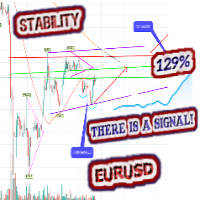
Institutional-Grade Scenarios: Automatic direction bias calculation with a weighted confidence score (0–100%) based on comprehensive oscillator alignment.
-
Adaptive Momentum Pulse (AMP): Built-in custom overlay buffers tracking momentum acceleration and crossover entry signals in real time.
-
Multi-Timeframe Matrix: Instant multi-timeframe consensus overview with 1-click chart period navigation.
-
Comprehensive Alert Engine: Instant notifications via popups, sound alerts, and mobile push notifications for bias changes, AMP crossovers, and pattern formations.
-
Zero Lag & EA Compatible: Fully optimized MQL5 buffer architecture ( iCustom ready) with timer-driven rendering for lag-free trading.
FUNCTIONAL BREAKDOWN
1. Interactive GUI & On-Chart Dashboard
-
Draggable Header Interface: Easily position the dashboard anywhere on your chart with smooth drag-and-drop mouse tracking.
-
Dynamic Horizon Selector: Toggle instantly between Intraday, Short-Term, and Medium-Term analytical horizons to adjust calculation lookback windows.
-
Pivot Style Switcher: Switch pivot calculation modes on the fly (Classic, Woodie, Camarilla, Fibonacci).
-
Multi-Timeframe Quick Navigation: Click any timeframe row inside the matrix to immediately change the active chart timeframe.
-
Layer Toggles: Instantly turn key levels, pattern markers, or AMP indicator lines on/off with dedicated dashboard buttons.
2. Technical Consensus & Scenario Engine
-
Multi-Oscillator Matrix: Aggregates real-time data from 5 core technical indicators: RSI, Stochastic Oscillator, MACD, ADX, and ATR.
-
Directional Bias & Confidence Score: Generates Primary and Alternative scenario projections accompanied by an objective confidence percentage (0–100%).
-
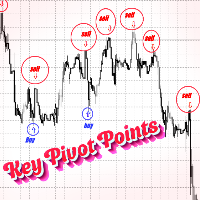
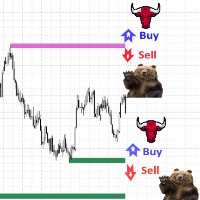
Key Levels & Pivot Mapping: Automatically calculates and plots high-probability support/resistance zones and breakout target levels directly on the chart.
3. Adaptive Momentum Pulse (AMP) Overlay
-
Dual-Line Momentum Buffer: Plots high-precision AMP Fast and AMP Slow dynamic lines on price bars.
-
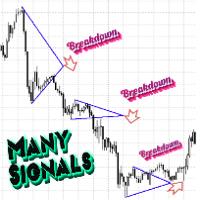
Signal Detection: Identifies momentum trend entries, directional shifts, and momentum exhaustion points.
-
Hidden Calculation Buffers: Exposes internal oscillator and signal lines via standard MQL5 indicator buffers for seamless Expert Advisor integration.
4. Pattern Recognition & Multi-Channel Alerts
-
Candlestick Pattern Scanner: Detects high-probability bullish and bearish reversal/continuation candlestick patterns based on configurable swing lookback depth.
-
Multi-Channel Notification Dispatcher:
-
Pop-Up Alerts: Terminal popup alerts with full trade context.
-
Custom Audio: Wav file audio playback upon signal generation.
-
Push Notifications: Instant push notifications sent directly to your MetaTrader mobile app.
-
-
Smart Cooldown System: Configurable cooldown timer prevents alert flooding during fast market conditions.
INPUT PARAMETERS EXPLAINED
=== HORIZON & PIVOTS ===
-
InpHorizon (ENUM_TC_HORIZON): Sets default analytical time horizon (Intraday, Short-Term, Medium-Term).
-
InpPivotStyle (ENUM_TC_PIVOT): Chooses core pivot calculation formula (Classic, Woodie, Camarilla, Fibonacci).
-
InpSwingLen (Integer): Sets swing lookback depth for pattern identification and key level validation.
=== OSCILLATORS ===
-
InpRsiPer (Integer): Period for Relative Strength Index calculation.
-
InpStochK / InpStochD / InpStochSlow (Integers): %K period, %D period, and slowing settings for the Stochastic Oscillator.
-
InpMacdFast / InpMacdSlow / InpMacdSig (Integers): Fast EMA, Slow EMA, and Signal period settings for MACD.
-
InpAdxPer (Integer): Period for Average Directional Index (trend strength filtering).
-
InpAtrPer (Integer): Period for Average True Range (volatility assessment).
=== DASHBOARD ===
-
InpX / InpY (Integers): Initial pixel coordinates for dashboard placement.
-
InpCorner (ENUM_BASE_CORNER): Anchor corner for dashboard placement.
-
InpFont (String): UI typography font family.
-
InpDrag (Boolean): Enables or disables header drag-and-drop capability.
-
InpRefresh (Integer): UI refresh timer interval in seconds.
-
InpShowLv / InpShowPat / InpShowAmp (Booleans): Toggles initial visual display of key levels, candlestick patterns, and AMP overlay lines.
=== ALERTS ===
-
InpAlertOn (Boolean): Master switch for all alerts.
-
InpAlertBias (Boolean): Triggers alert when technical direction bias changes.
-
InpAlertAmp (Boolean): Triggers alert on AMP momentum entry signals.
-
InpAlertPat (Boolean): Triggers alert when a new candlestick pattern forms.
-
InpAlertPopup (Boolean): Enables MetaTrader terminal desktop popups.
-
InpAlertSound (Boolean): Plays custom .wav sound file on alert.
-
InpAlertPush (Boolean): Sends push notifications to mobile devices.
-
InpSoundFile (String): Sound file name stored in Sounds/ directory.
-
InpAlertCool (Integer): Minimum cooldown time in seconds between consecutive alerts.
WHY TRADERS CHOOSE TC ANALYST TERMINAL
Whether you are executing manual trades or analyzing market structure for institutional reporting, TC Analyst Terminal eliminates chart clutter while delivering actionable intelligence in a single, high-performance interface.