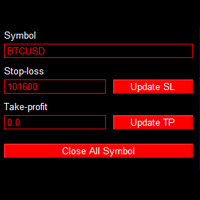
One click trade panel
- Утилиты
- Minh Vuong Pham
- Версия: 1.0
- Активации: 5
Professional On-Chart Trading Panel with Built-in Risk Calculator
What Is It?
OneClick Trade Panel is an all-in-one trading panel that sits directly on your MT5 chart. It replaces the default MT5 one-click window with a full-featured interface combining: order execution, automatic lot calculation, visual SL/TP planning, position monitoring, and batch close operations.

Built for speed. Built for risk control. No DLLs, no external dependencies.
Key Features
Order Execution
- One-click BUY / SELL at market price
- Pending orders: Limit & Stop (auto-detects correct type)
- Drag entry/SL/TP lines directly on chart
- Auto-detect broker filling mode (FOK / IOC / Return)
Risk Calculator (Real-Time)
- Two modes: Fixed Lot or Risk %
- Auto-calculates lot size from your risk % and SL distance
- Displays: Calculated Lot, Risk in USD, Pip Value, SL/TP in USD, R:R ratio
- Updates dynamically as you drag SL/TP lines on chart
Position Management
- Live summary: Buy/Sell count, lots, P/L breakdown
- CLOSE ALL — close every position instantly
- CLOSE WIN — close only profitable positions
- CLOSE LOSS — close only losing positions
- CLOSE ALL BUY / CLOSE ALL SELL — close by direction
- DELETE ALL PENDING ORDERS
Dashboard
- Real-time BID / ASK / Spread display
- Account info: Balance, Equity, Free Margin, Drawdown %
- Minimize / restore panel with one click
- Fully customizable colors and position
Who Is This For?
Scalpers — Execute in under a second with pre-calculated risk. No dialogs, no delays.
News Traders — Set up SL/TP lines before the event, fire a trade the instant the number drops.
Day Traders — Monitor all positions in one panel, batch close to lock profits or cut losses.
Risk-Conscious Traders — Risk % mode ensures you never risk more than your defined percentage per trade, regardless of SL distance or symbol.
Multi-EA Users — Combine with Collective TP Manager for automated collective profit targets across all EAs.
How It Works
Quick Scalp (30 seconds)
- Set Risk % mode → choose 1%
- Set SL = 10 pips, TP = 15 pips
- Check calculator: lot, risk $, R:R
- Click BUY or SELL → done
Visual Trade Setup
- Click "SHOW SL/TP LINES ON CHART"
- Drag red SL line below support
- Drag green TP line to resistance
- Calculator updates in real time as you drag
- Click BUY or SELL
Pending Order
- Switch to LIMIT or STOP mode
- Enable chart lines → blue ENTRY line appears
- Drag entry line to desired price
- Set SL/TP lines
- Click BUY or SELL → correct pending type auto-detected
Risk % Lot Calculation
Formula:
Lot = (Balance × Risk%) / (SL distance × Pip Value per lot)
Example:
- Balance: $10,000
- Risk: 1%
- SL: 50 pips
- Pip Value: $10/lot
- → Lot = $100 / $500 = 0.20 lots
Lot is always rounded DOWN to nearest lot step for safety.
Input Parameters
Panel Settings
| Parameter | Description |
|---|---|
| PanelX / PanelY | Panel position on chart (pixels) |
| PanelWidth | Panel width (default: 260) |
| Colors | Fully customizable: BG, header, buy, sell, text |
| FontSize | Base font size (default: 9) |
Risk Management
| Parameter | Description |
|---|---|
| DefaultRiskPercent | Starting risk % (default: 1.0%) |
| DefaultLotSize | Starting fixed lot (default: 0.01) |
| DefaultSLPips | Initial SL in pips (default: 50) |
| DefaultTPPips | Initial TP in pips (default: 100) |
| MagicNumber | Order identifier (default: 888888) |
SL/TP Lines
| Parameter | Description |
|---|---|
| SL_LineColor | Stop Loss line color (red) |
| TP_LineColor | Take Profit line color (green) |
| Entry_LineColor | Entry line color (blue) |
| LineWidth | Line thickness (default: 2) |
| LineStyle | Solid, Dash, Dot, etc. |
Installation
- Copy OneClick_TradePanel_v1.mq5 → MQL5/Experts/
- Restart MT5 or refresh Navigator
- Drag EA onto chart
- Enable "Allow Algo Trading" → configure Inputs → OK
- Make sure AutoTrading (green button) is ON
Troubleshooting
BID/ASK shows 0 — Market may be closed, or symbol data not loaded. Re-attach EA to chart.
BUY/SELL does nothing — Check Experts tab for errors. Ensure AutoTrading is enabled and margin is sufficient.
"Invalid Fills" error — EA auto-detects filling mode. If persists, check with your broker.
Lot too small — Calculated lot may be below broker minimum. Increase risk % or reduce SL distance.
Recommended Combinations
| Tool | Purpose |
|---|---|
| OneClick Trade Panel | Fast order entry + risk calculator |
| Collective TP Manager | Auto-close all positions at profit target |
| Trailing Stop Manager | Auto-trail SL to protect profits |
| Daily P/L Limiter | Stop trading after daily loss/profit limit |
Platform: MetaTrader 5 Symbols: All (Forex, Gold, Indices, Crypto — any symbol your broker offers) Account Types: Hedging & Netting Dependencies: None (standalone EA)
Trading involves substantial risk. Always test on demo first. This tool executes trades immediately without confirmation — use with care.