LLM Advisor
- Утилиты
- Версия: 1.87
- Обновлено: 2 августа 2026
- Активации: 5

# LLM Advisor
**A second opinion on every trade — from an AI that explains itself.**
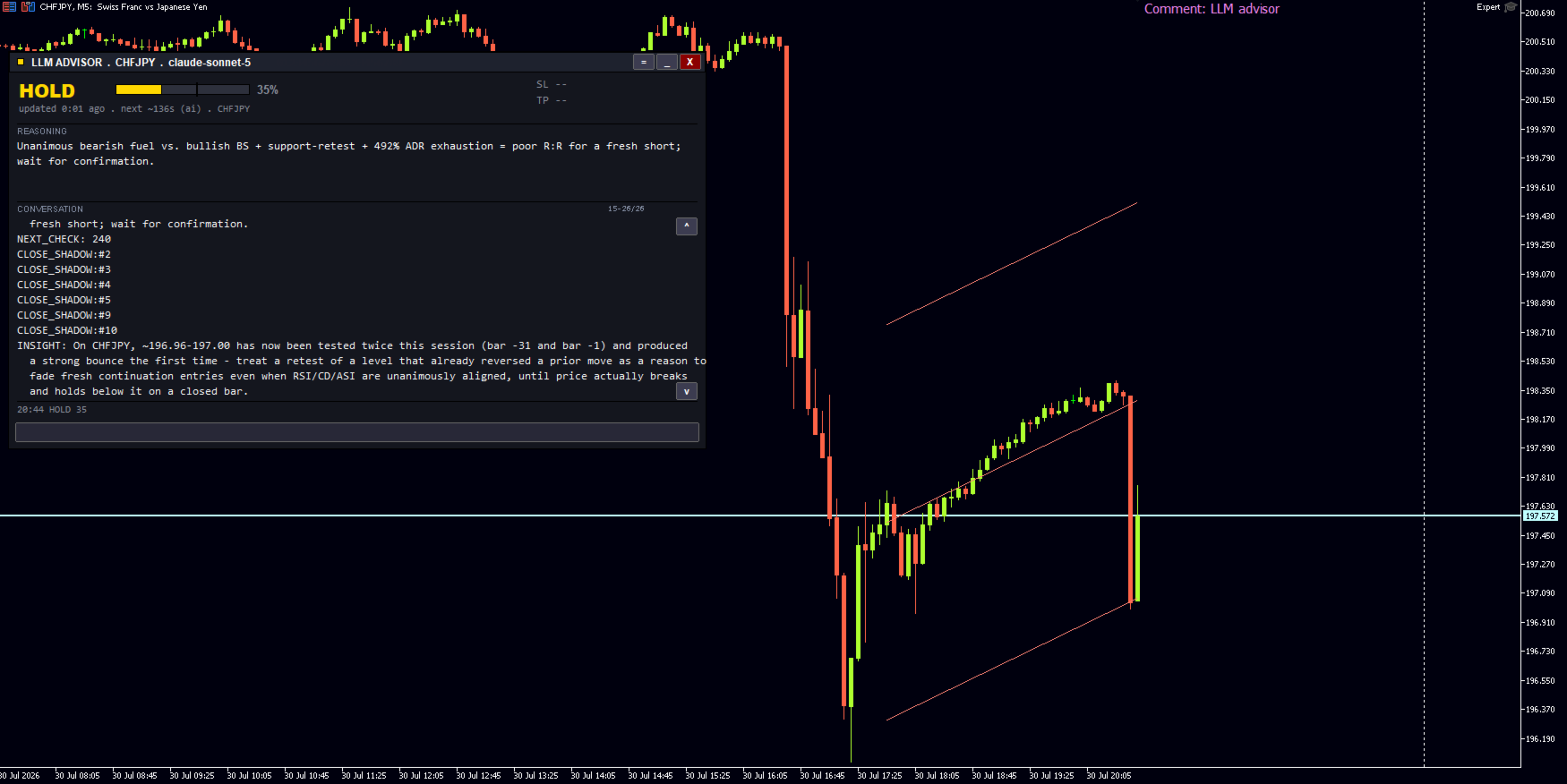
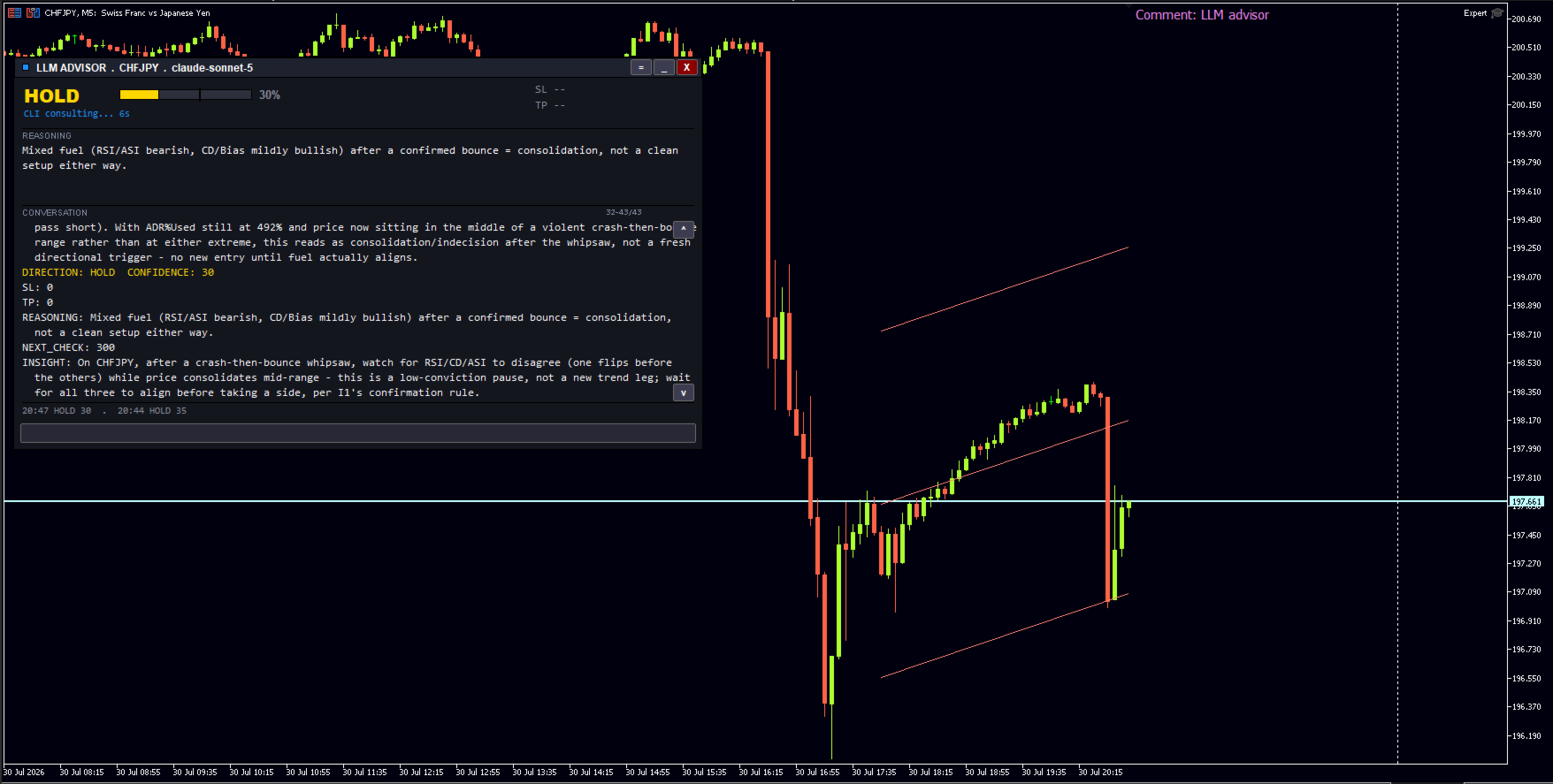
LLM Advisor shows your chart to a modern AI model and asks it a simple question: *what do
you see here, and what would you do?*
The answer comes back in plain English — a direction, a confidence score, and the reasoning
behind it. You decide how much say it gets: from "just tell me what you think" all the way
to "handle it for me."
---
## You choose how much control it has
| Mode | What happens |
|---|---|
| **Consulting** | It analyses and advises. Places no trades. |
| **Consult + Alert** | Same, plus a notification to your phone. |
| **Entry Only** | It opens trades. You decide when to close them. |
| **Full Auto** | It runs the whole trade — entry, stop-loss, breakeven, trailing, exit. |
It arrives set to **Consulting**. Nothing is traded until you change that yourself.
---
## What the AI is looking at
Underneath sits the EA's own analysis engine — more than two dozen indicator and
market-structure modules, each measured against the instrument's typical daily range so a
reading means the same thing on gold as it does on EURUSD — and what reaches the AI is that
finished picture, not raw candles.
You choose how much of it to show. Indicators, candles, volume profile, Bollinger and
Fibonacci levels, and daily range — each can be switched on or off. Show it less and replies
are faster and cheaper. Show it more and the analysis is deeper. Most people start with the
defaults and adjust from there.
If you trade several instruments, it can review your whole watchlist in one go and tell you
which setups it likes best — so you're not attaching it to a dozen charts.
---
## It remembers what it advised
Every call it makes is recorded alongside what actually happened next. That history is fed
back into later analysis, so the AI can see its own track record on your instruments —
where it has been reliable, and where it has not.
It also runs its advice as paper trades in the background. That gives you a running score
on the AI's judgement without any money at risk, and it gives the AI an honest picture of
its own accuracy.
---
## Use whichever AI you prefer
Claude, GPT, Gemini, Grok, DeepSeek, and Kimi are all supported — around 30 models in
total, switched from a single dropdown. Pick a fast cheap one for routine checks or a
frontier model for serious analysis.
There is no lock-in. You bring your own key, so you deal directly with the AI provider and
can change your mind whenever you like. One OpenRouter key also works if you would rather
reach every vendor through a single account.
---
## What you need
- **MetaTrader 5**, build 4570 or newer
- **An account with one AI provider.** You pay them directly for what you use — typically
a few cents per analysis, depending on the model and how much data you show it
- **One setting change:** add your provider's address under
*Tools → Options → Expert Advisors → Allowed URLs*. Takes about thirty seconds; the
manual shows you exactly where
Already pay for **Claude Pro or Max?** You can connect that subscription instead of paying
per analysis. It needs a small helper script running alongside MetaTrader — a step-by-step
guide is included.
---
## Worth being straight with you
This is a tool for thinking, not a money printer. An AI can read a chart, weigh the
evidence, and explain its reasoning — it cannot see the future, and it will be wrong
sometimes. The confidence score exists so you can ignore it when it isn't sure, and the
paper-trading record exists so you can judge it on results rather than on promises.
Start it in Consulting mode. Read what it says for a few weeks. Give it more control only
once it has earned it.
---
*Copyright © Aram Mohammed. All rights reserved.*