Demetra Twin Days Past Days That Began Alike

  • Utilitários
  • Francesca Draoli
    Francesca Draoli
    Under the name DEMETRA, I develop software for MetaTrader 5. On this profile I publish indicators, utilities and expert advisors. I handle the code, the tests and the updates myself.
  • Versão: 2.16
  • Ativações: 10

Finds the past days whose first hours moved like today, draws what followed them as a fan, and checks that reading against a simple later-week test. Counts and ranges, not odds. It never trades on live charts.

Main features

  • Twins: once enough hours of today are complete, Twin Days searches the past days of your symbol for the ones whose hourly path so far is closest to today, and keeps the closest ones. How far back it looks, how many twins it keeps, and how many completed hours of today it waits for are your inputs.
  • What followed, as counts and ranges: how many twins closed higher by the end of their day, the typical rest-of-day move, and the middle of the range of those moves. Example: "5 of 8 closed higher".
  • A fan on the chart: the typical and middle-range rest-of-day moves of the twins, drawn from the current hour to the end of the server day.
  • A later-week check: the same search is repeated on past days, using only the data that existed on each of those days, and compared with a 50/50 split. The panel says plainly when the twins did not beat that, which on most symbols they do not, and stays quiet until there are enough test days.
  • The closest twins listed with their date, how near they were, and how their day went on.
  • Server-time days. A broker's short Sunday open and very short holiday days are not used as days.
  • Optional alert once a day when today's twins are ready (popup, sound, push, e-mail; off by default). Sent only while connected with the history in sync, and remembered across restarts, so a restart never repeats it. Never in the Strategy Tester.
  • Panel with an explanation on every row. Minimize hides the panel and the fan. On a chart too small for the full panel, it folds itself to a title bar. No account data on screen.
  • Out-of-range inputs are refused with one clear message. No DLL, no web requests. English UI. (The Strategy Tester demo presses the panel buttons and opens one validator trade.)

Trading involves risk of loss. Twin Days shows what followed similar days on past prices; it gives no trading signals, no odds and no guarantee of results. Past counts do not predict future ones.

Produtos recomendados
EW Close All – Um clique. Tudo fechado. EW Close All é um Expert Advisor leve e multilíngue que permite fechar todas as posições abertas e cancelar todas as ordens pendentes instantaneamente — com apenas um clique. Fecha todas as posições abertas   Cancela todas as ordens pendentes   Funciona em qualquer símbolo e timeframe   Interface multilíngue   Limpo, rápido e confiável Perfeito para saídas rápidas, controle de risco ou limpeza no final do dia. Mantenha total controle — feche
FREE
Symbol Cost Monitor é um utilitário analítico profissional para MetaTrader 5, desenvolvido para monitorizar rapidamente os custos de negociação de vários instrumentos em simultâneo. O spread e o swap influenciam diretamente o resultado final das operações. Isto é especialmente importante para scalping, negociação intradiária ativa, manutenção de posições durante vários dias e trabalho simultâneo com vários símbolos. A interface padrão do MetaTrader 5 não permite comparar comodamente todos estes
FREE
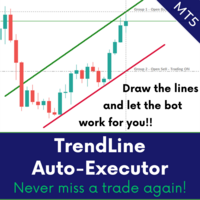
ATTENTION: the utility cannot work in the Strategy Tester, if you want to try the demo version for free for a week, or have any questions, write me an email! You can find my address on my user profile. TrendLine Auto Executor is a software capable of identifying the trendlines you have drawn on the chart and opening orders as soon as they are touched or exceeded. The software allows you to manage two orders at a time for each chart by tracking two groups of trendlines, one for each order, and e
ICT Strategy SMC Opening Range Gap
Theophilus Kipchirchir Kibett -
Opening Range Gap (ORG) Automatically maps the daily Opening Range Gap — one of the most-watched institutional reference points — directly on your chart. The Opening Range Gap is the price void left between the previous session's close and the new session's open. Smart-money traders treat this zone as a magnet and a decision point: price often returns to fill it, reacts at its edges, or uses it as a launchpad for the day's expansion. This indicator removes the guesswork — it detects the gap the
Background Tool for MetaTrader 5  https://elitefx.store/ Personalise your MetaTrader 5 workspace with your own chart background images. Background Tool provides an on-chart control panel for switching images and adjusting their brightness. Features Display your own background images on your chart. Browse images using Previous and Next. Adjust brightness with Lighter and Darker. Turn the background display on or off. Reload images and save your preferences. Manage backgrounds from a compact on-c
CGE Trade Desk
Carl Gustav Johan Ekstrom
5 (1)
Professional Trade Desk for MT5: Limit & Market Orders, Risk Control and Grid Bot CGE Trade Desk is a chart-driven order panel for MT5 traders on retail accounts or prop firm challenges. Plan the trade on the chart, size it from your risk, and let the desk protect your account from costly mistakes. Drag your entry, stop and take-profit lines on the chart, then click PLACE ORDER. The desk handles lot size, expiry and risk limits for you. Daily loss caps, profit targets, a daily lockout and a fail
FREE
Stamina HUD
Michele Todesco
STAMINA HUD – Advanced Market & Trend Dashboard (MT5) STAMINA HUD   is a professional   market information panel   designed for traders who want   clarity, speed, and control   directly on the chart. It provides a   clean heads-up display (HUD)   with essential market data and   multi-timeframe trend direction , without cluttering the chart or generating trading signals. What STAMINA HUD Shows   Current Price   Spread (in real pips)   Today High–Low range (pips)   Average D
FREE
JT360 DNA Mini PnL Pointer V1.04 Public Compacto. Claro. Sempre à vista. O JT360 DNA Mini PnL Pointer é um indicador leve para MetaTrader 5 que apresenta o lucro ou prejuízo flutuante agregado de todas as posições abertas no símbolo do gráfico atual. O seu design compacto combina o PnL baseado no risco, expresso em R, uma pequena barra visual e uma matriz de cores configurável. As cores características da JT360 — turquesa e magenta — destacam os valores extremos e facilitam a identificação rápid
FREE
This tool is used to generate a K - line reflection chart of a currency pair for foreign exchange transactions. For example, if the currency pair is EURUSD, a custom currency pair named EURUSD_ref is generated and a chart for that currency pair is opened. The price of a custom pair of currency is the inverse of the price of the original pair, which is the equivalent of a new pair of currency, the USDEUR. The usage is simple, put it on any chart, the new chart will open, and then draw the corr
See how your account is really doing at a glance, right on the chart. The dashboard reads your account and trade history and never opens, modifies or closes a trade. How it works Every second the dashboard reads balance, equity, margin and open positions. Closed results come from the deal history: for each closing deal the profit, swap, commission and fee are added together. From these deals it calculates closed profit for today, this week and this month, plus statistics for the period you choos
FREE
Mirror Chart MT5
Andrej Hermann
5 (1)
The Mirror Chart MT5 is a overlay indicator specifically designed to project a second financial instrument directly onto the main chart window. This tool is invaluable for traders who rely on correlation analysis, as it visualizes the price movements of two different instruments in real time. Unlike traditional overlays, this indicator utilizes intelligent, dynamic centering and scaling logic. It continuously analyzes the visible price range in the current window for both symbols and calculates
FREE
The trade cost caused by spreads is an important indicator when formulating trade profit-loss ratios. Spread costs info is particularly important for short-term traders, especially scalping traders. This tool can output the spread cost of all Forex currencies (including XAU and XAG) in the platform in different account types (USD account, EUR account, etc.). Calculation and code See articles: THE TRADE COST OF FOREX CURRENCY Part1 THE TRADE COST OF FOREX CURRENCY Part2 THE TRADE COST OF FOREX C
FREE
这款专为MetaTrader 5设计的EA(Expert Advisor),能够在加载后自动关闭所有图表,并立即从当前图表中自行移除。它适合那些希望快速清理所有图表,并避免手动关闭每个图表的用户。 功能特点: 一次性清理: 加载后立即关闭所有打开的图表。 自动移除: 执行完毕后,EA自动从当前图表中移除,无需手动操作。 快速高效: 适用于快速清理交易环境,特别适合在需要快速重置或结束交易日的情境。 使用说明: 只需将此EA添加到任何一个图表上,它将自动执行关闭所有图表的操作并自行移除。使用前,请确保已保存所有重要的图表数据和设置。 风险提示: 请谨慎使用此EA,以防不小心关闭重要图表。 适用于MetaTrader 5平台。 技术支持: 如有任何技术问题或需求,请联系我以获得帮助。
FREE
RiskCompass Panel MT5 1. The Problem and the Approach You have a position idea, and the first real question is always the same: how much of this account am I about to put at risk, and can the account carry it. The information that answers that question is scattered across half a dozen windows. Balance is on one tab. Margin level is somewhere else. The spread you just paid is visible only if you look at the instrument row. The server day, which decides whether your daily loss limit has already be
FREE
TrendVision AI
Murtadha Majid Jeyad Al-Khuzaie
TrendVision AI – Smart Trend Channels & Price Forecasting for MetaTrader 5 Discover market structure and explore potential future price direction with TrendVision AI, an advanced technical indicator for MetaTrader 5 that combines automatic trendline analysis with a machine-learning-based price forecasting model. How Does TrendVision AI Work? TrendVision AI analyzes historical candlestick data within a configurable lookback window. It automatically draws two trendlines directly on the chart:
FREE
Reprodução de dados salvos anteriormente do livro de pedidos. Características principais: Navegação de dados históricos Ajustando a velocidade de reprodução com os botões "---" e "+++", bem como com o mouse, você pode girar a roda sobre a área desses botões e entre eles Ativando e desativando a centralização de preços Exibição do tempo com precisão de milésimos de segundo Atenção: Este produto também precisa de um utilitário para salvar dados: https://www.mql5.com/pt/market/product/71642
FREE
Market Sessions Time PRO
Juan Facundo Valdes
4 (2)
Exibir no gráfico até 7 sessões de mercado e 3 intervalos semanais, totalmente personalizáveis Cada sessão e intervalo pode ser exibido ou ocultado e adaptado para se ajustar a períodos especiais intradia ou intrassemana de acordo com as necessidades de cada trader Defina os horários de início/fim das sessões usando qualquer um destes métodos: Hora GMT/UTC (ajustável para qualquer fuso horário) Hora do servidor/corretora (hora do gráfico) Hora local (hora do seu computador) Recursos da versão
Script to calculate equity and balance at a specific date and time.  This script makes up for a lack of MetaTrader account history, that does not show how the balance and equity changes in time. Balance calculation includes closed orders only. Equity calculation includes orders closed before and orders that are still open at the specified time. Example: date and time set to 2020/07/06 00:00. If I had a Buy 1 lot EURUSD position opened at price 1.12470 on the 2020/07/02, the program would ca
FREE
O AlsoSell Cockpit reúne todo o seu fluxo de trading em um painel elegante no gráfico: analisar, dimensionar, executar, gerir e revisar — sem sair do gráfico. ORDEM E EXECUÇÃO - Compra / Venda a mercado com um clique e cálculo automático do lote conforme o risco. - Planejador no gráfico: arraste as linhas de Entrada, Stop Loss e Take Profit diretamente no gráfico. O lote é calculado ao vivo a partir da distância do stop e do % de risco, mostrando a relação retorno:risco e o valor exato de lucro
FREE
Telegram Notification Worker (v5.31) Telegram Notification Worker is a high-performance, professional utility designed to bridge the gap between your MetaTrader 5 terminal and Telegram. It acts as a dedicated background worker that forwards custom alerts, trade events, and system status messages from any of your Expert Advisors (EAs) directly to your Telegram chat or channel. Key Technical Features: Asynchronous Messaging Engine: Unlike standard notification scripts, this worker uses an asynchr
FREE
O Account Info AS é um poderoso script de informações para MetaTrader 5 que exibe informações completas sobre sua conta de negociação diretamente no gráfico. O script fornece todos os dados necessários para análise da conta, gerenciamento de risco e tomada de decisões de negociação. Principais Funcionalidades Informações Financeiras Completas Tipo de Conta (Demo/Real/Concurso) Saldo, Patrimônio Líquido e Margem Margem Livre em Dinheiro e Percentual Nível de Margem Lucro/Prejuízo Atual Ges
FREE
Donchian Breakout And Rsi
Mattia Impicciatore
4.33 (3)
Descrição geral Este indicador é uma versão aprimorada do Canal Donchian clássico, enriquecida com funções práticas para o trading real. Além das três linhas padrão (máxima, mínima e linha do meio), o sistema detecta breakouts e os mostra visualmente com setas no gráfico, exibindo apenas a linha oposta à direção da tendência atual para uma leitura mais limpa. O indicador inclui: Sinais visuais : setas coloridas nos breakouts Notificações automáticas : alerta pop-up, push e e-mail Filtro RSI : pa
FREE
Important Lines
Terence Gronowski
4.88 (24)
This indicator displays Pivot-Lines, preday high and low, preday close and the minimum and maximum of the previous hour. You just have to put this single indicator to the chart to have all these important lines, no need to setup many single indicators. Why certain lines are important Preday high and low : These are watched by traders who trade in a daily chart. Very often, if price climbs over or falls under a preday low/high there is an acceleration in buying/selling. It is a breakout out of a
FREE
Core function Intelligent transaction management one-click opening and closing operation, which supports user-defined lots to set multiple closing modes: all closing, closing by direction and closing by profit and loss status. Professional risk control, real-time risk monitoring and spread control to avoid high-cost trading environment. Visual control panel has an intuitive graphical interface, and all functions can be operated with one button to display position information, profit and loss sta
FREE
AUTO RISK MANAGER PRO: o seu parceiro no trading Forex! AUTO RISK MANAGER PRO_MT4 — versão para MT4 Versão demo + descrição detalhada Pare de perder dinheiro por causa das emoções! É hora de confiar a gestão de risco a um algoritmo profissional. Imagine a situação: o mercado se move rapidamente contra a sua posição enquanto você está dormindo, trabalhando ou passando tempo com a família. História comum? Com o Auto Risk Manager Pro — nunca mais! Vantagens: Abordagem revolucionária para gestão de
MMTrader Manager
Mateusz Makarewicz
Welcome to my MMTrader Manager product. EA that allows You for simple managing trades and positions. Key Features: Position Opening – Open trades quickly with customizable Take Profit (TP), Stop Loss (SL), and lot size settings. Position Closing – Close trades with one click. Grid System – Automatically create a grid of orders. Recovery Mode – Loss recovery lot calculation. Trade History Data – Acces data to historical positions. User-Friendly Interface – A clear and simple panel designed. This
FREE
Xauiq ATR Trade Manager is a position management utility designed for manually opened XAUUSD trades. It does not generate entry signals and does not decide whether to buy or sell. After a manual position is detected, the utility manages risk, partial profit taking and the remaining position according to the confirmed settings. Main Features Manual Position Management The utility manages eligible manually opened positions and detects the actual Buy or Sell direction before calculating any level.
FREE
MT5 History Checker Can you trust the historical data behind your MT5 backtest? MT5 History Checker is a diagnostic utility designed to identify missing periods and coverage problems in the historical data supplied by your MetaTrader 5 broker. Select the symbol and date range you want to examine and run the checker. The utility analyses the available history and provides a clear PASS, WARNING or FAIL result. What it checks Historical tick-hour coverage M1 historical-data coverage Missing periods
FREE
The indicator detects and displays М. Gartley's Butterfly pattern. The pattern is plotted by the extreme values of the ZigZag indicator (included in the resources, no need to install). After detecting the pattern, the indicator notifies of that by the pop-up window, a mobile notification and an email. The pattern and wave parameters are displayed on the screenshots. The default parameters are used for demonstration purposes only in order to increase the amount of detected patterns. Parameters z
Basic Theme Builder MT5
Mehran Sepah Mansoor
5 (2)
Basic Theme Builder: Simplifique a Personalização do Seu Gráfico Transforme sua experiência de negociação com o Basic Theme Builder , um indicador versátil projetado para simplificar a personalização da aparência do seu gráfico no MetaTrader 5. Este indicador intuitivo oferece um painel fácil de usar que permite alternar rapidamente entre vários temas e esquemas de cores, melhorando tanto o apelo visual quanto a funcionalidade do seu ambiente de negociação. Free MT4 version O Basic Theme Builde
FREE
Os compradores deste produto também adquirem
Trade Assistant MT5
Evgeniy Kravchenko
4.43 (216)
Ajuda a calcular o risco por comércio, a fácil instalação de uma nova encomenda, gestão de encomendas com funções de fecho parcial, trailing stop de 7 tipos e outras funções úteis. Materiais e instruções adicionais Instruções de instalação   -   Instruções para a aplicação   Função de linha Mostra no gráfico a linha de Abertura, Stop Loss, Take Profit. Com esta função é fácil definir uma nova ordem e ver as suas características adicionais antes da abertura.   Gestão de risco A função de cálcul
Farmed Hedge Yield Farming | All Markets (Manual - Hybrid - Semi/Automated EA) VERIFIED TRADING RESULTS - Farmed Hedge Yield Axi Copy:  https://www.mql5.com/en/signals/2356376 - Farmed Hedge Yield Exn Copy:   https://www.mql5.com/en/signals/2356404 - Farmed Hedge Yield V Copy:  https://www.mql5.com/en/signals/2357156 IMPORTANT NOTICE: FarmedHedge is a MANUAL-FOCUSED TRADING UTILITY ,not a fully automated EA. Results shown on this Signal include manual trades and overall strategic management.
Bem-vindo ao Trade Manager EA—uma ferramenta de gestão de risco criada para tornar o trading mais intuitivo, preciso e eficiente. Não é apenas uma ferramenta para executar ordens, mas uma solução abrangente para planejamento de operações, gerenciamento de posições e controle de risco. Seja você um iniciante, trader avançado ou scalper que precisa de execução rápida, o Trade Manager EA adapta-se às suas necessidades, oferecendo flexibilidade em todos os mercados, desde forex e índices até commodi
O Telegram to MT5 Multi-Channel Copier copia automaticamente os sinais de trading dos seus canais de Telegram e Discord diretamente para o MetaTrader 5. Sem bots, sem extensões de navegador, sem copiar à mão. O sinal chega ao Telegram ou ao Discord e o EA abre a operação no seu terminal em poucos segundos. E antes de copiar um canal, o backtester integrado mostra o que esse canal teria feito na sua conta. O produto inclui dois componentes: um aplicativo de Windows que escuta os seus canais de Te
TradePanel MT5
Alfiya Fazylova
4.88 (172)
Trade Panel é um assistente de negociação multifuncional. O aplicativo contém mais de 50 funções de negociação para trading manual e permite automatizar a maioria das tarefas de negociação. Instruções para o aplicativo: https://www.mql5.com/pt/blogs/post/762435 Versão de teste do aplicativo para conta demo: https://www.mql5.com/pt/blogs/post/762547 Como instalar o aplicativo: https://www.mql5.com/pt/blogs/post/762548 Como testar o aplicativo no modo visual: https://www.mql5.com/pt/blogs/post/770
Local Trade Copier EA MT5
Juvenille Emperor Limited
4.94 (150)
Local Trade Copier EA MT5 é um copiador de operações rápido e flexível para copiar e gerenciar operações entre várias contas MetaTrader 5 no mesmo computador Windows ou Windows VPS. Ele combina a sincronização local de operações com controles no lado do Receiver para tamanho de lote, gerenciamento de risco, filtragem de operações, mapeamento de símbolos, gerenciamento de operações e proteção da conta. Configure seus terminais Transmitter e Receiver em aproximadamente 1 minuto e copie operações
News Trade EA MT5
Konstantin Kulikov
4.55 (11)
Apresento um robô útil que eu mesmo uso há vários anos. Pode ser usado nos modos semiautomático e totalmente automático. >>> Chat <<< O programa contém configurações flexíveis para negociação nas notícias do calendário econômico. Não pode ser verificado no testador de estratégia. Somente trabalho real. Descarregue o ficheiro mais recente de definições: https://www.mql5.com/en/blogs/post/747929 Monitorização de sinais: https://www.mql5.com/en/signals/author/test-standart Ao criar suas próprias
Exp COPYLOT CLIENT for MT5
Vladislav Andruschenko
3.97 (35)
Copiador profissional de operações para MetaTrader 5 Um copiador de operações rápido, profissional e confiável para MetaTrader . COPYLOT permite copiar operações de Forex entre terminais MT4 e MT5 com suporte para contas Hedge e Netting . A versão MT5 do COPYLOT oferece suporte a: - MT5 Hedge → MT5 Hedge - MT5 Hedge → MT5 Netting - MT5 Netting → MT5 Hedge - MT5 Netting → MT5 Netting - MT4 → MT5 Hedge - MT4 → MT5 Netting Versão MT4 Descrição completa + DEMO + PDF Como comprar Como instalar Como
Copie sinais do Telegram com suas próprias regras de negociação Telegram to MT5 Signal Trader copia automaticamente sinais de negociação em texto de canais e grupos públicos e privados do Telegram para o MetaTrader 5. Gerencie vários provedores e contas MT5 em um único aplicativo para desktop, com configurações individuais de risco e de negociação para cada provedor . Você não precisa de um bot do Telegram nem configurar uma API para copiar sinais. Basta entrar com sua própria conta do Telegram
The product will copy all telegram signal to MT5 ( which you are member) , also it can work as remote copier.  Easy to set up, copy order instant, can work with almost signal formats, image signal,  s upport to translate other language to English Work with all type of channel or group, even channel have "Restrict Saving Content", work with  multi channel, multi MT5 Work as remote copier: with signal have ticket number, it will copy exactly via ticket number. Support to backtest signal. How to s
Strategy Ledger Pro
Abdullah Uygar Tuna
5 (14)
Agora disponível em português. Strategy Ledger Pro é um painel de análise de conta somente leitura para o MetaTrader 5. Ele separa os resultados da conta por Expert Advisor, estratégia, símbolo e número mágico, para que você veja o que cada um realmente contribui. O painel está disponível em 11 idiomas: English, Français, Deutsch, Español, Italiano, Português, Русский, Türkçe, 中文, 日本語 e 한국어. Antes de baixar a demo. O Market executa a demo de qualquer produto pago somente no Testador de Estratég
================================================================================ POC BREAKOUT - V20.72. Full Professional Grade Toolkit ================================================================================ POC Breakout is a full MetaTrader 5 trading dashboard for discretionary traders who want breakout signals, Point of Control (POC) context, volume profiles, order flow, market structure, news, alerts, and advanced trade planning in one professional workspace. Attached directly to you
EA Overfitter
Stephen J Martret
5 (3)
That backtest looks great. But will it still be making money tomorrow, next week, next month? EA Overfitter re-runs your EA on 100 price histories it has never seen. One score tells you if the edge is real. A backtest tells you what an EA did on one price history — the one that happened to occur. What you cannot tell from it is how much of that result was the strategy and how much was the particular path. EA Overfitter answers that. It builds up to 100 synthetic price histories your EA has n
Power Candles Strategy Scanner - Localizador de configurações multissímbolo com auto-otimização O Power Candles Strategy Scanner utiliza o mesmo motor de auto-otimização que alimenta o indicador Power Candles — em todos os símbolos da sua lista de observação, lado a lado. Um painel indica-lhe quais os símbolos que são estatisticamente negociáveis neste momento, qual a estratégia vencedora para cada um, o par ideal de Stop Loss / Take Profit, e avisa-o assim que um novo sinal é emitido. Esta ferr
Timeless Charts
Samuel Manoel De Souza
5 (9)
Timeless Charts é um utilitário de trading tudo-em-um para traders profissionais. Ele combina tipos de gráficos personalizados, como Gráficos por Segundos e Renko , com análise avançada de fluxo de ordens utilizando Footprints , Clusters , Perfis de Volume , estudos VWAP e ferramentas de análise ancorada para uma visão mais profunda do mercado. O gerenciamento de ordens e posições é realizado diretamente no gráfico por meio de um painel integrado de gerenciamento de operações , enquanto o Market
Telegram to MT5 Coppy
Sergey Batudayev
5 (10)
Telegram para MT5:   A solução definitiva para cópia de sinais Simplifique suas negociações com o Telegram para MT5, a ferramenta moderna que copia sinais de negociação diretamente dos canais e chats do Telegram para a sua plataforma MetaTrader 5, sem a necessidade de DLLs. Esta solução poderosa garante execução precisa dos sinais, amplas opções de personalização, economiza tempo e aumenta sua eficiência. [ Instructions and DEMO ] Principais características Integração direta da API do Telegram A
Painel de Trading para MetaTrader 5 — controle profissional de trading em um clique a partir do gráfico e do teclado Um painel de trading avançado para traders ativos, criado para abrir, gerenciar e fechar operações muito mais rápido do que com a interface padrão do MetaTrader. Esta solução foi desenvolvida para quem deseja controlar posições, ordens pendentes, lucro total e execução em um único espaço de trabalho profissional. Não se trata apenas de mais um utilitário. É um verdadeiro cockpit
Próxima Atualização — Versão 2.52 em Breve! [NOVO] Prepare-se para 4 Grandes Novos Recursos Projetados para Aprimorar sua Análise de Mercado e seu Fluxo de Trabalho de Trading Estamos levando a análise de mercado a um novo nível com 4 novos recursos desenvolvidos para atender às suas necessidades de trading. Apresentamos: 1. TRADE OVERVIEW DASHBOARD 2. CONFLUENCE AT ZONE 3. STRONG & WEAK HIGH/LOW 4. OTE 1. TRADE OVERVIEW DASHBOARD Um painel que ajuda você a compreender mais facilmente o panoram
Telegram To MT5 Ultra
Mirel Daniel Gheonu
5 (5)
Telegram To MT5 — Copiador de sinais Transforme as chamadas de trading dos seus canais do Telegram em ordens reais no MT5 — automaticamente, em quantas contas quiser, com o risco e as regras totalmente sob o seu controlo. O Telegram To MT5 liga os canais VIP / de sinais que já segue no Telegram ao seu terminal MetaTrader 5. Um aplicativo de desktop complementar gratuito lê as mensagens (mesmo de canais que bloqueiam bots), e este Expert Advisor executa-as na sua conta — aplicando as suas própria
Anchor Trade Manager
Kalinskie Gilliam
5 (8)
Your EAs cannot see each other, but Anchor can. Anchor gives you one place to coordinate your EAs, manage risk, and decide when trading is allowed. It works alongside the trading bots you already use without any changes to them. The Problem One EA opens a trade. Then another starts trading. The next thing you know, you wake up to multiple grids built across your account. Each EA may be doing exactly what it was designed to do, but together they can place far more risk on your account than you in
Trade Indicator Assistant   is a powerful MT5 utility designed to turn indicators into automated trading systems. Its main feature is the ability to automatically detect an indicator’s   BUY and SELL signal buffers , without requiring you to know the buffer numbers, search through indicator settings, or modify the indicator source code. Bonus Indicator:   After purchasing Trade Indicator Assistant, contact me to receive   Trade Signal Pro   completely free as a bonus indicator. [Download Demo V
EA Auditor
Stephen J Martret
5 (7)
EA Auditor is an independent analysis tool for traders evaluating Expert Advisors and trading signals on MetaTrader 5. It audits backtest reports, reviews posted developer signals, and cross-verifies the two against each other to help traders assess strategies before committing capital. The MQL5 market offers a wide range of Expert Advisors from many developers, with varying approaches, quality, and transparency. EA Auditor provides a consistent, data-driven framework for reviewing them, answer
Trade Manager DaneTrades
Levi Dane Benjamin
4.13 (31)
Trade Manager para ajudá-lo a entrar e sair rapidamente de negociações enquanto calcula automaticamente seu risco. Incluindo recursos para ajudar a evitar negociações excessivas, negociações de vingança e negociações emocionais. As negociações podem ser gerenciadas automaticamente e as métricas de desempenho da conta podem ser visualizadas em um gráfico. Esses recursos tornam este painel ideal para todos os traders manuais e ajudam a aprimorar a plataforma MetaTrader 5. Suporte multilíngue. Vers
MT5 to Telegram Signal Provider é uma utilidade fácil de usar e totalmente personalizável que permite o envio de sinais especificados para o chat, canal ou grupo do Telegram, tornando sua conta um fornecedor de sinais . Ao contrário da maioria dos produtos concorrentes, ele não usa importações de DLL. [ Demonstração ] [ Manual ] [ Versão MT4 ] [ Versão Discord ] [ Canal do Telegram ]  New: [ Telegram To MT5 ] Configuração Um guia do usuário passo a passo está disponível. Não é necessário conhec
RETAILBERG FOOTPRINT CHART PRO — Order-Flow Workspace for MetaTrader 5 Version 7.00  |  Professional System  |  31 tools  |  One chart A full 150-page illustrated User Manual is included. Please read the full manual to understand this feature packed footprint chart elements and ui. https://www.mql5.com/en/blogs/post/777982 DEMO / STRATEGY TESTER — PLEASE READ FIRST
DrawDown Limiter
Haidar Lionel Haj Ali
5 (23)
DrawDown Limiter v5.0 — Controlador Avançado de Proteção de Conta O DrawDown Limiter v5.0 é um controlador de proteção de conta executado no lado do cliente, desenvolvido para monitorar sua conta de trading e reagir automaticamente quando os limites configurados de risco, lucro, notícias, horário, rollover ou número de posições forem atingidos. Ele pode monitorar operações manuais, estratégias automatizadas, vários Expert Advisors, ordens pendentes e posições abertas a partir de um único gráfico
VirtualTradePad PRO SE MT5 — centro profissional de controle de trading para MetaTrader 5 VirtualTradePad PRO SE é um painel de trading premium baseado no gráfico e um ambiente de gerenciamento de operações para MetaTrader 5 . Ele foi desenvolvido para traders que desejam execução mais rápida, controle de posições mais claro, gerenciamento de trades estruturado, planejamento visual de níveis e um fluxo de trabalho profissional diretamente no gráfico. Não é apenas um painel de COMPRA / VENDA. O P
Trader Evolution
Siarhei Vashchylka
5 (7)
" Trader Evolution " - A utility designed for traders who use wave and technical analysis in their work. One tab of the utility is capable of money management and opening orders, and the other can help in making Elliott wave and technical analysis. Manual (Be sure to read before purchasing) | Version for MT4 Advantages 1. Trading in a few clicks. Immediate and pending orders are available in the panel 2. Money management. The program automatically selects the appropriate lot size 3. Simplifies
Trade copier MT5
Alfiya Fazylova
4.61 (57)
Trade Copier é um utilitário profissional projetado para copiar e sincronizar negociações entre contas de negociação. A cópia ocorre da conta / terminal do fornecedor para a conta / terminal do destinatário, instalada no mesmo computador ou vps. Antes de comprar, você pode testar a versão demo em uma conta demo. Versão de demonstração aqui . Instruções completas aqui . Principais funcionalidades e benefícios: Suporta a cópia de MT5> MT5, MT4> MT5, MT5> MT4, incluindo contas "MT5 netting". Os mod
AW Trade Manager
AW Trading Software Limited
AW Trade Manager é um painel de negociação para MetaTrader 5 com uma ferramenta de risco/retorno no gráfico. A operação é planejada com as linhas Entry, Stop Loss e Take Profit, arrastadas com o mouse: as etiquetas mostram preço, distância e valor em dinheiro, as zonas mostram lucro e prejuízo, e o volume é calculado a partir do risco. Antes do envio, a janela de confirmação mostra a operação completa, com risco, margem e as regras da posição. Manual e instrução -> AQUI / Demo LIVE gratuita -> A
Mais do autor
See every hour against its own past Session Pulse measures how each hour of the week usually behaves. It reads the symbol's H1 history on your broker and builds a weekday by hour fingerprint, Monday to Friday, hour by hour. For each hour of each weekday it stores the usual range, the usual spread and how often that hour produced a spike. Then it puts the live market next to that fingerprint. Main features 1. Weekday by hour fingerprint. Monday 09:00 and Friday 09:00 are different hours, and S
Every fair value gap on your chart shows how much of it is already filled, and how often gaps on this symbol and timeframe were filled before. Rift measures every fair value gap. Each gap carries a live fill meter, and the panel tells you what the gaps of this symbol and timeframe did in the past on your broker's own data: for example "89% of 64 gaps filled, median 4 bars". You see at a glance which gaps are fresh, which are half used, and how far price is from the next one, in the right unit f
Trading sessions set in each city's own clock, with daylight saving handled for you, and each session measured against the average daily range (ADR). With Meridian Sessions you enter London, New York, Tokyo and Sydney in their own city time. The indicator converts them to your broker's clock day by day, including the weeks when Europe, the United States and Australia change their clocks on different dates. For each session the panel tells you how big its range is, what share of the ADR it used
Day, week and month VWAP with sigma bands, a manual anchored VWAP you set with one click, and six automatic anchors. Every line gets a respect score measured on your own chart, so you can see which VWAPs price has actually reacted to. Fulcrum VWAP Pro draws the volume weighted average price from several starting points at once. For each line it keeps a record of how price behaved around it: the respect score, shown next to the line and in the panel. Automatic anchors with a weak record switch t
Support and resistance levels from six kinds of sources, each with a biography: how many times price tested it, how many breaks failed, the share of tests that held, and whether a break was clean or suspected. Broken levels flip role, and the strongest overlaps become confluence zones. Levels Memory collects levels from swings, higher timeframe swings, the previous day, week and month, floor pivots, Fibonacci retracements and round numbers. Levels that sit close together are merged into one lev

Is the edge of your strategy robust, or did the backtest just get lucky? Robustness Lab takes the closed trades of a strategy and puts them through a set of stress tests: Monte Carlo risk, trade order, the best trades removed, luck, extra costs, missed trades and stability over time. The answer is one clear verdict and an A to F grade, with every test shown on one panel. It reads the trades from your account history, from a Strategy Tester or trade history report saved as HTML, or from a CSV fi
How much stress and how much size can your trading take? Risk Scenario Lab takes the closed trades of a strategy and re-runs them under harder conditions: higher costs, bigger losses, smaller wins, other lot sizes and compounding. It shows where the edge breaks, the largest lot size that keeps the risk inside your own limits, and what the positions open right now would lose in a bad move, all on one panel. It reads the trades from your account history, from a Strategy Tester or trade history re
Brick Lab builds Renko, Range and Seconds charts from real ticks and shows what spread and commission cost you on every brick, session by session. It helps you choose a brick size your broker can afford. What you get - Renko, Range and Seconds charts built from real ticks inside the EA, not from M1 bars. No external generator. - The cost of one brick after spread and commission, for each trading session, with a warning when a session gets too expensive. - A suggested brick size based on normal
One question: after an economic release, did the first move hold or fade? AfterRelease takes the most recent high-impact releases on your broker's calendar and prices and shows how many times the first move held and how many times it faded a few bars later, always with the number of cases. - TODAY'S CASE: one button loads today's release that already has an actual value, and the market it moves. - Choose the market and timeframe in the inputs; the panel always says which market it analysed. -
How old is the last swing high and swing low that has not been broken yet - and what happened to past swings of the same age? ExtremeAge shows both live swings on one panel: price, time and age in bars. Below them it lists past swings from your broker's history that reached a similar age, and how many of them stayed intact or were broken soon after, always with the number of cases. - Pick any market from the panel: forex, metals, indices, energies, crypto, stocks. Broker symbol names with suff
Precision Lot gives you the lot size that keeps your real loss at the stop within your risk. Besides the stop distance it counts the live spread, the slippage you really got on your past stop-outs, and the commission. What you get - Drag the ENTRY and SL lines on the chart, or use a fixed stop or an ATR stop. - The real-cost lot next to the textbook lot, so you see the difference at a glance. - Your own costs: stop slippage and commission measured on your closed trades. Until you have history,
Know what your stop cannot protect, before you hold overnight. Session Split separates what a symbol did inside the session from what it did overnight, measures how often the night jumped past a stop, and gives a hold-or-flat reading for the coming night. It never trades on live charts. Main features Overnight vs in-session: total move and how often each part was up, over the trading days you choose. Night risk: how much of the day-to-day movement happens outside the session. Stop Leak: how ofte
A lab with one question: after a large move, did price go further, give half of it back, or give all of it back? GiveBack looks at the past large moves of the symbol on your own broker's history and shows how many went further, how many gave half back and how many gave everything back, always with the number of cases (N). No DLL, no web requests, no trades on live charts (in the Strategy Tester only, the demo presses the panel buttons and opens one minimum-lot test trade so the automatic check c
One panel to open trades sized by risk, manage them in R and keep your account inside its limits: daily loss, drawdown, daily target, news and spread - with a clear lamp that tells you whether a new trade is allowed. Main features - Orders sized by risk % of equity or a fixed lot. The risk lot includes your broker's commission; orders whose smallest lot would risk too much are refused. A margin cap cuts lots that would use too much free margin. - Stop loss required by default; a warning (or, i
Prop Pass Replays takes your real closed trading days and replays them thousands of times under the rules of your prop firm phase. It counts how many replays reach the target and how many break the daily or maximum loss first. These are counts of your past days, not a forecast. What you get - Ready presets for common 2-step and 1-step phases, or your own rules: target, daily loss, maximum loss (static or trailing), minimum days and deadline. - Clear counts: replays passed out of the total, rep
Your closed trades, measured in R. R Ledger finds the habits that cost you money: revenge trades, trades without a stop, oversized risk, and trading outside your hours. It shows what each habit cost, and when you trade best. It never trades on live charts. Main features Every closed trade is turned into R (the money you had at risk at entry). For a trade opened without a stop, R uses the typical risk of your trades that had a stop. Trades are then split into rule-breaking and clean, so one line
A map of every hour of every weekday: how often that hour closed up, its average return, and whether that tendency still held in later weeks. Any symbol from your terminal. It never trades on live charts. Main features One cell per weekday and hour. Colour shows how often that hour closed up over the lookback you set. Hover a cell for the up share, the average return, and whether the same direction kept showing up in later weeks. Only closed bars are counted. A cell stays blank until there are e
Filtro:
Sem comentários
Responder ao comentário