Trade Manager with Prop Firm Rules

Trade Manager with Prop Firm Rules is a trade panel for MetaTrader 5. It sizes each order from your risk, manages the trades it opens, and guards a prop firm account with a daily loss and max drawdown formula you set to match your firm's. It never opens a trade you didn't ask for.

The panel

  • BUY and SELL sized by risk: % of balance, % of equity, money or a fixed lot. The lot and the money at risk show before you press.
  • SL in points or as a price (default 1.5 x ATR 14). TP as an R multiple (R is your stop distance), points or a price.
  • Lines: entry, SL and TP lines on the chart, then Place sends a buy stop, buy limit, sell limit or sell stop.
  • Partial take profit at a chosen R, break-even after the partial or at a chosen R, trailing stop in R. They act on the panel's own trades; one setting extends them to your manual trades, or to every trade on the chart's symbol.
  • BE now, Close half, Close symbol. Optional hotkeys Shift+B, Shift+S, Shift+X.
  • Follows a light or dark chart by itself and minimises to one line.

The prop guard

Set it the way your firm counts:

  • Daily loss: the day's base is the balance at the reset, the equity at the reset, or the higher of the two. The allowance is a % of the account size, a % of the day's base, or money.
  • Reset time on server time, UTC, a fixed UTC offset, New York or Central Europe time (both with daylight saving).
  • Max drawdown: static, trailing on closed balance, or trailing on equity; a % of the account size, a % of the peak, or money; trailing can stop at the account size.
  • A buffer (10% of the allowance by default), so it acts before the firm's line, not on it.

For the equity and higher-of bases the terminal has to be running at the reset; if it wasn't, type the day's start figure once. Trailing on equity follows the peak while the terminal runs; after time off, type the firm's peak.

At the acting level it closes every position and deletes every pending order on the account: every symbol, manual trades and other EAs included. Then the panel takes no new trades until the next reset (daily loss) or until you re-arm it (max drawdown). A trade opened elsewhere while it's locked, by hand, from the phone or by another EA, is closed too: up to 10 per lock, then it alerts instead, though anything at or past the acting level is still closed. Alerts at 50%, 80% and at the line. In alert-only mode it alerts and closes nothing. There's also an optional profit-target lock.

Rules it keeps

  • An order goes out only when you press, or for a phone trade you placed with phone resize on. One press sends one order; a second click within half a second counts as the same press, and the panel says so. A held hotkey acts once.
  • A lot cap and a max risk per order. Above them your order is refused with the reason, never trimmed.
  • If a rule needs your account size, the day's start figure or your equity peak and doesn't have it, it shows SET UP and says what to type. It doesn't guess one.
  • After a restart it reads the guard's lock, the day's base and the balance peak back from the account history, so a lost file can't unlock it. The one exception is a lock pressed with nothing open: nothing of it reaches the history, so it's kept only in that file. A max drawdown stop read back from the history refuses new trades but leaves the trades already open alone, since a re-arm may have gone with the file; it says so, and you re-arm if you had. The equity at the reset and the equity peak are kept in its own file; if that file is gone, the rule asks for them.
  • One guard per account, however many charts you open. If that chart freezes, another one takes over after 30 seconds.
  • If Algo Trading is off (the toolbar button or the EA's own "Allow Algo Trading"), the login can't trade or the connection drops, the panel says so in red and alerts once. It sends nothing then, and the guard can't close anything until that's fixed: a line reached meanwhile still locks, and the closes go out once it can trade. When the connection comes back it reads the account again by itself. Starting the terminal without internet doesn't trip the guard: it waits until it can read your account.

Phone trades (optional, off by default)

Open the trigger lot (0.01 by default, a setting) in the MetaTrader 5 phone app while the terminal is running. The EA on your PC or VPS gives it your default SL if it has none, then adds the volume your risk allows, with the same SL and TP: 0.5 to 0.9 s after the phone trade in 15 tries on a demo, and 1.2 s in the one try on a symbol with no chart open. On a hedging account the added part is a second position. The panel manages the part it added; set "Manage which trades" to include manual trades to manage the 0.01 too. If the add would break your lot cap or max risk, the 0.01 keeps its SL and nothing is added. A phone trade the EA first sees more than 60 s after it opened (a setting) is left as it is, SL included. While the guard is locked, the trade is closed instead (0.48 s in a test).

First steps on a prop account

  1. Open one chart of the symbol you trade and drag Trade Manager with Prop Firm Rules onto it from the Navigator. The Algo Trading button in the toolbar has to be on, and so does "Allow Algo Trading" in the EA's Common tab.
  2. In the Inputs tab, under "Prop guard", type your "Account start size", for example 100,000 for a 100k account. Then copy your firm's rules into the daily loss and max drawdown settings. "Every setting, in plain words" below says what each one does.
  3. Press OK. The panel opens at the top left of the chart. "Prop guard: ARMED" in green means the guard is watching. Check both rows under it: a row that reads SET UP names the figure it still needs, and that rule isn't watched until you type it.

A size far from the balance (outside 0.7 to 1.5 times) is confirmed once with OK in the inputs. Outside alert-only mode, a new size, day's start figure or equity peak that would put equity at or under its acting level at once (a typo such as 100,000 on a 10,000 account) isn't taken: the panel and an alert say why, and nothing is closed. In the Strategy Tester the deposit is the account size when "Account start size" is 0, and for a reset clock other than server time you type the server's UTC offset.

Taking a trade

  • "Risk" sets the size of each trade. In the default mode it's the % of the balance a trade loses at its stop, so 1.00 means 1%. The "Risk mode" setting can make it a % of equity, an amount of money or a fixed lot.
  • "SL" is the stop's distance in points. Type 0 and the box shows ATR: the stop then goes 1.5 x ATR 14 of the chart's timeframe away. The small "pts" button switches the box to "price", so you can type the stop's price instead.
  • "TP" is an R multiple by default: 2.00 puts the target twice the stop distance away. 0 means no TP on BUY and SELL.
  • Next to TP the panel shows the lot and the money at risk before you press. If something's wrong it shows the reason there instead, such as "risk too small for the minimum lot 0.01". The preview is worked out for a buy. With a stop price set for a sell it says the SL price is on the wrong side, and SELL still works.
  • Press BUY or SELL. The line at the bottom of the panel says what happened.

What you type in the boxes, and the pts or price choice, is saved for the account, not for each chart. After a restart every chart on the account opens with the last values typed on any of them. If you change that value in the inputs, the input wins.

On a netting account with a position open, the buttons read ADD and REDUCE. ADD works out the extra volume from the open position's SL, so the position must have one. REDUCE closes part of the position, sized from your risk and never more than the position. Lines can't place a pending order while that position is open.

Pending orders with Lines

  1. Press Lines. Three lines appear on the chart: entry in blue, SL in red and TP in green.
  2. Drag them to your levels. The panel shows the lot and the risk for them, and the button beside it names the order: Place BUY STOP, BUY LIMIT, SELL LIMIT or SELL STOP.
  3. Press it to send the order, or press Cancel to take the lines away.

The SL line decides the side: under the entry it's a buy, above it a sell. The order takes the TP line's price as its TP. It stays until you cancel it, or until the end of the day if you choose that in "Pending order expiry".

While a trade is open

"This symbol" shows how many trades the panel manages here, their lots and their profit. The line under it shows how they're managed, for example "TP1 50% at 1.0R · BE after TP1 · trailing off".

  • TP1 closes part of the trade at a chosen R: 50% at 1.0R by default.
  • Break-even moves the SL to the entry after TP1, or at a chosen R, plus an offset in points if you set one. "After TP1" needs Partial TP on, and any cut of the volume counts as TP1, Close half too.
  • Trailing, once you turn it on, starts at 1.5R and keeps the SL 1.0R behind the price, moving it in steps of 0.1R.

A trade too small to split, such as 0.01 lot, can't take TP1. From the TP1 level on, break-even and trailing skip it too, so if your risk gives trades that small, turn "Partial TP" off.

The SL only ever moves toward profit. The three buttons under it work right away:

  • BE now moves the SL to break-even on each managed trade that's far enough past its entry.
  • Close half closes half of each managed trade.
  • Close symbol closes the managed trades and deletes the panel's own pending orders on this symbol.

When there's more than one to act on, Close half and Close symbol ask for a second press within 3 seconds.

To manage the trades you open by hand too, set "Manage which trades" to include manual trades. TP1, break-even and trailing work in R, and R is the stop distance a trade was opened with. A trade opened without a stop has no R, so they leave it alone, even if you add a stop later.

Reading the prop guard

"Prop guard: ARMED" comes with two rows. For example, on a 100,000 account with a 5% daily loss and equity at 98,750:

Day -1,250 / 5,000 ###....... 25% line 95,000 acts 95,500

That's 1,250 lost of today's 5,000 allowance, 25% used. The firm's line is at 95,000 equity, and the guard acts at 95,500, the line plus the buffer. The Max row reads the same way for the max drawdown, and under them is the time to the next daily reset.

The word after "Prop guard:" is its state:

  • ARMED: the guard is watching, and it acts at each rule's acting level. A row that still reads SET UP isn't watched.
  • WATCHING: the same with "At the line" set to alert only. It alerts and closes nothing.
  • SET UP: neither rule has its figures yet. Each row says what to type.
  • LOCKED: the daily loss line was reached, or you pressed Close all + lock. No new trades until the next reset.
  • STOPPED: the max drawdown line or the profit target was reached. No new trades until you re-arm.
  • OFF: the guard is turned off in the settings.

"(held by another chart)" means another chart on the same account runs the guard. Re-arm works only on that chart, and Close all + lock pressed here is passed on to it. "cannot trade" in red means Algo Trading is off, the connection is down or the account can't trade, and the bottom line of the panel says which.

The button at the bottom right reads "Close all + lock". It closes every position and deletes every pending order on the account, then locks until the next reset. While the guard is STOPPED the same button reads "Re-arm". Both need a second press within 3 seconds. A re-arm is refused while equity is still at or under the max acting level, or still at the profit target.

Alerts come at 50% and 80% of each allowance and at the line. They show in the terminal, and on your phone as well if push notifications are on in the terminal (Tools, Options, Notifications).

Using phone trades

  1. Turn on "Resize phone trades" in the inputs, and keep the terminal with the panel running on your PC or VPS.
  2. In the MetaTrader 5 phone app, open the trigger lot (0.01 by default), with or without a stop loss.
  3. If it has no stop, the EA gives it the SL from "Default SL, points" (the input, not the SL box). Then it adds the volume the Risk box allows, with the same SL and TP.

The chart that holds the guard does this while the guard shows ARMED or WATCHING, or with the guard off. While it shows SET UP a phone trade is left as it is, and while it's LOCKED or STOPPED the trade is closed instead. A phone trade that's already more than 60 seconds old when the EA first sees it is left alone. On a netting account, a phone trade that joins a position already open isn't resized.

Every setting, in plain words

Entry:

  • "Risk mode": % of balance (default), % of equity, money or a fixed lot.
  • "Risk": the Risk box's starting value, 1.0.
  • "SL mode": points (default) or price, for the SL box.
  • "Default SL, points": 0 (default) means 1.5 x ATR 14 of the chart's timeframe. Phone trades with no stop get their SL from here too.
  • "TP mode": R multiple (default), points or price. "TP": 2.0, and 0 means none.
  • "Max lot per order": 5.0. A bigger order is refused with the reason, never trimmed. 0 turns it off.
  • "Max risk per order, %": 2.0, of the balance. A riskier order is refused the same way. 0 turns it off.
  • "Max spread, points": off at 0. Above it BUY and SELL are refused.
  • "Slippage, points": 30, the deviation sent with market orders.
  • "Pending order expiry": good till cancelled (default) or end of day.
  • "Magic number": 240611, the number on the panel's trades. It can't be 0 or the guard's 7350071 and 7350072.
  • "Order comment": TM.
  • "Confirm each order (second press)": off. When on, BUY, SELL and Place need a second press within 3 seconds.
  • "Hotkeys Shift+B, Shift+S, Shift+X": off. When on, Shift+B buys, Shift+S sells and Shift+X does what Close symbol does. Click the chart first so it gets the keys. They don't work in the Strategy Tester.

Management:

  • "Manage which trades": the panel's own trades (default), own + manual trades on this symbol, or every trade on this symbol.
  • "Partial TP", "Partial TP: % of the position" and "Partial TP: at R": on, 50%, 1.0R.
  • "Break-even": after TP1 (default), at X R, or off. "Break-even at R" (1.0) is for the "at X R" choice. "Break-even offset, points" (0) puts the SL that far past the entry.
  • "Trailing stop": off. "Trailing: start at R" 1.5, "Trailing: distance, R" 1.0, "Trailing: step, R" 0.1.

Prop guard:

  • "Prop guard": on. Turned off, the panel still works, nothing is guarded, and Close all + lock does nothing.
  • "Account start size": the size your firm gave you. At 0 the rules that need it show SET UP.
  • "Daily loss" and "Daily loss unit": 5, as % of the start size. The unit can also be % of the day's base, or money.
  • "Day's base": balance at the reset (default), equity at the reset, or the higher of the two.
  • "Day start figure": only for the equity and higher-of bases, when the terminal wasn't running at the reset. Type the equity at the last reset, as your firm shows it.
  • "Reset time" and "Reset clock": 00:00 on server time by default. The clock can also be UTC, a fixed UTC offset (set "Fixed UTC offset, hours"), New York or Central Europe time, both with daylight saving.
  • "Server UTC offset in the Strategy Tester, hours": only for tester runs on a clock other than server time.
  • "Max drawdown", "Max drawdown unit" and "Max drawdown type": 10, % of the start size, static. The unit can also be % of the peak, or money; the type, trailing on closed balance or trailing on equity.
  • "Trailing stops at the start size": off. When on, a trailing line stops rising once it reaches the start size.
  • "Current equity peak": for trailing on equity after time off, type the firm's peak. At 0 it uses the peak it saved while running. With nothing saved and trades already on the account, the Max row asks you to type it.
  • "Peak counted since": for trailing on closed balance. At 0 the peak is counted from the last deposit or balance adjustment that set the balance to the start size, for example the start of a new phase.
  • "Buffer, % of the allowance": 10. The guard acts this much before the firm's line.
  • "At the line": close all + lock (default) or alert only.
  • "Enforce the lock (up to 10 closes)": on. While locked, a trade opened elsewhere is closed, up to 10 per lock. In alert-only mode nothing is closed.
  • "Profit target lock, % above start": off at 0. It needs the start size. At that profit it closes everything and stops until you re-arm; in alert-only mode it only alerts.
  • "Alerts at 50%, 80% and the line": on. Off silences the guard's alerts.

Phone trades:

  • "Resize phone trades": off. "Trigger lot": 0.01. "Max age, seconds": 60. "Sources": the phone app (default), or the phone app and the web terminal.

Panel:

  • "X" and "Y": where the panel opens the first time, 10 and 25. Once you drag it or type in a box, it opens where you left it, on every chart of the account.
  • "Start minimised": off. The "-" at the top right folds the panel to one line and "+" opens it again; after that it opens the way you left it.
  • "Theme": follow the chart (default), light or dark.

Strategy Tester:

  • "Sample trades (tester only)": on, so the demo shows the management and the guard working.
  • "Print speed counters once a minute": off. When on, it writes the time per tick to the journal.

Measured (Intel Core i5-6300U laptop, Windows 10)

  • Strategy Tester, real ticks: time per tick with nothing open, median about 1 microsecond; with 30 positions managed on the chart, median 9. On a live demo chart over 8 hours with nothing open, panel drawn: 33 microseconds (the median of the one-minute medians), and the slowest single tick 2.8 milliseconds. Terminal memory 146.5 MB ten minutes after the start, 148.2 MB at the end of the 8 hours.
  • On a demo account, from the trade that took equity past the acting level to its close: 316, 376, 398 and 464 ms in four trips (one through another symbol, one on the max line).
  • Trades in a market that was closed at the time (an index or gold in its daily break): sent again every 5 seconds and closed at the first try the server took once that market opened, 0.46 to 34 s after its opening time in four tests (on gold the server still answered "session closed" for about the first half minute). Meanwhile the panel said so.
  • Close all of 20 positions: account flat 0.51 s after the first of two presses (1.25 s in an earlier run), each position closed once.
  • Two real connection drops (18 and 21 minutes) during the 8-hour live run: the alert within 0.12 s of the terminal's own "connection lost" line, and the account read again with ARMED shown 0.22 s and 0.07 s after the terminal synchronised with the server again.
  • "Close all + lock" on 10 trades pressed 0.34 s after the Wi-Fi went off (off for 1 minute 45 s; the terminal itself took about 15 s to notice): each trade closed once, all 10 about 4 s after the Wi-Fi came back.
  • Every daily and max line in the formulas checked against hand figures: 18 of 18 equal. The reset clock checked against Windows' own time zone rules across the 2025 and 2026 daylight saving changes: 82,474 checks (14 reset settings over 5,891 instants), 0 wrong.

Limits, stated up front

  • It needs a running MetaTrader 5 terminal on a PC or VPS. EAs run in the desktop terminal, so it can't stop a click in the phone app.
  • One terminal per account.
  • A market that is closed can't take a close. The guard sends it again every 5 seconds until that market opens, and the panel says "market closed, retried every 5 s".
  • A price gap or a large order's spread can carry equity past the line before the close fills. The buffer is there for that, and the firm's own figures always win.
  • The money at risk shown is at the price asked. A server stop can fill worse in a fast market (one test: the stop filled 5.24 past the SL in price, 69.09 USD lost against the 49.80 shown).
  • Reset clocks other than server time rely on the PC clock being right.
  • Partial, break-even and trailing run on the chart's symbol. Open a chart for each symbol you want managed.
  • Don't open a panel trade on the same symbol within 90 s of a phone trade: on a server that rewrites order comments it can count as the phone trade's add.
  • In alert-only mode a manual "Close all + lock" closes at the press only; trades opened later aren't closed.
  • Magic numbers 7350071 and 7350072 are the guard's own.
  • Tested on hedging accounts and Windows 10.

In the Strategy Tester

The demo places sample trades so you can see the management and the guard working. They're sized down to your lot cap and max risk so they fit an ordinary deposit (your own orders are never trimmed); on a deposit of 1 or 10 even the minimum lot is too much, so it places none. A sample's spread can trip a tight line in one tick, as a real order can. Sample trades exist only in the Strategy Tester.

Questions: message me here on MQL5. Ayaz Kakepoto

Produtos recomendados
CosmiCLab SMC FIBO CosmiCLab SMC FIBO is a professional trading indicator designed for traders who use Smart Money Concepts (SMC), market structure analysis and Fibonacci retracement levels. The indicator automatically detects market swings and builds Fibonacci levels based on the latest impulse movement. It also identifies market structure changes such as BOS (Break of Structure) and CHOCH (Change of Character), helping traders understand the current market direction. CosmiCLab SMC FIBO also pr
Inverted_Chart_EA Utility Expert Advisor Inverted_Chart_EA creates and maintains a mirror-inverted chart of any symbol and timeframe. It automatically generates a custom instrument (e.g. US30_INV ) and keeps its price history updated in real time, with bars mirrored around a chosen pivot. This utility gives traders a new way to analyze the market from a different perspective by flipping the chart upside down. Why use an inverted chart? Highlight hidden patterns – price formations that look ordin
Advanced History Collector Panel for MT5 The Advanced History Collector Panel is a professional-grade account analysis and visualization indicator for MetaTrader 5 (MT5). It bridges the gap between raw trading logs and actionable insights by transforming execution data into interactive charts and comprehensive tables. Key Features: Comprehensive Data Metrics : Track daily/weekly profit and loss, long/short ratios, total volume, and deposit/withdrawal history. Dynamic Visualizations : Toggle betw
FREE
Confluence Meter: uma avaliação consolidada de 26 indicadores O Confluence Meter calcula os sinais de 26 indicadores populares e os reúne em uma avaliação simples de «vender / neutro / comprar». Você não precisa abrir dezenas de janelas nem comparar leituras manualmente. Um único olhar para o painel basta para ver para que lado o mercado está inclinado no tempo gráfico selecionado. MT4-version:  https://www.mql5.com/en/market/product/199466 Our products: https://www.mql5.com/en/users/trendhunte
Reversal Master for MT5 Reversal Master for MT5 is a non‑repainting reversal indicator for MetaTrader 5. It helps you detect potential market reversal points and shows the maximum favourable price movement after each historical signal, so you can better understand how price behaved after similar situations in the past. The MT5 version keeps the familiar reversal‑signal logic of the original Reversal Master for MT4, but adds improved visualisation, historical statistics and a points summary panel
Fabii Half Trend Baseline
Fabien Georges Andre Guillemaud
Pare de operar contra a tendência do timeframe superior. Duas baselines, um gráfico. Sem repaint. Qualquer par, qualquer timeframe. No seu gráfico em 2 minutos. Demo gratuita no Strategy Tester. Get more indicators here Baselines, volatility filters and oscillators. No repaint. Por que você precisa Você entra em uma operação porque uma linha ficou verde no seu gráfico. Depois abre um timeframe superior e vê que a tendência maior aponta para o outro lado. O sinal era real. A tendência ao redor
TradePilotmt5
Hossein Khalil Alishir
TradePilot Expert Advisor (EA) for MetaTrader 5 TradePilot is a professional and user-friendly Expert Advisor (EA) for MetaTrader 5 (MT5) . It simplifies automated trading , risk management , and trade execution with a smart trading panel . Perfect for beginners and experienced traders looking for a reliable trade manager EA with automated lot size calculation and smart position management. Key Advantages User-Friendly Trading Panel: Customizable panel with buttons and hotkeys for fast ex
Trading Utility for Forex Currency Pairs Only not for Gold  Functions Auto Lot Calculation based on Risk Auto stoploss  Auto TakeProfit Breakeven Auto Close Half % Close in percentage with respect to the PIPs Pending Orders BuyLimit Sell Limit with distances BuyStop Sell Stop    with distances Trading Informations Risk in percentage For Multiple trades Combine Takeprofit and Combine Stoplosses
Heiken_Ashi_Bars - Visualizador de Tendência Avançado para MT5 Visão Geral Heiken_Ashi_Bars é um indicador poderoso e visualmente intuitivo projetado para filtrar o ruído do mercado e destacar a verdadeira tendência subjacente. Os gráficos de velas tradicionais costumam ser erráticos, levando a sinais falsos. Ao calcular a média dos dados de preços, este indicador suaviza a ação do preço, tornando significativamente mais fácil identificar continuações de tendências, reversões e zonas de entrada
Open Risk Budget Cap enforces a total open stop-loss risk budget across your account. It does not choose direction and does not open discretionary trades on a live chart. Attach it to one chart; the symbol and timeframe do not matter. What it measures Every open position and every pending order is priced to its stop-loss in account currency using OrderCalcProfit. Positions or orders without a stop-loss are counted and shown on the panel as "without stop-loss". They are excluded from the budget
Auto Orders Manager EA
Mohamed Abdulmohsen Mohamed Saeed Ali
Professional Trading Orders Manager for MT5 with Signal-Analyzer-Direction-Power-Orders control - Scalping tools - Risk management - all in one trade panel and dashboard  A sophisticated Expert Advisor that transforms your MT5 platform into a complete trading command center. This tool seamlessly blends automated trading logic with comprehensive manual controls through dual interactive dashboards. Key Features: Automated Trading : advanced scalping strategy on M3 timeframe as a signal sample can
BlueBoat – Prime Cycle é um indicador técnico para MetaTrader 5 que analisa e visualiza ciclos de mercado com base no modelo de ciclos FIMATHE (Marcelo Ferreira) . O indicador identifica e marca estruturas de ciclo históricas e atuais, como CA, C1, C2, C3 , permitindo ao trader compreender a dinâmica estrutural do preço ao longo do tempo. O indicador combina análise histórica (backtest) com marcação em tempo real , oferecendo uma visão clara tanto dos ciclos passados quanto do ciclo ativo no grá
Trendline Rebounce M5
Abd Rahman Bin Muhammad
Trendline Rebounce M5 é um Expert Advisor para MetaTrader 5 que procura retestes de linhas de tendência e velas de rejeição no período gráfico M5. Antes de abrir a primeira posição, verifica a direção e a estrutura do mercado em períodos gráficos superiores. A avaliação de entrada combina cinco condições: tendência pela EMA, estrutura de oscilações confirmada, reteste da linha de tendência, vela de rejeição e momentum do RSI. A pontuação mínima de entrada predefinida é quatro. Nas definições pre
FREE
TradePad
Ruslan Khasanov
5 (1)
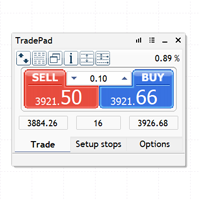
O TradePad é uma ferramenta para negociação manual e algorítmica. Apresentamos uma solução simples para operações de negociação rápida e controlo de posições em diversos instrumentos de negociação. Atenção, a aplicação não funciona no testador de estratégias! Versão de teste da aplicação para uma conta de demonstração e uma descrição de todas as ferramentas A interface da aplicação está adaptada para monitores de alta resolução, simples e intuitiva. Para um trabalho confortável, o comerciante re
Pulsar Terminal é um produto da Pulsar Technologies, uma marca registrada da Astralys LLC . Pulsar Terminal é um complemento utilitário para MetaTrader 5. É uma interface visual combinada com ferramentas de execução em um aplicativo complementar conectado à sua conta MetaTrader 5 através de um Expert Advisor . Utilizamos um aplicativo complementar para maximizar as capacidades da ferramenta e fornecer uma interface visual e um fluxo de trabalho mais avançados do que os painéis padrão do MT5. Pu
Indicador Crypto_Forex "WPR com 2 Médias Móveis" para MT5, sem repintura. - O WPR em si é um dos melhores osciladores para scalping. - O indicador "WPR e 2 Médias Móveis" permite visualizar as Médias Móveis Rápida e Lenta do oscilador WPR. - O indicador oferece oportunidades para identificar correções de preço muito cedo. - É muito fácil configurar este indicador através de parâmetros, podendo ser usado em qualquer período gráfico. - Você pode ver as condições de entrada de compra e venda nas
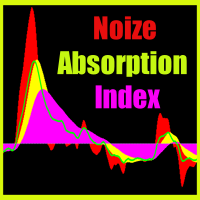
Noize Absorption Index - is the manual trading system that measures the difference of pressure between bears forces and bulls forces. Green line - is a noize free index that showing curent situation. Zero value of index shows totally choppy/flat market.Values above zero level shows how powerfull bullish wave is and values below zero measures bearish forces.Up arrow appears on bearish market when it's ready to reverse, dn arrow appears on weak bullish market, as a result of reverse expectation.
HAS RSI Signal — Indicador de Tendência Profissional com Cálculo de SL/TP O HAS RSI Signal é uma ferramenta de negociação poderosa que combina clássicos comprovados com algoritmos modernos de filtragem de ruído. O indicador analisa o mercado através das velas Heiken Ashi Smoothed (HAS) e do oscilador RSI , fornecendo sinais de entrada claros em momentos de reversão de tendência ou na saída de zonas de sobrecompra/sobrevenda. Principais Vantagens: Filtragem Dupla: O uso do Heiken Ashi Smoothed pe
RBreaker
Zhong Long Wu
RBreaker Gold Indicators é uma estratégia de negociação intradiária de curto prazo para futuros de ouro que combina duas abordagens: o seguimento de tendência e as reversões intradiárias. Ela permite capturar lucros durante mercados em tendência e também realizar lucros oportunamente e operar na direção oposta quando o mercado se reverte. Esta estratégia foi classificada por 15 anos consecutivos entre as dez estratégias de negociação mais lucrativas pela revista americana Futures Truth. Ela pos
LT Rainbow Trend
Thiago Duarte
5 (1)
== LT RAINBOW TREND - O INDICADOR DE TENDÊNCIA COM 36 MÉDIAS MÓVEIS == VISÃO GERAL O LT Rainbow Trend é um indicador técnico avançado de análise de tendências que utiliza 36 Médias Móveis simultâneas com um sistema de cores inteligente (Rainbow). Desenvolvido para traders que desejam operar na direção da tendência principal com máxima clareza visual, o indicador transforma a complexidade da análise multi-timeframe em uma visualização simples, colorida e altamente intuitiva. Ideal para operado
Pro Gold System Indicator
PEDRO JOAQUIM GONCALVES GOMES
ADVANCED FUNCTIONALITIES: Trend Score (0-100) with visual bar Intelligent signals with adjustable strength (1-10) Risk management with automatic TP/SL Audible and visual alerts Price zones with smooth filling Multi-indicator analysis (RSI, ATR, BB, EMAs) DESIGN FEATURES Modern Visual: Smooth and well-spaced lines (EMA with 2-3px width) Vibrant and professional colors (Sky Blue, Orange, Gold) Modern arrows (code 233/234) for buy/sell signals Configurable dark/light theme Adjustable transparency f
Aurum Pyramid
Ahmad Q A S Alazemi
Aurum Pyramid — Gold Trend EA Follow the trend. Add with confirmation. Manage each position. Aurum Pyramid brings BUY and SELL trading, multi-timeframe signals and position management together in one MetaTrader 5 Expert Advisor. Designed for evaluation on XAUUSD H1, it combines H4 trend direction with M15 entry confirmation. Signals use completed candles, while H1 ATR guides initial stop losses and trailing adjustments. A structured approach to pyramiding The EA starts with a fixed-volume p
Overview Mirror Signals Service EA (Text only)   is a powerful monitoring Expert Advisor that automatically sends   real-time Telegram notifications   for all important trade events on your MetaTrader 5 account. It is engineered specifically for   signal providers ,   trade-copier operators ,   auditors ,   educators , and   professional trading services   that require immediate, detailed, and reliable reporting. Everything from   entries, exits, SL/TP changes, comment changes, trailing sto
Margin Call Shield – Defend Your Margin on Your Terms Margin Call Shield is a tool for MetaTrader 5 traders who want to decide for themselves which open positions are closed during margin call situations before the platform does so automatically based on its internal rules. By default, the broker or platform decides which positions to close, often using undisclosed algorithms. Margin Call Shield lets you set this order according to your own strategy. Why Was Margin Call Shield Created? In a mar
Smart Support And Resistance Indicator See the Market Levels That Matter. Make your chart clearer and your technical analysis more organized with Smart Support And Resistance Indicator — a powerful trading tool designed to help traders identify important support and resistance levels directly on their MetaTrader 5 charts. Whether you trade Forex, Gold, Indices, or other available markets, this indicator helps you focus on key price areas, monitor potential market reactions, and analyze price act
SolarTrade Suite Financial Robot: LaunchPad Market Expert - concebido para abrir negociações! Este é um robô comercial que utiliza algoritmos especiais inovadores e avançados para calcular os seus valores, o seu assistente no mundo dos mercados financeiros. Utilize o nosso conjunto de indicadores da série SolarTrade Suite para escolher melhor o momento de lançamento deste robô. Veja os nossos outros produtos da série SolarTrade Suite na parte inferior da descrição. Quer navegar com confiança
Sobre o Indicador Este indicador é baseado em simulações de Monte Carlo nos preços de fechamento de um instrumento financeiro. Por definição, Monte Carlo é uma técnica estatística usada para modelar a probabilidade de diferentes resultados em um processo que envolve números aleatórios com base em resultados previamente observados. Como Funciona? Este indicador gera múltiplos cenários de preços para um ativo, modelando variações de preços aleatórias ao longo do tempo com base em dados históricos
Prime Vortex Pro (MT5) — Multi-Layer Confluence Trend & Reversal Signal Indicator Built natively for MetaTrader 5. Fewer signals. Stronger confluence. Why Prime Vortex Pro Exists Most signal indicators fire on nearly every candle — dozens of arrows a day, most of them noise that pulls traders into weak, low-probability setups. Prime Vortex Pro flips that approach: silence is the default. A signal only appears when multiple, independent layers of market evidence — trend, trend strength, market st
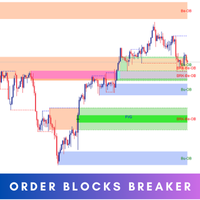
Introducing   Order Blocks Breaker , a brand-new way to identify and leverage order blocks in your trading strategy. After developing multiple order block tools with unique concepts, I’m proud to present this tool that takes things to the next level. Unlike previous tools,   Order Blocks Breaker   not only identifies order blocks but also highlights   Breaker Order Blocks —key areas where the price is likely to retest after a breakout. MT4 -  https://www.mql5.com/en/market/product/124101/ This t
Mine Farm
Maryna Kauzova
Mine Farm is one of the most classic and time-tested scalping strategies based on the breakdown of strong price levels. Mine Farm is the author's modification of the system for determining entry and exit points into the market... Mine Farm - is the combination of great potential with reliability and safety. Why Mine Farm?! - each order has a short dynamic Stop Loss - the advisor does not use any risky methods (averaging, martingale, grid, locking, etc.) - the advisor tries to get the most
Os compradores deste produto também adquirem
Trade Assistant MT5
Evgeniy Kravchenko
4.43 (216)
Ajuda a calcular o risco por comércio, a fácil instalação de uma nova encomenda, gestão de encomendas com funções de fecho parcial, trailing stop de 7 tipos e outras funções úteis. Materiais e instruções adicionais Instruções de instalação   -   Instruções para a aplicação   Função de linha Mostra no gráfico a linha de Abertura, Stop Loss, Take Profit. Com esta função é fácil definir uma nova ordem e ver as suas características adicionais antes da abertura.   Gestão de risco A função de cálcul
Bem-vindo ao Trade Manager EA—uma ferramenta de gestão de risco criada para tornar o trading mais intuitivo, preciso e eficiente. Não é apenas uma ferramenta para executar ordens, mas uma solução abrangente para planejamento de operações, gerenciamento de posições e controle de risco. Seja você um iniciante, trader avançado ou scalper que precisa de execução rápida, o Trade Manager EA adapta-se às suas necessidades, oferecendo flexibilidade em todos os mercados, desde forex e índices até commodi
Farmed Hedge Yield Farming | All Markets (Manual - Hybrid - Semi/Automated EA) VERIFIED TRADING RESULTS - Farmed Hedge Yield Axi Copy:  https://www.mql5.com/en/signals/2356376 - Farmed Hedge Yield Exn Copy:   https://www.mql5.com/en/signals/2356404 - Farmed Hedge Yield V Copy:  https://www.mql5.com/en/signals/2357156 IMPORTANT NOTICE: FarmedHedge is a MANUAL-FOCUSED TRADING UTILITY ,not a fully automated EA. Results shown on this Signal include manual trades and overall strategic management.
O Telegram to MT5 Multi-Channel Copier copia automaticamente os sinais de trading dos seus canais de Telegram e Discord diretamente para o MetaTrader 5. Sem bots, sem extensões de navegador, sem copiar à mão. O sinal chega ao Telegram ou ao Discord e o EA abre a operação no seu terminal em poucos segundos. E antes de copiar um canal, o backtester integrado mostra o que esse canal teria feito na sua conta. O produto inclui dois componentes: um aplicativo de Windows que escuta os seus canais de Te
Local Trade Copier EA MT5
Juvenille Emperor Limited
4.94 (150)
Local Trade Copier EA MT5 é um copiador de operações rápido e flexível para copiar e gerenciar operações entre várias contas MetaTrader 5 no mesmo computador Windows ou Windows VPS. Ele combina a sincronização local de operações com controles no lado do Receiver para tamanho de lote, gerenciamento de risco, filtragem de operações, mapeamento de símbolos, gerenciamento de operações e proteção da conta. Configure seus terminais Transmitter e Receiver em aproximadamente 1 minuto e copie operações
TradePanel MT5
Alfiya Fazylova
4.88 (172)
Trade Panel é um assistente de negociação multifuncional. O aplicativo contém mais de 50 funções de negociação para trading manual e permite automatizar a maioria das tarefas de negociação. Instruções para o aplicativo: https://www.mql5.com/pt/blogs/post/762435 Versão de teste do aplicativo para conta demo: https://www.mql5.com/pt/blogs/post/762547 Como instalar o aplicativo: https://www.mql5.com/pt/blogs/post/762548 Como testar o aplicativo no modo visual: https://www.mql5.com/pt/blogs/post/770
News Trade EA MT5
Konstantin Kulikov
4.55 (11)
Apresento um robô útil que eu mesmo uso há vários anos. Pode ser usado nos modos semiautomático e totalmente automático. >>> Chat <<< O programa contém configurações flexíveis para negociação nas notícias do calendário econômico. Não pode ser verificado no testador de estratégia. Somente trabalho real. Descarregue o ficheiro mais recente de definições: https://www.mql5.com/en/blogs/post/747929 Monitorização de sinais: https://www.mql5.com/en/signals/author/test-standart Ao criar suas próprias
Copie sinais do Telegram com suas próprias regras de negociação Telegram to MT5 Signal Trader copia automaticamente sinais de negociação em texto de canais e grupos públicos e privados do Telegram para o MetaTrader 5. Gerencie vários provedores e contas MT5 em um único aplicativo para desktop, com configurações individuais de risco e de negociação para cada provedor . Você não precisa de um bot do Telegram nem configurar uma API para copiar sinais. Basta entrar com sua própria conta do Telegram
================================================================================ POC BREAKOUT - V20.72. Full Professional Grade Toolkit ================================================================================ POC Breakout is a full MetaTrader 5 trading dashboard for discretionary traders who want breakout signals, Point of Control (POC) context, volume profiles, order flow, market structure, news, alerts, and advanced trade planning in one professional workspace. Attached directly to you
Exp COPYLOT CLIENT for MT5
Vladislav Andruschenko
3.97 (35)
Copiador profissional de operações para MetaTrader 5 Um copiador de operações rápido, profissional e confiável para MetaTrader . COPYLOT permite copiar operações de Forex entre terminais MT4 e MT5 com suporte para contas Hedge e Netting . A versão MT5 do COPYLOT oferece suporte a: - MT5 Hedge → MT5 Hedge - MT5 Hedge → MT5 Netting - MT5 Netting → MT5 Hedge - MT5 Netting → MT5 Netting - MT4 → MT5 Hedge - MT4 → MT5 Netting Versão MT4 Descrição completa + DEMO + PDF Como comprar Como instalar Como
The product will copy all telegram signal to MT5 ( which you are member) , also it can work as remote copier.  Easy to set up, copy order instant, can work with almost signal formats, image signal,  s upport to translate other language to English Work with all type of channel or group, even channel have "Restrict Saving Content", work with  multi channel, multi MT5 Work as remote copier: with signal have ticket number, it will copy exactly via ticket number. Support to backtest signal. How to s
EA Overfitter
Stephen J Martret
5 (3)
That backtest looks great. But will it still be making money tomorrow, next week, next month? EA Overfitter re-runs your EA on 100 price histories it has never seen. One score tells you if the edge is real. A backtest tells you what an EA did on one price history — the one that happened to occur. What you cannot tell from it is how much of that result was the strategy and how much was the particular path. EA Overfitter answers that. It builds up to 100 synthetic price histories your EA has n
Power Candles Strategy Scanner - Localizador de configurações multissímbolo com auto-otimização O Power Candles Strategy Scanner utiliza o mesmo motor de auto-otimização que alimenta o indicador Power Candles — em todos os símbolos da sua lista de observação, lado a lado. Um painel indica-lhe quais os símbolos que são estatisticamente negociáveis neste momento, qual a estratégia vencedora para cada um, o par ideal de Stop Loss / Take Profit, e avisa-o assim que um novo sinal é emitido. Esta ferr
Telegram To MT5 Ultra
Mirel Daniel Gheonu
5 (5)
Telegram To MT5 — Copiador de sinais Transforme as chamadas de trading dos seus canais do Telegram em ordens reais no MT5 — automaticamente, em quantas contas quiser, com o risco e as regras totalmente sob o seu controlo. O Telegram To MT5 liga os canais VIP / de sinais que já segue no Telegram ao seu terminal MetaTrader 5. Um aplicativo de desktop complementar gratuito lê as mensagens (mesmo de canais que bloqueiam bots), e este Expert Advisor executa-as na sua conta — aplicando as suas própria
Timeless Charts
Samuel Manoel De Souza
5 (9)
Timeless Charts é um utilitário de trading tudo-em-um para traders profissionais. Ele combina tipos de gráficos personalizados, como Gráficos por Segundos e Renko , com análise avançada de fluxo de ordens utilizando Footprints , Clusters , Perfis de Volume , estudos VWAP e ferramentas de análise ancorada para uma visão mais profunda do mercado. O gerenciamento de ordens e posições é realizado diretamente no gráfico por meio de um painel integrado de gerenciamento de operações , enquanto o Market
Painel de Trading para MetaTrader 5 — controle profissional de trading em um clique a partir do gráfico e do teclado Um painel de trading avançado para traders ativos, criado para abrir, gerenciar e fechar operações muito mais rápido do que com a interface padrão do MetaTrader. Esta solução foi desenvolvida para quem deseja controlar posições, ordens pendentes, lucro total e execução em um único espaço de trabalho profissional. Não se trata apenas de mais um utilitário. É um verdadeiro cockpit
Anchor Trade Manager
Kalinskie Gilliam
5 (8)
Your EAs cannot see each other, but Anchor can. Anchor gives you one place to coordinate your EAs, manage risk, and decide when trading is allowed. It works alongside the trading bots you already use without any changes to them. The Problem One EA opens a trade. Then another starts trading. The next thing you know, you wake up to multiple grids built across your account. Each EA may be doing exactly what it was designed to do, but together they can place far more risk on your account than you in
VirtualTradePad PRO SE MT5 — centro profissional de controle de trading para MetaTrader 5 VirtualTradePad PRO SE é um painel de trading premium baseado no gráfico e um ambiente de gerenciamento de operações para MetaTrader 5 . Ele foi desenvolvido para traders que desejam execução mais rápida, controle de posições mais claro, gerenciamento de trades estruturado, planejamento visual de níveis e um fluxo de trabalho profissional diretamente no gráfico. Não é apenas um painel de COMPRA / VENDA. O P
Trade Indicator Assistant   is a powerful MT5 utility designed to turn indicators into automated trading systems. Its main feature is the ability to automatically detect an indicator’s   BUY and SELL signal buffers , without requiring you to know the buffer numbers, search through indicator settings, or modify the indicator source code. Bonus Indicator:   After purchasing Trade Indicator Assistant, contact me to receive   Trade Signal Pro   completely free as a bonus indicator. [Download Demo V
Trade Manager DaneTrades
Levi Dane Benjamin
4.13 (31)
Trade Manager para ajudá-lo a entrar e sair rapidamente de negociações enquanto calcula automaticamente seu risco. Incluindo recursos para ajudar a evitar negociações excessivas, negociações de vingança e negociações emocionais. As negociações podem ser gerenciadas automaticamente e as métricas de desempenho da conta podem ser visualizadas em um gráfico. Esses recursos tornam este painel ideal para todos os traders manuais e ajudam a aprimorar a plataforma MetaTrader 5. Suporte multilíngue. Vers
Próxima Atualização — Versão 2.52 em Breve! [NOVO] Prepare-se para 4 Grandes Novos Recursos Projetados para Aprimorar sua Análise de Mercado e seu Fluxo de Trabalho de Trading Estamos levando a análise de mercado a um novo nível com 4 novos recursos desenvolvidos para atender às suas necessidades de trading. Apresentamos: 1. TRADE OVERVIEW DASHBOARD 2. CONFLUENCE AT ZONE 3. STRONG & WEAK HIGH/LOW 4. OTE 1. TRADE OVERVIEW DASHBOARD Um painel que ajuda você a compreender mais facilmente o panoram
MT5 to Telegram Signal Provider é uma utilidade fácil de usar e totalmente personalizável que permite o envio de sinais especificados para o chat, canal ou grupo do Telegram, tornando sua conta um fornecedor de sinais . Ao contrário da maioria dos produtos concorrentes, ele não usa importações de DLL. [ Demonstração ] [ Manual ] [ Versão MT4 ] [ Versão Discord ] [ Canal do Telegram ]  New: [ Telegram To MT5 ] Configuração Um guia do usuário passo a passo está disponível. Não é necessário conhec
Seconds Chart MT5
Boris Sedov
4.61 (18)
Seconds Chart - uma ferramenta exclusiva para criar gráficos de segundos no MetaTrader 5 . Com o Seconds Chart , você pode criar gráficos com períodos definidos em segundos, proporcionando flexibilidade e precisão ideais para análise, indisponíveis em gráficos padrão de minutos ou horas. Por exemplo, o período S15 indica um gráfico com velas de 15 segundos. Você pode usar qualquer indicador ou Expert Advisor com suporte a símbolos personalizados. Trabalhar com eles é tão conveniente quanto negoc
DrawDown Limiter
Haidar Lionel Haj Ali
5 (23)
DrawDown Limiter v5.0 — Controlador Avançado de Proteção de Conta O DrawDown Limiter v5.0 é um controlador de proteção de conta executado no lado do cliente, desenvolvido para monitorar sua conta de trading e reagir automaticamente quando os limites configurados de risco, lucro, notícias, horário, rollover ou número de posições forem atingidos. Ele pode monitorar operações manuais, estratégias automatizadas, vários Expert Advisors, ordens pendentes e posições abertas a partir de um único gráfico
Telegram to MT5 Coppy
Sergey Batudayev
5 (10)
Telegram para MT5:   A solução definitiva para cópia de sinais Simplifique suas negociações com o Telegram para MT5, a ferramenta moderna que copia sinais de negociação diretamente dos canais e chats do Telegram para a sua plataforma MetaTrader 5, sem a necessidade de DLLs. Esta solução poderosa garante execução precisa dos sinais, amplas opções de personalização, economiza tempo e aumenta sua eficiência. [ Instructions and DEMO ] Principais características Integração direta da API do Telegram A
RS Trade Copier - o local trade copier ultrarrápido com uma interface gráfica verdadeira . Pare de digitar números de conta manualmente. Chega daquela lista enorme de 200+ parâmetros de entrada incompreensíveis. Uma ferramenta confiável e flexível para cópia de operações comerciais entre múltiplos terminais MT5 e MT4. Atende tanto traders experientes e serviços de sinais quanto investidores individuais. Permite sincronizar negociações de um ou múltiplos Provedores para um ou múltiplos Clientes c
RETAILBERG FOOTPRINT CHART PRO — Order-Flow Workspace for MetaTrader 5 Version 7.00  |  Professional System  |  31 tools  |  One chart A full 150-page illustrated User Manual is included. Please read the full manual to understand this feature packed footprint chart elements and ui. https://www.mql5.com/en/blogs/post/777982 DEMO / STRATEGY TESTER — PLEASE READ FIRST
Trade Dashboard MT5
Fatemeh Ameri
4.94 (135)
Trade Dashboard simplifies how you open, manage, and control your trades, with built-in lot size calculation. It allows you to execute trades, manage risk, and control positions directly on the chart, with tools such as partial close, breakeven, and trailing stop. Designed to reduce manual work and help you stay focused on your trading decisions. A demo version is available for testing. Detailed explanations of features are provided within the MQL5 platform. Installation instructions are include
Assistente de Trading no Gráfico e Painel de Gestão de Risco Ferramenta completa no gráfico com Stop Loss (SL) e Take Profit (TP) multimodo (ATR, R:R, pontos, moeda da conta), análises em tempo real e calendário econômico O Ergotick Trade Manager é um painel de trading profissional tudo-em-um, desenvolvido para traders discricionários, traders em avaliação de mesa proprietária (prop firms) e scalpers. Ele combina cálculos automáticos e instantâneos de tamanho de lote, configurações multimodo de
Zentral Trading Manager
Ray Zeanrik Parreno Fredeluces
5 (4)
Zentral Manager Your Command Center for Precision Trading — Now Stronger than Ever Take control of your trades like never before. Zentral Trading Manager is your all-in-one manual trading panel for MetaTrader 5 — built for scalpers, day traders, and serious strategy execution. Fully compatible with both Mac and Windows laptops. High-DPI safe. No more layout issues. Key Features (Latest 2025 Update): • One-Click Close – Instantly close Buy/Sell, winning/losing trades, or even half positions with
Mais do autor
Point it at any indicator you already have, by file name, and it will alert you on that indicator's own buffers. It needs no source code: a compiled .ex5 you downloaded is enough. It can also read that indicator from a higher timeframe, and it re-reads closed bars to tell you whether the indicator repaints or merely lags. This is free. The problem it solves Two of the longest running threads on the MQL5 forum are about putting alerts on indicators and about reading them from a higher timeframe.
FREE
Quasimodo Supply Demand Gold is an Expert Advisor for gold (XAUUSD) on MetaTrader 5. It trades two setups, the QM (Quasimodo) reversal and supply and demand (SnD) zones, only in the direction of the H4 trend. The QM is also called the over and under pattern, and some traders write Quasimodo as Quazimodo. The EA doesn't enter when the price first reaches a zone. It waits for a break on M5 inside the zone, then opens one market order with its stop loss and take profit. How it trades The EA reads t
CRT Candle Range Theory Setup Finder marks CRT setups on your chart: the range candle, the sweep, the 50% level and the target, on up to three timeframes at once, in New York time on any broker. On the chart and in alerts it calls itself CRT Setup Finder. Who it is for Traders who read CRT on the 4-hour and daily candles. Traders who only take the 1, 5 and 9 AM New York 4-hour candles, or the 2, 6 and 10 AM candles on index futures. Daily CRT traders who want an entry on a lower timeframe (CISD,
Filtro:
Sem comentários
Responder ao comentário