Trade Manager with Prop Firm Rules

Trade Manager with Prop Firm Rules is a trade panel for MetaTrader 5. It sizes each order from your risk, manages the trades it opens, and guards a prop firm account with a daily loss and max drawdown formula you set to match your firm's. It never opens a trade you didn't ask for.

The panel

  • BUY and SELL sized by risk: % of balance, % of equity, money or a fixed lot. The lot and the money at risk show before you press.
  • SL in points or as a price (default 1.5 x ATR 14). TP as an R multiple (R is your stop distance), points or a price.
  • Lines: entry, SL and TP lines on the chart, then Place sends a buy stop, buy limit, sell limit or sell stop.
  • Partial take profit at a chosen R, break-even after the partial or at a chosen R, trailing stop in R. They act on the panel's own trades; one setting extends them to your manual trades, or to every trade on the chart's symbol.
  • BE now, Close half, Close symbol. Optional hotkeys Shift+B, Shift+S, Shift+X.
  • Follows a light or dark chart by itself and minimises to one line.

The prop guard

Set it the way your firm counts:

  • Daily loss: the day's base is the balance at the reset, the equity at the reset, or the higher of the two. The allowance is a % of the account size, a % of the day's base, or money.
  • Reset time on server time, UTC, a fixed UTC offset, New York or Central Europe time (both with daylight saving).
  • Max drawdown: static, trailing on closed balance, or trailing on equity; a % of the account size, a % of the peak, or money; trailing can stop at the account size.
  • A buffer (10% of the allowance by default), so it acts before the firm's line, not on it.

For the equity and higher-of bases the terminal has to be running at the reset; if it wasn't, type the day's start figure once. Trailing on equity follows the peak while the terminal runs; after time off, type the firm's peak.

At the acting level it closes every position and deletes every pending order on the account: every symbol, manual trades and other EAs included. Then the panel takes no new trades until the next reset (daily loss) or until you re-arm it (max drawdown). A trade opened elsewhere while it's locked, by hand, from the phone or by another EA, is closed too: up to 10 per lock, then it alerts instead, though anything at or past the acting level is still closed. Alerts at 50%, 80% and at the line. In alert-only mode it alerts and closes nothing. There's also an optional profit-target lock.

Rules it keeps

  • An order goes out only when you press, or for a phone trade you placed with phone resize on. One press sends one order; a second click within half a second counts as the same press, and the panel says so. A held hotkey acts once.
  • A lot cap and a max risk per order. Above them your order is refused with the reason, never trimmed.
  • If a rule needs your account size, the day's start figure or your equity peak and doesn't have it, it shows SET UP and says what to type. It doesn't guess one.
  • After a restart it reads the guard's lock, the day's base and the balance peak back from the account history, so a lost file can't unlock it. The one exception is a lock pressed with nothing open: nothing of it reaches the history, so it's kept only in that file. A max drawdown stop read back from the history refuses new trades but leaves the trades already open alone, since a re-arm may have gone with the file; it says so, and you re-arm if you had. The equity at the reset and the equity peak are kept in its own file; if that file is gone, the rule asks for them.
  • One guard per account, however many charts you open. If that chart freezes, another one takes over after 30 seconds.
  • If Algo Trading is off (the toolbar button or the EA's own "Allow Algo Trading"), the login can't trade or the connection drops, the panel says so in red and alerts once. It sends nothing then, and the guard can't close anything until that's fixed: a line reached meanwhile still locks, and the closes go out once it can trade. When the connection comes back it reads the account again by itself. Starting the terminal without internet doesn't trip the guard: it waits until it can read your account.

Phone trades (optional, off by default)

Open the trigger lot (0.01 by default, a setting) in the MetaTrader 5 phone app while the terminal is running. The EA on your PC or VPS gives it your default SL if it has none, then adds the volume your risk allows, with the same SL and TP: 0.5 to 0.9 s after the phone trade in 15 tries on a demo, and 1.2 s in the one try on a symbol with no chart open. On a hedging account the added part is a second position. The panel manages the part it added; set "Manage which trades" to include manual trades to manage the 0.01 too. If the add would break your lot cap or max risk, the 0.01 keeps its SL and nothing is added. A phone trade the EA first sees more than 60 s after it opened (a setting) is left as it is, SL included. While the guard is locked, the trade is closed instead (0.48 s in a test).

First steps on a prop account

  1. Open one chart of the symbol you trade and drag Trade Manager with Prop Firm Rules onto it from the Navigator. The Algo Trading button in the toolbar has to be on, and so does "Allow Algo Trading" in the EA's Common tab.
  2. In the Inputs tab, under "Prop guard", type your "Account start size", for example 100,000 for a 100k account. Then copy your firm's rules into the daily loss and max drawdown settings. "Every setting, in plain words" below says what each one does.
  3. Press OK. The panel opens at the top left of the chart. "Prop guard: ARMED" in green means the guard is watching. Check both rows under it: a row that reads SET UP names the figure it still needs, and that rule isn't watched until you type it.

A size far from the balance (outside 0.7 to 1.5 times) is confirmed once with OK in the inputs. Outside alert-only mode, a new size, day's start figure or equity peak that would put equity at or under its acting level at once (a typo such as 100,000 on a 10,000 account) isn't taken: the panel and an alert say why, and nothing is closed. In the Strategy Tester the deposit is the account size when "Account start size" is 0, and for a reset clock other than server time you type the server's UTC offset.

Taking a trade

  • "Risk" sets the size of each trade. In the default mode it's the % of the balance a trade loses at its stop, so 1.00 means 1%. The "Risk mode" setting can make it a % of equity, an amount of money or a fixed lot.
  • "SL" is the stop's distance in points. Type 0 and the box shows ATR: the stop then goes 1.5 x ATR 14 of the chart's timeframe away. The small "pts" button switches the box to "price", so you can type the stop's price instead.
  • "TP" is an R multiple by default: 2.00 puts the target twice the stop distance away. 0 means no TP on BUY and SELL.
  • Next to TP the panel shows the lot and the money at risk before you press. If something's wrong it shows the reason there instead, such as "risk too small for the minimum lot 0.01". The preview is worked out for a buy. With a stop price set for a sell it says the SL price is on the wrong side, and SELL still works.
  • Press BUY or SELL. The line at the bottom of the panel says what happened.

What you type in the boxes, and the pts or price choice, is saved for the account, not for each chart. After a restart every chart on the account opens with the last values typed on any of them. If you change that value in the inputs, the input wins.

On a netting account with a position open, the buttons read ADD and REDUCE. ADD works out the extra volume from the open position's SL, so the position must have one. REDUCE closes part of the position, sized from your risk and never more than the position. Lines can't place a pending order while that position is open.

Pending orders with Lines

  1. Press Lines. Three lines appear on the chart: entry in blue, SL in red and TP in green.
  2. Drag them to your levels. The panel shows the lot and the risk for them, and the button beside it names the order: Place BUY STOP, BUY LIMIT, SELL LIMIT or SELL STOP.
  3. Press it to send the order, or press Cancel to take the lines away.

The SL line decides the side: under the entry it's a buy, above it a sell. The order takes the TP line's price as its TP. It stays until you cancel it, or until the end of the day if you choose that in "Pending order expiry".

While a trade is open

"This symbol" shows how many trades the panel manages here, their lots and their profit. The line under it shows how they're managed, for example "TP1 50% at 1.0R · BE after TP1 · trailing off".

  • TP1 closes part of the trade at a chosen R: 50% at 1.0R by default.
  • Break-even moves the SL to the entry after TP1, or at a chosen R, plus an offset in points if you set one. "After TP1" needs Partial TP on, and any cut of the volume counts as TP1, Close half too.
  • Trailing, once you turn it on, starts at 1.5R and keeps the SL 1.0R behind the price, moving it in steps of 0.1R.

A trade too small to split, such as 0.01 lot, can't take TP1. From the TP1 level on, break-even and trailing skip it too, so if your risk gives trades that small, turn "Partial TP" off.

The SL only ever moves toward profit. The three buttons under it work right away:

  • BE now moves the SL to break-even on each managed trade that's far enough past its entry.
  • Close half closes half of each managed trade.
  • Close symbol closes the managed trades and deletes the panel's own pending orders on this symbol.

When there's more than one to act on, Close half and Close symbol ask for a second press within 3 seconds.

To manage the trades you open by hand too, set "Manage which trades" to include manual trades. TP1, break-even and trailing work in R, and R is the stop distance a trade was opened with. A trade opened without a stop has no R, so they leave it alone, even if you add a stop later.

Reading the prop guard

"Prop guard: ARMED" comes with two rows. For example, on a 100,000 account with a 5% daily loss and equity at 98,750:

Day -1,250 / 5,000 ###....... 25% line 95,000 acts 95,500

That's 1,250 lost of today's 5,000 allowance, 25% used. The firm's line is at 95,000 equity, and the guard acts at 95,500, the line plus the buffer. The Max row reads the same way for the max drawdown, and under them is the time to the next daily reset.

The word after "Prop guard:" is its state:

  • ARMED: the guard is watching, and it acts at each rule's acting level. A row that still reads SET UP isn't watched.
  • WATCHING: the same with "At the line" set to alert only. It alerts and closes nothing.
  • SET UP: neither rule has its figures yet. Each row says what to type.
  • LOCKED: the daily loss line was reached, or you pressed Close all + lock. No new trades until the next reset.
  • STOPPED: the max drawdown line or the profit target was reached. No new trades until you re-arm.
  • OFF: the guard is turned off in the settings.

"(held by another chart)" means another chart on the same account runs the guard. Re-arm works only on that chart, and Close all + lock pressed here is passed on to it. "cannot trade" in red means Algo Trading is off, the connection is down or the account can't trade, and the bottom line of the panel says which.

The button at the bottom right reads "Close all + lock". It closes every position and deletes every pending order on the account, then locks until the next reset. While the guard is STOPPED the same button reads "Re-arm". Both need a second press within 3 seconds. A re-arm is refused while equity is still at or under the max acting level, or still at the profit target.

Alerts come at 50% and 80% of each allowance and at the line. They show in the terminal, and on your phone as well if push notifications are on in the terminal (Tools, Options, Notifications).

Using phone trades

  1. Turn on "Resize phone trades" in the inputs, and keep the terminal with the panel running on your PC or VPS.
  2. In the MetaTrader 5 phone app, open the trigger lot (0.01 by default), with or without a stop loss.
  3. If it has no stop, the EA gives it the SL from "Default SL, points" (the input, not the SL box). Then it adds the volume the Risk box allows, with the same SL and TP.

The chart that holds the guard does this while the guard shows ARMED or WATCHING, or with the guard off. While it shows SET UP a phone trade is left as it is, and while it's LOCKED or STOPPED the trade is closed instead. A phone trade that's already more than 60 seconds old when the EA first sees it is left alone. On a netting account, a phone trade that joins a position already open isn't resized.

Every setting, in plain words

Entry:

  • "Risk mode": % of balance (default), % of equity, money or a fixed lot.
  • "Risk": the Risk box's starting value, 1.0.
  • "SL mode": points (default) or price, for the SL box.
  • "Default SL, points": 0 (default) means 1.5 x ATR 14 of the chart's timeframe. Phone trades with no stop get their SL from here too.
  • "TP mode": R multiple (default), points or price. "TP": 2.0, and 0 means none.
  • "Max lot per order": 5.0. A bigger order is refused with the reason, never trimmed. 0 turns it off.
  • "Max risk per order, %": 2.0, of the balance. A riskier order is refused the same way. 0 turns it off.
  • "Max spread, points": off at 0. Above it BUY and SELL are refused.
  • "Slippage, points": 30, the deviation sent with market orders.
  • "Pending order expiry": good till cancelled (default) or end of day.
  • "Magic number": 240611, the number on the panel's trades. It can't be 0 or the guard's 7350071 and 7350072.
  • "Order comment": TM.
  • "Confirm each order (second press)": off. When on, BUY, SELL and Place need a second press within 3 seconds.
  • "Hotkeys Shift+B, Shift+S, Shift+X": off. When on, Shift+B buys, Shift+S sells and Shift+X does what Close symbol does. Click the chart first so it gets the keys. They don't work in the Strategy Tester.

Management:

  • "Manage which trades": the panel's own trades (default), own + manual trades on this symbol, or every trade on this symbol.
  • "Partial TP", "Partial TP: % of the position" and "Partial TP: at R": on, 50%, 1.0R.
  • "Break-even": after TP1 (default), at X R, or off. "Break-even at R" (1.0) is for the "at X R" choice. "Break-even offset, points" (0) puts the SL that far past the entry.
  • "Trailing stop": off. "Trailing: start at R" 1.5, "Trailing: distance, R" 1.0, "Trailing: step, R" 0.1.

Prop guard:

  • "Prop guard": on. Turned off, the panel still works, nothing is guarded, and Close all + lock does nothing.
  • "Account start size": the size your firm gave you. At 0 the rules that need it show SET UP.
  • "Daily loss" and "Daily loss unit": 5, as % of the start size. The unit can also be % of the day's base, or money.
  • "Day's base": balance at the reset (default), equity at the reset, or the higher of the two.
  • "Day start figure": only for the equity and higher-of bases, when the terminal wasn't running at the reset. Type the equity at the last reset, as your firm shows it.
  • "Reset time" and "Reset clock": 00:00 on server time by default. The clock can also be UTC, a fixed UTC offset (set "Fixed UTC offset, hours"), New York or Central Europe time, both with daylight saving.
  • "Server UTC offset in the Strategy Tester, hours": only for tester runs on a clock other than server time.
  • "Max drawdown", "Max drawdown unit" and "Max drawdown type": 10, % of the start size, static. The unit can also be % of the peak, or money; the type, trailing on closed balance or trailing on equity.
  • "Trailing stops at the start size": off. When on, a trailing line stops rising once it reaches the start size.
  • "Current equity peak": for trailing on equity after time off, type the firm's peak. At 0 it uses the peak it saved while running. With nothing saved and trades already on the account, the Max row asks you to type it.
  • "Peak counted since": for trailing on closed balance. At 0 the peak is counted from the last deposit or balance adjustment that set the balance to the start size, for example the start of a new phase.
  • "Buffer, % of the allowance": 10. The guard acts this much before the firm's line.
  • "At the line": close all + lock (default) or alert only.
  • "Enforce the lock (up to 10 closes)": on. While locked, a trade opened elsewhere is closed, up to 10 per lock. In alert-only mode nothing is closed.
  • "Profit target lock, % above start": off at 0. It needs the start size. At that profit it closes everything and stops until you re-arm; in alert-only mode it only alerts.
  • "Alerts at 50%, 80% and the line": on. Off silences the guard's alerts.

Phone trades:

  • "Resize phone trades": off. "Trigger lot": 0.01. "Max age, seconds": 60. "Sources": the phone app (default), or the phone app and the web terminal.

Panel:

  • "X" and "Y": where the panel opens the first time, 10 and 25. Once you drag it or type in a box, it opens where you left it, on every chart of the account.
  • "Start minimised": off. The "-" at the top right folds the panel to one line and "+" opens it again; after that it opens the way you left it.
  • "Theme": follow the chart (default), light or dark.

Strategy Tester:

  • "Sample trades (tester only)": on, so the demo shows the management and the guard working.
  • "Print speed counters once a minute": off. When on, it writes the time per tick to the journal.

Measured (Intel Core i5-6300U laptop, Windows 10)

  • Strategy Tester, real ticks: time per tick with nothing open, median about 1 microsecond; with 30 positions managed on the chart, median 9. On a live demo chart over 8 hours with nothing open, panel drawn: 33 microseconds (the median of the one-minute medians), and the slowest single tick 2.8 milliseconds. Terminal memory 146.5 MB ten minutes after the start, 148.2 MB at the end of the 8 hours.
  • On a demo account, from the trade that took equity past the acting level to its close: 316, 376, 398 and 464 ms in four trips (one through another symbol, one on the max line).
  • Trades in a market that was closed at the time (an index or gold in its daily break): sent again every 5 seconds and closed at the first try the server took once that market opened, 0.46 to 34 s after its opening time in four tests (on gold the server still answered "session closed" for about the first half minute). Meanwhile the panel said so.
  • Close all of 20 positions: account flat 0.51 s after the first of two presses (1.25 s in an earlier run), each position closed once.
  • Two real connection drops (18 and 21 minutes) during the 8-hour live run: the alert within 0.12 s of the terminal's own "connection lost" line, and the account read again with ARMED shown 0.22 s and 0.07 s after the terminal synchronised with the server again.
  • "Close all + lock" on 10 trades pressed 0.34 s after the Wi-Fi went off (off for 1 minute 45 s; the terminal itself took about 15 s to notice): each trade closed once, all 10 about 4 s after the Wi-Fi came back.
  • Every daily and max line in the formulas checked against hand figures: 18 of 18 equal. The reset clock checked against Windows' own time zone rules across the 2025 and 2026 daylight saving changes: 82,474 checks (14 reset settings over 5,891 instants), 0 wrong.

Limits, stated up front

  • It needs a running MetaTrader 5 terminal on a PC or VPS. EAs run in the desktop terminal, so it can't stop a click in the phone app.
  • One terminal per account.
  • A market that is closed can't take a close. The guard sends it again every 5 seconds until that market opens, and the panel says "market closed, retried every 5 s".
  • A price gap or a large order's spread can carry equity past the line before the close fills. The buffer is there for that, and the firm's own figures always win.
  • The money at risk shown is at the price asked. A server stop can fill worse in a fast market (one test: the stop filled 5.24 past the SL in price, 69.09 USD lost against the 49.80 shown).
  • Reset clocks other than server time rely on the PC clock being right.
  • Partial, break-even and trailing run on the chart's symbol. Open a chart for each symbol you want managed.
  • Don't open a panel trade on the same symbol within 90 s of a phone trade: on a server that rewrites order comments it can count as the phone trade's add.
  • In alert-only mode a manual "Close all + lock" closes at the press only; trades opened later aren't closed.
  • Magic numbers 7350071 and 7350072 are the guard's own.
  • Tested on hedging accounts and Windows 10.

In the Strategy Tester

The demo places sample trades so you can see the management and the guard working. They're sized down to your lot cap and max risk so they fit an ordinary deposit (your own orders are never trimmed); on a deposit of 1 or 10 even the minimum lot is too much, so it places none. A sample's spread can trip a tight line in one tick, as a real order can. Sample trades exist only in the Strategy Tester.

Questions: message me here on MQL5. Ayaz Kakepoto

Önerilen ürünler
CosmiCLab SMC FIBO CosmiCLab SMC FIBO is a professional trading indicator designed for traders who use Smart Money Concepts (SMC), market structure analysis and Fibonacci retracement levels. The indicator automatically detects market swings and builds Fibonacci levels based on the latest impulse movement. It also identifies market structure changes such as BOS (Break of Structure) and CHOCH (Change of Character), helping traders understand the current market direction. CosmiCLab SMC FIBO also pr
Inverted_Chart_EA Utility Expert Advisor Inverted_Chart_EA creates and maintains a mirror-inverted chart of any symbol and timeframe. It automatically generates a custom instrument (e.g. US30_INV ) and keeps its price history updated in real time, with bars mirrored around a chosen pivot. This utility gives traders a new way to analyze the market from a different perspective by flipping the chart upside down. Why use an inverted chart? Highlight hidden patterns – price formations that look ordin
Advanced History Collector Panel for MT5 The Advanced History Collector Panel is a professional-grade account analysis and visualization indicator for MetaTrader 5 (MT5). It bridges the gap between raw trading logs and actionable insights by transforming execution data into interactive charts and comprehensive tables. Key Features: Comprehensive Data Metrics : Track daily/weekly profit and loss, long/short ratios, total volume, and deposit/withdrawal history. Dynamic Visualizations : Toggle betw
FREE
Confluence Meter: 26 göstergeden tek bir birleşik derecelendirme Confluence Meter , 26 popüler göstergenin sinyallerini hesaplar ve bunları "sat / nötr / al" şeklinde basit bir derecelendirmede toplar. Onlarca pencere açmanıza ve değerleri elle karşılaştırmanıza gerek yoktur. Panele bir kez bakmak, seçili zaman diliminde piyasanın hangi yöne eğilimli olduğunu görmeye yeter. MT4-version:  https://www.mql5.com/en/market/product/199466 Our products: https://www.mql5.com/en/users/trendhunter/seller
Reversal Master for MT5 Reversal Master for MT5 is a non‑repainting reversal indicator for MetaTrader 5. It helps you detect potential market reversal points and shows the maximum favourable price movement after each historical signal, so you can better understand how price behaved after similar situations in the past. The MT5 version keeps the familiar reversal‑signal logic of the original Reversal Master for MT4, but adds improved visualisation, historical statistics and a points summary panel
Fabii Half Trend Baseline
Fabien Georges Andre Guillemaud
Üst zaman diliminin trendine karşı işlem yapmayı bırakın. İki baseline, tek grafik. Repaint yok. Her parite, her zaman dilimi. 2 dakikada grafiğinizde. Strategy Tester içinde ücretsiz demo. Get more indicators here Baselines, volatility filters and oscillators. No repaint. Neden ihtiyacınız var Grafiğinizde bir çizgi yeşile döndüğü için işleme girersiniz. Sonra üst zaman dilimini açarsınız ve daha büyük trendin ters yönde olduğunu görürsünüz. Sinyal gerçekti. Ama arkasındaki trend sizin taraf
TradePilotmt5
Hossein Khalil Alishir
TradePilot Expert Advisor (EA) for MetaTrader 5 TradePilot is a professional and user-friendly Expert Advisor (EA) for MetaTrader 5 (MT5) . It simplifies automated trading , risk management , and trade execution with a smart trading panel . Perfect for beginners and experienced traders looking for a reliable trade manager EA with automated lot size calculation and smart position management. Key Advantages User-Friendly Trading Panel: Customizable panel with buttons and hotkeys for fast ex
Trading Utility for Forex Currency Pairs Only not for Gold  Functions Auto Lot Calculation based on Risk Auto stoploss  Auto TakeProfit Breakeven Auto Close Half % Close in percentage with respect to the PIPs Pending Orders BuyLimit Sell Limit with distances BuyStop Sell Stop    with distances Trading Informations Risk in percentage For Multiple trades Combine Takeprofit and Combine Stoplosses
Heiken_Ashi_Bars - MT5 için Gelişmiş Trend Görselleştirici Genel Bakış Heiken_Ashi_Bars , piyasa gürültüsünü filtrelemek ve temel trendi vurgulamak için tasarlanmış güçlü, görsel olarak sezgisel bir özel göstergedir (indicator). Geleneksel mum grafikler genellikle düzensiz olabilir. Bu gösterge fiyat verilerinin ortalamasını alarak fiyat hareketini pürüzsüzleştirir, böylece trend devamlılıklarını, geri dönüşleri ve karlı giriş bölgelerini tespit etmeyi çok daha kolay hale getirir. Temel Özellikl
Open Risk Budget Cap enforces a total open stop-loss risk budget across your account. It does not choose direction and does not open discretionary trades on a live chart. Attach it to one chart; the symbol and timeframe do not matter. What it measures Every open position and every pending order is priced to its stop-loss in account currency using OrderCalcProfit. Positions or orders without a stop-loss are counted and shown on the panel as "without stop-loss". They are excluded from the budget
Auto Orders Manager EA
Mohamed Abdulmohsen Mohamed Saeed Ali
Professional Trading Orders Manager for MT5 with Signal-Analyzer-Direction-Power-Orders control - Scalping tools - Risk management - all in one trade panel and dashboard  A sophisticated Expert Advisor that transforms your MT5 platform into a complete trading command center. This tool seamlessly blends automated trading logic with comprehensive manual controls through dual interactive dashboards. Key Features: Automated Trading : advanced scalping strategy on M3 timeframe as a signal sample can
BlueBoat – Prime Cycle is a technical indicator for MetaTrader 5 that visualizes market cycles based on the Fimathe cycle model (Marcelo Ferreira) . It identifies and displays historic and live cycle structures such as CA, C1, C2, C3, etc., helping traders understand the rhythm and timing of price movement across multiple sessions. This tool is ideal for manual analysis or as a supporting signal in discretionary strategies. Key Features Historical Cycle Analysis – Backtest and visualize as many
Trendline Rebounce M5
Abd Rahman Bin Muhammad
Trendline Rebounce M5, M5 zaman diliminde trend çizgisi yeniden testlerini ve ret mumlarını arayan bir MetaTrader 5 Uzman Danışmanıdır. İlk pozisyonu açmadan önce daha yüksek zaman dilimlerindeki piyasa yönünü ve yapısını kontrol eder. Giriş değerlendirmesi beş koşulu birleştirir: EMA trendi, doğrulanmış salınım yapısı, trend çizgisi yeniden testi, ret mumu ve RSI momentumu. Varsayılan asgari giriş puanı dörttür. Varsayılan ayarlarda EMA trendi ve ret mumu zorunludur. İlk girişler için EA; H1 tr
FREE
TradePad
Ruslan Khasanov
5 (1)
TradePad hem manuel hem de algoritmik ticaret için bir araçtır. Size hızlı ticaret işlemleri ve çeşitli ticaret enstrümanlarındaki pozisyonların kontrolü için basit bir çözüm sunuyoruz. Dikkat, uygulama strateji test cihazında çalışmıyor! Demo hesabı için uygulamanın deneme sürümü ve tüm araçların açıklaması Uygulama arayüzü yüksek çözünürlüklü monitörler için uyarlanmıştır, basit ve sezgiseldir. Rahat bir çalışma için, tüccara aşağıdaki araç seti sunulur: Ticaret işlemlerini yönetmek, ana grafi
Pulsar Terminal , Astralys LLC tescilli markası olan Pulsar Technologies ürünüdür. Pulsar Terminal, MetaTrader 5 için bir yardımcı eklentidir. MetaTrader 5 hesabınıza bir Expert Advisor aracılığıyla bağlanan bir eşlik eden uygulama içinde yürütme araçlarıyla birleştirilmiş görsel bir arayüzdür . Aracın yeteneklerini en üst düzeye çıkarmak ve standart MT5 panellerinden daha gelişmiş bir görsel arayüz ve iş akışı sunmak için eşlik eden bir uygulama kullanıyoruz. Pulsar Terminal bağımsız bir uygul
MT5 için "2 Hareketli Ortalamalı WPR" Kripto Forex Göstergesi, Yeniden Boyama Yok. - WPR, scalping için en iyi osilatörlerden biridir. - "WPR ve 2 Hareketli Ortalama" Göstergesi, WPR osilatörünün Hızlı ve Yavaş Hareketli Ortalamalarını görmenizi sağlar. - Gösterge, fiyat düzeltmelerini çok erken görme fırsatı sunar. - Bu göstergeyi parametreler aracılığıyla kurmak çok kolaydır, herhangi bir zaman diliminde kullanılabilir. - Resimlerde Alış ve Satış giriş koşullarını görebilirsiniz. - WPR MA'la
Noize Absorption Index - is the manual trading system that measures the difference of pressure between bears forces and bulls forces. Green line - is a noize free index that showing curent situation. Zero value of index shows totally choppy/flat market.Values above zero level shows how powerfull bullish wave is and values below zero measures bearish forces.Up arrow appears on bearish market when it's ready to reverse, dn arrow appears on weak bullish market, as a result of reverse expectation.
HAS RSI Signal — Otomatik SL/TP Hesaplamalı Profesyonel Trend Göstergesi HAS RSI Signal , kanıtlanmış klasik yöntemleri modern gürültü filtreleme algoritmalarıyla birleştiren güçlü bir ticaret aracıdır. Gösterge, piyasayı Heiken Ashi Smoothed (HAS) mumları ve RSI osilatörü merceğinden analiz ederek, trend dönüşlerinde veya aşırı alım/satım bölgelerinden çıkışlarda yatırımcıya net giriş sinyalleri sağlar. Temel Avantajlar: Çift Filtreleme: Heiken Ashi Smoothed kullanımı piyasadaki "gürültüyü" ort
RBreaker
Zhong Long Wu
RBreaker Gold Indicators is a short-term intraday trading strategy for gold futures that combines trend following and intraday reversal approaches. It not only captures profits during trending markets but also enables timely profit-taking and counter-trend trading during market reversals. This strategy has been ranked among the top ten most profitable trading strategies by the American magazine   Futures Truth   for 15 consecutive years. It boasts a long lifecycle and remains widely used and st
LT Rainbow Trend
Thiago Duarte
5 (1)
== LT RAINBOW TREND - 36 HAREKETLİ ORTALAMALI TREND İNDİKATÖRÜ == GENEL BAKIŞ LT Rainbow Trend, akıllı bir renk sistemi (Rainbow/Gökkuşağı) ile çalışan ve aynı anda 36 Hareketli Ortalamayı (Moving Average) kullanan gelişmiş bir teknik trend analizi indikatörüdür. Ana trend yönünde maksimum görsel netlikle işlem yapmak isteyen yatırımcılar için geliştirilen bu indikatör, çoklu zaman dilimi (multi-timeframe) analizinin karmaşıklığını basit, renkli ve son derece sezgisel bir görünüme dönüştürür.
Pro Gold System Indicator
PEDRO JOAQUIM GONCALVES GOMES
ADVANCED FUNCTIONALITIES: Trend Score (0-100) with visual bar Intelligent signals with adjustable strength (1-10) Risk management with automatic TP/SL Audible and visual alerts Price zones with smooth filling Multi-indicator analysis (RSI, ATR, BB, EMAs) DESIGN FEATURES Modern Visual: Smooth and well-spaced lines (EMA with 2-3px width) Vibrant and professional colors (Sky Blue, Orange, Gold) Modern arrows (code 233/234) for buy/sell signals Configurable dark/light theme Adjustable transparency f
Aurum Pyramid
Ahmad Q A S Alazemi
Aurum Pyramid — Gold Trend EA Follow the trend. Add with confirmation. Manage each position. Aurum Pyramid brings BUY and SELL trading, multi-timeframe signals and position management together in one MetaTrader 5 Expert Advisor. Designed for evaluation on XAUUSD H1, it combines H4 trend direction with M15 entry confirmation. Signals use completed candles, while H1 ATR guides initial stop losses and trailing adjustments. A structured approach to pyramiding The EA starts with a fixed-volume p
Overview Mirror Signals Service EA (Text only)   is a powerful monitoring Expert Advisor that automatically sends   real-time Telegram notifications   for all important trade events on your MetaTrader 5 account. It is engineered specifically for   signal providers ,   trade-copier operators ,   auditors ,   educators , and   professional trading services   that require immediate, detailed, and reliable reporting. Everything from   entries, exits, SL/TP changes, comment changes, trailing sto
Margin Call Shield – Defend Your Margin on Your Terms Margin Call Shield is a tool for MetaTrader 5 traders who want to decide for themselves which open positions are closed during margin call situations before the platform does so automatically based on its internal rules. By default, the broker or platform decides which positions to close, often using undisclosed algorithms. Margin Call Shield lets you set this order according to your own strategy. Why Was Margin Call Shield Created? In a mar
Smart Support And Resistance Indicator See the Market Levels That Matter. Make your chart clearer and your technical analysis more organized with Smart Support And Resistance Indicator — a powerful trading tool designed to help traders identify important support and resistance levels directly on their MetaTrader 5 charts. Whether you trade Forex, Gold, Indices, or other available markets, this indicator helps you focus on key price areas, monitor potential market reactions, and analyze price act
SolarTrade Suite Finansal Robot: LaunchPad Market Expert - işlemleri açmak için tasarlanmıştır! Bu, değerlerini hesaplamak için özel yenilikçi ve gelişmiş algoritmalar kullanan bir işlem robotudur, Finans Piyasaları Dünyasındaki Asistanınız. Bu robotu başlatmak için anı daha iyi seçmek için SolarTrade Suite serisindeki gösterge setimizi kullanın. Açıklamanın alt kısmında SolarTrade Suite serisindeki diğer ürünlerimize göz atın. Yatırım ve finans piyasaları dünyasında güvenle gezinmek ister m
Göstergenin Hakkında Bu gösterge, bir finansal aracın kapanış fiyatları üzerinde yapılan Monte Carlo simülasyonlarına dayanmaktadır. Tanım olarak, Monte Carlo, daha önce gözlemlenen sonuçlara dayalı rastgele sayılar kullanarak bir süreçteki farklı sonuçların olasılıklarını modellemek için kullanılan bir istatistiksel tekniktir. Nasıl Çalışır? Bu gösterge, tarihsel verilere dayanarak zaman içinde rastgele fiyat değişikliklerini modelleyerek bir menkul kıymet için birden fazla fiyat senaryosu olu
Prime Vortex Pro (MT5) — Multi-Layer Confluence Trend & Reversal Signal Indicator Built natively for MetaTrader 5. Fewer signals. Stronger confluence. Why Prime Vortex Pro Exists Most signal indicators fire on nearly every candle — dozens of arrows a day, most of them noise that pulls traders into weak, low-probability setups. Prime Vortex Pro flips that approach: silence is the default. A signal only appears when multiple, independent layers of market evidence — trend, trend strength, market st
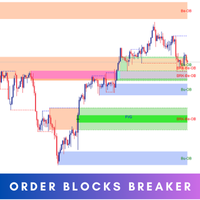
Introducing   Order Blocks Breaker , a brand-new way to identify and leverage order blocks in your trading strategy. After developing multiple order block tools with unique concepts, I’m proud to present this tool that takes things to the next level. Unlike previous tools,   Order Blocks Breaker   not only identifies order blocks but also highlights   Breaker Order Blocks —key areas where the price is likely to retest after a breakout. MT4 -  https://www.mql5.com/en/market/product/124101/ This t
Mine Farm
Maryna Kauzova
Mine Farm is one of the most classic and time-tested scalping strategies based on the breakdown of strong price levels. Mine Farm is the author's modification of the system for determining entry and exit points into the market... Mine Farm - is the combination of great potential with reliability and safety. Why Mine Farm?! - each order has a short dynamic Stop Loss - the advisor does not use any risky methods (averaging, martingale, grid, locking, etc.) - the advisor tries to get the most
Bu ürünün alıcıları ayrıca şunları da satın alıyor
Trade Assistant MT5
Evgeniy Kravchenko
4.43 (216)
It helps to calculate the risk per trade, the easy installation of a new order, order management with partial closing functions, trailing stop of 7 types and other useful functions. Additional materials and instructions Installation instructions - Application instructions Line function -   shows on the chart the Opening line, Stop Loss, Take Profit. With this function it is easy to set a new order and see its additional characteristics before opening.   Risk management  - The risk calculation
Trade Manager EA’ye hoş geldiniz! Ticaretin daha sezgisel, hassas ve verimli hale gelmesi için tasarlanmış nihai risk yönetim aracı ile tanışın. Bu sadece bir emir verme aracı değil; ticaret planlaması, pozisyon yönetimi ve risk kontrolü için kapsamlı bir çözüm. İster yeni başlayan bir yatırımcı olun, ister deneyimli bir trader ya da hızlı emir gerektiren bir scalper, Trade Manager EA ihtiyaçlarınıza uyum sağlar ve forex, endeksler, emtialar ve kripto paralar dahil tüm piyasalarda esneklik sunar
Farmed Hedge Yield Farming | All Markets (Manual - Hybrid - Semi/Automated EA) VERIFIED TRADING RESULTS - Farmed Hedge Yield Axi Copy:  https://www.mql5.com/en/signals/2356376 - Farmed Hedge Yield Exn Copy:   https://www.mql5.com/en/signals/2356404 - Farmed Hedge Yield V Copy:  https://www.mql5.com/en/signals/2357156 IMPORTANT NOTICE: FarmedHedge is a MANUAL-FOCUSED TRADING UTILITY ,not a fully automated EA. Results shown on this Signal include manual trades and overall strategic management.
Telegram to MT5 Multi-Channel Copier   , Telegram ve Discord kanallarınızdaki alım-satım sinyallerini doğrudan MetaTrader 5'e otomatik kopyalar. Bot yok, tarayıcı uzantısı yok, elle kopyalama yok. Sinyal Telegram'a veya Discord'a düşer ve EA birkaç saniye içinde terminalinizde işlemi açar. Ve bir kanalı kopyalamadan önce, yerleşik backtester o kanalın hesabınızda ne yapmış olacağını gösterir. Ürün iki bileşenden oluşur: Telegram kanallarınızı dinleyen bir Windows uygulaması ve sinyalleri MT5 ter
Local Trade Copier EA MT5
Juvenille Emperor Limited
4.94 (149)
Local Trade Copier EA MT5, aynı Windows bilgisayarı veya Windows VPS üzerinde çalışan birden fazla MetaTrader 5 hesabı arasında işlemleri kopyalamak ve yönetmek için hızlı ve esnek bir işlem kopyalayıcıdır. Yerel işlem senkronizasyonunu, Receiver tarafında lot büyüklüğü, risk yönetimi, işlem filtreleme, sembol eşleştirme, işlem yönetimi ve hesap koruması kontrolleriyle birleştirir. Transmitter ve Receiver terminallerinizi yaklaşık 1 dakika içinde ayarlayın ve aynı veya farklı brokerlardaki hesa
TradePanel MT5
Alfiya Fazylova
4.88 (172)
Trade Panel, çok işlevli bir ticaret asistanıdır. Uygulama, manuel ticaret için 50'den fazla ticaret fonksiyonu içerir ve çoğu ticaret görevini otomatikleştirmeyi mümkün kılar. Uygulama talimatları: https://www.mql5.com/en/blogs/post/756482 Demo hesabı için uygulamanın deneme sürümü: https://www.mql5.com/en/blogs/post/750865 Uygulamayı nasıl kurulur: https://www.mql5.com/en/blogs/post/756239 Uygulamayı görsel modda nasıl test edilir: https://www.mql5.com/en/blogs/post/770277 Uygulamayı VPS MetaT
News Trade EA MT5
Konstantin Kulikov
4.55 (11)
Birkaç yıldır kullandığım çok yararlı bir robotu tanıtıyorum. Hem yarı otomatik hem de tam otomatik modlarda kullanılabilir. >>> Chat <<< Program, ekonomik takvim haberlerinde esnek ticaret ayarlarını içeriyor. Stratejiler test cihazında kontrol edilemez. Sadece gerçek bir iş. Ayarların en son arşivini indirin: https://www.mql5.com/en/blogs/post/747929 Sinyal izleme: https://www.mql5.com/en/signals/author/test-standart Bu bilirkişi için kendi ayarlar setinizi oluştururken, blogdaki tüm paramet
Telegram sinyallerini kendi işlem kurallarınızla kopyalayın Telegram to MT5 Signal Trader , herkese açık ve özel Telegram kanallarındaki ve gruplarındaki metin tabanlı işlem sinyallerini otomatik olarak MetaTrader 5'e kopyalar. Tek bir masaüstü uygulamasından birden fazla sinyal sağlayıcısını ve MT5 hesabını yönetin; her sağlayıcı için ayrı risk ve işlem ayarları belirleyin. Sinyal kopyalamak için Telegram botu veya API kurulumu gerekmez. Kendi Telegram hesabınızla telefon numarası veya QR kod k
================================================================================ POC BREAKOUT - V20.72. Full Professional Grade Toolkit ================================================================================ POC Breakout is a full MetaTrader 5 trading dashboard for discretionary traders who want breakout signals, Point of Control (POC) context, volume profiles, order flow, market structure, news, alerts, and advanced trade planning in one professional workspace. Attached directly to you
Exp COPYLOT CLIENT for MT5
Vladislav Andruschenko
3.97 (35)
MetaTrader 5 için profesyonel işlem kopyalayıcı MetaTrader için hızlı, profesyonel ve güvenilir bir işlem kopyalayıcı . COPYLOT , MT4 ve MT5 terminalleri arasında Forex işlemlerini kopyalamanıza olanak tanır ve Hedge ile Netting hesaplarını destekler. COPYLOT MT5 sürümü şunları destekler: - MT5 Hedge → MT5 Hedge - MT5 Hedge → MT5 Netting - MT5 Netting → MT5 Hedge - MT5 Netting → MT5 Netting - MT4 → MT5 Hedge - MT4 → MT5 Netting MT4 sürümü Tam açıklama + DEMO + PDF Nasıl satın alınır Nasıl kurul
The product will copy all telegram signal to MT5 ( which you are member) , also it can work as remote copier.  Easy to set up, copy order instant, can work with almost signal formats, image signal,  s upport to translate other language to English Work with all type of channel or group, even channel have "Restrict Saving Content", work with  multi channel, multi MT5 Work as remote copier: with signal have ticket number, it will copy exactly via ticket number. Support to backtest signal. How to s
REVDEN AI Desk: Trading'inizi Kendi Yapay Zekanızla Tek Bir Sohbetten Yönetin, REVDEN'in Piyasa Bağlamıyla Trading'inizi tek bir sohbetten yönettiğinizi düşünün. REVDEN AI Desk bunu MetaTrader 5'e getiriyor: kendi yapay zekanıza piyasayı nasıl okuduğunu sorarsınız, o da işlem yaptığınız semboller hakkında REVDEN'in tam bağlamından, yani durumlarından, risk görünümlerinden ve yaklaşan açıklamalardan yanıt verir. Önerileri giriş, stop, hedef ve riskle gelir; uygun olanları siz onaylarsınız. Kurall
EA Overfitter
Stephen J Martret
5 (3)
That backtest looks great. But will it still be making money tomorrow, next week, next month? EA Overfitter re-runs your EA on 100 price histories it has never seen. One score tells you if the edge is real. A backtest tells you what an EA did on one price history — the one that happened to occur. What you cannot tell from it is how much of that result was the strategy and how much was the particular path. EA Overfitter answers that. It builds up to 100 synthetic price histories your EA has n
Power Candles Strateji Tarayıcısı - Kendi Kendini Optimize Eden Çoklu Sembol Kurulum Bulucu Power Candles Strateji Tarayıcısı , Power Candles göstergesini çalıştıran aynı kendinden optimize edici motoru, Piyasa İzleyicinizdeki her sembol üzerinde yan yana çalıştırır. Tek bir panel, şu anda istatistiksel olarak hangi sembollerin işlem yapılabilir olduğunu, her birinde hangi stratejinin kazandığını, en uygun Stop Loss / Take Profit çiftini gösterir ve yeni bir sinyal geldiği anda size bildirim gön
Timeless Charts
Samuel Manoel De Souza
5 (9)
Timeless Charts, profesyonel yatırımcılar için hepsi bir arada bir trading aracıdır. Saniye Grafikleri ve Renko gibi özel grafik türlerini, Footprints , Clusters , Hacim Profilleri , VWAP çalışmaları ve gelişmiş piyasa analizi sağlayan sabitlenmiş analiz araçlarıyla gelişmiş emir akışı analiziyle birleştirir. İşlem ve pozisyon yönetimi, entegre işlem yönetim paneli aracılığıyla doğrudan grafik üzerinden gerçekleştirilirken, Market Replay ve Sanal Hesaplar trading becerileri ve stratejileri üzeri
MetaTrader 5 için Trading Panel — grafik ve klavyeden profesyonel tek tıkla işlem kontrolü Aktif traderlar için geliştirilmiş güçlü bir Trading Panel; işlemleri standart MetaTrader arayüzüne göre çok daha hızlı açmanıza, yönetmenize ve kapatmanıza yardımcı olur. Bu çözüm; pozisyonları, bekleyen emirleri, toplam kârı ve işlem yürütmesini tek bir profesyonel çalışma alanında kontrol etmek isteyen kullanıcılar için tasarlanmıştır. Bu sadece sıradan bir yardımcı araç değildir. MetaTrader 5 için ger
Your EAs cannot see each other, but Anchor can. Anchor gives you one place to coordinate your EAs, manage risk, and decide when trading is allowed. It works alongside the trading bots you already use without any changes to them. The Problem One EA opens a trade. Then another starts trading. The next thing you know, you wake up to multiple grids built across your account. Each EA may be doing exactly what it was designed to do, but together they can place far more risk on your account than you in
VirtualTradePad PRO SE MT5 — MetaTrader 5 için profesyonel işlem kontrol merkezi VirtualTradePad PRO SE , MetaTrader 5 için grafik tabanlı premium bir işlem paneli ve trade yönetim çalışma alanıdır. Daha hızlı emir yürütme, daha net pozisyon kontrolü, yapılandırılmış trade yönetimi, görsel seviye planlama ve doğrudan grafik üzerinden profesyonel bir çalışma akışı isteyen traderlar için tasarlanmıştır. Bu yalnızca basit bir BUY / SELL paneli değildir. PRO SE; manuel işlem, bekleyen emirler, pozis
RETAILBERG FOOTPRINT CHART PRO — Order-Flow Workspace for MetaTrader 5 Version 7.00  |  Professional System  |  31 tools  |  One chart A full 150-page illustrated User Manual is included. Please read the full manual to understand this feature packed footprint chart elements and ui. https://www.mql5.com/en/blogs/post/777982 DEMO / STRATEGY TESTER — PLEASE READ FIRST
Trade Dashboard simplifies how you open, manage, and control your trades, with built-in lot size calculation. It allows you to execute trades, manage risk, and control positions directly on the chart, with tools such as partial close, breakeven, and trailing stop. Designed to reduce manual work and help you stay focused on your trading decisions. A demo version is available for testing. Detailed explanations of features are provided within the MQL5 platform. Installation instructions are include
Trade Indicator Assistant   is a powerful MT5 utility designed to turn indicators into automated trading systems. Its main feature is the ability to automatically detect an indicator’s   BUY and SELL signal buffers , without requiring you to know the buffer numbers, search through indicator settings, or modify the indicator source code. Bonus Indicator:   After purchasing Trade Indicator Assistant, contact me to receive   Trade Signal Pro   completely free as a bonus indicator. [Download Demo V
Seconds Chart - MetaTrader 5 için saniye bazlı grafikler oluşturmanıza olanak sağlayan eşsiz bir araçtır. Seconds Chart sayesinde saniye cinsinden zaman dilimleriyle grafik oluşturabilir, standart dakika veya saatlik grafiklerde mümkün olmayan esneklik ve analiz hassasiyetine ulaşabilirsiniz. Örneğin, S15 zaman dilimi 15 saniyelik mum çubuklarını ifade eder. Desteklenen özel sembollerle herhangi bir gösterge ve danışman kullanabilirsiniz. Onlarla çalışmak, standart grafiklerde işlem yapmak kadar
Riskinizi otomatik olarak hesaplarken işlemlere hızlı bir şekilde girip çıkmanıza yardımcı olacak Ticaret Yöneticisi. Aşırı Ticaret, İntikam Ticareti ve Duygusal Ticaretten korunmanıza yardımcı olacak özellikler içerir. İşlemler otomatik olarak yönetilebilir ve hesap performans ölçümleri bir grafikte görselleştirilebilir. Bu özellikler, bu paneli tüm manuel yatırımcılar için ideal kılar ve MetaTrader 5 platformunun geliştirilmesine yardımcı olur. Çoklu Dil desteği. MT4 Sürümü  |  Kullanım Kılavu
Sonraki Güncelleme — Sürüm 2.52 Çok Yakında! [YENİ] Piyasa Analizinizi ve İşlem Sürecinizi Geliştirmek İçin Tasarlanmış 4 Büyük Yeni Özelliğe Hazır Olun İşlem ihtiyaçlarınızı karşılamak üzere tasarlanmış 4 yeni özellikle piyasa analizini bir üst seviyeye taşıyoruz. İşte yeni özellikler: TRADE OVERVIEW DASHBOARD CONFLUENCE AT ZONE STRONG & WEAK HIGH/LOW OTE 1. TRADE OVERVIEW DASHBOARD Piyasanın genel görünümünü daha kolay anlamanıza yardımcı olan, işlem kararlarınızı desteklemek için rehberlik s
MT5 to Telegram Signal Provider , hesabınızı bir sinyal sağlayıcı haline getirerek belirtilen sinyalleri Telegram'ın sohbetine, kanalına veya grubuna göndermeyi sağlayan kullanımı kolay, tamamen özelleştirilebilir bir araçtır. Rakip ürünlerin çoğunun aksine, DLL içe aktarması yapmaz. [ Demo ] [ Kılavuz ] [ MT4 Versiyonu ] [ Discord Versiyonu ] [ Telegram Kanalı ]  New: [ Telegram To MT5 ] Kurulum Adım adım bir kullanıcı kılavuzu mevcuttur. Telegram API'si hakkında bilgi gerekmemektedir; ihtiyac
DrawDown Limiter
Haidar Lionel Haj Ali
5 (23)
DrawDown Limiter v5.0 — Gelişmiş Hesap Koruma Kontrolcüsü DrawDown Limiter v5.0, trading hesabınızı izlemek ve yapılandırılmış risk, kâr, haber, zamanlama, rollover veya pozisyon sayısı limitlerine ulaşıldığında otomatik olarak tepki vermek üzere tasarlanmış istemci taraflı bir hesap koruma kontrolcüsüdür. Tek bir özel grafik üzerinden manuel işlemleri, otomatik stratejileri, birden fazla Expert Advisor'ı, bekleyen emirleri ve açık pozisyonları izleyebilir. Tüm hesabı koruyabilir veya Magic Numb
Telegram To MT5 — Sinyal Kopyalayıcı Telegram kanallarınızdaki işlem çağrılarını gerçek MT5 emirlerine dönüştürün — otomatik olarak, istediğiniz kadar hesapta ve risk ile kurallar tamamen sizin kontrolünüzde. Telegram To MT5, Telegram'da zaten takip ettiğiniz VIP / sinyal kanallarını MetaTrader 5 terminalinize bağlar. Ücretsiz bir eşlik eden masaüstü uygulaması mesajları okur (botlara izin vermeyen kanallardan bile), ve bu Expert Advisor bunları hesabınızda yürütür — kendi risk ayarlarınızı, sem
RS Trade Copier - gerçek grafik arayüze sahip, ultra hızlı yerel işlem kopyalayıcı. Hesap numaralarını elle girmeyi bırakın. Artık 200'den fazla anlaşılmaz giriş parametresiyle uğraşmak yok. Birden fazla MT5 ve MT4 terminali arasında işlem operasyonlarını kopyalamak için güvenilir ve esnek bir araçtır. Hem profesyonel yatırımcılar, sinyal hizmetleri hem de bireysel yatırımcılar için uygundur. Bir veya birden fazla Sağlayıcıdan bir veya birden fazla Alıcıya ticareti senkronize eder ve bunu yüksek
25% discount on the release of the tool: only for the next 3 buyers Send a message to receive a demo version. AstroTrade Trading Assistant AstroTrade is a comprehensive multi-functional trading utility developed for the MetaTrader 5 platform. It integrates essential tools for trade execution, risk management, and technical monitoring into a single unified interface. The application is designed to assist traders in managing their daily operations through a visual and structured environment. Vi
Telegram'dan MT5'e:   Nihai Sinyal Kopyalama Çözümü Telegram'dan MT5'e işlemlerinizi basitleştirin, DLL'lere ihtiyaç duymadan işlem sinyallerini doğrudan Telegram kanallarından ve sohbetlerinden MetaTrader 5 platformunuza kopyalayan modern araç. Bu güçlü çözüm hassas sinyal yürütme, kapsamlı özelleştirme seçenekleri sağlar, zamandan tasarruf sağlar ve verimliliğinizi artırır. [ Instructions and DEMO ] Temel Özellikler Doğrudan Telegram API Entegrasyonu Telefon numarası ve güvenli kod ile kimlik
Yazarın diğer ürünleri
Point it at any indicator you already have, by file name, and it will alert you on that indicator's own buffers. It needs no source code: a compiled .ex5 you downloaded is enough. It can also read that indicator from a higher timeframe, and it re-reads closed bars to tell you whether the indicator repaints or merely lags. This is free. The problem it solves Two of the longest running threads on the MQL5 forum are about putting alerts on indicators and about reading them from a higher timeframe.
FREE
Quasimodo Supply Demand Gold is an Expert Advisor for gold (XAUUSD) on MetaTrader 5. It trades two setups, the QM (Quasimodo) reversal and supply and demand (SnD) zones, only in the direction of the H4 trend. The QM is also called the over and under pattern, and some traders write Quasimodo as Quazimodo. The EA doesn't enter when the price first reaches a zone. It waits for a break on M5 inside the zone, then opens one market order with its stop loss and take profit. How it trades The EA reads t
CRT Candle Range Theory Setup Finder marks CRT setups on your chart: the range candle, the sweep, the 50% level and the target, on up to three timeframes at once, in New York time on any broker. On the chart and in alerts it calls itself CRT Setup Finder. Who it is for Traders who read CRT on the 4-hour and daily candles. Traders who only take the 1, 5 and 9 AM New York 4-hour candles, or the 2, 6 and 10 AM candles on index futures. Daily CRT traders who want an entry on a lower timeframe (CISD,
Filtrele:
Değerlendirme yok
Değerlendirmeye yanıt