Bar Replay Simulator

Bar Replay Simulator turns any MetaTrader 5 chart into a trading practice room. Pick a symbol and a date in the past, press Start, and the market is replayed bar by bar or tick by tick while you trade on a virtual account: market and pending orders, stop loss and take profit lines you can drag, partial close, break-even, statistics in R, a trade journal and a report. One Expert Advisor, one click: no second program, no setup steps. It never sends an order to your broker.

A real replay: only the past is on the chart

  • The tool builds a replay symbol (for example EURUSD_RPL) with the specification of the original (digits, contract size, tick value, volumes, currencies) and fills it with your broker's history up to the replay time only. Nothing is hidden behind a cover: the future simply does not exist yet, so indicators and templates cannot "see" it.
  • The chart switches to the replay symbol automatically and the panel continues there. Your indicators, templates and drawings work as on a live chart.
  • All timeframes stay in sync: change the timeframe of the replay chart at any time, or press TF charts to open extra charts (for example M15, H1, H4, with your template). They all show the same moment, and the higher-timeframe candle forms live.

Replay control

  • Play / Pause, Step (completes the current bar of the chart timeframe), speed from 0.25 to 100 bars per second plus MAX. Speed is measured in bars of the chart you look at, so it feels the same on M1 and on H4.
  • Two data modes: M1 bars (every minute replayed along Open → nearer extreme → other extreme → Close, with the bar's spread) or real ticks (your broker's tick history with real spread and gaps; minutes without tick history fall back to the M1 path).
  • Nights, weekends and holidays are skipped automatically. Jump forward to any date and time.
  • Hotkeys: Space play/pause, N step, + / - speed, Shift+B buy, Shift+S sell, Shift+C close all.
  • Clear messages when your broker has less M1 history than you asked for, with the first available date shown in the panel.

Virtual account and orders

  • Market orders at Bid/Ask with stop loss and take profit in points. Pending orders: the type is chosen for you from where you drop the line (below the market = buy limit / sell stop, above = buy stop / sell limit) and changes when you drag it.
  • Drag the lines of SL, TP and pending entries on any replay chart; when you move a pending entry, its SL and TP move with it. Invalid moves are refused with a message and the line goes back.
  • Position size in lots or risk % of the balance (rounded down to the volume step, commission included, so the real risk never exceeds your setting).
  • Per position: set SL/TP, break-even (with offset), close half, close. For all: close all, break-even all, delete pending orders.
  • Fills follow the replayed price path: a level crossed inside a bar fills at the level, a gap fills at the gap price (also for stops). Spread from the data or fixed, commission per lot and side, virtual margin check and stop out.
  • Balance, equity and open P/L update on every replayed price, no delay.

Statistics, journal and report

  • Stats tab: net profit, equity, trades, win rate, profit factor, average R, total R, expectancy, max drawdown, average win and loss, losing streak, and an equity curve.
  • Journal tab: every closed trade with exit reason (SL, TP, manual, partial), result in money and R multiple, holding time and your note (write a note before the trade, or add it afterwards).
  • On the chart: closed trades are drawn as entry and exit arrows joined by a line, like the MT5 history.
  • Export at any time: CSV (every trade with times, prices, SL/TP, commission, R, MAE/MFE, duration, note) and an HTML report with KPIs, equity curve and trade table.

Save and resume

  • The session (replay time, account, positions, orders, journal) is saved automatically and with the Save button. Close MetaTrader and come back tomorrow: the replay chart reopens exactly where you stopped.
  • Exit replay returns to the normal chart; the setup panel shows your saved session with a Resume button.

Also in the Strategy Tester

  • Attached in the visual Strategy Tester, the same trade panel, lines, statistics and report work on the tester's chart; use the tester's speed slider and pause. This is also how the free demo works.

Panel

  • Clean panel with tabs (Trade, Orders, Stats, Journal), dark and light theme (automatic from the chart), scaling for high-DPI screens with automatic fit to the chart height, movable and collapsible.

How to start

  1. Attach Bar Replay Simulator to a chart of the symbol you want to practise on (any timeframe).
  2. Enter the start date and time, choose M1 bars or real ticks and the starting balance, press Start replay.
  3. Press Play or Step and trade with the panel. Press Report whenever you want your statistics as a file.

Tip: for long replays, let MetaTrader download the M1 history of the symbol first (open its M1 chart and scroll back, or use the History Center).

Inputs

  • Replay: symbol (empty = chart symbol), start date, data mode, days of history before the start, start speed, extra timeframe charts and their template.
  • Virtual account: starting balance, commission per lot and side, fixed spread (0 = from the data), stop out level.
  • Order defaults: lots or risk %, stop loss and take profit in points, pending order distance, break-even offset.
  • Panel: theme, scale, hotkeys, font.

Notes

  • Practice only: all orders are virtual and never reach your broker. Results of a replay do not guarantee future results.
  • The depth of a replay depends on the history your broker provides (M1 bars and, for tick mode, tick history).
  • Profit values use the current tick value of the symbol (conversion of cross pairs at the current rate).
Video Bar Replay Simulator
추천 제품
MT5용 암호화폐 외환 지표 "WPR with 2 Moving Averages" (리페인트 없음) - WPR 자체는 스캘핑에 가장 적합한 오실레이터 중 하나입니다. - "WPR and 2 Moving Averages" 지표는 WPR 오실레이터의 빠른 이동평균과 느린 이동평균을 함께 보여줍니다. - 이 지표는 가격 조정을 매우 빠르게 감지할 수 있도록 도와줍니다. - 매개변수를 통해 간편하게 설정할 수 있으며, 모든 시간대에 사용 가능합니다. - 매수 및 매도 진입 조건은 그림에서 확인할 수 있습니다. - WPR MA 교차 시 PC 및 모바일 알림 기능 제공. 매수 신호 조건 예시: (1) 빠른 이동평균이 느린 이동평균을 상향 돌파하고 WPR 값이 -50 미만이면 매수 진입. (2) WPR 값이 -20 이상으로 과매수 영역에 진입하면 매수 포지션 청산. 매도 신호 조건 예시: (1) 빠른 이동평균이 느린 이동평균을 하향 돌파하고 WPR 값이 -50 이상이면 매도 진입. (2) -
MA Flow No.2 See the Flow of Bulls & Bears at a Glance, and Keep the Rhythm of the Market in Your Hands Tired of staring at dozens of moving averages until your eyes blur? Unsure when to enter, or where to place your stop? MA Flow No.2 upgrades the humble moving average into a complete trend-trading system. No more scattered lines on your chart — instead, a living "river of bulls and bears". Up to 100 moving averages roll together in real time. On every single bar, you can see at a glance w
BerelzBridge
Barend Willem Van Den Berg
BerelzBridge Pro 계정 정보를 포함한 모든 시간대를 위한 MT5-to-JSON 데이터 브리지입니다. 개요 BerelzBridge Pro는 실시간 시장 데이터를 디스크의 JSON 파일로 내보내는 MT5 인디케이터입니다. 매수/매도 호가, 스프레드, 틱 볼륨, 일간 통계, 계정 정보 및 9개 모든 시간대에 대한 OHLCV 봉을 기록합니다. 파일은 구성 가능한 간격(기본값 2초)으로 업데이트됩니다. 이 인디케이터는 동일 차트에서 Expert Advisors와 충돌 없이 함께 실행됩니다. DLL, WebRequest 또는 기타 외부 종속성을 사용하지 않습니다. 여러 인스턴스를 다른 차트에서 실행하여 동시에 여러 종목의 데이터를 내보낼 수 있습니다. 내보내는 데이터 전체 소수점 정밀도를 갖는 매수/매도 호가 포인트 단위의 스프레드 현재 봉의 틱 볼륨 일간 고가, 저가 및 시가 M1, M5, M15, M30, H1, H4, D1, W1 및 MN1에 대한 OHLCV 봉 시간대당 최
CosmiCLab FIBO
Kirils Subins
CosmiCLab SMC FIBO CosmiCLab SMC FIBO is a professional trading indicator designed for traders who use Smart Money Concepts (SMC), market structure analysis and Fibonacci retracement levels. The indicator automatically detects market swings and builds Fibonacci levels based on the latest impulse movement. It also identifies market structure changes such as BOS (Break of Structure) and CHOCH (Change of Character), helping traders understand the current market direction. CosmiCLab SMC FIBO also pr
Telegram to mt5 pro
Janet Abu Khalil
4 (4)
Telegram to MT5 Pro — Advanced Telegram Signal Copier with Auto-Fix, Multi-TP, Risk Control and Full Trade Management Telegram to MT5 Pro — 전문 텔레그램 신호 복사기 Telegram to MT5 Pro는 텔레그램 신호를 MetaTrader 5 계정으로 자동으로 직접 실행하는 고성능 트레이드 복사기로, 리스크, 실행, 트레이드 관리에 대한 완전한 제어를 제공합니다. 이 시스템은 두 가지 구성 요소로 이루어져 있습니다: • MetaTrader 5 내부에서 실행되는 Expert Advisor (EA) • 텔레그램에 연결되어 신호를 로컬로 EA에 전송하는 데스크톱 브리지 애플리케이션 두 구성 요소는 동일한 컴퓨터에서 실행되어야 합니다. MQL5 플랫폼 제한으로 인해 EA는 텔레그램에 직접 연결할 수 없습니다. 브리지는 텔레그램을 처리하고 EA는 거래를 실행합니다. 지원 및 설치
Symbol Spec Auditor는 심볼의 계약 사양 중 포지션 크기와 거래 비용을 결정하는 부분을 차트 위 하나의 패널에 모아 보여줍니다: 포인트 가치, 스프레드 비용, 증거금, 스왑, 실행 규칙, 거래 세션. 원시 사양 값은 계좌 통화 기준 1.00 랏당 금액으로 환산되며, 랏 크기 계산 코드를 소리 없이 망가뜨리는 브로커 설정은 경고로 나열됩니다. 버튼 하나로 시장 감시의 모든 심볼에 대해 같은 점검 결과를 CSV 파일로 내보냅니다. 이 프로그램은 점검 도구입니다. 주문을 내지 않고, DLL과 WebRequest를 사용하지 않으며, 사용자가 요청한 CSV 내보내기 외에는 어떤 파일도 쓰지 않습니다. 만든 이유: 한 브로커에서 잘 동작하던 코드가 다음 브로커에서는 아무도 확인하지 않은 사양 세부 사항 때문에 오작동하는 일이 흔합니다. 계약 크기가 100온스가 아닌 1온스인 금, 잔고와 틱 가치가 센트 단위인 센트 계좌, 가까운 손절(스탑로스)을 거부하는 스탑 레벨, 포인트와 다
FREE
Symbol Information The   Symbol Info   indicator provides an intuitive panel on the chart that displays essential information about the current trading symbol. This includes basic trading data, instrument properties, and trading rules, all designed to give traders a clear view of the market conditions and product specifications. Key Features: Symbol Name and Description: The indicator displays the name and a detailed description of the current trading symbol, helping users identify the instrume
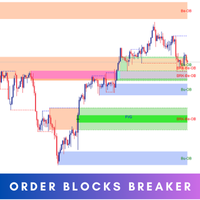
Introducing   Order Blocks Breaker , a brand-new way to identify and leverage order blocks in your trading strategy. After developing multiple order block tools with unique concepts, I’m proud to present this tool that takes things to the next level. Unlike previous tools,   Order Blocks Breaker   not only identifies order blocks but also highlights   Breaker Order Blocks —key areas where the price is likely to retest after a breakout. MT4 -  https://www.mql5.com/en/market/product/124101/ This t
TradersOS
Mario El Kallab
TraderOS – MetaTrader 5용 전문가용 트레이딩 운영 대시보드 개요 TraderOS는 재량적 트레이더가 직관적인 단일 인터페이스에서 시장을 모니터링하고, 거래 결정을 체계화하고, 위험을 관리할 수 있도록 설계된 종합적인 트레이딩 운영 대시보드입니다. TraderOS는 자동 거래 기능을 제공하는 대신, 시장 분석, 거래 모니터링, 위험 관리를 하나의 전문적인 작업 공간에 통합하여 트레이딩 운영의 중심 역할을 합니다. 단기 트레이더, 스윙 트레이더, 포지션 트레이더 등 어떤 유형의 트레이더이든 TraderOS는 트레이딩 워크플로우를 간소화하고 필수 시장 정보를 항상 확인할 수 있도록 지원합니다. 주요 기능 전문가용 트레이딩 대시보드 깔끔하고 체계적인 컨트롤 센터 실시간 시장 모니터링 읽기 쉬운 정보 패널 MetaTrader 5에 최적화 다중 종목 시장 스캐너 사용자 지정 가능한 관심 목록에서 여러 종목을 동시에 모니터링할 수 있습니다. 기본 관심 종목 목록:
LT Rainbow Trend
Thiago Duarte
5 (1)
== LT RAINBOW TREND - 36개의 이동평균선을 탑재한 추세 지표 == 개요 LT Rainbow Trend는 스마트 컬러 시스템(Rainbow)을 적용하여 36개의 이동평균선(Moving Averages)을 동시에 처리하는 고급 기술적 추세 분석 지표입니다. 최고의 시각적 명확성을 바탕으로 주 추세 방향으로 거래하고자 하는 트레이더를 위해 개발되었으며, 멀티 타임프레임 분석의 복잡함을 심플하고 다채로우며 매우 직관적인 시각 효과로 전환해 줍니다. "추세는 당신의 친구(The trend is your friend)"라는 격언을 이해하는 트레이더에게 가장 이상적인 도구이며, 추세의 강도, 방향 및 잠재적 반전 신호를 미리 확인할 수 있도록 도와줍니다. 작동 원리 본 지표는 4개의 추세 구역에 분산된 36개의 이동평균선을 모니터링합니다: 빨간색 (추세 전환 구역) 31~20번째 이동평균선 추세가 반전될 수 있음을 나타내는 강한 신호 주황색 (추세 약화 구역)
DDKiller Pro
Njaratahiry Michael Randrianiaina
Stop Blowing Your Account. Once and For All. DDKiller Pro is the MT5 risk guardian that runs silently on your chart and shuts down trading the moment you hit a limit — whether you're grinding a prop firm challenge or managing your own CFD account. The problem every trader knows: You set your rules. You break them anyway. One revenge trade. One overleveraged position. One session that erases a month of gains. DDKiller Pro removes that decision from your hands entirely. What it does: The second yo
Auto Stop Loss and Target Enforcer watches every new position. If one opens without a stop loss or a take profit, it adds them a few seconds later. It covers trades opened by hand and trades opened by other Expert Advisors. How stops and targets are set - Stop loss: a multiple of the typical market move (Average True Range), a fixed number of pips, a set share of the account, or beyond the nearest support or resistance level. - Take profit: a multiple of the typical market move, a fixed number
Buy Sell Multiple Panel - Execute Bulk Orders in a Single Click! Description Save time and seize market opportunities instantly. This panel places multiple Buy/Sell market orders or pending orders (Buy Limit, Sell Limit, Buy Stop, Sell Stop) at once, in two independent groups, each with its own lot size, Stop Loss and Take Profit. Close everything - or only one order type - with one click. Key Features Bulk Order Execution: Open many market or pending orders with one click. Two Order Groups: Tot
Prop Protector by EV
Enrique Valeros Muriana
EV Prop Protector is a set-and-forget MT5 utility designed for prop firm traders. Attach it to any chart and it silently monitors your account 24/7, closing all positions and pending orders the instant you breach any configured limit. Every module can be turned ON or OFF independently. DRAWDOWN PROTECTION • Daily loss limit — closes everything when today's equity loss reaches X% • Max drawdown limit — closes everything when total drawdown from starting balance (o
FREE
# TradeRoad Risk Panel Advanced TradeRoad Risk Panel Advanced is a MetaTrader 5 utility panel designed to help traders prepare and monitor their risk before and during a trading session. It does not open trades automatically, does not provide trading signals, and does not promise results. Its purpose is simple: make risk, drawdown and trading discipline easier to read directly on your MT5 chart. ## Main features - Position size / lot calculation based on planned risk - Risk amount and risk
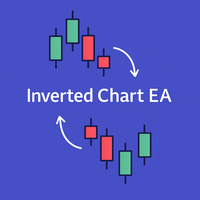
Inverted_Chart_EA Utility Expert Advisor Inverted_Chart_EA creates and maintains a mirror-inverted chart of any symbol and timeframe. It automatically generates a custom instrument (e.g. US30_INV ) and keeps its price history updated in real time, with bars mirrored around a chosen pivot. This utility gives traders a new way to analyze the market from a different perspective by flipping the chart upside down. Why use an inverted chart? Highlight hidden patterns – price formations that look ordin
Trade Panel Pro — Professional Risk Management & Order Execution Terminal for MetaTrader 5 Trade Panel Pro is an advanced, all-in-one utility for MetaTrader 5, designed for active day traders and professionals. It combines precise risk calculation with lightning-fast order execution, helping you protect your capital and manage multi-target trades with ease. Main Advantages and Key Features Automated Lot Calculation: Forget manual volume calculations! The panel instantly calculates the exact
Tick Volume Chart - MetaTrader 5 에서 틱 거래량 기반 차트를 생성하는 독보적인 도구입니다. Tick Volume Chart 를 사용하면 시간이 아닌 지정된 틱 수에 따라 각 캔들이 형성되는 차트를 구축할 수 있습니다. 이를 통해 표준 시간 차트에서는 얻을 수 없는 완벽한 시장 활동 분석 정밀도를 확보할 수 있습니다. 사용자 지정 심볼을 지원하는 모든 지표와 Expert Advisor를 사용할 수 있습니다. 생성된 차트는 표준 차트와 마찬가지로 편리하게 작업할 수 있습니다. 기존 도구와 달리 Tick Volume Chart 는 시간 간격이 아닌 실제 거래 강도에 기반하여 시장을 분석할 수 있게 해줍니다. Tick Volume Chart의 장점 각 바에 고정된 틱 거래량 을 가진 차트를 지원합니다. 내장된 틱 데이터베이스 덕분에 과거 데이터를 즉시 로드 합니다. 데이터가 실시간으로 업데이트되며, 일반 차트와 지연 없이 동기화 됩니다. 한 번에 여러 개의 틱 거
The script allows to easily watch the date and time of several cities selected by the user from more than 30 important cities all over the world. It also shows GMT, Server time and Local time. The cities on the screen are automatically sorted by the date and time. You can save your setting on the Inputs tab and use them in future. Notice: Daylight saving time is not considered.
Summary A simple yet powerful trade manager for MetaTrader 5 that combines lightning fast execution with bulletproof risk management  Features • Account summary showing balance, daily PnL, symbol and spread • Auto lot size calculation based on % of account risk per trade • Pre-defined stoploss and risk/reward targets • Breakeven toggle which moves stoploss to entry • Trailing stoploss toggle for active positions • Keyboard hotkeys for quick entries and exits • Lightweight and optimised for low
Breakevan Utility
Jose Luis Thenier Villa
BreakEvan Utility  Is a simple tool in a panel with this utilities: This utility will draw a Golden Line in the chart applied showing the breakeven price, considering all the positions opened for that specific symbol. Also the information panel shows: Balance Breakeven Price for that chart Force Breakeven (for that symbol) as ON/OFF Force Breakeven Global (takes into account all trades opened) as ON/OFF Total Lots opened for Symbol Total Lots opened Global And two buttons: Force Breakeven: Whe
Position Prime
Mariana Cordeiro Neves Fernandes
지금 무료 데모 버전을 다운로드하여 구매 전에 전략 테스터에서 모든 위험 관리 기능을 테스트해 보세요! Position Prime 은 MetaTrader 5 (MT5)를 위한 기관급 시각적 주문 실행 어시스턴트이자 위험 관리 도구입니다. 속도와 정밀도를 요구하는 트레이더를 위해 개발되었으며, 수동 랏(Lot) 계산의 번거로움을 없애고 차트를 진정한 트레이딩 데스크로 바꿔줍니다. 단 몇 분의 1초 만에 거래를 계획, 실행 및 보호하세요. ️ 위험 관리 및 자동 랏(Lot) 계산 동적 계산: 위험 감수 금액($) 또는 계좌 잔고 비율(%)을 설정하세요. 차트에서 손절매(SL) 선을 드래그하면 패널이 정확한 랏 크기를 자동으로 계산합니다. 실시간 예측: 주문을 열기 전에 화면에서 직접 손익비(RR), 예상 수익 및 잠재적 손실을 시각화합니다. 일일 손실 제한 (Daily Loss Lock): 하루 최대 금전적 손실 한도를 설정하세요. 이 한도에 도달하면 패널이 새로운 거래를 차단
Ogs
Matimu Romeo Ngoveni
# Omega — Session-Cycle Visualization & Analytics for MT5 **Omega** turns your chart into a structured map of the trading day. It automatically divides every session into 9 recurring time-cycles, draws them as color-coded rectangles, overlays a live Fibonacci fan, and silently logs every box, breakout, and structural event to a local SQLite database you can query, chart, or build a dashboard on top of — all with zero manual input. This is a **visualization and analytics tool** , not a signal
Trade2Telegram
Strifor (Mauritius) Ltd
5 (12)
Trade2Telegram — MetaTrader에서 Telegram으로 자동 거래 알림을 보내는 플러그인입니다. 이 도구는 자금을 관리하는 트레이더, 시그널 채널을 운영하는 사람, 또는 교육 커뮤니티를 이끄는 사람을 위해 설계되었습니다. 이 플러그인은 터미널의 모든 거래를 복사하여 선택한 Telegram 채팅, 그룹 또는 채널에 게시합니다. 포지션이 열리거나 닫힐 때, 손절/익절 수준이 변경될 때, 미결 주문이 실행될 때, 또는 거래가 부분적으로 종료될 때 메시지가 자동으로 전송됩니다. 메시지 형식은 다음을 포함하도록 맞춤 설정할 수 있습니다: 거래 상품, 거래 방향, 거래량, 진입 및 청산 가격, SL/TP 수준, 포인트 및 금액 기준 결과. 해시태그와 코멘트 추가, 서버 시간 또는 로컬 시간 선택도 지원합니다. 이 플러그인은 제3자 서비스 없이 Telegram Bot API를 직접 사용하여 작동합니다. 연결하려면 봇 토큰과 원하는 채팅 또는 채널 ID를 제공하면 됩니다. 주요
FREE
Price Action Trade Panel EA MT5
Juvenille Emperor Limited
5 (4)
Price Action Trade Panel MT5 는 지정된(기본적으로 8개) 과거 양초의 순수한 가격 조치 데이터를 기반으로 모든 기호/상품의 구매/판매력 수준 균형을 계산합니다. 이는 지표 패널에서 사용할 수 있는 32개 기호/상품의 가격 움직임을 모니터링하여 가장 가까운 시장 심리를 제공합니다. 60% 이상의 매수/매도 수준은 특정 기호(기본 설정 사용)를 매수/매도할 수 있는 매우 견고한 수준을 제공합니다.   Price Action Trade Panel MT5 에는 가격 행동에 대한 표준, 빠르거나 느린 근접에 대해 사용할 수 있는 3가지 계산 모드가 있으며 실시간 움직임에 더 날카롭거나 부드러운 적응을 위해 조정 가능한 가격 행동 캔들을 제공합니다. Price Action Trade Panel MT5 는 또한 MT5에서 찾을 수 있는 가장 간단하고 사용하기 쉬운 거래 패널입니다. 추가 창이나 패널을 열 필요 없이 한 표면에 모든 옵션과 기능이 있습니다. 그것은 인터페
CloseByTimeEA
Aleksandr Vasiutin
CloseByTime Utility is a MetaTrader 5 service utility designed to automatically close open positions and delete pending orders at a specified time. It helps traders schedule the end of trading activity in advance, for example at the end of the day, before news releases, or before market close. The utility uses broker server time, supports weekday filtering, and can work with all symbols or only with a selected list of instruments. Features Automatically closes open positions at a specified time.
Risk Sentinel
R H Blantran De Rozari
ONE DRAG SETS THE LOT SIZE - RISK STAYS WITHIN YOUR LIMIT Risk-first position sizing for traders who protect their capital Introductory offer — first 30 copies at $35, then $45. Early buyers keep the lower price forever! Also available for MT4:  https://www.mql5.com/en/market/product/185979 New on version 2.1: RR box Transparency Slider Risk Sentinel is a risk-first position sizing and risk management tool for MT5, built for prop-firm evaluation and funded traders. Drag your stop-loss and t
Crash5 EA ,I s a automatic robot that has the level of professional decision when to take a trade without any emotion. The bot will help in your scalping decision making with its own TP (take profit) and SL (stop loss) with the trail stop when in profit. This is a trend based spike catching ,looking on whats happening in real time charts no repainting of any signals. The robot helps in making decisions on the candle stick pattern opened and closed lat price with the help of RSI ,MACD and the EMA
Live Price With PNL
Muhammad Jawad Shabir
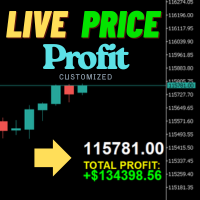
실시간 가격 및 총 수익 표시 지표 라이브 트레이딩 및 화면 공유에 완벽 데이 트레이더, 스캘퍼 및 라이브 스트림 트레이딩 세션을 위해 특별히 설계됨 이 전문 지표는 차트에서 직접 실시간 가격 표시와 포괄적인 수익 추적을 제공합니다 - 고빈도 거래 및 라이브 트레이딩 방송에 필수적입니다. 주요 기능 실시간 가격 표시 매초 라이브 매수 가격 업데이트 모든 심볼 유형에 대한 전문적 형식화 귀금속을 위한 특별 골드/XAU 형식화 화면 공유에 완벽한 대형 명확한 표시 데이 트레이딩 결정을 위한 즉시 가격 업데이트 포괄적 수익 추적 트레이딩 히스토리로부터의 계좌 총 수익 거래 종료 시 실시간 수익 업데이트 사용자 정의 추가 수익 금액 수수료 및 스왑 포함 플러스/마이너스 지표가 있는 전문적 수익 형식화 성능 최적화 스마트 캐싱 시스템 - 최소 CPU 사용 1초 업데이트 간격 - 번개처럼 빠름 효율적인 타이머 기반 업데이트 실시간 거래 모니터링 전문적 오류 처리 고급 사용자 정의 조정 가능한
FREE
https://youtu.be/OKOJXSCGY-4Per2 Trade Manager — Manual Trading Panel for MetaTrader 5 Per2 Trade Manager is a trading utility designed for manual order execution, risk management, and position management directly on MetaTrader 5 charts. The tool helps traders manage their trades through an intuitive on-chart interface. Key Features Place market and pending orders directly from the chart. Set Stop Loss and Take Profit using interactive price lines. Calculate position size based on a predefined m
이 제품의 구매자들이 또한 구매함
Trade Assistant MT5
Evgeniy Kravchenko
4.43 (216)
거래당 위험 계산, 라인을 사용한 손쉬운 신규 주문, 부분 청산 기능을 통한 주문 관리, 7가지 유형의 트레일링 스탑 및 기타 유용한 기능을 제공합니다. 추가 자료 및 지침 설치 지침   -   애플리케이션 지침   라인 기능       - 차트에 개시선, 손절매, 차익실현을 표시합니다. 이 기능을 사용하면 새로운 주문을 쉽게 하고 개봉 전에 추가 특성을 볼 수 있습니다. 위기 관리       -       위험 계산 기능은 설정된 위험과 손절매 주문의 크기를 고려하여 새 주문의 볼륨을 계산합니다. 이를 통해 손절매 크기를 설정하고 동시에 설정된 위험을 존중할 수 있습니다. 로트 계산 버튼 - 위험 계산을 활성화/비활성화합니다. 필요한 위험 값은 위험 필드에 0에서 100 사이의 백분율 또는 예금 통화로 설정됩니다. 설정 탭에서 위험 계산 옵션을 선택합니다. $ 통화, % 잔액, % 지분, % 자유 마진, % 사용자 정의, % AB 이전 일, % AB 이전 주, % AB 이전
Farmed Hedge Yield Farming | All Markets (Manual - Hybrid - Semi/Automated EA) VERIFIED TRADING RESULTS - Farmed Hedge Yield Axi Copy:  https://www.mql5.com/en/signals/2356376 - Farmed Hedge Yield Exn Copy:   https://www.mql5.com/en/signals/2356404 - Farmed Hedge Yield V Copy:  https://www.mql5.com/en/signals/2357156 IMPORTANT NOTICE: FarmedHedge is a MANUAL-FOCUSED TRADING UTILITY ,not a fully automated EA. Results shown on this Signal include manual trades and overall strategic management.
Trade Manager EA에 오신 것을 환영합니다. 이 도구는 거래를 보다 직관적이고 정확하며 효율적으로 만들기 위해 설계된 궁극적인 리스크 관리 도구 입니다. 단순한 주문 실행 도구가 아닌, 원활한 거래 계획, 포지션 관리 및 리스크 제어를 위한 종합 솔루션입니다. 초보자부터 고급 트레이더, 빠른 실행이 필요한 스캘퍼에 이르기까지 Trade Manager EA는 외환, 지수, 상품, 암호화폐 등 다양한 시장에서 유연성을 제공합니다. Trade Manager EA를 사용하면 복잡한 계산은 이제 과거의 일이 됩니다. 시장을 분석하고 진입, 손절 및 익절 수준을 차트의 수평선으로 표시한 후 리스크를 설정하면, Trade Manager가 이상적인 포지션 크기를 즉시 계산하고 SL 및 TP 값을 실시간으로 표시합니다. 모든 거래가 간편하게 관리됩니다. 주요 기능: 포지션 크기 계산기 : 정의된 리스크에 따라 거래 크기를 즉시 결정합니다. 간단한 거래 계획 : 진입, 손절, 익절을 위한
Telegram to MT5 Multi-Channel Copier   는 Telegram 및 Discord 채널의 트레이딩 시그널을 MetaTrader 5로 자동 복사합니다. 봇도, 브라우저 확장도, 수동 복사도 필요 없습니다. Telegram이나 Discord에 시그널이 도착하면 EA가 몇 초 안에 터미널에서 주문을 실행합니다. 그리고 채널을 복사하기 전에, 내장 백테스터가 그 채널이 내 계좌에서 어떤 결과를 냈을지 보여줍니다. 제품은 두 가지 구성 요소로 이루어집니다: Telegram 채널을 수신하는 Windows 애플리케이션과, MT5 터미널에서 시그널을 실행하는 본 EA입니다. MT4 버전도 제공됩니다   여기 . 구매 전에 사용해 보세요:   애플리케이션은 무료로 다운로드할 수 있습니다. 본인의 채널을 연결하고 각 시그널이 어떻게 읽히는지 확인하세요. Backtest 탭과 실제 거래에는 구매하거나 임대한 EA가 필요합니다. 이 페이지의 무료 데모는 전략 테스터에서만 실행되며
Local Trade Copier EA MT5
Juvenille Emperor Limited
4.94 (150)
Local Trade Copier EA MT5는 동일한 Windows 컴퓨터 또는 Windows VPS에서 여러 MetaTrader 5 계정 간에 거래를 복사하고 관리할 수 있는 빠르고 유연한 거래 복사기입니다. 로컬 거래 동기화 기능과 함께 Receiver 측에서 로트 크기, 리스크 관리, 거래 필터링, 심볼 매핑, 거래 관리 및 계정 보호를 독립적으로 설정할 수 있습니다. Transmitter와 Receiver 터미널을 약 1분 안에 설정하고, 동일한 브로커 또는 서로 다른 브로커의 계정 간에 수동 거래 또는 EA 거래를 복사할 수 있습니다. 적절한 조건에서는 로컬 MetaTrader 터미널 간의 거래 정보가 0.5초 이내 에 동기화될 수 있습니다. 실제 체결 속도는 브로커 지연 시간, 네트워크 상태, 컴퓨터/VPS 성능 및 터미널 부하에 따라 달라집니다. 구매 전에 무료 데모를 사용해 보세요 MT5 데모 계정에서 Local Trade Copier EA MT5의 모든 기능을
TradePanel MT5
Alfiya Fazylova
4.88 (172)
Trade Panel은 다기능 거래 도우미입니다. 이 애플리케이션에는 50개 이상의 수동 거래 기능이 포함되어 있으며 대부분의 거래 작업을 자동화할 수 있습니다. 앱 사용 설명서: https://www.mql5.com/en/blogs/post/756482 데모 계정용 앱 체험판: https://www.mql5.com/en/blogs/post/750865 앱 설치 방법: https://www.mql5.com/en/blogs/post/756239 시각 모드에서 앱 테스트 방법: https://www.mql5.com/en/blogs/post/770277 VPS MetaTrader에 앱 설치 방법: https://www.mql5.com/en/blogs/post/770190 거래. 한 번의 클릭으로 거래를 수행할 수 있습니다: 리스크 자동 계산과 함께 예약 주문 및 포지션 열기. 한 번의 클릭으로 여러 주문 및 포지션 열기. 주문 그리드 열기. 예약 주문 및 포지션을 그룹별로 닫기. 포지션
News Trade EA MT5
Konstantin Kulikov
4.55 (11)
제가 몇 년 동안 사용하고 있는 유용한 로봇을 소개드립니다. 반자동뿐만 아니라 자동 모드로도 사용할 수 있습니다. >>> Chat <<< 본 프로그램에는 경제 캘린더의 뉴스별로 유연한 거래 설정이 포함되어 있습니다. 전략 테스터에서 확인할 수 없습니다. 진짜 작업뿐입니다. 최신 설정 아카이브 다운로드: https://www.mql5.com/en/blogs/post/747929 신호 모니터링: https://www.mql5.com/en/signals/author/test-standart 이 전문가를 위해 고유 설정 세트를 만들 때 블로그의 모든 매개변수에 대한 설명을 참조하십시오: https://www.mql5.com/en/blogs/post/748545 . 기본 설정 설명 작업은 한 차트에서 GBP(GBPUSD, EURGBP, GBPJPY, GBPCAD, GBPAUD, GBPCHF)와 쌍으로 이루어집니다. GBP는 가장 변동성이 큰 통화로서 거래 수행 시 거래를 성공적으로
내 거래 규칙에 맞춰 Telegram 신호 복사 Telegram to MT5 Signal Trader 는 공개 및 비공개 Telegram 채널과 그룹의 텍스트 기반 거래 신호를 MetaTrader 5로 자동 복사합니다. 하나의 데스크톱 앱에서 여러 신호 제공자와 MT5 계좌를 관리하고, 제공자마다 위험 관리 및 거래 설정을 개별적으로 지정 할 수 있습니다. 신호 복사에는 Telegram 봇이나 API 설정이 필요하지 않습니다. 전화번호 또는 QR 코드로 본인의 Telegram 계정에 로그인한 후, 이미 가입한 채널이나 그룹을 선택하면 됩니다. 봇을 만들거나 Telegram API 토큰, API ID 또는 API 해시를 입력할 필요가 없습니다. 포지션 크기를 선택하고, 여러 익절 목표에 청산 물량을 배분하며, 손익분기점 이동과 트레일링 스톱을 자동화하세요. 제공자의 신호를 따르면서도 실제 거래 방식은 직접 설정할 수 있습니다. 이 제품은 MT5 Expert Advisor와 필수 Win
================================================================================ POC BREAKOUT - V20.72. Full Professional Grade Toolkit ================================================================================ POC Breakout is a full MetaTrader 5 trading dashboard for discretionary traders who want breakout signals, Point of Control (POC) context, volume profiles, order flow, market structure, news, alerts, and advanced trade planning in one professional workspace. Attached directly to you
Exp COPYLOT CLIENT for MT5
Vladislav Andruschenko
3.97 (35)
MetaTrader 5용 전문 트레이드 복사기 MetaTrader 용 빠르고 전문적이며 신뢰할 수 있는 트레이드 복사기 입니다. COPYLOT 은 MT4와 MT5 터미널 간의 Forex 거래 복사를 지원하며, Hedge 및 Netting 계좌를 모두 지원합니다. COPYLOT MT5 버전 지원 구성: - MT5 Hedge → MT5 Hedge - MT5 Hedge → MT5 Netting - MT5 Netting → MT5 Hedge - MT5 Netting → MT5 Netting - MT4 → MT5 Hedge - MT4 → MT5 Netting MT4 버전 전체 설명 + DEMO + PDF 구매 방법 설치 방법 로그 파일 확인 방법 테스트 및 최적화 방법 Expforex의 모든 제품 MT4 터미널로도 거래를 복사할 수 있습니다(MT4 → MT4, MT5 → MT4): COPYLOT CLIENT for MT4 COPYLOT은 2개, 3개, 심지어 10개의 터미널과 동시에 작동할
The product will copy all telegram signal to MT5 ( which you are member) , also it can work as remote copier.  Easy to set up, copy order instant, can work with almost signal formats, image signal,  s upport to translate other language to English Work with all type of channel or group, even channel have "Restrict Saving Content", work with  multi channel, multi MT5 Work as remote copier: with signal have ticket number, it will copy exactly via ticket number. Support to backtest signal. How to s
EA Overfitter
Stephen J Martret
5 (3)
That backtest looks great. But will it still be making money tomorrow, next week, next month? EA Overfitter re-runs your EA on 100 price histories it has never seen. One score tells you if the edge is real. A backtest tells you what an EA did on one price history — the one that happened to occur. What you cannot tell from it is how much of that result was the strategy and how much was the particular path. EA Overfitter answers that. It builds up to 100 synthetic price histories your EA has n
파워 캔들 전략 스캐너 - 자체 최적화 다중 종목 설정 찾기 도구 파워 캔들 전략 스캐너는 마켓 워치에 등록된 모든 종목에 대해 파워 캔들 지표와 동일한 자체 최적화 엔진을 동시에 실행합니다. 하나의 패널에서 현재 통계적으로 거래 가능한 종목, 각 종목별 최적의 전략, 최적의 손절매/익절 조합을 알려주며, 새로운 신호가 발생하면 즉시 알림을 전송합니다. 이 도구는 Stein Investments 에코시스템의 일부입니다. 18개 이상의 도구와 함께 당신의 1대1 AI 트레이딩 멘토 Max.  항상 대기 중, 모든 인디케이터를 깊이 있게 이해, 무언가를 차근차근 생각해보고 싶은 순간에 도움을 줍니다.  https://stein.investments 에서 만나보세요 완벽한 시장 모니터링. 종목당 3,000건 이상의 자동 최적화. 2가지 알림 유형. 한 번의 클릭으로 차트를 전환하고 바로 거래하세요. 이 도구가 필요한 이유 대부분의 다중 종목 스캐너는 가격 변동만 보여줍니다. 티커별
Telegram To MT5 Ultra
Mirel Daniel Gheonu
5 (5)
Telegram To MT5 — 시그널 카피어 텔레그램 채널의 트레이딩 콜을 실제 MT5 주문으로 바꿔 드립니다 — 자동으로, 원하는 만큼의 계좌에서, 리스크와 규칙을 완전히 당신의 통제 아래 둡니다. Telegram To MT5는 이미 텔레그램에서 팔로우하고 있는 VIP / 시그널 채널을 당신의 MetaTrader 5 터미널에 연결합니다. 무료 동반 데스크톱 앱이 메시지를 읽고(봇을 차단하는 채널에서도 가능), 이 EA가 당신의 계좌에서 이를 실행합니다 — 당신만의 리스크 설정, 심볼 매핑, 익절(TP) 처리, 세션 및 뉴스 필터를 적용합니다. 이것은 블랙박스 전략이 아니라 시그널 카피어입니다. 어떤 채널을 신뢰할지, 각 거래의 수량과 관리 방식을 당신이 결정합니다. 단계별 설정 및 동반 앱 설치 가이드 작동 방식 [당신의 텔레그램 채널] -> [동반 데스크톱 앱] -> [MT5 + 이 EA] -> 주문 동반 데스크톱 앱(무료, 포함)은 당신의 텔레그램 계정으로 로그인하여 선택한
Timeless Charts
Samuel Manoel De Souza
5 (9)
Timeless Charts is an all-in-one trading utility for professional traders. It combines custom chart types such as Seconds Charts and Renko with advanced order flow analysis using Footprints , Clusters , Volume Profiles , VWAP studies, and anchored analysis tools for deeper market insight. Trading and position management are handled directly from the chart through an integrated trade management panel , while Market Replay and Virtual Accounts provide environments for practicing trading skills and
Telegram to MT5 Coppy
Sergey Batudayev
5 (10)
Telegram에서 MT5로:   최고의 신호 복사 솔루션 DLL 없이도 Telegram 채널과 채팅에서 MetaTrader 5 플랫폼으로 거래 신호를 직접 복사하는 최신 도구인 Telegram to MT5를 사용하여 거래를 간소화하세요. 이 강력한 솔루션은 정밀한 신호 실행, 광범위한 사용자 정의 옵션을 제공하고 시간을 절약하며 효율성을 높여줍니다. [ Instructions and DEMO ] 주요 특징 직접 Telegram API 통합 전화번호와 보안 코드를 통해 인증하세요. 사용자 친화적인 EXE 브리지를 통해 채팅 ID를 쉽게 관리하세요. 여러 채널/채팅을 추가, 삭제, 새로 고침하여 동시에 신호를 복사합니다. 고급 필터를 사용한 신호 파싱 예외 단어(예: "보고서", "결과")가 포함된 원치 않는 신호를 건너뜁니다. 유연한 SL 및 TP 형식을 지원합니다: 가격, 핍 또는 포인트. 가격 대신 포인트를 지정하는 신호에 대한 진입 포인트를 자동으로 계산합니다. 주문 맞춤화 및
MetaTrader 5용 트레이딩 패널 — 차트와 키보드에서 실행하는 프로페셔널 원클릭 트레이딩 활동적인 트레이더를 위해 설계된 고급 Trading Panel로, MetaTrader 기본 인터페이스보다 훨씬 빠르고 직관적으로 포지션과 주문을 열고, 관리하고, 종료할 수 있습니다. 이 패널은 포지션 관리, 대기 주문 제어, 총수익 관리, 체결 속도를 하나의 전문적인 작업 공간에 통합하고 싶은 트레이더를 위한 솔루션입니다. 이것은 단순한 보조 유틸리티가 아닙니다. MetaTrader 5를 위한 진정한 trading cockpit입니다. 차트에서 직접 거래하고, 키보드로 빠르게 명령을 실행하며, 자동 계산과 시각적 가이드를 통해 수동 트레이딩을 더 빠르고, 더 명확하고, 더 편리하게 만들어 줍니다.  이 패널을 사용하면 차트에서 단 한 번의 클릭으로 거래를 실행할 수 있으며, 표준 MetaTrader 컨트롤보다 최대 30배 빠르게 거래 작업을 수행할 수 있습니다. 새로운 프리미엄 버전
Anchor Trade Manager
Kalinskie Gilliam
5 (8)
Your EAs cannot see each other, but Anchor can. Anchor gives you one place to coordinate your EAs, manage risk, and decide when trading is allowed. It works alongside the trading bots you already use without any changes to them. The Problem One EA opens a trade. Then another starts trading. The next thing you know, you wake up to multiple grids built across your account. Each EA may be doing exactly what it was designed to do, but together they can place far more risk on your account than you in
다음 업데이트 — 버전 2.52 곧 출시! [신규] 시장 분석 및 트레이딩 워크플로를 향상시키기 위해 설계된 4가지 주요 신규 기능을 기대해 주세요. 트레이딩 요구 사항을 충족하도록 설계된 4가지 새로운 기능으로 시장 분석을 한 단계 더 발전시킵니다. 다음 기능을 소개합니다: 1. TRADE OVERVIEW DASHBOARD 2. CONFLUENCE AT ZONE 3. STRONG & WEAK HIGH/LOW 4. OTE 1. TRADE OVERVIEW DASHBOARD 시장 전체 상황을 더 쉽게 파악할 수 있도록 도와주는 대시보드입니다. 트레이딩 의사결정을 지원하는 가이드를 제공하며, 하나의 화면에서 시장을 분석하고 체계적으로 트레이딩을 계획할 수 있도록 도와줍니다. 멀티 타임프레임 시장 개요 (Multi-Timeframe Market Overview) 시장 방향과 가격 구조를 더욱 명확하게 파악 시장 상황을 빠르게 확인 체계적인 시장 분석 및 진입 계획을 위한 가이드 2. CO
VirtualTradePad PRO SE MT5 — MetaTrader 5용 전문 트레이딩 컨트롤 센터 VirtualTradePad PRO SE 는 MetaTrader 5 용 프리미엄 차트 기반 트레이딩 패널이자 거래 관리 워크스페이스입니다. 더 빠른 주문 실행, 더 명확한 포지션 관리, 구조화된 거래 관리, 시각적인 레벨 계획, 그리고 차트에서 직접 작업하는 전문적인 워크플로를 원하는 트레이더를 위해 설계되었습니다. 이 제품은 단순한 BUY / SELL 패널이 아닙니다. PRO SE는 수동 트레이딩, 예약 주문, 포지션 관리, 부분 청산, 바스켓 손익 관리, 평균가 레벨, ATM 규칙, 신호 모니터링, 실시간 시장 정보, 전략 테스터 (Strategy Tester) 워크플로, VPS 중심 운용을 하나의 연결된 인터페이스로 통합합니다. MT4 버전 | 전체 설명 및 스크린샷 | 구입 방법 | 설치 방법 | 로그 파일을 얻는 방법 | 테스트 및 최적화 방법 | Expforex의 모든
Trade Indicator Assistant   is a powerful MT5 utility designed to turn indicators into automated trading systems. Its main feature is the ability to automatically detect an indicator’s   BUY and SELL signal buffers , without requiring you to know the buffer numbers, search through indicator settings, or modify the indicator source code. Bonus Indicator:   After purchasing Trade Indicator Assistant, contact me to receive   Trade Signal Pro   completely free as a bonus indicator. [Download Demo V
EA Auditor
Stephen J Martret
5 (7)
EA Auditor is an independent analysis tool for traders evaluating Expert Advisors and trading signals on MetaTrader 5. It audits backtest reports, reviews posted developer signals, and cross-verifies the two against each other to help traders assess strategies before committing capital. The MQL5 market offers a wide range of Expert Advisors from many developers, with varying approaches, quality, and transparency. EA Auditor provides a consistent, data-driven framework for reviewing them, answer
Trade Manager DaneTrades
Levi Dane Benjamin
4.13 (31)
거래 관리자는 위험을 자동으로 계산하는 동시에 거래를 빠르게 시작하고 종료하는 데 도움을 줍니다. 과잉 거래, 복수 거래 및 감정 거래를 방지하는 데 도움이 되는 기능이 포함되어 있습니다. 거래를 자동으로 관리할 수 있으며 계정 성과 지표를 그래프로 시각화할 수 있습니다. 이러한 기능은 이 패널을 모든 수동 거래자에게 이상적으로 만들고 MetaTrader 5 플랫폼을 향상시키는 데 도움이 됩니다. 다중 언어 지원. MT4 버전  |  사용자 가이드 + 데모 트레이드 매니저는 전략 테스터에서 작동하지 않습니다. 데모를 보려면 사용자 가이드로 이동하세요. 위기 관리 % 또는 $를 기준으로 위험 자동 조정 고정 로트 크기 또는 거래량과 핍을 기반으로 한 자동 로트 크기 계산을 사용하는 옵션 RR, Pips 또는 Price를 사용한 손익분기점 손실 설정 추적 중지 손실 설정 목표 달성 시 모든 거래를 자동으로 마감하는 최대 일일 손실률(%)입니다. 과도한 손실로부터 계정을 보호하고 과도한
MT5 to Telegram Signal Provider 는 사용하기 쉽고 완전히 커스터마이즈 가능한 유틸리티로, 특정 신호를 Telegram의 채팅, 채널 또는 그룹으로 전송하고, 귀하의 계정을 신호 제공자 로 만듭니다. 경쟁 제품과 달리 DLL 임포트를 사용하지 않습니다. [ 데모 ] [ 매뉴얼 ] [ MT4 버전 ] [ 디스코드 버전 ] [ 텔레그램 채널 ]  New: [ Telegram To MT5 ] 설정 단계별 사용자 가이드 가 제공됩니다. 텔레그램 API에 대한 지식은 필요하지 않습니다; 개발자가 제공하는 모든 것이 필요합니다. 주요 특징 구독자에게 보낸 주문 상세 정보를 커스터마이즈할 수 있습니다. 예를 들어, 브론즈, 실버, 골드와 같은 계층 구독 모델을 만들 수 있습니다. 골드 구독에서는 모든 신호를 받습니다. id, 심볼, 또는 코멘트로 주문을 필터링할 수 있습니다. 주문이 실행된 차트의 스크린샷이 포함됩니다 보낸 스크린샷에 닫힌 주문을 그려 추가 검증을 합니다
RETAILBERG FOOTPRINT CHART PRO — Order-Flow Workspace for MetaTrader 5 Version 7.00  |  Professional System  |  31 tools  |  One chart A full 150-page illustrated User Manual is included. Please read the full manual to understand this feature packed footprint chart elements and ui. https://www.mql5.com/en/blogs/post/777982 DEMO / STRATEGY TESTER — PLEASE READ FIRST
Trader Evolution
Siarhei Vashchylka
5 (7)
" Trader Evolution " - A utility designed for traders who use wave and technical analysis in their work. One tab of the utility is capable of money management and opening orders, and the other can help in making Elliott wave and technical analysis. Manual (Be sure to read before purchasing) | Version for MT4 Advantages 1. Trading in a few clicks. Immediate and pending orders are available in the panel 2. Money management. The program automatically selects the appropriate lot size 3. Simplifies
DrawDown Limiter
Haidar Lionel Haj Ali
5 (23)
DrawDown Limiter v5.0 — 고급 계좌 보호 컨트롤러 DrawDown Limiter v5.0은 거래 계좌를 모니터링하고 설정된 리스크, 수익, 뉴스, 일정, 롤오버 또는 포지션 수 제한에 도달했을 때 자동으로 대응하도록 설계된 클라이언트 측 계좌 보호 컨트롤러입니다. 하나의 전용 차트에서 수동 거래, 자동화 전략, 여러 Expert Advisor, 대기 주문 및 오픈 포지션 을 모니터링할 수 있습니다. 전체 계좌를 보호하거나 Magic Number를 사용하여 특정 EA 또는 여러 EA 그룹만 모니터링하도록 설정할 수도 있습니다. DrawDown Limiter의 목적은 단순히 드로다운을 표시하는 것이 아닙니다. 설정한 거래 규칙을 적극적으로 적용 하고 보호 조건이 활성화되어 있는 동안 해당 규칙을 계속 시행하는 것이 목적입니다. DrawDown Limiter v5.0은 단순히 얼마나 손실이 발생하고 있는지만 모니터링하는 것이 아니라, 전략이 언제 계속 거래할 수 있는지,
RS Trade Copier - 진짜 그래픽 인터페이스를 갖춘 초고속 로컬 트레이드 카피어입니다. 계좌번호를 일일이 입력하지 마세요. 200개가 넘는 복잡한 입력 파라미터 목록은 이제 끝입니다. 여러 MT5와 MT4 터미널 간 거래 작업을 복사하기 위한 안정적이고 유연한 도구입니다. 이 도구는 경험 많은 트레이더, 신호 서비스, 개인 투자자 모두에게 적합합니다. 하나 또는 여러 시그널 소스(Provider)에서 하나 또는 여러 리시버(Client)로 트레이딩을 동기화 하여 높은 정밀도와 최소 지연 시간을 제공합니다. 간단한 자동 설정부터 고급 수동 구성까지 지원합니다. 수동 또는 다른 EA로 열린 주문에 간섭하지 않습니다. 모든 작업이 MT5 내부에서 로컬로 처리 되며 외부 서버 의존성 없이 실행됩니다. RS Trade Copier와 다른 솔루션 비교 RS Trade Copier 다른 솔루션 설정 시각적 단계별 마법사. 설정에 약 1분 소요. 200개 이상의 불분명한 입력 매개변수.
Trade Dashboard MT5
Fatemeh Ameri
4.94 (135)
Trade Dashboard simplifies how you open, manage, and control your trades, with built-in lot size calculation. It allows you to execute trades, manage risk, and control positions directly on the chart, with tools such as partial close, breakeven, and trailing stop. Designed to reduce manual work and help you stay focused on your trading decisions. A demo version is available for testing. Detailed explanations of features are provided within the MQL5 platform. Installation instructions are include
차트 기반 거래 어시스턴트 및 리스크 관리 패널 다양한 모드의 SL 및 TP(ATR, 손익비 R:R, 포인트, 계좌 통화), 실시간 분석 및 경제 캘린더를 탑재한 차트 기반 거래 종합 도구 Ergotick Trade Manager 는 주관 거래자, 프랍 챌린지 트레이더 및 스캘퍼를 위해 설계된 올인원 전문 거래 패널입니다. 이 도구는 즉각적인 자동 랏 크기 계산, 다중 모드 손절매(SL) 및 익절매(TP) 설정, 고급 바스켓(Basket) 주문 관리, 실시간 계좌 통계, 그리고 내장된 경제 뉴스 캘린더를 MetaTrader 5의 단일하고 깔끔한 인터페이스 하나로 결합했습니다. 수동으로 포지션 크기를 계산하던 번거로움에서 벗어나세요! 밀리초 단위로 랏 크기를 자동 계산하고, 리스크가 관리된 주문을 즉시 실행하며, 내장된 일일 손실 한도 보호 기능으로 소중한 자본을 지킬 수 있습니다. 주요 특징 1. 대화형 시각적 도구 및 자동 랏 크기 계산기 차트 상 드래그 앤 드롭(Drag & Dr
제작자의 제품 더 보기
Trend Signal Navigator EA – free companion EA for the Trend Signal Navigator indicator This EA trades the confirmed, non-repainting signals of the Trend Signal Navigator indicator automatically, with professional risk and trade management. It is free: you don't need to send a private message or wait for a "bonus EA". How it works Live and demo charts : the EA reads the signals, stop loss and targets of the Trend Signal Navigator indicator through iCustom (default path Market\Trend Signal Navigat
FREE
Overview SR Confluence Pro is a professional MetaTrader 5 indicator for support & resistance and chart pattern analysis. It combines dual S&R engines (high-volume box engine + multi-timeframe pivot engine), automatic detection of 16+ classic chart patterns , and a confluence scoring system that rates how closely price structure and S&R levels align. Every zone is back-tested on the chart history — touches, bounces, breaks, false breaks and bounce rate are combined into a 0–100 strength score — a
A chart overlay indicator for traders who want a structured view of Smart Money Concepts, market structure shifts, order block patterns, fair value gaps, equal highs and lows, and key multi-timeframe price levels directly inside MetaTrader 5. BOS and CHoCH · Internal and Swing Structure · Order Block Finder · Input-Controlled FVG Colors · EQH and EQL · Premium and Discount Zones Product Overview SMC Price Action Patterns is designed to convert raw price action into a clear, visual market map. T
FREE
MACD Divergence Radar Pro Multi-Symbol Divergence Scanner & Visual Dashboard for MetaTrader 5 Regular & Hidden Divergence 20+ Pairs Simultaneous Scan Entry / SL / TP Levels History Statistics One-Click Chart Opening Auto Oscillator Sub-Window Overview MACD Divergence Radar Pro is a professional-grade divergence detection indicator that continuously scans multiple currency pairs and timeframes in real time. It identifies both regular and hidden MACD divergences — bullish and bearish — and presen
Professional account protection for prop-firm challenges and funded accounts. It monitors drawdown, open risk, news windows, trading sessions, manual trades, profit targets, and challenge progress in real time, then warns, locks, de-risks, deletes orders, or closes managed exposure according to your rules. Two draggable on-chart panels — Economic Calendar and Performance Stats — keep news planning and account analytics on the chart without leaving MT5. Built for Prop-Firm Traders This EA does no
VoidFlow IFVG Trade Assistant Pro is a manual-first MetaTrader 5 trading panel for Inverse Fair Value Gap (IFVG) setups. It finds fair value gaps, confirms when price closes through them, scores every setup from 0 to 100, draws a complete trade plan and lets you place the order with one click and one confirmation. Automatic entries are available as an option you switch on yourself. Video walk-through: see the video on this page. Free demo: download it and run it in the Strategy Tester (the demo
ICT Market Structure Pro ICT Market Structure Pro is a Smart Money Concepts / ICT trading tool designed to automatically draw the most important structural and liquidity elements directly on the chart. The indicator helps traders read price action through an institutional lens by mapping market structure shifts, liquidity pools, order blocks, imbalances, premium/discount zones, and key ICT session windows in one place. It supports both single-timeframe and multi-timeframe analysis modes, with a
Trade Assistant Risk Calculator is an all-in-one floating trading panel (Expert Advisor) designed for professional manual traders on MetaTrader 5. It combines Visual Chart Trading , Automatic Risk Calculation , and Advanced Position Management into a single, compact interface. Stop calculating lot sizes manually. Stop guessing your Risk:Reward ratio. Simply drag lines on the chart, and the EA calculates the exact lot size to match your risk percentage, equity, or money target. Important Notes Th
Trade Assistant Risk Calculator is an all-in-one floating trading panel Expert Advisor for MetaTrader 5, built for professional manual traders. It combines visual chart trading , automatic risk calculation , and advanced position management in one compact interface. Stop calculating lot sizes manually. Stop guessing your Risk:Reward ratio. Drag the planning lines on the chart and the EA calculates the exact lot size for your selected risk percentage, equity, fixed-money risk, or fixed-lot workfl
MT5 Indicator · All Markets · Non-Repainting Signals · Entry / SL / TP1-TP3 · MTF + Scanner Momentum Pulse colors every candle by the real momentum behind it, not by price alone. Each bar is scored on five dimensions and placed in one of nine strength states . On top of that you get buy/sell signals with Entry, Stop Loss and three Take Profit levels , a multi-timeframe bias dashboard , a multi-symbol scanner , a forward test of every past signal with win rate and profit factor, and a risk-based
Supertrend core · 11 click-to-toggle confirmation filters · Multi-timeframe trend dashboard · Entry / SL / TP1-TP3 levels · Higher-timeframe filter · Trend cloud · 5,000-bar performance simulation with profit factor & drawdown TrendGuard Pro is a professional-grade MT5 scalping indicator that fortifies every entry signal with up to 11 independent confirmation filters . False breakouts are systematically eliminated before an arrow ever appears on the chart, letting you trade only the highest-pro
ICT Market Structure EA ICT Market Structure EA trades fair value gaps in the direction of market structure, only inside the ICT Silver Bullet hours, and only when the H4 and D1 structure agree. One EA on one chart trades a whole portfolio — by default EURUSD, XAUUSD, USTEC and US500 . Its higher-timeframe context uses the same detection code as the indicator ICT Market Structure Pro (swings, BOS / CHoCH, order blocks, FVGs, premium / discount). The default portfolio and settings were checked wi

Price Action 10 Setups EA Price Action 10 Setups EA automates ten classic bar-by-bar price-action setups — the patterns that discretionary price-action traders consider the most reliable: major trend reversals, final flags, breakouts, High 2 / Low 2 pullbacks, wedges, channels, measured moves, trading-range reversals, opening reversals and magnet (breakout) tests. Every setup is a fully coded rule set with a precise entry, stop and target, so the EA trades the patterns the same way every time. O
MACD Divergence Radar EA MACD Divergence Radar EA trades MACD divergences automatically. It uses the same signal engine as the indicator MACD Divergence Radar Pro — price pivots compared with the MACD histogram (OsMA) or the MACD main line, regular and hidden divergences, bullish and bearish — and turns every freshly confirmed divergence into a trade with a stop beyond the divergence pivot and a fixed reward-to-risk target. One EA on one chart can trade a whole portfolio; by default EURUSD, GBPU
TrendGuard Pro Auto EA is a fully automated trend-following Expert Advisor built on the TrendGuard Pro signal engine. It enters when the Supertrend flips and the confirmation filters agree, protects every trade with an ATR stop loss, can bank profits in steps at TP1 / TP2 / TP3, lets winners run with an ATR trailing stop, and exits on the opposite signal. It trades the chart symbol, or a whole portfolio of symbols from one chart, and is controlled from an interactive on-chart dashboard. Signal e
Price Action 10 Setups Indicator Price Action 10 Setups Indicator finds ten classic bar-by-bar price-action setups on your chart and turns every one of them into a complete trade plan: entry, stop loss and target , drawn on the chart, tracked bar by bar and summarised in a modern dashboard with per-setup statistics, a multi-symbol scanner and alerts. The detection is the same code as in Price Action 10 Setups EA (the automated version on the MQL5 Market): the indicator shows a signal exactly whe
Momentum Pulse EA trades the signals of the Momentum Pulse indicator automatically. The complete Momentum Pulse signal engine is built into the EA: every closed bar is coloured in one of nine momentum states, and a change of state becomes a buy or sell signal with its own Entry, Stop Loss and three take-profit levels. The EA takes those trades with risk-based position sizing, banks profit in steps at TP1 / TP2 / TP3 and manages the rest with breakeven and an ATR trailing stop. One chart can trad
Harmonic patterns with an honest track record. The indicator finds Gartley, Bat, Alt Bat, Butterfly, Crab, Deep Crab, Shark, Cypher, 5-0 and AB=CD patterns on your chart and on dozens of symbols and timeframes at once, draws the XABCD shape with its Potential Reversal Zone (PRZ) and Fibonacci ratios, gives entry, stop loss and three targets, and shows how often each pattern actually worked on each symbol: PRZ hold rate, TP1 and TP2 hit rate and average result in R , measured with exactly the sam
Currency Strength Matrix measures the strength of the 8 major currencies from all 28 pairs , plus gold and any indices you add, and shows it three ways on one chart: a multi-timeframe heatmap (M5 to D1), strength lines in a sub-window, and an automatic strongest-vs-weakest pair picker . Click any cell or pair and the chart switches to it. Closed bars never repaint, and the indicator shows you how its own picks behaved on the history you have loaded. How strength is measured Each currency is comp
Bitcoin Trend Rider EA Bitcoin Trend Rider EA is a trend-following and volatility-breakout Expert Advisor for BTCUSD , ETHUSD and other crypto CFDs. It stays out of sideways and dead markets, enters only when a trend is confirmed, puts a hard ATR stop on every order and lets winning trends run with a chandelier trailing stop. No grid, no martingale, no averaging down, no hedging tricks. Everything is visible: every input is in the Inputs window, the ready-made setups are listed below, and the lo
Gold Edge Portfolio EA trades XAUUSD with six independent, simple strategies at the same time . Each engine has its own on/off switch, its own magic number and its own risk per trade, and every trade is placed with a hard stop loss . There is no grid, no martingale, no averaging and no hedging — one position per engine at most. What makes it different is transparency : a dashboard on the chart shows the live state and the real statistics of every engine — trades, win rate, profit factor, net pro
Session Breakout Portfolio EA A session-range breakout portfolio for gold, the Nikkei and the yen, traded from one chart. Every market has a quiet session and an active open. The EA builds the range in the quiet session (Asian range, pre-open or opening range), in the exchange's own time zone with automatic daylight saving, and trades the breakout at the active session open with OCO stop orders. One stop-protected trade per market per day. No grid, no martingale, no averaging. Default portfolio
Trend Signal Navigator – trend, signals, targets and honest statistics in one indicator Trend Signal Navigator is an all-in-one trend signal system for MetaTrader 5. It shows the trend direction and regime, gives confirmed non-repainting BUY/SELL signals with an adaptive stop loss and three take-profit targets , marks reversal zones and key levels, and measures how its own signals performed on your chart in a live statistics panel. No hidden rules: every number in the panel can be re-counted fro
Evening Cross MeanReversion EA — Institutional Multi-Pair FX Cross Mean-Reversion Portfolio Evening Cross MeanReversion EA is a professional, non-grid, non-martingale multi-currency mean-reversion Expert Advisor engineered for the post-London evening session and the calm Asian liquidity window. By attaching the EA to a single M15 chart (for example, EURNZD M15 ), it simultaneously monitors and trades up to 8 liquid FX cross pairs ( EURNZD, GBPCAD, GBPJPY, AUDNZD, GBPCHF, EURCHF, GBPAUD, EURCAD )
EA Performance Ledger shows what every Expert Advisor on your account really earns. MetaTrader shows one balance for the whole account; when several EAs, manual trades and copied signals share it, you cannot see which one carries the account and which one drains it. The Ledger reads the account history, rebuilds every closed position and splits the results by EA, symbol, strategy tag, direction and manual vs automated trading, in one clear dashboard. Read-only. The Ledger never places, modifies
Local Trade Copier Pro copies trades between MetaTrader 5 terminals running on the same Windows PC or VPS . One EA, two modes: run it as Master on the account that trades and as Receiver on every account that should follow. Positions, pending orders, SL/TP changes, partial closes and closes are copied within a few hundred milliseconds including the broker's execution (median 333 ms in our live test), through the terminals' shared Common Files folder: no DLL, no internet connection, no extra soft
Currency Strength Matrix EA — Strength Exhaustion on all 28 FX pairs Currency Strength Matrix EA measures the strength of the 8 major currencies ( EUR, GBP, AUD, NZD, USD, CAD, CHF, JPY , optionally plus gold) from all 28 currency pairs on three timeframes, and trades the moment when the strongest and the weakest currency are stretched too far. It is the automated companion of our Currency Strength Matrix Pro indicator and uses the same strength engine. Attach it to one chart (any symbol, any ti
Turn your MT5 account into a signal channel. TradeCast posts every trade action of your account to up to three Telegram channels, groups or private chats: new trades, pending orders, stop-loss and take-profit changes, breakeven, partial and full closes with the result in money, pips and R , a chart screenshot, and daily, weekly and monthly performance summaries. Trades opened by hand, by any Expert Advisor or from the MT5 mobile app are all detected, because TradeCast watches the account itself.
Custom Charts Pro builds seconds charts (S1 … S3600, any value), Renko , Range bars and Tick charts as real MetaTrader 5 custom symbols, from your broker's real ticks . It fills the history first, then keeps every chart updated live, for as many symbols and chart types as you like, from one control panel. The generated charts are normal MT5 charts: your indicators, templates, drawings and Expert Advisors work on them, and so does the Strategy Tester . Chart types Seconds : bars of N seconds (S1,
EA Robustness Lab tells you whether an Expert Advisor's results are robust or overfitted. A good backtest is not proof: it can come from a lucky order of trades, a few outsized wins, costs that were too optimistic, parameters fitted to the past, or a market regime that is gone. The Lab takes the closed trades of a strategy, puts them through Monte Carlo, walk-forward, stability, regime and optimisation tests, compares live trading with the backtest, and sums it all up in one robustness score fro
필터:
리뷰 없음
리뷰 답변