Prop Firm Risk Guardian Daily Loss Drawdown

  • 유틸리티
  • Yuki Nakayama
    Yuki Nakayama
    MT5 tools that survived the testing — not the marketing.
    I'm an independent developer based in Japan, building indicators and Expert Advisors for MetaTrader 5. I approach the market as a systematic researcher, not a marketer.
  • 버전: 1.11
  • 업데이트됨: 29 7월 2026
펀디드 계좌와 챌린지 계좌를 지켜내세요. Prop Firm Risk Guardian은 규정 위반까지 정확히 얼마나 남았는지, 그리고 지금 이 순간 선을 넘지 않고 쏠 수 있는 최대 랏이 얼마인지를 실시간으로 보여주는 절제 관리 패널입니다.

챌린지를 끝장내는 세 가지 숫자를 추적합니다. 한도 대비 일일 손실(남은 버퍼와 리셋 카운트다운 포함), 트레일링 하이워터마크(high-water mark, 2025-2026 프랍 업계 표준) 기준 또는 초기 자본 기준 고정 방식의 최대 드로다운(패널에서 바로 전환 가능), 그리고 수익 목표 달성률입니다. SAFE, CAUTION, LOCKDOWN 중 하나의 단일 상태가 패널 전체의 색을 바꿔, 위험을 한눈에 체감하게 합니다.

핵심은 MAX LOT NOW입니다. 풀 스탑아웃을 맞아도 적용 중인 한도를 넘지 않는 최대 포지션 크기를, 플랫폼 자체의 손익 계산으로 역산해 보여줍니다. 스탑 거리 바를 드래그하면 랏 크기가 실시간으로 다시 계산됩니다. 스탑 한 번에 계좌를 날릴 수 있는 사이즈는 두 번 다시 잡지 않게 됩니다.

제공 기능

남은 버퍼와 리셋 카운트다운이 있는 일일 손실 게이지. 트레일링 하이워터마크 또는 초기 자본 기준 고정 방식의 최대 드로다운, 패널에서 전환 가능. 수익 목표 진행률. 드래그 슬라이더가 있는 MAX LOT NOW. 패널 전체의 색을 바꾸는 SAFE / CAUTION / LOCKDOWN 상태. 널리 쓰이는 프랍펌 규칙 5% / 10% 프리셋과 완전 커스텀 모드.

패널은 깔끔한 라운드 카드입니다. 드래그하고, 크기를 바꾸고(S / M / L / XL), 모서리에 붙이세요. 위치를 기억합니다. 영어 / 일본어 이중 언어, 금액은 계좌 통화로 표시됩니다. 가볍고 DLL이 없으며, 무료입니다.

사용 방법

1. 펀디드 계좌 또는 챌린지 계좌의 아무 차트에나 올려놓습니다.
2. 프리셋(또는 커스텀)을 고르고 슬라이더로 스탑 거리를 설정합니다.
3. 버퍼 안에서 거래하고, 언제 페이스를 늦출지는 상태 표시에 맡기세요.

무료 버전과 PRO 버전의 차이
무료 패널은 한도까지 얼마나 가까운지 보여주지만, 위반 자체를 막지는 못합니다. Prop Firm Risk Guardian PRO는 집행 레이어입니다. 일일 손실이나 드로다운 한도에 도달하는 순간 모든 포지션을 자동 청산하고 신규 주문을 차단하며, 계산된 최대 랏으로 원클릭 BUY/SELL(SL 자동 부착, 오클릭 방지 2탭 확인)이 추가됩니다. 위반 한 번만 막아도 라이선스 비용은 몇 배로 돌아옵니다: https://www.mql5.com/en/market/product/183496

중요: MetaTrader에는 수동 주문을 사전에 가로채는 훅이 없으므로 이 가드는 사후에 반응합니다. 위반이 발생하면 자동으로 전량 청산합니다. 클릭 자체를 막는 자물쇠가 아니라 안전망입니다. 본 제품은 유틸리티이며, 무료 버전은 스스로 어떤 거래도 하지 않고 수익을 약속하지 않습니다.
추천 제품
Deal multiplier Mt5
Mikhail Mitin
4.5 (8)
The utility opens copies of open trades. It is very convenient if you use the   Signals   service and want to increase the volume of transactions. Settings: Symbols: all symbols only current symbol Orders: Buy Sell Magic Any Magic Input Magic Lot size Original - lot size from original order; Fix Lot - fix lot size (input); Lot X Mult - lot size X koef; Stop Loss From sender - Stop Loss from original; Without - without Stop Loss; Plus Fix - Stop Loss from original order + fix points; Fix Point -
FREE
Fingerprint Capture Script (CSV) This script creates a   pattern “fingerprint” CSV   from chart window by exporting the OHLC values of candles between   two vertical lines . What it does Reads   exactly two   vertical line objects (VLINE) on the current chart Uses them as   start/end markers   of the candle range Exports the selected candles to a   semicolon-separated CSV   file in: Terminal → Common → Files How to use Open any chart and timeframe with the pattern visible in history. Place   tw
FREE
Tick History Loader is an essential auxiliary tool that downloads the full available tick history for any symbol in your MT5 terminal. The script performs a deep synchronization with the trading server, sequentially requesting and saving the entire tick history from the earliest available date. This is necessary for the correct operation of advanced analytical tools that require complete market data. The obtained tick history serves as the basis for building custom charts with a timeframe in sec
FREE
POC, Value Area, naked POC 추적이 있는 세션 Volume Profile — 시장의 경매 지도를 차트 위에 올려놓으세요. • 임의의 앵커 타임프레임 기준 세션(기본은 일 단위): 각 세션마다 POC (point of control), VAH/VAL(Value Area 경계), 세션 고가/저가를 계산해 레벨로 그립니다. • Naked POC: 과거 세션에서 테스트되지 않은 POC는 가격이 마침내 터치할 때까지 오른쪽으로 연장됩니다 — 시장이 기억하는 자석 레벨. • 차트 오른쪽 끝의 실시간 프로파일 히스토그램: 가격 구간별 거래량을 차트 캔들과 같은 색상의 매수/매도 분할로 표시. • 설정 가능: 버킷 분 단위, Value Area 퍼센트, 히스토리 세션 수, 히스토그램 행 수와 폭, 실거래량 또는 틱 볼륨, 계산 타임프레임. • 실시간 POC/VAH/VAL과 naked POC의 레벨 터치 알림(기본값은 꺼짐). • 줌·스크롤할 때마다 히스토그램이 자동으로 다시 그
FREE
Copier Provider RAlabs — a signal source for local trade copying. A lightweight trade publishing tool for a copying system consisting of Copier Provider RAlabs (signal source) and Copier Master RAlabs (receiver). Copier Provider RAlabs is installed on the donor account whose trades need to be copied and transmits those trades to the Copier Master RAlabs receiver. The provider publishes: position openings, modifications, and trade closures. Features: instant local transmission, minimal resource u
FREE
SG InfoBox MT5
Hleb Smoliar
3.5 (2)
The   "InfoBox"   utility is designed to display the presence of open orders, the number of lots, current profit and much more in one window. The version for the MT4 platform is here . You've probably encountered a situation where you have an advisor that works on a currency pair, but information about its operation: - orders and their number, the size of the spread for the instrument, the volume of lots on the market, drawdown and much more - are scattered in different places of the terminal an
FREE
TradeConsole
Musera Isaac
5 (1)
TradeConsole — On-Chart Trading Dashboard with Smart Alerts TradeConsole is a lightweight on-chart utility designed to help traders keep essential market context in one place. It combines session tracking, an upcoming economic news panel, a currency strength view, a quick technical bias summary, trade statistics, and one-click control tools. The purpose of the dashboard is to improve chart awareness, reduce screen clutter, and support faster decision-making during live trading. Main Features On
FREE
Trading Lab Trade Copier Master
Nasimul Haque Choudhury
3.67 (3)
Copy trades with ease using the MetaTrader5 trade copier - the quickest and easiest way to copy transactions between different MetaTrader 5 accounts! This innovative tool allows you to locally copy trades in any direction and quantity, giving you full control over your investments. Attention!   You need to download the Trade Copier Slave mq5 file as well to run this EA. Download it from here  https://www.mql5.com/en/market/product/96541 Designed to work on both Windows PC and Windows VPS, this
FREE
NINJA MT5 DOCTOR 개요 NINJA MT5 Doctor는 터미널, 계좌, 열린 차트, 선택한 히스토리 및 현재 호스트 차트의 종목에 대한 일회성 진단 스냅샷을 생성하는 무료 읽기 전용 MT5 유틸리티입니다. Expert Advisor 형식의 유틸리티이며, 거래 EA나 인디케이터가 아닙니다. 패널과 입력 매개변수의 이름은 영어로 표시됩니다. 검사 항목 브로커 서버 연결, 터미널 및 계좌의 거래 권한, Doctor 자체 권한, 거래 모드 및 공개된 거래 세션, 시세의 최신성, 스프레드, 선택한 시간대의 동기화 상태와 바 수, 거래량 규칙, 기준 증거금과 가용 증거금의 비교, 브로커가 공개한 종목 속성을 검사합니다. CHARTS 탭에는 열린 각 차트와 확인 가능한 경우 연결된 EA의 이름이 표시됩니다. 다른 EA의 비공개 로직은 검사할 수 없습니다. 대시보드 및 상태 OVERVIEW는 검사 결과를 요약하고, HISTORY는 동기화 상태와 복사된 바 수를 표시하며, CHARTS는
FREE
Overview The script displays information about the trade account: Information about the trade account: Account - account number and type (Real, Contest or Demo); Name - name of the account owner; Company - name of a company that provide the access to trading; Server - trade server name; Connection State - connection state; Trade Allowed - shows whether trading is allowed on the account at the moment; Experts Allowed - shows whether it is allowed to trade using Expert Advisors; Balance - account
FREE
About Equity Watching Telegram EA Equity Watching Telegram is an intelligent assistant tool designed for investors who want to monitor their portfolios in real-time. This EA continuously tracks your account's Equity and sends instant notifications directly to your private Telegram account whenever your Equity changes according to your specified conditions. Why do you need this EA? In highly volatile market conditions, or while you are running other EAs, unexpected errors or significant drawdown
FREE
현재 심볼의 포지션 닫기 현재 심볼의 모든 포지션을 닫는 간단하고 신뢰할 수 있는 스크립트입니다. 반복 작업을 줄이고 소중한 시간을 절약하세요. 장점: 현재 자산에만 집중: 스크립트는 선택한 심볼의 거래만 닫으며, 다른 포지션에는 영향을 미치지 않습니다. 빠르고 편리함: 단 한 번 실행으로 모든 포지션을 몇 초 안에 닫을 수 있습니다. 모든 전략에 적합: 여러 포지션을 관리하는 사람과 단일 자산에 집중하는 사람 모두에게 이상적입니다. 안전성: 각 포지션을 처리하고 오류를 기록하여 완전한 제어를 보장합니다. 작동 원리: MetaTrader 5 터미널에서 스크립트를 실행하세요. 스크립트가 현재 심볼의 모든 오픈 포지션을 자동으로 찾습니다. 다른 자산에는 영향을 주지 않고 모든 거래를 한 번의 클릭으로 닫습니다. 이 도구는 누구에게 적합합니까? 단일 심볼의 포지션을 빠르게 닫아야 하는 트레이더. 단기 전략을 사용하는 사용자 및 속도를 중시하는 사람들. 시간을 절약하고 중요한 결정에 집중하
FREE
Simple program i created, to help close all your orders instantly when you are busy scalping the market or if you want to avoid news days but still have a lot of orders and pending orders open and can't close them in time.. with this script all you're problems will be solved. Simple drag and drop and the script automatically does it's thing, quick and easy  also a very good tool to use when scalping
FREE
Phoenix Volume Panel
Nigel Nii Darku Narnor Darko
This is a comprehensive summary of the Phoenix Master Engine (MT5). This tool is designed as a high-performance "Execution Dashboard" that blends Smart Money Concepts (SMC) with real-time momentum tracking. Project: Phoenix Master Engine (v1.0) Platform: MetaTrader 5 Strategy Type: Order Flow & Momentum Execution Visual Style: Dark Mode (Indigo/Teal/Black) 1. Core Visual Features Dynamic Volume Profile: Unlike standard indicators, this renders a "no-flicker" horizontal volume profile in the cha
FREE
Free Global Stop Loss and Take Profit Setter with Break Even Free one click Stop Loss and Take Profit tool for manual trading. Apply a fixed SL and TP to every open position on the symbol, or move them all to break even, with a single button. It only modifies Stop Loss and Take Profit levels — it never opens or closes a trade. Set your SL and TP distance in points, click once, and every position on the current symbol is protected. The break even button moves stops to entry (or a configurable num
FREE
Introduction: The RosMaFin Trading Panel is not just a standard order execution tool. It is a comprehensive, professional assistant designed for manual and price-action traders who want to save time, manage risk with mathematical precision, and maintain full market awareness. Say goodbye to manual lot size calculations and tedious Stop Loss adjustments. This panel streamlines your entire trading workflow from analysis to trade exit. KEY FEATURES & BENEFITS: Advanced Risk Management & Exec
FREE
ChartColorMT5
Thomas Pierre Maurice Moine
Customize your charts with this simple utility. Choose in the 24 pre-built color sets, or use your own colors, save them to re-use them later. You can also add a text label on your chart. --- Chart Colors-- Color Set : 24 prebuilt color sets (select "Custom" to use colors below) Background color Foreground color Grid color Chart Up color Chart Down color Candle Bull color Candle Bear color  Line color Volumes color --- Label--- Text Label : Type the text you want to appear on the chart Label P
FREE
Regua MT5
Edgar Lima Uggioni
5 (3)
Convenient tool for measuring the number of points between the prices directly on the chart. Displays in the measurement between points in percentage, points (financial) and time (bars ). Compatible with all graphical timeframes. When fixed on the chart is displayed in all timeframes. Press Ctrl, click the first point, move the mouse and will now display the measurement. Click again and fix. Very fast tool that does not occupy much space. Input Parameters Line Color Line Style Text Color Text Si
FREE
Indicator Removal Script for MetaTrader 5 (Version 1.4) The Delete  All Indicators Script is a powerful and user-friendly tool designed for MetaTrader 5 (MT5) to instantly remove all indicators from the main chart, sub-windows, or both, with a single click. Developed by Louis MattFX , this script (Version 1.4) simplifies chart management, saving traders time and effort when resetting their workspace for fresh analysis or new trading strategies. Key Features Flexible Removal Options : Choose to c
FREE
MultiFrame Volume Trend (MFVI) is a powerful VWAP-based indicator that displays volume trends across multiple timeframes in a clean, easy-to-read dashboard directly on your chart. Instantly capture the overall market direction in just seconds. Features Multi-timeframe VWAP analysis from M1 to MN1. Dashboard panel shows the trend state of each timeframe at a glance. Plots VWAP line and buy/sell arrows directly on the chart. Fully customizable: colors, line width, panel position, arrow symbols. Bu
FREE
Hard Scalping Assistant
Jorge Javier Catalan Garcia
Hard Scalping Assistant is a semi-automatic Expert Advisor for MetaTrader 5 created for traders who want to keep making their own decisions, but with a much more advanced, organized and professional execution. It does not enter the market on its own: you choose the direction, define the trade idea and adjust the zone directly on the chart, while the assistant automatically calculates the risk, lot size and the full execution structure. With just a few clicks, you can prepare BUY or SELL trades
FREE
This Small tool allows you to define a time counter in minutes for the closing of your positions according to the number of minutes you have set. For example if you set it to 30 Min, the tool will close each open position after 30 minutes from its opening. The settings ACTIVE: It is to activate the tool and use it to close your positions after the number of minutes defined. MANAGE: you to choose with the symbols managed by the tool. Choose "ALL CURENCY" if you want the system to apply to
FREE
* This product was converted using  "BRiCK Convert4To5 MT4 "  based on the MQL4 source file of  "BRiCK Convert4To5 MT4 Free" . "Convert4To5" is a Script that converts MQL4 source files into MQL5 source files. Experts, Indicators, Scripts, and Libraries with extension ".mq4" will be available for MT5. Parameter None. Procedure 1. Open the following folder.     terminal_data_folder\MQL4\Files\ (in the terminal menu select to view "File" - "Open the data directory") 2. Confirm that the BRiCK_Conv
FREE
Total Closed Trades – MT5 Indicator The Total Closed Trades indicator for MetaTrader 5 provides a quick, visual overview of your trading performance by displaying a simple and intuitive 3-value breakdown : Total Trades – The total number of closed trades. Winning Trades – Number of profitable trades. Losing Trades – Number of losing trades. Instead of digging through reports, traders can instantly monitor their historical performance with a compact and elegant pie chart-style widget. Key
FREE
Breakeven Bot
Gabriel Paul Ange Perrin
Optimize your trading management with Breakeven Bot, the essential tool for active traders managing multiple positions at once. No more wasting time manually adjusting your stops—one click is all it takes to secure your profits! Main Feature: ️ "BREAKEVEN" Button – Instantly set all profitable positions to breakeven and protect your gains quickly. ️ Customization Options: Set breakeven in pips or currency, depending on your preference. Choose whether breakeven should be at the entr
FREE
Session Highlighter V3.0F – Market Session Visualizer Overview The Session Highlighter is a professional MT5 indicator that automatically displays colored backgrounds for the three major trading sessions:   Asia, London, and US . No more guessing when sessions open or calculating time zones – just look at your chart and see. What it does Draws   three separate boxes   on your chart (one for each session) Boxes   grow dynamically   with price during the session (highest high / lowest low) To
FREE
VR Watch list and Linker MT5
Vladimir Pastushak
4.91 (11)
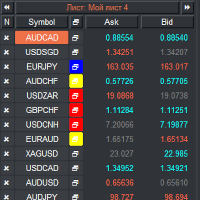
VR 감시 목록 및 링커 - 터미널용 스크리너 애플리케이션 메타트레이더 . 가장 흥미롭고 기술적인 금융 상품을 더 쉽게 찾을 수 있습니다. 이 스크리너는 bybit, Moscow Exchange, American Exchange, 외환 및 암호화폐 시장, 금속 시장 등의 거래소에서 트레이더가 거래하는 데 사용되며 소품 회사에서 거래하는 데 사용됩니다. 금융상품의 선택은 수동으로 수행됩니다. 스크리너는 MetaTrader 터미널의 오픈 차트를 연결하고, 금융상품 변경 시 각 차트의 데이터를 별도로 표시합니다. 설정, 파일 설정, 데모 버전, 지침, 문제 해결 등은 다음에서 얻을 수 있습니다. [블로그] 다음에서 리뷰를 읽거나 작성할 수 있습니다. [링크] 버전: [메타트레이더4] 스크리너를 사용하면 거래자가 가장 기술적인 금융 상품을 찾고 유동성이 낮고 위험이 높은 상품에 대한 거래를 제외하는 데 도움이 됩니다. 스크리너를 사용하면 티커가 포함된 시트를 쉽고 빠르게 생성 및 변경하
FREE
Double Correlation indicator (free) plots two windowed correlations in a separate window.  the size of window is taken as input before the two symbols to correlate to. Two symbols are taken as an input parameters as well as period length. and the two correlations are computed with the currently shown symbol ex: input GBPJPY and AUDNZD.  current symbol EURUSD then the following will be computed corr(EURUSD,GBPJPY) and corr(EURUSD,AUDNZD) The indicator can be useful to run a multi-symbol pair trad
FREE
Always Know When the Candle Closes!The countdown is right there on the chart, updating every second. If you find this indicator useful, please leave a review How It Works The indicator displays up to three independent candle close countdowns on your chart, each set to any MT5 timeframe. Monitor your chart timeframe, a higher timeframe, and a lower timeframe simultaneously — all without switching charts. Slot 1 defaults to your current chart timeframe. Set slots 2 and 3 to any timeframe you want
FREE
LT Pointer Sync
Thiago Duarte
4.5 (6)
Pointer Sync is a pointer synchronizer between open charts. It makes the MT5 cross (activated by the middle mouse button) to be replicated on all open charts. In addition, it is possible to create horizontal lines (letter H) and vertical lines (letter V), very useful for studying. The appearance of the lines is customizable. Note: Synchronization is through the X and Y scale in pixels , not price and/or date. It is a simple and free utility. Enjoy! This is a free indicator, but it took hours to
FREE
이 제품의 구매자들이 또한 구매함
Trade Assistant MT5
Evgeniy Kravchenko
4.41 (216)
거래당 위험 계산, 라인을 사용한 손쉬운 신규 주문, 부분 청산 기능을 통한 주문 관리, 7가지 유형의 트레일링 스탑 및 기타 유용한 기능을 제공합니다. 추가 자료 및 지침 설치 지침   -   애플리케이션 지침   -   데모 계정용 애플리케이션 평가판 라인 기능       - 차트에 개시선, 손절매, 차익실현을 표시합니다. 이 기능을 사용하면 새로운 주문을 쉽게 하고 개봉 전에 추가 특성을 볼 수 있습니다. 위기 관리       -       위험 계산 기능은 설정된 위험과 손절매 주문의 크기를 고려하여 새 주문의 볼륨을 계산합니다. 이를 통해 손절매 크기를 설정하고 동시에 설정된 위험을 존중할 수 있습니다. 로트 계산 버튼 - 위험 계산을 활성화/비활성화합니다. 필요한 위험 값은 위험 필드에 0에서 100 사이의 백분율 또는 예금 통화로 설정됩니다. 설정 탭에서 위험 계산 옵션을 선택합니다. $ 통화, % 잔액, % 지분, % 자유 마진, % 사용자 정의, % AB 이전
Trade Manager EA에 오신 것을 환영합니다. 이 도구는 거래를 보다 직관적이고 정확하며 효율적으로 만들기 위해 설계된 궁극적인 리스크 관리 도구 입니다. 단순한 주문 실행 도구가 아닌, 원활한 거래 계획, 포지션 관리 및 리스크 제어를 위한 종합 솔루션입니다. 초보자부터 고급 트레이더, 빠른 실행이 필요한 스캘퍼에 이르기까지 Trade Manager EA는 외환, 지수, 상품, 암호화폐 등 다양한 시장에서 유연성을 제공합니다. Trade Manager EA를 사용하면 복잡한 계산은 이제 과거의 일이 됩니다. 시장을 분석하고 진입, 손절 및 익절 수준을 차트의 수평선으로 표시한 후 리스크를 설정하면, Trade Manager가 이상적인 포지션 크기를 즉시 계산하고 SL 및 TP 값을 실시간으로 표시합니다. 모든 거래가 간편하게 관리됩니다. 주요 기능: 포지션 크기 계산기 : 정의된 리스크에 따라 거래 크기를 즉시 결정합니다. 간단한 거래 계획 : 진입, 손절, 익절을 위한
TradePanel MT5
Alfiya Fazylova
4.88 (167)
Trade Panel은 다기능 거래 도우미입니다. 이 애플리케이션에는 50개 이상의 수동 거래 기능이 포함되어 있으며 대부분의 거래 작업을 자동화할 수 있습니다. 구매하기 전에 데모 계정에서 데모 버전을 테스트할 수 있습니다. 데모 계정용 애플리케이션 체험판 다운로드: https://www.mql5.com/en/blogs/post/750865 . 전체 지침 여기 . 거래. 한 번의 클릭으로 거래를 수행할 수 있습니다: 리스크 자동 계산과 함께 예약 주문 및 포지션 열기. 한 번의 클릭으로 여러 주문 및 포지션 열기. 주문 그리드 열기. 예약 주문 및 포지션을 그룹별로 닫기. 포지션 방향 전환 (Buy 닫기 > Sell 열기, Sell 닫기 > Buy 열기). 포지션 잠금 (부족한 포지션을 열어 Buy와 Sell 포지션의 수량을 동일하게 만들기). 모든 포지션 한 번의 클릭으로 부분적으로 닫기. 모든 포지션의 테이크 프로핏과 스톱로스를 같은 가격 수준에 설정. 모든 포지션의 스톱로스를
Astro Trade MT5
Indra Maulana
5 (2)
AstroTrade Trading Assistant AstroTrade is a comprehensive multi-functional trading utility developed for the MetaTrader 5 platform. It integrates essential tools for trade execution, risk management, and technical monitoring into a single unified interface. The application is designed to assist traders in managing their daily operations through a visual and structured environment. Visual Trade Execution and Risk Management The application includes a specialized trading panel that assists in c
================================================================================ POC BREAKOUT - V20.72. Full Professional Grade Toolkit ================================================================================ POC Breakout is a full MetaTrader 5 trading dashboard for discretionary traders who want breakout signals, Point of Control (POC) context, volume profiles, order flow, market structure, news, alerts, and advanced trade planning in one professional workspace. Attached directly to you
Local Trade Copier EA MT5
Juvenille Emperor Limited
4.97 (146)
Local Trade Copier EA MT5 를 사용하여 매우 빠른 거래 복사 경험을 해보세요. 1분 안에 간편하게 설정할 수 있으며, 이 거래 복사기를 사용하면 Windows 컴퓨터 또는 Windows VPS에서 여러 개의 MetaTrader 터미널 간에 거래를 0.5초 미만의 초고속 복사 속도로 복사할 수 있습니다. 초보자든 전문가든   Local Trade Copier EA MT5 는 다양한 옵션을 제공하여 사용자의 특정 요구에 맞게 맞춤 설정할 수 있습니다. 이는 수익 잠재력을 높이려는 모든 사람을 위한 최고의 솔루션입니다. 지금 사용해보시고 이것이 왜 시장에서 가장 빠르고 쉬운 무역용 복사기인지 알아보세요! 팁: 여기 에서 데모 계정에서 Local Trade Copier EA MT5 데모 버전을 다운로드하여 사용해 볼 수 있습니다. 다운로드한 무료 데모 파일을 MT5 >> File >> Open Data Folder >> MQL5 >> Experts 폴더에 붙여넣고 터
베타 출시 Telegram to MT5 Signal Trader 는 곧 공식 알파 버전을 출시할 예정입니다. 일부 기능은 아직 개발 중이며, 작은 버그가 발생할 수 있습니다. 문제가 있으면 꼭 보고해 주세요. 여러분의 피드백은 소프트웨어 개선에 도움이 됩니다. Telegram to MT5 Signal Trader 는 Telegram 채널 또는 그룹의 거래 신호를 자동으로 MetaTrader 5 계정으로 복사하는 강력한 도구입니다. 공개 및 비공개 채널을 모두 지원하며, 여러 신호 제공자를 여러 MT5 계정에 연결할 수 있습니다. 소프트웨어는 빠르고 안정적으로 동작하며, 복사된 거래를 완벽히 제어할 수 있습니다. 인터페이스는 깔끔하며 대시보드와 차트가 시각적으로 구성되어 있고, 직관적인 네비게이션이 가능합니다. 여러 Signal Account를 관리하고, 공급자별 설정을 세밀하게 조정하며, 모든 동작을 실시간으로 모니터링할 수 있습니다. 필수 조건 MQL의 제한으로 인해 EA는 Te
Telegram to MT5 Multi-Channel Copier 는 Telegram 채널의 트레이딩 신호를 자동으로 MetaTrader 5로 직접 복사합니다. 봇도, 브라우저 확장 프로그램도, 수동 복사도 필요 없습니다. Telegram에서 신호를 받으면 EA가 몇 초 안에 터미널에서 거래를 엽니다. 본 제품은 두 가지 구성 요소로 구성되어 있습니다: Telegram 채널을 감시하는 Windows 애플리케이션과 MT5 터미널에서 신호를 실행하는 이 Expert Advisor입니다. MT4 버전도 제공됩니다. 설정 가이드 및 애플리케이션 다운로드: https://www.mql5.com/en/blogs/post/768988 작동 방식 Windows 애플리케이션은 봇이 아닌 사용자 자신의 API 자격 증명을 사용하여 Telegram에 연결됩니다. 이는 프라이빗 및 VIP 채널을 포함하여 구독 중인 모든 채널, 그룹 또는 주제를 읽을 수 있음을 의미합니다. 신호를 감지하면 이를 파싱하여
Trade copier MT5
Alfiya Fazylova
4.58 (52)
Trade Copier는 거래 계정 간의 거래를 복사하고 동기화하도록 설계된 전문 유틸리티입니다. 복사는 공급자의 계정/단말기에서 동일한 컴퓨터 또는 vps에 설치된 수신자의 계정/단말기로 발생합니다. 프로모션 - 이미 "Trade copier MT5"를 구매하셨다면, "Trade copier MT4"를 무료로 받으실 수 있습니다 (MT4 → MT5 및 MT4 ← MT5 복사용). 조건에 대한 자세한 정보를 원하시면, 개인 메시지를 통해 저희에게 문의해 주시기 바랍니다! 구매하기 전에 데모 계정에서 데모 버전을 테스트할 수 있습니다. 데모 버전 여기 . 전체 지침 여기 . 주요 기능 및 이점: 복사기는 "МТ5> МТ5", "МТ4> МТ5", "МТ5> МТ4" 복사를 지원합니다. 복사기는 데모 계정 > 실 계정, 실 계정 > 데모 계정, 데모 계정 > 데모 계정 및 실제 계정 > 실 계정 복사를 지원합니다. 복사기는 읽기 전용 암호가 적용된 투자자 계정에서 복사를 지원합니다. 하
Grid Manual MT5
Alfiya Fazylova
4.73 (22)
"Grid Manual"은 주문 그리드 작업을 위한 거래 패널입니다. 이 유틸리티는 보편적이며 유연한 설정과 직관적인 인터페이스를 제공합니다. 그것은 손실을 평균화하는 방향뿐만 아니라 이익을 증가시키는 방향으로 주문 그리드와 함께 작동합니다. 거래자는 주문 그리드를 만들고 유지할 필요가 없으며 유틸리티에서 수행합니다. 거래자가 주문을 시작하는 것으로 충분하며 "Grid Manual"는 자동으로 그를 위한 주문 그리드를 생성하고 거래가 마감될 때까지 그와 동행할 것입니다. 전체 설명 및 데모 버전 여기 . 유틸리티의 주요 기능: 모바일 터미널을 포함하여 어떤 방식으로든 열린 주문과 함께 작동합니다. "제한" 및 "중지"의 두 가지 유형의 그리드와 함께 작동합니다. 고정 및 동적(ATR 표시기 기반)의 두 가지 유형의 그리드 간격 계산과 함께 작동합니다. 오픈 오더 그리드의 설정을 변경할 수 있습니다. 차트에서 각 주문 그리드의 손익분기점 수준을 표시합니다. 각 주문 그리드에 대한 이익
HINN MagicEntry Extra
ALGOFLOW OÜ
4.71 (17)
LIMITED SUMMER SALE -40% !   ONLY $30 insead of $50!  Maximum real discount!  ONLY UNTIL 08/22 HINN MAGIC ENTRY – the ultimate tool for entry and position management! Place orders by selecting a level directly on the chart! full description   ::  demo-version  :: 60-sec-video-description Key features: - Market, limit, and pending orders - Automatic lot size calculation - Automatic spread and commission accounting - Unlimited partitial take-profits  - Breakeven and trailing stop-loss and take-p
Exp COPYLOT CLIENT for MT5
Vladislav Andruschenko
3.97 (35)
MetaTrader 5용 전문 트레이드 복사기 MetaTrader 용 빠르고 전문적이며 신뢰할 수 있는 트레이드 복사기 입니다. COPYLOT 은 MT4와 MT5 터미널 간의 Forex 거래 복사를 지원하며, Hedge 및 Netting 계좌를 모두 지원합니다. COPYLOT MT5 버전 지원 구성: - MT5 Hedge → MT5 Hedge - MT5 Hedge → MT5 Netting - MT5 Netting → MT5 Hedge - MT5 Netting → MT5 Netting - MT4 → MT5 Hedge - MT4 → MT5 Netting MT4 버전 전체 설명 + DEMO + PDF 구매 방법 설치 방법 로그 파일 확인 방법 테스트 및 최적화 방법 Expforex의 모든 제품 MT4 터미널로도 거래를 복사할 수 있습니다(MT4 → MT4, MT5 → MT4): COPYLOT CLIENT for MT4 COPYLOT은 2개, 3개, 심지어 10개의 터미널과 동시에 작동할
파워 캔들 전략 스캐너 - 자체 최적화 다중 종목 설정 찾기 도구 파워 캔들 전략 스캐너는 마켓 워치에 등록된 모든 종목에 대해 파워 캔들 지표와 동일한 자체 최적화 엔진을 동시에 실행합니다. 하나의 패널에서 현재 통계적으로 거래 가능한 종목, 각 종목별 최적의 전략, 최적의 손절매/익절 조합을 알려주며, 새로운 신호가 발생하면 즉시 알림을 전송합니다. 이 도구는 Stein Investments 에코시스템의 일부입니다. 18개 이상의 도구와 함께 당신의 1대1 AI 트레이딩 멘토 Max.  항상 대기 중, 모든 인디케이터를 깊이 있게 이해, 무언가를 차근차근 생각해보고 싶은 순간에 도움을 줍니다.  https://stein.investments 에서 만나보세요 완벽한 시장 모니터링. 종목당 3,000건 이상의 자동 최적화. 2가지 알림 유형. 한 번의 클릭으로 차트를 전환하고 바로 거래하세요. 이 도구가 필요한 이유 대부분의 다중 종목 스캐너는 가격 변동만 보여줍니다. 티커별
Premium Trade Manager - 코치가 내장된 트레이딩 패널 Premium Trade Manager 는 차트 안에 트레이딩 코치를 심어놓은 도구입니다. 주문을 확정하기 전에, AI 트레이딩 코치 Max가 설정된 거래를 직접 읽고 명확한 판단을 내려줍니다. 스톱이 규율 있는 접근 방식에 맞는지, 리스크 크기가 합리적인지, 고영향 뉴스 이벤트가 몇 분 후에 있는지, 프롭 펌 한도에 근접했는지. 그 아래에는 완전한 실행 엔진이 있습니다. 원클릭 리스크 기반 진입, 차트에서 드래그로 세우고 거래가 진행되는 동안에도 계속 움직일 수 있는 플랜, 최대 4단계 분할 익절, 7가지 트레일링 방식, 실시간 프롭 펌 컴플라이언스, 뉴스 가드, 그리고 자체 비용을 평가하는 스프레드까지. 결정은 당신이 내립니다. Max가 두 번째 시선으로 확인합니다. 패널이 그 이후의 모든 것을 처리합니다. 구매 전에 직접 체험해 보세요. 브라우저에서 라이브 패널을 직접 클릭해볼 수 있습니다. 구매 전에 실제
Telegram To MT5 Ultra
Mirel Daniel Gheonu
5 (4)
Telegram To MT5 — 시그널 카피어 텔레그램 채널의 트레이딩 콜을 실제 MT5 주문으로 바꿔 드립니다 — 자동으로, 원하는 만큼의 계좌에서, 리스크와 규칙을 완전히 당신의 통제 아래 둡니다. Telegram To MT5는 이미 텔레그램에서 팔로우하고 있는 VIP / 시그널 채널을 당신의 MetaTrader 5 터미널에 연결합니다. 무료 동반 데스크톱 앱이 메시지를 읽고(봇을 차단하는 채널에서도 가능), 이 EA가 당신의 계좌에서 이를 실행합니다 — 당신만의 리스크 설정, 심볼 매핑, 익절(TP) 처리, 세션 및 뉴스 필터를 적용합니다. 이것은 블랙박스 전략이 아니라 시그널 카피어입니다. 어떤 채널을 신뢰할지, 각 거래의 수량과 관리 방식을 당신이 결정합니다. 단계별 설정 및 동반 앱 설치 가이드 작동 방식 [당신의 텔레그램 채널] -> [동반 데스크톱 앱] -> [MT5 + 이 EA] -> 주문 동반 데스크톱 앱(무료, 포함)은 당신의 텔레그램 계정으로 로그인하여 선택한
Timeless Charts
Samuel Manoel De Souza
5 (8)
Timeless Charts is an all-in-one trading utility for professional traders. It combines custom chart types such as Seconds Charts and Renko with advanced order flow analysis using Footprints , Clusters , Volume Profiles , VWAP studies, and anchored analysis tools for deeper market insight. Trading and position management are handled directly from the chart through an integrated trade management panel , while Market Replay and Virtual Accounts provide environments for practicing trading skills and
Farmed Hedge Yield Farming | All Markets (Manual - Hybrid - Semi/Automated EA) MULTI-ASSET SUPPORT Trade any asset available on your broker - Forex: Major, Minor, Exotic pairs - Crypto: BTC, ETH, XRP, SOL, BNB - Stocks: Apple, Tesla, Amazon, Google, etc. - Commodities: Gold, Silver, Oil, Gas - Indices: US30, NAS100, SPX500, DAX40 - Any CFD your broker offers VERIFIED TRADING RESULTS - Farmed Hedge Yield Axi Copy:  https://www.mql5.com/en/signals/2356376 - Farmed Hedge Yield Exn Copy:   https:/
Trade Manager DaneTrades
Levi Dane Benjamin
4.23 (30)
거래 관리자는 위험을 자동으로 계산하는 동시에 거래를 빠르게 시작하고 종료하는 데 도움을 줍니다. 과잉 거래, 복수 거래 및 감정 거래를 방지하는 데 도움이 되는 기능이 포함되어 있습니다. 거래를 자동으로 관리할 수 있으며 계정 성과 지표를 그래프로 시각화할 수 있습니다. 이러한 기능은 이 패널을 모든 수동 거래자에게 이상적으로 만들고 MetaTrader 5 플랫폼을 향상시키는 데 도움이 됩니다. 다중 언어 지원. MT4 버전  |  사용자 가이드 + 데모 트레이드 매니저는 전략 테스터에서 작동하지 않습니다. 데모를 보려면 사용자 가이드로 이동하세요. 위기 관리 % 또는 $를 기준으로 위험 자동 조정 고정 로트 크기 또는 거래량과 핍을 기반으로 한 자동 로트 크기 계산을 사용하는 옵션 RR, Pips 또는 Price를 사용한 손익분기점 손실 설정 추적 중지 손실 설정 목표 달성 시 모든 거래를 자동으로 마감하는 최대 일일 손실률(%)입니다. 과도한 손실로부터 계정을 보호하고 과도한
Trade Dashboard MT5
Fatemeh Ameri
4.95 (132)
Trade Dashboard simplifies how you open, manage, and control your trades, with built-in lot size calculation. It allows you to execute trades, manage risk, and control positions directly on the chart, with tools such as partial close, breakeven, and trailing stop. Designed to reduce manual work and help you stay focused on your trading decisions. A demo version is available for testing. Detailed explanations of features are provided within the MQL5 platform. Installation instructions are include
YuClusters
Yury Kulikov
4.93 (43)
Attention: You can view the program operation in the free version  YuClusters DEMO .  YuClusters is a professional market analysis system. The trader has unique opportunities to analyze the flow of orders, trade volumes, price movements using various charts, profiles, indicators, and graphical objects. YuClusters operates on data based on Time&Sales or ticks information, depending on what is available in the quotes of a financial instrument. YuClusters allows you to build graphs by combining da
Custom Alerts AIO: 다중 시장을 동시에 모니터링 – 설정 없이 즉시 사용 가능 개요 Custom Alerts AIO 는 복잡한 설정 없이 즉시 사용할 수 있는 통합 시장 모니터링 도구입니다. FX Power, FX Volume, FX Dynamic, FX Levels, IX Power 등 필요한 모든 지표가 내장되어 있어 별도의 설치나 구성 없이 알림 기능을 바로 사용할 수 있습니다. 차트 그래픽 없이 작동하며, Forex, 금속, 지수, 암호화폐 등 주요 자산군을 모두 지원합니다. 주식(Symbols)은 별도로 입력하여 추가할 수 있으나, MetaTrader에서는 일반적으로 제한적으로만 사용됩니다. 1. 왜 Custom Alerts AIO를 선택해야 하나요? 추가 라이선스가 필요 없습니다 • 모든 Stein Investments 지표가 내장되어 있어 별도 구매가 필요 없습니다. • 즉시 알림 기능을 시작할 수 있어 빠르고 간편합니다. 모든 시장을 하나의 도구로
Seconds Chart MT5
Boris Sedov
4.61 (18)
Seconds Chart - MetaTrader 5에서 초 단위 차트를 생성하는 독특한 도구입니다. Seconds Chart 를 사용하면 초 단위로 설정된 타임프레임으로 차트를 작성할 수 있어, 표준 분 또는 시간 단위 차트에서는 불가능한 유연성과 정밀한 분석이 가능합니다. 예를 들어, S15 타임프레임은 15초 동안의 캔들로 구성된 차트를 의미합니다. 사용자 정의 심볼을 지원하는 모든 인디케이터와 전문가 어드바이저를 사용할 수 있습니다. 이를 사용하는 것은 표준 차트에서 거래하는 것만큼 편리합니다. 표준 도구와 달리, Seconds Chart 는 초고속 타임프레임에서도 높은 정확도와 지연 없이 작업할 수 있도록 지원합니다. 무료 데모: Seconds Chart v2.29 Demo.ex5 무료 데모를 다운로드하고 직접 확인하십시오: 완전한 기능 - 모든 기능 사용 가능 24시간 테스트 - 정확성과 편리성을 평가하기에 충분한 시간 데모 계정만 - 대부분의 브로커에서 쉽게 개설 가능
Anchor Trade Manager
Kalinskie Gilliam
5 (7)
Anchor: The EA Manager Your EAs manage their own trades. Anchor manages the account around them. Anchor gives you one place to control your EAs, manage risk and decide when trading is allowed. Any EA, any vendor, any broker or symbol. No source-code changes required. The Problem Most EAs only know what they are doing. They cannot see when another EA is already trading, when several EAs open and are stacking risk or when the account has reached your loss limit. Even using just one EA, it may not
VirtualTradePad PRO SE MT5 — MetaTrader 5용 전문 트레이딩 컨트롤 센터 VirtualTradePad PRO SE 는 MetaTrader 5 용 프리미엄 차트 기반 트레이딩 패널이자 거래 관리 워크스페이스입니다. 더 빠른 주문 실행, 더 명확한 포지션 관리, 구조화된 거래 관리, 시각적인 레벨 계획, 그리고 차트에서 직접 작업하는 전문적인 워크플로를 원하는 트레이더를 위해 설계되었습니다. 이 제품은 단순한 BUY / SELL 패널이 아닙니다. PRO SE는 수동 트레이딩, 예약 주문, 포지션 관리, 부분 청산, 바스켓 손익 관리, 평균가 레벨, ATM 규칙, 신호 모니터링, 실시간 시장 정보, 전략 테스터 (Strategy Tester) 워크플로, VPS 중심 운용을 하나의 연결된 인터페이스로 통합합니다. MT4 버전 | 전체 설명 및 스크린샷 | 구입 방법 | 설치 방법 | 로그 파일을 얻는 방법 | 테스트 및 최적화 방법 | Expforex의 모든
Footprint Chart Pro — Professional OrderFlow EA for MetaTrader 5 Version 6.34 | Professional tool for real traders | Institutional-Grade Visualization DEMO USERS - PLEASE SELECT EVERY TICK / REAL TICK WHEN TESTING AND YOU HAVE DOWNLOADED HISTORICAL DATA. IF YOU SEE A WAITING SCREEN AND IT IS NOT DOWNLOADING, IT MEANS YOU HAVE LOW HISTORICAL DATA. TRY 1 MIN AND 5 MIN FIRST ON 1 DAY DATA. ONE DAY DATA SHOULD BE THE NEWEST AND MOST CURRENT DATE. PLEASE WAIT UNTIL THE MARKET HAS ROLLED OVER PERIOD.
Quant AI Agents
Ho Tuan Thang
5 (1)
Quant AI Agents are independent trading Expert Advisors. Instead of trading using a fixed strategy like other conventional EAs, Quant AI Agents   is a   multi-agent AI trading framework   that turns natural-language strategy prompts into live.  WANT THE SAME RESULTS AS MY LIVE SIGNAL?   Use the exact same brokers I do:   IC MARKETS , IC TRADING   .  Unlike the centralized stock market, Forex has no single, unified price feed.  Every broker sources liquidity from different providers, creating un
Exp5 Duplicator
Vladislav Andruschenko
4.78 (9)
Duplicator for MetaTrader 5 — 하나의 터미널 안에서 동작하는 전문 포지션 복제 시스템 MetaTrader 5에서 이미 열려 있는 포지션을 자동으로 복제하고, 전체 거래 규모를 확장하며, 사용자 지정 로트 규칙을 적용하고, 복제 포지션을 정교한 로직으로 관리하려는 트레이더를 위한 신뢰성 높은 Expert Advisor입니다. 수동 매매, 알고리즘 매매, 그리고 이미 존재하는 포지션을 더 유연하게 관리하려는 사용자에게 적합한 실전형 도구입니다. Duplicator for MT5는 자체 매매 전략으로 새로운 포지션을 열지 않습니다. 이 제품의 역할은 MetaTrader 5 계정 안에 이미 존재하는 포지션을 감시하고, 사용자가 설정한 조건에 따라 복제 포지션을 생성하는 것입니다. 복제 횟수, 로트 크기, Stop Loss, Take Profit, 코멘트, 추가 관리 조건까지 세밀하게 설정할 수 있습니다. 서로 다른 플랫폼이나 다른 터미널 간 복사 기능이 아니라, 같
The product will copy all telegram signal to MT5 ( which you are member) , also it can work as remote copier.  Easy to set up, copy order instant, can work with almost signal formats, image signal,  s upport to translate other language to English Work with all type of channel or group, even channel have "Restrict Saving Content", work with  multi channel, multi MT5 Work as remote copier: with signal have ticket number, it will copy exactly via ticket number. Support to backtest signal. How to s
Trade Copier Ultimate
Janitha Sandaruwan Amaradasa Wickramasingha Arachchilage
5 (4)
Trade Copier Ultimate - Telegram to MT5 Signal Copier Trade Copier Ultimate automatically copies Telegram trading signals into MetaTrader 5. The EA can read signal messages, detect the symbol, order type, entry price, Stop Loss, Take Profit levels and selected update commands, then execute or manage the trade in MT5 using your lot and risk settings. It is more than a basic Telegram to MT5 copier. TCU also supports Bot API and user-account Bridge workflows, Discord signal routing, local MT5 to MT
Welcome to ENTRY IN THE ZONE WITH SMC MULTI TIMEFRAME Entry In The Zone and SMC Multi Timeframe is a real-time market analysis tool based on Smart Money Concepts (SMC), designed to analyze market structure, price direction, and key trading zones. It supports both Single-Timeframe Analysis and Multi-Timeframe Analysis, providing a clearer view of the overall market structure across multiple timeframes, with real-time BUY / SELL signals that do not repaint. It is designed to help filter trading op
제작자의 제품 더 보기
Order Block Zones는 기관이 남기고 간 캔들 — 구조를 깨는 강한 움직임 직전의 마지막 반대색 캔들 — 을 찾아내어 차트 위에 깔끔한 수요와 공급 존으로 그려줍니다. 존을 찾는 방식은 투명하며 블랙박스가 아닙니다. 고점이 이후 displacement(변위) 다리로 상방 돌파된 음봉은 수요 존이 됩니다. 저점이 하방 돌파된 양봉은 공급 존이 됩니다. Displacement는 ATR 대비로 측정되므로 약하고 노이즈 많은 캔들은 무시됩니다. Mitigation(미티게이션) 추적이 차트를 정직하게 유지합니다. 한 번도 재테스트되지 않은 프레시 존은 밝은 근접 경계선과 함께 굵게 그려집니다. 가격이 꼬리로 되돌아 들어오면 존은 미티게이트되어 흐려집니다. 가격이 종가로 존을 뚫으면 존은 무효가 되어 자동 제거되므로, 차트에는 아직 의미 있는 존만 남습니다. 컴팩트한 다크 패널 — 드래그 가능, 4가지 크기, 영어 또는 일본어 — 이 수요, 공급, 프레시 존의 실시간 개수, 위
FREE
Trend Dashboard MTF는 모든 심볼과 타임프레임에 걸친 추세의 방향과 강도를 하나의 깔끔한 패널로 보여줍니다 — 클래식 탑다운 분석을 바탕으로 어느 쪽에 서야 할지 알려주는 진정한 멀티 타임프레임 추세 스캐너입니다. 차트를 이리저리 넘겨보는 일은 이제 그만. 시장 전체를 한눈에 확인하세요. 리페인트 없음 — 방향과 강도는 마지막으로 완성된(종가 확정) 봉에서 읽어오므로, 한번 표시된 값이 틱마다 깜빡이거나 나중에 바뀌지 않습니다. (더 이른 판독이 필요하다면 진행 중인 봉 모드를 켜세요.) 화면에 보이는 것 - 방향 = 색상 (초록 = 상승, 빨강 = 하락, 회색 = 횡보) - 강도 = 둥근 바의 길이 (ADX 기반; 바가 길고 밝을수록 추세가 강함) - 심볼별 매매 조언 (LONG / SHORT / WAIT)과 보조 안내: 지금 진입 또는 풀백 대기 조언의 작동 원리 (탑다운 로직) 실제로 매매하는 타임프레임을 선택하세요. 패널은 타임프레임을 BIAS(방향을 결
FREE
Confluence Sniper는 여러 독립적인 기법이 같은 봉에서 의견을 일치시킬 때만 진입 신호를 표시하며, 모든 신호 도구가 결국 무너지는 단 하나의 논쟁, 즉 리페인팅 문제를 확실히 매듭짓습니다. 모든 실시간 신호는 해당 봉이 마감되는 즉시 로컬 원장 파일에 기록되며, 히스토리에 남는 금색 화살표는 그 기록으로부터 그대로 재생될 뿐 결코 다시 계산되지 않습니다. 과거 봉에 표시되는 모델 추정치는 명확히 구분되는 속이 빈 화살표로 나타나므로 둘을 혼동할 일이 없습니다. 어제 원장에 찍혔던 내용은 오늘도 바이트 단위까지 그대로 남아 있습니다. 약속은 정직하고 단순합니다. 리페인팅 없음이라는 주장을 그냥 믿지 마십시오. 직접 검증하십시오. 다섯 개의 엔진, 하나의 결론 마감된 각 봉은 독립적으로 투표하는 다섯 개의 엔진이 판정합니다. 추세 합의는 ADX 강도 게이트를 통과한 여러 모델의 방향 일치를 읽어냅니다. 존 컨텍스트는 가격이 갓 형성된 오더블록에서 반응하고 있는지 확인합
FREE
v2.0 신기능 - Gold Pulse는 이제 금이 왜 움직이는지도 알려줍니다. 달러, 금리, 리스크 심리를 한 줄로 요약해 금에 HEADWIND인지 TAILWIND인지 판정하는 MACRO 진단, 경제 캘린더와 연동된 실시간 카운트다운의 NEXT 고영향 이벤트, 그리고 마우스를 올리면 이면의 정확한 수치가 나타나는 호버 기능까지. 한눈에 파악하고, 필요할 때 정확한 데이터를 확인하세요. Gold Pulse는 XAUUSD 전용으로 설계된 상황 인식 패널입니다. 금 트레이더가 진입 전에 반드시 확인하는 세 가지 질문에 답합니다. 지금 어느 세션이고 다음 세션까지 얼마나 남았는가, 하루 평균 변동폭 중 얼마가 이미 소진되었는가(움직임이 소진 상태인가), 주요 레벨은 어디에 있고 현재가에서 각각 얼마나 떨어져 있는가. 패널 표시 항목 (드래그 가능, S/M/L/XL, EN/JP): 도쿄, 런던, 뉴욕 세션 시계와 다음 세션까지의 카운트다운, 오늘 변동폭 대비 ADR(20)을 하나의 퍼센트로
FREE
v1.30 새 기능 - PICK 모드: 랭킹에서 아무 두 줄을 탭해 원하는 조합을 그대로 비교하세요 (AUTO / LOCK / PICK 모드). VS 패널을 탭하면 차트가 그 통화쌍으로 곧장 이동합니다. 지금 이 순간 어떤 통화가 매수되고, 어떤 통화가 매도되고 있을까요? Currency Strength Duel은 FX 주요 8개 통화를 가장 강한 것부터 가장 약한 것까지 실시간으로 한 장의 깔끔한 패널에 랭킹으로 보여주고, 선두가 바뀌는 순간 알려줍니다. 가장 강한 통화를 가장 약한 통화와 맞붙여 거래하세요. 무료이며, 어떤 브로커에서도 자동으로 작동합니다. 대부분의 통화 강도 지표는 뒤엉킨 여덟 개의 선을 던져 놓을 뿐입니다. 이 도구는 어려운 부분을 대신 처리합니다. 통화마다 중앙 기준으로 갈라지는 깔끔한 막대 하나(초록은 매수 중, 빨강은 매도 중), 가장 강한 통화는 맨 위, 가장 약한 통화는 맨 아래로 정렬되므로 거래할 통화쌍이 한눈에 드러납니다. 배울 것이 없습니다.
FREE
모든 시장이 어느 방향으로 움직이는지, 그 추세가 얼마나 강한지 확인하고, 트레이드 조건이 갖춰지는 순간 즉시 알림을 받으세요 — 모든 심볼과 타임프레임을 하나의 깔끔한 패널에서. 초록은 상승, 빨강은 하락, 심볼마다 명확한 LONG / SHORT / WAIT 판정이 표시됩니다. 차트를 계속 들여다볼 필요가 없고, 어떤 브로커에서든 자동으로 작동합니다. 내부적으로는 5개 모델 컨플루언스 엔진으로 각 시장을 점수화하고, 통화 강도를 표시하며, 클릭 한 번으로 원하는 차트로 이동할 수 있습니다. 차트를 이리저리 넘기는 대신, 시장 전체와 지금 해야 할 일을 한눈에 파악하세요. 왜 PRO인가 (이동평균선 하나와의 차이) PRO는 후행 지표 하나를 맹신하지 않습니다. 각 심볼과 타임프레임을 다섯 개의 독립 모델이 점수화하고 방향에 투표합니다: EMA 크로스(단기 대 장기), EMA 기울기(추세가 가속 중인지), ADX / DI(+DI 대 -DI), MACD(본선 대 시그널), 가격과 EMA
펀디드 계좌든 챌린지 계좌든 끝까지 살려두십시오 — 스스로 채워지는 안전벨트와 함께. PRO는 일일 손실 또는 최대 드로다운 한도가 깨지는 순간 모든 포지션을 자동 청산하고 신규 주문을 차단합니다. 여기에 지금 안전하게 쏠 수 있는 최대 랏으로 원클릭 BUY / SELL, 그리고 arm-then-confirm(선 활성화, 후 확인) 방식까지 갖춰 단 한 번의 오클릭으로 주문이 나가는 일이 없습니다. 유틸리티 도구입니다. 전략 없음, 수익 보장 없음, 마틴게일 없음. 왜 PRO인가 (무료 Risk Guardian 대비) 무료 Risk Guardian은 한도 위반까지 얼마나 남았는지 실시간으로 보여줍니다. PRO는 그 마지막 고리를 완성합니다. 위반 즉시 자동 청산: 일일 손실 또는 트레일링 high-water mark 기준 드로다운에 도달하는 순간, 해당 심볼의 모든 포지션이 청산되고 다음 리셋까지 신규 주문이 차단됩니다. 급박한 순간의 망설임을 없애줍니다. 최대 랏 원클릭
v2.0 신기능 - Gold Pulse는 이제 금이 왜 움직이는지도 알려줍니다: MACRO 진단 - 달러, 금리, 리스크 심리를 한 번에 읽어 금에 HEADWIND인지 TAILWIND인지 판정; NEXT 고영향 이벤트를 실시간 카운트다운으로 표시(경제 캘린더); 어떤 요소든 마우스를 올리면 이면의 정확한 수치 공개 - 한눈에 보는 비주얼, 필요할 때 꺼내 보는 데이터. 금이 하루 중 어디에 있는지 정확히 파악하고, 중요한 일이 생기는 순간 즉시 알림을 받아 XAUUSD를 움직이는 순간을 놓치지 마세요. 실시간 세션 시계, ADR 소진율, ATR/스프레드, 멀티 타임프레임 바이어스, 자동으로 그려지는 주요 레벨 — 여기에 세션 오픈, ADR 소진, 주요 레벨 터치 알림과 주간 시가, 아시아 세션 레인지 박스가 더해졌습니다. XAUUSD 전용으로 설계되었습니다. 정보 대시보드 — 신호 없음, 마틴게일 없음, 수익 보장 없음. 왜 PRO인가 (무료 Gold Pulse 대비) 무료
Order Block Zones PRO는 기관이 남기고 간 캔들 — 구조를 깨는 강한 움직임 직전의 마지막 반대색 캔들 — 을 찾아 깔끔한 수요와 공급 존으로 그려주고, 같은 엔진을 여러 시간대로 확장합니다. 존을 찾는 방식은 투명하며 블랙박스가 아닙니다. 고점이 이후 displacement(변위) 다리로 상방 돌파된 음봉은 수요 존이 됩니다. 저점이 하방 돌파된 양봉은 공급 존이 됩니다. Displacement는 ATR 대비로 측정되므로 약하고 노이즈 많은 캔들은 무시됩니다. 프레시 존은 밝은 근접 경계선과 함께 굵게 그려지고, 가격이 꼬리로 들어오면 미티게이트되어 흐려지며, 종가로 뚫리면 자동 제거됩니다. PRO는 무료 존 엔진 위에 세 가지를 더합니다. 상위 시간대 오더블록이 점선 근접 경계와 시간대 태그와 함께 실행 차트 위에 오버레이되어, 예를 들어 H1을 매매하면서 H4 존을 지켜볼 수 있습니다. 터치 알림은 가격이 프레시 공급 또는 수요 존에 닿는 순간 팝업과 선택적
Confluence Sniper Pro는 여러 독립적인 기법이 같은 봉에서 의견을 일치시킬 때만 진입 신호를 표시하며, 모든 신호 도구가 결국 무너지는 단 하나의 논쟁, 즉 리페인팅 문제를 확실히 매듭짓습니다. 모든 실시간 신호는 해당 봉이 마감되는 즉시 로컬 원장 파일에 기록되며, 히스토리에 남는 금색 화살표는 그 기록으로부터 그대로 재생될 뿐 결코 다시 계산되지 않습니다. 과거 봉에 표시되는 모델 추정치는 명확히 구분되는 속이 빈 화살표로 나타나므로 둘을 혼동할 일이 없습니다. 어제 원장에 찍혔던 내용은 오늘도 바이트 단위까지 그대로 남아 있습니다. 약속은 정직하고 단순합니다. 리페인팅 없음이라는 주장을 그냥 믿지 마십시오. 직접 검증하십시오. 무료 버전을 기반으로 제작 Confluence Sniper Pro는 이미 70명이 넘는 트레이더가 사용 중이며 첫 5점 만점 리뷰를 받은 무료 버전을 기반으로 만들어졌습니다. 다섯 개의 엔진, 하나의 결론 마감된 각 봉은 독립적으
필터:
리뷰 없음
리뷰 답변