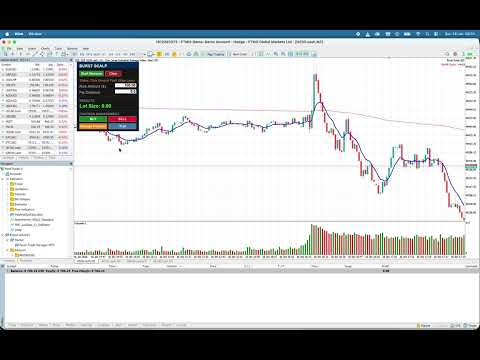
Burst Scalp

Burst Scalp - Professional Trading Assistant EA

Transform Your Trading Workflow with AI-Powered Precision

Burst Scalp is a comprehensive trading management tool designed for active traders who demand precision, speed, and control. Whether you're scalping indices, trading forex pairs, or managing swing positions, this EA streamlines your entire trading process from analysis to execution.

🎯 Key Features

Smart Position Sizing

  • Visual Pip Measurement: Click two points on your chart to measure exact entry-to-stop distance
  • Risk-Based Calculation: Automatically calculates lot size based on your risk amount and pip distance
  • Math Operations: Built-in calculator lets you modify values on-the-fly (divide, multiply, add, subtract)
  • Multi-Asset Support: Works flawlessly on Forex, Indices, Commodities, and Crypto

One-Click Trade Execution

  • BUY/SELL Buttons: Execute trades instantly with pre-calculated position sizing
  • Automatic Stop Loss: SL set at your measured distance
  • Smart Take Profit: Configurable risk-to-reward ratio (1:1, 1:2, 1:3, or custom)
  • Toggle TP On/Off: Perfect for both scalping and swing trading styles

Advanced Position Management

  • Manage Position: Close 50% of your position and move SL to break even with one click
  • Trailing Stop Loss: Activate intelligent trailing that maintains your SL distance while trailing every 0.5x of that distance
  • Multi-Asset Compatibility: Handles all broker filling modes (FOK, IOC, RETURN) automatically

EMA/VWAP Cross Alerts

  • Never Miss a Setup: Get notified when 9 EMA approaches or crosses Daily VWAP
  • Multi-Channel Alerts: Popup, push notifications to mobile, and email alerts
  • Configurable Threshold: Set how close (in pips) triggers an alert
  • Smart Cooldown: Prevents alert spam while keeping you informed

Professional UI Dashboard

  • Clean, Modern Design: Works on any chart color scheme
  • Template-Friendly: Saves with your chart templates
  • Intuitive Layout: All controls organized logically
  • Real-Time Status: Clear feedback on every action

🚀 Perfect For:

  • Scalpers managing multiple quick trades
  • Day Traders who need fast execution
  • Swing Traders using trailing stops
  • Risk-Conscious Traders who calculate every position
  • Multi-Market Traders switching between assets

⚙️ Fully Customizable Settings

Trading Parameters:

  • Default Risk Amount (default: $100)
  • Enable/Disable Take Profit
  • Risk:Reward Ratio (1:1, 1:2, 1:3, or any custom ratio)

Alert Settings:

  • Enable/Disable Cross Alerts
  • Alert Threshold (pips)
  • Push Notifications to Mobile
  • Email Notifications
  • Popup Alerts
  • Cooldown Period

📊 How It Works

Setup Your Trade:

  1. Click "Start Measure"
  2. Click your entry point on chart
  3. Click your stop loss point
  4. Pip distance calculated automatically
  5. Enter your risk amount (or use default)
  6. Lot size calculates in real-time

Execute:

  1. Click BUY or SELL
  2. Position opens with SL and TP set
  3. Trade executed at calculated lot size

Manage:

  1. Click "Manage Position" to take 50% profit and move SL to breakeven
  2. Click "Trail" to activate intelligent trailing stop
  3. Let the EA protect your profits automatically

💡 Unique Advantages

✅ No Manual Calculations: Everything computed automatically ✅ Visual Measurement: See exactly what you're trading ✅ Built-in Calculator: Modify values with +, -, *, / operations ✅ Template Support: Loads perfectly from saved templates ✅ Multi-Broker Compatible: Works with any broker, any asset ✅ Clean Code: Professional, optimized, and reliable ✅ No DLL Dependencies: Pure MQL5, no external libraries ✅ Real-Time Monitoring: Trails stops and alerts continuously

📈 Trading Workflow Example

Scalping US30:

  1. 9 EMA crosses VWAP → Alert received on phone
  2. Measure 20-point stop loss on chart
  3. EA calculates 0.50 lot size for $100 risk
  4. Click BUY → Position opens with 20pt SL, 60pt TP (1:3 R:R)
  5. Price moves 10 points → Click "Manage Position"
  6. 50% closed at profit, remaining 50% at breakeven
  7. Click "Trail" → Remaining position trails automatically
  8. Full automation, zero stress

🎨 Interface Highlights

  • 2x2 Button Grid: BUY, SELL, Manage Position, Trail
  • Real-Time Status: Always know what's happening
  • Color-Coded Feedback: Green for success, red for errors, yellow for warnings
  • Responsive Design: Works on any screen size
  • Dark Theme: Easy on the eyes during long trading sessions

🔧 Technical Specifications

  • Platform: MetaTrader 5
  • Language: MQL5
  • Dependencies: None (uses standard MQL5 libraries)
  • Chart Types: All
  • Timeframes: All
  • Assets: Forex, Indices, Commodities, Crypto, Stocks
  • Execution: Market orders with customizable deviation
  • Position Management: Full position control with partial closes

📦 What You Get

  • Burst Scalp EA (.ex5)
  • Full source code (.mq5)
  • Comprehensive user guide
  • Free updates
  • Support via MQL5 messaging

🛡️ Risk Disclaimer

Trading involves risk. Burst Scalp is a tool to assist your trading decisions, not an automated trading system. Always practice proper risk management and never risk more than you can afford to lose.

🎁 Special Launch Offer

Get Burst Scalp today and take control of your trading workflow. Professional-grade tools shouldn't be complicated - they should make your life easier.

Download Now and Trade Smarter, Not Harder.

📞 Support

Questions? Feature requests? Contact us through MQL5 messaging or leave a comment. We're committed to making Burst Scalp the best trading assistant on the market.

Version: 1.00
Updated: January 2026
Developer: Orikri Tim-Efobi

추천 제품
Centage
Chukwuemeka Kingsley Anyanwu
Centage: Your Smart Trading Bot for Risk Management. Unlike typical trading bots, Centage prioritizes risk management by incorporating an essential feature: it closes all open trades when your account balance reaches a predefined threshold. This feature makes Centage ideal for traders who want to maintain a disciplined approach and avoid emotional decision-making.  Let Centage be your reliable partner in the world of trading, while safeguarding your investments with smart balance-based exits. Ce
제목: Auto Multi Support & Resistance Pro - 스마트 다중 지지저항 [설명] 더 이상 지지선과 저항선을 수동으로 그리지 마세요! 'Auto Multi Support & Resistance Pro'는 스캘핑과 데이트레이딩을 위한 가장 정확한 주요 타점을 알고리즘이 자동으로 찾아줍니다. 골드(XAUUSD), 나스닥 등 변동성이 크고 휩소가 잦은 종목의 분봉(M1, M5, M15)에 완벽하게 최적화되어 있습니다. [주요 기능] 1. 다중 라인 자동 생성: 설정한 개수만큼 유의미한 지지와 저항 라인을 여러 개 그려줍니다. 2. 스마트 간격 필터(Smart Distance Filter): 좁은 구간에 선이 지저분하게 뭉치는 현상을 방지하여 깔끔한 차트를 유지합니다. 3. 민감도 조절 기능: 탐색 캔들 수를 직접 조절하여 내 매매 스타일에 맞는 고점/저점을 판별합니다. 4. 초경량 로직: 컴퓨터 리소스를 거의 차지하지 않아 차트 지연(Lag) 현상이 전혀 없습
FREE
You can: observe the price chart inside the chart of a different price evaluate correlation and relationships observe the difference in charts in the form of a histogram Opportunities: "Auto" mode - auto-adjust the chart for another chart "multiplier" - you can multiply the chart by any number shift up / down the chart by value shift the chart to the left "invert" - mirror flip of the chart Important: only charts added to MarketWatch are used Version for MetaTrader 4 -  https://www.mql5.com/e
Fibozonesv1pro
Ignacio Souza Hermida
FiboMaster Pro — Automatic Fibonacci with Entry, SL & TP Automatic swing detection and Fibonacci levels with entry, stop loss, and take profit zones, drawn on any instrument and timeframe. FiboMaster Pro automatically detects the most recent swing high and swing low on your chart and draws the full Fibonacci retracement along with reference entry, stop loss, and two take profit levels — no manual drawing required. HOW IT WORKS The indicator scans the last N candles (configurable), identifies the
MT5 to Telegram Bridge – 완벽한 거래 알림 시스템 단계별 설정 가이드 텔레그램 봇 생성 텔레그램에서   @BotFather   검색. /newbot   전송 후 지시에 따라 이름 설정. 봇 토큰   복사 (예:   1234567890:ABCdef... ). 채팅 ID 가져오기 봇을 텔레그램 그룹에 추가 (또는 개인 채팅). 그룹/채팅에 아무 메시지 전송. 브라우저에서 다음 URL 접속: https://api.telegram.org/bot&lt ;토큰>/getUpdates "chat":{"id":-123456789}   부분의 숫자 복사 (그룹은   -   포함). MT5에 EA 설치 .mq5   파일을   \MQL5\Experts\   폴더에 복사. MetaEditor에서   F7   눌러 컴파일 (오류 0). WebRequest 허용 MT5:   도구 → 옵션 → 전문가 자문 . "목록에 있는 URL에 WebRequest 허용"   체크. https://api
TCM SMC Indicator for MetaTrader 5 marks market structure on your chart: supply and demand zones, breaks of structure, liquidity grabs and fair value gaps. Everything is calculated from closed candles. What it shows - Fresh supply and demand zones, extended to the right until price returns to them, with the option to also show zones that have been revisited - Breaks of structure (BOS), labelled on the chart - Liquidity grabs (LQG), where price runs a recent high or low and turns back - Fair valu
PriceActionToolKit - Professional ICT & Smart Money Concepts Indicator Transform Your Trading with Institutional-Grade Analysis PriceActionToolKit is a comprehensive indicator that brings the power of Inner Circle Trader (ICT) methodology and Smart Money Concepts directly to your MetaTrader 5 platform. This all-in-one solution eliminates the guesswork from your trading decisions by automatically identifying the key market structures that institutional traders use to move the markets. Why This
Kiobi
Firas Al-qasimi
KIOBI VISION KIOBI VISION is a multi-factor analysis indicator designed for professional traders who want a clear and structured view of the market across multiple time frames. Objective The indicator offers a unique summary table that combines several technical tools (RSI, MACD, Stochastics, Vortex, Momentum, PSAR, DMI, MFI, Fisher, and general trend) to provide reliable and quick-to-interpret buy and sell signals. Key Features Multi-timeframe analysis (M1 → MN): a consolidated view of the
Trade Replay Exit Optimizer 다른 청산 방식으로 자신의 거래를 백테스트하세요 진입은 괜찮을 수 있습니다. 문제는 청산(exit)이 조용히 수익을 갉아먹고 있을 수 있다는 것입니다. Trade Replay Exit Optimizer는 실제 MetaTrader 5 계좌 거래 내역을 읽어와 동일한 진입을 그대로 유지한 채 , 다른 청산 규칙으로 스트래티지 테스터에서 다시 재생합니다. 더 나은 스탑, 목표가, 트레일링 스탑 또는 시간 기반 청산이 실제로 결과를 개선했을지 마침내 확인할 수 있습니다. 구독도 필요 없고, 거래 데이터를 제3자에게 업로드하지도 않으며, 새로운 플랫폼을 배울 필요도 없습니다. 모든 것이 이미 사용 중인 MetaTrader 5 안에서, 본인의 브로커 데이터로 실행됩니다. MetaTrader 5 전용으로 개발되었습니다. 거래 내역에서 포지션 ID별로 모든 청산된 포지션을 재구성합니다. 거래량 가중 진입가와 청산가, 수수료, 스왑, 그리고 원래의
브로커가 주문을 어떻게 체결하는지 측정하는 유틸리티입니다. 아무 차트 하나에 붙이면 거래 계좌의 모든 체결을 감시합니다. 모든 EA의 주문, 데스크톱·웹·모바일 터미널의 수동 거래, 손절과 익절 체결까지 포함하여, 체결마다 요청한 것과 받은 것을 기록합니다. 실계좌에서 거래를 열거나 수정하거나 청산하는 일은 절대 없습니다. 체결마다 기록하는 내용 요청 가격 - 주문 가격(대기 주문은 그 가격, 손절 / 익절 체결은 포지션에 설정되어 있던 손절 또는 목표 가격). 주문 시점의 호가 - 많은 서버("시장가 체결")는 시장가 주문의 요청 가격을 저장하지 않습니다. 이 경우 기준은 서버가 주문을 등록할 때 유효했던 시장 호가(매수는 ask, 매도는 bid)이며 터미널의 틱 기록에서 가져옵니다. 체결마다 어떤 기준을 썼는지("vs requested" 또는 "vs quote") 표시합니다. 체결 가격 과 기준 대비 슬리피지 (포인트와 계좌 통화, 부호 포함: + 유리, - 불리 ). 체결 지연
Introduction Our system is more than just a tool—it’s your personal guide in the dynamic trading landscape. Expertly developed and optimized using advanced strategies, this groundbreaking predictor gives traders a powerful edge. It’s not just about the features; it’s about a trading journey that stands out from the crowd. Get ready for an enhanced trading experience like never before! What It Does Next Candle Prediction: Imagine gaining insights into the market’s next move before it happens. Our
Omega Matrix Pro
Mahdi Abbas Ahmed Ali Alrayes
Omega Matrix Pro Advanced Multi-Indicator Confirmation System for MetaTrader 5 Omega Matrix Pro is a professional MT5 indicator designed to help traders identify high-probability BUY and SELL opportunities by combining confirmations from multiple technical indicators into a single intelligent decision. Instead of relying on one indicator, Omega Matrix Pro analyzes market conditions using a complete confirmation matrix, providing a clear visual dashboard, entry arrows, confidence score, and insta
"수동 채널 그리기? 더 이상은 아닙니다. 시장 구조가 자동으로 드러나게 하세요." "장기 가격대를 연중무휴 24시간 실시간으로 추적하세요." 실제 트레이더의 고충 피벗 포인트를 수동으로 식별하려면   시간과 노력이 많이 듭니다 . 적응하기 어려움   높은 변동성   및 정확한   신뢰할 수 있는 채널 아이디어 복사 "시장은 잠들지 않습니다. 왜 분석을 멈춰야 할까요?" "하루에 수십 개의 자산을 어떻게 관리하고 계신가요?" 핵심 주장 오토채널   시장 구조를 자동으로 읽어 수작업을 줄여줍니다. "기계의 정밀성과 인간의 직관으로 분석" 기술 분석 주요 기능 설명 자동 피벗 감지 지그재그 기반 실시간 분석 멀티 타임프레임 분석 강력한 신호를 위해 더 높은 시간대를 활용 채널 채점 시스템 볼륨, 각도, 길이, 중요도 등을 평가합니다. 유사성 필터링 깔끔한 UI를 위해 중복 채널 제거 동적 지그재그 감도 시장 범위 및 기간에 맞게 조정 시각적 하이라이트 중요도에
Execution X PRO
Artur Jacek Domagala
EXECUTION X PRO Professional Manual Execution and Trade Management Panel for MetaTrader 5 Solution. Comfort. Experience. Easy to understand, develop for New traders Execution X PRO is an advanced manual trading panel created for traders who want to maintain full control over their market decisions while improving execution speed, position management and trading discipline. It does not generate random entries and it does not replace the trader’s strategy. Instead, it provides a structured executi
RQL Box MT5
Zoltan Nagy
RQL_BOX Indicator — English Description (How to Use) What it does RQL_BOX is a manual range box tool controlled by two draggable vertical lines: LEFT handle (v-line): selects a candle on a chosen timeframe and sets the box High/Low to that candle’s wicks . RIGHT handle (v-line): defines how far to extend the box to the right (projection end). It then draws: the main box (range), optional top/bottom 20% zones , an optional 50% midpoint line , and an on-chart info panel with key metrics. How to us
FREE
DCA Buddy
Karim Abdelwahab
DCA Buddy is a utility indicator for MetaTrader 5 designed to calculate and display the break-even levels, profit targets, and recovery thresholds for open positions on the current chart. The indicator supports both single-direction baskets (buys only or sells only) and hedged positions (simultaneous buy and sell trades). Calculations use the native MetaTrader 5 profit calculation engine to account for contract specifications, broker tick values, and optional trading fees (swaps and commissions)
Forex Noob Tube의 Session Overlays Mastery Pro 차트를 느리게 하거나 골드(Gold) 차트에서 오작동을 일으키는 지표들과 이제 그만 싸우세요. Session Overlays Mastery Pro 는 기관 등급의 세션 매핑, 동적 고가/저가(High/Low) 추적, 고급 다중 세션 동기화를 MetaTrader 5에 직접 제공합니다. CPU 자원을 전혀 낭비하지 않으면서 말입니다. 주요 특징 및 장점 제로 렉(Zero Lag) 아키텍처: 무거운 과거 데이터 계산은 시작할 때 단 한 번만 실행됩니다. 가벼운 백그라운드 핑거프린트/하트비트를 통해 라이브 세션이 가격과 함께 유기적으로 확장되므로 터미널이 매우 매끄럽게 작동합니다. 진정한 자산 동기화: 표준 외환(Forex)과 23시간 골드(XAUUSD) 시장을 모두 네이티브로 지원합니다. 손상된 브로커 피드와 일요일 캔들 글리치를 완벽하게 우회하여 일일 시가(Daily Opens)가 항상 정확하게 유지됩니다
Overview : The Advanced News Trading Panel is a versatile tool designed for traders who rely on news-based trading strategies. This Expert Advisor (EA) provides an intuitive graphical interface that allows users to quickly set up pending orders and manage risk with ease. With the ability to automatically place Buy/Sell Stop orders based on your pre-set stop order distance from the bid/ask price, stop-loss and take-profit levels, the EA allows for precision trading during high-volatility news eve
ZF Equity Protector Premium v2.0 The Ultimate Daily Loss Breaker for Smart Traders & Prop Firm Hunters Have you ever blown a Prop Firm account just because of "one bad day"? Or has emotional revenge trading destroyed weeks of hard-earned profits in a matter of hours? Put an end to account destruction right now. ZF Equity Protector Premium v2.0 is an advanced automated safety system (EA) specifically engineered to be your capital's ultimate line of defense. This EA acts as a cold, calculated circ
QTS Gold Guardian AI 기관급 수준의 신경망 기반 금 스캘핑 매매 도구. 스마트 헤징, 자산 보호, 변동성 적응 기능을 제공합니다. 위험한 마틴게일 전략은 사용하지 않습니다. QTS Gold Guardian AI는 변동성이 큰 시장 상황에서도 안정적인 수익을 창출하도록 설계된 XAUUSD(금) 스캘핑을 위한 최고의 솔루션입니다. 기존 스캘핑 매매 도구와 달리, QTS는 자본 보존을 최우선으로 생각합니다. 주요 기능: 신경망 로직: 고급 로직을 사용하여 M5/H1 차트에서 미세 추세를 감지합니다. 스마트 복구: 스마트 헤징 계수를 사용하여 마진 부담 없이 손실 거래를 중화합니다. 자산 보호: 내장된 하드 스톱 메커니즘. 손실이 임계 수준에 도달하면 거래를 일시 중지하여 계좌를 보호합니다(프로프 트레이딩 회사에 필수!). 뉴스 필터: 영향력이 큰 뉴스 발표 시 자동으로 거래를 회피합니다. 다이내믹 갭: 실시간 시장 변동성(ATR)에 따라 그리드 간격을
Prop Firm Guard Pro
Shanawaz Mohammed Nabi Rasool Pinjori
Prop Firm Guard Pro protects a prop firm challenge or funded account from breaking its risk rules. It watches the whole account every second and, when a rule is broken, closes the positions, deletes pending orders and blocks new trades for as long as the rule requires. It works with manual trading and with any other Expert Advisor on the same account. It never opens trades on a live chart. Rules it enforces Daily loss limit - measured from the balance, the equity or the higher of the two at the
Sync Crosshair
Mohammadreza Bahreyninejad Kermani
4.5 (8)
Sync Crosshair — Professional Multi-Chart Analysis Station for MT5 See everything, everywhere, at the same time. Sync Crosshair is a professional-grade indicator for MetaTrader 5 that synchronizes your crosshair across all charts where it is installed. Move your mouse on one chart, and every other chart follows instantly — same moment in time, perfectly aligned. Whether you analyze one instrument across different timeframes — such as Daily, H4, M15, and M1 — or monitor several correlated pair
FREE
FFXMV Forex Dashboard Indicator MT5
Opengates Success International
FULL FOREX MARKET VIEW 대시보드 인디케이터 MT5 이것은 MT5 플랫폼용으로 제작된 맞춤형 인디케이터로, 트레이더에게 시장에서 일어나는 모든 상황을 한눈에 볼 수 있도록 설계되었습니다. 실시간 데이터를 사용하여 시장을 분석하고 성공적인 거래에 필요한 모든 정보를 제공합니다. 설치 방법: 이 인디케이터를 차트 창에 추가하기 전에 MT5의 ‘시장 감시’ 패널로 이동하여 필요하지 않거나 거래하지 않는 통화쌍을 숨기고 필요한 것만 남기세요. 이유는 FFMV 대시보드가 MT5 시장 감시에 표시된 모든 통화쌍을 표시하기 때문입니다. 최대 26개의 통화쌍까지 표시할 수 있습니다. 그 이상이 되면 FFMV 대시보드의 글꼴과 이미지가 흐려지고 깨지며, 올바르게 표시되지 않습니다. 사용 목적: 단일 거래 바스켓 거래(스크린샷 참조) 다중 주문 거래 가능 본인 거래 시스템에서 받은 신호의 유효성 확인 구성 요소: 타임프레임: M1부터 MN1까지 현재 캔들 상태 (매수/매도) 추세: 통
Luck or Edge
Leandro Alberto Carrasco Matos
Your account shows a 78% win rate and a positive average. Does that mean your strategy works, or did you get lucky? Most history tools answer a different question. They show balance, equity, profit by symbol. Useful, but none of them tell you whether the number you are looking at is a real edge or noise. Luck or Edge reads your closed trades and answers that one question. WHAT IT SHOWS Verdict. A single line at the top: Real edge, Could be luck, Systematic loss, or Sample too small. Most of the
PivotMT5
Iketut Sudiasa
This EA is designed to calculate and draw Pivot Point, Support and Resistance for your selected time frame on the chart. Works on all currency pair and on any time frames available on MT5. To make sure the EA works, you need to select the pivot time frame as well as the candle shift that you want to calculate the pivot. 0 = Current candle on chart 1 = Previous 1 candle on the chart
FJUNIVERSE | MT5 최소 로트 가격 스냅샷 도구 거래당 위험을 이해하는 간단하고 효과적인 방법. 이 스크립트는 초보 트레이더들이 "마켓 워치"에 나열된 각 심볼에서 최소 로트 크기로 거래할 때 발생할 수 있는 잠재적 위험을 명확히 파악할 수 있도록 설계되었습니다. 한 번의 클릭으로 스크립트는 현재 시장(매도호가) 가격과 계약 크기를 사용하여 최소 로트 크기로 개시된 포지션의 예상 가치를 계산합니다. 그런 다음, 해당 금융 상품의 가격이 0으로 하락할 경우 얼마나 많은 위험이 있는지를 결정합니다. 모든 결과는 구조화된 CSV 파일에 저장되며, 빠른 확인을 위해 MetaTrader 터미널 로그에도 출력됩니다. 기능: 현재 시장 가격을 기반으로 각 심볼에 대한 최소 금전적 노출을 계산합니다. 최소 허용 로트 크기에 대해 100% 가격 하락을 기반으로 한 잠재적 최대 손실을 표시하고 내보냅니다. 데이터가 정확하고 실시간 시장 조건을 반영하도록 현재 가격의 스냅샷을 찍습니다. 결과
Multi Market Scanner — 원하는 심볼과 타임프레임을 하나의 패널에서, 근거를 스스로 설명하는 점수와 함께 Multi Market Scanner 는 사용자가 선택한 심볼과 타임프레임을 차트 하나에서 감시합니다. 각 조합에는 0~100의 기술적 점수와 Strong Sell부터 Strong Buy까지의 기술적 해석이 부여됩니다. 그런 다음 스캐너가 여러 타임프레임을 하나의 종합 해석으로 결합하고, 각 결과가 왜 그렇게 나왔는지 보여 줍니다. 차트를 하나씩 넘겨 보는 대신 기준에 맞는 종목을 분석하는 데 시간을 쓸 수 있습니다. 분석 도구입니다. 과거와 현재의 가격 움직임을 설명할 뿐, 거래를 추천하거나 시장을 예측하지 않으며, 거래를 열거나 수정하거나 청산하지 않습니다. 제공 기능 최대 200개 심볼과 9개 타임프레임. M1부터 MN1까지 원하는 타임프레임을 선택합니다. 시장 감시(Market Watch), 사용자 지정 목록 또는 즐겨찾기를 스캔합니다. 목록에서는 브로커의
혁신적인 Trades Time Manager로 손쉽게 거래 루틴을 관리하세요. 이 강력한 도구는 지정된 시간에 주문 실행을 자동화하여 거래 방식을 변화시킵니다. 수동 개입 없이 구매에서 주문 설정에 이르기까지 다양한 거래 작업을 위한 개인화된 작업 목록을 만드십시오. 거래 시간 관리자 설치 및 입력 가이드 EA에 대한 알림을 받으려면 MT4/MT5 터미널에 URL을 추가하십시오(스크린샷 참조). MT4 버전       https://www.mql5.com/en/market/product/103716 MT5 버전       https://www.mql5.com/en/market/product/103715 수동 모니터링에 작별을 고하고 간소화된 효율성을 수용하십시오. 직관적인 인터페이스를 통해 기호, 실행 시간, 가격, 손절매(SL), 이익실현(TP) 포인트 및 로트 크기를 포함한 정확한 매개변수를 설정할 수 있습니다. 도구의 유연성은 시장 행동과 일치하는 적응형 반복 옵션으로 강조됩니
If you wish to draw Support and Resistance lines, view: daily market opening, classical pivot levels, Fibonacci pivot levels, trend lines, Fibonacci levels, the remaining time to candle closing, and current spread. If you seek to place your orders with the exact lot that meets your desired stop loss risk. If you wish to do all this and more with just one click, then this is the perfect tool to use. This tool will allow you to feel more relaxed when deciding to open orders, as well as predicting
News Telegram MT5 is a smart MetaTrader 5 utility that sends economic calendar news alerts directly to your Telegram in a clear, fast, and organized format. This product is designed for traders who want to stay informed about important market events without watching the terminal all day. It helps you monitor upcoming releases, receive pre-news alerts before scheduled events, and get automatic updates when actual values become available in the MetaTrader 5 Economic Calendar. To improve readabilit
이 제품의 구매자들이 또한 구매함
Trade Assistant MT5
Evgeniy Kravchenko
4.43 (216)
거래당 위험 계산, 라인을 사용한 손쉬운 신규 주문, 부분 청산 기능을 통한 주문 관리, 7가지 유형의 트레일링 스탑 및 기타 유용한 기능을 제공합니다. 추가 자료 및 지침 설치 지침   -   애플리케이션 지침   라인 기능       - 차트에 개시선, 손절매, 차익실현을 표시합니다. 이 기능을 사용하면 새로운 주문을 쉽게 하고 개봉 전에 추가 특성을 볼 수 있습니다. 위기 관리       -       위험 계산 기능은 설정된 위험과 손절매 주문의 크기를 고려하여 새 주문의 볼륨을 계산합니다. 이를 통해 손절매 크기를 설정하고 동시에 설정된 위험을 존중할 수 있습니다. 로트 계산 버튼 - 위험 계산을 활성화/비활성화합니다. 필요한 위험 값은 위험 필드에 0에서 100 사이의 백분율 또는 예금 통화로 설정됩니다. 설정 탭에서 위험 계산 옵션을 선택합니다. $ 통화, % 잔액, % 지분, % 자유 마진, % 사용자 정의, % AB 이전 일, % AB 이전 주, % AB 이전
Trade Manager EA에 오신 것을 환영합니다. 이 도구는 거래를 보다 직관적이고 정확하며 효율적으로 만들기 위해 설계된 궁극적인 리스크 관리 도구 입니다. 단순한 주문 실행 도구가 아닌, 원활한 거래 계획, 포지션 관리 및 리스크 제어를 위한 종합 솔루션입니다. 초보자부터 고급 트레이더, 빠른 실행이 필요한 스캘퍼에 이르기까지 Trade Manager EA는 외환, 지수, 상품, 암호화폐 등 다양한 시장에서 유연성을 제공합니다. Trade Manager EA를 사용하면 복잡한 계산은 이제 과거의 일이 됩니다. 시장을 분석하고 진입, 손절 및 익절 수준을 차트의 수평선으로 표시한 후 리스크를 설정하면, Trade Manager가 이상적인 포지션 크기를 즉시 계산하고 SL 및 TP 값을 실시간으로 표시합니다. 모든 거래가 간편하게 관리됩니다. 주요 기능: 포지션 크기 계산기 : 정의된 리스크에 따라 거래 크기를 즉시 결정합니다. 간단한 거래 계획 : 진입, 손절, 익절을 위한
Telegram to MT5 Multi-Channel Copier   는 Telegram 및 Discord 채널의 트레이딩 시그널을 MetaTrader 5로 자동 복사합니다. 봇도, 브라우저 확장도, 수동 복사도 필요 없습니다. Telegram이나 Discord에 시그널이 도착하면 EA가 몇 초 안에 터미널에서 주문을 실행합니다. 그리고 채널을 복사하기 전에, 내장 백테스터가 그 채널이 내 계좌에서 어떤 결과를 냈을지 보여줍니다. 제품은 두 가지 구성 요소로 이루어집니다: Telegram 채널을 수신하는 Windows 애플리케이션과, MT5 터미널에서 시그널을 실행하는 본 EA입니다. MT4 버전도 제공됩니다   여기 . 설정 가이드와 앱 다운로드:   https://www.mql5.com/en/blogs/post/768988 텔레그램 시그널 채널을 백테스트하는 방법 을 확인하세요. 현재 가격은 향후 인상될 예정입니다. 작동 방식 앱은 여러분 자신의 Telegram 계정으로 연결되므
Farmed Hedge Yield Farming | All Markets (Manual - Hybrid - Semi/Automated EA) VERIFIED TRADING RESULTS - Farmed Hedge Yield Axi Copy:  https://www.mql5.com/en/signals/2356376 - Farmed Hedge Yield Exn Copy:   https://www.mql5.com/en/signals/2356404 - Farmed Hedge Yield V Copy:  https://www.mql5.com/en/signals/2357156 IMPORTANT NOTICE: FarmedHedge is a MANUAL-FOCUSED TRADING UTILITY ,not a fully automated EA. Results shown on this Signal include manual trades and overall strategic management.
내 거래 규칙에 맞춰 Telegram 신호 복사 Telegram to MT5 Signal Trader 는 공개 및 비공개 Telegram 채널과 그룹의 텍스트 기반 거래 신호를 MetaTrader 5로 자동 복사합니다. 하나의 데스크톱 앱에서 여러 신호 제공자와 MT5 계좌를 관리하고, 제공자마다 위험 관리 및 거래 설정을 개별적으로 지정 할 수 있습니다. 신호 복사에는 Telegram 봇이나 API 설정이 필요하지 않습니다. 전화번호 또는 QR 코드로 본인의 Telegram 계정에 로그인한 후, 이미 가입한 채널이나 그룹을 선택하면 됩니다. 봇을 만들거나 Telegram API 토큰, API ID 또는 API 해시를 입력할 필요가 없습니다. 포지션 크기를 선택하고, 여러 익절 목표에 청산 물량을 배분하며, 손익분기점 이동과 트레일링 스톱을 자동화하세요. 제공자의 신호를 따르면서도 실제 거래 방식은 직접 설정할 수 있습니다. 이 제품은 MT5 Expert Advisor와 필수 Win
News Trade EA MT5
Konstantin Kulikov
4.55 (11)
제가 몇 년 동안 사용하고 있는 유용한 로봇을 소개드립니다. 반자동뿐만 아니라 자동 모드로도 사용할 수 있습니다. >>> Chat <<< 본 프로그램에는 경제 캘린더의 뉴스별로 유연한 거래 설정이 포함되어 있습니다. 전략 테스터에서 확인할 수 없습니다. 진짜 작업뿐입니다. 터미널 설정에서 허용된 URL 목록에 뉴스 사이트를 추가해야 합니다. 서비스>설정 > 조언자>를 클릭합니다. "다음 URL에 대해 WebRequest 허용:" 확인란을 선택합니다. 다음을 추가합니다 (공백 삭제): https://  nfs.faireconomy.media 최신 설정 아카이브 다운로드: https://www.mql5.com/en/blogs/post/747929 신호 모니터링: https://www.mql5.com/en/signals/author/test-standart 이 전문가를 위해 고유 설정 세트를 만들 때 블로그의 모든 매개변수에 대한 설명을 참조하십시오: https://www.mql5.
================================================================================ POC BREAKOUT - V20.72. Full Professional Grade Toolkit ================================================================================ POC Breakout is a full MetaTrader 5 trading dashboard for discretionary traders who want breakout signals, Point of Control (POC) context, volume profiles, order flow, market structure, news, alerts, and advanced trade planning in one professional workspace. Attached directly to you
TradePanel MT5
Alfiya Fazylova
4.88 (170)
Trade Panel은 다기능 거래 도우미입니다. 이 애플리케이션에는 50개 이상의 수동 거래 기능이 포함되어 있으며 대부분의 거래 작업을 자동화할 수 있습니다. 앱 사용 설명서: https://www.mql5.com/en/blogs/post/756482 데모 계정용 앱 체험판: https://www.mql5.com/en/blogs/post/750865 앱 설치 방법: https://www.mql5.com/en/blogs/post/756239 시각 모드에서 앱 테스트 방법: https://www.mql5.com/en/blogs/post/770277 VPS MetaTrader에 앱 설치 방법: https://www.mql5.com/en/blogs/post/770190 거래. 한 번의 클릭으로 거래를 수행할 수 있습니다: 리스크 자동 계산과 함께 예약 주문 및 포지션 열기. 한 번의 클릭으로 여러 주문 및 포지션 열기. 주문 그리드 열기. 예약 주문 및 포지션을 그룹별로 닫기. 포지션
Dealer's Panel No signal decides anything here — a hand does. One click, and the panel calculates what's underneath: lot size from risk, target from a 30-step balance ladder that remembers exactly how far an account has climbed. Toggle between market and pending without touching an input field. Set a stop, and the take-profit can write itself — a fixed share of the balance, translated into price with no arithmetic left for the trader to get wrong. One trade live at a time; it won't let a seco
다음 업데이트 — 버전 2.52 곧 출시! [신규] 시장 분석 및 트레이딩 워크플로를 향상시키기 위해 설계된 4가지 주요 신규 기능을 기대해 주세요. 트레이딩 요구 사항을 충족하도록 설계된 4가지 새로운 기능으로 시장 분석을 한 단계 더 발전시킵니다. 다음 기능을 소개합니다: 1. TRADE OVERVIEW DASHBOARD 2. CONFLUENCE AT ZONE 3. STRONG & WEAK HIGH/LOW 4. OTE 1. TRADE OVERVIEW DASHBOARD 시장 전체 상황을 더 쉽게 파악할 수 있도록 도와주는 대시보드입니다. 트레이딩 의사결정을 지원하는 가이드를 제공하며, 하나의 화면에서 시장을 분석하고 체계적으로 트레이딩을 계획할 수 있도록 도와줍니다. 멀티 타임프레임 시장 개요 (Multi-Timeframe Market Overview) 시장 방향과 가격 구조를 더욱 명확하게 파악 시장 상황을 빠르게 확인 체계적인 시장 분석 및 진입 계획을 위한 가이드 2. CO
RETAILBERG FOOTPRINT CHART PRO — Order-Flow Workspace for MetaTrader 5 Version 7.00  |  Professional System  |  31 tools  |  One chart A full 150-page illustrated User Manual is included. Please read the full manual to understand this feature packed footprint chart elements and ui. https://www.mql5.com/en/blogs/post/777982 DEMO / STRATEGY TESTER — PLEASE READ FIRST
The product will copy all telegram signal to MT5 ( which you are member) , also it can work as remote copier.  Easy to set up, copy order instant, can work with almost signal formats, image signal,  s upport to translate other language to English Work with all type of channel or group, even channel have "Restrict Saving Content", work with  multi channel, multi MT5 Work as remote copier: with signal have ticket number, it will copy exactly via ticket number. Support to backtest signal. How to s
EasyInsight AIO MT5
Alain Verleyen
4.92 (12)
EASY Insight AIO – 스마트하고 손쉬운 트레이딩을 위한 올인원 솔루션 개요 외환, 금, 암호화폐, 지수, 심지어 주식까지 — 전 시장을 몇 초 만에, 수동 차트 확인이나 복잡한 설치, 인디케이터 설정 없이 스캔할 수 있다고 상상해 보세요. EASY Insight AIO 는 AI 기반 트레이딩을 위한 궁극의 플러그 앤 플레이(Plug & Play) 데이터 내보내기 도구입니다. 단 하나의 깔끔한 CSV 파일로 전체 시장 스냅샷을 제공하며, ChatGPT, Claude, Gemini, Perplexity 등 다양한 AI 플랫폼에서 즉시 분석할 수 있습니다. 창 전환, 복잡함, 차트 오버레이는 더 이상 필요 없습니다. 자동으로 내보내지는 순수하고 구조화된 데이터 인사이트만으로, 반복적인 차트 감시 대신 데이터 기반의 스마트한 의사결정에 집중할 수 있습니다. 왜 EASY Insight AIO인가요? 진정한 올인원 • 별도의 설정, 인디케이터 설치, 차트 오버레이가 필요 없습
MT5 to Telegram Signal Provider 는 사용하기 쉽고 완전히 커스터마이즈 가능한 유틸리티로, 특정 신호를 Telegram의 채팅, 채널 또는 그룹으로 전송하고, 귀하의 계정을 신호 제공자 로 만듭니다. 경쟁 제품과 달리 DLL 임포트를 사용하지 않습니다. [ 데모 ] [ 매뉴얼 ] [ MT4 버전 ] [ 디스코드 버전 ] [ 텔레그램 채널 ]  New: [ Telegram To MT5 ] 설정 단계별 사용자 가이드 가 제공됩니다. 텔레그램 API에 대한 지식은 필요하지 않습니다; 개발자가 제공하는 모든 것이 필요합니다. 주요 특징 구독자에게 보낸 주문 상세 정보를 커스터마이즈할 수 있습니다. 예를 들어, 브론즈, 실버, 골드와 같은 계층 구독 모델을 만들 수 있습니다. 골드 구독에서는 모든 신호를 받습니다. id, 심볼, 또는 코멘트로 주문을 필터링할 수 있습니다. 주문이 실행된 차트의 스크린샷이 포함됩니다 보낸 스크린샷에 닫힌 주문을 그려 추가 검증을 합니다
The Patch
Mian Rameez Ali
The Patch It never opens a trade. It walks behind the ones that did. Every open position, every pending order — checked twice a second for the one thing that's easy to forget: a stop, a target. Found bare, it doesn't ask. It writes the missing number in, measured in points from wherever the position began, and moves on to the next. No strategy, no opinion on direction. Just the quiet assumption that nothing should ever sit on the market unprotected — not because someone decided it shouldn't,
Grid Manual MT5
Alfiya Fazylova
4.73 (22)
"Grid Manual"은 주문 그리드 작업을 위한 거래 패널입니다. 이 유틸리티는 보편적이며 유연한 설정과 직관적인 인터페이스를 제공합니다. 그것은 손실을 평균화하는 방향뿐만 아니라 이익을 증가시키는 방향으로 주문 그리드와 함께 작동합니다. 거래자는 주문 그리드를 만들고 유지할 필요가 없으며 유틸리티에서 수행합니다. 거래자가 주문을 시작하는 것으로 충분하며 "Grid Manual"는 자동으로 그를 위한 주문 그리드를 생성하고 거래가 마감될 때까지 그와 동행할 것입니다. 전체 설명 및 데모 버전 여기 . 유틸리티의 주요 기능: 모바일 터미널을 포함하여 어떤 방식으로든 열린 주문과 함께 작동합니다. "제한" 및 "중지"의 두 가지 유형의 그리드와 함께 작동합니다. 고정 및 동적(ATR 표시기 기반)의 두 가지 유형의 그리드 간격 계산과 함께 작동합니다. 오픈 오더 그리드의 설정을 변경할 수 있습니다. 차트에서 각 주문 그리드의 손익분기점 수준을 표시합니다. 각 주문 그리드에 대한 이익
Signal TradingView to MT5 Pro Automator TradingView와 MetaTrader 5 간의 즉각적인 전문 실행 TradingView 알림과 MT5의 실제 실행을 연결하는 가장 강력한 커뮤니케이션 브리지로 거래 전략을 자동화하세요. 속도, 유연성 및 완벽한 위험 관리를 요구하는 트레이더를 위해 설계된 이 Expert Advisor는 모든 알림 메시지를 정확한 시장가 또는 지정가 주문으로 변환합니다. 강점 및 이점 범용 파싱 엔진(독점 기술): 모든 알림 형식에서 데이터를 자동으로 인식하고 추출할 수 있는 고급 기술입니다. 단일하고 엄격한 형식에 얽매일 필요가 없습니다. 시스템은 심볼, 액션, 가격, SL 및 TP를 자동으로 이해합니다. 실시간 실행: 지연 시간을 최소화하도록 최적화된 1초 미만의 초고속 폴링 기술. 신호 수신 후 몇 밀리초 내에 주문 실행이 이루어집니다. 기관 수준의 위험 관리: 다음 기준에 따른 자동적이고 정확한 로트(Lot) 크기 계
파워 캔들 전략 스캐너 - 자체 최적화 다중 종목 설정 찾기 도구 파워 캔들 전략 스캐너는 마켓 워치에 등록된 모든 종목에 대해 파워 캔들 지표와 동일한 자체 최적화 엔진을 동시에 실행합니다. 하나의 패널에서 현재 통계적으로 거래 가능한 종목, 각 종목별 최적의 전략, 최적의 손절매/익절 조합을 알려주며, 새로운 신호가 발생하면 즉시 알림을 전송합니다. 이 도구는 Stein Investments 에코시스템의 일부입니다. 18개 이상의 도구와 함께 당신의 1대1 AI 트레이딩 멘토 Max.  항상 대기 중, 모든 인디케이터를 깊이 있게 이해, 무언가를 차근차근 생각해보고 싶은 순간에 도움을 줍니다.  https://stein.investments 에서 만나보세요 완벽한 시장 모니터링. 종목당 3,000건 이상의 자동 최적화. 2가지 알림 유형. 한 번의 클릭으로 차트를 전환하고 바로 거래하세요. 이 도구가 필요한 이유 대부분의 다중 종목 스캐너는 가격 변동만 보여줍니다. 티커별
Prop Guardian Risk Manager MT5 – Drawdown, Risk & Hedge Protection for Prop Firm and Managed Accounts Prop Guardian Risk Manager is a professional risk-control utility for MetaTrader 5, designed for prop firm traders, money managers and anyone who wants strict account-level risk protection. It does not generate trading signals, strategy entries or trading decisions. Instead, it runs in the background, monitors your account risk and can automatically block new exposure, close managed positions or
Anchor Trade Manager
Kalinskie Gilliam
5 (9)
Your EAs cannot see each other, but Anchor can. Anchor gives you one place to coordinate your EAs, manage risk, and decide when trading is allowed. It works alongside the trading bots you already use without any changes to them. The Problem One EA opens a trade. Then another starts trading. The next thing you know, you wake up to multiple grids built across your account. Each EA may be doing exactly what it was designed to do, but together they can place far more risk on your account than you in
VirtualTradePad PRO SE MT5 — MetaTrader 5용 전문 트레이딩 컨트롤 센터 VirtualTradePad PRO SE 는 MetaTrader 5 용 프리미엄 차트 기반 트레이딩 패널이자 거래 관리 워크스페이스입니다. 더 빠른 주문 실행, 더 명확한 포지션 관리, 구조화된 거래 관리, 시각적인 레벨 계획, 그리고 차트에서 직접 작업하는 전문적인 워크플로를 원하는 트레이더를 위해 설계되었습니다. 이 제품은 단순한 BUY / SELL 패널이 아닙니다. PRO SE는 수동 트레이딩, 예약 주문, 포지션 관리, 부분 청산, 바스켓 손익 관리, 평균가 레벨, ATM 규칙, 신호 모니터링, 실시간 시장 정보, 전략 테스터 (Strategy Tester) 워크플로, VPS 중심 운용을 하나의 연결된 인터페이스로 통합합니다. MT4 버전 | 전체 설명 및 스크린샷 | 구입 방법 | 설치 방법 | 로그 파일을 얻는 방법 | 테스트 및 최적화 방법 | Expforex의 모든
The News Filter MT5
Leolouiski Gan
4.79 (24)
이 제품은 뉴스 시간 동안 모든 전문가 어드바이저 및 수동 차트를 필터링하여 수동 거래 설정이나 다른 전문가 어드바이저가 입력한 거래가 파괴될 수 있는 급격한 가격 상승으로부터 걱정하지 않아도 됩니다. 이 제품은 또한 뉴스 발표 전에 열린 포지션과 대기 주문을 처리할 수 있는 완전한 주문 관리 시스템이 함께 제공됩니다.   The News Filter  를 구매하면 더 이상 내장 뉴스 필터에 의존할 필요가 없으며 이제부터 모든 전문가 어드바이저를 여기서 필터링할 수 있습니다. 뉴스 선택 뉴스 소스는 Forex Factory의 경제 캘린더에서 얻어집니다. USD, EUR, GBP, JPY, AUD, CAD, CHF, NZD 및 CNY와 같은 어떤 통화 기준으로 선택할 수 있습니다. Non-Farm (NFP), FOMC, CPI 등과 같은 키워드 식별을 기준으로 선택할 수도 있습니다. 저, 중, 고 영향을 가지는 뉴스를 필터링할 수 있도록 선택할 수 있습니다. 차트와 관련된 뉴스만 선
Trader Evolution
Siarhei Vashchylka
5 (7)
" Trader Evolution " - A utility designed for traders who use wave and technical analysis in their work. One tab of the utility is capable of money management and opening orders, and the other can help in making Elliott wave and technical analysis. Manual (Be sure to read before purchasing) | Version for MT4 Advantages 1. Trading in a few clicks. Immediate and pending orders are available in the panel 2. Money management. The program automatically selects the appropriate lot size 3. Simplifies
Floor Watch
Syed Tauqeer Hussain Shah
Floor Watch One number, watched every thirty seconds: how far equity has fallen since the day began — or since its highest point, if it's told to trail the peak instead of the open. Cross the line and it doesn't argue. Every open position closes, every pending order vanishes, and anything that slips through afterward gets shut the moment it appears. Not asked. Removed. The floor holds until the clock turns 5 AM Pakistan time — then, and only then, does the day start over. One rule. No except
YuClusters
Yury Kulikov
4.93 (43)
Attention: You can view the program operation in the free version  YuClusters DEMO .  YuClusters is a professional market analysis system. The trader has unique opportunities to analyze the flow of orders, trade volumes, price movements using various charts, profiles, indicators, and graphical objects. YuClusters operates on data based on Time&Sales or ticks information, depending on what is available in the quotes of a financial instrument. YuClusters allows you to build graphs by combining da
Trade Copier Ultimate
Janitha Sandaruwan Amaradasa Wickramasingha Arachchilage
5 (5)
Trade Copier Ultimate - Telegram to MT5 Signal Copier Trade Copier Ultimate automatically copies Telegram trading signals into MetaTrader 5. The EA can read signal messages, detect the symbol, order type, entry price, Stop Loss, Take Profit levels and selected update commands, then execute or manage the trade in MT5 using your lot and risk settings. It is more than a basic Telegram to MT5 copier. TCU also supports Bot API and user-account Bridge workflows, Discord signal routing, local MT5 to MT
Close by percentage MT5
Konstantin Kulikov
5 (1)
Hello friends. I wrote this utility specifically for use in my profile with a large number of Expert Advisors and sets ("Joint_profiles_from_grid_sets"   https://www.mql5.com/en/blogs/post/747929 ). Now, in order to limit losses on the account, there is no need to change the "Close_positions_at_percentage_of_loss" parameter on each chart. Just open   one   additional chart, attach this utility and set the desired percentage for closing all trades on the account. The utility has the following fu
한 번 구매하면 현재 제공 중이거나 앞으로 출시할 제 모든 MT4 및 MT5 지표를 추가 비용 없이 받을 수 있습니다. 구매 후 수령 방법을 안내받으려면 저에게 연락해 주세요. 10회 구매마다 가격을 50$씩 인상하여 최대 999$ 까지 올릴 예정입니다. 결제 시점의 Market 가격이 적용됩니다. 신뢰하는 지표는 그대로 사용하고, 관련 작업을 자동화하세요. 당신의 신호. 당신의 규칙. 당신의 거래 실행. 신뢰하는 MT5 지표가 있지만 여전히 차트를 지켜보고, 신호를 기다리고, 랏을 계산하고, 주문을 넣고, 각 포지션을 직접 관리하고 계신가요? Stratiora Signal Engine MT5는 이러한 단계를 연결합니다. 호환되는 매수·매도 버퍼 신호를 진입, 거래량 계산, Stop Loss, Take Profit, 필터, 포지션 관리 및 계좌 보호까지 이어지는 자동화 과정으로 전환할 수 있습니다. 지표나 거래 아이디어를 바꿀 때마다 별도의 EA를 의뢰하는 대신, 하나의 유연한 엔
Telegram 채널의 시그널을 몇 초 만에 MetaTrader 4 와 MetaTrader 5 로 복사합니다. TradingMind Signal Bridge 는 여러분이 선택한 채널과 그룹을 읽고, 빠른 내장 규칙으로 각 시그널을 인식하며, 스크린샷으로 올라온 시그널을 포함해 형식이 정돈되지 않은 메시지는 AI 모델에 넘긴 뒤, 주문을 터미널의 전문가 어드바이저(EA)로 전달합니다. 뉴스 필터, 프롭 펌 계좌 보호, 원격 제어용 Telegram 봇 덕분에 무엇을 거래할지에 대한 결정은 언제나 여러분에게 있습니다. 이 제품이 하는 일 TradingView 의 알림과 모든 Telegram 채널·그룹의 시그널 Telegram 계정 수에도 시그널 소스 수에도 제한 없음 규칙이 해석하지 못한 메시지는 AI 가 읽으며, 스크린샷도 포함됩니다 Telegram 봇에 명령 하나로 휴대폰에서 모든 거래를 중지 처음이신가요? 스크린샷이 포함된 전체 설정 안내는 제 블로그에 있습니다: MT4 와 MT5
Master Your Trading Discipline   Stop losing your hard-earned gains to overtrading and emotional decisions. The Discipline Tool is your ultimate trading assistant, ensuring strict risk management in real-time. Key Protection Features: Advanced Drawdown Defense : Automatically halts trading if your daily drawdown exceeds a preset threshold (percentage or dollar amount). Real-Time Equity Lock : Safeguard profits by referencing peak equity, ensuring drawdown stays within control. Hard Profit Target
제작자의 제품 더 보기
Orderflow Atlas
Orikri Tim-efobi
4 (1)
MT5 was never built to draw a footprint chart. Orderflow Atlas replaces the chart entirely. It blanks the native price display and renders everything itself on a canvas, owning its own coordinate system. Two things follow from that: you can zoom far past MT5's six native scale steps — the per-candle magnification a footprint actually needs — and the whole view repaints in about 10 milliseconds , because the chart is pixels rather than thousands of graphical objects. The footprint Three cell styl
필터:
리뷰 없음
리뷰 답변