Becktester Telegram Signals

Becktester Telegram Signals — Turn Telegram Signals into Real Backtests

Automatically read signals from real Telegram channels, parse them (Buy/Sell/Entry/SL/TP), and backtest in MetaTrader 4 Strategy Tester. Verify parsing first with Live Parsing Test Mode.

Important Information

After purchasing the product, please leave a comment on the product page, and I will send you the Telegram Signal History Parser file. This file is not publicly available at the moment and is provided only to verified buyers. You can see a video demonstration of how it works in the product description.

There is no reason to download the demo version — it will not work in the Strategy Tester. This limitation exists because the main purpose of this product is to test Telegram signals directly inside the MetaTrader Strategy Tester. If demo testing were allowed, it would completely eliminate the need to purchase the full version.

Key Benefits

  • Telegram Login (personal account) — connect to public/private channels.
  • Auto parsing — extracts Buy/Sell, Entry, SL, multi-TP levels.
  • True backtesting in MT4 — objective stats before you risk real funds.
  • Live Parsing Test Mode — paste a message link or raw text and preview the parsed structure. 
  • Flexible mapping — e.g., GOLD → XAUUSD, NAS100 → USTEC.
  • Pro management — custom SL/TP, breakeven, trailing (inside EA).

How It Works

  1. Python Parser logs in to Telegram, reads channel messages, parses signals, exports signals.csv .
  2. MT4 EA loads signals.csv and runs the backtest (visualization + full statistics).

Test Mode (Live Parsing)

  • Choose input type: By Link (e.g. https://t.me/test_signals/1234 ) or By Text.
  • Click PreTest to preview the parsed structure and optionally save test_signal.csv .

Backtest Mode

  • Select date range and channel; parser builds signals.csv .
  • Run EA in MT4 Strategy Tester (single symbol per MT4 limitations).

Example Signal

BUY GOLD @2385 SL 2375 | TP1 2390 | TP2 2395 | TP3 2400

Parsed as: Symbol: XAUUSD, Type: BUY, Entry: 2385, SL: 2375, TP1–TP3 detected.

Statistics & Reports

  • Total Trades, Winrate %, Net Profit/Loss
  • Max Drawdown, Profit Factor, Average R:R, Avg Trade Duration
  • CSV export: results.csv

Demo Version Limitation

The Market demo runs with restricted backtesting (few sample trades only) and shows an on-chart prompt: “For full backtesting of Telegram channels, please purchase the full version.”

Notes

  • MT4 Strategy Tester processes one symbol at a time. Multi-symbol backtests are planned for MT5.
  • CSV files ( signals.csv , test_signal.csv ) should be placed in MQL4/Files, placement occurs automatically.
  • Проверка сигналов по ссылке с защитой от копирования доступна только для публичных каналов, для приватных вам нужно самостоятельно переписать текст сигнала и вставить в окно проверки. 

Verify any Telegram channel with real numbers — not promises. Test it now with Becktester Telegram Signals.

추천 제품
Custom Alerts: 여러 시장을 동시에 모니터링하고 중요한 기회를 놓치지 마세요 개요 Custom Alerts 는 여러 종목에 걸쳐 잠재적 트레이딩 기회를 한눈에 파악하고자 하는 트레이더를 위한 동적인 솔루션입니다. FX Power, FX Volume, FX Dynamic, FX Levels, IX Power와 같은 Stein Investments의 주요 도구들과 통합되어, 여러 차트를 오가거나 기회를 놓치는 일 없이 중요한 시장 변화를 자동으로 알림으로 제공합니다. 이제 브로커가 제공하는 모든 자산군을 지원하며, 기호를 입력할 필요 없이 자산 유형만 선택하면 설정이 완료됩니다. 1. Custom Alerts가 트레이더에게 매우 유용한 이유 올인원 시장 모니터링 • Custom Alerts 는 외환, 금속, 암호화폐, 지수, 주식(브로커가 지원하는 경우)까지 다양한 자산군의 신호를 수집하고 통합합니다. • 여러 차트를 전환할 필요 없이 하나의 창에서 명확한 알림을 받아보
PRECISION NEWS FILTER Automatic News Protection for MT4   —   Manual & Automated Trading   Attach once   ·   Runs forever   ·   Protects every trade Precision News Filter Public Group:   Click here to join   You had a perfect setup. Then the news fired.  Price spiked 100 pips in seconds. Your stop was taken out. A week of careful trading gone in one candle. It was not bad luck. It was news volatility. And it happens to every MT4 trader, every single week. The economic calendar has 15 to 25 si
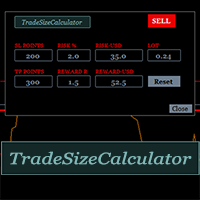
It could help to calculate Risk-Reward easily before placing a BUY-SELL position. TradeSizeCalculator is a Multi-Tasking Calculator. It will calculate the others when we define the value in one of the columns. Stoploss, risk percentage, risk-money, lot size, take-profit , reward-money, and reward-ratio. Depending on which value is changed. All values in the columns are editable. Also, we can get those calculation results by drag-drop the stop-loss/take-profit line. Parameter: The inputs below ar
This TraderMaster EA is super helpful for professional trader.  Input Parameter Section: 1) Allow trader to set different line style, such as color, width; 2) Apply our chart style, if set false, it will not change the chart style; 3) Select different panel mode 3.a) Simple Mode, for trader immediately place a market order, pending order, delete and close orders; 3.b) Draw Line Mode, for price action traders who want to trade for trend and reverse in his trading plan; 3.c) Advanced Mode, includ
Hello Guys! I want to share with you a very useful tools. Anyone of us who has used MT4 for some time knows how impractical this platform can be for discretionary trading. That's why I created this graphical interface!  Interface is very simple, all the info that you need are in the video and in the screenshot. NB: Before to run the EA Interface, remember to copy the file in the comment in your MT4 folder "Controls". PATH: .../MQL4/INCLUDE/CONTROLS NB: unfortunately the interface can't be test
Clever RSI
Carlos Forero
Description Better version of RSI indicator which offer a complete visual trading strategy and realize an auto-optimization Support:   We create great tools for the entire trading community. Most of them are free. If you believe in what we do  Support Us Here.   KEY LINKS:   How to Install  –  Frequent Questions  -  All Products  How is this indicator useful? NEVER repaints. Detect best parameters of RSI indicator, based on profit factor during the specified period. This indicator can be used as
My Point MT4
Claudia Ramona Angerer
4 (1)
Diagnosis of major and minor pivot Trend detection with many signals Can be used in all symbols Can be used in all time frames Settings: Back Show: The number of candles it displays If you need any adjustments, or have any questions or suggestions, message me How to trade: Blue: sell signal Red: buy signal Blue and red at the same time: no signal Exit signal: Opposite signal
Trend Sim
Ivan Simonika
This is a professional Trend Sim indicator. The intelligent algorithm of the Trend Sim indicator accurately detects the trend, filters out market noise and generates input signals and exit levels. Functions with advanced statistical calculation rules improve the overall performance of this indicator. The indicator displays signals in a simple and accessible form in the form of arrows (when to buy and when to sell). Knowing the entry point of each of the currencies is very important for every f
Global Trend
Vitalii Zakharuk
Global Trend Indicator, shows the signals for entry. Displays both entry points and the trend itself. Shows statistically calculated moments for entering the market with arrows. When using the indicator, the risk factor can be optimally distributed. Settings: Uses all one parameter for settings. Choosing a parameter, it is necessary to visually resemble it so that the appropriate graph has a projection of extremes. Parameters: Length - the number of bars for calculating the indicator. Use
The correlation coefficient reflects the relationship between two values. It shows the dependence of changes in one value on changes in another. For example, from changes in the price of EURUSD and EURNZD. The correlation coefficient in trade, currency relations is constantly changing. Special indicators of correlation help to define it, trace changes, draw correct conclusions. One of them is the Hubbles Correlator indicator. The indicator allows you to simultaneously display several other char
Fix M15 mod
Alexey Minych
Fix M15 mod is a fully automated short-term trading robot. The Expert Advisor does not use hedging, martingale, grid, arbitrage etc. Fix M15 mod opens a trade during the Asian session in a narrow channel defined by several last M15 bars. The EA opens only one trade in one direction that can be closed by a certain TP, SL or after a certain time (if the function is enabled in the settings). Basic EA settings are configured for trading USDCHF М15. The EA also shows positive dynamics on EURCHF, USDC
Automate Your Trading with Intelligence and Control Introducing "OrderManagerV200" , a cutting-edge Expert Advisor (EA) for MetaTrader 4 designed to transform your trading approach. Say goodbye to stressful manual trading and rushed decisions. With OrderManagerV200, you can leverage a fully automated and intelligent order management system combined with unprecedented manual control. Whether you're a novice or an experienced trader, this tool provides the precision and reliability needed to navi
FIBO Price Calculator  Brief Description 1. Automated Fibonacci Retracement Drawing This indicator automatically draws Fibonacci Retracement lines on the MT4 chart, assisting traders in quickly identifying potential support and resistance levels. 2. Customizable Fibonacci Sequence Users can customize the Fibonacci sequence values, and the indicator automatically converts them into corresponding price levels based on the current market price. 3. Adjustable Indicator Window Position The indicator
Trend and Lines
Oliver Hinrichs
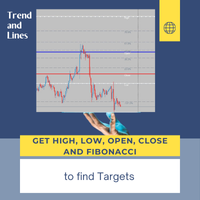
This indicator draws lines at the open, close, high and low price of the last chart candle from the set timeframe. In addition, a label shows whether it was an up or down candle. The standard settings follow the original idea of ​​getting the price data from the daily timeframe for day trading/scalping, but since this indicator is fully customizable, you can also set a different timeframe. Based on the drawn price lines, you can then also display Fibonacci levels. This function can also be
StatsBar
Maksim Kalachev
StatBar 1.6 Indicator showing balance, earnings for today, yesterday and the day before yesterday. The indicator also shows: - Server; - GMT; - Server time; - Shoulder; - Spread. Description of variables: extern int Magic = "-1"; // Magic for statistics -1 = all 0 = manual extern string Symboll = "-1"; // Symbol for statistics -1 = all 0 = current EURUSD = for EURUSD
FREE
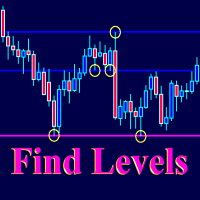
The Find Levels utility scans the range of prices and bars indicated by you on the chart, finds the levels most often related to High and Low prices and provides a full report. The color of the level line depends on the number of touches and changes in the program settings. The level is drawn in the event that if the shadow of the High or Low candle was at least two touches during the period specified in the parameters. The characteristics of the candle, namely, what should be its parameters for
Session Kill zones with panel for quick changes. Asia Killzone London Killzone New York Killzone London Close Killzone In this indicator GMT+2 timings are used that are most common among many brokers. read the image attached in the screenshots to know more about sessions adjustments Session timings can be changed according to your broker timings and day light savings. Thank you :) Always open to feedback and criticism if it helps me provide you more value. - Rahul  My other indicators you may l
Canadian Taiga
Charbel Abboud
CANADIAN TAIGA is a professional portfolio EA using trend-following trading system based on principles of volatility breakout and breakouts of support/ resistance levels. It works on all Canadian Dollar pairs. The core principle of the Canadian Taiga is to capture trading opportunities on all CAD pairs, using a sophisticated hedging module. Download CANADIAN TAIGA and test it on all Canadian Dollar Pairs as recommended, and if it does not what it is intended to do as described, do not purchase i
PerfectLine
Sergio D. Rocha
5 (2)
When drawing a trend line or other objects, there is a natural deviation when you place the object from a higher time frame, and then go to watch it in a lower time frame. PerfectLine is a technical indicator that solves this problem. Once you touch a line after drawing it, Perfect Line will find the exact spot in the lower time frame available for it's position and then rectifies where it should be. Perfect Line uses a five pixels pre-established tolerance, if a difference between the line's no
Neuro Poseidon MT4
Daria Rezueva
4.96 (26)
Neuro Poseidon is a new indicator by Daria Rezueva. It combines precise trading signals with adaptive TP/SL levels - creating best possible trades as a result! Message me and get  Neuro Poseidon Assistant  as a gift to automize your trading process! What makes it stand out? 1. Proven profitability on all assets and timeframes 2. Only confirmed BUY and SELL signals present on the chart 3. Adaptive TP & SL levels generated by the software for each trade 4. Easy to understand - suitable for all
Pivot levels Auto V1
Hafis Mohamed Yacine
What Is a Pivot Point? A pivot point is a technical analysis indicator, or calculations, used to determine the overall trend of the market over different time frames. The pivot point itself is simply the average of the intraday high and low, and the closing price from the previous trading day. On the subsequent day, trading above the pivot point is thought to indicate ongoing bullish sentiment, while trading below the pivot point indicates bearish sentimen How to Use Pivot Points The very ess
The Envelopes Trailing Stop is a tool that implements trailing of the stop loss order after the price based on the Envelopes trend indicator. The utility provides all the necessary parameters for customization, which allows to select the optimal configuration for any user. The EA allows to choose the trailing line depending on the type of the trade. For example, buy trades can be trailed based on the lower line of the indicator, and sell trades can be trailed based on the upper line. The Magic p
Transition Trend
Tatiana Savkevych
The Transition Trend indicator shows the points of potential market reversal. The indicator's smart algorithm detects the trend, filters out market noise and generates entry signals and exit levels. Simple, visual and efficient trend detection. Uses just one parameter for settings. The indicator does not redraw and does not lag. You can set up message alerts as sound or email. Works on all currency pairs and all timeframes. Ready-made trading system.
UPDATED VERSION INCORPERATES FIBONACCI FOR BETTER LEVELS AI Powered Price Clustering" is a custom indicator that integrates k means and Fibonacci. This powerful tool provides traders with valuable insights into price clustering patterns, facilitating more informed trading decisions. How it works: With "AI Powered Price Clustering," traders gain access to: A K means algorithm for precise analysis of price clustering patterns. Identification of key Fibonacci levels and centroids for enhanced tech
In a trend trading system, find the right entry and exit points. In forex trading, a trading strategy is a fixed plan designed to make a decent return by going long or short the market. The main reason a properly researched trading strategy is helpful is because it is verifiable, quantifiable, consistent, and objective. For each trading strategy, you need to define the assets to be traded, the entry/exit points, and money management rules.
Советник  представляет собой многофункциональную торговую систему BBMA Oma Ally с интеграцией Telegram для удаленного управления и получения уведомлений. Основная специализация - анализ паттернов ценового действия и автоматическое оповещение о торговых возможностях. Основные функции 1. Система оповещений через Telegram Управление командами: Отслеживание и выполнение команд из Telegram Уведомления: Мгновенные оповещения о торговых сигналах Удаленное управление: Возможность управления советнико
The indicator sends messages to e-mail and mobile terminal when the price approaches the horizontal levels and trend lines that are drawn using the handy panel! The levels and trend lines are deleted and placed to the chart using one click on the panel, and they can be dragged on the chart by mouse! It is possible to set the interval between messages in the settings, the interval is applied to each object separately! Indicator Settings ===*** Main settings ***=== - below is the list of the main
Deep structurs
Omar Talaoutou
Deep strategy is a combination of deep superposition and trading signal model. EA   DEEP STRUCTURE   determines Buy and Sell positions simultaneously for each signal and simultaneously places 2 orders Buy Stop and Sell Stop. Then the momentum determines which order position is executed and cancels the remaining pending order. This interesting idea forms the deep structure with a unique entry method. Open positions are then managed by Trailing, Stop Loss and position balancing strategies to contr
Gold Strike Predator
Ignacio Agustin Mene Franco
GoldStrike Predator – Professional Expert Advisor for XAUUSD GoldStrike Predator is an advanced, high-precision Expert Advisor (EA) designed exclusively for trading the XAUUSD pair (Gold vs. US Dollar) on the MetaTrader 4 platform. Developed with a sophisticated hybrid architecture, it combines multiple layers of technical and predictive analysis to identify high-probability opportunities in the gold market, one of the world's most volatile and profitable instruments. Trading Strategy The sys
Alert Zone: Your MetaTrader Trading Companion Friendly MetaTrader notification tool! It's the quickest and easiest way to set price levels or Support/Resistance alerts. Enjoy direct notifications and the flexibility to extend or customize your alerts according to your preferences. What is Alert Zone and How Does It Work? Alert Zone is your go-to solution for defining zones (rectangles) on your chart. When the price reaches the designated zone, you'll receive an MT4 Alert. Alert Zone is an MT4
FREE
이 제품의 구매자들이 또한 구매함
Trade Manager EA에 오신 것을 환영합니다. 이 도구는 거래를 보다 직관적이고 정확하며 효율적으로 만들기 위해 설계된 궁극적인 리스크 관리 도구 입니다. 단순한 주문 실행 도구가 아닌, 원활한 거래 계획, 포지션 관리 및 리스크 제어를 위한 종합 솔루션입니다. 초보자부터 고급 트레이더, 빠른 실행이 필요한 스캘퍼에 이르기까지 Trade Manager EA는 외환, 지수, 상품, 암호화폐 등 다양한 시장에서 유연성을 제공합니다. Trade Manager EA를 사용하면 복잡한 계산은 이제 과거의 일이 됩니다. 시장을 분석하고 진입, 손절 및 익절 수준을 차트의 수평선으로 표시한 후 리스크를 설정하면, Trade Manager가 이상적인 포지션 크기를 즉시 계산하고 SL 및 TP 값을 실시간으로 표시합니다. 모든 거래가 간편하게 관리됩니다. 주요 기능: 포지션 크기 계산기 : 정의된 리스크에 따라 거래 크기를 즉시 결정합니다. 간단한 거래 계획 : 진입, 손절, 익절을 위한
VirtualTradePad PRO SE MT4 — MetaTrader 4용 고급 트레이딩 패널 및 차트 워크스페이스 VirtualTradePad PRO SE 는 MetaTrader 4 용 전문 트레이딩 패널이자 거래 관리 워크스페이스입니다. 하나의 차트 기반 인터페이스에서 거래를 더 빠르게 열고, 관리하고, 보호하고, 닫고, 분석할 수 있도록 도와줍니다. 이 제품은 단순한 버튼 모음 이상의 기능이 필요한 적극적인 수동 트레이더를 위해 만들어졌습니다. PRO SE는 원클릭 실행, 예약 주문, 포지션 제어, 부분 청산, 바스켓 손익 로직, 평균가 레벨, ATM 규칙, 신호 모니터링, 시장 정보, 전략 테스터 워크플로, VPS 중심 준비를 하나의 구조화된 워크스페이스로 통합합니다. MT5 버전 | 전체 설명 및 스크린샷 | 구입 방법 | 설치 방법 | 로그 파일을 얻는 방법 | 테스트 및 최적화 방법 | Expforex의 모든 제품 일반 수동 트레이딩 대비 장점 여러 창 대신 하나의 워
Exp COPYLOT CLIENT for MT4
Vladislav Andruschenko
4.69 (65)
MetaTrader 4용 전문 트레이드 복사기 MetaTrader 4 용 빠르고 안정적이며 전문적인 트레이드 복사기입니다. COPYLOT 은 MetaTrader 4 와 MetaTrader 5 터미널 간에 Forex 거래를 복사할 수 있으며, 다양한 계좌 유형과 운용 방식에 맞춰 유연한 동기화 환경을 제공합니다. COPYLOT MT4 버전 지원 방식: MetaTrader 4 → MetaTrader 4 MetaTrader 5 Hedge → MetaTrader 4 MetaTrader 5 Netting → MetaTrader 4   MT5 버전 상세 설명 + DEMO + PDF 구매 방법 설치 방법 로그 파일 확인 방법 테스트 및 최적화 방법 Expforex의 모든 제품 MetaTrader 5 버전 을 사용하면 MetaTrader 5 → MetaTrader 5 및 MetaTrader 4 → MetaTrader 5 복사도 지원됩니다: COPYLOT CLIENT for MT5 COPYLOT 은
Custom Alerts AIO: 다중 시장을 동시에 모니터링 – 설정 없이 즉시 사용 가능 개요 Custom Alerts AIO 는 복잡한 설정 없이 즉시 사용할 수 있는 통합 시장 모니터링 도구입니다. FX Power, FX Volume, FX Dynamic, FX Levels, IX Power 등 필요한 모든 지표가 내장되어 있어 별도의 설치나 구성 없이 알림 기능을 바로 사용할 수 있습니다. 차트 그래픽 없이 작동하며, Forex, 금속, 지수, 암호화폐 등 주요 자산군을 모두 지원합니다. 주식(Symbols)은 별도로 입력하여 추가할 수 있으나, MetaTrader에서는 일반적으로 제한적으로만 사용됩니다. 1. 왜 Custom Alerts AIO를 선택해야 하나요? 추가 라이선스가 필요 없습니다 • 모든 Stein Investments 지표가 내장되어 있어 별도 구매가 필요 없습니다. • 즉시 알림 기능을 시작할 수 있어 빠르고 간편합니다. 모든 시장을 하나의 도구로
TradePanel MT4
Alfiya Fazylova
4.84 (95)
Trade Panel은 다기능 거래 도우미입니다. 이 애플리케이션에는 50개 이상의 수동 거래 기능이 포함되어 있으며 대부분의 거래 작업을 자동화할 수 있습니다. 구매하기 전에 데모 계정에서 데모 버전을 테스트할 수 있습니다. 데모 계정용 애플리케이션 체험판 다운로드: https://www.mql5.com/en/blogs/post/750865 . 전체 지침 여기 . 거래. 한 번의 클릭으로 거래를 수행할 수 있습니다: 리스크 자동 계산과 함께 예약 주문 및 포지션 열기. 한 번의 클릭으로 여러 주문 및 포지션 열기. 주문 그리드 열기. 예약 주문 및 포지션을 그룹별로 닫기. 포지션 방향 전환 (Buy 닫기 > Sell 열기, Sell 닫기 > Buy 열기). 포지션 잠금 (부족한 포지션을 열어 Buy와 Sell 포지션의 수량을 동일하게 만들기). 모든 포지션 한 번의 클릭으로 부분적으로 닫기. 모든 포지션의 테이크 프로핏과 스톱로스를 같은 가격 수준에 설정. 모든 포지션의 스톱로스를
ManHedger MT4
Peter Mueller
5 (2)
THIS EA IS A SEMI-AUTO EA, IT NEEDS USER INPUT. Manual & Test Version Please TEST this product before   BUYING  and watch my video about it. Contact me for user support or bug reports, or if you want the MT5 version! MT5 Version I do not guarantee any profits or financial success using this EA. With this Expert Advisor, you can: Implement your own   Zone Recovery   strategy to capitalize on trending markets. Create   Grid   trading strategies, to profit from ranging markets. Place orders easil
The product will copy all telegram signal to MT4   ( which you are member  ) , also it can work as remote copier.  Easy to set up, copy order instant, can work with almost signal formats, image signal, s upport to translate other language to English Work with all type of channel or group, even channel have "Restrict Saving Content", work with  multi channel, multi MT5 Work as remote copier: with signal have ticket number, it will copy exactly via ticket number. Support to backtest signal. How to
Unlimited Trade Copier Pro is a tool to copy trade remotely to multiple MT4, MT5 and cTrader accounts at different computers/locations over internet. This is an ideal solution for you if you are a signal provider and want to copy your trades to other receivers globally on your own rules. One provider can copy trades to multiple receivers and one receiver can get trade from multiple providers as well. The provider can even set the subscription expiry for each receiver, so that receiver will not b
The Expert Advisor will help you forward all pop-up alert with screenshot from  MetaTrader 4 to Telegram channel/ group, also forward all notifications to Telegram. Parameters  -  Telegram Bot Token - create bot on Telegram and get token.  -  Telegram Chat ID  - input your Telegram user ID,  group / channel ID  -  Forward Alert - default true, to forward alert.  -  Send message as caption of Screenshot - default false, set true to send message below Screenshot  How to setup and guide  - Telegram
MT4 to Discord Signal Provider 는 Discord로 직접 거래 신호를 보내는 데에 설계된 사용자 친화적이고 완전히 맞춤화할 수 있는 유틸리티입니다. 이 도구는 귀하의 거래 계좌를 효율적인 신호 제공자로 변환합니다. 귀하의 스타일에 맞게 메시지 형식을 사용자 정의하세요! 사용 편의성을 위해 사전에 디자인된 템플릿을 선택하고 포함하거나 제외할 메시지 요소를 선택할 수 있습니다. [ 데모 ] [ 매뉴얼 ] [ MT5 버전 ] [ Telegram 버전 ]  New: [ Telegram To MT5 ] 설정 간편한 설정을 위해 저희의 상세한 사용자 가이드 를 따르세요. Discord API에 대한 사전 지식이 필요 없습니다; 필요한 모든 도구를 제공합니다. 주요 기능 구독자 업데이트를 위한 주문 세부 정보를 사용자 정의합니다. 각 계층이 다른 수준의 신호 접근을 제공하는 브론즈, 실버, 골드와 같은 계층적 구독 모델을 구현합니다. 주문이 실행된 차트의 스크린샷을 첨
The News Filter
Leolouiski Gan
5 (25)
이 제품은 뉴스 시간 동안 모든 전문가 어드바이저 및 수동 차트를 필터링하여 수동 거래 설정이나 다른 전문가 어드바이저가 입력한 거래가 파괴될 수 있는 급격한 가격 상승으로부터 걱정하지 않아도 됩니다. 이 제품은 또한 뉴스 발표 전에 열린 포지션과 대기 주문을 처리할 수 있는 완전한 주문 관리 시스템이 함께 제공됩니다. The News Filter  를 구매하면 더 이상 내장 뉴스 필터에 의존할 필요가 없으며 이제부터 모든 전문가 어드바이저를 여기서 필터링할 수 있습니다. 뉴스 선택 뉴스 소스는 Forex Factory의 경제 캘린더에서 얻어집니다. USD, EUR, GBP, JPY, AUD, CAD, CHF, NZD 및 CNY와 같은 어떤 통화 기준으로 선택할 수 있습니다. Non-Farm (NFP), FOMC, CPI 등과 같은 키워드 식별을 기준으로 선택할 수도 있습니다. 저, 중, 고 영향을 가지는 뉴스를 필터링할 수 있도록 선택할 수 있습니다. 차트와 관련된 뉴스만 선택하
Smart Channel M4
Vahidreza Heidar Gholami
The trend in the market can be predicted using trend lines but the problem is you don’t know where exactly the price is going to touch the trend line where you can put your pending orders on. Smart Channel Expert Advisor makes it possible to put an advanced channel around the price data, which can be configured to handle placing orders, opening and closing positions, managing risk per trade, spread, slippage, and trailing stop-loss and take-profit automatically. Features Money Management (Calcul
Ultimate Trailing Stop EA
BLAKE STEVEN RODGER
4.33 (15)
This EA Utility allows you to manage (with advanced filtering) unlimited open orders (manual or EA) with 16 trailing stop methods: fixed, percent, ATR Exit, Chandelier Exit, Moving Average, Candle High Low Exit, Bollinger Bands, Parabolic, Envelope, Fractal, Ichimoku Kijun-Sen, Alligator, Exit After X Minutes or Bars, RSI and Stochastic. The trailing stop can be either real or virtual, and you can exit fully or with a partial close percent on touch or bar close.  Moreover, you can add (overrid
MT4 to Telegram Signal Provider 는 사용하기 쉽고 완전히 사용자 정의가 가능한 도구로, 텔레그램으로 신호를 보내어 계정을 신호 제공자로 변환할 수 있습니다. 메시지 형식은 완전히 사용자 정의가 가능합니다! 그러나 간단한 사용을 위해 미리 정의된 템플릿을 선택하고 메시지의 특정 부분을 활성화하거나 비활성화할 수도 있습니다. [ 데모 ]  [ 매뉴얼 ] [ MT5 버전 ] [ 디스코드 버전 ] [ 텔레그램 채널 ]  New: [ Telegram To MT5 ] 설정 단계별 사용자 가이드 가 제공됩니다. 텔레그램 API에 대한 지식이 필요 없으며, 개발자가 필요한 모든 것을 제공합니다. 주요 기능 구독자에게 보낸 주문 세부 정보를 사용자 정의할 수 있는 기능 예를 들어 브론즈, 실버, 골드와 같은 계층 구독 모델을 만들 수 있습니다. 골드 구독은 모든 신호 등을 받게 됩니다. ID, 심볼 또는 코멘트별 주문 필터링 주문이 실행된 차트의 스크린샷을 포함 보낸
RedFox Copier Pro
Rui Manh Tien
4.7 (10)
Time saving and fast execution Whether you’re traveling or sleeping, always know that Telegram To Mt4 performs the trades for you. In other words, Our   Telegram MT4 Signal Trader  will analyze the trading signals you receive on your selected Telegram channels and execute them to your Telegram to MT4 account. Reduce The Risk Telegram To Mt4   defines the whole experience of copying signals from   Telegram signal copier to mt4 platforms. Users not only can follow all instructions from the signa
Trade Manager MT4 DaneTrades
Levi Dane Benjamin
4.09 (11)
거래 관리자는 위험을 자동으로 계산하는 동시에 거래를 빠르게 시작하고 종료하는 데 도움을 줍니다. 과잉 거래, 복수 거래 및 감정 거래를 방지하는 데 도움이 되는 기능이 포함되어 있습니다. 거래를 자동으로 관리할 수 있으며 계정 성과 지표를 그래프로 시각화할 수 있습니다. 이러한 기능은 이 패널을 모든 수동 거래자에게 이상적으로 만들고 MetaTrader 4 플랫폼을 향상시키는 데 도움이 됩니다. 다중 언어 지원. MT5 버전  |  사용자 가이드 + 데모 트레이드 매니저는 전략 테스터에서 작동하지 않습니다. 데모를 보려면 사용자 가이드로 이동하세요. 위기 관리 % 또는 $를 기준으로 위험 자동 조정 고정 로트 크기 또는 거래량과 핍을 기반으로 한 자동 로트 크기 계산을 사용하는 옵션 RR, Pips 또는 Price를 사용한 손익분기점 손실 설정 추적 중지 손실 설정 목표 달성 시 모든 거래를 자동으로 마감하는 최대 일일 손실률(%)입니다. 과도한 손실로부터 계정을 보호하고 과도한
The product will copy all  Discord  signal   to MT4   ( which you are member  ) , also it can work as remote copier.  Easy to set up. Work with almost signal formats, support to translate other language to English Work with multi channel, multi MT4. Work with Image signal. Copy order instant, auto detect symbol. Work as remote copier: with signal have ticket number, it will copy exactly via ticket number. How to setup and guide: Let read all details about setup and download Discord To MetaTrader
EchoTrade Telegram to MT4 Copier
Perpetual Chinemerem Vincent
5 (2)
EchoTrade Telegram to MT5 Copier Seamless, Instant, and Reliable Signal Copying - Direct from Telegram to MetaTrader 4! The product does not run in the strategy tester but you can get free trial version   here  for testing before purchase. Tired of manually executing trades from Telegram signals? EchoTrade automates the process, instantly copying trades from any Telegram channel or group directly into your MT5 account—accurately, efficiently, and without delay. Key Features: Universal Compatib
Comprehensive on chart trade panel with the unique ability to be controllable from mobile as well. Plus has a library of downloadable configuration, e.g. exit rules, extra panel buttons, pending order setup and more. Please see our product video. Works with all symbols not just currency pairs. Features On chart panel plus controllable from free app for Windows, iPhone and Android Built-in script engine with library of downloadable configuration, e.g. add 'Close All Trades in Profit' button, exit
Crystal Trade Manager PRO – MT4 고급 리스크 및 트레이드 관리 시스템 무료 버전: https://www.mql5.com/en/market/product/150632 개요 Crystal Trade Manager PRO(CTM)는 MetaTrader 4를 위한 전문급 거래 실행 및 리스크 관리 유틸리티입니다. 엄격한 실행, 견고한 자본 보호, 그리고 똑똑한 자동화를 필요로 하는 트레이더를 위해 설계되었습니다. 본 시스템은 계좌 리스크를 관리하고, 자본(EQ)을 보호하며, 일일 제한을 적용하고, SL/TP를 자동으로 설정하며, 전문급 기능을 갖춘 초고속 원클릭 트레이딩 패널을 제공합니다. Prop Firm 챌린지, 데이트레이딩, 스캘핑, 포트폴리오 매니저에게 최적화되어 있습니다. MT5 버전도 제공됩니다. 주요 기능 1. 고급 리스크 및 드로우다운 보호 기능 하루 드로우다운을 1%~70% 범위에서 설정 가능 설정한 한도를 초과할 경우 모든 포지션 즉시 종료 조건
Take a Break
Eric Emmrich
5 (31)
News filter, equity guard & session control for all your EAs — one tool, full protection Take a Break has evolved from a basic news filter into a comprehensive account protection solution . It pauses your other Expert Advisors during news events or based on custom filters. When trading resumes, it automatically restores your entire chart setup , including all EA settings. Why traders choose Take a Break One news filter for all your EAs — no more relying on individual built-in filters that may o
Riskless Pyramid
Snapdragon Systems Ltd
5 (1)
Introduction This powerful MT4 trade mangement EA offers a way potentially to aggressively multiply trade profits in a riskfree manner. Once a trade has been entered with a defined stoploss and take profit target then the EA will add three pyramid add-on trades in order to increase the overall level of profit. The user sets the total combined profit target to be gained if everything works out. This can be specified either as a multiple of the original trade profit or as a total dollar amount. Fo
Auto Trade Copier
Vu Trung Kien
4.76 (85)
Auto Trade Copier is designed to copy trades to multiple MT4, MT5 and cTrader accounts/terminals with 100% accuracy. The provider and receiver accounts must be on the same PC/VPS. With this tool, you can copy trades to receiver accounts on the same PC/VPS. All trading actions will be copied from provider to receiver perfectly. This version can be used on MT4 accounts only. For MT5 accounts, you must use Auto Trade Copier for MT5 . Reference: - For MT4 receiver, please download Trade Receiver Fre
If you need an advisor on any arrow indicator signals - this utility will definitely help you.  You will be able, with the help of this utility to form an unlimited number of EAs on YOUR signals , with your set of settings, with your copyright and complete source code . You will be able to use the resulting EAs unlimitedly , including adding them to the Market and other resources. Free simple version of the generation script to help you understand how it works - here What does the utility do? 
DrawDown Limiter MT4
Haidar Lionel Haj Ali
5 (8)
Drawdown Limiter EA You are in the right place if you were searching for Drawdown control, Drawdown limiter, Balance protection, Equity Protection or Daily Drawdown Limit related to Prop Firm, FTMO, or Funded account trading, or if you want to protect your trading account. Have you suffered from controlling your drawdown when trading funded accounts? This EA is meant for you. Prop firms usually set a rule called “Trader Daily Drawdown”, and if it is not respected, you are disqualified.  I am an
특별 할인 – 40% 할인 고급 거래 관리자 – 더 빠르고, 더 스마트하고, 더 안전한 수동 거래를 위한 최고의 올인원 솔루션 차트엔드 거래 관리자 AI로 수동 거래를 혁신하세요. 즉각적인 주문 실행, 시각적인 거래 계획, 강력한 위험 관리 기능을 하나의 직관적인 도구에 통합한 전문가급 차트 패널입니다. 차트를 벗어나지 않고도 그 어느 때보다 빠르게 주문을 실행하고, 위험을 관리하고, 수익을 보호할 수 있습니다. 정확성과 효율성을 높이고자 하는 모든 트레이더에게 적합합니다. MT4 전략 테스터에서 위험 부담 없이 테스트해 보세요 데모 버전을 다운로드하여 모의 거래 기능을 사용해 보세요. 실제 거래에 들어가기 전에 안전한 시뮬레이션 환경에서 주문 실행 연습, 위험 관리 규칙 테스트, 전략 개선을 할 수 있습니다. 자세한 사용자 설명서 및 단계별 가이드는 다음 링크를 참조하세요. https://www.mql5.com/en/blogs/post/764217 주요 장점: 빠른 거래
Effortlessly calculate lot sizes and manage trades to save time and avoid costly errors The Trade Pad Pro EA is a tool for the Metatrader Platform that aims to help traders manage their trades more efficiently and effectively. It has a user-friendly visual interface that allows users to easily place and manage an unlimited number of trades, helping to avoid human errors and enhance their trading activity. [ Installation Guide | Update Guide | Troubleshooting | FAQ | All Products ] One of the k
TradeMirror 은 MT4/MT5 플랫폼을 위해 특별히 설계된 현지화된 주문 복사 도구로, 실시간 거래 작업을 동기화합니다. 튜토리얼 더 많은 튜토리얼을 보려면 Trademirror 튜토리얼 링크를 클릭하세요. 제품 장점 금융 소프트웨어의 보안성, 안정성 및 개인정보 보호에 대한 높은 표준 요구사항을 기반으로, 우리는 세 가지 핵심 차원에서 심층 최적화를 수행했습니다: 직관적이고 간결한 그래픽 인터페이스로 누구나 쉽게 조작 가능 강화된 개인정보 보호 메커니즘으로 금융 환경의 민감한 데이터 격리 요구 충족 밀리초 단위의 주문 동기화로 신호 분배의 정확성과 지연 없음 보장 MT4/MT5 양 플랫폼과 완전히 호환되어 다양한 거래 환경에 원활하게 적용 지능형 시스템 모니터링과 이메일 알림을 결합하여 거래 안정성을 실시간으로 보장 핵심 기능 특성 제품은 다음과 같은 전문적인 복사 기능을 탑재하고 있습니다: 다중 계정 병렬 연결 이메일 실시간 푸시 맞춤형 로트 크기 조정 신호 필터링 메커
복사기->편리하고 빠른 인터페이스 상호작용으로 사용자가 바로 사용 가능       ->>>> Windows 컴퓨터 또는 VPS Windows에서 사용하는 것이 좋습니다. 특징: 다양하고 개인화된 복사 거래 설정: 1. 다양한 신호 소스에 대해 다양한 로트 모드를 설정할 수 있습니다. 2. 다양한 신호 소스를 포워드 및 리버스 복사 거래에 대해 설정할 수 있습니다. 3. 신호는 주석으로 설정할 수 있습니다. 4. 계약 로트에 따라 로트를 교정할지 여부 다양하고 개인화된 복사 주문 설정 2: 1. 다양한 품종에 대해 다양한 로트 모드를 설정할 수 있습니다. 2. 정방향 및 역방향 복사 주문에 대해 다양한 품종을 설정할 수 있습니다. 3. 주석으로 신호를 설정할 수 있습니다. 4. 계약 로트에 따라 로트를 교정할지 여부 댓글 필터링, MAGIC 필터링, 시그널 로트 필터링, 로컬 제품 필터링 근무시간 설정 역동기화 SLAVE 닫힘 주문 바인딩 기능: 모든 주문은 설정된 신호 소스 주문
MT4 Professional Copy Trading System (MT4 버전) 산업급 초고속 LOCAL 트레이드 코피어 . 프로 트레이더/시그널 제공자/멀티계정 운영용. 산업급 LOCAL 아키텍처 동일 Windows 환경(같은 PC/같은 Windows VPS)에서 동작. 저지연, 높은 동기화, 24/7 무감시 운용. Master / Slave / Self + Cross Copy (MT4 ↔ MT5) Master/Slave/Self-Copier 지원. MT4→MT4, MT4→MT5, MT5→MT4, MT5→MT5. 중요: MT4↔MT5 크로스 카피는 MT4+MT5 두 버전 필요. 동작 방식 Master의 오픈/수정(SL/TP)/청산을 실시간 복제. 브로커 접두/접미 심볼 차이 자동 매핑. 핵심 판매 포인트 초고속 복제, 유연한 로트(고정/배수/Balance·Equity 비율), 심볼 매핑, 선택형 리스크 보호, 장기 안정(로그/정합성 체크).
제작자의 제품 더 보기
GoldPro MT5
Sergey Batudayev
5 (5)
GoldPro (MT5) — 클래식 및 스캘핑 두 가지 모드를 선택할 수 있는 XAUUSD 전문가 어드바이저 GoldPro는   XAUUSD(금)   자동 거래 시스템으로, 체계적인 구조, 명확한 위험 관리 기능, 그리고 다양한 시장 상황에서도 작동 가능한 EA를 원하는 트레이더를 위해 설계되었습니다. 하나의 EA 안에서   거래 방식을   선택할 수 있습니다. 1) 클래식 모드 — 변동과 되돌림에 대한 차분한 논리 시장의 "소진" 영역에서 진입하는 등 추세 반전/평균 회귀 움직임과 구조화된 포지션 관리에 초점을 맞춘 고전적인 접근 방식입니다. 바스켓형 관리(일련의 포지션을 활용하는 방식) 엄격한 제한 조건(거리/걸음 수/로트 계수)을 적용한 선택적 평균 계산 다양한 종료 방식: 고정 목표, 손익분기점, 추적 로직 확산 필터 거래 일정 관리 (평일 / 금요일 마감 / 주말 거래 중단) 거래 방향 옵션: 매수/매도/양방향/계절성 모드 2) 스캘핑 모드 — 당일 거래 기회를 위한 더 빠
EA Long Term MT5
Sergey Batudayev
5 (2)
트레이딩 어드바이저           Long Term은 고정 손절매를 사용하여 거래하고 그리드/평균화를 사용하지 않는 Forex Expert Advisor입니다. 고문의 전략은 여러 기술 지표를 사용하여 자산의 과매수 및 과매도 영역을 식별하는 데 기반합니다. Expert Advisor는 시장 진입을 위한 정확한 영역을 결정하고 현재 추세와 시장 상황을 고려하여 거래를 제어합니다. EA는 무손실 기능으로 이월되므로 신호가 변경되면 지정된 손절매 전에 일부 거래가 마감되어 손실이 줄어들 수 있습니다. 토론 섹션에서 파일 및 백테스트 보고서를 설정합니다. 전문 고문 혜택 그리드/평균화/마틴게일을 사용하지 않습니다. 완전 자동 거래 각 거래에 대해 손절매를 설정합니다. FTMO, 소품 회사 계정 및 기타 작업을 통과하는 데 적합합니다. Expert Advisor에는 시장 진입을 위한 가장 정확한 영역을 결정하는 데 도움이 되는 몇 가지 진입점이 있습니다. 포지션을 유지하는 시점에서 고
GoldPro
Sergey Batudayev
5 (2)
GoldPro (MT5) — 클래식 및 스캘핑 두 가지 모드를 선택할 수 있는 XAUUSD 전문가 어드바이저 GoldPro는   XAUUSD(금)   자동 거래 시스템으로, 체계적인 구조, 명확한 위험 관리 기능, 그리고 다양한 시장 상황에서도 작동 가능한 EA를 원하는 트레이더를 위해 설계되었습니다. 하나의 EA 안에서   거래 방식을   선택할 수 있습니다. 1) 클래식 모드 — 변동과 되돌림에 대한 차분한 논리 시장의 "소진" 영역에서 진입하는 등 추세 반전/평균 회귀 움직임과 구조화된 포지션 관리에 초점을 맞춘 고전적인 접근 방식입니다. 바스켓형 관리(일련의 포지션을 활용하는 방식) 엄격한 제한 조건(거리/걸음 수/로트 계수)을 적용한 선택적 평균 계산 다양한 종료 방식: 고정 목표, 손익분기점, 추적 로직 확산 필터 거래 일정 관리 (평일 / 금요일 마감 / 주말 거래 중단) 거래 방향 옵션: 매수/매도/양방향/계절성 모드 2) 스캘핑 모드 — 당일 거래 기회를 위한 더
Telegram to MT5 Coppy
Sergey Batudayev
5 (9)
Telegram에서 MT5로:   최고의 신호 복사 솔루션 DLL 없이도 Telegram 채널과 채팅에서 MetaTrader 5 플랫폼으로 거래 신호를 직접 복사하는 최신 도구인 Telegram to MT5를 사용하여 거래를 간소화하세요. 이 강력한 솔루션은 정밀한 신호 실행, 광범위한 사용자 정의 옵션을 제공하고 시간을 절약하며 효율성을 높여줍니다. [ Instructions and DEMO ] 주요 특징 직접 Telegram API 통합 전화번호와 보안 코드를 통해 인증하세요. 사용자 친화적인 EXE 브리지를 통해 채팅 ID를 쉽게 관리하세요. 여러 채널/채팅을 추가, 삭제, 새로 고침하여 동시에 신호를 복사합니다. 고급 필터를 사용한 신호 파싱 예외 단어(예: "보고서", "결과")가 포함된 원치 않는 신호를 건너뜁니다. 유연한 SL 및 TP 형식을 지원합니다: 가격, 핍 또는 포인트. 가격 대신 포인트를 지정하는 신호에 대한 진입 포인트를 자동으로 계산합니다. 주문 맞춤화 및
Risk Manager for MT5
Sergey Batudayev
4.31 (16)
MT5의 Expert Advisor Risk Manager는 매우 중요하며 제 생각에는 모든 거래자에게 필요한 프로그램입니다. 이 Expert Advisor를 사용하면 거래 계정의 위험을 제어할 수 있습니다. 위험 및 이익 통제는 금전적 측면과 백분율 측면에서 모두 수행될 수 있습니다. Expert Advisor가 작동하려면 통화 쌍 차트에 첨부하고 예금 통화 또는 현재 잔액의 %로 허용되는 위험 값을 설정하기만 하면 됩니다. [Instruction for Risk Manager parameters] 어드바이저 기능 이 위험 관리자는 위험을 제어하는 ​​데 도움이 됩니다. - 거래를 위해 - 하루 - 일주일 동안 - 한 달 동안 당신은 또한 제어할 수 있습니다 1) 거래 시 최대 허용 랏 2) 1일 최대 주문 수 3) 하루 최대 수익 4) 지분 인수 이익 설정 그게 다가 아닙니다. 설정에서 자동 설정을 지정하면 고문이 기본 SL 및 TP를 설정할 수도 있습니다. 상
Telegram to MT4 Coppy
Sergey Batudayev
4 (10)
Telegram에서 MT4로:   최고의 신호 복사 솔루션 최첨단 유틸리티인   Telegram to MT4를   사용하여 거래를 간소화하세요. DLL 없이도 Telegram 채널과 채팅에서 MetaTrader 4 플랫폼으로 거래 신호를 직접 복사할 수 있습니다. 이 강력한 솔루션은 탁월한 정밀도와 맞춤 설정 옵션을 통해 원활한 신호 실행을 보장하여 시간을 절약하고 효율성을 높여줍니다. [ Instructions and DEMO ] 주요 특징 직접 Telegram API 통합 전화번호와 보안 코드를 통해 인증하세요. 사용자 친화적인 EXE 브리지를 사용하여 채팅 ID를 손쉽게 가져오고 관리하세요. 여러 채널/채팅을 추가, 삭제, 새로 고침하여 동시에 신호를 복사합니다. 고급 필터를 사용한 신호 파싱 사용자 정의 예외 단어(예: "보고서", "요약")가 포함된 원치 않는 신호를 건너뜁니다. 유연한 SL 및 TP 형식을 지원합니다: 가격, 핍 또는 포인트. 신호가 가격 대신 지점을 지정
AI Trade Analyzer   는 지표 형식으로 구현된 지능형 시장 분석 도구입니다. 이 프로그램은 차트에 신호를 시각화하여 표시하고, 기술 지표와 뉴스 배경을 바탕으로 트레이더가 시장 상황을 평가하는 데 도움을 줍니다. 주요 기능: 1. 기술적 분석: 인기 있는 지표 지원: EMA(단기/장기), 이치모쿠, ADX, RSI, MACD, 스토캐스틱, ATR, 볼린저 밴드, 피벗 포인트, 피보나치. 추세, 차이점 및 주요 수준을 파악합니다. 2. 뉴스 배경을 활용한 작업: 지정된 매개변수(기간, 날짜)에 따라 경제적 이벤트를 수신합니다. 거시경제 데이터가 시장에 미칠 수 있는 영향을 고려합니다. 3. 자동화 및 사용자 정의: 잠재적 진입점, SL, TP를 계산하여 분석적 결론을 형성합니다. 확립된 매개변수에 따라 정보를 해석하는 능력을 바탕으로 시장 상황을 평가합니다. 4. 다국어 지원: 결과는 러시아어, 영어, 독일어, 인도네시아어로 표시될 수 있습니다. 5. 유연한 인터페이스:
EasyTradePad for MT5
Sergey Batudayev
5 (5)
EasyTradePad – MetaTrader 5용 트레이딩 패널 EasyTradePad   는 수동 및 반자동 거래를 위한 도구입니다. 이 패널을 통해 주문 및 포지션을 빠르게 관리하고, 한 번의 클릭으로 위험 관리 계산을 수행할 수 있습니다. 패널 특징: 사전 정의된 위험(% 또는 예치 통화)으로 거래를 시작하고 마감합니다. SL 및 TP를 포인트, 백분율 또는 금전적 가치로 설정하세요 위험 대비 보상 비율을 자동으로 계산합니다 손절매를 손익분기점으로 이동 부분 포지션 마감 트레일링 스톱(포인트 또는 캔들 섀도우 기준) 위치 평균화 및 피라미딩 활성 거래의 매개변수 수정 [   데모   ] [   지침   ] 추가 기능: 피라미딩 가격이 이익실현을 향해 움직일 때마다 거래를 단계적으로 추가합니다. 각 새 거래의 위험을 줄일 수 있습니다. 추가되는 거래 수는 쉽게 설정할 수 있습니다. 평균화 차트에서 사용자 지정 수준으로 추가 주문을 할 수 있습니다. 포지션은 평균 진입 가
Coppy Master MT4
Sergey Batudayev
4 (3)
카피 마스터 MT4       MetaTrader 4 및 MetaTrader 5 터미널용 트레이딩 복사 도구입니다. 양방향 복사를 지원합니다. MT4에서 MT5로, MT5에서 MT4로, 그리고 동일 유형의 계정 간 MT4에서 MT4로. 올바르게 작동하려면 모든 터미널이 동일한 PC나 VPS에서 실행되어야 합니다. [ Instruction  and Demo ]  MetaTrader 4에 복사하려면 별도 버전이 필요합니다.       카피마스터 MT5       — 필수입니다. 주요 특징: 복사 모드 마스터 및 리시버 역할을 모두 지원합니다. 거래 송수신을 위한 유연한 설정이 가능합니다. 주문 관리 시장가 및 보류 주문을 복사합니다. 동기화 및 부분 마감, 매매 반전, 손절매/실현가 수정을 지원합니다. 심볼 처리 접두사와 접미사를 지원합니다. 특정 기호를 제외하거나 포함하고, 자산에 사용자 지정 이름을 지정할 수 있습니다. 위험 관리 및 한도 일일 거래 한도, 최대 손실 한도,
Risk Manager for MT4
Sergey Batudayev
4.6 (10)
MT4의 Expert Advisor Risk Manager는 매우 중요하며 제 생각에는 모든 거래자에게 필요한 프로그램입니다. 이 Expert Advisor를 사용하면 거래 계정의 위험을 제어할 수 있습니다. 위험 및 이익 통제는 금전적 측면과 백분율 측면에서 모두 수행될 수 있습니다. Expert Advisor가 작동하려면 통화 쌍 차트에 첨부하고 예금 통화 또는 현재 잔액의 %로 허용되는 위험 값을 설정하기만 하면 됩니다. 어드바이저 기능 이 위험 관리자는 위험을 제어하는 ​​데 도움이 됩니다. - 거래를 위해 - 하루 - 일주일 동안 - 한 달 동안 당신은 또한 제어할 수 있습니다 1) 거래 시 최대 허용 랏 2) 1일 최대 주문 수 3) 하루 최대 수익 4) 지분 인수 이익 설정 그게 다가 아닙니다. 설정에서 자동 설정을 지정하면 고문이 기본 SL 및 TP를 설정할 수도 있습니다. 상담원은 각 이벤트에 경고와 함께 동행하며 주문을 삭제하는 이유를 설명합니다.
자동화된 거래는 자본을 늘리는 데 도움이 되어야지, 끝없는 설정과 이론으로 당신을 혼란스럽게 해서는 안 됩니다. SPARK는   초보자가 정확성과 단순성에 초점을 맞춰 자신 있게 시작할 수 있도록 설계된 가볍지만 효과적인 전문가 자문 도구입니다. SPARK는 왜 다른가요? EUR/USD에 초점:   EA는 가장 유동적이고 안정적인 통화 쌍 중 하나인 EUR/USD에 특별히 최적화되었습니다. 유동성 돌파 논리를 기반으로 구축된   SPARK는 가격이 돌파할 가능성이 높은 고유한 유동성 구역을 식별하고 이에 대응하여 높은 확률의 거래를 제공합니다. 설정에 대한 스트레스 없이   EUR/USD 차트에 연결하고 실행만 하면 됩니다. 모든 것이 미리 설정되어 있습니다. 자동 보호:   EA는 미끄러짐과 스프레드 조건을 관리하여 부적절한 거래 진입을 방지합니다. 일관된 논리:   거래는 동적 존 감지 알고리즘을 통해 필터링되어 더욱 스마트하고 시기적절한 입력이 가능합니다. 이야기가 아닌 실제
FREE
Coppy Master MT5
Sergey Batudayev
5 (2)
Coppy Master MT5는   MetaTrader 4와 MetaTrader 5 터미널 간의 거래를 복사하는 도구입니다. 양방향 복사를 지원합니다: MT5에서 MT4로, MT4에서 MT5로, 그리고 동일 유형의 계좌 간에도 가능합니다. 올바른 작동을 위해서는 모든 단말기를 하나의 컴퓨터나 VPS에서 실행해야 합니다. [ Instruction  and Demo ]  MetaTrader 4로 복사하려면 별도의 제품 버전인   Coppy Master MT4가   필요합니다. 주요 기능: 연결 유형 마스터 및 수신기 모드. 주문을 보내고 받는 로직을 유연하게 구성할 수 있습니다. 주문 관리 시장 및 보류 주문을 복사합니다. 거래의 동기적 마감, 부분 마감 지원, 거래 반전, SL/TP 수정. 기호 작업 접두사와 접미사 지원. 개별 캐릭터의 제외/포함. 자산에 사용자 정의 이름을 할당하는 기능. 제한 사항 및 위험 관리 하루 거래 횟수 제한, 최대 일일 손실액, 잔액 수준을 제한하
True Supply and Demand MT5
Sergey Batudayev
5 (1)
진정한 수급 지표       - 모든 시간대에서 저항 및 지지 수준의 위치를 빠르게 결정할 수 있습니다. 이 지표는 거래에서 기술적 분석을 사용하는 사람들에게 유용합니다. 표시기는 사용하기 쉽고 차트에서 끌어다 놓기만 하면 표시기가 가장 가능성 있는 지지 및 저항 수준을 표시합니다. 기간을 전환하면 새로 선택한 기간의 수준이 표시됩니다. 추천 로봇 스캘퍼       -       테스트   . 입력 매개변수 Use_price 레이블   - 켜기 /끄다 레벨 근처에 가격 아이콘 표시 가격 수준 색상   - 가격 아이콘의 색상을 선택합니다. 가격 수준 크기   - 가격 아이콘 크기 지원/저항 레벨 색상   - 레벨 색상 선택 내 구독       페이지   , 나는 다른 많은 유용한 제품을 가지고 있습니다. 이 지표가 마음   에 든다면   리뷰를 남겨주세요. 유용한 제품을 무료로 공유할 수 있는 원동력이 됩니다.
이 유틸리티는 MT5에서 디스코드로 시그널을 전송하도록 설계되었습니다. 거래 시그널을 전송할 수 있을 뿐만 아니라 다음과 같은 기능을 수행할 수 있는 여러 가지 고유한 기능을 갖추고 있습니다. 터미널에서 Discord로 직접 메시지를 보냅니다. 사용자 정의 텍스트와 함께 이모티콘 보내기 MT5 터미널에서 Discord로 직접 텍스트와 이미지를 보내세요 이 모든 기능을 통해 사용자는 신호가 있는 채널을 유지하고 거래에 집중하며 양질의 신호를 찾을 수 있습니다. Instructions for the utility 완벽하게 사용자 정의 가능한 메시지 신호 메시지는 완전히 사용자 정의가 가능합니다. 헤더와 푸터를 직접 지정하세요 메시지 하단에 링크 삽입 고문 또는 수동 주문의 코멘트 표시 여러 언어 지원 이 유틸리티는 14개 언어의 메시지를 지원합니다. 영어 스페인 사람 러시아인 독일 사람 이탈리아 사람 프랑스 국민 포르투갈 인 터키어 말레이 사람 중국인 일본어 한국인 아라비아 사람 힌디
Smart Grid set EA
Sergey Batudayev
5 (1)
Smart Grid Set EA는 그리드에서 보류 주문을 입력하기 위한 유연하고 사용자 친화적인 전문가 자문 솔루션입니다. 손익분기점 로직, 다양한 트레일링 스톱 모드, 수동 그리드 배치, 사용자 정의 가능한 로트 크기 및 직관적인 차트 인터페이스를 지원합니다. 그리드 또는 평균화 전략을 사용하는 트레이더에게 이상적입니다. 주요 특징 사용자 정의 가능한 그리드에서   매수 정지   및   매도 정지   주문을 배치합니다. 각 그리드 레벨에 대한 개별 로트 크기를 지원합니다. 내장된 트레일링 스톱: 클래식, 캔들 최고/최저 또는 이동 평균 자동 손익분기점 기능 그리드에 대한 사용자 정의 시작 가격을 설정하는 기능 화면 버튼을 통한 수동 그리드 실행 차트에 직접 버튼과 편집 가능한 필드가 있는 시각적 제어판 시간 프레임 변경 후 주문의 선택적 재생성 우리 커뮤니티에 가입하세요       MQL5와 Telegram에서 귀하의 결과, 질문 및 피드백을 공유하세요: MQL5 채널 텔레그램 채
FREE
Drawdown Detective Overview: Drawdown Detective is a utility script for MetaTrader 4 designed to help traders analyze their open and closed positions. It calculates key metrics including open position risk, potential profit/loss, the number of trades without Stop Loss or Take Profit, as well as monthly performance statistics such as net profit and maximum drawdown. Key Features: Open Trade Analysis: Automatically detects all currently traded instruments. Calculates net lot exposure per symbol. E
고문에 대한 설명 Smart Expert Advisor는 각 거래 쌍에 대한 설정을 자동으로 선택하는 자동 그리드 거래 고문입니다. Expert Advisor는 각 통화 쌍에 대한 설정을 자동으로 선택하므로 각 쌍에 대한 매개변수를 정의할 필요가 없으며 계산은 거래되는 상품의 변동성을 기반으로 합니다. 거래 시 진입점의 방향을 설정할 수 있습니다. 트렌드별 필터를 활성화합니다. 전략에 대해 EA는 철수 움직임을 포착하는 논리를 기반으로 하며, EA는 가격이 롤백될 때 거래에 들어가고, 가격이 거래 방향으로 가면 피라미드 그리드가 구축되고, 가격이 가격과 반대되면, 권고자는 평균을 사용합니다. 위험 통제 위험 통제를 설정하기 위해 Max DD 설정이 사용되며, 해당 위치에 성공적으로 진입하지 못한 경우 그리드를 닫아야 하는 최대 감소율(%)을 설정합니다. 모든 사람이 재량에 따라 이 설정을 지정합니다. 실제로는 자본금의 30%를 전시하고 있습니다. 위험 초과 시 모든 주문을 삭제하려
패널은 모든 초보자가 다룰 수 있는 가장 직관적인 인터페이스를 가지고 있습니다. SLp 열에서 - SL 크기를 핍 단위로 지정해야 합니다. 값이 회색으로 바뀌고 동시에 베이/매도 버튼도 비활성화되면 브로커가 설정하기 전에 허용된 것보다 작은 SL 값을 지정한 것입니다. TP % 열에서 - 계정 잔액의 %에서 TP를 나타냅니다. 설정에서 이 지표가 계산될 항목을 기준으로 자기자본, 잔액 또는 자유 마진을 선택할 수 있습니다. R% 열에서 거래에 대한 위험 값을 설정할 수 있습니다. 단추 Ins . - 설정 값으로 즉시 주문을 열 수 있습니다. 비활성화된 경우 차트에서 직접 거래 매개변수를 사전 설정할 수 있습니다. 상단에서 왼쪽 상단의 빼기 기호를 클릭하여 차트의 패널을 최소화할 수 있습니다. 또한 패널 이름 아래에 있는 + 및 - 버튼을 조정하여 패널 자체의 크기를 늘리거나 줄일 수도 있습니다. 또한 보류 중인 주문을 열고 BU, 후행 중지, 주문 시작을 위한 다양한
EasyTradePad
Sergey Batudayev
5 (5)
EasyTradePad – MetaTrader 4용 트레이딩 패널 EasyTradePad   는 수동 및 반자동 거래를 위한 도구입니다. 이 패널을 통해 주문 및 포지션을 빠르게 관리하고, 한 번의 클릭으로 위험 관리 계산을 수행할 수 있습니다. 패널 특징: 사전 정의된 위험(% 또는 예치 통화)으로 거래를 시작하고 마감합니다. SL 및 TP를 포인트, 백분율 또는 금전적 가치로 설정하세요 위험 대비 보상 비율을 자동으로 계산합니다 손절매를 손익분기점으로 이동 부분 포지션 마감 트레일링 스톱(포인트 또는 캔들 섀도우 기준) 위치 평균화 및 피라미딩 활성 거래의 매개변수 수정 [   데모   ] [   지침   ] 추가 기능: 피라미딩 가격이 이익실현을 향해 움직일 때마다 거래를 단계적으로 추가합니다. 각 새 거래의 위험을 줄일 수 있습니다. 추가되는 거래 수는 쉽게 설정할 수 있습니다. 평균화 차트에서 사용자 지정 수준으로 추가 주문을 할 수 있습니다. 포지션은 평균 진입 가
Indicator iPump for MT4
Sergey Batudayev
3 (2)
iPump 표시기는 세 가지 범주의 표시기의 장점을 결합한 다목적 표시기입니다. 여러 TF에서 동시 추세 감지 저항 및 지원 영역 정의 과매수 및 과매도 구역 결정 표시기 기능: 추세 정의 이 기능은 현재 시장 방향을 객관적으로 평가하고 주관성을 피하려는 모든 거래자에게 필요합니다. 순식간에 가장 중요한 시간대의 추세 방향을 비교할 수 있으며 이는 명확하고 직관적입니다. 지지 및 저항 수준 결정 iPump 표시기를 사용하여 몇 초 이내에 자산에 대한 잠재적인 가격 장벽을 평가할 수 있습니다. 또한 표시기는 앞에 있는 레벨 유형을 알려줍니다. 테스트 레벨(저항/지지) 반전 수준 약한 수준 테스트되지 않은 수준 과매수 및 과매도 구역 결정 이 작업의 경우 표시기에는 자산의 현재 상태를 표시하는 지연되지 않고 다시 그리지 않는 신호 발진기가 있으며 이 데이터를 기반으로 다음을 수행할 수 있습니다. 구매가 흥미로울 때 영역을 정확히 알고 있습니다. 자산을 판매하는 것이 흥미로울
이 스크리너를 사용하면 선택한 기간(시간 프레임) 내에 일반적으로 과매수(% 증가) 또는 과매도(% 하락)보다 많은 자산을 식별할 수 있습니다. 시장은 법에 의해 지배되고, 더 싸게 사거나 더 비싸게 팔지만, 자동 스캐너가 없으면 예를 들어 이번 주 내에 평소보다 더 많이 과매수 또는 과매도된 통화/주식을 식별하는 것이 매우 어려울 것입니다. 현재 시간 또는 월. 수십 또는 수백 개의 기기가 있을 수 있으며 때로는 물리적으로 모든 것을 수동으로 분석할 시간이 없을 수도 있습니다. 이러한 문제는 Screener를 사용하여 쉽게 해결할 수 있습니다. 스크리너가 할 수 있는 일 스캐너는 모든 TF에서 사용할 수 있습니다. 스캐너는 통화, 주식, 암호화폐, 상품, 지수 및 기타 도구와 함께 작동합니다. 자산을 식별하는 논리는 시장의 기본 법칙을 기반으로 하기 때문에 보편적입니다. 스크리너의 도움으로 다양한 전략에 따라 작업할 수 있습니다. 가장 일반적인 전략 중 하나는 펌프 앤 덤프입니
Power Reserve MT4
Sergey Batudayev
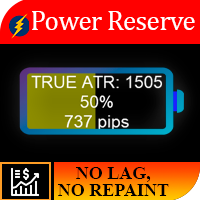
작업 논리 이 표시기의 중요성은 "계기에 연료가 얼마나 남아 있는지"를 이해할 수 있다는 사실에 있습니다. 상황을 상상해보십시오. 배터리가 반쯤 방전 된 자동차에 평균적으로이 양의 에너지는 일반적으로 250km의 자동차에 충분하므로 원하는 경우 700km의 거리를 극복 할 수 없습니다. 따라서 각 상품에 대해 특정 일일 가격 변동이 있으며, 통계적 관찰 결과 자산의 85%가 하루 1ATR을 통과하고 15%만이 2ATR을 통과하는 것으로 나타났습니다. 예: 일일 ATR EURUSD = 682핍. 예를 들어 TP가 500핍인 레벨의 돌파에 대해 거래를 시작하면 올바른 TP 크기를 설정한 것처럼 보이지만 자산이 이미 1일 ATR의 90%를 넘었다는 점은 고려하지 않았습니다. 거래가 열렸을 때, 따라서 상품에 TP를 수신하기에 충분한 에너지가 없을 가능성이 높습니다. 상품에 충전량이 10%만 남아 있는 것을 확인했다면 TP를 조정하거나 거래를 전혀 입력하지 마십시오. 파워 리저브 표시
MetaTrader 유틸리티 MTI(주 거래 정보) – 거래자에 대한 기본 거래 정보, 즉 다음을 표시합니다. 평균 및 현재 스프레드 크기 숏 포지션과 롱 포지션을 위한 스왑 사이즈 1 거래 로트에 대해 1핍의 비용 스톱 레벨 크기(대기 주문을 위한 최소 거리) 현재(빨간색) 종료까지의 시간 및 다음(회색) 거래 시작까지의 시간 현재 거래 세션이 끝날 때까지의 시간은 빨간색으로 표시되고 다음 세션이 시작될 때까지의 시간은 회색으로 표시됩니다. 색상은 표시기 속성에서 독립적으로 조정할 수 있습니다. 추천 로봇 스캘퍼 -       https://www.mql5.com/en/market/product/77108 디스플레이는 다음과 같이 수행됩니다. 유럽 무역 세션(EU 깃발) 미국 무역 세션(미국 국기) 오세아니아 무역 세션(호주 국기) 아시아 무역 세션(일장기) 거래 세션의 종료 시간과 변경 시간을 아는 것이 중요합니다. 거래 세션이 끝날 때까지 많은 트레이더가 자신의 포지션을 고정
Impuls Pro MT4
Sergey Batudayev
5 (2)
EA의 전략은 스윙 트레이딩을 기반으로 하며 iPump 지표에 의해 계산된 날카로운 충동 이후의 항목이 있습니다. 앞서 언급했듯이 EA는 자동 지원으로 수동 거래를 열 수 있습니다. - 하락추세의 경우 ↓ 가격 조정 후 거래에 진입하고 자산이 과매수 영역에 들어가 추세를 따라 매도합니다. - 상승 추세 ↑의 경우 가격 조정 후 거래에 진입하고 자산이 과매도 영역에 빠지면 추세를 따라 매수합니다. 선택한 자산에서 거래할 때 고문은 추세를 고려하고 현재 추세에 따라 거래를 엽니다. 수익성이 없는 거래는 중지와 평균을 사용하여 마감할 수 있습니다. 두 번째 옵션은 확실히 더 수익성이 높지만 더 위험합니다. 장점 다양한 TF에 대한 레벨 분석을 위한 내장 레벨 표시기 차트에서 수동으로 평균화 수준을 선택하는 기능 많은 피라미드형 주문을 열어 이익을 배가할 수 있는 능력(주문 수는 스스로 제어할 수 있음) iPump 표시기의 역 신호를 기반으로 TP in% 설정에 대한 추가 기준 "손" 모
작업 논리 Stop Out 유틸리티는 Stop Out 레벨까지 남은 포인트를 표시하는 간단하지만 매우 편리한 표시기입니다. 이점은 많은 트레이더가 이익을 추구하는 거래의 위험을 의도적으로 과대 평가하고 사용 가능한 마진을 최대로 사용한다는 사실에 있으며, 이 경우 브로커가 강제로 포지션을 닫을 수 있는 위치를 아는 것이 매우 중요합니다. 차트에 표시기를 놓고 매수 또는 매도의 열린 위치에 따라 차트에서 바로 이 거래 가격의 경계 표시를 볼 수 있습니다. 포지션을 열 때까지는 차트에 선이 표시되지 않습니다. 추천 로봇 스캘퍼 -       https://www.mql5.com/en/market/product/77108 변수 글꼴 크기 - 레이블의 글꼴 크기 가장자리 들여쓰기 - 가장자리에서 들여쓰기 선 색상 - 선 색상 텍스트 색상 - 텍스트 색상
EA Pump and Dump for MT4
Sergey Batudayev
5 (1)
전략 논리 Pump and Dump Expert Advisor는 상인을 위해 상인이 만든 완전 자동화된 거래 고문입니다. 전략은 "싸게 사서 비싸게 파는 것"입니다. 가격이 크게 상승/하락한 후 주문이 열립니다. 펌프 앤 덤프(Pump and Dump) 전략의 기본 의미는 자산 가격이 하락하면 싸게 사고, 가격이 오르면 비싸게 파는 것입니다. 시장에서 급격한 가격 변동이 발생한 후 반대 방향으로 상당한 가격 롤백이 발생하여 소위 "헤어핀"이 그려지고 EA가 가격이 강한 성장 또는 하락의 순간을 포착하고 이러한 신호. 영상과 스크린샷으로 자세히 설명드리겠습니다. 어드바이저의 전략은 iPump 지표를 사용하여 % 가격 변동 분석을 기반으로 자산의 과매수 및 과매도 영역을 식별하는 알고리즘을 기반으로 하며, 지표는 자산의 과매수/과매도 수준을 평가하고 이를 기반으로 어드바이저가 식별합니다. 거래된 상품의 가장 최적의 매수/매도 구역을 설정한 후 시장에 진입합니다. 장점 초기에 허용
Close All Orders for MT4 script - closes absolutely all orders, whether pending or market ones. Orders are closed at the current profit/loss indicators at the time of closing. The script is suitable for moments when you need to quickly close all orders at the current indicators. The script is very easy to use, just drag the script onto the chart and it will do its job. Add me as a friend , I have many other useful products.
EA Ice Cube Scalper
Sergey Batudayev
4.71 (21)
트레이딩 어드바이저 아이스 큐브 스캘퍼 -           그것은 하루 스캘퍼입니다       , 매일 많은 거래를 하고 각 거래에 여러 포인트를 사용합니다. EA의 전략은 RSI 지표를 사용하여 추세에 따라 거래하는 것입니다. EA는 승수 로트와 함께 평균화를 사용하므로 EA를 사용하기 전에 이를 이해해야 하지만 백테스팅과 라이브 거래 모두에서 전략이 잘 수행되었습니다. 구매하기 전에 전략 테스터에서 어드바이저의 작업을 테스트하십시오. Expert Advisor에서 위험을 제어하기 위해 평균화를 위한 최대 주문 수와 자본 위험을 제한할 수 있습니다. 어드바이저가 작동하는 방식을 이해하기 위해 무료 신호를 구독할 수 있으므로 어드바이저가 작동하는 방식과 그 잠재력을 이해할 수 있습니다. 구매 후 반드시 연락 주시고,             항상 설정을 도와드리겠습니다. 또한 모든 구매자에게는 다른 고문의 형태로 귀중한 보너스가 제공됩니다. 입력 매개변수 많은       _  
스크립트 MT4에 대한 모든 긍정적 주문 닫기       - 계정에서 모든 수익성 있는 주문을 신속하게 마감할 수 있습니다. 스크립트는   수익성 있는 모든 주문을 신속하게 마감해야 하는   순간에   적합   합니다. 스크립트에는 Profit_in_pips를 설정하기 위한 유일한 매개변수가 있습니다. 이 매개변수에서 주문에 얼마나 많은 이익이 있어야 하는지 지정하여 포지션을 마감하는 조건에 해당합니다. 스크립트는 사용하기 매우 쉽습니다   . 스크립트를 차트로 끌어다 놓기만 하면 작업이 완료됩니다. 추천 로봇 스캘퍼   -   테스트   해 보세요. 내   페이지   를 구독하십시오 , 나는 다른 많은 유용한 제품을 가지고 있습니다. 스크립트가 마음에 드셨다면   리뷰를 남겨주시면 유용한 제품을 무료로 공유할 수 있는 원동력이 됩니다. 즐겁게 사용하세요!
진정한 수급 지표       - 모든 시간대에서 저항 및 지지 수준의 위치를 빠르게 결정할 수 있습니다. 이 지표는 거래에서 기술적 분석을 사용하는 사람들에게 유용합니다. 표시기는 사용하기 쉽고 차트에서 끌어다 놓기만 하면 표시기가 가장 가능성 있는 지지 및 저항 수준을 표시합니다. 기간을 전환하면 새로 선택한 기간의 수준이 표시됩니다. 추천 로봇 스캘퍼       -       테스트   . 입력 매개변수 Use_price 레이블   - 켜기 /끄다 레벨 근처에 가격 아이콘 표시 가격 수준 색상   - 가격 아이콘의 색상을 선택합니다. 가격 수준 크기   - 가격 아이콘 크기 지원/저항 레벨 색상   - 레벨 색상 선택 내 구독       페이지   , 나는 다른 많은 유용한 제품을 가지고 있습니다. 이 지표가 마음   에 든다면   리뷰를 남겨주세요. 유용한 제품을 무료로 공유할 수 있는 원동력이 됩니다.
필터:
리뷰 없음
리뷰 답변