 MetaTrader 5
 Experts
 지표
지표
 라이브러리
라이브러리
 유틸리티
유틸리티
 위젯
위젯
 규칙
규칙
MetaTrader 5용 무료 트레이딩 유틸리티 - 15
 다음은 MetaTrader 5의 거래를 단순화하는 거래 프로그램입니다. 유틸리티의 설명과 목적을 읽으려면 유틸리티 위에 마우스를 놓으십시오.
이 유틸리티는 마우스 휠을 스크롤하여 표시기의 모든 매개 변수를 제어합니다. 이 유틸리티를 설치하고 표준 터미널 배달에서 표시기의 인터페이스를 변경할 수 있습니다. 사용자 정의 지표뿐만 아니라"시장"에서 구입 한 지표의 경우 범용 스크롤러 유틸리티가 있습니다. Universal Scroller
작동 원리 이 유틸리티는 마우스 휠을 스크롤하여 변경하여 선택한 매개 변수 중 하나를 제어합니다. 스크롤 모드 활성화는 버튼 위에 커서를 가져 가거나 클릭하여 사용할 수 있습니다. 이 버튼은 차트에 자동으로 설정됩니다. 하나 이상의 정수 매개 변수가있는 모든 표시기가이 유틸리티에 적합합니다.
설치 방법 차트에 표시기를로드,당신이 제어 할 매개 변수의 값을 기억한다. 정수여야 합니다. 차트에"표준 스크롤러"를로드합니다. 설정 창에서 두 표시기를 동기화하십시오.이 작업을 수행하려면 매개 변수 필드에 표시기의 값을 입력하십시오. 예를 들어 표시기에 선택한 매개 변수가 14 인 경우"표준 스크롤
FREE

한 거래 계정(Master)에서 다른 계정(Slave)으로 BUY/SELL 거래의 개설을 자동으로 복사하며 동일한 방향에 대해 공유 Take Profit을 자동으로 동기화합니다. 그리드, 평균화 및 마틴게일 전략을 위해 설계되었습니다. Slave 계정은 Master 계정의 거래 동작을 그대로 반복하며 독립적인 거래 결정을 내리지 않습니다. 터미널은 동일한 장치에 설치될 필요가 없습니다. 작동 방식: Master 계정이 EURUSD에서 BUY 포지션 그리드를 열고 공통 Take Profit을 설정합니다. 몇 초 후 Slave 계정이 동일한 BUY 포지션 그리드를 자동으로 열고 TP를 복사합니다. 로트 크기는 Slave 계정의 잔액에 비례하여 계산되거나 1:1 비율로 설정될 수 있으며 이 параметр는 입력 설정에서 구성됩니다. Master가 열린 포지션의 TP를 변경하면 Slave도 동일하게 변경합니다. 필요 시 설정에서 Take Profit 동기화를 비활성화할 수 있습니다. 설정
FREE

Script to create arrows and lines on chart of history positions traded on account for the symbol where you launch the application. From inputs you can select: - Magic number (default is -1; -1 = all magics number) - "From" date and time (default is 1970.01.01 00:00; all positions) - "To" date and time (default is 1970.01.01 00:00; all positions) - Color for buy open positions (arrows and lines between open and close) - Color for buy closing positions (arrows) - Color for sell open positions
FREE

A simple and useful Current Price Panel, which displays magnified current Bid, Ask prices and spread, movable anywhere on chart window using the mouse. Also provides an option to have as text at a static location showing bid or ask price along with spread, shown at any location on the chart. Allows display as pips or points along with spread highlighted in distinct color if it crosses the threshold point for the previous 100 ticks. Includes an option to show or hide the last digit (pipette) of t
FREE

GLX1 Renko Euro Expert Advisor (EA) can create the Renko bar charts on EURUSD or EURAUD symbols only. The Renko charts are generated as real-time custom EURUSD or EURAUD charts which can be further used for technical analysis with any MT5 compatible indicator. If you want to create Renko charts on any symbol, please use GLX1 Renko Builder Expert Advisor from here. https://www.mql5.com/en/market/product/115077
Included Features: Truly responsive Renko Charting on a custom EURUSD or EURA
FREE

Welcome to my MMTrader Manager product. EA that allows You for simple managing trades and positions. Key Features: Position Opening – Open trades quickly with customizable Take Profit (TP), Stop Loss (SL), and lot size settings. Position Closing – Close trades with one click. Grid System – Automatically create a grid of orders. Recovery Mode – Loss recovery lot calculation. Trade History Data – Acces data to historical positions. User-Friendly Interface – A clear and simple panel designed. This
FREE

The Swap Calculator Panel shows you what holding a position overnight really costs – before you open the trade. • Works with every symbol of your account: forex, indices, shares, commodities, metals, crypto • Enter direction, lots, opening and closing date – from a few days to several years • Counts swap nights automatically, including the triple-swap day (weekend swap) • Total in your account currency, plus swap per lot and night for long and short • Shows the full calculation with the real n
FREE

Multi-Symbol Layered Take Profit Manager PRO Professional Trade Management Utility for MetaTrader 5 Copyright YUNZUH TRADING SYSTEMS WHAT THIS EA DOES The Multi-Symbol Layered Take Profit Manager PRO is a sophisticated trade management utility designed exclusively for closing existing positions. This Expert Advisor does NOT open any trades. It is specifically engineered to manage your take profit targets across multiple symbols simultaneously using an intelligent layered system. KEY CONCEPT: L
FREE

Optimize your trading management with Breakeven Bot, the essential tool for active traders managing multiple positions at once. No more wasting time manually adjusting your stops—one click is all it takes to secure your profits! Main Feature:
️ "BREAKEVEN" Button – Instantly set all profitable positions to breakeven and protect your gains quickly. ️ Customization Options:
Set breakeven in pips or currency, depending on your preference.
Choose whether breakeven should be at the entr
FREE

RiskFlow Trading Panel MT5 A professional one‑click trading panel for MetaTrader 5 that helps you execute trades faster while maintaining consistent risk management. Designed for Forex, Gold (XAUUSD), Indices, Crypto, and any MT5 symbol. Key Features Draggable Panel – move anywhere on the chart
Minimize / Close – clean workspace anytime
Light / Dark Theme – switch instantly
Trade / Close / Settings Tabs
Risk/Reward Trading – RR ratio + SL/TP in points/pips + auto price calculation
A
FREE

Know your lot size before you click Buy or Sell.
The Chart Mechanics Risk and Position Size is a free panel for MetaTrader 5. Set how much you want to risk and where your stop goes, and it shows the lot size to use and the money actually at risk in your account currency. It is an indicator, so it never opens, changes or closes trades.
WHAT IT SHOWS - Lot size, rounded DOWN to your broker's lot step, so you never risk more than you set - Money at risk after rounding, in your account currency -
FREE

Простая торговая панель, позволяет открывать и закрывать сделки в тестере стратегий МТ5, устанавливать stoploss и takeprofit, а так же управлять ими с помощью кнопок на панели. Панель находится в правом верхнем углу, что при включенном правом отступе графика позволяет удобное использование не перекрывая график. так же имеется возможность устанавливать количеством лотов/контрактов в сделках.
FREE

UEX Reader - Expert Advisor UEX 지표 기반의 완전 자동 트레이딩 EA입니다. https://www.mql5.com/en/market/product/152936
UEX Reader는 두 가지 유연한 트레이딩 방식을 제공합니다. 일반 방식과 평균화 방식
거래 포지션은 UEX 지표가 예측하는 시장 방향에 따라 개별적으로 또는 동시에 실행할 수 있습니다.
UEX Reader는 지표를 기반으로 작동하지만, MT5 테스터에서 테스트해 볼 수도 있습니다.
- - - - - - - -
UEX Reader Expert Advisor 사용 방법: https://www.mql5.com/en/market/product/166805/comments PDF document :
https://c.mql5.com/31/1830/UEX_Reader_ExpertAdvisor.zip
FREE

Manual Trade and Risk Manager Pro MT5 is an MT5 manual Trade Manager and Prop Firm Risk Manager for discretionary traders who need disciplined account risk control. Use it as an MT5 risk management tool and manual trading panel MT5 when you trade your own strategy, a prop firm challenge, an evaluation account, or a funded account. It combines MT5 position size calculation, drawdown protection MT5 monitors, and a trade execution panel MT5 so you can size, check limits, then execute manually. This
FREE

gives you the power to close every open chart window at once — no matter the symbol, timeframe, number of indicators, Expert Advisors, or objects on them. When you attach it, a confirmation dialog appears. Only after you explicitly grant permission does the script shut down all charts, leaving you on the clean gray screen with Market Watch still fully available. From there you can rebuild your layout from scratch exactly the way you want it. Ideal for: Quickly clearing a cluttered multi-chart wo
FREE

Foxtrip Zone Planner: Visual risk-reward b ox for MetaTrader 5
What it does:
Foxtrip Zone Planner dra ws a risk-reward zone (TP/SL b ox) on your chart. You se e entry, stop loss, and tak e-profit levels in one place, w ith a fixed risk:reward ratio. You can mov e the box, res ize it, and sw itch between buy and sell so your pla n matches you r idea. It do es not open o r manage trades : it is for analy sis and plann ing only.
How it works:
Box on chart : A green zo ne (ta
FREE

Utility Description: Auto TP & SL Manager for XAUUSD Overview The Auto TP & SL Utility is an automated Expert Advisor (EA) designed specifically for MetaTrader 5 (MT5). Its primary function is to monitor your open positions in real-time and automatically apply Stop Loss (SL) and Take Profit (TP) levels if they are missing. This is particularly crucial for volatile assets like XAUUSD (Gold), where price swings occur rapidly. Key Features Instant Protection: Automatically detects any manual or EA-
FREE

Close all your positions together when the basket reaches a profit goal or a loss limit. How it works The utility adds the floating profit and swap of the selected positions (all symbols or the chart symbol, with an optional magic filter). When the total reaches the profit goal or the loss limit (money or percent of balance), every position in the basket is closed. A trailing lock can also close the basket if profit falls back by a set amount. Pending orders can be deleted too, and the utility c
FREE

is an exit manager for trades you open yourself. It does not open positions and it does not send signals. After a manual buy or sell, it gives that trade a stop and up to six exit stages based on volatility. Three stages come from Average True Range, each with its own timeframe. Three come from completed range: daily (ADR), weekly (AWR), and monthly (AMR). Each stage can be switched on or off. Enabled stages are sorted by distance. Nearer stages trail the stop. The furthest is posted as the take
FREE
EA AccountTrailingStop MT5을 소개합니다. 이는 Expert Advisor로, MetaTrader 5에서 자동으로 수익을 관리하고 보호하여 거래 전략을 향상시키도록 설계되었습니다. 이 도구는 초보자와 전문 트레이더 모두에게 적합하며, 다양한 거래 환경에서 동적인 수익 잠금을 위한 강력한 솔루션을 제공합니다. EA AccountTrailingStop MT5을 사용하면 사용자들은 유리한 시장 조건에서 수익 유지가 개선되고 수동 모니터링 시간이 줄어드는 등의 상당한 이점을 경험합니다. forex, 지수 및 암호화폐에서 거래하는 트레이더들은 전반적인 수익성이 눈에 띄게 증가했다고 언급하며, 이 EA은 거래 성과를 최적화하려는 모든 사람에게 필수 자산입니다. MQL 제품 설치 가이드 | 구매한 MQL 제품 업데이트 MT4/MT5 | 일반 문제 해결 가이드 | 일반 설정 / 입력 가이드 | 백테스트 및 설정 파일 주요 기능 동적 수익 추적: 총 계좌 수익을 자동으로 추적하고
FREE

SL Line Lot Calculator answers one question before every trade: what lot size risks exactly the amount I chose? Drag the red SL line on the chart and the panel shows the lot immediately. An optional green TP line shows the reward and the reward-to-risk ratio. How it works Attach the indicator. A SL line and a TP line appear around the current price. Drag the SL line to your stop. Below the price means a BUY setup, above the price means a SELL setup. Read the lot size, the real money at risk afte
FREE

AutoTarget Guardian is a trade management utility for MetaTrader 5 that automatically sets Take Profit and Stop Loss levels for newly opened positions. Instead of calculating point distances manually or dragging order lines on the chart, the utility can set target levels based on a specified monetary amount in the account deposit currency, or by fixed points. The target levels are calculated and applied immediately when a position opens. Key Features The utility monitors positions and applies ri
FREE

TradeAquila Monitor streams your MetaTrader 5 account to TradeAquila, a real-time dashboard for every trading account you run: broker, prop firm and crypto accounts, side by side. What it does Pushes a live snapshot of your account every 10 seconds: balance, equity, margin, open positions with their floating P/L, pending orders, and the closed trades of your history. On the dashboard you get today's realized P/L with its reset at 17:00 Chicago time, your prop firm rules (daily loss, max drawdown
FREE

We apologize, but we are unable to provide service due to network issues. If you encounter any problems during installation or use, please contact 9048914@qq.com. Thank you. Binance is a world-renowned cryptocurrency exchange! In order to facilitate the real-time data analysis of the encrypted digital currency market, the program can automatically import the real-time transaction data of Binance Futures to MT5 for analysis. The main functions are:
1. Support the automatic creation of USD-M futu
FREE

Optimization Robustness Map reads the results of a Strategy Tester optimization and shows whether the best pass sits on a plateau, where nearby inputs give similar results, or on a lone spike that a small change destroys. It draws a heat map of any two inputs, compares every pass with its neighbours, shows how each input moves the result and, when a forward period was tested, how well the back test predicted it. Everything is written to one HTML page. How To Use In the Strategy Tester, after an
FREE

Idea I programmed this tool out of the necessity to be constantly informed about what is going on. Before I sometimes forgot to set a stopp loss, this is impossible with this tool. Further this tool allows you to make distributed entries, eg. with a first feeler with 0.1 contracts and when the direction is the right one you just put more contacts into the game. Money- and risk management is built in. If you use more then the predetermined number of contracts there is a warning. You are constantl
FREE

Stop revenge trading, overtrading and blown accounts. Fomo Killswitch EA is a discipline assistant that automatically enforces your daily risk limits, blocks impulsive entries and protects your account during prop firm challenges – without relying on willpower. --- ## How it works Fomo Killswitch runs alongside your existing trading setup and acts as a safety gate for your account: - One click locks new entries for a chosen period (FOMO Lock) - After a significant loss, the EA automatically app
FREE

天机账户统计分析是一款账户交易统计面板 EA。它在图表内嵌悬浮窗口,将账户历史交易记录按日、周、月、季、年、品种、幻数(Magic)、注释八大维度自动汇总成可视化报表,一键切换查看。
每个维度展示总手数、最大手数、交易次数、连亏、连赢、最大亏损、最大盈利、胜率、百分比、利润、余额、出入金、最大浮亏、最大浮盈等十五项统计指标,列可按需开关显示。内置账户实时面板,三列布局呈现账户信息、资金状况(余额、净值、保证金、浮动盈亏等)与持仓明细(多空单数、总/最大/最小/平均手数、持仓盈亏等)。
性能方面,采用历史记录缓存与增量更新、统计指纹校验、浮盈浮亏独立跟踪,配合防抖节流与定时刷新,兼顾实时性与流畅度。界面支持拖拽、滚动条、DPI 自适应,颜色、语言、字体、缩放均可配置,。
该工具适合交易复盘、多策略账户监控与实时风险查看,当前版本 v6.9,由天机(官网 tianjigendan.cn)提供,专注跟单系统、量化系统与定制服务。
FREE
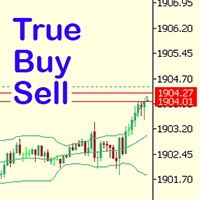
Have you ever noticed how on the forex symbols, the buy / sell button's price doesn't match the buy / sell lines on the chart? The spread always looks a lot tighter on the chart, you open a position and then realise the spread is huge. This is a very simple utility, it adds lines on the chart which match the buy / sell price on the buttons. Once installed I recommend right clicking the chart, go to Properties and uncheck "Show bid price line" and "Show ask price line", now click OK. Then righ
FREE

Aura Lot Calculator – know your exact position size in one second.
Stop guessing your lot size. Set your risk, place your stop loss, and Aura Lot Calculator instantly shows the correct lot – so every trade risks exactly what you planned, nothing more.
HOW IT WORKS - Choose your risk: % of balance or a fixed money amount (one click to switch) - Enter your stop loss in points – or turn on the SL Line and simply drag it on the chart - The calculator detects BUY or SELL automatically from the lin
FREE

PropFirm Risk Gatekeeper MT5
MetaTrader 5 고급 계좌 리스크 보호 EA
PropFirm Risk Gatekeeper MT5는 계좌 전체의 위험을 관리하기 위해 설계된 Expert Advisor입니다. 일일 드로다운, 전체 최대 손실 및 개별 포지션 손실을 지속적으로 모니터링할 수 있습니다.
이 EA는 특정 매매 전략과 독립적으로 작동하며 다른 Expert Advisor가 실행한 거래와 수동으로 실행한 거래도 감시할 수 있습니다.
주요 기능
일일 드로다운 보호
설정된 기준값을 기준으로 일일 최대 손실 비율을 지정할 수 있습니다.
보호 한도에 도달하면 EA는 다음 작업을 수행할 수 있습니다.
- 신규 거래 중지 - 오픈 포지션 청산 - 대기 주문 삭제 - 보호 상태 유지
거래일 시작 시간은 브로커 서버 시간에 맞게 설정할 수 있습니다.
전체 드로다운 보호
계좌 전체의 최대 손실 비율을 설정할 수 있습니다.
EA는 Balance와 Eq
FREE

MT5 거래의 오픈, 종료, 부분 종료 및 수정에 대한 실시간 알림을 Slack으로 자동 전송합니다. 이 유틸리티는 16개 언어를 지원합니다: 영어, 프랑스어, 독일어, 힌디어, 인도네시아어, 이탈리아어, 카자흐어, 한국어, 네덜란드어, 폴란드어, 포르투갈어, 러시아어, 스페인어, 터키어, 우크라이나어, 베트남어. 알림 텍스트를 사용자 정의하여 다른 언어도 사용할 수 있습니다. 이 제품은 터미널을 지속적으로 모니터링하지 않고도 Slack 알림을 받아야 하는 트레이더를 위해 설계되었습니다. Expert Advisor 사용자, 여러 심볼로 거래하는 트레이더 및 VPS 사용자에게 적합합니다. 전체 및 부분 포지션 종료가 정확하게 감지되며 (예: 0.10 / 0.30 lot), 중복 메시지 방지 기능이 구현되어 있습니다. 알림은 계좌의 모든 심볼에 대해 전송하거나, 유틸리티가 적용된 차트의 심볼에 대해서만 전송할 수 있습니다 (선택 사항).
Test Slack 버튼을 통해 채팅 기능을 확인
FREE

이 응용 프로그램은 당신이 당신의 개인 정보를 보호 할 수 있습니다. 이는 다른 서버에서 거래 전략의 결과를 확인하는 데 유용 할 수 있습니다.
예를 들어,계정 내역 내보내기를 사용하여 계정의 거래 내역을 원하는 형식의 파일로 내보내거나,전문가 내역 내보내기의 프로그램 코드를 전문가에게 연결하여 내역을 내보낼 수 있습니다.
파일의 시작 부분에 이러한 라인이 있어야합니다:
날짜,티켓,유형,기호,볼륨,항목,가격,정지 손실,수익,이익,수수료,수수료,스왑,매직
이 파일의 처음부터 위치하지 않을 수 있습니다,즉,다른 정보는 그 앞에 갈 수 있습니다.
그 후 파일의 끝에 하나의 트랜잭션에 대해 쉼표로 구분 된 필드 값이있는 줄이 있습니다. 행의 필드 값:
DATE - date in the format YYYY.MM .DD HH:MM:SS TICKET - transaction ticket (integer) TYPE - transaction type from ENUM_DEAL_TY
FREE

Chart Buddy는 거래 차트에 재미를 더하기 위해 설계된 엔터테인먼트 도구입니다. 캐릭터가 차트 오른쪽을 따라 움직이며, 가격 움직임을 응원하는 듯한 인상을 주어 거래 경험에 독특하고 즐거운 요소를 추가합니다. 거래에 직접적인 영향을 미치지는 않지만, 애니메이션은 가벼운 휴식을 제공하며 개인적인 지원자가 있는 것처럼 느끼게 합니다. 주요 기능: 가격 움직임 지원 : 캐릭터는 가격 방향(상승, 하락 또는 포지션에 따라) 응답하여 움직이며, 마치 시장을 응원하는 것처럼 보입니다. 캐릭터 선택 : 세 가지 캐릭터(다람쥐, 스모 선수, 소녀) 중에서 선택하거나 사용자 지정 이미지를 업로드하여 경험을 개인화할 수 있습니다. 커스터마이징 가능한 애니메이션 : 캐릭터의 이동 속도와 타이밍을 설정하여 사용자 취향에 맞게 조정할 수 있습니다. 시각적 엔터테인먼트 : 애니메이션 캐릭터는 거래 환경에 생동감 있고 인터랙티브한 요소를 추가합니다. illust STAMPO 소개 이 도구는 무료 이미지
FREE

Advanced Trade Mirror is a powerful Forex tool designed for traders who need instant, seamless trade replication across multiple terminals on the same machine. With lightning-fast execution, it ensures zero lag in copying trades, maintaining precision and efficiency in high-speed trading environments. Get the Trade Mirror Master here: https://www.mql5.com/en/market/product/133891
Specification:
Master ID: Identity value of master terminal, please use a unique value to prevent duplicated mas
FREE

This powerful tool ensures you never miss important trading signals by providing instant Alerts whenever specific indicators generate signals. With its sleek and user-friendly interface, you can effortlessly stay on top of market opportunities. Once an alert is received, you have the flexibility to decide your next move, putting you in full control of your trading decisions.
Does not work in the Strategy Tester!
Indicator Alert Features Automatically get alerted when a chosen indicator produce
FREE

The Tick Data Record is a multi-symbol multi-timeframe Expert Advisor that records tick data for later graphical representation and analysis. General Description The Tick Data Record offers a(n) alternative/complement to the online/offline price charts displayed through the MT4/MT5 platform. The Expert Advisor permits to write and save the current/history values of Time, Bid, Ask, Spread, Last and Volume to a text file (“.txt”). The idea is to copy/open the obtained register to/in a spreadshe
FREE

QuickExecEA – The Manual Trading Panel by ML Trading QuickExecEA is a professional, freely draggable trading panel for MetaTrader 5, designed to execute manual trades quickly, precisely and with minimal effort directly from the chart.
Features:
Entry, Stop Loss and Take Profit are placed as interactive lines directly on the chart and can be repositioned via drag & drop.
All values synchronize automatically with the panel in real time. The EA automatically detects the order type: Market Order, B
FREE

Drawdown Dashboard Lite 適合希望隨時掌握帳戶風險狀態的 MT5 使用者。
工具掛到任意圖表後,會每秒自動更新帳戶資料,讓使用者可以快速查看目前資金狀況與回撤程度,而不需要另外計算。
主要顯示內容包括:
Balance:目前帳戶已實現資金餘額 Equity:Balance 加上目前所有未平倉浮動損益後的實際帳戶權益 Floating P/L:目前全部持倉的總浮動盈虧 Current Drawdown:目前 Equity 低於 Balance 的金額與百分比 Session Peak Equity:自工具啟動後曾出現過的最高 Equity Session Max Drawdown:自工具啟動後,從最高 Equity 回落所出現的最大回撤 Positions:目前帳戶中的持倉總數
例如:
Balance: 10,000 USD Equity: 9,820 USD Floating P/L: -180 USD Current DD: 180 (1.80%) Session
FREE

Market Watch Bulk Loader 스타터 버전: 티커 목록을 붙여넣기만 하면 클릭 한 번으로 시장 관찰창에 추가됩니다. 한 번에 최대 5개 티커.
티커를 하나씩 직접 입력하지 말고, 클립보드에서 시장 관찰창으로 한 번에 추가하세요.
이것은 Market Watch Bulk Loader의 스타터 버전입니다. 정식 버전과 기능이 완전히 동일하며, 제한은 단 하나입니다. 한 번에 5개 티커까지 불러옵니다. 사용 중인 브로커의 심볼 표기를 이 유틸리티가 제대로 인식하는지 먼저 확인해 보세요.
사용 방법
1. 티커 목록을 클립보드에 복사합니다(스크리너, 스프레드시트, 채팅 메시지, 일반 텍스트 등 어디서든 가능). 2. MetaTrader 5에서 패널의 TXT 버튼을 누릅니다. 입력창이 나타납니다. 3. 목록을 붙여넣습니다(Ctrl+V 또는 마우스 오른쪽 버튼). 4. Copy를 누릅니다.
유틸리티는 각 티커를 브로커가 실제로 제공하는 심볼과 대조하여 일치하는 항목을 시장
FREE

Forex17 Clock 는 MetaTrader 5를 위한 가볍고 미니멀한 유틸리티로, 브로커 서버 시간 및/또는 사용자가 조정한 시간을 차트에 직접 표시하도록 설계되었습니다. 이 제품의 목적은 차트 분석을 방해하지 않으면서 명확하고 정확한 시간 정보를 제공하여 차트를 깔끔하고 기능적으로 유지하는 것입니다. 이 시계는 패널, 배경, 테두리 또는 방해가 되는 시각적 요소 없이 텍스트만을 사용하여 차트에 표시됩니다. 이러한 설계는 낮은 리소스 사용량, 밝은 테마와 어두운 테마 모두에 대한 뛰어난 호환성, 그리고 가격 스케일과 캔들에 대한 완전한 존중을 보장합니다. 본 유틸리티는 단순함, 시각적 정돈, 안정성을 중시하는 트레이더를 위해 설계되었습니다. Forex17 Clock을 사용하면 텍스트가 표시될 차트의 모서리를 선택하고, 글꼴 크기와 색상을 조정하며, 서버 시간에 대한 시간 오프셋을 설정할 수 있습니다. 이를 통해 로컬 시간이나 시간대 차이와 같은 중요한 시간 기준을 차트에서 직접
FREE

Opening EA - Start Edition
Is a tool to trade the OpeningStrategy! The Opening EA is a semi-automated EA for MetaTrader 5! This means that the trader must actively start the EA using the Start button and stop it using the Stop button.
This EA pursues an opening strategy which, at the start of trading, e.g. on the DAX or Nasdaq, etc., opens a trading channel with predefined TP's (TakeProfit). Two pending orders with the same lot size are set at the beginning. As soon as one of the pending order
FREE

Exaado Capital care If you've been searching for ways to manage Drawdown control, Drawdown Control, Balance protection, or Daily Drawdown Limit related to trading with Prop Firms, FTMO, My Forex Fund, or Funded accounts, then you've come to the right place. Additionally, if you're looking to safeguard your trading account, we can help. Do you struggle with managing your drawdown while trading funded accounts? Our EA is designed specifically for those in your position. Many prop firms have a "Tra
FREE

Sharing-Is-Caring Trade Copier
Features Local & Remote copy One tool can act as provider or receiver of trades Co-exist with other positions opened manually or from other expert advisors Can be stopped and restarted at any time without any issues such as deals getting closed mysteriously Copy same lot or adjust according to your balance and leverage Partial close/open Manage max funds to use One provider can copy to unlimited number of receivers One receiver can copy from unlimited number of p
FREE

QuickClose EA: Manage Trades Quickly and Efficiently QuickClose EA is a tool designed to help traders manage orders on the current chart easily and quickly. It provides full control over your trading status with clear feedback. Key Features of QuickClose EA: User-Friendly Control Panel: Clearly displays essential information such as the current symbol name, total profit/loss for Buy and Sell positions, and open lot sizes, giving you an immediate overview of your trading status. Precise Lot Size
FREE

One Click Chart Snap captures screenshots of your chart across all selected timeframes with a single button click — or fully automatically on a timer. Perfect for traders who journal their trades, do multi-timeframe analysis, share setups with a community, or want a visual record of the market at a specific moment. How it works At tach the utility to any chart and a button appears in the top-right corner. One click cycles the chart through every timeframe you enabled (M1 to MN1), captures each
FREE

Trade Analyzer & SL TP Optimizer Real Trade Analysis and Stop Loss / Take Profit Optimization for MetaTrader 5 Trade Analyzer & SL TP Optimizer is a MetaTrader 5 tool designed to analyze your real trading history in detail. It does more than show whether a trade ended in profit or loss. It analyzes what actually happened to price after each entry, helping you understand how your trades behaved throughout their entire lifecycle. It can be used with manual trades, Expert Advisor trades and strateg
FREE

Lot Dashboard is a trade execution and position-management panel for MetaTrader 5. It is designed for traders who want faster entries, clearer exposure visibility, and more flexible manual exit planning directly on the chart. The dashboard combines one-click market entries, quick management tools, live open-position metrics, and scenario-based exit lines in one compact panel. It is suitable for traders who scale in, manage multiple open positions, and want more control over how exits are planne
FREE

Ultimate Candle Countdown – 이제 더 이상 캔들 마감 시점을 놓치지 마세요! Ultimate Candle Countdown 으로 거래 정확도를 한 단계 높이세요 – 모든 시간 프레임과 모든 종목에서 사용할 수 있는 깔끔하고, 가볍고, 강력한 캔들 카운트다운 타이머입니다.
M1에서 스캘핑을 하든, H1에서 스윙 트레이딩을 하든, 혹은 일간/주간 마감을 지켜보든 – 이 도구는 다음 캔들이 열리기 전까지 남은 시간을 항상 정확히 알려줍니다. 더 이상 추측은 필요 없습니다 – 날카롭게 유지하고 항상 한 발 앞서 나가세요. 주요 기능 모든 시간 프레임 지원 – 1분부터 월간까지, 신뢰성과 정확성 보장. 시각적 카운트다운 – hh:mm:ss 형식으로 남은 시간을 표시하며 매초 부드럽게 업데이트. 색상 알림 – 일반, 경고, 긴급 색상을 자유롭게 설정해 시간 부족을 즉시 파악. 옵션 퍼센트 표시 – 현재 캔들의 진행 상황을 한눈에 확인. 진행 바 – 카운트다운
FREE

KChrono Timer is a four-mode timing utility for MetaTrader 5. It keeps candle, countdown and trading-session time information visible directly on the chart.
Timer modes
1. Candle Close Timer
Displays the remaining time and progress of the active candle. The current chart timeframe or another candle timeframe can be selected.
2. Custom Countdown
Runs a user-defined countdown with optional automatic restart or reset when a new candle begins. Pause, Resume and Reset controls are available dire
FREE

BTD2 Market Data Exporter for MT5 BTD2 Market Data Exporter is a high-performance utility script designed to extract M1 historical bar data, symbol properties, and daily reset schedules from MetaTrader 5 into optimized binary files ( .btd ). Built specifically for quantitative research, backtesting engines, and custom analytics pipelines. Key Features UTC+0 Timestamp Standardization: Automatically normalizes server time candles to UTC+0 end-label timestamps, eliminating broker server timezone sh
FREE

Overview Advanced MT5 EA that automatically detects, scores, and visualizes support/resistance levels with integrated trading panel, risk management, and multi-channel alerts. Installation (3 Steps) Copy EA File : Place Saturno_Smart_SR_PRO_EA.ex5 in MQL5\Experts\ folder Refresh : Right-click "Expert Advisors" in Navigator → "Refresh" Attach : Drag EA to chart → Click "OK" → Enable AutoTrading button Note : Ensure "Allow Automated Trading" is checked and the EA shows a smiley face Qu
FREE

What It Does Scans Multiple Symbols Simultaneously From all pairs for the signal in real time. Detects Overbought/Oversold Conditions Using customizable RSI thresholds (e.g., 80 for overbought, 20 for oversold) and Alerts You Instantly . Send you Notifications to MT5 in your PHONE Using MetaQuotes ID Pop-up Alerts Telegram Push Messages Whether you're at your desk or on the move, you’ll know the moment a signal hits.
FREE

️ SMART PANEL TESTER — 전략을 테스트하고 리스크를 관리하세요. SMART PANEL TESTER 는 메인 SMART PANEL 의 간소화된 버전으로, Strategy Tester 에서 트레이딩 전략을 편리하고 효율적으로 테스트할 수 있도록 특별히 설계되었습니다. 패널의 핵심은 리스크 관리 입니다. 트레이딩 전략의 성과는 좋은 진입 신호에만 달려 있지 않습니다. 장기적인 결과는 각 거래의 리스크를 얼마나 효과적으로 관리하는지에도 크게 좌우됩니다. ️ 내장 RISK MANAGER 리스크를 계좌 잔고의 백분율 로 설정하고 Stop Loss 를 지정하여 명확한 자금 관리 규칙에 따라 전략을 테스트하세요. 자동 Risk/Reward 비율을 빠르게 사용할 수 있습니다: 1:1 • 1:2 • 1:3 원하는 비율을 선택하면 해당 Take Profit 목표를 자동으로 설정할 수 있습니다. 백테스트에 필요한 모든 핵심 기능 BUY / SELL — 빠른 시장 주문 실행; S
FREE
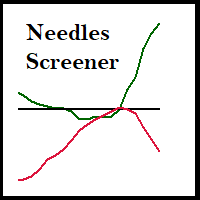
Expert Advisor that tracks assets listed in the Market Watch window by checking which assets are needled (crossing the 3, 8, and 20 moving averages) or are close to crossing. It does not track when there is no crossing of the averages. The EA allows you to choose the timeframe for analyzing the crossings. There is no maximum limit for assets or EAs running simultaneously, but a very large number can lead to system slowdown and freezing. Users should be mindful of their device's capabilities. Th
FREE

Second Level Candles And Alligator Indicators 每12秒产生一个K线,而且自带Alligator指标,对超短线选手交易非常有帮助。程序启动时可能不成功,是因为MT5 MqlTick 数据加载少的原因。可以通过修改显示的数据参数避免,比如display=100,程序正常之后再将参数调大 display=300 。如果数据不正常,也可以采用重新加载的方式解决。 如果您对这个指标有任何建议,请联系作者。 Second Level Candles And Alligator Indicators produced a candle per 12 seconds,include Alligator, it's helpful to Short-Term Trading。You'd better reload the indicator every start MT5 or change display parameter to reslove data bug. Please attach author when you had some su
FREE

Full Automated Trading panel . it works on any trading instruments: Forex, Stocks, Futures, Indices, CFD, Bonds, Cryptocurrencies; interface minimization function; flexibility of use;
Join my channel and check video of it ===> https://t.me/Ash_TheTrader/4986
Features :
Auto SL and TP Auto Close partial Auto Trailing Session Time Alert Time of trading Alert Profit and Percentage and etc.
FREE

is a multi-timeframe visual matrix that tracks the relative linear progression (log-return strength) of the eight major currencies — EUR, GBP, AUD, NZD, USD, CAD, CHF, and JPY — across selected timeframes in a single responsive panel. Motive Traders often struggle to quickly see which currencies are gaining or losing strength relative to one another across multiple timeframes. This indicator condenses that information into color-coded progression lines so you can immediately identify strong vers
FREE

VisualRiskTool VisualRiskTool is a professional trade execution panel and risk management utility designed for MetaTrader. It streamlines the process of opening and managing positions by automating complex lot size calculations and providing a visual interface for setting stop-loss and take-profit levels directly on the chart. Core Functionality: Precision Risk Management The primary goal of VisualRiskTool is to eliminate manual calculation errors. By defining a fixed risk percentage (e.g., 0.5%
FREE

PulsePanel FREE – The exact same clean, professional and powerful dashboard as the Pro, completely free so you can test it thoroughly before upgrading. Limited to USDCHF and GBPNZD , this free edition gives you full, unrestricted access to every core feature: What You Get in the FREE Version One-click instant execution (buy/sell) Real-time currency strength meter Precise momentum scanner Watchlist with trend, momentum and conviction Live position tracking: net P&L, dynamic risk/reward ratio, sto
FREE
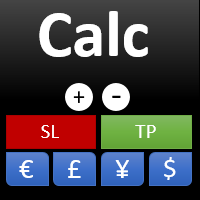
This indicator is designed to provide all useful information about symbol, account, positions and profit. It is developed for improving trader's money management.
Parameters Calc can be divided to separate blocks. Each block is possible to hide, set its own color and other properties. Block symbol: This block displays information about actual SPREAD, POINT VALUE (in deposit currency for 1 lot), SWAP LONG and SHORT. Show symbol info - display/hide this block Color of symbol info - color of this
FREE

See Your Key Trading Measurements at a Glance Smart Pips Meter is a free utility that displays important market measurements directly on your chart—so you can make faster trading decisions without manually calculating pip distances. WHAT IT SHOWS ADR (Average Daily Range)
See the current ADR pip value directly on your chart. Current Candle Size
Instantly see the size of the current candle in pips. Previous Candle Size
Quickly check the size of the last completed candle.
FREE

RSI & Moving Average Expert v1.0
A fully automated trading robot that combines the power of two classic indicators: Moving Averages and RSI, to identify strong, low-risk entries aligned with the market trend. How it works: Uses a Fast and Slow MA crossover on M15 timeframe for signal generation. Confirms trend direction using a higher timeframe EMA (default H1, 100-period). Applies RSI filtering to avoid false breakouts and extreme zones. Calculates lot size dynamically based on account risk
FREE

We apologize, but we are unable to provide service due to network issues. If you encounter any problems during installation or use, please contact 9048914@qq.com. Thank you. Binance is a world-renowned cryptocurrency exchange! In order to facilitate more accurate analysis of the encrypted digital currency market, the program can automatically import Binance’s futures K-line data to MT5 for analysis. The main functions are:
1. Support the automatic creation of all futures trading pairs on Binanc
FREE

This utility clones the chart it is running on. It opens the same chart with the same graphical objects, set of indicators (saving the parameters) and the rest of the elements. In essence, it performs a deep copying of the original chart, transferring the template to the opened chart. The symbol and the timeframe of the original chart are also saved.
FREE
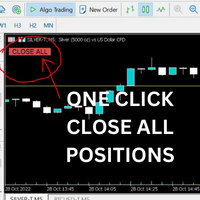
Just Attach to the Chart to be able to Click Button to Close all Open Positions in your Trading Account. Change Horizontal And Vertical Pixel based positioning for Button placement on chart. Appreciate your feedback and reviews. Note: All open positions on your trading account will be closed when button pressed.
If you need help with any simple utility happy to help.
FREE

This utility keeps a watchful eye on your trading terminals and ensures that you are notified if any of them are disconnected. Simply attach the utility to a chart and connect to a monitoring service who can notify you.
We use UptimeRobot for both VPS and terminal monitoring; however, any service supporting heartbeat monitoring can be employed.
Many such services offer free plans and various notification methods, such as Cronitor.io
FREE

Goal Tracker & Risk Guard Goal Tracker & Risk Guard is a professional on-chart dashboard and psychological assistant designed for every trader. It helps you maintain strict trading discipline, hit your profit targets, and protect your account from severe drawdowns and overtrading. Stop relying on emotions and let this indicator keep your risk in check! Key Features: Profit Targets: Set your custom Daily, Weekly, and Monthly profit targets (in %). The panel tracks your closed trades and fills a g
FREE

A2 Trade Manager Finale EA is an EA that made for you that like SCALPING, HEDGING, or LONG TIME TRADING. FREE FOR DEMO ACCOUNT ONLY!!!!
Features : TRADING INFORMATION Total Equity information Running Total Profit / Loss information Margin Level information Running Profit / Loss each trade BUY and SELL (if Hedging) Total Lots information Current timeframe remaining Daily Profit / Loss information All time Profit / Loss information Local Currency conversion
TRADE MANAGER BUTTON Order Sell / Buy
FREE

Day Close Hunter 이것이 중요한 이유 모든 트레이더가 이 상황을 알고 있습니다. 금요일 저녁, 시장이 곧 마감되려 하는데 주말 전에 포지션을 청산하는 것을 잊어버렸습니다. 월요일, 시장은 갭으로 열리고 피할 수 있었던 손실이 당신의 예치금에 발생합니다. 많은 자동 매매 시스템에는 금요일 청산 기능이 내장되어 있지 않습니다. 주말 내내 포지션을 유지하여 시장 갭에 취약해집니다. Day Close Hunter는 이 문제를 완벽하게 해결합니다. 청산 시간과 요일을 설정하기만 하면 전문가 어드바이저가 당신이 잊더라도 포지션을 관리해 드립니다. 목적 Day Close Hunter는 MetaTrader 5용 범용 전문가 어드바이저로, 선택한 요일과 지정된 시간에 모든 포지션과 대기 주문을 자동으로 청산합니다. 주말 갭으로부터 보호할 뿐만 아니라 시장 마감 전 일일 계좌 정리에도 완벽합니다. 주요 기능 선택 가능한 요일 — 체크박스를 통한 유연한 설정. 원하는 요일에 포지션을 청
FREE
MetaTrader 마켓은 과거 데이터를 이용한 테스트 및 최적화를 위해 무료 데모 거래 로봇을 다운로드할 수 있는 유일한 스토어입니다.
어플리케이션의 개요와 다른 고객의 리뷰를 읽어보시고 터미널에 바로 다운로드하신 다음 구매 전 트레이딩 로봇을 테스트해보시기 바랍니다. 오직 MetaTrader 마켓에서만 무료로 애플리케이션을 테스트할 수 있습니다.
