 MetaTrader 5
 Experts
 지표
지표 라이브러리
라이브러리 유틸리티
유틸리티 위젯
위젯 규칙
규칙MetaTrader 5용 무료 트레이딩 유틸리티 - 11
 다음은 MetaTrader 5의 거래를 단순화하는 거래 프로그램입니다. 유틸리티의 설명과 목적을 읽으려면 유틸리티 위에 마우스를 놓으십시오.
This is not an EA – it’s a simple and powerful MT5 indicator designed to help you manage trades quickly and easily. Key Features: TP1 Auto-Set – Fixed at 1RR TP2 Auto-Set – Set at 2RR Fast Lot Calculation – Calculates lot size based on SL in 1 second Quick Actions: Close All Trades Move to Breakeven Set TP at RR1 / RR2 User-Friendly – No complex setup, just attach to chart and start using Support:
Telegram – @inForexVIP
WhatsApp – +923118409597 MT4 Version Coming Soon
W
FREE

설명: VPS Health Check EA는 브로커와의 연결을 모니터링하고 연결 상태에 대한 적시 알림을 제공하도록 설계된 MetaTrader 5 유틸리티입니다. 이 도구는 연결 문제가 있을 경우 즉시 알려 주므로 거래 활동의 안정성과 신뢰성을 유지하는 데 도움이 됩니다. 특징: 연결 확인 모드: 새로운 캔들마다 연결을 확인할지, 아니면 하루 중 특정 시간에 연결을 확인할지 선택하세요. 사용자 지정 시간: 예약된 연결 확인에 대한 정확한 시간과 분(24시간 형식)을 설정합니다. 실시간 알림: MetaTrader 5 앱을 통해 연결 상태에 대한 즉각적인 알림을 받으세요. 정보 표시: 마지막 알림 시간과 메시지를 차트에서 직접 보고 쉽게 참조할 수 있습니다. 입력: 모드: 연결 확인 모드를 선택하세요 Check_On_Each_Candle - 차트에 새 캔들이 나타나면 알림을 실행합니다. Check_At_Particular_Time - 지정된 브로커 시간(기
FREE

Idea I programmed this tool out of the necessity to be constantly informed about what is going on. Before I sometimes forgot to set a stopp loss, this is impossible with this tool. Further this tool allows you to make distributed entries, eg. with a first feeler with 0.1 contracts and when the direction is the right one you just put more contacts into the game. Money- and risk management is built in. If you use more then the predetermined number of contracts there is a warning. You are constantl
FREE
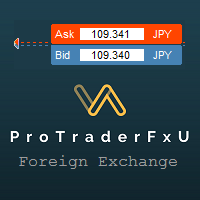
Description: - BidAskLine Indicator is very simple and easy, but each utility can be important in the probability that we will win in our trade. This utility Indicator shows lines and prices of the Bid, Ask and Spread. Input Parameters: - Visual Aspect Options : Select between 2 options with Box or Simple Style. - Parameters Bid Price : Select between show or hide line or box objects, change color, style or width line. - Parameters Ask Price : Select between show
FREE

BOLETA ATA is a quick-execution trading panel for MetaTrader 5, built for manual traders who want to buy, sell, and manage positions without leaving the chart. Compact, straightforward, and with built-in protection automations. Main Panel Stop Loss and Take Profit with an on/off checkbox and an editable field — click and type the value directly, no need to open settings Lot size field (Qty) , editable at any time 3 clickable lot presets : a single click applies the value to the Qty field; a doub
FREE

The Quick Style utility is designed for facilitation and acceleration of working with the properties of graphical objects. Left-click a graphical object while holding the Shift key to open the quick access window for configuring the object properties. In the window, you can change the color, style and line width with one click, including those of other graphical objects. All changes are displayed immediately. To close the Quick Style , simply click the free space on the chart. The utility is eas
FREE

Overview This Expert Advisor acts as a slave receiver designed to work seamlessly alongside the Copy Trades Master application. It reads broadcasted master signals in real time and automatically mirrors trade operations on the local slave account. https://www.mql5.com/en/market/product/189493 Key Features: Unlimited Slave Accounts: Broadcast signals from a single master to as many slave terminals as you need with no performance limit. Flexible Lot Management: Customize trade sizing using a lot m
FREE

Indicator Trader EA v1.0 for MetaTrader 5
Universal EA that bridges any custom indicator's signals to automated trading
XAUUSD · Major Forex Pairs · Crypto | All Timeframes M1 ~ D1
Overview Indicator Trader EA is a universal Expert Advisor that automatically executes buy and sell orders based on signal buffers from any custom indicator.
With a single EA, you can connect any commercial indicator (SuperScalp Pro, Trend 7Filter Pro, etc.) directly — no extra coding required. Simply configur
FREE

MetaTrader 5용 Indicator Test Report — 지표가 실제로 어떻게 작동하는지 보여주는 리페인트 검사기 및 지표 테스터 컴파일된 표시기 내부는 볼 수 없습니다. Indicator Test Report는 구매, 작성 또는 MetaTrader에 내장된 모든 지표를 로드하고 설명이 할 수 없는 질문에 답합니다. 다시 그리는지, 얼마나 많은 기록이 필요한지, 실제로 무엇을 게시합니까? 행동을 보고합니다. 등급을 매기지 않습니다. Strategy Tester에 지표를 로드하고 해당 동작의 12가지 측면(공개하는 버퍼 수, 값이 의미를 갖기 전에 필요한 기록 양, 닫힌 막대의 값이 나중에 변경되는지 여부, 읽는 데 드는 비용)에 대한 일반 언어 보고서를 받으세요. 지표가 좋은지 여부에 대한 점수, 합격 표시, 평결은 없습니다. 단지 관찰된 것과 증명된 것과 증명되지 않은 것만 있을 뿐입니다. 답변 내용 1. 버퍼. 지표가 실제로 게시하는 번호가 매겨진 데이터 시리즈의 수와
FREE

A fully automated, zero-input trailing stop-loss management utility designed specifically for Gold (XAUUSD) to lock in profits using dynamic milestones. Full Description Smart Trail SL is a specialized algorithmic trade-management utility designed for Gold (XAUUSD) traders who want automated, disciplined, and strict protective stop-loss enforcement without manual intervention. This utility features a hardcoded "Attack Mode" trailing engine. It completely removes the need for configuring complex
FREE

️ SMART PANEL TESTER — 전략을 테스트하고 리스크를 관리하세요. SMART PANEL TESTER 는 메인 SMART PANEL 의 간소화된 버전으로, Strategy Tester 에서 트레이딩 전략을 편리하고 효율적으로 테스트할 수 있도록 특별히 설계되었습니다. 패널의 핵심은 리스크 관리 입니다. 트레이딩 전략의 성과는 좋은 진입 신호에만 달려 있지 않습니다. 장기적인 결과는 각 거래의 리스크를 얼마나 효과적으로 관리하는지에도 크게 좌우됩니다. ️ 내장 RISK MANAGER 리스크를 계좌 잔고의 백분율 로 설정하고 Stop Loss 를 지정하여 명확한 자금 관리 규칙에 따라 전략을 테스트하세요. 자동 Risk/Reward 비율을 빠르게 사용할 수 있습니다: 1:1 • 1:2 • 1:3 원하는 비율을 선택하면 해당 Take Profit 목표를 자동으로 설정할 수 있습니다. 백테스트에 필요한 모든 핵심 기능 BUY / SELL — 빠른 시장 주문 실행; S
FREE

Live Risk Dashboard MT5 EA Monitor your account risk clearly and trade within your limits Live Risk Dashboard MT5 EA is a practical account-monitoring utility for MetaTrader 5. It displays your most important trading and risk information directly on the chart, helping remove the "math anxiety" of managing open positions. Instead of repeatedly checking different MT5 windows or manually calculating floating profit, drawdown usage, and remaining limits, you can view everything in one clean, compact
FREE

One click to open. One click to protect. SMART PANEL is a minimalist panel for disciplined trading: no extra noise — only what a trader really needs every day: order placement, risk control and profit protecti 1. Fast order placement BUY / SELL buttons with MARKET / LIMIT / STOP menu. Entry, stop and take-profit lines — draggable right on the chart. Ready ratios 1:1 · 1:2 · 1:3 — one click, risk is already set. −% / +% buttons — risk per trade adjusted in a second. 2. Built-in
FREE

After downloading, message me via MQL5 inbox to receive your FREE User Kit - setup guide, practical checklist, and workflow resources built specifically for XAUUSD traders. If you've been trading Gold long enough, you already know the drill. Before the session opens, you pull up the chart and start looking for the same levels you've been marking every week: previous week high, previous week low, the midpoint, and yesterday's high and low. You draw them manually, label them, and keep an eye on t
FREE

Assistant Trader MT5 Check Pro version with OCO feature and fluid drawings : Assistant Trader Pro MT5 | Buy Trading Utility for MetaTrader 5 Assistant Trader MT5 is a MetaTrader 5 manual trading assistant for fast multi-leg order execution. It is built for traders who need to copy signal levels, split entries into legs, and manage trades with less delay.
Detailed Introduction
Assistant Trader MT5 provides a compact chart dashboard for placing and managing multi-leg trades in MT5. It is intende
FREE

Multi currency and multi timeframe scanner. Scans all instruments in "market watch" and gives either pc-alert or push-notification to the phone on a breakout. A breakout is by default defined as when a candle becomes longer than three ATR with a period of 300.
If you have the need for a custom buildt scanner, to scan for your particular setup. Please add a personal jobb under the Freelance section.
Functionality
Has spread filter , to not open stupid mega spread crypto currency charts. Has lo
FREE
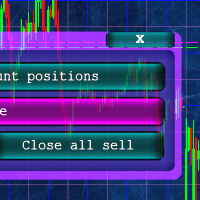
Кнопочная панель для одновременного закрывания большого числа позиций. Всего четыре варианта закрывания: Закрыть все позиции на счёте ( Close all account positions ). Закрыть все позиции по символу графика, на котором находится панель ( Close all positions ). Закрыть все Buy позиции по символу графика, на котором находится панель ( Close all Buy positions ). Закрыть все Sell позиции по символу графика, на котором находится панель ( Close all Sell positions ).
FREE

Time-Based Trade Closer EA - Risk-Free Overnight? Yes! Time-Based Trade Closer Does It for You. Love it? Hate it? Let me know in a review! Feature requests and ideas for new tools are highly appreciated. :) Try "The AUDCAD Trader":
https://www.mql5.com/en/market/product/151841 ️ ALWAYS TEST THIS EA ON A DEMO ACCOUNT BEFORE USING IT LIVE! Overview The Time-Based Trade Closer EA is a powerful MetaTrader 5 Expert Advisor designed to automatically close all open positions and pending orders at
FREE
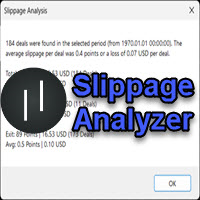
If you are using scalping strategies (or any strategy that uses stop orders for position opening or closing) you need to know your slippage. Slippage is the difference between your pending order price and the price that your brokers uses to execute your order. This can be really different and depends on the broker as well as on the market conditions (news, trading hours, etc..) With this small script you can calculate the slippage you "paid" in points and also in your account currency. You also
FREE

GRInvest Breakeven Manager is an MT5 trade-management Expert Advisor designed to manage existing open positions after entry. Its purpose is to automate breakeven protection, staged partial closes, trailing stops and position management while still giving the trader full manual control over individual trades. The EA does not need to open trades itself . It can manage manual trades and trades opened by other Expert Advisors according to the selected symbol, direction and magic-number filters. The
FREE

SI Ruler A clean, one-click price ruler that shows points and exact dollar cost between any two levels on your chart. Every trader needs to quickly measure the distance between two price levels and know what it costs in real money. Most platforms make this harder than it should be. SI Ruler puts a single icon in the corner of your chart — click it, click your entry level, and drag to your stop or target. The label tells you instantly how many points that distance is and exactly what it costs in
FREE

Info Exporter MT5는 터미널 정보, 계좌 정보, 거래 내역 및 주문 내역을 로컬 CSV 파일로 내보내고, 이메일을 발송하고, 앱 스크립트에 배포된 URL을 사용하여 Google 스프레드시트로 직접 내보낼 수 있도록 지원합니다. CSV로 내보내거나, 이메일을 사용하거나, Google 스프레드시트로 내보낼 수 있으며, 내보낸 파일 이름과 시트 이름도 수정할 수 있습니다. 사용된 입력 매개변수: export terminal informations? : 터미널 정보를 내보낼지 여부를 선택합니다. 값은 true 또는 false로 변경할 수 있습니다. terminal info file or sheet name : 기본값은 "Terminal_Info"이지만 입력 프롬프트에서 변경할 수 있습니다. export historical deals? : 거래 내역을 내보낼지 여부를 선택합니다. 값은 true 또는 false로 변경할 수 있습니다. 기본값은 false입니다. 즉, 내보내지 않습니
FREE

Crystal Profit Dashboard – Real-Time MT5 Account Performance Utility Overview
Crystal Profit Dashboard is a lightweight MetaTrader 5 utility that provides real-time profit and loss monitoring directly on the chart.
It offers a clean, modern dashboard interface that updates account performance without clutter, allowing traders to focus on execution while keeping essential metrics visible. Designed for scalpers, intraday traders, and swing traders, this tool provides accurate floating profit/los
FREE
EA AccountTrailingStop MT5을 소개합니다. 이는 Expert Advisor로, MetaTrader 5에서 자동으로 수익을 관리하고 보호하여 거래 전략을 향상시키도록 설계되었습니다. 이 도구는 초보자와 전문 트레이더 모두에게 적합하며, 다양한 거래 환경에서 동적인 수익 잠금을 위한 강력한 솔루션을 제공합니다. EA AccountTrailingStop MT5을 사용하면 사용자들은 유리한 시장 조건에서 수익 유지가 개선되고 수동 모니터링 시간이 줄어드는 등의 상당한 이점을 경험합니다. forex, 지수 및 암호화폐에서 거래하는 트레이더들은 전반적인 수익성이 눈에 띄게 증가했다고 언급하며, 이 EA은 거래 성과를 최적화하려는 모든 사람에게 필수 자산입니다. MQL 제품 설치 가이드 | 구매한 MQL 제품 업데이트 MT4/MT5 | 일반 문제 해결 가이드 | 일반 설정 / 입력 가이드 | 백테스트 및 설정 파일 주요 기능 동적 수익 추적: 총 계좌 수익을 자동으로 추적하고
FREE

TradeAssist Lot Calculator — the free position size calculator that cannot touch your account. Drag the stop-loss line on your chart and instantly see the correct lot size for your risk budget. No spreadsheets, no web calculators, no mental math — and no trading permissions needed, because this tool contains zero trading code. It calculates. That is all it does. WHY THIS ONE • 9 risk modes — fixed $, % of Balance / Equity / Free Margin / Custom base, % of previous Day / Week / Month balance, and
FREE

Sessions and News Panel
An on-chart dashboard that shows the world's trading sessions and the economic
calendar in real time, plus an optional News Guard that can protect your account
around high-impact news.
This is a utility / information panel. It does NOT open trades on its own and it
is NOT a signal system. Its only trading action is the optional News Guard, which
can cancel pending orders and/or close open positions around scheduled news - and
only when you explicitly enable it.
-------
FREE

Spread Tracker is a lightweight utility that records and analyzes the real spread behavior of any symbol in real market conditions.
Instead of trusting broker marketing numbers, you get hard data from your own terminal. Every tick is sampled and written to file so you can later evaluate how a symbol actually behaves during different sessions, news events, rollovers, and low-liquidity phases. This tool is made for traders and EA developers who care about execution quality and realistic backtests.
FREE
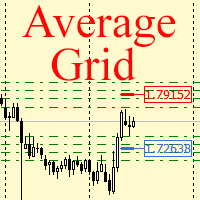
For any number of placed market and pending orders, the utility calculates the "breakeven level" - weighted average price. The calculation is performed individually for buy and sell orders. The weighted average price is marked with a label and colored horizontal line separately as well - one line for the buy price, and the other for sell price.
Input Parameters: Include pending. Include the pending orders in calculation. The default value of this parameter is false, and the calculation of the b
FREE
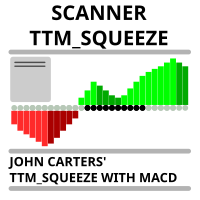
Market scanner based on the indicator published here Download the 'John Carters TTM Squeeze with MACD' Technical Indicator for MetaTrader 5 in MetaTrader Market (mql5.com) . Only the instruments that are in the Market Watch window are scanned. Maximum number of scanning tools up to 5000. The scan timeframe is selected from the timeframe panel of the terminal. To use it, open any chart and attach the Expert Advisor to the chart, the 'Search' button will appear in the upper left corner. When you
FREE

Pulse Trade Dashboard is an interactive trade management panel for MetaTrader 5, built for traders who want full control of their account without leaving the chart. Attach it to any chart and get a real-time overview of your balance, equity, open positions, and floating P&L — all updating live. Place market orders instantly with the one-click BUY and SELL buttons, adjusting your lot size, stop loss, and take profit directly on the dashboard without opening a single settings menu. What's included
FREE

TapTrade is a MetaTrader 5 chart trading assistant (Expert Advisor). It provides an on-chart control panel and draggable lines for Entry, Stop Loss, Take Profit, and Break-Even so you can place market and pending orders with clear risk control. Semi-manual: you decide when to click Place. No trading signals and no guaranteed profit. What it does Attach TapTrade to any chart. Choose order type (Buy/Sell Market, Limit, Stop), set risk mode and value, drag the chart lines to your levels, select TP
FREE

Kalman Forecast Helper is an advanced MQL5 Expert Advisor component designed to generate adaptive market forecasts, trend predictions, and trading signals for FX and other financial time series. Powered by a proprietary Kalman filtering engine, the helper continuously analyzes incoming market data and delivers actionable forecast information that can be integrated directly into Expert Advisors, indicators, or quantitative trading systems. After each update, the helper provides: Multi-horizon for
FREE

G2 DASHBOARD PRO by Ida Bagus Putu Mahardika PROFESSIONAL TRADE EXECUTION & MANAGEMENT DASHBOARD G2 Dashboard Pro is a comprehensive trading management tool that revolutionizes how you place and manage orders. No more manual calculations or switching between windows – everything you need is in one interactive, draggable dashboard directly on your chart. KEY ADVANTAGES 1. CHART-BASED PENDING ORDER PLACEMENT Click on the chart to set your entry price visually Support for all order types: Bu
FREE

A powerful and intuitive trade management tool designed for scalpers and intraday traders.
Created to complement the Nampim Samba Scalper strategy , it allows traders to open, manage, and close positions quickly without leaving the chart. Key Features: Customizable trading panel – choose position (left, right, center, top, bottom). One-click trading buttons – instantly open Buy/Sell trades with pre-set lot sizes. Close management – close last 1/2/3 trades or all Buy/Sell positions with one clic
FREE

Advanced Signals Pro v10.0 is a professional-grade, all-in-one trading dashboard that combines 11 powerful technical indicators into a single, elegant interface. Monitor multiple symbols simultaneously, receive instant buy/sell signals with calculated targets, and make informed trading decisions with confidence. adjust parameters as you wish and if you want to see detailed analysis for any pair double click on it you will get tp , sl and support and resistance and accurate signal Whether you're
FREE

` Account Limit Guard MT5 ` is a free account-level daily limit protection utility for MetaTrader 5.
It is not a trading strategy, does not open trades, does not generate signals, and does not rely on any specific indicator. Its purpose is simple: monitor your account-level daily loss and automatically apply protection once your configured limit is reached.
For prop / funded-challenge traders Need more than a daily-loss cap? Prop Firm Risk Guardian (MT5) is the full prop-challenge p
FREE
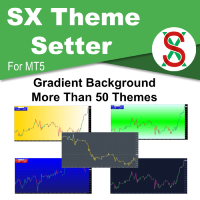
SX Theme Setter is intended for changing chart appearance in 2 modes: - Gradient background mode:
In this mode, the indicator creates a gradient background for your chart. Colors, steps and gradient type can be selected by user. - Color theme:
Color theme mode provides more than 50 built-in different color themes which can be selected from a list. Most of these themes are converted from official color themes of real trading platforms of the past and present. Try them out and see if they suit
FREE

Liquidity Seeker EA
Why You MUST Have This EA Unlock the power of ICT (Inner Circle Trader) methodology with the most advanced Smart Money Concept trading system available. This EA transforms complex institutional trading concepts into automated precision, giving you the unfair advantage that professional traders use to consistently profit from liquidity manipulation and market structure shifts. START trading WITH market makers using their own playbook. You don't need to do much other than to
FREE

This tool for the MetaTrader 5 trading platform allows setting the stop loss of open positions to breakeven (entry price) plus an adjustable distance in points. The stop loss is only adjusted if the position is already in profit.
Main functions:
Button: A button is displayed on the chart with the text "StopLoss to BreakEven". The color of the button can be customized, by default it is red.
User interaction: When you click the button, for all open positions that are in profit, the stop loss i
FREE

과거 차트를 재생하고 특정 시간 포인트에 즉시 포커스를 이동할 수 있습니다. 생성된 포커스 라인으로 차트를 이동하여 중요한 시간 포인트를 효율적으로 관찰하고 분석할 수 있습니다. 마음에 드셨다면 "Chart Auto Flow Focus Edition"도 고려해 보세요: https://www.mql5.com/ko/market/product/154905
고속 이동을 통한 차트 검색, 저속 이동을 통한 시뮬레이션, 그리고 여러 차트에서 MTF 동일 시간 동기화가 가능하여 MTF 분석이 훨씬 수월해집니다.
특징 포커스 시간 포인트로 즉시 이동 자동 재생으로 차트의 움직임과 흐름을 파악하고 패턴 검색이 가능 재생 사양 재생 방향: 과거 → 미래 이동 바 수: 1 재생 속도: 고정 재생 중 일시정지 / 재개 가능 END 버튼으로 프로그램 종료 조작 방법 Crt FocusLine: 포커스 라인 생성 Position: 표시 위치 전환 (오른쪽 / 가운데 / 왼쪽) Focus: 생성된 포커
FREE
This indicator is designed to provide all useful information about symbol, account, positions and profit. It is developed for improving trader's money management.
Parameters Calc can be divided to separate blocks. Each block is possible to hide, set its own color and other properties. Block symbol: This block displays information about actual SPREAD, POINT VALUE (in deposit currency for 1 lot), SWAP LONG and SHORT. Show symbol info - display/hide this block Color of symbol info - color of this
FREE

PipPal - Your Animated Robot Trading Companion Trading can feel lonely and stressful. PipPal puts a friendly little robot right on your chart who stays with you through every trade. He flies out of a glowing sci-fi portal, follows your live price in real time, and reacts to what is happening in your account - so your chart finally feels alive. PipPal is a pure visual companion. It reads your open trades to show emotions, but it never opens, modifies, or closes any position. Your trading stays 10
FREE

Stop Loss Magic Number Description All offsets in this utility are calculated in USD. A reliable Stop Loss manager for loss protection, auto trailing and profit locking. Suitable for both beginners and advanced traders thanks to simple and extended modes. Fully automates trade management and helps eliminate emotional decision-making. Utility Features
Default Mode — simple mode
Designed for quick and easy use. Includes basic trade management logic: • loss protection (Loss Protection Offset)
FREE
Sons of Advisorys: QuantumLevel This advanced MT5 Expert Advisor automates trading decisions based on a robust Support and Resistance breakout and retest strategy. It performs multi-timeframe analysis across H4, H1, and M15 charts to identify high-probability trade setups with precise zone validation. Key Features: Strategy: Support/Resistance breakout with retest continuation. Multi-Timeframe Detection: Independent analysis and toggle options for H4, H1, and M15 timeframes. Auto-Trading:
FREE

AlsoSell Cockpit은 분석, 수량 계산, 실행, 관리, 복기까지 트레이딩의 모든 과정을 차트 위 하나의 세련된 패널에 담았습니다. 차트를 벗어날 필요가 없습니다.
주문 및 실행 - 원클릭 시장가 BUY / SELL, 리스크 기준 자동 랏 계산. - 차트 플래너: 진입, 손절, 익절 라인을 차트에서 직접 드래그하세요. 랏은 손절 거리와 리스크 %로 실시간 계산되며, 손익비와 도달 시 정확한 손익($)이 드래그 중에 실시간으로 표시됩니다. - 스마트 실행: EXECUTE가 진입 위치에 따라 시장가 또는 대기 주문(지정가 / 역지정가)을 자동으로 선택합니다. - 가격 검증(SL/TP 방향 + 브로커 최소 손절 거리)으로 잘못된 주문을 전송 전에 차단합니다. - 리버스: 순포지션을 청산하고 반대 방향으로 원클릭 전환. - 유연한 랏 관리: 리스크 % 자동 또는 패널의 수동 랏 스테퍼. - 모든 주문에 매직 넘버와 코멘트를 부여해 깔끔하게 추적합니다.
포지션 관리 - 원클릭 청
FREE

Trade Receiver Free is a free tool to copy trades/signals from multiple MT4/MT5 accounts. The provider account must use copier EA to send the signal. This version can be used on MT5 accounts only. For MT4 accounts, you must use Trade Receiver Free . Reference: - For MT4 receiver, please download Trade Receiver Free .
- For MT5 receiver, please download Trade Receiver Free MT5 .
- For cTrader receiver, please download Trade Receiver Free cTrader .
- If you only need copy from MT4 account to u
FREE

UZFX Capital Control Command Center Panel v1.1은 자신의 거래 운영을 완벽하게 통제하고자 하는 전문 외환 트레이더를 위해 설계된 종합적인 거래 관리 및 리스크 관리 패널입니다. 이 올인원 솔루션은 MetaTrader 5 플랫폼을 실시간 모니터링, 고급 포지션 관리, 자동 드로다운 보호 기능을 갖춘 전문적인 명령 센터로 탈바꿈시킵니다.
이 패널은 수동 트레이더들이 바로 이러한 종류의 제어 기능을 필요로 하기 때문에, 사실 많은 자동 거래 도구보다 더 유용합니다. 완벽한 트레이딩 대시보드 단일하고 체계적인 인터페이스를 통해 거래 계좌의 모든 측면을 즉시 파악할 수 있습니다. 이 패널은 여러 종목에 걸친 모든 오픈 포지션을 표시하며, 포지션 유형, 랏(lot) 규모, 미실현 손익, 오픈 테이크 프로핏 값, 오픈 스톱 로스 값을 보여줍니다. 트레이더는 차트를 전환하거나 노출 규모를 수동으로 계산할 필요 없이 전체 포트폴리오를 모니터링할 수 있습니다.
FREE

Description: Protect your live or evaluation accounts by not letting it hit the maximum daily draw down! This utility is best for prop firms such as FTMO and MFF(MyForexFunds) and etc. Guide: Apply to EURUSD 1m Chart.
Default Settings: Maximum Draw Down Balance: 4% Account Balance. Maximum Draw Down Equity: 4% Account Balance Target Profit Balance: 1% Account Balance. Target Profit Equity: 1% Account Balance. Time To Reset: 16:57 to 16:58 GMT
Behavior: Setting starting_balance to 0 will auto
FREE

Second Level Candles And Alligator Indicators 每12秒产生一个K线,而且自带Alligator指标,对超短线选手交易非常有帮助。程序启动时可能不成功,是因为MT5 MqlTick 数据加载少的原因。可以通过修改显示的数据参数避免,比如display=100,程序正常之后再将参数调大 display=300 。如果数据不正常,也可以采用重新加载的方式解决。 如果您对这个指标有任何建议,请联系作者。 Second Level Candles And Alligator Indicators produced a candle per 12 seconds,include Alligator, it's helpful to Short-Term Trading。You'd better reload the indicator every start MT5 or change display parameter to reslove data bug. Please attach author when you had some su
FREE

Position Story MT5 answers a practical history question: what happened inside this position?
Select a position from the account history and the panel rebuilds its story from the recorded deals. You can see the opening deal, partial exits, reversals or close-by events, their order, and the values MT5 recorded for each one.
What it shows
• Position summary with symbol, position ID, deal count, recorded entry/exit volume when that split is knowable, and coverage state. • Ordered deal sequence wi
FREE

PositionRelay Slave Subscriber는 PositionRelay 마스터 계좌의 열린 포지션을 읽어 로컬 MetaTrader 5 터미널에 미러링합니다. 고정, 스케일 및 잔고 적응 랏 크기, 심볼별 제어, 대시보드 가시성을 위한 주기적 자체 보고를 지원합니다.
연관 제품: PositionRelay Master Publisher(무료). 슬레이브가 포지션을 미러링하려면 마스터 계좌에서 동일한 User ID로 PositionRelay Master Publisher가 실행 중이어야 합니다.
요구 사항: - 플랜에 사용 가능한 슬레이브 슬롯이 있는 활성 PositionRelay 클라우드 구독(positionrelay.com 가입) - positionrelay.com 대시보드의 PositionRelay User ID - 마스터 계좌에서 실행 중인 PositionRelay Master Publisher - 슬레이브 터미널마다 고유한 InpAccountLabel
설정: 1.
FREE

TRAILING PRO
This is not the usual trailing stop.
I created it because, when using classic trailing stops on Gold and other markets, I always ended up in the same situation: • either I exited good trades too early • or I left too much profit on the table when price pulled back
What “If you find this tool useful, a positive review is always appreciated. Since it’s free, your feedback is the best way to support its development.” it does Trailing Pro manages positions in steps , not in a continu
FREE

Price Alert MT5 — 한 번 구매로 평생 알림.
한때 시장에서 앞서 나가기 위해선 비싼 플랫폼 월정 구독을 해야 했습니다…
여기서 20달러, 저기서 50달러—하루에 몇 번 알림을 받기 위해. 가치를 위해 내는 게 아니라 대체제가 없어서 내던 돈이었죠.
그러나 이제 달라졌습니다.
트레이더가 트레이더를 위해 만든 이 도구는 당신이 원하는 어떤 가격이든 자유롭게 알림을 설정할 수 있으며, 가격이 관심 구간에 진입하는 순간 밀리초 단위로 통지합니다.
차트에서 가격 구간을 설정한 뒤 화면을 떠나 있어도, 가격이 해당 구간에 들어오는 순간 실시간 알림을 받습니다. 놓치는 움직임 없이. 월정 요금 없이.
왜 Price Alert MT5인가요? 당신만의 트레이딩 레벨에 따른 맞춤 가격 알림 제한된 알림을 위해 더 이상 결제할 필요 없음 일회성 구매 — 평생 혜택 월 구독을 노리는 회사가 아닌, 실제 트레이더가 제작
가격 행동(price action), 수요와 공급, 지지와 저항 구역을
FREE

Kill Pair Switch Kill Pair Switch 는 현재 차트 심볼의 모든 오픈 포지션을 하나의 차트 버튼으로 종료할 수 있도록 설계된 MetaTrader 5 주문 관리 유틸리티입니다. 이 유틸리티는 자동으로 신규 거래를 열지 않으며 특정 거래 전략을 사용하지 않습니다. 차트에서 빠르게 수동 종료를 실행하기 위한 관리 도구입니다. KILL PAIR 버튼은 차트 위에서 자유롭게 이동할 수 있으며 선택한 위치를 저장할 수 있습니다. 주요 기능 현재 차트 심볼의 모든 오픈 포지션 종료 동일 심볼의 대기 주문 선택적 삭제 자유롭게 이동 가능한 KILL PAIR 버튼 선택한 버튼 위치 저장 버튼 크기 조정 버튼 텍스트 변경 텍스트, 배경 및 테두리 색상 설정 시작 위치와 코너 설정 최대 허용 편차 설정 수동 포지션 및 Expert Advisor 포지션 지원 자동 신규 거래 없음 사용 방법 관리하려는 심볼의 차트에 Kill Pair Switch 를 적용합니다. 예를 들어 XAUUS
FREE

GOLD ESCAVATOR TRADING BOT
NB: PLEASE NOTE THAT THIS PROJECT WAS TAKEN DOWN A YEAR AGO DUE TO THE FEAR THAT IT MIGHT BE OVERFITTED. I WILL WORK ON IT TO RESTORE. MEANWHILE USE THE US30 TRADE BOT OR ACCOUNT FLIPPER BOTS WHICH ARE ALL FREE IN 2025. THANK YOU
A trading bot for XAUUSD. Lotsize is calculated by multiplying the lot factor by each 100 USD on account. You can adjust your risk level from 1 to 4 to suit your needs; Advisable to use account sizes of USD 200 and above. Account types: H
FREE

# ApexForge One Click Close EA
## Overview
**ApexForge One Click Close EA** is a lightweight, non-blocking trading utility that allows you to close all matching positions—and optionally delete pending orders—with a single click.
Instead of manually closing trades one by one during volatile markets, this EA provides a fast, reliable, and visually clear way to manage your exposure instantly.
> ️ This tool does not generate trading signals or open positions automatically. It is designed purely
FREE

Simple And Unique Trade Journal SAU Trade Journal은 자신의 성과를 진지하게 바라보는 트레이더를 위해 만들어졌습니다. 핵심에는 손익 캘린더가 있어 사용자가 날마다 거래 이력을 살펴보고, 어디서 이기고 어디서 지며 그 이유가 무엇인지 패턴을 파악할 수 있습니다. 그 옆에는 저널 본체가 자리합니다. 깔끔하고 간결한 디자인으로 불필요한 간섭 없이, 트레이더가 각 거래 후 생각을 기록하고 시간이 지나 다시 돌아보며 경험을 쌓을 수 있는 전용 공간을 제공합니다. 어드바이저는 한 걸음 더 나아가 과거 거래 데이터를 분석하여 무엇이 효과적이고 무엇이 그렇지 않은지에 대한 구체적인 통찰을 제시하며, 트레이더가 결과 이면의 메커니즘을 직관이 아닌 이해로 파악할 수 있도록 돕습니다. 여기에 복리 계산기가 더해져 일관된 성과가 어디로 이어질 수 있는지 명확한 추정치를 제공합니다. SAU Trade Journal의 모든 것은 하나의 목표를 향합니다. 트레이더가 과거를
FREE

RiskFlow Trading Panel MT5 A professional one‑click trading panel for MetaTrader 5 that helps you execute trades faster while maintaining consistent risk management. Designed for Forex, Gold (XAUUSD), Indices, Crypto, and any MT5 symbol. Key Features Draggable Panel – move anywhere on the chart
Minimize / Close – clean workspace anytime
Light / Dark Theme – switch instantly
Trade / Close / Settings Tabs
Risk/Reward Trading – RR ratio + SL/TP in points/pips + auto price calculation
A
FREE

ThemeChanger for MT5: Instantly Transform Your Chart Environment with One Click
In the dynamic world of trading, your chart's appearance is more than just aesthetics; it significantly impacts analytical efficiency, visibility, and even your psychological state. However, manually adjusting MT5's color settings can be time-consuming, and switching between preferred themes quickly is often a hassle.
ThemeChanger is the advanced MT5 indicator designed to revolutionize how you interact with your c
FREE

Utility for order reversal. Closes orders on the chart on which it is launched and opens orders with the opposite direction instead of them. Has a simple and intuitive graphical interface. It is also possible to automatically reverse newly opened orders. MT4 version of the utility- https://www.mql5.com/en/market/product/74771 If you like this utility, take a look at my other products - https://www.mql5.com/en/users/nina_yermolenko/seller
FREE

This tool allows you to export Ticks for any financial instrument available in MetaTrader 5. You can download multiple symbols into the same CSV file. You can also schedule the download frequency (every 5 minutes, 60 minutes, etc.). There is no need to open multiple charts to get the latest data—the tool downloads the data directly. The CSV file will be stored in the following folder: \MQL5\Files . How it works Select the symbols to download: Click an item to select or deselect it. Enter the CSV
FREE
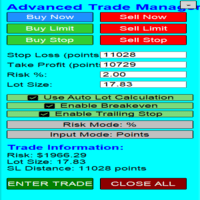
Overview Are you tired of complex manual calculations, emotional execution errors, and the constant fear of risking too much? The Advanced Trade Manager (ATM) is your all-in-one solution, a professional-grade Expert Advisor for MetaTrader 5 designed to give you institutional-level control over every aspect of your trade. From flawless risk calculation to intelligent, one-click execution, the ATM EA streamlines your entire trading process, allowing you to focus on your strategy, not the mechanics
FREE

Daily PnL Overview Daily PnL is a lightweight MetaTrader 5 indicator that displays your current Profit & Loss (P&L) directly on the chart. It combines realized profit from closed trades during the selected period with the floating profit or loss from currently open positions, giving you a live view of your trading performance. The indicator also calculates your P&L as a percentage of your current account balance, making it easier to evaluate performance without opening the Trade or History tabs.
FREE

Trade With Price is a powerful and user-friendly MetaTrader 5 Expert Advisor designed to simplify and accelerate your trading execution. This EA provides a smart one-click trading panel that allows traders to instantly place BUY, SELL, and pending orders directly at the current market price—eliminating the need to calculate distances in pips. Key Features One-click BUY & SELL execution Place pending orders based on market price instead of pips Clean and intuitive trading panel interface
FREE

Minimalist Manager is a manual trade-management panel for traders who place their own entries and want precise, fast control over risk, stops, and targets directly on the chart. It is a discretionary tool. You decide when to enter; Minimalist Manager handles the sizing, stop-loss, take-profit, and break-even mechanics around your decision. Key features Risk-based position sizing . Set your risk as a percentage of balance, a fixed cash amount, or a fixed lot size. The lot is calculated automatica
FREE

Hotkey Fractals EA is a trading expert advisor designed for manual and semi-automated trading, built on the logic of the Fractalsalligatorfilter indicator. The EA helps quickly identify trading opportunities based on fractals with Alligator line filtering and instantly place virtual or market orders with pre-calculated Entry, Stop Loss, and Take Profit levels. The advisor is created for traders who work with breakout strategies, fractal market structure, and trend-direction trading. Its main pur
FREE

Multi-TF Alert System - 전문 다중 타임프레임 알림 패널 설명 MetaTrader 5용 전문 다중 타임프레임 알림 패널 Multi-TF Alert System은 차트 간에 지속적으로 전환하지 않고 다양한 타임프레임에서 여러 시장을 추적해야 하는 트레이더를 위해 설계된 종합 모니터링 도구입니다. 외환, 금, 지수 또는 암호화폐를 거래하든, 이 패널은 가격이 최근 고점과 저점에 대해 어디에 위치하는지에 대한 명확하고 체계적인 뷰를 제공합니다. 시스템은 다섯 개의 타임프레임(M15, M30, H1, H4, 일봉)에서 최대 10개의 심볼을 동시에 모니터링합니다. 각 조합에 대해 구성 가능한 룩백 기간 동안 최고 및 최저 가격을 계산하고 현재 가격이 이러한 수준에 얼마나 가까운지 추적합니다. 가격이 이러한 핵심 수준에 도달하거나 접근하면 사운드 알림, 팝업 메시지 또는 모바일 기기로의 푸시 알림 중 선택한 방법으로 즉각적인 알림을 받습니다. 핵심 기능 다중 시장 모니터링 시
FREE

This is a utility panel to assist closing of open Deals. The panel has input filters to assist one select the right trades. The tool displays the number of trades to be closed as well as profits to be realized. One click close, Filter trades to be closed by: symbol, (Filter by a particular symbol in the trade terminal). magic number (If your orders are from particular EA with unique magic numbers). whether in profit, loss or All. (P/L=all trades, profiting = trades in profit, loosing = trades
FREE

G Spikes Trade Assistant G Spikes Trade Assistant is a MetaTrader 5 utility panel designed to help users manage manual trading actions more efficiently. It provides quick access to order execution, stop-loss settings, target-price settings, and position-management controls from the chart. Main features Buy and Sell market order buttons. Pending order options. Stop-loss and target-price management. Close All and selected close options. Customizable display settings and trade comments. Interface t
FREE

Stop Guardian 소개: 트레일링 스톱과 수익 청산으로 리스크 관리를 향상시키세요. Stop Guardian 은 수익을 기반으로 한 자동 포지션 청산 시스템과 트레일링 스톱을 결합하여, 트레이딩 전략에서 리스크 관리를 최적화하도록 설계된 Expert Advisor (EA)입니다. 주요 기능
자동 리스크 관리 : 트레일링 스톱을 사용하여 열린 포지션을 자동으로 조정하여 수익을 보호하고 손실을 최소화합니다.
사용자 정의 가능한 설정 : 전략에 맞춰 트레일링 스톱의 매개변수(Trailing Start 및 Trailing Step)를 조정할 수 있습니다.
자동 포지션 청산 : *Profit To Close All Positions*라는 매개변수를 통해, 계정의 총 수익이 설정된 값에 도달하면 EA가 자동으로 모든 열린 포지션을 청산합니다. 이 기능은 수익을 안전하게 보호합니다.
거래 식별 : 특정 거래만 관리하고 조정하기 위해 매직 넘버(Magic)를 사용합니다.
사용자
FREE
MetaTrader 마켓은 거래 로봇과 기술 지표들의 독특한 스토어입니다.
MQL5.community 사용자 메모를 읽어보셔서 트레이더들에게 제공하는 고유한 서비스(거래 시그널 복사, 프리랜서가 개발한 맞춤형 애플리케이션, 결제 시스템 및 MQL5 클라우드 네트워크를 통한 자동 결제)에 대해 자세히 알아보십시오.
