 MetaTrader 5
 Experts
 지표
지표
 라이브러리
라이브러리
 유틸리티
유틸리티
 위젯
위젯
 규칙
규칙
MetaTrader 5용 무료 트레이딩 유틸리티 - 17
 다음은 MetaTrader 5의 거래를 단순화하는 거래 프로그램입니다. 유틸리티의 설명과 목적을 읽으려면 유틸리티 위에 마우스를 놓으십시오.
Trendline Toolbox (MT5) Trendline Toolbox is a utility indicator for MetaTrader 5 that helps manage trendlines and common chart objects. It is a charting tool; it does not provide trading signals and does not guarantee any profit. Main functions Clone the selected trendline (keeps style, angle, and price levels). Toggle the Extend/Ray property for the selected trendline. Delete the selected trendline. Purge all objects on the current chart. Draggable panel: double-click the hand icon and drag t
FREE

로고 MT4 버전: https://www.mql5.com/en/market/product/121289 MT5 버전: https://www.mql5.com/en/market/product/121290
워터마크 MT4 버전: https://www.mql5.com/en/market/product/120783 MT5 버전: https://www.mql5.com/en/market/product/120784
"로고" 스크립트는 MetaTrader 4(MT4)의 거래 차트에 사용자 지정 로고 또는 이미지를 배경으로 표시하도록 설계되었습니다. 이 스크립트를 사용하면 트레이더가 로고 또는 기타 원하는 이미지를 사용하여 차트를 개인화할 수 있습니다.
작동 방식:
이미지 준비: 먼저 차트에 로고로 표시할 이미지를 선택하세요. 이미지 편집 소프트웨어를 사용하여 이미지를 비트맵 파일 형식(.bmp)으로 변환하세요. 이미지 저장: 변환이 완료되면 .bmp 이미지 파일을 MT4 설치 경로의 다음 디렉
FREE

TradeMaster Pro V4.18 TradeMasterPro A lightweight chart-management utility that replaces three separate tools with one invisible indicator. ️ PRECISE MOUSE-WHEEL ZOOM (X + Y Axes) Horizontal zoom — smooth, step-by-step bar scaling ( CHART_SCALE 0–5). Fractional sensitivity is accumulated internally, so even a 0.1× multiplier works reliably on any mouse (including free-spin wheels). Vertical zoom — when Scale Fix is active, the wheel zooms the price axis around its center instead of scrolling b
FREE

InnovaDash Smart Sync는 MetaTrader 터미널을 InnovaDash Analytics 대시보드에 직접 연결하도록 설계된 공식 데이터 커넥터입니다.
전문 트레이더를 위해 제작된 이 가벼운 유틸리티는 백그라운드에서 조용히 실행되며 실시간 평가금액(Equity) 업데이트, 미결제 약정 및 과거 거래 데이터를 InnovaDash로 자동 푸시합니다.
왜 InnovaDash인가?
InnovaDash는 원시 거래 데이터를 실행 가능한 인사이트로 변환하여 거래 성과를 향상시켜 주는 프리미엄 클라우드 기반 퀀트 분석 제품군입니다.
데이 트레이더, 스윙 트레이더, 펀드 매니저 등 누구에게나 InnovaDash는 손실을 줄이고 거래 성과를 개선하는 데 도움을 줍니다.
Innova AI 에이전트 무엇이 잘못되었는지 추측하지 마세요. 귀하의 거래 내역과 직접 대화하십시오. AI에게 "주로 요일 중 언제 돈을 잃나요?", "내가 뇌동매매(복수 거래)를 하고 있나요?" 또는
FREE

TradeJournal DRP Connector is a listen-only Expert Advisor for MetaTrader 5, designed to synchronize trading events with the TradeJournal DRP web application.
This Expert Advisor does not open, modify, close or manage trades. It is not a trading strategy, not a signal provider and not an automated trading robot.
Its only purpose is to detect trading activity on your MetaTrader 5 account and send event data to your TradeJournal DRP account through a secure API connection.
Main features: - Det
FREE

Noetrix Partial Entry
Noetrix Partial Entry is a visual scale-in planning utility for MetaTrader 5. It helps discretionary traders build and manage a staggered pending-entry plan directly on the chart.
The utility does not generate trading signals and does not place orders automatically. A plan is sent only after an explicit click on PLACE ALL and, by default, a confirmation dialog.
MAIN FEATURES
• Build from 1 to 5 Buy Limit or Sell Limit entries. • Split a total volume across the enabled e
FREE

Just a panel for drawing levels. Minimal but very useful thing. This is a reimagining of Color Levels Pro. ---- 4 types of customized levels. support for rectangle and line levels. The indicator parameters are very simple and are divided into blocks. For any update idea please contact me here. ---- Extension version " Levels tool pro " ---- don't suffer don't suffer ---- Enjoy your work!!!!!!!! ----
FREE

Easy and simple tool which close all trades in defined point of time. It can also close all open trades when opened positions reach defined target profit or stop loss.
For all pairs, indexes etc. Works with all instruments.
All types of orders. All charts.
Users inputs:
- close time (hour,min,sec)
- take profit (in users currency)
- stop loss (in users currency)
Save & Load settings option.
Fast, simple and reliable.
Check out other tools provided by our team!
FREE

*Display all text information you need on your charts.*
This will help you on displaying text on the chart, to note everything , for example: strategy.
* BUY SIGNAL
- rule 1 - rule 2 - rule 3 - etc * SELL SIGNAL
- rule 1 - rule 2 - rule 3 - etc
This will remind you to follow the discipline and trading strategy set by you.
The Discipline to Follow Rules is the Mark of a Top Trader
Safety first, then profit will come.
FREE

Prodesk Panel Pro – Professional Manual Trading Panel for MetaTrader 5
Set stop loss and take profit with the mouse cursor. The same goes for pending orders. Just set where the order will open by moving the mouse to the right position.
Prodesk Panel Pro is the complete and unlimited version of Prodesk Panel, designed for traders who want more speed, control, and precision when executing manual trades on MetaTrader 5. With a modern visual interface directly on the chart, Prodesk Panel Pro allo
FREE

Ritz_BUYnSELL_Detection
The Ritz_BUYnSELL_Detection is a custom MetaTrader 5 (MT5) indicator that detects BUY and SELL trading signals based on trend detection and ATR-based volatility filtering. It provides visual arrows , entry alerts , and mobile push notifications , making it suitable for traders using a VPS setup for 24/7 signal monitoring. How to Use the Indicator Install on MT5 : Place the .mq5 file in the MQL5/Indicators folder. Compile it in MetaEditor, then apply it to any chart. A
FREE

Input Description The indicator provides flexible options to display trading history directly on the chart, including: Days to show Profit
Displays only trades executed within the last X days from the current time. Font Size
Allows selecting the font size used to display trade information on the chart. Show Volume
Enables or disables the display of trade volume for each position. Show Currency
Enables or disables the display of the currency unit for profit values. Color for Win Trade
Sets t
FREE
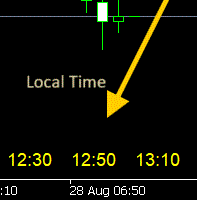
Window Time Display for Korea Tokyo - Manual Overview The Time Scale Korea Display is a custom MT5 indicator that displays local time (Korean time) on the chart's time scale. It shows the corresponding local time for each price bar, making it easier for traders to correlate market movements with their local timezone. Features Dynamic Time Display : Shows local time corresponding to each chart candle Multiple Position Options : Display at top, center, or bottom of chart Windows Time Integration :
FREE

Volume Flow Binance! 당신이 선호하는 암호화폐의 times and trades 데이터에 접근하고, 거래량 흐름과 가격 변동 분석에 대한 세부 정보를 얻을 수 있다고 상상해 본 적이 있나요? 심지어 브로커가 거래 기록에 대한 완전한 접근을 제공하지 않더라도 말이죠? Volume Flow Binance 로 이제 그것이 현실이 됩니다! 이 MQL5 스크립트는 실시간 시장 동향에 대한 상세한 뷰를 원하는 암호화폐 트레이더를 위해 설계되었습니다. 주요 특징: 스크립트 메뉴에서 사용 가능한 모든 암호화폐의 times and trades 데이터에 직접 접근. 세계적인 거래소인 Binance에서 실시간 데이터 업데이트. 가격 변동을 예측하고 거래량 흐름을 정확하게 분석. Times and Sales Crypto 인디케이터 와의 통합으로 시장 분석을 다음 수준으로 향상. 왜 Volume Flow Binance를 선택해야 할까요? 실시간으로 매
FREE

This indicator like small script only attach on any chart. It will export All symbol name and property to CSV file. Location at MQL5/File/Data/ Format CSV Pattern like ["Symbol","Category","Sector","Industry","Description"] Example : "USDX","","Indexes","Undefined"","US Dollar Index" "Coffee","","Commodities","Commodities - Agricultural"","Coffee Cash Contract" "Airbnb_Inc_(ABNB.O)","","Communication Services","Internet Content & Information"","Airbnb Inc" "Akamai_Technologies_(AKAM.O)","","Tech
FREE

ONLY DEMO ACCOUNT Live Version Here : https://www.mql5.com/en/market/product/170601 The fastest on the entire platform, try it with 50 open trades or more
This Expert Advisor provides a fast and intuitive way to manage and close open trading positions directly from the chart using a clean button-based interface. With a single click, traders can instantly close positions based on different conditions, improving execution speed and overall trade management efficiency.
Key Features Close all open
FREE

RiskCompass Panel MT5 1. The Problem and the Approach You have a position idea, and the first real question is always the same: how much of this account am I about to put at risk, and can the account carry it. The information that answers that question is scattered across half a dozen windows. Balance is on one tab. Margin level is somewhere else. The spread you just paid is visible only if you look at the instrument row. The server day, which decides whether your daily loss limit has already be
FREE

Haunted Risk Calculator is a visual risk management panel for MT5 that calculates the correct lot size in real time based on your account balance, risk percentage, and stop-loss distance. HOW IT WORKS
Set your risk percentage or dollar amount, drag the SL and TP lines to your desired levels on the chart, and the panel instantly shows the calculated lot size, risk in dollars, reward-to-risk ratio, and expected profit. Execute with one click or a keyboard shortcut. FEATURES Draggable panel — grab
FREE

FREE

Global Equity Manager Global Equity Manager is an account-level risk management tool designed to protect your trading capital by monitoring the entire account equity in real time and acting immediately when your predefined limits are reached. It works independently of any trading strategy and manages all open positions together as one basket . Key Advantages Full Account Protection
Monitors total account equity instead of individual trades. Works with Any Strategy
Compatible with manual
FREE

LATTICE VISION
THE MOST ADVANCED ORDER-NETWORK ANALYSIS TOOL ON MQL5.
Not a claim. A position backed by published, independently testable fidelity data.
Discover with Lattice Vision. Deploy with Lattice Command. One engine. Two instruments. One continuous workflow.
Lattice Vision is the original level-trading analysis tool — Grid Trading 2.0, engineered properly. When you find a configuration in Vision, the matching live engine produces the same trades. Eighteen test configurations coveri
FREE

Epic News Trader
Key Features – (Best for News Trading) How it works, watch the Video https://youtu.be/oSU-JO4L1kw?si=thSGC3v1ccfPlYQH
Contact for Set Files or See the Screen Shots
WhatsApp: Text only +447716409196
Best for XAUUSD on All Brokers
Frequently Asked Questions (FAQs) Q1: What is Smart Order Executor EA? Smart Order Executor EA is a manual trade execution tool that helps traders quickly place single or multiple ladder orders with advanced risk and order management features. Q2: Is
FREE

HB Trading Bot – Professional Risk & Trade Management for MT5 HB Trading Bot is a professional risk management and trade management Expert Advisor designed for MetaTrader 5 .
It does not open trades . Instead, it manages already opened positions with strict, rule-based logic to help traders protect their capital and remove emotional decision-making from trading. Most trading losses are caused by psychology, not poor analysis. HB Trading Bot was built to solve this problem by enforcing discipline
FREE

[Win Panel] Simple Entry and Close Positions Introducing WinPanel , an order management tool designed to enhance and simplify your trading experience. WinPanel features a clean and intuitive interface, allowing you to close orders instantly with ease. It supports flexible position management, enabling you to close losing positions, profitable positions, or all open positions with a single click. In addition, WinPanel displays the total number of open positions, current profit, and the overall p
FREE

Real Time Account Overview MT5 — Account & Magic Number P&L Monitor Real-time account overview and per-strategy P&L tracking, all in one clean panel. Overview Dashboard MT5 is a lightweight Expert Advisor that overlays a live information panel directly on your MetaTrader 5 chart. It gives you an instant snapshot of your account health and the performance of each trading strategy — identified by magic number — without ever leaving the platform. Whether you run a single EA or a dozen simultaneous
FREE
Special Trailing Sl is a automatic trailing stop_loss. first It will try to free risk your trade then save the profits. first step is to move the SL 50 points below current price for long trades , and 50 points above current price for short trades.First step will happen when the trade get to minimum profit per point. second step : SL will follow the current price with a dynamic distance. This trailing stoploss has been used in my products.
FREE

Professional Manual Trading Assistant for MT5 BRIAN BREYLI VANA – Professional Trade Manager Dashboard & Market Intelligence EA for MetaTrader 5 Professional Manual Trading Assistant with Hybrid Position Management BRIAN BREYLI VANA is a professional manual trading assistant for MetaTrader 5 that combines one-click execution, intelligent position management, Market Intelligence, and Hybrid Position Management into a single trading dashboard.
Unlike conventional Expert Advisors, it never opens p
FREE

Smart Ratio Maker — Summary What it does:
An MQL5 Expert Advisor that automatically keeps your Take Profit in line with your Stop Loss at a ratio you choose (like 1:1, 1:2, etc.). Whenever you move the SL on a trade, the EA instantly recalculates and sets the TP to match. Key features: Auto TP adjustment — Change SL manually, TP updates automatically. Live R:R ratio control — On-chart buttons ( / ) let you change the ratio instantly without opening the settings. Information panel — Shows the
FREE

️ TradeGuard by Brian_Breyli_Vana Your Trading Co-Pilot for MetaTrader 5 TradeGuard is a professional manual trading assistant for MetaTrader 5, designed for traders who want to stay in control of every trading decision while letting the EA handle the repetitive, time-consuming, and error-prone parts of trade management. Built for Price Action, Support & Resistance, Breakout, Swing, and Day Trading, TradeGuard combines fast execution, visual risk management, automated protection, session-based
FREE

Daily PnL Overview Daily PnL is a lightweight MetaTrader 5 indicator that displays your current Profit & Loss (P&L) directly on the chart. It combines realized profit from closed trades during the selected period with the floating profit or loss from currently open positions, giving you a live view of your trading performance. The indicator also calculates your P&L as a percentage of your current account balance, making it easier to evaluate performance without opening the Trade or History tabs.
FREE

EEFX Volatility Tool is a simple MT5 risk-management utility that calculates a suggested trading lot size based on current market volatility. Markets do not move the same amount every day. A fixed lot size can therefore create very different levels of exposure depending on whether volatility is low, normal or unusually high. The EEFX Volatility Tool automatically measures volatility and provides a suggested lot size directly on your MT5 chart, helping you adapt your position sizing to changing m
FREE

*** Free Version: Maximum Lot 0.10 ***
CopyCopy: Smart Replication Manager for MT5 CopyCopy is the ultimate tool for those who want to replicate trades with complete autonomy. Many signals and EAs operate with minimum lots (0.01) that do not match your account size or your growth strategy. With CopyCopy, you turn this limitation into an opportunity, taking full control over volume and risk. The difference? You don't have to copy "all or nothing." You decide exactly where the orders come from.
FREE

Indicator Removal Script for MetaTrader 5 (Version 1.4) The Delete All Indicators Script is a powerful and user-friendly tool designed for MetaTrader 5 (MT5) to instantly remove all indicators from the main chart, sub-windows, or both, with a single click. Developed by Louis MattFX , this script (Version 1.4) simplifies chart management, saving traders time and effort when resetting their workspace for fresh analysis or new trading strategies. Key Features Flexible Removal Options : Choose to c
FREE

Japanese-language version of MarketEnvNavi — a free 12-pair multi-timeframe (M15 to D1) market scanner / dashboard for MT5. The panel text and the AI explanations are in Japanese. For the English version, please see MarketEnvNaviEN by the same author. The scan and ranking work without an API key. The optional AI breakdown uses your own Anthropic API key. It does not place trades. Analysis only.
FREE

# Trade Manager Lite - Visual Risk Management for MetaTrader 5
**Trade Manager Lite** is a highly optimized, visual trading assistant designed to simplify risk management and trade execution on MT5. Built with Prop Firm traders in mind, this tool allows you to visually set your Entry, Stop Loss, and Take Profit levels directly on the chart, instantly calculating the exact lot size needed to respect your risk parameters.
## Key Features
* **Visual Trade Placement:** Drag and drop Entry,
FREE

동일한 계좌에서 두 개 이상의 EA를 실행하면, 어떤 전략이 실제로 자산 가치에 기여하고 있는지, 아니면 손실을 초래하고 있는지 한눈에 파악하기 어렵습니다.
Phoenix Magic Number Dashboard는 매직 넘버별로 미결제 및 청산된 거래를 자동으로 그룹화하므로, 각 EA의 실시간 및 청산된 실적을 계좌 전체 합계와 함께 나란히 확인할 수 있습니다.
다중 EA 계정을 명확하게 관리하는 방법
- 활성 매직 넘버를 자동으로 탐지하거나 수동 목록을 추적
- EA별 미결제 포지션, 미실현 이익, 청산된 거래 및 실현 이익
- 각 EA가 거래하는 상품 수를 보여주는 선택적 상품 수 열
- 집계 총계 및 마지막 업데이트 시간을 포함한 계정 전체 요약 행
- 색상으로 구분된 손익 임계값
알림
EA의 실적이 사용자가 설정한 손익 임계값을 넘을 때 소리 및 푸시 알림을 제공합니다.
Phoenix Magic Number 대시보드를 사용하여 다음을
FREE

Trade Anomalo WALL is a lightweight, ultra-responsive utility and cockpit terminal for MetaTrader 5, designed for manual traders, prop firm accounts, and algorithmic portfolio managers. It converts any chart window into a minimalist, clean, total-black control desk that monitors floating Profit & Loss in real time and enforces account-level profit targets and risk ceilings. By combining low-latency tick triggers with a 100 ms hardware timer loop, Trade Anomalo WALL operates independently of mark
FREE

This is a very simple backtesting tool. It starts from the most old chart in the past chart. It has 0.2pips spread, and you can do averaging 10 times. You can set the size of bars and the time frame as a parameter. You can't change the time frame during the backtest. These are the functions of buttons. ------------------------------------------------------------ Resume/Pause: Auto scroll stop and resume. Next bar: Showing candle sticks one by one. Speed1,2,3: The speed of auto scroll. Skip: ski
FREE
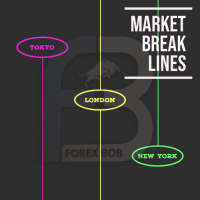
Market Break Lines is an utility tool to create a partition line at market openings/closings of Tokyo/London/NewYork sessions. This will help you to compare the market movements, volatility variations between the different markets.
Inputs: Inputs are simple to feed the time of Tokyo/London/NewYork sessions as per your broker server time Change Color and width of partition lines You can enable or disable any line (Hide/Show).
Please don't forget to support by giving handsome reviews/rating MT
FREE

Smart money is a powerful currency. This money is available to major investors who can identify, predict or even generate capital movements ahead of others. This money can flow into financial and capital markets and create dramatic price changes in various stocks. Therefore, detecting smart cash flow, which usually enters the market in a coherent manner and confronts the volume and value of transactions in a market with high returns, is one of the methods that some investors use to invest. But h
FREE

Entry Cluster Indicator for MT5 Entry Cluster is a professional-grade trading system engineered to deliver precise, high-probability entries without repainting or hindsight bias. Designed for serious traders, it integrates momentum analysis with institutional price levels to identify only the most reliable setups. Signal Clarity : Dots mark potential buy/sell zones, allowing traders to prepare. Gems confirm execution points, triggered only when momentum aligns with key levels. Robust Framework
FREE

Fx Trade Monitor – Professional Strategy Tracker & Risk Manager A powerful, free utility to monitor open/closed trades, visualize history, and manage risk with advanced Drawdown Alerts. Includes Excel-ready CSV export. Fx Trade Monitor is an essential dashboard tool designed for both manual traders and EA users. It provides a crystal-clear overview of your trading performance directly on the chart, filtering by Magic Number or Comment. Unlike simple info panels, this tool focuses heavily on Ri
FREE

Trendline Helper EA bridges the gap between manual charting and automated execution. Simply draw a trendline, assign a signal, and let the bot do the rest. Stop staring at the charts waiting for the perfect entry—draw your lines, set your risk, and walk away! Key Features: Auto-Execution: Turn any trendline into a pending Buy or Sell trigger. The EA automatically executes the trade the exact moment the price touches your line. + Smart Risk Management: Enter a fixed Lot size, or let the E
FREE
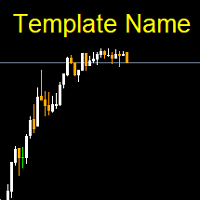
Template name allows you to write custom text that will show up on your charts. It allows you to position the text anywhere including selecting any color that you prefer. You can position the text at any of the 4 corners of your chart screen. This custom text can aid as a watermark for your screen shots. This text can act as a unique and true signature for your charts.
FREE

마진 스트레스 지수(MSI)는 트레이딩 계좌의 현재 부담을 가능한 한 정확하게 나타내기 위해 만들어졌습니다. 100% 값은 마진을 전혀 사용하지 않는 계좌를 의미하며, 마진 사용량이 증가함에 따라 값은 비례적으로 감소합니다. 0% 값은 최대 마진 스트레스 상태에 있는 트레이딩 계좌를 나타냅니다. 또한 Expert Advisor는 마진, 사용 가능 마진, 마진 레벨, MSI 및 자산(Equity)의 최대값과 최소값을 저장합니다. ________________________________________ The Margin Stress Index (MSI) was created to represent the current load on a trading account as accurately as possible.
A value of 100% indicates an account with no margin usage, and the value decreases proportionally
FREE

One bad hour can erase a month of discipline. Two stop-outs. A bigger lot “to get it back.” A stop moved “just this once.” You didn’t need better analysis. You needed something that said no. I personally use Iron Dome and I have passed Fundednext and Fundingpips Challange accounts. I believe it will save my life since I am bad at psychologically. Iron Dome is that voice, set in advance, enforced automatically. A risk manager and trade panel for MetaTrader 5. No signals. No auto-trading. You make
FREE

FREE
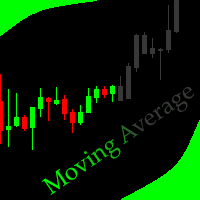
This indicator allows to hide moving average (on all MT4 timeframes) from a date define by the user with a vertical line (Alone) or a panel (with "Hidden Candles"). Indicator Inputs: MA Period MA Shift MA Method MA Apply To Information on "Moving Average" indicator is available here: https://www.metatrader4.com/en/trading-platform/help/analytics/tech_indicators/moving_average ************************************************************* Hey traders!! Give me your feeds! We are a community h
FREE

PFA Merger – Portfolio Position Merger Script
Introduction PFA Merger is an MQL5 script and an essential component of the Portfolio Analyzer (PFA) system, a portfolio analysis toolkit included with compatible Expert Advisors from this profile. The PFA system allows traders to build, merge, and simulate multi-asset, multi-strategy portfolios entirely within the MT5 Strategy Tester, with no external tools required.
The three-step PFA workflow The PFA Exporter, built into the EA, exports backtes
FREE
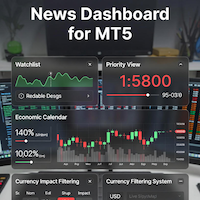
### MQL5 Marketplace Product Description News Dashboard for MT5 – with Live Sessions Map
#### Professional Real-Time Economic News Dashboard + Live Trading Sessions Map
Never get caught off-guard by high-impact news again. The ultimate all-in-one news tool trusted by thousands of professional traders – now with a beautiful embedded Live Sessions Map.
#### Core Features - Uses MT5’s built-in Economic Calendar (zero WebRequest, 100% compliant) - Real-time countdown timer to the
FREE

ABQ Visual Risk Sizer - Institutional Risk & Trade Execution 카테고리: 유틸리티 / 리스크 관리 수동 로트 계산은 시간과 비용을 낭비하게 합니다. 현대 트레이딩, 특히 프랍 펌(Prop Firms) 계좌를 운영할 때 로트 계산 오류나 단 5초의 주문 지연은 일일 드로다운(Daily Drawdown) 규정 위반으로 이어지거나 최적의 진입 가격을 놓치는 원인이 됩니다. ABQ Visual Risk Sizer 는 이 문제를 완벽하게 해결하기 위해 설계된 기관급 도구입니다. 복잡한 리스크 수학 계산을 MetaTrader 5 차트 위에서 직접적이고 빠르며 100% 정확한 시각적 경험으로 변화시킵니다. 이제 외부 계산기나 엑셀 시트는 잊으십시오. 차트 위의 라인을 드래그하고 클릭 한 번으로 거래를 실행하기만 하면 됩니다. 왜 ABQ Visual Risk Sizer가 필요한가요? 프랍 펌을 위한 완벽한 보호: 모든 거래에서 사용자가 설정한 정확한
FREE

NIVELESFIBONACCI2.12 — Órdenes Pendientes sobre Niveles Fibonacci Personalizados Este script para MetaTrader 5 permite colocar automáticamente órdenes pendientes de compra o venta utilizando como referencia los niveles Fibonacci horizontales previamente dibujados en el gráfico. El script está diseñado para funcionar conjuntamente con NIVELESFIBONACCI1.1 , aunque puede utilizar cualquier conjunto de líneas horizontales que siga la misma estructura de nombres mediante el prefijo configurado. La pr
FREE

Burst Trade Utility – Multi-Position Manager & One-Click Execution Burst Trade Utility is a powerful, fast, and intuitive assistant designed for MetaTrader 5 to simplify your daily trading. If you follow copy trading channels, signal groups, or scale into positions, this utility will completely transform your execution speed. Stop wasting time opening multiple orders manually. With a single click, you can open, manage, and close multiple positions simultaneously on any financial instrument.
FREE

Volume Calculator
This indicator shows the volume to be used in an operation based on the maximum acceptable stop value and the size of the stop. That way you will not use a calculator to calculate the volume you are going to use every time. This indicator makes your life much easier and faster. Suitable for any type of trader: Scalper, DayTrader, SwingTrader.
FREE

See what happens to your account risk before you take the next trade. Most panels answer "what lot size is 1% of my balance?". This one answers a different question: if I take this trade right now, what happens to the risk of my ENTIRE account? EQUITY AT RISK + THIS TRADE ADDS = AFTER Set 1% per trade and open eight positions and your account is carrying eight percent, not one. Risk Budget Panel keeps that total in front of you and shows what a planned trade would do to it before the order is se
FREE

ExportTradingDeals is a MetaTrader 5 script that exports your complete deal history to a CSV file. The file is consumed directly by the Trading Stats desktop application to produce charts and statistics about your trading performance. Trading Stats is a free, open-source application; pre-built Ubuntu / Debian and Windows packages are available on the project releases page (search: alinsoare/trading-stats on GitHub). What it does When you run the script, it reads all deals from your account histo
FREE

SmartLotEA – Auto Lot Size Calculator for All Pairs SmartLotEA is a professional-grade MetaTrader 5 Expert Advisor designed to calculate trading lot sizes automatically based on account balance. It helps traders maintain consistent risk control across all trading pairs with minimal configuration. Built for precision and simplicity, SmartLotEA is fully compatible with all symbols — including forex majors, minors, exotics, and synthetic instruments — and adapts its lot sizing logic to your account
FREE

Overview Copy Trades Master is a high-performance local signal broadcaster for MetaTrader 5. It tracks active positions on your master account in real time and streams execution data directly to one or multiple SlaveCopier terminals running on the same PC or local network via ultra-fast local file IPC ( FILE_COMMON ). https://www.mql5.com/en/market/product/189485 Key Features Local Common-File IPC: Uses local file streaming ( MQL5\Files ) for near-zero latency execution without requiring externa
FREE

[ Overview ] Protect your capital. Simplify your trading. In fast-moving markets, calculating the correct lot size manually is slow, stressful, and prone to error. A miscalculation can mean risking far more than you intended. The Mini Risk Calculator is an on-chart utility designed for speed, precision, and visual clarity. Forget external websites or clunky calculators. Simply drag visual lines on your chart to define your Entry, Stop Loss, and Take Profit levels, and the dashboard instantly tel
FREE

Chart Drawing Toolkit은 매일 사용하는 그리기 도구를 작은 도구 모음에 모아, MetaTrader 5 메뉴를 거치지 않고도 몇 초 만에 차트에 표시할 수 있게 해 줍니다. 버전 2.00에서는 모든 그림에 알림 을 설정할 수 있습니다. 수평선, 추세선, 박스, 채널, 피보나치 레벨에 클릭 두 번으로 알림을 걸고, 언제든지 끌 수 있습니다. 제한 없이 무료입니다. 12가지 그리기 도구, 각각 클릭 한 번 라인: 추세선, 레이, 수평선, 수직선 도형: 박스, 피보나치 되돌림, 평행 채널, 텍스트 도구: 측정(포인트, %, 봉 수, 시간), R 배수가 적용된 롱/숏 손익비 박스, 가격 라벨, 화살표 6색 팔레트, 선 굵기 및 선 스타일 버튼, 캔들의 시가·고가·저가·종가에 맞추는 자석, "현재 타임프레임 및 하위" 표시 설정 모든 도구의 단축키, 실행 취소, 숨기기/표시, 전체 삭제(이 도구 모음이 그린 객체에만 적용) 그림에 알림 설정 MetaTrader 도구로 그린 라인
FREE

FREE! MT5 Trading Manager EA PRO / MT5 Trading Assistant EA PRO: Empowering Traders for Success! Are you ready to revolutionize your MetaTrader 5 trading experience? Our comprehensive trading assistant is meticulously crafted for efficiency, precision, and overall trading prowess. Discover what sets MT5 Trading Assistant EA PRO apart: Key Features: 1. Create Order Tab: Effortless trade execution: Seamlessly place market, pending, or stop orders with our user-friendly interface. Real-time market
FREE

Copier Provider RAlabs — a signal source for local trade copying. A lightweight trade publishing tool for a copying system consisting of Copier Provider RAlabs (signal source) and Copier Master RAlabs (receiver). Copier Provider RAlabs is installed on the donor account whose trades need to be copied and transmits those trades to the Copier Master RAlabs receiver. The provider publishes: position openings, modifications, and trade closures. Features: instant local transmission, minimal resource u
FREE

使用此EA可以通过币安交易所的API连接到MT5交易端,利用MT5强大的量化功能实现交易策略的回测。 操作方法: 1、首先 必须 把( http://api2.0.mt5.vip 、 https://fapi.binance.com )这两个 地址 填写到:mt5——工具——选项——EA交易下的WebRequest列表中,否则所有数据无法同步。 2、在导航栏找到EA,双击之后添加币安的API KEY ,保存后KEY自动保存; 3、KEY保存后会出现交易面板,通过MT5下的订单可以实时展现在面板,同事也可以监控币安交易所是否有同样的订单; 4、交易面板只展示订单的总持仓,请仔细核对,以防止漏单; 5、API KEY会自动保存在本地,第二次打开后无需重复输入; 6、目前只能支持BTCUSDT、ETHUSDT、LTCUSDT合约产品 7、最小交易量以币安的最小交易量为准; 8、币安KEY是存储在本地,不会上传到任何第三方,请放心使用; 9、如果想更换KEY ,请直接在EA内修改即可。
FREE

Un cronómetro de fin de vela (o Candle Timer ) es una herramienta esencial, especialmente para alguien que opera con estrategias de precisióncomo las que manejan los traders. Su función es simple pero crítica: te dice exactamente cuánto tiempo falta para que la vela actual se cierre y comience una nueva..............................................
FREE

DIVERGENCE SCANNER Find Divergences Faster. See What Others May Miss. Divergence Scanner is a specialized tool designed to automatically identify potential divergences across multiple trading instruments. It analyzes Stochastic and RSI , detects bullish and bearish divergences, and presents the results in a clear, structured table. Key Features: Automatic divergence detection; Stochastic analysis; RSI analysis; Bullish divergences; Bearish divergences; MOSTIPAN SMART TRADING
FREE

Ultimate MT5 to Telegram Public Channel sends controlled trades (via symbol, magic, comment) to a public telegram channel. It sends open and closed trades, including pending orders and TP/SL modifications, along with chart screenshots, to this public telegram channel. Additionally, you can send trade reports of open trades and summary profit/pip reports for day, week, or month. You can customize the design of the trade actions or reports with variables and emoticons.
A beautiful panel allows
FREE

Trarity Analytics is a professional trading journal and performance workspace - built by traders, for traders. Need help getting started? Check out our tutorial .
With seamless MT5 integration, your trades are imported automatically - including auto-screenshots for every execution - so you spend less time journaling and more time improving. Trading Journal Auto-import via MT5 + clean trade history sync Auto-screenshots for every execution (faster review, full context) Add notes, tags, and setu
FREE

The simplest and most useful trading panel for every manual trader!
Are you tired of closing trades one by one during news? Do you want to protect your profit with one click?
This panel does exactly that:
CLOSE ALL - Instantly closes ALL open positions with one click. You can choose to close all symbols or only current symbol. Essential for scalpers and news traders.
BREAKEVEN ALL - Instantly moves Stop Loss to entry price (breakeven) for all profitable trades. Protect your profits and
FREE

ScalperPOPs is a compact manual trading panel for MetaTrader 5 with quick Buy, Sell, lot control, candle-based stop loss, partial close and exit controls. ScalperPOPs is a compact manual trading panel for MetaTrader 5 designed for fast order management directly from the chart.
KEY FEATURES
• Buy and Sell market buttons • Lot selector from 0.01 to 1.00 • Visible minus and plus lot controls • Quick SL based on the previous two candles • Symbol-aware SL buffer for regular instruments and BTC symb
FREE

Automatic transmission is for the traders who are annoyed by constantly putting manual take profit and stop loss. This will take some of the burden. All you need is a laptop/pc at home or a VPS, so that you can press buy or sell on your phone and all will be automatically done for you. Check out parameters below.
This utility is for every symbol. Watch for oddities when trading crypto.
Other products Automatic Transmission MT4 XAU Breakout MT5
Parameters
-Manage Magic Number (0 = Disabled)
FREE
MetaTrader 플랫폼 어플리케이션 스토어에서 MetaTrader 마켓에서 트레이딩 로봇을 구매하는 방법에 대해 알아 보십시오.
MQL5.community 결제 시스템은 페이팔, 은행 카드 및 인기 결제 시스템을 통한 거래를 지원합니다. 더 나은 고객 경험을 위해 구입하시기 전에 거래 로봇을 테스트하시는 것을 권장합니다.
