Symbol Lot Sizer
- ユーティリティ
- バージョン: 1.0

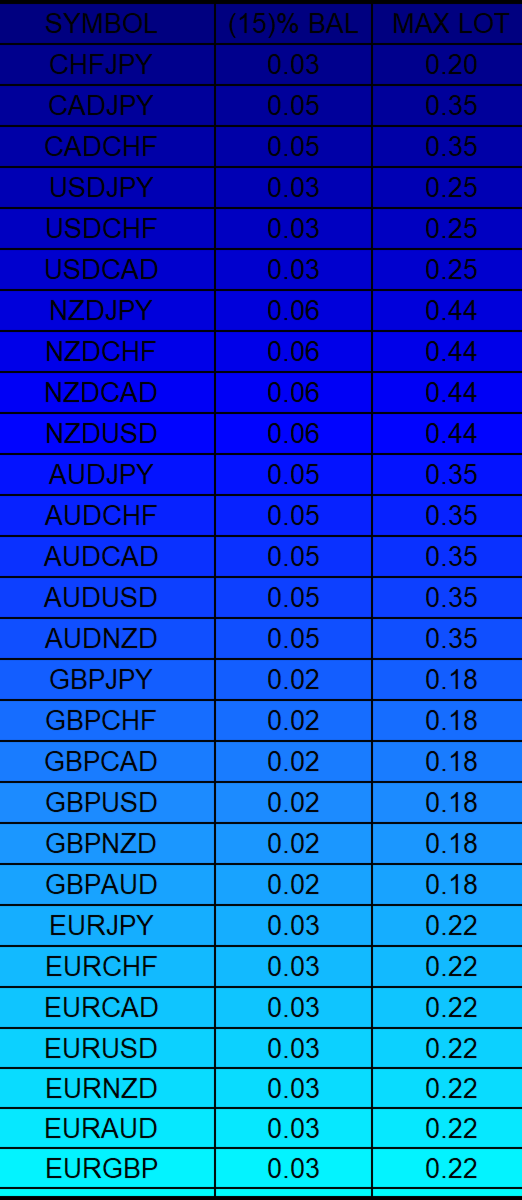
is a clean, display-only dashboard that turns your Market Watch into a focused position-sizing table. It shows each symbol alongside two calculated lot values:
- The lot size that uses a chosen percentage of your account balance as margin
- The maximum lot size supported by your full balance
No orders are placed, modified, or closed. Click any symbol to open its chart. The table runs in full-window mode with optional color-gradient row backgrounds that cycle through multiple palettes.
Benefits
- Instant visual overview of margin-based lot sizes across your entire Market Watch
- Helps size positions consistently using a fixed percentage of balance as margin (no stop-loss required)
- Separate “Max Lot” column shows the absolute upper limit based on current balance and broker margin
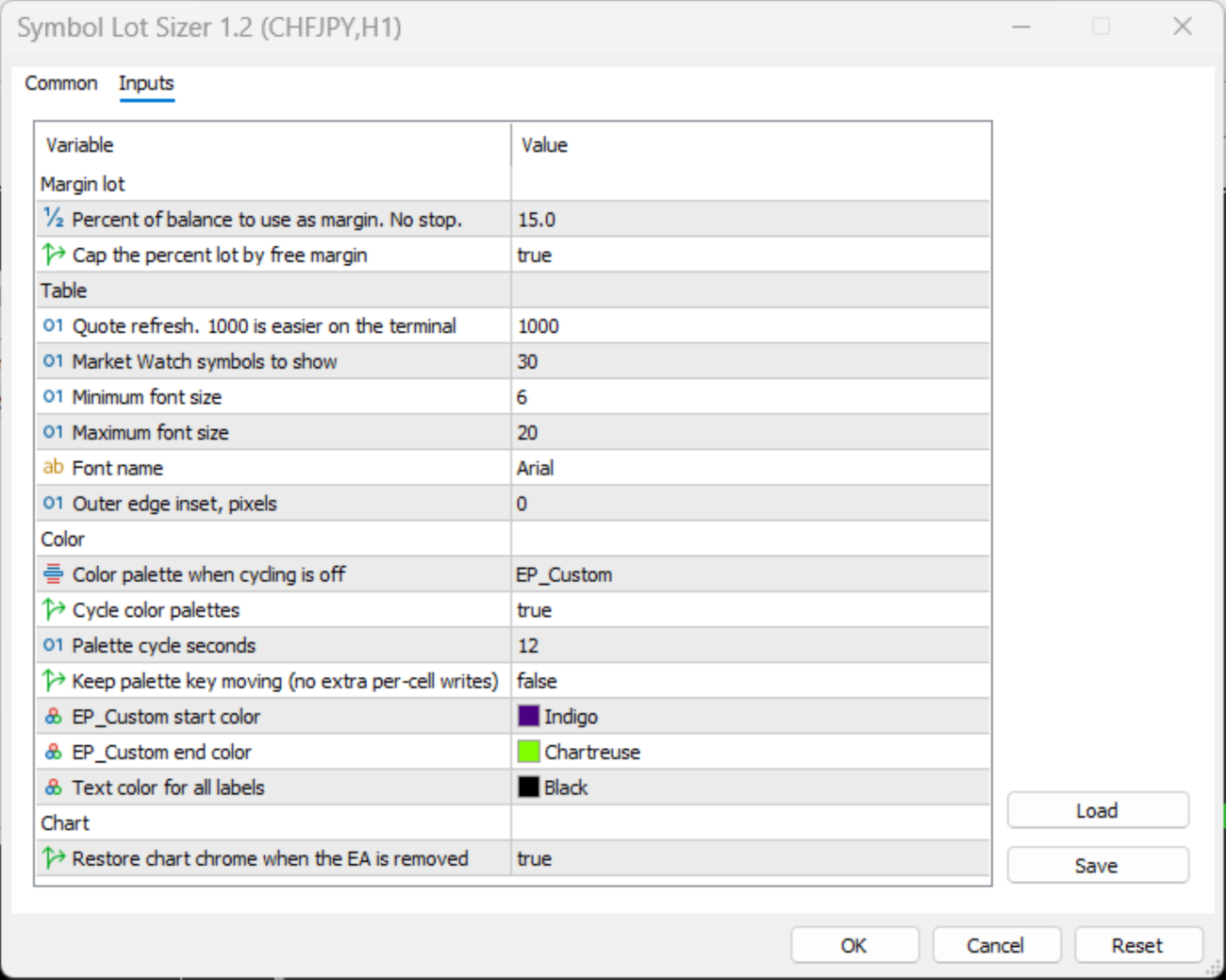
- Optional free-margin cap prevents the percentage lot from exceeding available margin
- One-click chart opening from any symbol row
- Lightweight and non-intrusive — purely informational
- Customizable font size, colors, update speed, and maximum number of symbols
- Smooth color-gradient backgrounds improve readability and visual scanning
Limitations
- Display only — it does not open, modify, or close any trades
- Lot calculations are based on margin requirements, not traditional stop-loss risk percentage
- Accuracy depends on the broker’s margin rates and the reliability of OrderCalcMargin
- Full-window mode hides normal chart elements (grid, price scale, etc.) while the EA is running; these are restored on removal if the option is enabled
- Very large Market Watch lists or very fast update intervals can increase terminal load
- Requires valid quotes and symbol specifications; symbols without margin data will show zero lots
This tool is intended for traders who want a fast, visual reference for margin-based position sizing without any automated order activity.