Quant Panel
- ユーティリティ
-
Kevin Craig E Gittins
 Professional Background
 - バージョン: 2.70
- アップデート済み: 1 9月 2026
- アクティベーション: 10
Quant Panel is a strategy analysis utility for MetaTrader 5. It helps traders review several Expert Advisors or trading strategies running on the same account.
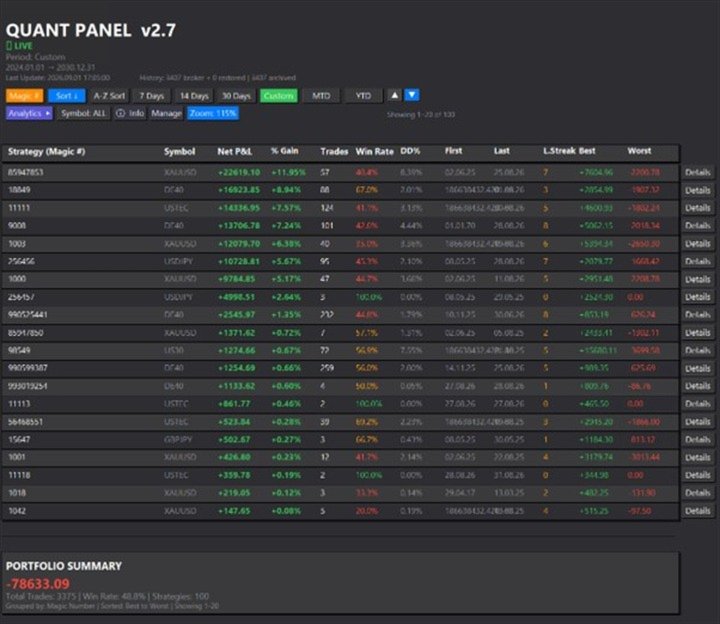
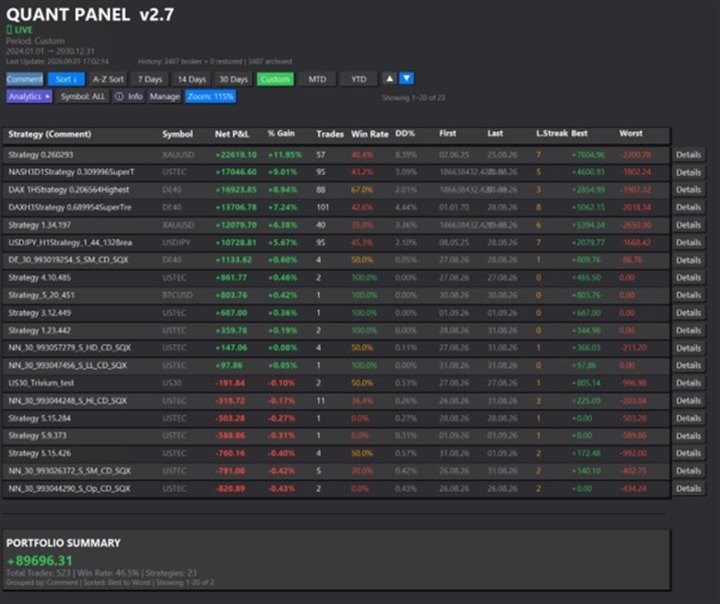
The panel groups closed positions by Expert Advisor comment or magic number and calculates each strategy's results separately. You can compare strategy performance, review individual drawdowns and export detailed reports from one dashboard.
Independent strategy analysis
Each strategy has its own virtual starting balance and closed-trade balance curve. This allows you to review its results separately from the combined account performance.
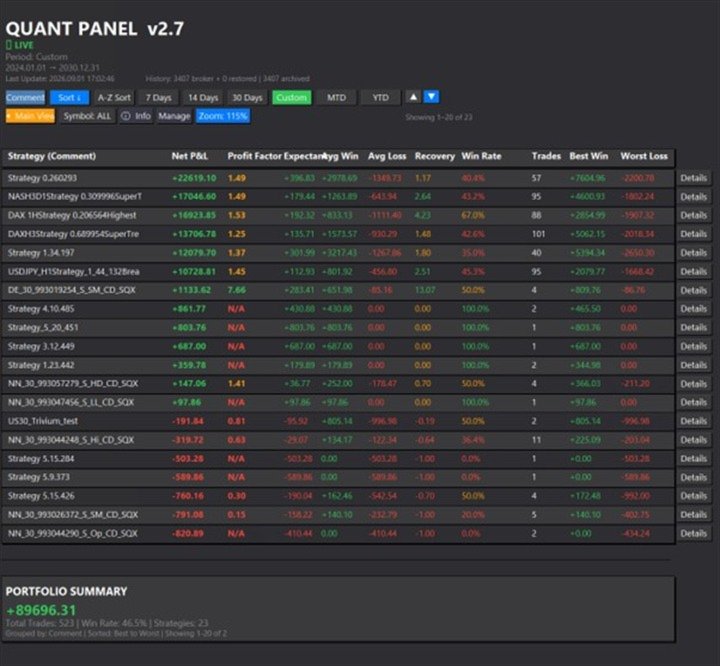
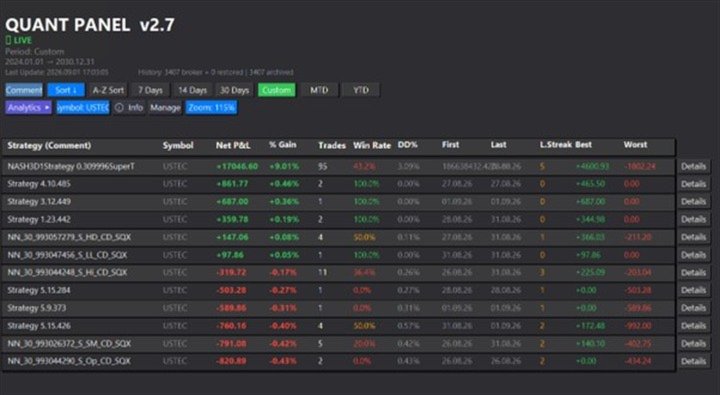
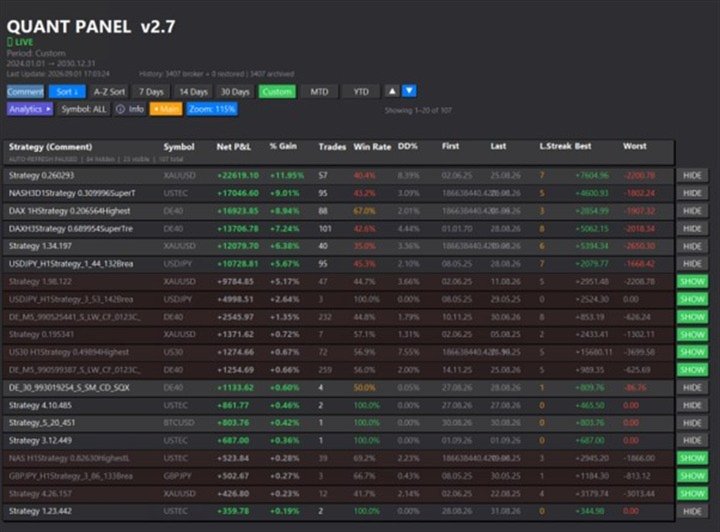
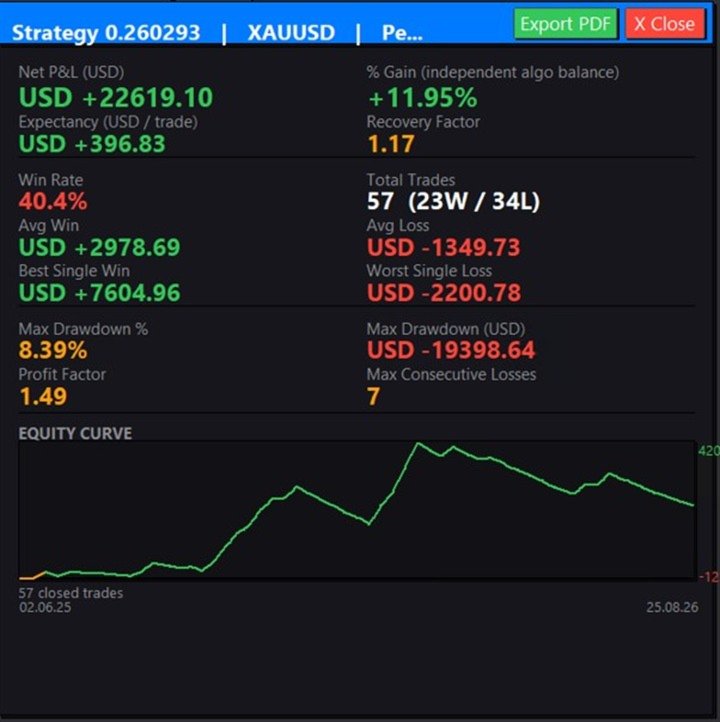
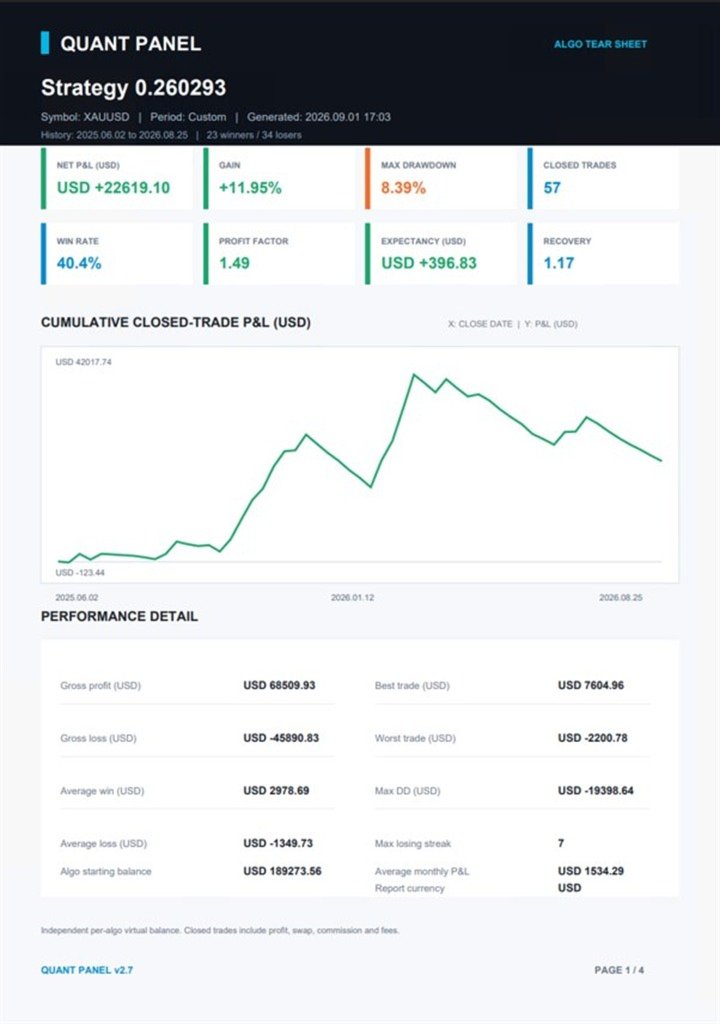
Statistics include net profit and loss, percentage gain, closed-position count, win rate and maximum realised drawdown in account currency and percentage terms. The panel also shows profit factor, expectancy, recovery factor, average winning and losing positions, largest profit and loss, and consecutive losing positions.
Calculations include profit, swap, commission and fees. Partial closes belonging to the same MetaTrader position are combined for position counting and performance analysis.
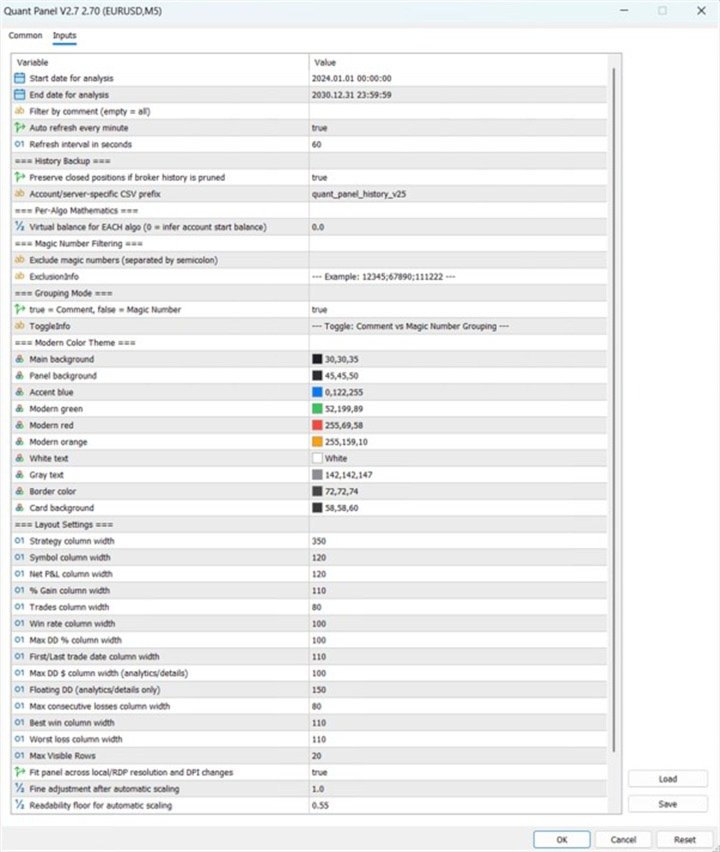
You can specify the starting balance used for each strategy or use automatic inference from account history.
Local history archive
Quant Panel maintains a local archive of closed positions for each account and trading server in the terminal's MQL5\Files folder.
During analysis, the panel combines the available broker history with its archive. Previously archived positions remain available for analysis if the broker later removes them from the terminal history. Current broker records take priority when an existing position record has changed.
The archive preserves records already captured by Quant Panel. It does not restore deleted trades to the broker's Account History tab.
Dashboard controls
Group strategies by comment or magic number, filter by trading symbol and review preset or custom date ranges. Available periods include the last 7, 14 or 30 days, the current month and the current year.
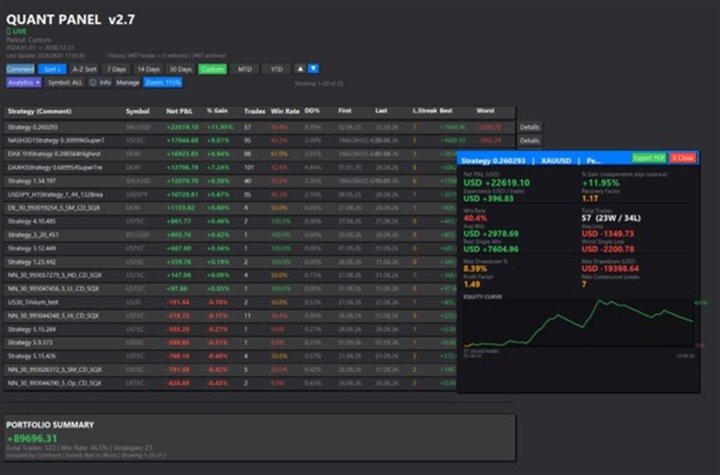
The dashboard provides portfolio totals alongside individual strategy results. You can switch between the main and expanded analysis views, sort strategies by performance or name, and scroll through larger strategy collections.
Manage mode lets you hide and restore individual strategies. Automatic refresh pauses while this view is open and resumes when you return to the main dashboard.
Display settings include panel and text colours, column widths, visible rows and refresh interval. Four zoom levels and automatic display scaling help accommodate different screen resolutions.
Individual strategy reports
Open a strategy's Details view and select Export PDF to create a report in the terminal's MQL5\Files folder. Report generation does not require an external PDF library or desktop application.
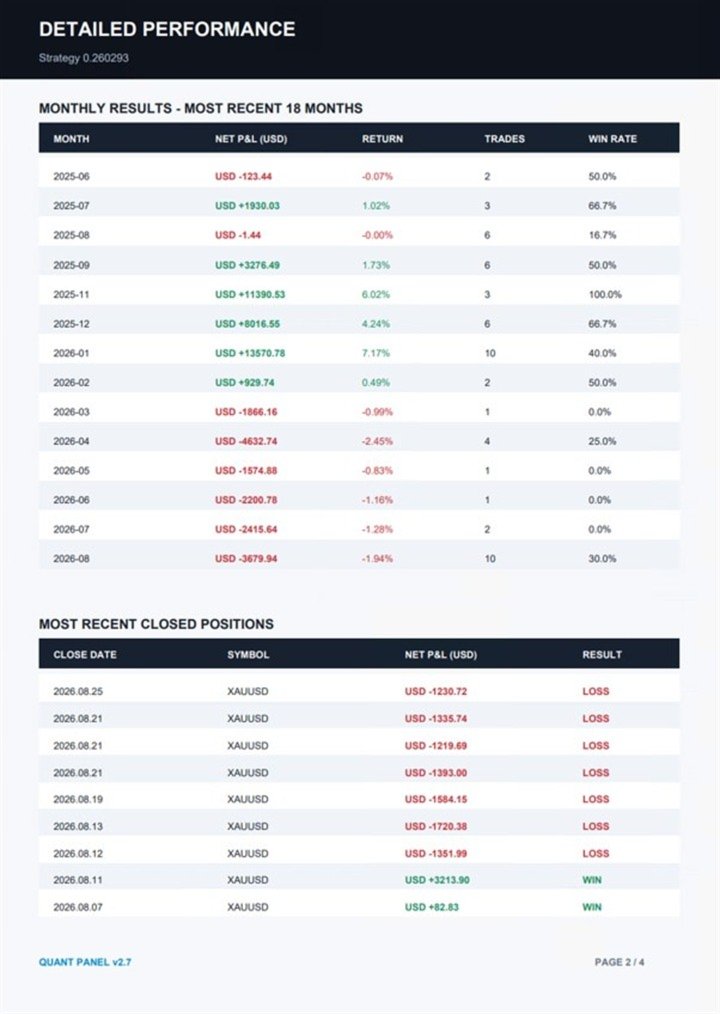
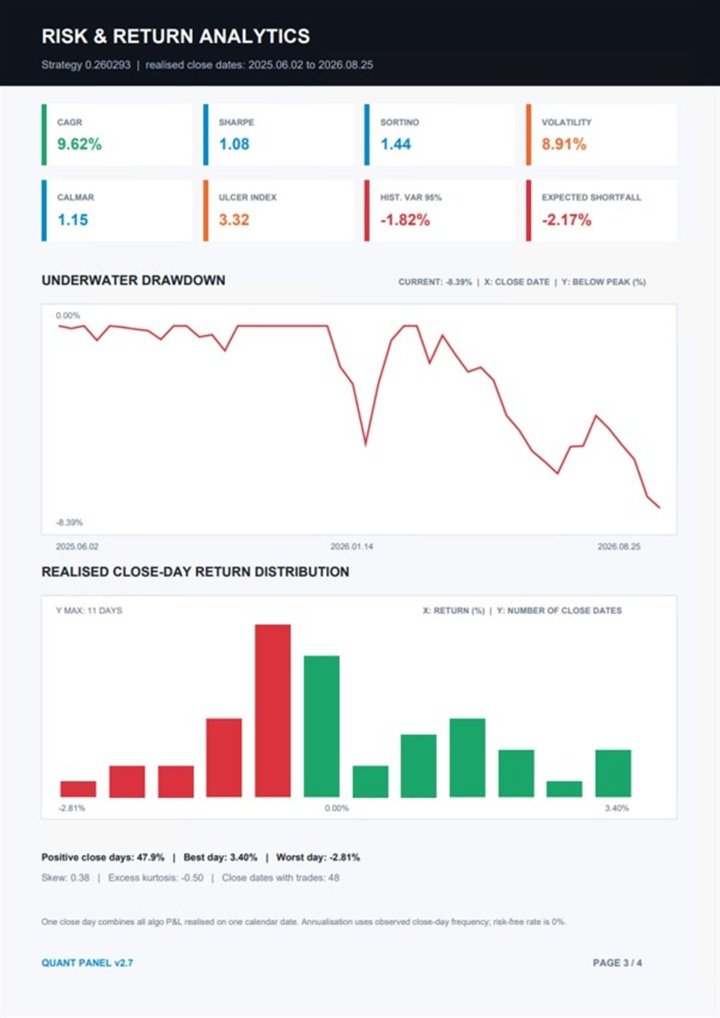
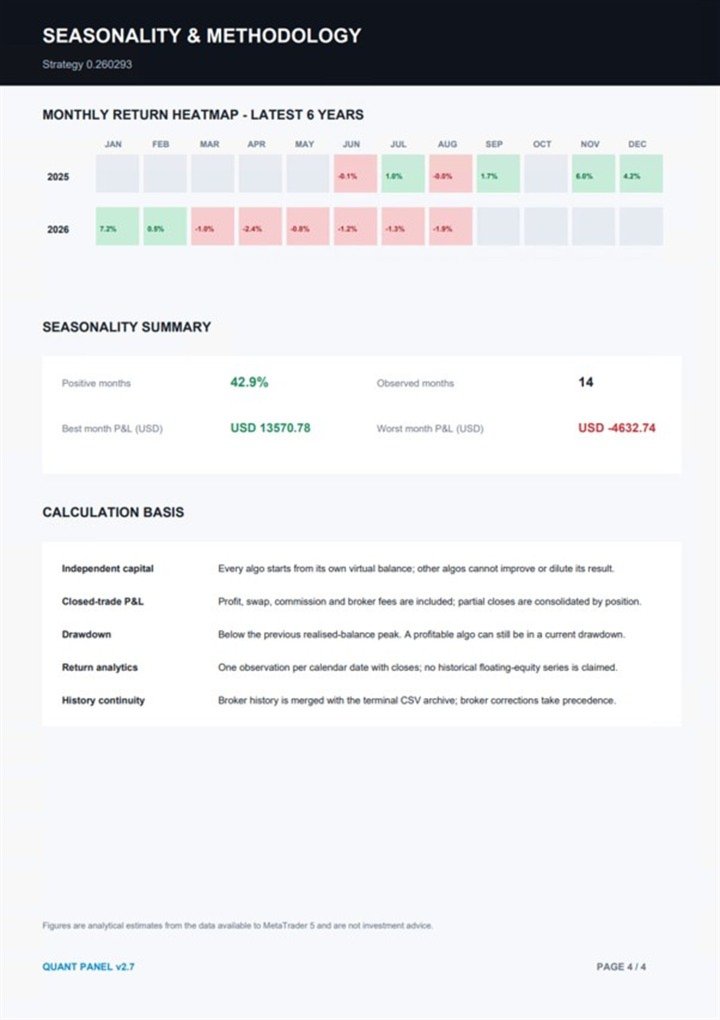
Reports include performance statistics, a dated cumulative profit and loss chart, monthly results, recent closed positions and an underwater drawdown chart. They also include a close-day return distribution and monthly seasonality heatmap.
Additional measures include compound annual growth rate, Sharpe and Sortino ratios, annualised volatility, Calmar ratio, Ulcer Index, historical value at risk and expected shortfall.
Reports identify the account currency, date ranges, calculation methods and assumptions.
Calculation method
Drawdown is calculated from each strategy's realised closed-position balance, measured against its previous peak. A strategy can have a positive overall result while remaining below an earlier balance high.
Historical floating drawdown is not reconstructed from closed positions. Return-based report measures use the stated closed-trade and close-day methodology.
Getting started
Attach Quant Panel to one chart on your MetaTrader 5 account. Choose grouping by comment or magic number, configure the analysis settings and allow the panel to analyse the available history.
Use the dashboard to compare strategies and the Details view to examine individual results or export reports.
Quant Panel does not place, modify or close trades. Its calculations depend on the quality and completeness of the terminal history and local archive.