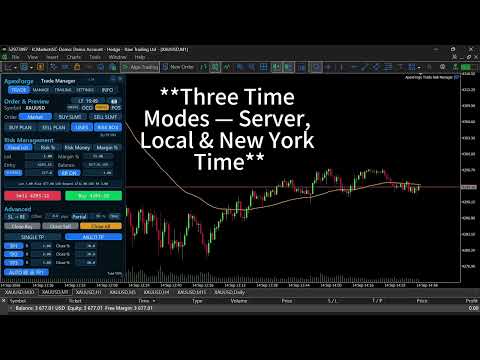
ApexForge Trade Risk Manager

ApexForge Trade Risk Manager

MT5 Trade Manager + Risk Manager + Visual Trade Planner + Order Manager + Position Manager

A visual trading workspace designed specifically for MetaTrader 5 manual traders.

From:

Trade Planning → Risk Calculation → Order Execution → Position Navigation → Partial Exits → Position Management → Final Close

Everything is integrated into one trading interface.

ApexForge does not provide trading signals, nor does it decide whether you should Buy or Sell.

The trader decides the direction.

ApexForge helps you execute your trading plan faster, understand your risk more clearly, and manage your positions more efficiently.

◆ PLAN — Plan First, Then Decide How to Enter

After creating a BUY PLAN / SELL PLAN, you can visually plan directly on the chart:

Entry / SL / TP / Lot / Risk / Reward / RR

Without placing a real order, you can already see:

How much risk the trade would carry, the potential Reward, the RR, and whether the current setup complies with your own risk rules.

Entry Has Not Been Manually Moved

PLAN remains a Market Order.

Even if the market moves away from the original price while you are waiting, ApexForge will not automatically convert the plan into a Pending Order.

Entry Is Manually Moved by the Trader

ApexForge automatically determines the appropriate order type according to the Entry position relative to the current market price:

  • BUY: Buy Limit / Buy Stop

  • SELL: Sell Limit / Sell Stop

Originally planning to wait for a pullback, but later decide to trade a breakout instead?

Simply drag the Entry across the current market price.

There is no need to cancel the PLAN, manually select another pending order type, or configure SL / TP again.

◆ Smart Entry Bar — Trading Information Moves with the Price

PLAN, SLMT, OCO, and position management use visual Entry Bars.

The Bar displays important trading information and operation buttons directly on the chart, automatically adjusting its length according to the displayed content.

To prevent the Entry Bar from covering the currently forming price action:

All Entry Bars are positioned by default so that the right edge of the longest Bar stays approximately 10 candles to the right of the current price.

Therefore, even if the Bar becomes longer because of Lot, price, or P/L information, it will not simply expand from its left edge and cover the active market area.

🔒 / 🔓 Entry Bar Lock

🔒 Locked

The Entry Bar remains fixed at the default 10-Bar visual position.

🔓 Unlocked

The Entry Bar can be freely dragged horizontally to match your preferred chart layout.

PLAN, SLMT, and OCO all use the same visual interaction logic.

◆ Visual Risk Box — Drag Entry / SL / TP Directly

Risk Box turns trade setup from manual price entry into true chart-based interaction.

You can directly drag:

Entry / Stop Loss / Take Profit

Risk and Reward areas are displayed simultaneously.

Lot, Risk USD, Reward USD, RR, and other information are recalculated as the trade structure changes.

There is no need to return to the MT5 order window and re-enter prices every time you make an adjustment.

◆ Points SL / Structure SL

Stop Loss supports two primary methods.

POINTS

Set the Stop Loss using a fixed distance.

After changing SL Points, the trade structure and risk information are immediately recalculated according to the new setting.

STRUCTURE

Automatically build the Stop Loss according to recent market structure:

BUY → Nearest Valid Structure Low

SELL → Nearest Valid Structure High

A custom Structure Buffer can also be added.

Structure data is built during EA initialization and whenever the Symbol / Timeframe changes. After that, ApexForge mainly maintains newly formed structures instead of rescanning the entire chart every time the function is used.

◆ Four Independent Risk Profiles

ApexForge provides four independent Risk Profiles:

Fixed Lot / Risk % / Risk Money / Margin %

Each mode stores its own settings, so switching between Risk Modes does not mean reconfiguring the entire trading panel.

Fixed Lot

Lot size is completely controlled by the trader.

ApexForge does not automatically change your Lot because of the calculated risk.

Instead, it tells you:

With this Lot and this SL, how much Risk are you actually taking?

Even when the SL/TP Risk Box is disabled, Fixed Lot can still be used as the most direct manual trading mode.

Risk %

This is not an Auto Lot Calculator.

For example:

Risk Limit = 5%

ApexForge calculates:

Current Open Position SL Risk + Estimated Risk of the New Trade

If adding the new trade would reach or exceed the configured limit, the new order is blocked.

You still decide the Lot. Risk Guard prevents you from exceeding the risk limit you defined.

Risk Money

The same concept as Risk %, but expressed directly as a monetary amount.

For example:

Risk Money Limit = USD 500

If current position risk + estimated new trade risk reaches or exceeds USD 500, the new trade is blocked.

Margin %

Controls the maximum total Margin usage of the account.

ApexForge calculates both the current Margin and the estimated Margin required by the new trade.

If the configured limit would be exceeded, the order is blocked.

This is also one of the key differences of the original Risk Guard concept:

ApexForge does not automatically increase your Lot until the available risk capacity is fully used. You decide the Lot, and the system protects the limit.

◆ Real-Time Risk Status

Whenever Lot, Entry, SL, TP, RR, or Risk Mode settings change, the risk status is recalculated accordingly.

If the current setup does not allow the trade:

The Lot field turns red immediately.

The information area also displays the reason why the trade is blocked, such as:

Risk Limit, Margin Limit, Broker Volume Restriction, Invalid SL, Multi TP Volume, and more.

It does not simply tell you that the order cannot be placed.

ApexForge tells you why.

◆ NATIVE Mode — One Click Back to Native Manual Trading

v1.34 introduces NATIVE Mode.

When you need completely manual operation, there is no need to disable Risk Box, RR, Structure, Multi TP, or other functions one by one.

When NATIVE is enabled:

ApexForge temporarily disables advanced risk control and automated trade-management interfaces while keeping the essential manual trading functions available.

You can still use:

Lot Settings, Market Buy / Sell, Close Buy / Close Sell / Close All, Compact Close, Time, Camera, and Main Page Navigation.

Advanced controls such as Risk / PLAN / SLMT / OCO / TP / BE / Trailing are temporarily disabled.

Turn NATIVE off again to return to the complete ApexForge workflow.

Use ApexForge when you want complete management.

Switch to Native with one click when you want pure manual control.

◆ Visual Stop Limit — SLMT

Supports:

BUY SLMT / SELL SLMT

The Stop Trigger and Limit Entry can be dragged directly on the chart.

The SLMT Entry Bar also supports:

Default 10-Bar Positioning + 🔒 Locked / 🔓 Free Move

After configuration is complete, use Send to place the order.

Once the order has been sent, the interface automatically returns to Market Mode.

◆ Visual OCO — One Cancels the Other

Plan directly on the chart:

OCO Buy Entry + OCO Sell Entry

Both Entry levels can be visually dragged and use the same Entry Bar positioning and locking logic.

When one side is executed, ApexForge manages the cancellation of the pending order on the opposite side.

If Broker or network latency prevents the other leg from being cancelled immediately, OCO management enters a retry process.

The checking frequency is temporarily increased only when cancellation needs to be handled. Once completed, management returns to its normal low-frequency state.

◆ Single TP / Multi TP — TP1 / TP2 / TP3

Single TP

Traditional single Take Profit.

Multi TP

Supports:

TP1 / TP2 / TP3

For example:

TP1 = 30%

TP2 = 30%

TP3 = 40%

Multi TP uses Virtual TP Management.

The next stage becomes active only after the current stage has been completed:

TP1 → TP2 → TP3

The chart does not need to display three separate sets of actively managed TP Bars at the same time.

After TP1 is completed, management switches to TP2. After TP2 is completed, it switches to TP3.

◆ Multi-Position TP Management

When only one Position exists within the current management scope:

Multi TP performs partial exits based on that individual Position.

When multiple matching Positions exist:

ApexForge treats them as one combined position for management purposes.

TP1 / TP2 / TP3 do not create three duplicated target sets for every individual Position.

Instead, all matching Positions are managed under one combined Multi TP plan.

This allows traders using multiple entries to maintain one clear exit structure:

TP1 → TP2 → TP3

◆ AUTO BE @ TP1

Multi TP can be combined with:

AUTO BE @ TP1

After TP1 is completed, the remaining Position can automatically enter Break Even management.

This creates a complete staged exit process:

TP1 Partial Profit → BE Protection → TP2 → TP3

◆ Partial Close — Single Position / Combined Multi-Position Management

In v1.34, Partial Close determines how to execute according to the current position structure.

Only One Position

The Position is partially closed directly according to the configured percentage.

Multiple Positions

ApexForge no longer applies the percentage separately to every Position.

Instead, it first calculates:

The total volume of all matching Positions

Then calculates the total Lot to be closed according to the configured Partial %.

For example:

0.10 + 0.20 + 0.30 = 0.60 Lot

Partial = 50%

Total volume closed this time = 0.30 Lot

Instead of closing 50% of each of the three Positions individually.

Broker Minimum Volume and Volume Step are also taken into account to avoid invalid partial-close volumes or invalid remaining position sizes.

◆ POS — Position Navigator

PLAN manages trades that have not entered the market yet.

POS manages trades that are already open.

Open POS to select a current Position.

Once selected, ApexForge reads the trade's:

Entry / SL / TP

and links the information with the Risk Box.

Even if the SL or TP is outside the currently visible chart range, ApexForge can retrieve the actual trade structure that needs to be managed.

After locating the Position, SL / TP can be modified directly from the chart.

The original product concept remains unchanged:

PLAN manages trades before entry. POS manages trades after entry.

◆ Break Even / Partial / Trailing

After execution, you can continue managing the trade with:

Break Even

BE Offset

Partial Close

Trailing Stop

Trailing Distance

Trailing Step

Trailing Stop submits a new SL modification only when the new SL actually satisfies the configured Step condition, avoiding unnecessary trade modifications caused by every minor price movement.

◆ Close Buy / Close Sell / Close All

Quick position exit controls are provided:

Close Buy — BUY Positions

Close Sell — SELL Positions

Close All — All Positions within the current management scope

When there are no Positions in the corresponding direction, the button remains in a low-visibility state.

The corresponding directional state is displayed only when matching Positions exist.

◆ Compact Mode

The full panel can be minimized with one click.

Core trading functions remain available in Compact Mode, so you do not need to reopen the entire panel just for quick entries or exits.

Expand the panel again whenever you need PLAN, Risk, Multi TP, SLMT, OCO, or complete settings.

The interface gets smaller. Your trading efficiency does not.

◆ Event-Driven / Lightweight Design

ApexForge is designed to remain attached to trading charts for extended periods, so background performance is an important part of its architecture.

The UI and trading state are designed around:

Cache / Dirty Flag / In-place Update / Trade Event

Calculations and UI elements are updated only when values or states actually change.

Structure data is mainly built during initialization and when the Symbol / Timeframe changes, after which newly formed data is maintained incrementally.

OCO temporarily increases its checking frequency only when the sibling order needs to be cancelled.

Update only when an update is needed.

Use high-frequency checking only when high-frequency checking is temporarily required.

◆ Settings and Trade State Persistence

ApexForge saves settings and trade-management data that need to survive restarts, including:

Four Risk Profiles, Trading Parameters, Mode Settings, Multi TP Plans, OCO Management State, and more.

After MT5 / EA restarts, ApexForge can reload the management state required to continue managing active trades.

Multi TP also retains the original Persistence Safety design:

Plans that require continued management are saved. If a temporary file-writing problem occurs, existing in-memory management will not immediately stop simply because persistence failed.

◆ Market Means Market

The primary ApexForge:

BUY / SELL

buttons always mean:

Market Buy / Market Sell

PLAN has its own Send button.

SLMT has its own Send button.

OCO has its own Send button.

The purpose of the main BUY / SELL buttons does not suddenly change just because another trading mode is currently active.

Market means Market.

Who Is ApexForge For?

ApexForge is designed for manual traders who already have their own trading logic but want to improve their execution workflow.

If you want to:

  • Drag Entry / SL / TP directly on the chart

  • Quickly switch a trading plan between Market / Limit / Stop

  • Know Risk / Reward / RR / Margin before placing an order

  • Decide your own Lot while enforcing account Risk / Margin limits

  • Use Structure Stop Loss

  • Use Stop Limit / OCO

  • Use TP1 / TP2 / TP3 for staged exits

  • Manage Partial Close / Multi TP across multiple Positions as a combined position

  • Automatically move to BE after TP1

  • Quickly locate existing Positions and modify SL / TP directly

  • Manage positions with Partial / BE / Trailing

  • Switch back to pure manual trading with NATIVE Mode whenever needed

  • Quickly Close Buy / Sell / All

This is the workflow ApexForge Trade Risk Manager is built for.

Important Information

ApexForge Trade Risk Manager is designed for MetaTrader 5 and provides corresponding management logic for both Netting / Hedging Accounts.

Actual availability and behavior of Order Types, Minimum Volume, Volume Step, Stop Level, Freeze Level, Filling Mode, Tick Size, Tick Value, Margin Requirement, and other trading specifications depend on the Broker, Account, and Symbol Specification.

Spread, Slippage, actual execution price, and execution speed are determined by market conditions, the Broker, and the trading-server environment.

EA-managed functions such as Virtual TP / Multi TP / OCO require MT5, the EA, and the network connection to remain operational for continued management.

Native Pending Orders, SL, and TP that have already been submitted to the Broker Server are executed according to the Broker / MT5 Server's native rules.

This is consistent with the compatibility and risk disclosures of the original product design.

Before using ApexForge on a Live Account, it is recommended to test the required functions and Broker compatibility on a Demo Account first.

ApexForge is a trade execution, risk control, and position management tool.

It does not provide trading signals, investment advice, or profit guarantees.

ApexForge Trade Risk Manager

Visual Planning · Risk First · Direct Dragging · Fast Execution

PLAN — Plan your next trade

Risk Guard — Protect your account risk limits

NATIVE — Return to pure manual trading with one click

POS — Locate and manage existing Positions

Multi TP — Manage staged exits

Partial — Single-position partial close or combined multi-position management

Manage the entire process — from “Where do I want to enter?” to “Where do I finally exit?”


おすすめのプロダクト
Smart Remote Trade Assistant MT5:MetaTrader 5用Telegram経由リモート取引パネル Smart Remote Trade Assistant MT5は、MetaTrader 5用の高度なパネルです。Telegramから直接、迅速かつ安全に取引をリモートで管理したいトレーダーのために設計されています。 Windows Bridge アプリファイルとチュートリアルを入手 Telegram取引パネルをMT5 EAに接続するためにBridgeファイルが必要です。Windows 10およびWindows 11(64ビット版)、Windows Server 2016以降に対応しています。現在ベータ版のため、特別価格となっております。販売数が10件に達するごとに価格が上昇します。今すぐお求めください! 従来のMQL5パネルは取引ターミナル内でのみ機能しますが、このアシスタントを使えば、スマートフォンの取引アシスタントインターフェース上のボタンをタップするか、チャットのようにコマンドを直接入力するだけで、注文の発注、リスク調整、エントリーパラメー
**Forex Trade Manager Pro MT5** **Trade Manager MT5** は、MetaTrader 5向けの包括的なトレード管理ユーティリティです。トレードを計画する瞬間から決済する瞬間まで、ポジションのあらゆる側面を完全にコントロールできます。リスクを真剣に考えるトレーダー、つまり規律を築き始めた初心者から、複数のポジションにわたって瞬時の実行を必要とするプロのスキャルパーまで、幅広く対応できるように設計されています。 このツールは任意のチャートに装着でき、クリーンでコンパクトなパネルを表示します。チャート上に直接、ドラッグ可能な水平線を使用して、意図するエントリー、ストップロス、テイクプロフィットの各レベルをマークします。Trade Managerは、定義されたリスクに基づいて正しいポジションサイズを即座に計算し、ストップロスとテイクプロフィットの値をpipsと口座通貨でリアルタイムに表示し、計画中のトレードのリスク・リワード比率を表示します。手動計算は一切必要ありません。リスクを一度定義すれば、ツールが残りのすべてを処理します。 **ポジ
RiskPilot Pro
Mohamed Zein Mohamed Zein Soliman
RiskPilot Pro Plan risk clearly. Execute efficiently. Manage positions from one professional MT5 dashboard. RiskPilot Pro is a visual trade-planning and position-management utility for MetaTrader 5. It helps manual traders define risk before entry, calculate position size, place market or pending orders, and manage open positions from one chart panel. Important: RiskPilot Pro does not generate trading signals and does not choose trade direction. The trader defines the setup and remains responsib
Trade Panel HotKey – MT5 Scalping Utility Fast Trade Panel HotKey is a lightweight MT5 trading utility designed for traders who need to open, manage, and close positions as quickly as possible . The main purpose of this tool is to reduce the time between a trading decision and execution. Instead of moving the mouse, opening order windows, or manually modifying multiple positions, most important actions can be performed instantly through customizable keyboard hotkeys or directly from the compact
Trade Control Panel Function Normal One Click Function Close All Close All Profit Close All Loss Close All Pending Order Close All Sell Close All Buy Advance One Click Function 1.  Close Partial Lot Sell by Percent It will help you partial close for all open position by desire percent you wanted. No longer partial close one by one for every open position Manual input for desire percent 2. Close Partial Lot Buy by Percent It will help you partial close for all open position by desire percent
TRADE MANAGER G2 – PRODUCT DESCRIPTION By Ida Bagus Putu Mahardika Trade Manager G2 – All-in-One Trading Panel for Professional Execution & Risk Management Trade Manager G2 is a next-generation trading panel designed to give you full control over order execution, position management, and profit optimization in real time on MetaTrader 5. With a modern card-based user interface and individual TP actions per level, this panel elevates your trading experience to the next level. KEY ADVANTAGES OF
Risk calculator for MetaTrader 5. Precision Position Calculator is a MetaTrader 5 utility that helps calculate trade volume based on the risk configured by the user. The panel allows the user to work with Entry, Stop Loss and up to three Take Profit levels directly on the chart. Main description Precision Position Calculator is a utility for MetaTrader 5 designed to help calculate the volume of a trade before opening it. The panel allows the user to configure risk, select the order type, set th
コピー機->便利で高速なインターフェースインタラクション、ユーザーはすぐに使用できます     ->>>> WindowsコンピュータまたはVPS Windowsでの使用を推奨 特徴: 多様でパーソナライズされたコピー取引設定:1. 異なるシグナルソースに異なるロットモードを設定できます。2. フォワードコピー取引とリバースコピー取引に異なるシグナルソースを設定できます。3. シグナルはコメントで設定できます。4. 契約ロットに応じてロットを調整するかどうか 多様でパーソナライズされたコピー注文設定2:1.品種ごとに異なるロットモードを設定できます2.順方向コピー注文と逆方向コピー注文に異なる品種を設定できます3.コメントでシグナルを設定できます4.契約ロットに応じてロットを調整するかどうか コメントフィルタリング、MAGICフィルタリング、シグナルロットフィルタリング、ローカル製品フィルタリング 勤務時間設定 逆同期SLAVE終了 注文バインド機能: 任意の注文を設定されたシグナルソース注文にバインドできます (テーブルをダブルクリックして編集します) アカウントリスク管理 基本
Manual Trading Assistant Pro 【裁量トレーダーのための「生存」支援ツール】 エントリーの瞬間にロット計算やTP/SL設定で焦ったことはありませんか? このユーティリティは、「エントリー(攻め)」だけに集中し、面倒な「決済(守り)」を機械に任せたい裁量トレーダーのために設計されました。 相場の急変動からあなたの資金を守り、利益を着実に残すための機能が詰まっています。 【主な機能】 設定診断機能(Pips Check) 「設定倍率は1倍?100倍?」ともう迷う必要はありません。 [Pips Check] ボタンを押すだけで、お使いのブローカーや通貨ペア(クロス円、ドルストレート)に合わせて、設定が正しいかどうかを自動診断します。設定ミスによる事故を未然に防ぎます。 自動TP/SLセット 手動エントリーした瞬間に、設定したpips数で利確・損切ラインを自動挿入します。「裸のポジション」を晒すリスクをゼロにします。 バスケット決済(平均建値) 複数のポジションを持った際、損益分岐点(ブレイクイーブン)をチャート上に可視化。合計利益が目標に達した瞬間に全
Point & Trade Risk Manager MT5 Overview Stop wasting time calculating lot sizes manually! Point & Trade Risk Manager is a lightning-fast execution Expert Advisor designed for scalpers, day traders, and Prop Firm challengers. It allows you to enter trades instantly using a keyboard hotkey while automatically calculating the exact lot size based on your predefined risk percentage. Perfect for highly volatile instruments where every millisecond counts, such as XAUUSD (Gold) and NDX100 (Nasdaq) . Ho
This Expert Advisor monitors all open positions across all symbols in MetaTrader 5. Whenever a Stop Loss (SL) or Take Profit (TP) is manually set or adjusted on any position, the EA automatically applies that value to all other open positions , regardless of symbol or order type (Buy/Sell). This ensures consistent and synchronized SL and TP levels across your account. Perfect for mobile trading via tablet or smartphone!
SwiftEdge Scalper 完全な手動制御を備えたプロフェッショナルティックスキャルピングEA スキャルピングには瞬時の判断、正確なリスク管理、シームレスな注文執行が求められます。価格動向を見ながらブレイクイーブン計算、トレーリングストップ、複数ポジションを管理することは、適切なツールなしでは圧倒されます。 SwiftEdge Scalperは、アクティブなスキャルパーとデイトレーダー向けに設計されたプロフェッショナルなトレーディングアシスタントです。ワンクリックまたはキーボードショートカットで取引を実行し、EAが自動的にブレイクイーブン、トレーリングストップ、ポジション管理を処理します。これは自動売買ロボットではありません — あなたが決定した時のみ取引します。 詳細はこちら: 完全な設定ガイドとドキュメント (English) 期間限定オファー: 最初の50ダウンロードは無料!その後、この製品は有料になります。今すぐダウンロードして無料コピーを確保してください。 主な機能 ワンクリック取引: パネルボタンまたはカスタマイズ可能なキーボードショートカット(B/S/A/C/E/
Executor Trader Panel (Sta) - Standard Version   is a multi-functional trading tool designed for traders. The trading panel integrates over 30 individual functions and more than 10 combined functions, providing traders with a highly flexible operational approach. Adapted for DPI: 96, 192. Main Features of the Executor: Instant Connection Status:   Immediately know if the connection with the broker is lost. Time Synchronization:   Instantly know the current local time and the time of the trad
Partial
Pablo Filipe Soares De Almeida
パーシャルクローズマネージャー – 取引量を自動調整する便利ツール パーシャルクローズマネージャーは、MetaTrader 5上でポジションを部分的に決済するための強力なツールです。取引中のリスク管理をより柔軟に行うことができ、利益の一部を確保しながら残りのポジションを伸ばすといった戦略を簡単に実現します。手動入力を減らし、スムーズな操作性と高い精度を両立しています。 主な機能: 部分決済機能: クリック一つで保有中のポジションの一部を決済可能。スキャルピングからスイングトレードまで幅広く対応します。 自動ボリューム計算: ツールが自動的に決済ロット数を計算し、入力ミスを防ぎつつスピーディに実行。 複数注文対応: 同一銘柄の複数ポジションに対して同時に部分決済を適用でき、時間の節約になります。 ドラッグ移動可能なテーブル: テーブルヘッダーをドラッグして、チャート上の好きな位置に自由に配置可能。 パーシャルクローズマネージャーは、資金管理やポジション制御をよりスマートに行いたいトレーダーにとって、欠かせないプロフェッショナル向けツールです。
Lot Architect — Trade Panel & Risk-Based Position Size Calculator for MT5 Lot Architect is a one-click trade panel and risk-based position size calculator for MetaTrader 5. It works out your exact lot size from the risk you choose, shows risk, reward and risk-to-reward (R:R) before you enter, and places Market, Limit or Stop orders in a single click. In short: position sizing, risk management and fast trade execution in one clean panel on your chart. The problem every trader knows Most accounts
Manually enter the price for Buy position or Sell position. This EA will automatically open 3 orders and also 3 Pending (In deposited position) = Total 6 orders per one click Please see Screenshot or Videos for more explanation. - Easy to manage your different order. - Fast in modification for SL and TP. - Can modified the SL and TP depends on individual techniques.
単一のMT5アカウントで複数のエキスパートアドバイザー(EA)を管理するのは、見た目以上に難しいものです。各EAは単体では問題なく機能しますが、組み合わせるとリスクが密かに集中したり、ドローダウン時に相関したり、個別のバックテスト結果とは大きく異なる挙動を示すことがあります。 PortfolioLab Proは、MetaTrader 5内でポートフォリオの完全な分析ビューを提供します。外部ツール、エクスポート、手動計算は不要です。すべてはEAが取引するたびにリアルタイムで更新されます。 機能 相関ヒートマップ 日次リターンを使用して、すべてのマジックナンバーのペア間のピアソン相関を計算します。どのEAが同期して動いているか(リスク集中)や、どれが自然に相殺しているかを即座に可視化します。小規模ポートフォリオ向けのマトリックス表示、大規模向けのヒストグラム、並べ替え可能なペア一覧付きの詳細統計テーブルの3つのビューを提供します。 モンテカルロシミュレーション 過去の取引シーケンスを数千回ランダム化し、将来の結果の確率分布をマッピングします。出力には、利益確率、破産確率、中央値/第5・第
Capital Management EA – Smart Risk Management & Profit Optimization for MT5 Take control of your trading capital with smart, automated strategies — fully optimized for MetaTrader 5 (MT5). Looking to protect your capital and maximize profits through automated money management strategies ? Capital Management EA is the all-in-one Expert Advisor for MetaTrader 5 (MT5) that helps you trade smarter, not harder. Core Features: 5-in-1 Capital Management Strategies – Built-in versatility Gr
This   is   an   extended and modified    version   of   the   free   utility   Prop   Protector.   The   price   will   increase   as   more   users   join. Prop Protector   is a powerful trading assistant designed to solve the main problem traders face: maintaining discipline and managing risk. If you work with proprietary trading firms or simply want to adhere strictly to your trading plan, this tool will become your indispensable assistant. It takes care of routine calculations and monitor
SafeZone Auto Close – Smart Equity Protection Script (MT5) Automatically protects your trading account by closing all positions once your equity reaches a defined profit target or critical loss limit – with optional time filter for trading hours. What This Script Does SafeZone Auto Close is a lightweight yet powerful MetaTrader 5 (MT5) script designed to monitor your equity in real time and instantly close all open positions based on two conditions: Profit Target Reached – Close all positio
Equity Firewall は MT5 用のユーティリティで、アカウントレベルでの自動ドローダウン管理とリスク管理を目的としています。複数のエキスパートアドバイザーが同じアカウントで取引している場合でも、ポジションの急増やドローダウンのリスクから資金を保護します。 デモ口座用の試用版をインストール Equity Firewall は、最大総ドローダウン、日次損失制限、および利益目標を設定でき、制限に達した際の操作を選択できます:すべてのポジションと注文を閉じる、すべてのチャートを閉じる、または両方を同時に実行。 制限がトリガーされた場合、プログラムは選択した操作を自動的に実行し、複数の EA が同時に取引している場合でも完全に互換性があります。プログラムはプッシュ通知およびメール通知に対応しており、ダッシュボード上で現在のドローダウン、日次損失、および目標達成状況を確認できます。 使用例 • プロップトレーディングおよびマルチ EA アカウント:複数のエキスパートアドバイザーが同時に取引している場合のリスク管理。 • 資金保護:エクイティ目標に達した場合、または最大ドローダウンが発
LotCalculatorPro
Reynaldo Jr Audencial Pascual
LotCalculatorPro + Smart Trading Panel LotCalculatorPro は、リスク管理、ロットサイズ計算、そしてチャート上でのトレード実行を簡単にするために設計された、強力なオールインワントレーディングアシスタントです。 このツールは、トレーダーがリスクを管理し、正確なロットサイズを計算し、さらに ブレークイーブン(Break-Even)、部分決済、日次利益/損失保護 などのスマート機能によって取引を自動管理するのに役立ちます。 Forexトレーダー、プロップファームトレーダー、リスク管理を重視するトレーダー に最適で、 MetaTrader 5 上でクリーンで効率的なトレーディング環境を提供します。 デフォルト設定: 1日の利益目標: 初期残高の2% 1日の最大損失: 初期残高の1% 主な機能 ロットサイズ計算機 LotCalculatorPro は以下の情報に基づいて 適切なロットサイズを自動計算 します: エントリー価格 ストップロス リスク金額(USD) これにより すべての取引で一貫したリスク管理 が可能になります。 チャート上での
Bneu News Filter Pro
Marvinson Salavia Caballero
Bneu News Filter is a trading utility for MetaTrader 5 that monitors economic calendar events and manages trading activity during high-impact news releases. The utility provides automatic position protection, real-time spread monitoring, and optional news trading functionality through a visual panel interface. Main Functionality Economic Calendar Integration Automatic retrieval of economic calendar events from the MetaTrader 5 built-in calendar. Monitors 8 major currencies: USD, EUR, GBP, JP
Trade Manager Panel ## Short description  Manage your manual trades with one click: automatic break-even, trailing stop, two-level partial close and risk-based lot sizing — all from a single on-chart panel. --- ## Full description Trade Manager Panel is an on-chart utility that takes care of your open trades so you can focus on the market instead of the order ticket. Drop it on any chart and it manages every position on that symbol automatically, while an interactive panel lets you size new
Lot Sizer & Dynamic Risk Management Panel for MT5 Take full control of your trading risk with Lot Sizer & Dynamic Risk Management Panel —an essential, high-speed execution utility designed for discretionary traders, prop firm account evaluators, and scalp/intraday traders. Calculating position size manually during fast-moving market sessions (London/New York opens or news releases) leads to execution delays and costly sizing errors. This interactive panel automates your risk management directly
This tool will perform Trailing stop loss and Break even management for orders. Helps you limit or reduce the time spend watching orders on the screen, especially when you need to go to sleep. Just add this EA to 1 chart, you can manage all pairs. You can filter orders by comment, magic number, symbol and order ticket number. When Breakeven it can add shift/offset pips (to cover the commission...). You can try in strategy tester before purchase. The EA will add Buy and Sell alternately, so you
Manual trading panel — opens one test trade for validation only. fRC Trade Assistant — Smart Manual Trading Panel fRC Trade Assistant is an intelligent trading panel designed for manual traders. It allows you to open positions with one click, calculate lot size based on your predefined risk, and automatically place Stop Loss (SL) and Take Profit (TP) levels. For example, if your balance is $1000 and you set a 1% risk , the panel automatically calculates the appropriate lot size. When the trad
With the 2UP Risk & Trade Management EA you will be able to enjoy seeing your positions being fulfilled all you gotta do is take the position and have the right lot size and the 2UP EA will do the rest - You can set your risk per position so your account never losses more than what is supposed to, it will close automatically once you reach a certain % of DrawDown. - You can set your reward as well based on %, how much do you wanna grow your account in % per trade ?,  it will close automatically
Rhino Backtest Manager - ライブ取引とストラテジーテスターのためのトレード管理パネル Rhino Backtest Manager は、ライブ取引と MetaTrader 5 のストラテジーテスターの両方で動作するトレード管理パネルです。ライブ口座と同じインターフェースのままテスター内で手動の発注と管理ができるため、ヒストリカルデータで手法を確認したあと、ツールを変えずにそのまま取引できます。 パネルは設定したリスク条件からロット数を計算し、発注前にストップロスとテイクプロフィットの金額を表示します。また、日次、週次、月次、および口座の全期間の成績を記録します。 ユーザーマニュアル: 製品の使い方 無料デモ版: デモ版をダウンロード MetaTrader 4 版: Rhino Backtest Manager MT4 版 初回起動の前に、マニュアルページで配布しているフォントをインストールしてください。フォントが無い場合、パネルは正しく表示されません。 機能 2つのモード。 同じパネルがライブ取引とストラテジーテスターモードで動作します。 注文の種類。 成行、
Use for risk management and opening positions as per the user settings. The user is allowed to set the stop loss and take profits in pips. The user can also choose the risk percentage per trade that he/she wants to use while opening the trade. The volume of the trade that the user wants to sent shall be calculator according to the stoploss and the risk percentage that the user has selected.
このプロダクトを購入した人は以下も購入しています
Trade Assistant MT5
Evgeniy Kravchenko
4.43 (215)
取引 ごとのリスクの 計算、新規注文 の 簡単 な 設置、部分的 な 決済機能 を 持 つ 注文管理、 7 種類 のトレーリングストップなど 、便利 な 機能 を 備 えています 。 追加の資料と説明書 インストール手順   -   アプリケーションの手順   -   デモアカウント用アプリケーションの試用版 ライン機能 チャート上にオープニングライン、ストップロス、テイクプロフィットを表示します。この機能により、新規注文を簡単に設定することができ、注文を出す前にその特徴を確認することができます。   リスク計算 リスク計算機能は、設定されたリスクとストップロス注文のサイズを考慮して、新規注文のボリュームを計算します。ストップロスの大きさを自由に設定できると同時に、設定したリスクを守ることができます。 Lot calc ボタン - リスク 計算 を 有効 / 無効 にします 。 Risk フィールドでは 、必要 なリスクの 値 を 0 から 100 までのパーセンテージまたは 預金通貨 で 設定 します 。 設定」 タブで 、 リスク 計算 の 種類 を 選択 します :「 $ 通
Trade Manager EAへようこそ。これは、取引をより直感的、正確、そして効率的にするために設計された究極の リスク管理ツール です。これは単なるオーダー実行ツールではなく、包括的な取引計画、ポジション管理、リスク管理のためのソリューションです。初心者から上級者、迅速な実行を必要とするスキャルパーまで、Trade Manager EAはあらゆるニーズに対応し、為替、指数、商品、暗号通貨などさまざまな市場で柔軟に対応します。 Trade Manager EAを使用すると、複雑な計算が過去のものになります。市場を分析し、エントリーポイント、ストップロス、テイクプロフィットのレベルをチャート上のラインでマークし、リスクを設定するだけで、Trade Managerが最適なポジションサイズを即座に計算し、SLとTPをピップ、ポイント、口座通貨でリアルタイムに表示します。すべての取引が簡単かつ効果的に管理されます。 主な機能: ポジションサイズ計算機 :定義されたリスクに基づいて取引サイズを瞬時に決定します。 簡単な取引計画 :エントリー、ストップロス、テイクプロフィットを設定するためのド
================================================================================ POC BREAKOUT - V20.72. Full Professional Grade Toolkit ================================================================================ POC Breakout is a full MetaTrader 5 trading dashboard for discretionary traders who want breakout signals, Point of Control (POC) context, volume profiles, order flow, market structure, news, alerts, and advanced trade planning in one professional workspace. Attached directly to you
TradePanel MT5
Alfiya Fazylova
4.88 (167)
Trade Panelは多機能なトレーディングアシスタントです。アプリには手動取引用の50以上のトレーディング機能が搭載されており、ほとんどの取引作業を自動化することができます。 アプリの説明書+ビデオガイド: https://www.mql5.com/en/blogs/post/772292 デモ口座用アプリの試用版: https://www.mql5.com/en/blogs/post/750865 アプリのインストール方法: https://www.mql5.com/en/blogs/post/756239 アプリをビジュアルモードでテストする方法: https://www.mql5.com/en/blogs/post/770277 VPSのMetaTraderにアプリをインストールする方法: https://www.mql5.com/en/blogs/post/770190 取引。 ワンクリックで取引操作を行うことができます: リスクを自動計算して指値注文やポジションを開く。 複数の注文やポジションをワンクリックで開く。 注文のグリッドを開く。 保留中の注文やポジションをグルー
Telegram to MT5 Multi-Channel Copier   は、Telegram チャンネルのトレードシグナルを MetaTrader 5 へ自動コピーします。ボット不要、ブラウザ拡張不要、手動コピー不要。Telegram にシグナルが届くと、EA が数秒であなたのターミナルに注文を出します。 さらに、チャンネルをコピーする前に、内蔵バックテスターでそのチャンネルがあなたの口座でどう動いたかを確認できます。 製品は 2 つのコンポーネントで構成されます:Telegram チャンネルを監視する Windows アプリと、MT5 ターミナルでシグナルを執行する本 EA です。MT4 版もあります   こちら . セットアップガイドとアプリのダウンロード:   https://www.mql5.com/en/blogs/post/768988 現在の価格は今後値上げされます。 仕組み Windows アプリは、ボットではなくあなた自身の API 認証情報で Telegram に接続します。そのため、プライベートや VIP を含む、購読中のあらゆるチャンネル・グループ・トピッ
ベータリリース Telegram to MT5 Signal Trader はまもなく正式なアルファ版をリリースします。いくつかの機能はまだ開発中で、小さな不具合に遭遇する可能性があります。問題が発生した場合はぜひご報告ください。皆さまのフィードバックがソフトウェア改善に役立ちます。 Telegram to MT5 Signal Trader は、 Telegram のチャンネルやグループからの取引シグナルを自動的に MetaTrader 5 にコピーする強力なツールです。 パブリックおよびプライベートの両方のチャネルに対応し、複数のシグナル提供元を複数のMT5口座に接続可能です。ソフトウェアは高速で安定し、すべての取引を細かく制御できます。 インターフェースは直感的で、ダッシュボードとチャートは見やすく設計されており、リアルタイムで動作状況をモニターできます。 必要環境 MQL の制限により、EA は Telegram と通信するためのデスクトップアプリが必要です。 インストーラーは公式の インストールガイド にあります。 主な機能 マルチプロバイダー: 複数の Telegram
Farmed Hedge Yield Farming | All Markets (Manual - Hybrid - Semi/Automated EA) VERIFIED TRADING RESULTS - Farmed Hedge Yield Axi Copy:  https://www.mql5.com/en/signals/2356376 - Farmed Hedge Yield Exn Copy:   https://www.mql5.com/en/signals/2356404 - Farmed Hedge Yield V Copy:  https://www.mql5.com/en/signals/2357156 IMPORTANT NOTICE: FarmedHedge is a MANUAL-FOCUSED TRADING UTILITY ,not a fully automated EA. Results shown on this Signal include manual trades and overall strategic management.
Premium Trade Manager - コーチ内蔵型トレードパネル Premium Trade Manager は、AIトレーディングコーチをあなたのチャートの中に置き、その下に完全な執行エンジンを備えたツールです。いつも通りにトレードをセットアップし、あなた専任のAIトレーディングコーチ Max にそのセットアップをそのまま読み取らせて、発注前に率直な見解を伝えてもらいましょう。ストップの幅が規律あるアプローチに合っているか、リスクサイズは適切か、高影響のニュースイベントが数分後に迫っていないか、プロップファームの制限に近づいていないか。その下には、クリックの後をすべて処理するエンジンが備わっています。ワンクリックのリスクサイズ計算による発注、チャート上でドラッグして組み立て、発注後も動かせるプラン、最大4段階の分割利確、7種類のトレール方式、リアルタイムのプロップファームコンプライアンス、ニュースガード、そしてコストを自ら採点するスプレッド機能。判断はあなたが下す。Max がもう一度確認する。後のことはすべてパネルが担う。 購入前に実際に触れて試せます。 ブラウザ上でライブ
EA Overfitter
Stephen J Martret
5 (1)
That backtest looks great. But will it still be making money tomorrow, next week, next month? EA Overfitter re-runs your EA on 100 price histories it has never seen. One score tells you if the edge is real. A backtest tells you what an EA did on one price history — the one that happened to occur. What you cannot tell from it is how much of that result was the strategy and how much was the particular path. EA Overfitter answers that. It builds up to 100 synthetic price histories your EA has n
Grid Manual MT5
Alfiya Fazylova
4.73 (22)
「Grid Manual」は、注文のグリッドを操作するための取引パネルです。 ユーティリティはユニバーサルで、柔軟な設定と直感的なインターフェイスを備えています。 それは、損失を平均化する方向だけでなく、利益を増やす方向でも注文のグリッドで機能します。 トレーダーは注文のグリッドを作成して維持する必要はありません。 すべてが「Grid Manual」によって行われます。 注文を開くだけで十分であり、「Grid Manual」は注文のグリッドを自動的に作成し、非常に閉じるまでそれに付随します。 完全な説明とデモバージョン ここ。 ユーティリティの主な機能と機能 ユーティリティは、モバイル端末から開かれた注文を含め、あらゆる方法で開かれた注文を処理します。 「制限」と「停止」の2種類のグリッドで機能します。 グリッド間隔の計算には、固定と動的(ATRインジケーターに基づく)の2つの方法で機能します。 オープンオーダーグリッドの設定を変更できます。 チャート上の各注文グリッドの損益分岐点を表示します。 各注文グリッドの利益率を表示します。 ワンクリックでグリッドから収益性の高い注文を閉じるこ
The product will copy all telegram signal to MT5 ( which you are member) , also it can work as remote copier.  Easy to set up, copy order instant, can work with almost signal formats, image signal,  s upport to translate other language to English Work with all type of channel or group, even channel have "Restrict Saving Content", work with  multi channel, multi MT5 Work as remote copier: with signal have ticket number, it will copy exactly via ticket number. Support to backtest signal. How to s
FUTURES ORDERFLOW FOOTPRINT CHART Professional OrderFlow EA for MetaTrader 5 Version 1.01| Professional tool for real traders | Institutional-Grade Visualization STRATEGY TESTER USERS - PLEASE SELECT EVERY REAL TICK WHEN TESTING AND YOU HAVE DOWNLOADED HISTORICAL DATA. IF YOU SEE A WAITING SCREEN AND IT IS NOT DOWNLOADING, IT MEANS YOU HAVE LOW HISTORICAL DATA. TRY 1 MIN AND 5 MIN FIRST ON 1 DAY DATA. ONE DAY DATA SHOULD BE THE NEWEST AND MOST CURRENT DATE. PLEASE WAIT UNTIL THE MARKET HAS ROL
Footprint Chart Pro — Professional OrderFlow EA for MetaTrader 5 Version 6.34 | Professional tool for real traders | Institutional-Grade Visualization DEMO USERS - PLEASE SELECT EVERY TICK / REAL TICK WHEN TESTING AND YOU HAVE DOWNLOADED HISTORICAL DATA. IF YOU SEE A WAITING SCREEN AND IT IS NOT DOWNLOADING, IT MEANS YOU HAVE LOW HISTORICAL DATA. TRY 1 MIN AND 5 MIN FIRST ON 1 DAY DATA. ONE DAY DATA SHOULD BE THE NEWEST AND MOST CURRENT DATE. PLEASE WAIT UNTIL THE MARKET HAS ROLLED OVER PERIOD.
Timeless Charts
Samuel Manoel De Souza
5 (8)
Timeless Charts is an all-in-one trading utility for professional traders. It combines custom chart types such as Seconds Charts and Renko with advanced order flow analysis using Footprints , Clusters , Volume Profiles , VWAP studies, and anchored analysis tools for deeper market insight. Trading and position management are handled directly from the chart through an integrated trade management panel , while Market Replay and Virtual Accounts provide environments for practicing trading skills and
MT5 to Telegram Signal Provider は、Telegramのチャット、チャンネル、またはグループに 指定された シグナルを送信することができる、完全にカスタマイズ可能な簡単なユーティリティです。これにより、あなたのアカウントは シグナルプロバイダー になります。 競合する製品とは異なり、DLLのインポートは使用していません。 [ デモ ] [ マニュアル ] [ MT4版 ] [ Discord版 ] [ Telegramチャンネル ]  New: [ Telegram To MT5 ] セットアップ ステップバイステップの ユーザーガイド が利用可能です。 Telegram APIの知識は必要ありません。必要な全ては開発者から提供されます。 主な特長 購読者に送信する注文の詳細をカスタマイズする機能 例えば、Bronze、Silver、Goldといった階層型のサブスクリプションモデルを作成できます。Goldサブスクリプションでは、すべてのシグナルが提供されます。 id、シンボル、またはコメントによって注文をフィルターできます 注文が実行されたチャート
Trade Indicator Assistant   is a powerful MT5 utility designed to turn indicators into automated trading systems. Its main feature is the ability to automatically detect an indicator’s   BUY and SELL signal buffers , without requiring you to know the buffer numbers, search through indicator settings, or modify the indicator source code. Bonus Indicator:   After purchasing Trade Indicator Assistant, contact me to receive   Trade Signal Pro   completely free as a bonus indicator. [Download Demo V
Your EAs cannot see each other, but Anchor can. Anchor gives you one place to coordinate your EAs, manage risk, and decide when trading is allowed. It works alongside the trading bots you already use without any changes to them. The Problem One EA opens a trade. Then another starts trading. The next thing you know, you wake up to multiple grids built across your account. Each EA may be doing exactly what it was designed to do, but together they can place far more risk on your account than you in
Trade Manager DashPlus
Henry Lyubomir Wallace
4.85 (13)
DashPlus は、MetaTrader 5プラットフォーム上での取引効率と効果を向上させるために設計された高度なトレード管理ツールです。リスク計算、注文管理、高度なグリッドシステム、チャートベースのツール、パフォーマンス分析など、包括的な機能を提供します。 主な機能 1. リカバリーグリッド 逆境の市場環境下で取引を管理するための平均化および柔軟なグリッドシステムを実装します。 取引回復のための戦略的なエントリーおよびエグジットポイントを可能にします。 2. スタックグリッド 強い市場の動きの中でポジションを追加することで、有利な取引での潜在的なリターンを最大化するように設計されています。 トレンド市場で利益を得られるよう、勝ち取引を拡大します。 3. 損益(P&L)ライン チャート上に直接、潜在的な利益と損失のシナリオを視覚的に表示します。 設定を調整し、P&Lラインをドラッグして、実行前にさまざまな取引結果を評価します。 4. バスケットモード 同じシンボルでの複数ポジションの管理を簡素化し、それらを単一の集約ポジションにまとめます。 平均価格に基づいて、ストップロスやテイクプ
Power Candles Strategy Scanner - 自動最適化型マルチシンボル設定ファインダー パワーキャンドル・ストラテジー・スキャナーは 、パワーキャンドル・インジケーターを駆動するのと全く同じ自己最適化エンジンを、マーケットウォッチに登録されているすべての銘柄に対して並行して実行します。1つのパネルで、現在統計的に取引可能な銘柄、各銘柄で勝率の高い戦略、最適なストップロス/テイクプロフィットの組み合わせが表示され、新たなシグナルが発生した瞬間に通知が届きます。 このツールは、Stein Investmentsのエコシステムの一部です。  18種類以上のツールをすべて閲覧し、AIを活用したセットアップの推奨を受け取り、  https://stein.investments でコミュニティに参加しましょう 市場動向を網羅。銘柄ごとに3,000件以上の自動最適化。2種類のアラート。ワンクリックでチャートを切り替えて即座にアクション。 なぜこれが必要なのか 多くのマルチ銘柄スキャナーは、 価格の動き (ボラティリティ、変動率、銘柄ごとのRSI)を表示するだけです。それ
This Expert Advisor waits a position to be opened, no matter if you open manually or with the EA buttons or eventually via mobile: it creates a Grid in Anti Martingale with pending stop orders in the same direction of the first position. You can specify the number of orders, the size and the distance between the orders. You can also adjust the Monetary Target of the Grid, the monetary Stop Loss, the Intermediate Target (when reached the EA insert an order with opposite direction of the total pos
アシスタント: トレードアシスタント-MT4 (クリックしてダウンロード) トレードアシスタント-MT5 (クリックしてダウンロード) 取扱説明書をよくお読みください。 基本事項: ポジションの迅速な開設と閉鎖、ワンクリックでのポジションの開設と閉鎖、ワンクリックでの注文の発注 ドローライントレード 自動SL/TP 近くのシンボル 利益保護 SLプロテクトを移動 トレーリングSL アカウントリスクコントロール 秩序の影 注文の自動追加 自動決済注文 閉じる 再開 記号情報 チャット受付中 データ統計 言語選択と切り替えに対応(現在、中国語と英語に対応)         自動言語認識 サポート   ホットキーの開閉   バインディング、ショートカットキーを使用してポジションを素早く開閉します...     ショートカットキーで閉じる。最大30個のホットキーをサポート。 ロック解除はほとんどの機能をサポートしています   リプレイ   操作と   テスト環境で使用される 求人情報(開店・閉店): ワンクリック位置オープン(       (損切り注文の便利な設定、ロットサイズの自
YuClusters
Yury Kulikov
4.93 (43)
Attention: You can view the program operation in the free version  YuClusters DEMO .  YuClusters is a professional market analysis system. The trader has unique opportunities to analyze the flow of orders, trade volumes, price movements using various charts, profiles, indicators, and graphical objects. YuClusters operates on data based on Time&Sales or ticks information, depending on what is available in the quotes of a financial instrument. YuClusters allows you to build graphs by combining da
Copy your MT5 trades to Interactive Brokers You keep using MT5. Every order you open or close is sent to your IB account. In real time. No coding. No changes to your strategy or EA. Try it first Rent 1 month: $30. Test on a live or paper account. What it does Real-time copying: same direction, reverse, or one side only. Map any MT5 symbol to any IB symbol. Set a lot ratio for each. Forex, Futures, Stocks, CFDs, Metals and Crypto. Position sync: both accounts checked, any difference fixed. Optio
EchoTrade Telegram to MT5 Copier Seamless, Instant, and Reliable Signal Copying - Direct from Telegram to MetaTrader 5! The product does not run in the strategy tester but you can get free trial version here  for testing before purchase. Tired of manually executing trades from Telegram signals? EchoTrade automates the process, instantly copying trades from any Telegram channel or group directly into your MT5 account—accurately, efficiently, and without delay. Key Features: Universal Compatibi
Ultimate Extractor - Professional Trading Analytics for MT5 *****this is the local HTML version of Ultimate Extractor. !!!!!it is not compatible with Cloud!!!! For the online version please reach out to me directly****** Ultimate EA manager also now available when you use cloud pro and above for free!! Ultimate Extractor transforms your MetaTrader 5 trading history into actionable insights with comprehensive analytics, interactive charts, and real-time performance tracking. What It Does Automa
AI Agent Supervisor is NOT an Expert Advisor. AI Agent Supervisor   is a   multi-agent AI risk & portfolio supervisor   that watches every EA on your account and intervenes in real time.  WANT AN AI PORTFOLIO MANAGER WATCHING YOUR FLEET 24/7?   Run your fleet on the same brokers I do:   IC MARKETS , IC TRADING   .  Unlike the centralized stock market, Forex has no single, unified price feed.  Every broker sources liquidity from different providers, creating unique data streams. The Supervisor r
Quant AI Agents are independent trading Expert Advisors. Instead of trading using a fixed strategy like other conventional EAs, Quant AI Agents   is a   multi-agent AI trading framework   that turns natural-language strategy prompts into live.  WANT THE SAME RESULTS AS MY LIVE SIGNAL?   Use the exact same brokers I do:   IC MARKETS , IC TRADING   .  Unlike the centralized stock market, Forex has no single, unified price feed.  Every broker sources liquidity from different providers, creating un
Trade Manager は、リスクを自動的に計算しながら、取引を迅速に開始および終了するのに役立ちます。 過剰取引、復讐取引、感情的な取引を防止する機能が含まれています。 取引は自動的に管理され、アカウントのパフォーマンス指標はグラフで視覚化できます。 これらの機能により、このパネルはすべてのマニュアル トレーダーにとって理想的なものとなり、MetaTrader 5 プラットフォームの強化に役立ちます。多言語サポート。 MT4バージョン  |  ユーザーガイド + デモ Trade Manager はストラテジー テスターでは機能しません。 デモについてはユーザーガイドをご覧ください。 危機管理 % または $ に基づくリスクの自動調整 固定ロットサイズを使用するか、ボリュームとピップに基づいた自動ロットサイズ計算を使用するオプション RR、Pips、または価格を使用した損益分岐点ストップロス設定トレーリングストップロス設定 目標に達したときにすべての取引を自動的に終了するための 1 日あたりの最大損失 (%)。 過度のドローダウンからアカウントを保護し、オーバートレードを防ぎます
EA Auditor
Stephen J Martret
5 (5)
EA Auditor is an independent analysis tool for traders evaluating Expert Advisors and trading signals on MetaTrader 5. It audits backtest reports, reviews posted developer signals, and cross-verifies the two against each other to help traders assess strategies before committing capital. The MQL5 market offers a wide range of Expert Advisors from many developers, with varying approaches, quality, and transparency. EA Auditor provides a consistent, data-driven framework for reviewing them, answer
作者のその他のプロダクト
ApexForge Candle Timer Never lose track of the current candle again. ApexForge Candle Timer is a lightweight and efficient countdown indicator that displays the remaining time of the current candle directly on your chart. Designed for traders who rely on precise timing, it helps you anticipate candle closes and make better trading decisions. Features Displays real-time candle countdown. Supports all timeframes. Automatic market closed detection. Customizable font, color, size and position. Optio
FREE
ApexForge Price Ray Marker ApexForge Price Ray Marker is a lightweight MT5 utility designed for fast and efficient price structure analysis. With a simple keyboard shortcut, you can instantly place horizontal price rays and price labels on candle highs or lows without manually drawing objects. It is ideal for Price Action traders, Smart Money Concepts (SMC), ICT methodologies, support and resistance analysis, liquidity mapping, and multi-timeframe trading. Features Shift + Left Click → Ma
FREE
ApexForge MA Radar  Lightweight Automatic MA Direction Panel ApexForge MA Radar  is a lightweight moving-average direction panel for MT5. It automatically detects EMA indicators attached to the current chart and displays them in real time according to their price order. Designed for traders who want a clean market overview with extremely low CPU usage. Features Automatic EMA detection Real-time MA sorting Bullish / Neutral / Bearish direction display Ultra-low CPU usage Automatic chart sync
FREE
# ApexForge One Click Close EA ## Overview **ApexForge One Click Close EA** is a lightweight, non-blocking trading utility that allows you to close all matching positions—and optionally delete pending orders—with a single click. Instead of manually closing trades one by one during volatile markets, this EA provides a fast, reliable, and visually clear way to manage your exposure instantly. > ️ This tool does not generate trading signals or open positions automatically. It is designed purely
FREE
ApexForge Quote Paused Notification is a lightweight monitoring utility designed for MetaTrader 5 that detects when market quotes stop updating and immediately alerts you when abnormal quote interruptions occur. Whether caused by server issues, network disconnections, market closures, or temporary liquidity interruptions, the tool helps traders recognize quote freezes before they lead to missed opportunities or unexpected trading behavior. A notification is also generated once normal price upda
FREE
ApexForge MA Radar Advanced is designed for traders who need more powerful market analysis without sacrificing performance. Building on the core features of the free edition, the Advanced version introduces professional tools that help you evaluate moving averages, trend strength, and market structure faster and more efficiently. The indicator automatically detects moving averages on the current chart and sorts them by price position, giving you an instant overview of market alignment. It suppor
ApexForge MA Trend Strength Professional is the flagship edition of the ApexForge product line, delivering the most complete feature set for traders who demand professional-grade market analysis. Built for serious traders, it combines powerful trend evaluation with extensive customization, providing a flexible solution for scalping, intraday trading, swing trading, and multi-timeframe analysis. The indicator automatically evaluates moving average slopes and converts them into five intuitive tren
ApexForge Trader Safety Dashboard MT5 Economic Calendar・高速ワンクリック決済・経済イベント通知・Holiday / Early-Close Detection・Mobile Push ApexForge Trader Safety Dashboard は、MT5向けの リスク情報・ポジション管理ツール です。 主な機能: MT5 Economic Calendar 経済イベントカウントダウン Actual / Forecast / Previous Holiday Broker Trading Session Early-Close Risk High-Speed One-Click Close Buy / Sell 個別決済 Floating P/L Hover ポジション情報 MT5 Mobile Push Optional MT5 Impact Reference 自動売買戦略ではなく、自動エントリーもしません。 目的は: 重要なリスクが近づく前に必要な情報をMT5チャートへ表示すること。 そして: 退出を決めたとき、より速
ApexForge Visual Pending Orders Visual Drag-and-Drop Pending Orders | Multi-Chart Sync | Host Chart (H) | Quick Send / Cancel ApexForge Visual Pending Orders is a visual pending-order tool designed for MT5 manual traders. Instead of repeatedly opening the MT5 order window and manually entering prices, simply select a pending-order mode and the EA will create the required price lines directly on the chart. Drag the lines with your mouse to adjust the order price, review the setup visually, and se
ApexForge Multi Chart Symbol Timeframe Changer MT5 Symbol Changer | Timeframe Changer | Multi Chart Switcher | Multi Timeframe Tool ApexForge Multi Chart Symbol Timeframe Changer is an MT5 Symbol Changer, Timeframe Changer, Multi Chart Switcher and Workspace Manager designed for traders using multiple MetaTrader 5 charts. Instead of changing every chart manually, control multiple charts from one panel and quickly switch: Symbols / Timeframes / Complete Multi-Chart Configurations Features include
フィルタ:
レビューなし
レビューに返信