Safety First Trade Manager

Safety First Trade Manager

Safety First Trade Manager is a manual trade planning and position management utility for MetaTrader 5.

It helps you define Entry, Stop Loss, Take Profit and risk before sending an order, while keeping every execution decision under your direct control.

It does not generate trading signals and does not trade automatically.


Quick Start

1. Install Safety First Trade Manager from MetaTrader Market and attach it to the chart you want to trade.

2. Enable Algo Trading in MetaTrader 5.

3. In the utility inputs, set InpEnableExecution=true when you are ready to allow order execution. Execution is disabled by default.

4. Select BUY or SELL, then MARKET, LIMIT or STOP.

5. Select Balance %, Equity % or Cash and enter the desired risk amount.

6. Position Entry, Stop Loss and optional Take Profit on the chart.

7. Review the calculated volume, estimated risk, margin and risk-to-reward ratio.

8. Send the order only when the panel shows READY.


Trade planning

Select BUY or SELL and prepare MARKET, LIMIT or STOP orders directly from the panel.

During planning, Entry, Stop Loss and Take Profit levels are displayed on the chart and can be adjusted visually. The trade plan is automatically recalculated after a level is moved.

For MARKET orders, Entry follows the current market price. For pending orders, Entry represents the requested order price.


Risk-based position sizing

Position size is calculated from the selected risk method:

- Balance percentage

- Equity percentage

- Fixed amount in the account currency


The panel displays the calculated volume, estimated monetary risk, margin information and risk-to-reward ratio before execution.

Estimated monetary risk, margin values and position profit/loss are expressed in the account currency.

The sizing process takes the broker volume grid into account. If the requested risk would require a volume below the broker minimum, the plan is rejected instead of automatically increasing the volume and risk.


Broker-aware preflight checks

Before an order can be sent, Safety First Trade Manager performs fresh checks using the current broker and symbol information.

Relevant checks include:

- Minimum and maximum volume

- Volume step

- Supported trading and order conditions

- Stop-level constraints

- Margin availability

- Final trade-request validation


The panel displays READY when the current plan passes the required checks. Invalid or unsupported conditions are shown as REJECT or WARN with a diagnostic message.


Position management

After a supported position is opened, the management panel provides:

- Partial close with an adjustable percentage

- Breakeven when the position becomes eligible

- Full position close

- Current volume and remaining volume

- Current profit/loss information

- Broker-authoritative Entry, Stop Loss and Take Profit levels


Once a position is active, its broker levels are displayed as read-only information on the chart.


Pending orders

LIMIT and STOP orders remain visible after they are placed.

The panel displays the broker order price, Stop Loss, Take Profit, volume and order type. The corresponding chart levels remain visible and become read-only while the pending order is active.

While a supported pending order is being tracked, the utility blocks the creation of another trade from the same panel.


Restart and recovery

Local planning information can be restored after the utility is removed and attached again.

Existing supported positions and pending orders are reconciled with the current broker state. Broker information remains authoritative during recovery.

Recovered broker exposure is not automatically modified, cancelled or re-sent.


Execution safety

Trading execution is disabled by default and must be explicitly enabled by the user.

A fresh preflight is performed before execution so that the latest broker information is used before an order is sent.

Safety First Trade Manager does not decide when the user should enter or exit the market. It is a trade execution and risk-management utility, not an automated trading strategy.


Current v1.00 scope

Planning levels can be adjusted visually before execution.

After a position or pending order exists, broker-authoritative levels are displayed read-only.

In version 1.00, modification of an existing position's Stop Loss or Take Profit and cancellation of an active pending order are performed with the native MetaTrader 5 controls rather than from the Safety First Trade Manager panel.


Important

Always verify the calculated trade parameters before execution.

Broker specifications and available trading conditions vary by symbol, account and broker. A plan that is valid under one trading environment may be rejected under another.

Testing the utility on a demo account before live use is recommended.

おすすめのプロダクト
Global Stop Loss and Take Profit Manager Drag Lines Auto Apply Already using my free Global Stop Loss and Take Profit Setter? This is the always on version. Instead of setting levels once, you drag two lines on the chart and every manual position on that symbol — plus every new one you open — instantly inherits the Stop Loss and Take Profit. No clicking into each order. No forgetting a stop. Global Stop Loss and Target Manager is a drag-and-drop risk tool for manual traders on MetaTrader 5. Pu
Risk calculator for MetaTrader 5. Precision Position Calculator is a MetaTrader 5 utility that helps calculate trade volume based on the risk configured by the user. The panel allows the user to work with Entry, Stop Loss and up to three Take Profit levels directly on the chart. Main description Precision Position Calculator is a utility for MetaTrader 5 designed to help calculate the volume of a trade before opening it. The panel allows the user to configure risk, select the order type, set th
Risk Control Utility MT5 designed for manual trading. It helps to calculate and control your risks, transfer transactions to breakeven and accompany positions with trailing stop. Easy to set up and use. It can be used for calculating a trading lot, calculating stop loss and take profit levels. Works with currency pairs, CFDs, stocks, indices, futures, cryptocurrencies Displays   volume,   potential loss and profit before   placing an order Ability to set the expiration time of a pending order Tr
Risk Trade Panel は、手動トレード向けのチャートパネル付き MetaTrader 5 ユーティリティ Expert です。エントリーシグナルは出さず、グリッドやマーチンも使いません。売買の判断はあなた次第。ロット、ストップ、ポジション管理をパネルが支援します。 機能 - 固定ロット、または SL 距離に対する残高(または証拠金)リスク% - デフォルト SL/TP 付きの成行 BUY / SELL(ポイントまたは絶対価格) - 指値・逆指値:Buy Limit、Sell Limit、Buy Stop、Sell Stop - ブレークイーブン:価格がポイントのトリガーに達したら SL をエントリー(+オフセット)へ - トレーリング:オフ、固定ポイント、または ATR ベース - 出来高パーセントでの部分決済 - 全決済 / 勝ち / 負け — magic および/またはチャート銘柄でフィルタ - 任意ホットキー:B Buy、S Sell、C Close all、E Break-even、T Trail、P Partial - ダークスレートまたはライト;隅・サイズ・フォ
オープンポジションと指値注文を管理するためのユーティリティ。 組み込みのトレーリング ストップには、5 つのモードと 7 つのツールがあります。 バーチャル ストップ ロスとバーチャル テイク プロフィットがあり、チャート上を自由に移動できます。 組み込みの取引シミュレーターを使用して、EA がストラテジー テスターでどのように機能するかを確認できます。 UTralVirtualMT5 の詳細なガイドは、「コメント」セクションにあります。 MT5テスターでは、チャートに従って仮想SLとTPラインを手動で動かせません! 利点 5 つのトレーリング ストップ モード: 仮想、通常、合計、パーセンテージ、およびモバイル ストップ ロス。 7 つのオプション: ポイント、バーの極値、フラクタル、ボリューム、MA、パラボリック SAR、ATR。 仮想 TP および SL - グラフに従って手動で自由に移動します。 すべてのオープンポジションにストップロスとテイクプロフィットを追加する; ストップロスの設定: ポイント、フラクタル、ATR インジケーター、毎日の高値/安値; チャートで開かれたすべ
This Expert Advisor (EA) for MetaTrader 5 (MT5) has been designed to automatically manage Stop Loss (SL) and Take Profit (TP). Main Features Automatic Detection of Manual Positions : Monitors new manual positions without SL/TP and applies the configured rules Multiple Orders : Opening of multiple orders under the same conditions as the original position Hidden SL/TP : The hidden mode allows creating SL/TP invisible to your broker  Equity Protection": Allows defining a threshold for the accou
LotCalculatorPro
Reynaldo Jr Audencial Pascual
LotCalculatorPro + Smart Trading Panel LotCalculatorPro は、リスク管理、ロットサイズ計算、そしてチャート上でのトレード実行を簡単にするために設計された、強力なオールインワントレーディングアシスタントです。 このツールは、トレーダーがリスクを管理し、正確なロットサイズを計算し、さらに ブレークイーブン(Break-Even)、部分決済、日次利益/損失保護 などのスマート機能によって取引を自動管理するのに役立ちます。 Forexトレーダー、プロップファームトレーダー、リスク管理を重視するトレーダー に最適で、 MetaTrader 5 上でクリーンで効率的なトレーディング環境を提供します。 デフォルト設定: 1日の利益目標: 初期残高の2% 1日の最大損失: 初期残高の1% 主な機能 ロットサイズ計算機 LotCalculatorPro は以下の情報に基づいて 適切なロットサイズを自動計算 します: エントリー価格 ストップロス リスク金額(USD) これにより すべての取引で一貫したリスク管理 が可能になります。 チャート上での
Talents ATR Scalper Utility (MT5) The Talents ATR Scalper Utility is a professional-grade trade execution and management tool built for MetaTrader 5. Inspired by the Biblical Parable of the Talents , this utility is designed to help traders multiply their potential with precision risk control, one-click simplicity, and advanced automation. Whether you’re scalping forex, gold, or indices, this tool delivers speed, consistency, and confidence. Key Features One-Click Trade Preview Click below price
PropGuard is a risk-management utility. It opens no trades of its own. It watches your whole account — manual trading or any other EA — from a single chart, and steps in before a prop-firm rule ends your challenge. Why traders lose funded accounts: rarely one bad trade — usually one bad day. A revenge sequence, a missed stop-loss, a news spike. Your firm's dashboard tells you after the breach. PropGuard warns you as you approach a limit, and if you hit it, it flattens the account and keeps it
RiskPilot Pro
Mohamed Zein Mohamed Zein Soliman
RiskPilot Pro Plan risk clearly. Execute efficiently. Manage positions from one professional MT5 dashboard. RiskPilot Pro is a visual trade-planning and position-management utility for MetaTrader 5. It helps manual traders define risk before entry, calculate position size, place market or pending orders, and manage open positions from one chart panel. Important: RiskPilot Pro does not generate trading signals and does not choose trade direction. The trader defines the setup and remains responsib
SAB Advance Assistant は、MetaTrader 5 向けの手動トレード管理パネルです。すべてのトレードを チャート上で視覚的に組み立て、リスクを正確にコントロールし、内蔵エンジンに部分利確・建値 (ブレークイーブン)・トレーリングを任せられます。すべては、すっきりとしたサイズ変更可能な 1つのパネルから。 表計算に頼らず精度を求める裁量トレーダーおよび ICT/SMC トレーダー向けに設計。 主な機能 - ドラッグ可能な Entry・Stop Loss・TP1〜TP5・Final TP ライン、ライブ表示付き(pips、金額、   R:R、%、価格) - 残高のリスク%または固定金額からロットを自動計算 - 最大5つの部分利確(TP ごとに%または正確なロットで配分)+残りを決済する Final TP - 移動可能な建値ライン(TP1 または SL 基準でトリガー)、マウスで調整 - %または pips のトレーリングストップ、TP1 到達後に作動 - Link モード:完全なセットアップを用意し、R:R を保ったままブロック全体(Entry+SL+TP)を

A utility for managing open positions using virtual (invisible to the broker) stops. Virtual stop loss and virtual take profit can be freely moved around the chart. If the price touches the virtual stop line (TP, SL, TS), the EA will close all orders of the same direction on the current chart. Closing orders by virtual take profit is possible only if there is a profit. With the help of the built-in trading simulator, you can, in the strategy tester, see how the adviser works. Parameters Block
Bneu Trade Manager
Marvinson Salavia Caballero
Bneu Trade Manager is a professional trading utility Expert Advisor for MetaTrader 5 designed to help manual traders plan, execute, protect and manage trades directly from a visual chart dashboard. It combines drag-and-drop trade planning, risk-based position sizing, one-click execution, pending orders, automated trade management for both EA and manual trades, protection tools, templates, reporting and performance analytics in one organized panel. The latest version includes a reorganized dash
FREE
AlgoWay Telegram Reporter is a free MetaTrader 5 utility that sends clear and detailed trading notifications directly to Telegram. The utility does not open, modify, or close trades. It only monitors trading activity on the account. It works with: • Manual trades • Trades opened from mobile or web terminals • Trades opened by Expert Advisors • Trades opened through AlgoWay • Netting and hedging accounts Main features • Position opening notifications • Entry price, volume, Stop Loss and Take Prof
FREE
This utility provides the ability to use hot keys in manual trading instantly responding to the current market situation. You can assign hot keys to open/close positions by their type, open/close all positions on the current chart and remove all orders on the current chart. You can also assign hot keys for five predefined trade volumes and switch between them if necessary with no need to change the volume manually from time to time. It is also possible to set the auto calculation of a trade volu
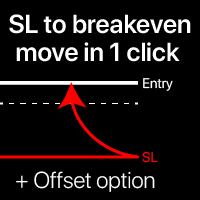
ブレークイーブンレベル: 1クリックでSLを移動。既存の利益を失うのを防ぐ このユーティリティを使用すると、1クリックで素早く利益を保護できます。 短期取引に特に重要です。オフセットオプションも利用可能。 多機能ユーティリティ : 65以上の機能、このツールを含む | 質問がある場合は連絡 | MT4版 SLレベルの移動方法: 1. 特定の [通貨ペア] を指定するか、 [すべて] の通貨ペアを選択します。 2. ブレークイーブンを適用したい 取引タイプ を選択します: [すべて]: すべての有効な取引に適用; [買い]: 買い取引のみ; [売り]: 売り取引のみ; 3. [利益>] オプション: 有効にすると、利益が指定値を超えた場合のみSLが移動されます。 4. [+ オフセット] : TPレベル方向に 追加のSLシフト を設定できます。 これにより、SLをブレークイーブンだけでなく利益レベルに移動できます。 [v]セレクター を使用して、利益とオフセット値の 計算方法 を選択できます: 金額 / ピップ / ポイント / SLサイズの% / TPサイズの% / 価格変動の% /
トレーダーの皆さん、こんにちは!私はあなたの取引アシスタントです。あまり話さないで、私の特技を教えてあげましょう: 1.私はあなたの持倉を管理するのが得意で、あなたがどの端で注文しても、私は最初にあなたに合理的な停止線と移動停止線を加えることができます。 2.私はあなたのために上昇や下落を回避し、原則を守れない人間的な弱点を根源から根絶することができます。 3.最適なポイントでモバイル端末のMT 5クライアントに通知メッセージを送信します。参考にしてください。もちろん、モバイルデバイス内のMetaTrader 5 APP内のMetaQuotes IDをMetaTrader 5クライアントに登録する必要があります-->オプション-->通知-->MetaQuotes IDの編集ボックスに登録し、オープン通知ポイントの決定をチェックしてください。 4.ポリシーテストでの手動シミュレーションのためのダッシュボード練習をよくサポートします。 5.追加のAI支援クライアントスーパーアシスタントプログラムを入手できるように連絡してください。 メモ:このプロジェクトでは、お客様が利益を得ることは約束
すべてのストップロスとテイクプロフィットを削除 — SL/TPレベルを即座に削除するシンプルな解決策 ワンクリックですべてのストップロスとテイクプロフィットレベルを削除! すべてのストップロスとテイクプロフィットを削除 は、すべての未決済ポジションに設定された SL および TP レベルを迅速かつ効率的に削除したいトレーダー向けに設計された便利なスクリプトです。そのシンプルな操作と即時の実行は、ダイナミックな市場条件で欠かせないツールとなります。 主な利点: • 時間の節約: 各ポジションを手動で編集する必要はありません — すべて自動で処理されます。 • 複数シンボルのサポート: スクリプトは、すべての取引中のシンボルのレベルを削除します。 • 使いやすさ: スクリプトをチャートにドラッグするだけで完了! • 信頼性: 実行前に各ポジションをチェックし、正確な動作を保証します。 使用方法: スクリプトを MetaTrader 5 のチャートにドラッグします。 スクリプトがすべてのポジションの SL および TP レベルを自動的に削除します。 取引の完全な自由を楽しみましょう! 対象ユ
FREE
EA Hedger MT5
Sergej Chukhista
3 (2)
Have you bought a trading advisor, subscribed to a signal, or are you trading manually ?! Don't forget about risk management. EA Hedger   is a professional trading utility with many settings that allows you to manage risks using hedging. Hedging is a trading technique that involves opening opposite positions to those already open positions. With the help of hedging, the position can be completely or partially blocked (locked). For example, you have three open positions on your account: EURUSD b
Session Breakout Executor is a deterministic MetaTrader 5 Expert Advisor for executing a defined session-range breakout workflow with OCO pending orders. The strategy, risk gates and lifecycle states are visible in a professional dashboard, while automatic entry is disabled by default. MAIN FEATURES • Configurable session range construction • Guarded manual arming before order placement • Broker-aware pending-order validation • OCO sibling cancellation after one side activates • Spread, permiss
Easy Trade Executor は、MT5向けの高速なポジションサイズ計算、注文執行、およびトレード管理ツールです。 Open Price、Stop Loss、Take Profit レベルをチャート上に直接配置し、自動的にポジションサイズを計算して、数回のクリックだけでリスクを管理しながら取引を開始できます。 なぜ Easy Trade Executor を選ぶのか? Easy Trade Executor は、単にリスク計算を行うだけでなく、チャート上で迅速かつ効率的に取引を管理したいトレーダーのために開発されました。 このツールは、ポジションサイズ計算、注文執行、トレード管理を1つのワークフローに統合し、手動計算やターミナルの複数ウィンドウを頻繁に切り替えることなく、トレードそのものに集中できるようにします。 Easy Trade Executor の主な機能: リスクに基づく自動ポジションサイズ計算; チャート上から直接 Market Order と Pending Order を発注; 自動的なポジション管理のための Trailing Stop; ワンクリックでの決
Apex StopLoss Manager
Muhammad Hassan Muhammad Ahmad Atiyah
Apex StopLoss Manager MT5 Script – Stop Loss Control Utility Overview Apex StopLoss Manager is a trade management script for MetaTrader 5 designed to provide precise, rule-based control over Stop Loss behavior on existing open positions . The script focuses on manual execution and accuracy. It does not use automated trading logic, does not open trades, and runs once per attachment . Core Functionality The script provides two independent Stop Loss control functions, both enabled only through exp
# Universal Smart Manual Trade Manager MT5 v1.00 ## What the EA does Universal Smart Manual Trade Manager MT5 is a protective and management Expert Advisor for manually opened trades. It does not open new entries by itself. It only adopts already open positions that pass the selected filters, and can add missing SL/TP, manage break-even, profit lock, ATR trailing, send Telegram notifications, and display status information on the chart. The default setup is intentionally safe: the EA manages
Close All and Change Take Profit and Stop Loss All Orders. Main Features     Ability to Close All Orders the Symbol you put this EA.     Ability to Change Take Profit to All Order.     Ability to Change Stop Loss to All Order.     Show Order count.     Show Average price with info and Horizontal Line.     Show lot open.     Show Price diff from average to price now     Show broken price with info and Horizontal Line.     Easy to use . How to use Close All (Symbol) PC : you can click on CloseAl
A simple script that closes all current orders. Terminate once close all positions, so no worries about constantly closing your order. How to use : Drag the script from the navigator to the chart, and it will be activated. Do remember to enable algo trading to use this script. There are different version of the script that can choose whether to close all buy/sell posiitons, if you need this, do contact me in MQL5.
SB-8 – Manual Trading Panel with Fixed Risk & TradingView-Style Visualization for MT5 SB-8 is an advanced manual trading panel for MetaTrader 5 , designed to execute trades visually, quickly and without calculations . It is especially built for traders coming from TradingView , who often find MT5 confusing when it comes to risk management and trade visualization. With SB-8, you don’t calculate lot size, percentages or risk . You simply move the Stop Loss line , and the panel handles everything a
A professional manual trading and position management panel for MetaTrader 5 with risk-based sizing, SL/TP protection, partial reduction, break even and trailing stop tools. Strategy Engine Trade Panel is a manual trading and position management utility for MetaTrader 5. It is designed to simplify order execution, risk sizing, position protection and account management directly from the chart. The product does not generate entry signals and does not open trades automatically without a user a
Crash5 EA ,I s a automatic robot that has the level of professional decision when to take a trade without any emotion. The bot will help in your scalping decision making with its own TP (take profit) and SL (stop loss) with the trail stop when in profit. This is a trend based spike catching ,looking on whats happening in real time charts no repainting of any signals. The robot helps in making decisions on the candle stick pattern opened and closed lat price with the help of RSI ,MACD and the EMA
ティックスキャルパー「Tick Scalper」 純粋な価格行動、インジケーターなし。常に損切り/利確を設定し、トレーリングストップで追跡。   主要パラメータ パラメータ デフォルト値 説明 TakeProfit — 固定利確(ピップ単位)。 StopLoss — 固定損切り(ピップ単位)。 TrailingStop — ポジション修正のためのトレーリングストップ距離(ピップ単位)。 cSeconds — シグナルチェック間隔(秒単位)。 MinPriceShot — シグナルをアクティブにする最小価格変動(ピップ単位)。 MaxOrdersCount — 同時に開ける最大注文数(定数)。 RiskPercent — 残高に対するリスク%(自動ロット計算用)。 FixedLotSize — 固定ロットサイズ(UseAutoLot = falseの場合)。 UseAutoLot — 残高とリスクに基づく自動ロット計算。 MagicNumber — EA注文の一意識別子。 MaxSpread — 取引開始可能な最大スプレッド(ピップ単位)。   通貨ペアのプリセットと
Automatic TP and SL
Dushshantha Rajkumar Jayaraman
TradeGuard    by Chart Walker TradeGuard is a MT5 Expert Advisor (EA) designed to enhance your trading experience by automating key aspects of trade management. This EA excels in efficiently managing Take Profit (TP) and Stop Loss (SL) levels, offering a seamless and intelligent approach to trailing stops. One of TradeGuard's standout features is its Smart Trailing Stop, which dynamically adjusts the trailing distance based on market conditions. This adaptive approach helps maximize profits dur
このプロダクトを購入した人は以下も購入しています
Trade Assistant MT5
Evgeniy Kravchenko
4.41 (216)
取引 ごとのリスクの 計算、新規注文 の 簡単 な 設置、部分的 な 決済機能 を 持 つ 注文管理、 7 種類 のトレーリングストップなど 、便利 な 機能 を 備 えています 。 追加の資料と説明書 インストール手順   -   アプリケーションの手順   -   デモアカウント用アプリケーションの試用版 ライン機能 チャート上にオープニングライン、ストップロス、テイクプロフィットを表示します。この機能により、新規注文を簡単に設定することができ、注文を出す前にその特徴を確認することができます。   リスク計算 リスク計算機能は、設定されたリスクとストップロス注文のサイズを考慮して、新規注文のボリュームを計算します。ストップロスの大きさを自由に設定できると同時に、設定したリスクを守ることができます。 Lot calc ボタン - リスク 計算 を 有効 / 無効 にします 。 Risk フィールドでは 、必要 なリスクの 値 を 0 から 100 までのパーセンテージまたは 預金通貨 で 設定 します 。 設定」 タブで 、 リスク 計算 の 種類 を 選択 します :「 $ 通
Trade Manager EAへようこそ。これは、取引をより直感的、正確、そして効率的にするために設計された究極の リスク管理ツール です。これは単なるオーダー実行ツールではなく、包括的な取引計画、ポジション管理、リスク管理のためのソリューションです。初心者から上級者、迅速な実行を必要とするスキャルパーまで、Trade Manager EAはあらゆるニーズに対応し、為替、指数、商品、暗号通貨などさまざまな市場で柔軟に対応します。 Trade Manager EAを使用すると、複雑な計算が過去のものになります。市場を分析し、エントリーポイント、ストップロス、テイクプロフィットのレベルをチャート上のラインでマークし、リスクを設定するだけで、Trade Managerが最適なポジションサイズを即座に計算し、SLとTPをピップ、ポイント、口座通貨でリアルタイムに表示します。すべての取引が簡単かつ効果的に管理されます。 主な機能: ポジションサイズ計算機 :定義されたリスクに基づいて取引サイズを瞬時に決定します。 簡単な取引計画 :エントリー、ストップロス、テイクプロフィットを設定するためのド
Farmed Hedge Yield Farming | All Markets (Manual - Hybrid - Semi/Automated EA) VERIFIED TRADING RESULTS - Farmed Hedge Yield Axi Copy:  https://www.mql5.com/en/signals/2356376 - Farmed Hedge Yield Exn Copy:   https://www.mql5.com/en/signals/2356404 - Farmed Hedge Yield V Copy:  https://www.mql5.com/en/signals/2357156 IMPORTANT NOTICE: FarmedHedge is a MANUAL-FOCUSED TRADING UTILITY ,not a fully automated EA. Results shown on this Signal include manual trades and overall strategic management.
ベータリリース Telegram to MT5 Signal Trader はまもなく正式なアルファ版をリリースします。いくつかの機能はまだ開発中で、小さな不具合に遭遇する可能性があります。問題が発生した場合はぜひご報告ください。皆さまのフィードバックがソフトウェア改善に役立ちます。 Telegram to MT5 Signal Trader は、 Telegram のチャンネルやグループからの取引シグナルを自動的に MetaTrader 5 にコピーする強力なツールです。 パブリックおよびプライベートの両方のチャネルに対応し、複数のシグナル提供元を複数のMT5口座に接続可能です。ソフトウェアは高速で安定し、すべての取引を細かく制御できます。 インターフェースは直感的で、ダッシュボードとチャートは見やすく設計されており、リアルタイムで動作状況をモニターできます。 必要環境 MQL の制限により、EA は Telegram と通信するためのデスクトップアプリが必要です。 インストーラーは公式の インストールガイド にあります。 主な機能 マルチプロバイダー: 複数の Telegram
Telegram to MT5 Multi-Channel Copier   は、Telegram チャンネルのトレードシグナルを MetaTrader 5 へ自動コピーします。ボット不要、ブラウザ拡張不要、手動コピー不要。Telegram にシグナルが届くと、EA が数秒であなたのターミナルに注文を出します。 さらに、チャンネルをコピーする前に、内蔵バックテスターでそのチャンネルがあなたの口座でどう動いたかを確認できます。 製品は 2 つのコンポーネントで構成されます:Telegram チャンネルを監視する Windows アプリと、MT5 ターミナルでシグナルを執行する本 EA です。MT4 版もあります   こちら . セットアップガイドとアプリのダウンロード:   https://www.mql5.com/en/blogs/post/768988 現在の価格は今後値上げされます。 仕組み Windows アプリは、ボットではなくあなた自身の API 認証情報で Telegram に接続します。そのため、プライベートや VIP を含む、購読中のあらゆるチャンネル・グループ・トピッ
================================================================================ POC BREAKOUT - V20.72. Full Professional Grade Toolkit ================================================================================ POC Breakout is a full MetaTrader 5 trading dashboard for discretionary traders who want breakout signals, Point of Control (POC) context, volume profiles, order flow, market structure, news, alerts, and advanced trade planning in one professional workspace. Attached directly to you
TradePanel MT5
Alfiya Fazylova
4.88 (167)
Trade Panelは多機能なトレーディングアシスタントです。アプリには手動取引用の50以上のトレーディング機能が搭載されており、ほとんどの取引作業を自動化することができます。 アプリの説明書+ビデオガイド: https://www.mql5.com/en/blogs/post/772292 デモ口座用アプリの試用版: https://www.mql5.com/en/blogs/post/750865 アプリのインストール方法: https://www.mql5.com/en/blogs/post/756239 アプリをビジュアルモードでテストする方法: https://www.mql5.com/en/blogs/post/770277 VPSのMetaTraderにアプリをインストールする方法: https://www.mql5.com/en/blogs/post/770190 取引。 ワンクリックで取引操作を行うことができます: リスクを自動計算して指値注文やポジションを開く。 複数の注文やポジションをワンクリックで開く。 注文のグリッドを開く。 保留中の注文やポジションをグルー
Premium Trade Manager - コーチ内蔵型トレードパネル Premium Trade Manager は、AIトレーディングコーチをあなたのチャートの中に置き、その下に完全な執行エンジンを備えたツールです。いつも通りにトレードをセットアップし、あなた専任のAIトレーディングコーチ Max にそのセットアップをそのまま読み取らせて、発注前に率直な見解を伝えてもらいましょう。ストップの幅が規律あるアプローチに合っているか、リスクサイズは適切か、高影響のニュースイベントが数分後に迫っていないか、プロップファームの制限に近づいていないか。その下には、クリックの後をすべて処理するエンジンが備わっています。ワンクリックのリスクサイズ計算による発注、チャート上でドラッグして組み立て、発注後も動かせるプラン、最大4段階の分割利確、7種類のトレール方式、リアルタイムのプロップファームコンプライアンス、ニュースガード、そしてコストを自ら採点するスプレッド機能。判断はあなたが下す。Max がもう一度確認する。後のことはすべてパネルが担う。 購入前に実際に触れて試せます。 ブラウザ上でライブ
EA Overfitter
Stephen J Martret
5 (1)
That backtest looks great. But will it still be making money tomorrow, next week, next month? EA Overfitter re-runs your EA on 100 price histories it has never seen. One score tells you if the edge is real. A backtest tells you what an EA did on one price history — the one that happened to occur. What you cannot tell from it is how much of that result was the strategy and how much was the particular path. EA Overfitter answers that. It builds up to 100 synthetic price histories your EA has n
Your EAs cannot see each other, but Anchor can. Anchor gives you one place to coordinate your EAs, manage risk, and decide when trading is allowed. It works alongside the trading bots you already use without any changes to them. The Problem One EA opens a trade. Then another starts trading. The next thing you know, you wake up to multiple grids built across your account. Each EA may be doing exactly what it was designed to do, but together they can place far more risk on your account than you in
MT5 to Telegram Signal Provider は、Telegramのチャット、チャンネル、またはグループに 指定された シグナルを送信することができる、完全にカスタマイズ可能な簡単なユーティリティです。これにより、あなたのアカウントは シグナルプロバイダー になります。 競合する製品とは異なり、DLLのインポートは使用していません。 [ デモ ] [ マニュアル ] [ MT4版 ] [ Discord版 ] [ Telegramチャンネル ]  New: [ Telegram To MT5 ] セットアップ ステップバイステップの ユーザーガイド が利用可能です。 Telegram APIの知識は必要ありません。必要な全ては開発者から提供されます。 主な特長 購読者に送信する注文の詳細をカスタマイズする機能 例えば、Bronze、Silver、Goldといった階層型のサブスクリプションモデルを作成できます。Goldサブスクリプションでは、すべてのシグナルが提供されます。 id、シンボル、またはコメントによって注文をフィルターできます 注文が実行されたチャート
Power Candles Strategy Scanner - 自動最適化型マルチシンボル設定ファインダー パワーキャンドル・ストラテジー・スキャナーは 、パワーキャンドル・インジケーターを駆動するのと全く同じ自己最適化エンジンを、マーケットウォッチに登録されているすべての銘柄に対して並行して実行します。1つのパネルで、現在統計的に取引可能な銘柄、各銘柄で勝率の高い戦略、最適なストップロス/テイクプロフィットの組み合わせが表示され、新たなシグナルが発生した瞬間に通知が届きます。 このツールは、Stein Investmentsのエコシステムの一部です。  18種類以上のツールをすべて閲覧し、AIを活用したセットアップの推奨を受け取り、  https://stein.investments でコミュニティに参加しましょう 市場動向を網羅。銘柄ごとに3,000件以上の自動最適化。2種類のアラート。ワンクリックでチャートを切り替えて即座にアクション。 なぜこれが必要なのか 多くのマルチ銘柄スキャナーは、 価格の動き (ボラティリティ、変動率、銘柄ごとのRSI)を表示するだけです。それ
Footprint Chart Pro — Professional OrderFlow EA for MetaTrader 5 Version 6.34 | Professional tool for real traders | Institutional-Grade Visualization DEMO USERS - PLEASE SELECT EVERY TICK / REAL TICK WHEN TESTING AND YOU HAVE DOWNLOADED HISTORICAL DATA. IF YOU SEE A WAITING SCREEN AND IT IS NOT DOWNLOADING, IT MEANS YOU HAVE LOW HISTORICAL DATA. TRY 1 MIN AND 5 MIN FIRST ON 1 DAY DATA. ONE DAY DATA SHOULD BE THE NEWEST AND MOST CURRENT DATE. PLEASE WAIT UNTIL THE MARKET HAS ROLLED OVER PERIOD.
Timeless Charts
Samuel Manoel De Souza
5 (8)
Timeless Charts is an all-in-one trading utility for professional traders. It combines custom chart types such as Seconds Charts and Renko with advanced order flow analysis using Footprints , Clusters , Volume Profiles , VWAP studies, and anchored analysis tools for deeper market insight. Trading and position management are handled directly from the chart through an integrated trade management panel , while Market Replay and Virtual Accounts provide environments for practicing trading skills and
Trade Indicator Assistant   is a powerful MT5 utility designed to turn indicators into automated trading systems. Its main feature is the ability to automatically detect an indicator’s   BUY and SELL signal buffers , without requiring you to know the buffer numbers, search through indicator settings, or modify the indicator source code. Bonus Indicator:   After purchasing Trade Indicator Assistant, contact me to receive   Trade Signal Pro   completely free as a bonus indicator. [Download Demo V
Ultimate Extractor - Professional Trading Analytics for MT5 *****this is the local HTML version of Ultimate Extractor. !!!!!it is not compatible with Cloud!!!! For the online version please reach out to me directly****** Ultimate EA manager also now available when you use cloud pro and above for free!! Ultimate Extractor transforms your MetaTrader 5 trading history into actionable insights with comprehensive analytics, interactive charts, and real-time performance tracking. What It Does Automa
あなたがメンバーである任意のチャネルから(プライベートおよび制限されたものを含む)シグナルを直接あなたのMT5にコピーします。  このツールは、トレードを管理し監視するために必要な多くの機能を提供しながら、ユーザーを考慮して設計されています。 この製品は使いやすく、視覚的に魅力的なグラフィカルインターフェースで提供されています。設定をカスタマイズして、数分で製品を使用を開始できます! ユーザーガイド + デモ  | MT4版 | Discord版 デモを試してみたい場合は、ユーザーガイドにアクセスしてください。 Telegram To MT5 受信機は、ストラテジーテスターで動作しません! Telegram To MT5の特徴 複数のチャネルから一度にシグナルをコピー プライベートおよび制限されたチャネルからシグナルをコピー BotトークンまたはChat IDは必要ありません   (必要に応じて使用することができます) リスク%または固定ロットを使用して取引 特定のシンボルを除外 すべてのシグナルをコピーするか、コピーするシグナルをカスタマイズするかを選択 すべてのシグナルを認
Prop Firm Os
Gayathiri Gopalakrishnan
5 (1)
PROP FIRM OS Structured Trading Assistant for MetaTrader 5 PROP FIRM OS is a structured trading assistant designed for MetaTrader 5 users who prefer rule-based market analysis and organized trading workflows. The Expert Advisor combines market analysis tools, scanner functions, dashboard monitoring, alerts, risk-control settings, and trade management features inside one system. PROP FIRM OS is designed to help traders follow selected rules, filters, and monitoring conditions during trading activ
Trade Manager DashPlus
Henry Lyubomir Wallace
4.85 (13)
DashPlus は、MetaTrader 5プラットフォーム上での取引効率と効果を向上させるために設計された高度なトレード管理ツールです。リスク計算、注文管理、高度なグリッドシステム、チャートベースのツール、パフォーマンス分析など、包括的な機能を提供します。 主な機能 1. リカバリーグリッド 逆境の市場環境下で取引を管理するための平均化および柔軟なグリッドシステムを実装します。 取引回復のための戦略的なエントリーおよびエグジットポイントを可能にします。 2. スタックグリッド 強い市場の動きの中でポジションを追加することで、有利な取引での潜在的なリターンを最大化するように設計されています。 トレンド市場で利益を得られるよう、勝ち取引を拡大します。 3. 損益(P&L)ライン チャート上に直接、潜在的な利益と損失のシナリオを視覚的に表示します。 設定を調整し、P&Lラインをドラッグして、実行前にさまざまな取引結果を評価します。 4. バスケットモード 同じシンボルでの複数ポジションの管理を簡素化し、それらを単一の集約ポジションにまとめます。 平均価格に基づいて、ストップロスやテイクプ
EA Auditor
Stephen J Martret
5 (5)
EA Auditor is an independent analysis tool for traders evaluating Expert Advisors and trading signals on MetaTrader 5. It audits backtest reports, reviews posted developer signals, and cross-verifies the two against each other to help traders assess strategies before committing capital. The MQL5 market offers a wide range of Expert Advisors from many developers, with varying approaches, quality, and transparency. EA Auditor provides a consistent, data-driven framework for reviewing them, answer
The product will copy all telegram signal to MT5 ( which you are member) , also it can work as remote copier.  Easy to set up, copy order instant, can work with almost signal formats, image signal,  s upport to translate other language to English Work with all type of channel or group, even channel have "Restrict Saving Content", work with  multi channel, multi MT5 Work as remote copier: with signal have ticket number, it will copy exactly via ticket number. Support to backtest signal. How to s
Grid Manual MT5
Alfiya Fazylova
4.73 (22)
「Grid Manual」は、注文のグリッドを操作するための取引パネルです。 ユーティリティはユニバーサルで、柔軟な設定と直感的なインターフェイスを備えています。 それは、損失を平均化する方向だけでなく、利益を増やす方向でも注文のグリッドで機能します。 トレーダーは注文のグリッドを作成して維持する必要はありません。 すべてが「Grid Manual」によって行われます。 注文を開くだけで十分であり、「Grid Manual」は注文のグリッドを自動的に作成し、非常に閉じるまでそれに付随します。 完全な説明とデモバージョン ここ。 ユーティリティの主な機能と機能 ユーティリティは、モバイル端末から開かれた注文を含め、あらゆる方法で開かれた注文を処理します。 「制限」と「停止」の2種類のグリッドで機能します。 グリッド間隔の計算には、固定と動的(ATRインジケーターに基づく)の2つの方法で機能します。 オープンオーダーグリッドの設定を変更できます。 チャート上の各注文グリッドの損益分岐点を表示します。 各注文グリッドの利益率を表示します。 ワンクリックでグリッドから収益性の高い注文を閉じるこ
TRUMP SHOCK – Real-Time Market Protection for MT5 TRUMP SHOCK is a MetaTrader 5 risk-management utility designed to react to sudden market-moving news and unexpected volatility. Markets such as Gold, Oil and USD-related instruments can move within seconds following major political statements or breaking news. TRUMP SHOCK monitors important Truth Social posts and general breaking news and can automatically trigger predefined protective actions in MetaTrader 5 — helping you reduce unwanted exposur
アシスタント: トレードアシスタント-MT4 (クリックしてダウンロード) トレードアシスタント-MT5 (クリックしてダウンロード) 取扱説明書をよくお読みください。 基本事項: ポジションの迅速な開設と閉鎖、ワンクリックでのポジションの開設と閉鎖、ワンクリックでの注文の発注 ドローライントレード 自動SL/TP 近くのシンボル 利益保護 SLプロテクトを移動 トレーリングSL アカウントリスクコントロール 秩序の影 注文の自動追加 自動決済注文 閉じる 再開 記号情報 チャット受付中 データ統計 言語選択と切り替えに対応(現在、中国語と英語に対応)         自動言語認識 サポート   ホットキーの開閉   バインディング、ショートカットキーを使用してポジションを素早く開閉します...     ショートカットキーで閉じる。最大30個のホットキーをサポート。 ロック解除はほとんどの機能をサポートしています   リプレイ   操作と   テスト環境で使用される 求人情報(開店・閉店): ワンクリック位置オープン(       (損切り注文の便利な設定、ロットサイズの自
EchoTrade Telegram to MT5 Copier Seamless, Instant, and Reliable Signal Copying - Direct from Telegram to MetaTrader 5! The product does not run in the strategy tester but you can get free trial version here  for testing before purchase. Tired of manually executing trades from Telegram signals? EchoTrade automates the process, instantly copying trades from any Telegram channel or group directly into your MT5 account—accurately, efficiently, and without delay. Key Features: Universal Compatibi
AI Agent Supervisor is NOT an Expert Advisor. AI Agent Supervisor   is a   multi-agent AI risk & portfolio supervisor   that watches every EA on your account and intervenes in real time.  WANT AN AI PORTFOLIO MANAGER WATCHING YOUR FLEET 24/7?   Run your fleet on the same brokers I do:   IC MARKETS , IC TRADING   .  Unlike the centralized stock market, Forex has no single, unified price feed.  Every broker sources liquidity from different providers, creating unique data streams. The Supervisor r
YuClusters
Yury Kulikov
4.93 (43)
Attention: You can view the program operation in the free version  YuClusters DEMO .  YuClusters is a professional market analysis system. The trader has unique opportunities to analyze the flow of orders, trade volumes, price movements using various charts, profiles, indicators, and graphical objects. YuClusters operates on data based on Time&Sales or ticks information, depending on what is available in the quotes of a financial instrument. YuClusters allows you to build graphs by combining da
Trade Manager は、リスクを自動的に計算しながら、取引を迅速に開始および終了するのに役立ちます。 過剰取引、復讐取引、感情的な取引を防止する機能が含まれています。 取引は自動的に管理され、アカウントのパフォーマンス指標はグラフで視覚化できます。 これらの機能により、このパネルはすべてのマニュアル トレーダーにとって理想的なものとなり、MetaTrader 5 プラットフォームの強化に役立ちます。多言語サポート。 MT4バージョン  |  ユーザーガイド + デモ Trade Manager はストラテジー テスターでは機能しません。 デモについてはユーザーガイドをご覧ください。 危機管理 % または $ に基づくリスクの自動調整 固定ロットサイズを使用するか、ボリュームとピップに基づいた自動ロットサイズ計算を使用するオプション RR、Pips、または価格を使用した損益分岐点ストップロス設定トレーリングストップロス設定 目標に達したときにすべての取引を自動的に終了するための 1 日あたりの最大損失 (%)。 過度のドローダウンからアカウントを保護し、オーバートレードを防ぎます
Copy your MT5 trades to Interactive Brokers You keep using MT5. Every order you open or close is sent to your IB account. In real time. No coding. No changes to your strategy or EA. Try it first Rent 1 month: $30. Test on a live or paper account. What it does Real-time copying: same direction, reverse, or one side only. Map any MT5 symbol to any IB symbol. Set a lot ratio for each. Forex, Futures, Stocks, CFDs, Metals and Crypto. Position sync: both accounts checked, any difference fixed. Optio
フィルタ:
レビューなし
レビューに返信