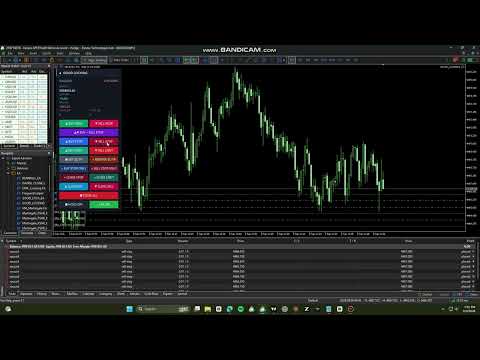
Good Locking Panel
- ユーティリティ
- バージョン: 2.0
- アクティベーション: 5

Product type: Utility (manual trading assistant) Platform: MetaTrader 5 Version: 2.00
OVERVIEW
GoodLocking Panel is an on-chart control panel for traders who work with layered pending orders and multi-position baskets. Every action that normally takes dozens of clicks in the terminal — placing ten pending orders, closing one side of a hedge, applying stop loss and take profit to a hundred open positions — is reduced to a single button press.
This is a manual tool, not an automated strategy. It does not generate entry signals and it does not open trades on its own. You decide when and what to execute; the panel executes it instantly and consistently. The only automatic component is the optional basket exit, which closes the basket when floating P/L reaches a level you define.
All operations are filtered by symbol and magic number, so the panel only ever touches its own orders and positions. Trades you place manually or with other Expert Advisors on the same account are never affected.
WHAT IT DOES
Layered pending orders — one click per ladder
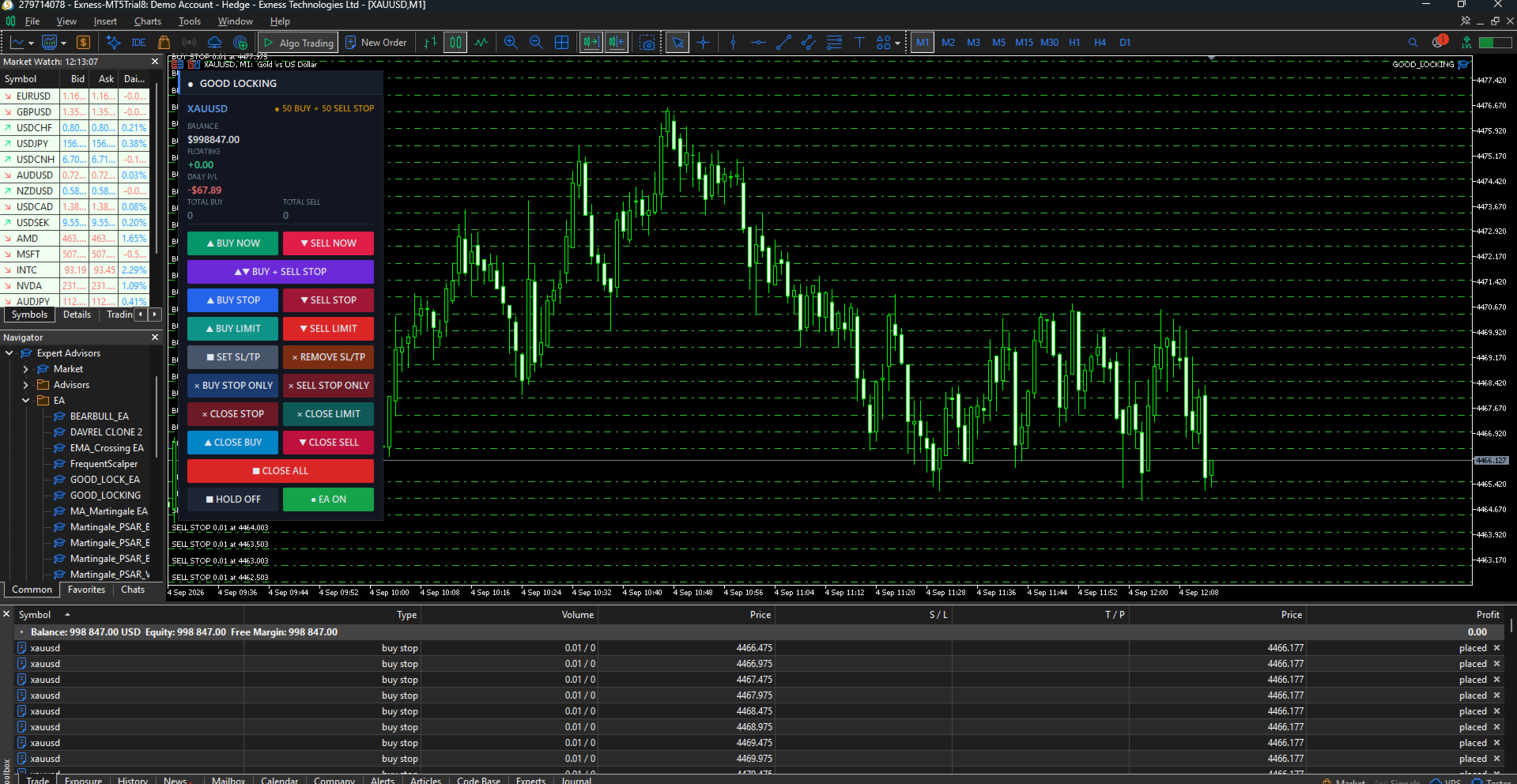
Press one button to place a full ladder of pending orders in one direction. The number of levels, the lot size, the distance of the first order from price, and the spacing between levels are all configurable. Four separate ladder buttons cover BUY STOP, SELL STOP, BUY LIMIT and SELL LIMIT.
The panel automatically respects the broker's minimum stop distance. If your configured first-order distance is closer than the broker allows, the distance is raised to a valid value and the adjustment is written to the log rather than letting the order fail silently.
Two-sided straddle in a single press
The BUY + SELL STOP button places both ladders at once — a complete straddle around current price without touching the chart twice. Price is re-read for each side, so the sell ladder is built from the current bid rather than a stale quote.
Stacked market execution
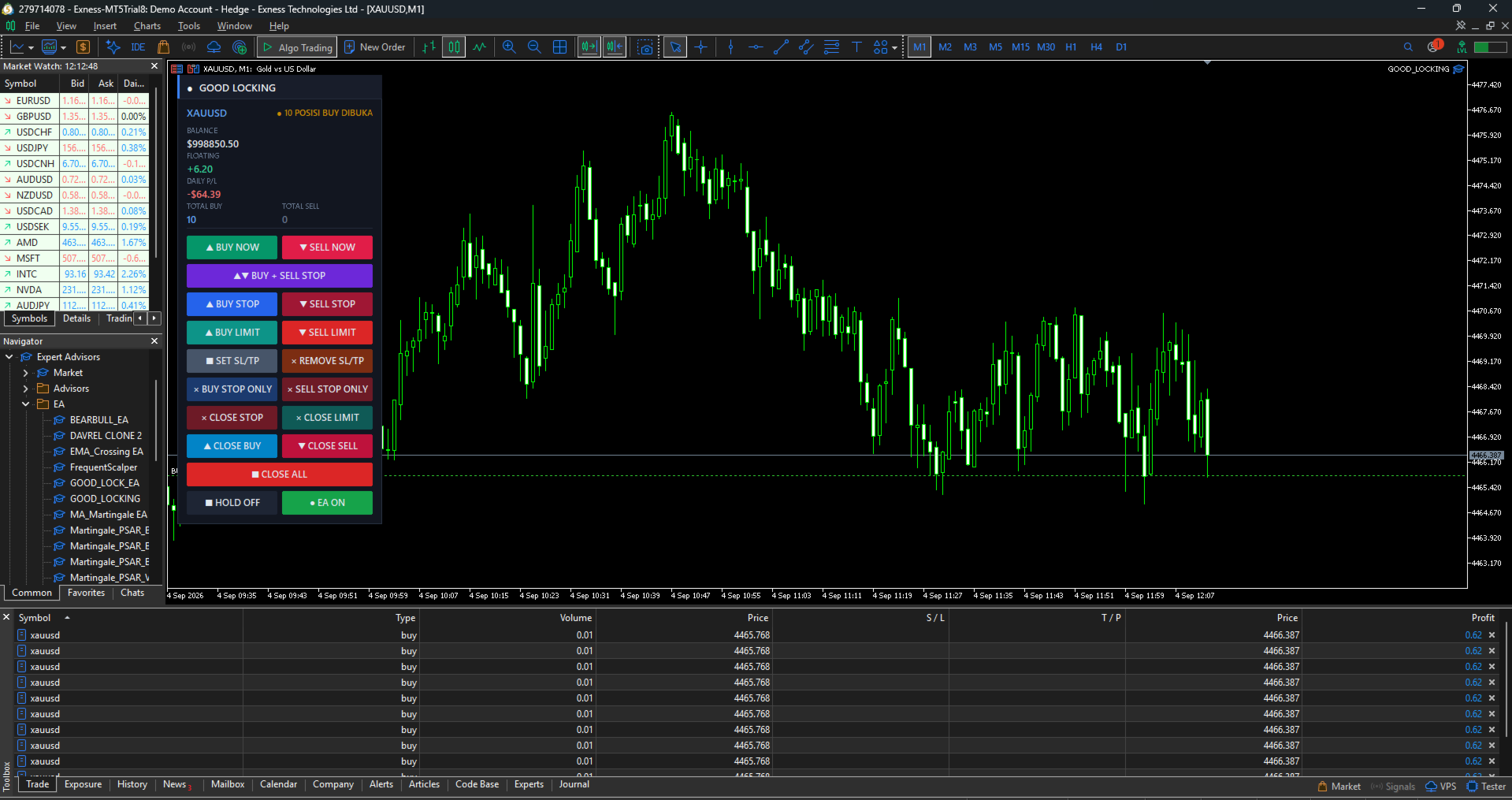
BUY NOW and SELL NOW open multiple market positions instantly. Set the number of positions and the lot per position in the inputs; ten or more positions can be opened with one press. Free margin is verified before every single order, so execution stops cleanly with a clear log entry when margin runs out instead of firing rejected orders at the server. An optional delay between orders is available for brokers that throttle rapid order flow.
Mass stop loss and take profit
SET SL/TP applies stop loss and take profit to every open position in one press, calculated in pips from either the position's own open price or from current market price. Whether you have five positions or a hundred, they are all protected in a single action.
Positions whose calculated levels would violate the broker's stop distance — or where price has already moved past the intended take profit — are skipped with the reason recorded in the log, rather than generating a wall of rejected requests. Positions that already carry the exact same levels are skipped too, so pressing the button twice costs nothing.
REMOVE SL/TP clears stop loss and take profit from all open positions instantly, for when levels were set at the wrong distance and you want to start clean.
Directional closing
Close exactly what you intend to close:
- CLOSE BUY — closes open BUY positions only
- CLOSE SELL — closes open SELL positions only
- BUY STOP ONLY / SELL STOP ONLY — deletes pending stop orders on one side only
- CLOSE STOP / CLOSE LIMIT — deletes all pending orders of that type
- CLOSE ALL — deletes all pending orders, with an option to close open positions too
An optional setting makes the directional close buttons also remove the pending orders on the same side, clearing one direction completely in one press.
Live basket monitoring
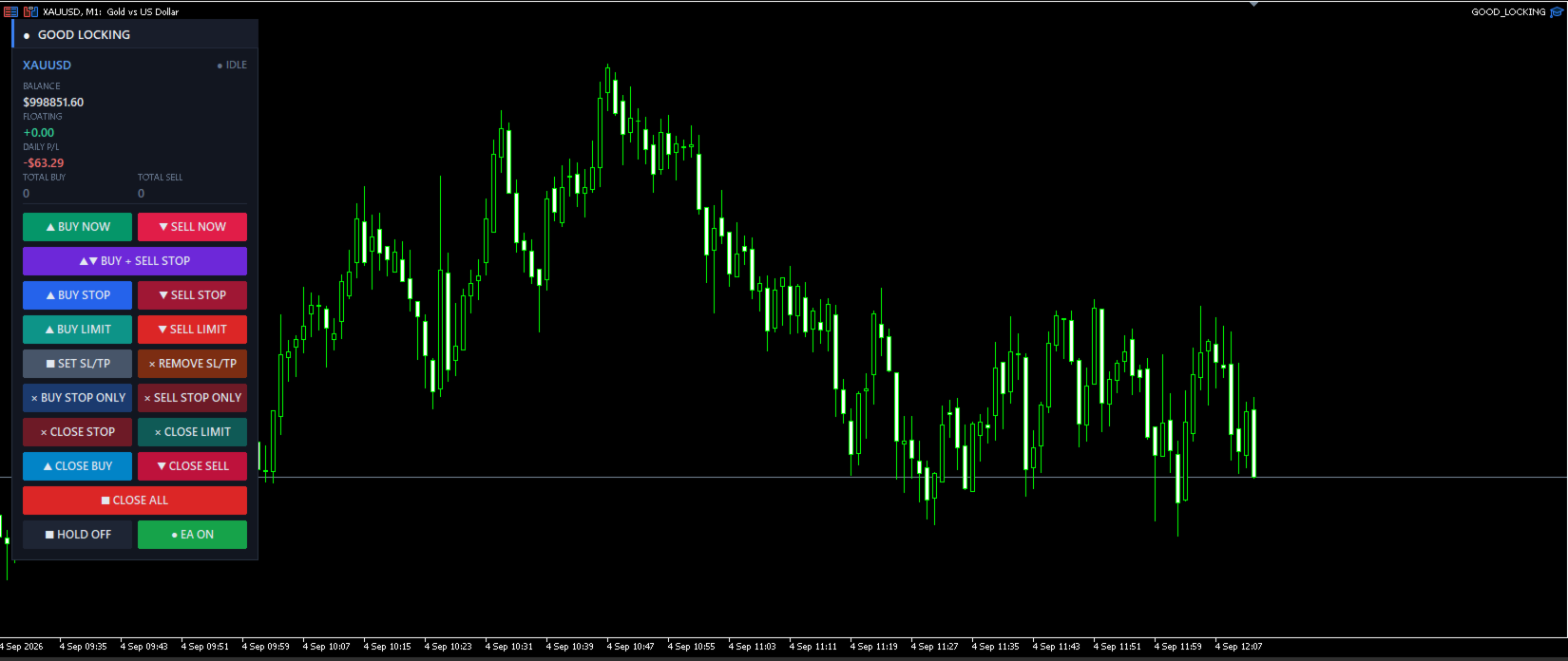
The panel header shows the symbol and a live status indicator (IDLE, PENDING, RUNNING, HOLD). Below it, four statistics update continuously:
- BALANCE — account balance
- FLOATING — floating P/L of this panel's basket, including swap
- DAILY P/L — closed profit or loss today for this symbol and magic number, commission included
- TOTAL BUY / TOTAL SELL — number of open positions per direction
Zero values in the direction counters are dimmed, so the side that is actually loaded is visible at a glance.
Basket exit
Optionally close the whole basket automatically when floating P/L reaches a target profit or a maximum loss, both defined in account currency. Basket take profit has its own on/off switch, so you can disable it entirely when you prefer to rely on per-position stop loss and take profit. Pending orders can be removed along with the positions when the basket closes.
HOLD and EA switches
HOLD freezes the automation and — optionally — locks the four entry buttons so a misclick cannot open new exposure. Locked buttons are visibly dimmed, so it is always obvious that the panel is intentionally frozen rather than unresponsive. The EA switch turns the automation off while leaving every manual button usable.
Close buttons always remain active in both states. You can always exit a position, whatever the panel is set to.
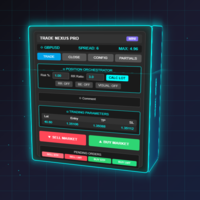
PANEL LAYOUT
Buttons are arranged top to bottom in the order you would normally use them:
| Row | Left | Right |
|---|---|---|
| 1 | BUY NOW | SELL NOW |
| 2 | BUY + SELL STOP (full width) | |
| 3 | BUY STOP | SELL STOP |
| 4 | BUY LIMIT | SELL LIMIT |
| 5 | SET SL/TP | REMOVE SL/TP |
| 6 | BUY STOP ONLY | SELL STOP ONLY |
| 7 | CLOSE STOP | CLOSE LIMIT |
| 8 | CLOSE BUY | CLOSE SELL |
| 9 | CLOSE ALL (full width) | |
| 10 | HOLD | EA |
Panel position, width, button height, font size and refresh rate are all configurable. The background card can be switched off for a transparent style.
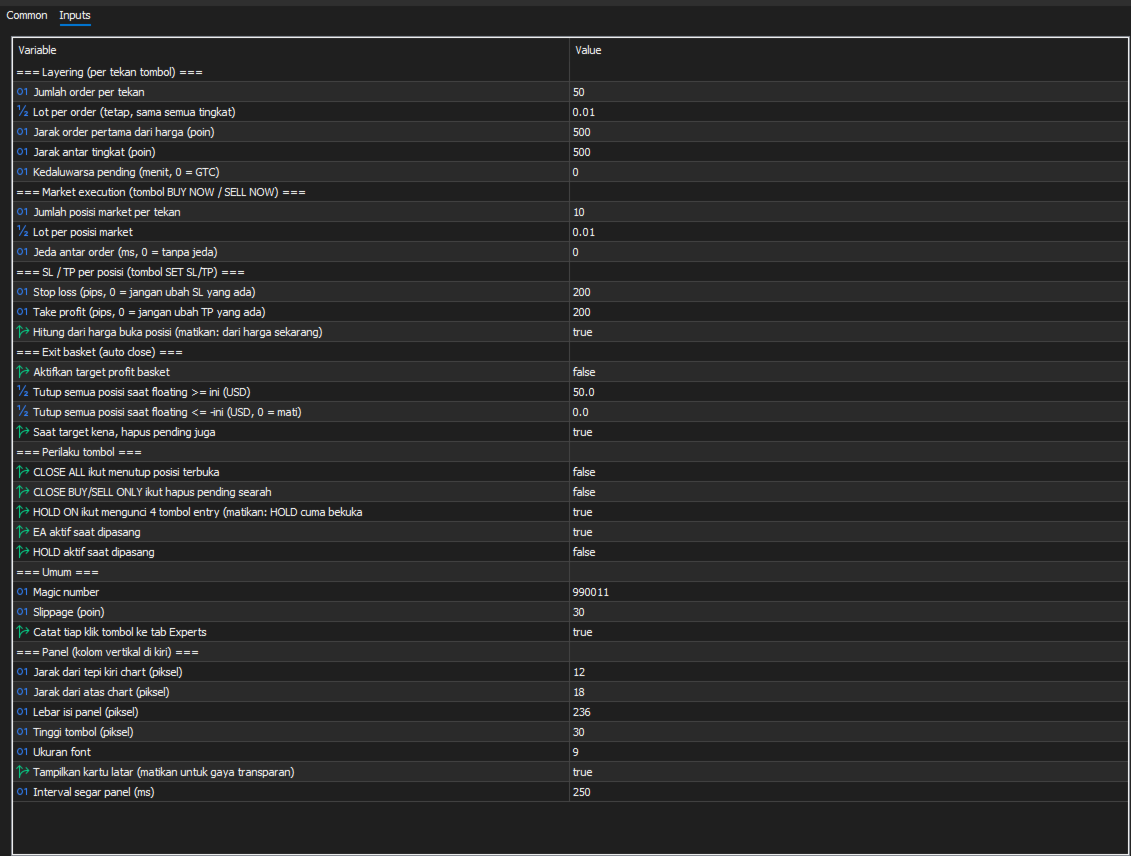
INPUT PARAMETERS
Layering (per button press)
| Parameter | Default | Description |
|---|---|---|
| Layers | 10 | Number of pending orders placed per press |
| Lot | 0.01 | Lot per order, identical at every level |
| First distance | 100 | Distance of the first order from price, in points |
| Step points | 100 | Spacing between levels, in points |
| Expire minutes | 0 | Pending order expiry in minutes; 0 = good till cancelled |
Market execution
| Parameter | Default | Description |
|---|---|---|
| Market layers | 10 | Number of market positions opened per press |
| Market lot | 0.01 | Lot per market position |
| Delay ms | 0 | Pause between orders in milliseconds; raise it if your broker throttles rapid orders |
Stop loss / take profit
| Parameter | Default | Description |
|---|---|---|
| SL pips | 200 | Stop loss distance in pips; 0 leaves the existing stop loss untouched |
| TP pips | 200 | Take profit distance in pips; 0 leaves the existing take profit untouched |
| From open price | true | Calculate from each position's open price; disable to calculate from current market price |
Basket exit
| Parameter | Default | Description |
|---|---|---|
| Use basket TP | true | Enable or disable the basket take profit entirely |
| Target profit | 50.0 | Close all positions when floating P/L reaches this value, in account currency |
| Max loss | 0.0 | Close all positions when floating loss reaches this value; 0 = disabled |
| Delete pending on exit | true | Also remove pending orders when the basket closes |
Button behaviour
| Parameter | Default | Description |
|---|---|---|
| CLOSE ALL closes positions | false | Let CLOSE ALL close open positions in addition to pending orders |
| Directional close deletes pending | false | Let CLOSE BUY / CLOSE SELL also delete pending orders on the same side |
| HOLD locks entry | true | HOLD also disables the entry buttons |
| Start with EA on | true | Automation active on attach |
| Start with HOLD on | false | HOLD active on attach |
General
| Parameter | Default | Description |
|---|---|---|
| Magic number | 990011 | Identifies this panel's orders and positions |
| Slippage | 30 | Maximum deviation in points |
| Log clicks | true | Write every button press to the Experts tab |
Panel appearance
Position (X, Y), content width, button height, font size, background card visibility and refresh interval are all adjustable.
HOW PIPS ARE CALCULATED
For symbols quoted with 3 or 5 decimal places, 1 pip = 10 points, following the standard convention. For all other symbols, 1 pip = 1 point. On a 2-digit gold symbol this means 1 pip = 0.01.
The exact pip value calculated for your symbol is printed to the Experts tab when the panel starts, so you can confirm your settings before using SET SL/TP.
TYPICAL WORKFLOWS
Breakout straddle. Set your layer count and spacing, press BUY + SELL STOP before a scheduled news release, then press CLOSE BUY STOP ONLY or CLOSE SELL STOP ONLY once direction resolves, leaving only the working side.
Layered accumulation. Press BUY LIMIT to stage a ladder below price. As levels fill, watch TOTAL BUY and FLOATING. Press SET SL/TP to protect the filled positions, or let the basket target profit close everything at once.
Fast manual scaling. Press BUY NOW to open your configured number of market positions immediately, apply protection with SET SL/TP, and close one direction at a time with CLOSE BUY or CLOSE SELL as the position develops.
REQUIREMENTS
- MetaTrader 5, any broker
- Algo Trading must be enabled in the terminal and in the panel's properties
- A hedging account is required for full functionality. On netting accounts only one position per symbol can exist, so the directional close buttons and the TOTAL BUY / TOTAL SELL counters cannot show both sides at once.
- Works on any symbol and any timeframe
- No DLL, no external connections, no internet access required
IMPORTANT NOTES
This is a manual execution tool. It does not predict market direction, does not contain a trading strategy, and does not decide when to enter. Results depend entirely on how you use it.
Layering multiple orders means paying the spread on each one. Ten market positions of 0.01 lot carry the same exposure as one 0.10 lot position but cost ten times the spread. Use stacked execution when you genuinely need separate tickets — for partial exits or layered management — rather than simply to increase size.
Trading leveraged instruments carries substantial risk. Test the panel on a demo account until every button behaves the way you expect before using it with real funds. A free demo version is available on this page for testing in the strategy tester's visual mode.
SUPPORT
Questions, bug reports and feature requests are welcome through the comments section of this product page or by private message. Please include your broker, symbol, and the relevant lines from the Experts tab — every button press and every failed operation is logged with a retcode, which makes issues fast to diagnose.