Telegram Sender Osw MT5

ユーザーマニュアル: Telegram Sender Osw
Telegram Sender Oswは、MetaTraderからTelegramへの取引シグナルの送信を自動化するために設計されたエキスパートアシスタント(EA)です。シグナルプロバイダーやアカウント管理に最適で、重要なデータ(価格、ストップロス、テイクプロフィット、取引量)を瞬時にプロフェッショナルに送信します。

1. パラメータ設定
一般設定と接続
EAの有効化:システムを起動(true)または一時停止(false)します。

ボットトークン:@BotFatherから取得した英数字コード。

チャットID:送信先のチャンネル、グループ、またはプライベートチャットの識別子。

送信サブグループ/スレッドID:Telegramグループで「トピック」機能を使用している場合にのみ、これらのオプションを有効にしてください。

送信ロジック(送信タイプ)
自動:新しいポジションまたはコマンドを検出するとすぐに送信します。

ボタン:チャート上で「Telegramを送信」ボタンが手動で押された場合にのみ送信します。

カスタマイズ(Telegram TXT)
システムが自動的に置換するタグ([SYMBOL]、[TYPE]、[PRICE]、[SL]、[TP]、[VOLUME])を使用してください。

2. Telegramの設定(手順)
A. ボットトークンを取得する
Telegramで@BotFatherを検索し、/newbotを送信します。

名前とユーザー名(末尾に「bot」)を指定します。

取得したHTTP APIトークンをTelegramBotTokenパラメータにコピーします。

B. チャットIDを取得する
パブリックチャンネル/グループ:ボットを管理者として追加し、ユーザー名(例:@MyChannel)を使用します。

プライベートグループ:ボットを追加するか、/idと入力するか、@userinfobotを使用してID番号(例:-100123456789)を取得します。

C. スレッドIDを設定する(オプション)
「トピック」を使用する場合は、サブグループ内の任意のメッセージからリンクをコピーします。中央の数字(例:.../567/...)はスレッドIDです。

3. MetaTraderにおける重要な認証
エキスパートアドバイザー(EA)がプラットフォーム外にデータを送信できるようにするには、以下の必須手順に従う必要があります。

[ツール] > [オプション] > [エキスパートアドバイザー] に移動します。

[リストされているURLへのWebリクエストを許可する] を有効にします。

URL https://api.telegram.org を手動で追加し、[OK] をクリックします。

4. 操作と解釈ガイド
インターフェース:手動モードでは、画面に紺色のボタンが表示されます。このボタンをクリックすると、誤って送信されないように確認ボックスが開きます。

検出:システムは、オープンポジションと未決注文の両方を監視します。

ログ:[エキスパート] タブで、送信が成功したか、接続エラーが発生しているかを確認します。

5. 使用上の推奨事項
対応資産:FX、暗号通貨、指数、コモディティに対応しています。シンボルに基づいて小数点以下の桁数を自動調整します。

安定性:インターネット障害のアラートが遅れるのを避けるため、PCまたはVPSと安定したインターネット接続を推奨します。

汎用性:端末のパフォーマンスに影響を与えることなく、一年中いつでも動作します。

おすすめのプロダクト
Robot Manual Order Manager is a tool that allows you to automatically include Stop Loss, Breakeven, Take Profit and partials in open trades. Be it a market order or a limit order. Besides, it automatically conducts your trade, moving your stop or ending trades, according to the parameters you choose. To make your operations more effective, the Manual Orders Manager Robot has several indicators that can be configured to work on your trade. Among the options you can count on the features: Conducti
XBOOT BOLETA PRO Professional Manual Trading Panel for MetaTrader 5 XBOOT Boleta Pro is a complete trading panel designed for traders who execute manual trades and want greater speed, organization, and control during every trading session. More than a standard Buy and Sell panel, XBOOT Boleta Pro combines powerful trading tools into a single interface, helping traders analyze the market, manage risk, execute orders, and monitor trading performance without leaving the chart. Its purpose is to sim
Product Name MT5 Gold & Silver Multi-Language Trading Panel V17.00 Introduction This is a professional trading panel designed specifically for manual gold and silver traders. It supports five languages: English, Chinese, Spanish, Arabic, and German. The panel automatically detects gold and silver symbols, so users do not need to enter symbol codes manually. It is compatible with most brokers worldwide, including standard accounts, zero spread accounts, and raw spread accounts. Users only need t
Ping-Monitor — Never Miss a Tick Again! Do you run EAs and worry about silent chart freezes or data feed stalls ?  This utility is your ultimate watchdog, alerting you the moment your charts stop receiving updates. Ping-Monitor is designed to detect when a chart freezes or the data feed stalls, even if MT5 still shows that the connection is active. It works by tracking the time of the last incoming tick. Every time the chart receives a new price update, the EA records the timestamp. Then, on a
Atlas Trade Desk MT5 Atlas Trade Desk MT5 is a visual trade panel, risk manager and lot calculator for manual MetaTrader 5 traders. Plan market and pending orders directly on the chart, calculate position size from your selected risk, adjust Entry, Stop Loss and Take Profit visually, and manage open positions from one clean dashboard. The tool is built for discretionary traders who want faster order preparation, clearer risk control and safer position management without switching between multipl
JYPF Trade Panel is a professional, interactive trading assistant for MT5. It features dynamic 3-line synchronization (Entry/SL/TP) with "Instant Click-and-Drag" technology. Avoid mouse blockages with our cutting-edge translucent trend-zone visualization. Real-time floating profit/loss projections and Risk-to-Reward (R:R) ratios are calculated instantly on your chart. Complete with one-click break-even, 50% partial close, trailing pips, and global equity protection—the ultimate toolkit for scalp
FREE
It has never been so easy to manage the risk of your account until now, this tool will allow you to have full control of your capital and manage your entries in the synthetic index derivative markets, in an easy, practical and safe way. The available input and configuration parameters are as follows :  RISK MANAGEMENT 1. Value of your account: Here as its name says you will place the value corresponding to the size of your account, for example if your account is 150 dollars the corresponding val
# Zikiman Risk Panel Pro — MT5リスク管理EA、ロット計算機、トレードマネージャー Zikiman Risk Panel Proは、裁量トレーダー向けのMT5リスク管理EAです。MT5用リスクマネージャー、ロット計算機、ポジションサイズ計算機、リスク計算機、トレードパネル、トレードマネージャー、ポジション管理を、チャート上の1つのワークフローにまとめます。 売買方向、リスク、価格水準はトレーダー自身が決めます。パネルはロットサイズを計算し、予定リスクと潜在利益を表示し、成行注文または保留注文を送信し、保有ポジションの管理機能を提供します。シグナルを生成したり、自動で新規ポジションを開いたりすることはありません。 ## チャート上のリスク計算とポジションサイジング トレードプランに合わせてリスクの入力方法を選べます。 - 口座通貨での固定リスク金額 - 口座残高に対するリスク率 - 固定ロットサイズからリスク金額を逆算 MT5チャート上でEntry、Stop Loss、Take Profitのラインを直接ドラッグできます。水準を動かすたびに、ポジ
ApexForge Quote Paused Notification is a lightweight monitoring utility designed for MetaTrader 5 that detects when market quotes stop updating and immediately alerts you when abnormal quote interruptions occur. Whether caused by server issues, network disconnections, market closures, or temporary liquidity interruptions, the tool helps traders recognize quote freezes before they lead to missed opportunities or unexpected trading behavior. A notification is also generated once normal price upda
FREE
DESCRIPTION: Position Size Calculator — On-Chart Risk Management Tool Never risk too much on a single trade again. This calculator displays real-time position sizing for 3 risk levels simultaneously, calculated from your live account balance and current ATR-based stop loss distance. DISPLAYS 3 RISK SCENARIOS AT ONCE: Risk Level 1 (1%): Risk amount in dollars + Lot size Risk Level 2 (2%): Risk amount in dollars + Lot size Risk Level 3 (3%): Risk amount in dollars + Lot size All lot sizes are dyna
FREE
Advanced Account Dashboard & Risk Monitor (MT5) This script provides a real-time on-chart dashboard for monitoring account performance, risk exposure, and execution conditions in MetaTrader 5. It is designed for traders who want clear visibility of account health and risk awareness during live trading or VPS operation. The script does not open trades and does not interfere with any strategy logic . Key Features Account Metrics Live equity, balance, and floating profit/loss Open position count an
FREE
This tool will assist all those who trade the forex market manually. It will help them in a sense that it will calculate the required margin in order to initiate a trade. This calculator is so simple to use that a  that the user only inputs only 2 pieces of information. which are   Price   and   Lot size   the trader wishes to take. All other information needed to calculate the calculator will work it out by itself. It will run or calculate  on the current opened chart. As the name suggest it's
Close All Pro MT5 – Fast PnL Control is a powerful trade manager MT5 utility that gives you total control over your trades. With a single click, you can close all MT5 orders, monitor real-time profit and loss, and manage your floating PnL directly from a clean on-chart panel. The tool is lightweight, responsive, and built to help traders save time, reduce emotional stress, and maintain focus. Whether you trade manually or through an EA, this MT5 profit panel provides the visibility and precisio
本製品は、裁量トレーダーが自分で決めた決済ルールを実行しやすくするための自動決済支援EAです。指定時刻、ローソク足確定、MAクロスまたはMA接近による決済条件を設定でき、TIME・CANDLE・MA CROSSを個別または同時に使用できます。あわせて、1H・4H・日足・週足・月足のMAを現在のチャートへ表示できます。 売買判断やエントリーを自動化する製品ではありません。トレーダー自身が決めた決済ルールを、条件設定から監視・実行まで支援します。 できること 指定時刻で自動決済(指標発表前・就寝前など) 指定した時間足の陽線・陰線確定で自動決済 指定したMAクロス、または指定距離まで価格が接近した場合に自動決済 TIME・CANDLE・MA CROSSを個別に設定し、同時に監視可能 いずれの条件も、自動決済ではなくアラート通知のみの設定が可能 1H・4H・日足・週足・月足のMAを現在のチャートへ表示(価格接近時のみ表示・点滅表示に対応) この製品が役立つ場面 決済ルールを決めていても、含み益や含み損を目の前にすると判断が変わったり、仕事中・就寝中・外出中などでチャートを確認できず、予定どお
"Support or Resistance Alert Broken" is a simple and very intuitive tool that allows you to create or eliminate horizontal and trend supports and / or resistances with a simple click. When the support or resistance line is broken by the closing price at the end of the current candle, the "Support or Resistance Alert Broken" tool will send an alert with sound, as well as a notification to the MT4 or MT5 mobile application. This tool can send alerts from multiple pairs at the same time. Utility
HotKey Trade
Juan Pablo Sanchez Correa
HotKey Trade: Invisible and Fast Execution It is a minimalist order executor designed for scalpers and price action traders. It eliminates cumbersome panels and operates at maximum speed using only your keyboard. Key Points: 100% Clean Chart: No panels or buttons blocking your view of the price. Instant Execution: Fires orders to the market without menus or clicks. Dynamic Lot Management: Change your volume and view it only when you need it Quick Commands: [ C ] – Buy (BUY) [ V ] – Sell (SELL
Session Panel for MT5 Session Panel is a free MT5 indicator that gives you a fast and convenient live overview of the major trading sessions directly from the chart. Monitor Tokyo, London, and New York session times, see which session is currently active, track countdowns to the next session, and view session overlap information in one compact dashboard. Built for traders who want better market timing, clearer session awareness, and a cleaner chart workflow in live market conditions. Session Pan
FREE
Crypto_Forex MT5用インジケーター「 WPR with 2 Moving Averages 」(リペイント機能なし) - WPR自体はスキャルピングに最適なオシレーターの1つです。 - 「WPR and 2 Moving Averages」インジケーターを使用すると、WPRオシレーターの高速移動平均線と低速移動平均線を確認できます。 - このインジケーターを使用すると、価格調整を早期に把握できます。 - このインジケーターはパラメータで簡単に設定でき、どの時間枠でも使用できます。 - 買いと売りのエントリー条件は画像で確認できます。 - WPR MA クロスの PC およびモバイル アラート付き。 買いシグナルの条件例: (1) - 高速MAが低速MAを下向きにクロスし、WPR値が-50を下回っている場合:買いトレードを開きます。 (2) - WPR値が-20を超える買われすぎゾーンに入ったら:買いトレードを終了します。 売りシグナルの条件例: (1) - 高速MAが低速MAを下向きにクロスし、WPR値が-50を超えている場合:売りトレードを開きます。 (2) WP

Forget about enabling templates when you launch the window. Auto Template Master Service  is a professional utility tool that runs as a system service in MetaTrader 5, and it will do it for you. Unlike traditional indicators or expert advisors (EAs), the program runs in the background of the entire terminal and doesn't require you to add it to each window individually. As soon as you open a new chart of any instrument (Forex, Stocks, Crypto), the service immediately detects the new window and a
「セットして忘れるだけ」の多通貨対応リスク管理マネージャー ️ トレードを無防備なままにしないでください。 Auto Stop Loss (MT5 Manager) は、安全性を最優先するトレーダーのための究極のバックグラウンド・ユーティリティです。通常のパネルとは異なり、このツールは舞台裏で絶え間なく動作し、エントリーしたすべてのトレードを即座に保護します。裁量トレードでも、他のEAによるトレードでも、このマネージャーはすべてのポジションに即座にハードストップロス (Stop Loss)、テイクプロフィット (Take Profit)、および動的トレーリングストップ (Trailing Stop) を適用します。 ゲームチェンジャー: たった 1つのチャート からポートフォリオ全体を管理します。10個ものウィンドウを開いてPCを重くする必要はありません。お気に入りの通貨ペアをリストアップするだけで、このマネージャーがそれらすべてを同時に監視します。 [   Get the MT4 Version Here   ] 主な機能 マルチシンボル管理 (CPU節約) : EURU
This tool will perform Trailing stop loss and Break even management for orders. Helps you limit or reduce the time spend watching orders on the screen, especially when you need to go to sleep. Just add this EA to 1 chart, you can manage all pairs. You can filter orders by comment, magic number, symbol and order ticket number. When Breakeven it can add shift/offset pips (to cover the commission...). You can try in strategy tester before purchase. The EA will add Buy and Sell alternately, so you
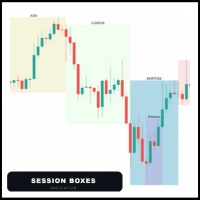
Session Boxes automatically draws the high and low range of up to 10  fully customizable trading sessions directly on your chart. Each box captures only the candles that open within that session time  range. This means the boxes are always precise regardless of the  timeframe — whether M1, M5, H1 or H4, the candles always stay inside  the box. MAIN FEATURES - Up to 10 fully customizable sessions - Works perfectly on any timeframe - Each session has its own name, color, start hour and end hou
Risk Manager Pro
Jhojan Alberto Tobon Monsalve
Risk Manager Pro is a simple utility that calculates the necessary lots with the risk percentage and the pips of stop loss, before opening positions. The web calculators can be useful in some cases but they are not efficient to open operations in real time. In the trading days, there are few opportunities to open positions and when the opportunity arises, the seconds make the difference. This is not possible with conventional web calculators, since to calculate the size of an operation regarding
Wait for structure. Keep control. Trading Lab Structure Navigator is a visual multi-timeframe market-structure and manual decision-support utility for MetaTrader 5. It helps discretionary traders organize chart analysis, recognize structural change and wait for clearer conditions. It never opens, modifies or closes orders. Do not chase every price movement The Navigator turns the chart into an organized decision workspace. It combines the broader market picture, local structure and execution-foc
You have 5 positions open on XAUUSD. Net floating is +$30 - looks fine. But look closer: 3 buys, 2 sells. The buys are carrying 0.60 lots, the sells only 0.20. One of those buys has been sitting underwater for 90 minutes. Margin level is at 390% and drifting down. Stress is building - quietly, invisibly - while the terminal just shows you a list of rows. Current price: $59 - increases by $10 after every 20 purchases until reaching the final price of $119 . Next price: $69 . Complete Buyer Kit: 4
TrendSync AutoSL Guardian  Trade and manage manual positions at the speed of a keystroke — every order protected the instant it opens. TrendSync AutoSL Guardian turns manual trading on MetaTrader 5 into a fast, disciplined workflow. Open, protect, scale and close positions straight from the chart or the keyboard — no order dialogs, no hunting for tickets. It is a trade-management and execution tool, not a signal EA : you make the decisions, it makes them instant and safe. Perfect for discretion
Panel Trade Basic
Juan Pablo Sanchez Correa
Panel Trade Basic: Speed and Total Control It is the ultimate tool for high-speed manual trading. Trade directly from the chart with a single click or thru keyboard shortcuts, eliminating unnecessary menus. Key Functions Instant execution: Market and Pending Orders (Limit/Stop). Quick management: Total control of Batch, SL, and TP instantly. Pro Interface: Floating, draggable panel and real-time P&L/Margin visualization. Keyboard Shortcuts (Hotkeys) C / V: Buy / Sell. X / Z: Close all / Cle
FREE
"Manage multiple positions as a single unit with hidden targets." The Virtual Basket TP SL Manager is a professional MetaTrader 5 utility designed to automate the closing of positions based on the total profit or loss of a group of orders (a "basket"). By utilizing Virtual Levels , all Take Profit (TP) and Stop Loss (SL) targets are stored locally within the EA's memory and are not sent to the broker's server, keeping your strategy safe from stop-hunting and price manipulation. Key Features Virt
FREE
Premium Trade Panel Pro MT5 is a professional trading utility designed to assist traders in executing and managing trades efficiently within the MetaTrader 5 platform. The panel provides a convenient dashboard directly on the chart, allowing traders to open, manage, and control positions quickly while maintaining proper risk management. This tool is suitable for manual traders who require faster trade execution and efficient position management. One-Click Trading Open BUY or SELL positions inst
AlgoDevMT5 Trade Manager Pro AlgoDevMT5 Trade Manager Pro is a professional trade management and risk control utility for MetaTrader 5. Designed for discretionary traders and funded account traders, this utility helps traders plan trades visually, calculate position size instantly, and manage risk with precision. Trade Manager Pro does not generate trading signals, open trades automatically, or provide investment advice. It is a trader-assistance utility designed to improve consistency and risk
このプロダクトを購入した人は以下も購入しています
Trade Assistant MT5
Evgeniy Kravchenko
4.41 (216)
取引 ごとのリスクの 計算、新規注文 の 簡単 な 設置、部分的 な 決済機能 を 持 つ 注文管理、 7 種類 のトレーリングストップなど 、便利 な 機能 を 備 えています 。 追加の資料と説明書 インストール手順   -   アプリケーションの手順   -   デモアカウント用アプリケーションの試用版 ライン機能 チャート上にオープニングライン、ストップロス、テイクプロフィットを表示します。この機能により、新規注文を簡単に設定することができ、注文を出す前にその特徴を確認することができます。   リスク計算 リスク計算機能は、設定されたリスクとストップロス注文のサイズを考慮して、新規注文のボリュームを計算します。ストップロスの大きさを自由に設定できると同時に、設定したリスクを守ることができます。 Lot calc ボタン - リスク 計算 を 有効 / 無効 にします 。 Risk フィールドでは 、必要 なリスクの 値 を 0 から 100 までのパーセンテージまたは 預金通貨 で 設定 します 。 設定」 タブで 、 リスク 計算 の 種類 を 選択 します :「 $ 通
TradePanel MT5
Alfiya Fazylova
4.88 (167)
Trade Panelは多機能なトレーディングアシスタントです。アプリには手動取引用の50以上のトレーディング機能が搭載されており、ほとんどの取引作業を自動化することができます。 アプリの説明書+ビデオガイド: https://www.mql5.com/en/blogs/post/756482 デモ口座用アプリの試用版: https://www.mql5.com/en/blogs/post/750865 アプリのインストール方法: https://www.mql5.com/en/blogs/post/756239 アプリをビジュアルモードでテストする方法: https://www.mql5.com/en/blogs/post/770277 VPSのMetaTraderにアプリをインストールする方法: https://www.mql5.com/en/blogs/post/770190 取引。 ワンクリックで取引操作を行うことができます: リスクを自動計算して指値注文やポジションを開く。 複数の注文やポジションをワンクリックで開く。 注文のグリッドを開く。 保留中の注文やポジションをグルー
================================================================================ POC BREAKOUT - V20.72. Full Professional Grade Toolkit ================================================================================ POC Breakout is a full MetaTrader 5 trading dashboard for discretionary traders who want breakout signals, Point of Control (POC) context, volume profiles, order flow, market structure, news, alerts, and advanced trade planning in one professional workspace. Attached directly to you
Farmed Hedge Yield Farming | All Markets (Manual - Hybrid - Semi/Automated EA) VERIFIED TRADING RESULTS - Farmed Hedge Yield Axi Copy:  https://www.mql5.com/en/signals/2356376 - Farmed Hedge Yield Exn Copy:   https://www.mql5.com/en/signals/2356404 - Farmed Hedge Yield V Copy:  https://www.mql5.com/en/signals/2357156 * Before purchasing, please feel free to send me a message if you have any questions about the product or setup. - You can test the system using Strategy Tester: Visual Mode , a
That backtest looks great. But will it still be making money tomorrow, next week, next month? EA Overfitter re-runs your EA on 100 price histories it has never seen. One score tells you if the edge is real. A backtest tells you what an EA did on one price history — the one that happened to occur. What you cannot tell from it is how much of that result was the strategy and how much was the particular path. EA Overfitter answers that. It builds up to 100 synthetic price histories your EA has n
Power Candles Strategy Scanner - 自動最適化型マルチシンボル設定ファインダー パワーキャンドル・ストラテジー・スキャナーは 、パワーキャンドル・インジケーターを駆動するのと全く同じ自己最適化エンジンを、マーケットウォッチに登録されているすべての銘柄に対して並行して実行します。1つのパネルで、現在統計的に取引可能な銘柄、各銘柄で勝率の高い戦略、最適なストップロス/テイクプロフィットの組み合わせが表示され、新たなシグナルが発生した瞬間に通知が届きます。 このツールは、Stein Investmentsのエコシステムの一部です。  18種類以上のツールをすべて閲覧し、AIを活用したセットアップの推奨を受け取り、  https://stein.investments でコミュニティに参加しましょう 市場動向を網羅。銘柄ごとに3,000件以上の自動最適化。2種類のアラート。ワンクリックでチャートを切り替えて即座にアクション。 なぜこれが必要なのか 多くのマルチ銘柄スキャナーは、 価格の動き (ボラティリティ、変動率、銘柄ごとのRSI)を表示するだけです。それ
Ultimate Extractor - Professional Trading Analytics for MT5 *****this is the local HTML version of Ultimate Extractor. !!!!!it is not compatible with Cloud!!!! For the online version please reach out to me directly****** Ultimate EA manager also now available when you use cloud pro and above for free!! Ultimate Extractor transforms your MetaTrader 5 trading history into actionable insights with comprehensive analytics, interactive charts, and real-time performance tracking. What It Does Automa
FUTURES ORDERFLOW FOOTPRINT CHART Professional OrderFlow EA for MetaTrader 5 Version 1.01| Professional tool for real traders | Institutional-Grade Visualization STRATEGY TESTER USERS - PLEASE SELECT EVERY REAL TICK WHEN TESTING AND YOU HAVE DOWNLOADED HISTORICAL DATA. IF YOU SEE A WAITING SCREEN AND IT IS NOT DOWNLOADING, IT MEANS YOU HAVE LOW HISTORICAL DATA. TRY 1 MIN AND 5 MIN FIRST ON 1 DAY DATA. ONE DAY DATA SHOULD BE THE NEWEST AND MOST CURRENT DATE. PLEASE WAIT UNTIL THE MARKET HAS ROL
The product will copy all telegram signal to MT5 ( which you are member) , also it can work as remote copier.  Easy to set up, copy order instant, can work with almost signal formats, image signal,  s upport to translate other language to English Work with all type of channel or group, even channel have "Restrict Saving Content", work with  multi channel, multi MT5 Work as remote copier: with signal have ticket number, it will copy exactly via ticket number. Support to backtest signal. How to s
あなたがメンバーである任意のチャネルから(プライベートおよび制限されたものを含む)シグナルを直接あなたのMT5にコピーします。  このツールは、トレードを管理し監視するために必要な多くの機能を提供しながら、ユーザーを考慮して設計されています。 この製品は使いやすく、視覚的に魅力的なグラフィカルインターフェースで提供されています。設定をカスタマイズして、数分で製品を使用を開始できます! ユーザーガイド + デモ  | MT4版 | Discord版 デモを試してみたい場合は、ユーザーガイドにアクセスしてください。 Telegram To MT5 受信機は、ストラテジーテスターで動作しません! Telegram To MT5の特徴 複数のチャネルから一度にシグナルをコピー プライベートおよび制限されたチャネルからシグナルをコピー BotトークンまたはChat IDは必要ありません   (必要に応じて使用することができます) リスク%または固定ロットを使用して取引 特定のシンボルを除外 すべてのシグナルをコピーするか、コピーするシグナルをカスタマイズするかを選択 すべてのシグナルを認
Prop Firm Os
Gayathiri Gopalakrishnan
5 (1)
PROP FIRM OS Structured Trading Assistant for MetaTrader 5 PROP FIRM OS is a structured trading assistant designed for MetaTrader 5 users who prefer rule-based market analysis and organized trading workflows. The Expert Advisor combines market analysis tools, scanner functions, dashboard monitoring, alerts, risk-control settings, and trade management features inside one system. PROP FIRM OS is designed to help traders follow selected rules, filters, and monitoring conditions during trading activ
EA Auditor
Stephen J Martret
5 (5)
EA Auditor is an independent analysis tool for traders evaluating Expert Advisors and trading signals on MetaTrader 5. It audits backtest reports, reviews posted developer signals, and cross-verifies the two against each other to help traders assess strategies before committing capital. The MQL5 market offers a wide range of Expert Advisors from many developers, with varying approaches, quality, and transparency. EA Auditor provides a consistent, data-driven framework for reviewing them, answer
Quant AI Agents are independent trading Expert Advisors. Instead of trading using a fixed strategy like other conventional EAs, Quant AI Agents   is a   multi-agent AI trading framework   that turns natural-language strategy prompts into live.  WANT THE SAME RESULTS AS MY LIVE SIGNAL?   Use the exact same brokers I do:   IC MARKETS , IC TRADING   .  Unlike the centralized stock market, Forex has no single, unified price feed.  Every broker sources liquidity from different providers, creating un
This is exactly what the name says. Visual strategy builder . One of a kind. Turn your trading strategies and ideas into Expert Advisors without writing single line of code. Generate mql source code files with a few clicks and get your fully functional Expert Advisors, which are ready for live execution, strategy tester and cloud optimization. There are very few options for those who have no programming skills and can not create their trading solutions in the MQL language. Now, with Bots Builde
YuClusters
Yury Kulikov
4.93 (43)
Attention: You can view the program operation in the free version  YuClusters DEMO .  YuClusters is a professional market analysis system. The trader has unique opportunities to analyze the flow of orders, trade volumes, price movements using various charts, profiles, indicators, and graphical objects. YuClusters operates on data based on Time&Sales or ticks information, depending on what is available in the quotes of a financial instrument. YuClusters allows you to build graphs by combining da
Footprint Chart Pro — Professional OrderFlow EA for MetaTrader 5 Version 6.34 | Professional tool for real traders | Institutional-Grade Visualization DEMO USERS - PLEASE SELECT EVERY TICK / REAL TICK WHEN TESTING AND YOU HAVE DOWNLOADED HISTORICAL DATA. IF YOU SEE A WAITING SCREEN AND IT IS NOT DOWNLOADING, IT MEANS YOU HAVE LOW HISTORICAL DATA. TRY 1 MIN AND 5 MIN FIRST ON 1 DAY DATA. ONE DAY DATA SHOULD BE THE NEWEST AND MOST CURRENT DATE. PLEASE WAIT UNTIL THE MARKET HAS ROLLED OVER PERIOD.
The real‑time view of what is happening inside the market. Footprint Secrets brings detailed analysis directly into MetaTrader 5. It shows where volume is trading, how buyers and sellers are interacting, and how liquidity shifts as the market evolves. Designed for traders who want a precise, real‑time understanding of market behavior. Check out the free preview version here:  https://www.mql5.com/en/market/product/172398 Benefits for the Trader See the real activity behind price . Footprint ch
This EA Utility allows you to manage (with advanced filtering) unlimited open orders (manual or EA) with 16 trailing stop methods: fixed, percent, ATR Exit, Chandelier Exit, Moving Average, Candle High Low Exit, Bollinger Bands, Parabolic, Envelope, Fractal, Ichimoku Kijun-Sen, Alligator, Exit After X Minutes or Bars, RSI and Stochastic. The trailing stop can be either real or virtual, and you can exit fully or with a partial close percent on touch or bar close.  Moreover, you can add (override
VirtualTradePad PRO SE MT5 — MetaTrader 5向けプロフェッショナル取引コントロールセンター VirtualTradePad PRO SE は、 MetaTrader 5 向けのプレミアムなチャートベースの取引パネルであり、トレード管理ワークスペースです。より速い執行、明確なポジション管理、構造化されたトレード管理、視覚的なレベル計画、そしてチャート上で完結するプロフェッショナルなワークフローを求めるトレーダー向けに設計されています。 これは単なる BUY / SELL パネルではありません。PRO SE は、手動取引、予約注文、ポジション管理、部分決済、バスケット損益管理、平均化レベル、ATMルール、シグナル監視、リアルタイム市場情報、ストラテジーテスター (Strategy Tester) ワークフロー、VPS向け運用を、1つの連携されたインターフェースに統合します。 MT4版 | 完全な説明とスクリーンショット | 購入方法 | インストール方法 | ログファイルの取得方法 | テストと最適化の方法 | Expforex のすべての製品 PRO
Custom Alerts AIO:マルチマーケット監視を一括で実現 — 設定不要ですぐに使えるインテリジェントツール 概要 Custom Alerts AIO は、追加のインジケーター設定が不要で、インストール後すぐに利用できる高機能マーケットスキャナーです。FX Power、FX Volume、FX Dynamic、FX Levels、IX Power を内部にすべて統合し、主要なすべての資産クラス(為替、金属、指数、暗号資産)を一括監視できます。MetaTrader の仕様により、株式は個別のシンボルとして追加可能ですが、一般的には利用頻度は低めです。 1. なぜ Custom Alerts AIO を選ぶべきか 追加ライセンス不要 • 必要なすべての Stein Investments インジケーターが内蔵されており、すぐに使用可能です。 • チャートに表示されるグラフィックは省略されており、アラート生成に特化した構成です。 市場を広範囲にカバー • 為替、金属、暗号資産、株価指数に対応(株式は手動追加可能)。 • シンボル名を入力する必要はなく、プロパティで資産クラス
MT5 was never built to draw a footprint chart. Orderflow Atlas replaces the chart entirely. It blanks the native price display and renders everything itself on a canvas, owning its own coordinate system. Two things follow from that: you can zoom far past MT5's six native scale steps — the per-candle magnification a footprint actually needs — and the whole view repaints in about 10 milliseconds , because the chart is pixels rather than thousands of graphical objects. The footprint Three cell styl
AI Agent Supervisor is NOT an Expert Advisor. AI Agent Supervisor   is a   multi-agent AI risk & portfolio supervisor   that watches every EA on your account and intervenes in real time.  WANT AN AI PORTFOLIO MANAGER WATCHING YOUR FLEET 24/7?   Run your fleet on the same brokers I do:   IC MARKETS , IC TRADING   .  Unlike the centralized stock market, Forex has no single, unified price feed.  Every broker sources liquidity from different providers, creating unique data streams. The Supervisor r
EASY Insight AIO – スマートで手間いらずな取引のオールインワンソリューション 概要 数秒で市場全体——FX、ゴールド、暗号資産、指数、さらには株式まで——を、手作業のチャート確認や複雑なセットアップ・インジケーター導入なしにスキャンできたらどうでしょうか? EASY Insight AIO はAIトレードのための究極のプラグ&プレイ型エクスポートツールです。市場全体のスナップショットを、クリーンなCSVファイルで一括出力。ChatGPT、Claude、Gemini、Perplexityなど、さまざまなAIプラットフォームで即座に解析できます。 ウィンドウの切り替えやグラフのごちゃごちゃしたオーバーレイはもう不要。自動エクスポートされる純粋で構造化されたインサイトだけで、無駄なチャート監視に悩まされず、スマートなデータ主導の判断に集中できます。 なぜEASY Insight AIOなのか? 本当のオールインワン • セットアップ不要、インジケーターのインストール不要、チャートへのオーバーレイ不要。インストールして起動し、エクスポートするだけです。 マルチアセット対
Global Investing FX Terminal は、MetaTrader 5 向けのオールインワン FX ダッシュボードです——中央銀行政策金利、CFTC COT ポジション、キャリーランキング、経済サプライズ、オプションスキュー、リテールセンチメント、相関まで、合計 13 のアナリティクスパネルを、ちらつきのない単一キャンバス上に表示し、単一の EA から 10 秒ごとに更新します。外部ソフトウェア不要です。 プロの FX 分析には、通常は別々のプラットフォームに分散しているデータへの同時アクセスが欠かせません。レートデリバティブ、政府統計ポータル、ブローカーのスワップ仕様、オプションデスク——このEAはそれらすべてを、実際に売買判断を下すトレーディングターミナルの単一画面に集約します。 ダッシュボードの表示内容 マーケットオーバービュー FX ペアテーブル — G10 全 28 ペアに加え、ブローカーの Market Watch に NOK/SEK クロスが存在する場合はそれも含めた最大 36 ペアのリアルタイム Bid/Ask。各行にはスプレッド、日次・週次変化、pip
Trading Chaos Expert
Gennadiy Stanilevych
5 (11)
This software has no equals in the world and represents a universal trade "console" covering trading signals, automated market entry, setting of Stop Loss and Take Profit, as well as Trailing Profit for multiple trades at the same time in a single open window. Intuitive control of the Expert Advisor in "three clicks" ensures a comprehensive use of all its functions on different computers, including tablets PCs. Interacting with additional signal indicators that mark the chart to give a real mark
Features   With MT5 to Interactive Brokers(IB) Trader, you can: 1. Load chart data from IB to MT5, and Analyze with all standard or customer Indicators. 2. Place Orders to IB Account Directly in MT5. 3. Make your Own EAs upon IB Securities by only making minus changes of the trading function. Usage 1) Installation Copy the "Mt5ToIBTraderEn.ex4" and sample files to [MT5 Data Folder]->MQL5->Experts.  2)  MT5 Settings Add the IP Address to the MT5 Allowed URLs in 'Tools->Options->Expert Adviso
The core idea: using the user interface, you configure the parameters the chart must meet before entering a position (or positions), choose which entry models to use, and set the rules for when trading and planning should end. Lazy Trader  handles the rest: it  takes over all the routine chart watching and execution! full description  :: 3 key videos [1] ->  [2]   ->  [3] What can it do? - Understands Larry Williams market structure - Understands swing market structure by Michael Huddleston
Check EA performance  https://www.mql5.com/en/signals/2376164?source=Site +Profile+Seller Spot vs Future Arbitrage EA for MT5 Spot vs Future Arbitrage EA is an automated Expert Advisor designed for MetaTrader 5 that operates using price differences between Gold spot and Gold futures instruments. The strategy opens positions on both instruments simultaneously to take advantage of temporary differences between spot and futures prices. Requirements The trading account must provide both Gold spot
The Expert Advisor will help you forward all alert from  MetaTrader 5 to Telegram channel/ group.  All alert must save to folder <Data folder>MQL5\Files\Alerts\ , text file with format *.txt and screenshot with format *.gif or *.png. Parameters: - Telegram Bot Token: - create bot on Telegram and get token. - Telegram Chat ID:  - input your Telegram user ID,  group / channel ID - Forward Alert: - default true, to forward alert. - Send message as caption of Screenshot: - default false, set true t
作者のその他のプロダクト
RSI Alarm Osw MT4
William Oswaldo Mayorga Urduy
RSIアラーム(メタトレーダー4用) このインジケーターは、すべての設定(周期、色、レベルなど)を備えた通常のRSIのように機能します。 ただし、さらに、アラームを上下のレベルに設定することもでき(例70および30)、インジケーターにある上下の線を移動してこれらのレベルを調整することができます。 予想される上限または下限のRSIが満たされたときにチャートに矢印を表示する追加機能をアクティブまたは非アクティブにすることもできます。 RSIアラーム(メタトレーダー4用) このインジケーターは、すべての設定(周期、色、レベルなど)を備えた通常のRSIのように機能します。 ただし、さらに、アラームを上下のレベルに設定することもでき(例70および30)、インジケーターにある上下の線を移動してこれらのレベルを調整することができます。 予想される上限または下限のRSIが満たされたときにチャートに矢印を表示する追加機能をアクティブまたは非アクティブにすることもできます。
RSI Alarm Osw
William Oswaldo Mayorga Urduy
RSIアラーム(メタトレーダー5用) このインジケーターは、すべての設定(周期、色、レベルなど)を備えた通常のRSIのように機能します。 ただし、さらに、アラームを上下のレベルに設定でき(例70および30)、青と赤の線を移動して上下のレベルを確立することにより、これらのレベルを調整することができます。 予想される上限または下限のRSIが満たされたときにチャート上に矢印を作成する追加機能をオンまたはオフにすることもできます。 RSIアラーム(メタトレーダー5用) このインジケーターは、すべての設定(周期、色、レベルなど)を備えた通常のRSIのように機能します。 ただし、さらに、アラームを上下のレベルに設定でき(例70および30)、青と赤の線を移動して上下のレベルを確立することにより、これらのレベルを調整することができます。 予想される上限または下限のRSIが満たされたときにチャート上に矢印を作成する追加機能をオンまたはオフにすることもできます。
Watch Osw: シンプルで効果的なローソク足タイマー MetaTrader用の軽量インジケーターで、現在のローソク足が閉じるまでの残り時間をチャート上に直接表示します。これは、トレーダーがテクニカル分析に余計な負担をかけることなく、新しいバーが形成されるまでの時間を常に視覚化できるように設計された、基本的かつ機能的なユーティリティツールです。 パラメーターガイド(入力メニュー) Watch Color: チャート上のタイマーテキストに割り当てられる色。 Text size: 画面上の時間数字のフォントサイズ。 Text Font: 時間表示のフォントの種類。 Candle End Alarm: 新しいローソク足の通知アラートの有効/無効 (True/False) を切り替えます。 Sound: 期間変更時の音声通知に使用するサウンドファイル名 (.wav)。 視覚的な解釈と機能 インジケーターは、現在のBid価格に動的に追従する残り時間のテキストを表示します。タイマーの形式は、開いているチャートの時間枠に応じて自動的に調整されます: 秒: 1分足 (M1) で表示されます
FREE
Watch Osw: シンプルで効果的なローソク足タイマー MetaTrader用の軽量インジケーターで、現在のローソク足が閉じるまでの残り時間をチャート上に直接表示します。これは、トレーダーがテクニカル分析に余計な負担をかけることなく、新しいバーが形成されるまでの時間を常に視覚化できるように設計された、基本的かつ機能的なユーティリティツールです。 パラメーターガイド(入力メニュー) Watch Color: チャート上のタイマーテキストに割り当てられる色。 Text size: 画面上の時間数字のフォントサイズ。 Text Font: 時間表示のフォントの種類。 Candle End Alarm: 新しいローソク足の通知アラートの有効/無効 (True/False) を切り替えます。 Sound: 期間変更時の音声通知に使用するサウンドファイル名 (.wav)。 視覚的な解釈と機能 インジケーターは、現在のBid価格に動的に追従する残り時間のテキストを表示します。タイマーの形式は、開いているチャートの時間枠に応じて自動的に調整されます: 秒: 1分足 (M1) で表示されます
FREE
Points Candles Osw
William Oswaldo Mayorga Urduy
Points Candles Osw これは、ポイント単位でローソク足の正確な軌跡を定量化するために設計されたプロフェッショナルなボラティリティ指標です。独立したウィンドウの動的なヒストグラムを通じて、トレーダーはモメンタムと価格の強さを視覚化し、ボラティリティの急上昇や重要な価格変動レベルを即座に特定できます。 パラメータガイド(入力メニュー) Show Points Candles Bullish: 強気ローソク足に対応するデータの表示を有効にします。 Show Points Candles Bearish: 弱気ローソク足に対応するデータの表示を有効にします。 視覚的解釈とレベルの解釈 この指標は、カラーヒストグラムを使用して市場の方向性と大きさを表します: 青色のヒストグラム:終値が始値より高いローソク足(強気)を示します。 赤色のヒストグラム:終値が始値より低いローソク足(弱気)を示します。 基準レベル(100, 500, 1000):この指標には、通常の平均を超える高強度の動きやボラティリティの爆発を検出するための基準点として機能する自動レベルが組み込まれています。
FREE
SORS Osw MT4
William Oswaldo Mayorga Urduy
ユーザーマニュアル:SORSダイナミックレベルシステム SORSインジケーターは、主要なサポートレベルとレジスタンスレベルをリアルタイムで予測するために設計された高精度ツールです。標準偏差(内生的ボラティリティ)を用いて、重要なタイムサイクルの始値に基づいてレンジの拡大幅を計算します。その目的は、エグゾーストまたは加速の領域を特定し、トレーダーが数学的なロードマップに基づいて取引を行うことです。 パラメーターガイド(エントリーメニュー) このメニューでは、各取引サイクルの表示と外観をカスタマイズできます。 年間設定(ANNUAL):年間の始値に基づいてレベルを制御します。長期的なマクロ経済バイアスの特定に最適です。 月間設定(MONTHLY):月初を起点としてレンジを予測します。これがポジション取引の基準となります。 週次設定(WEEKLY):月曜日の始値を起点としてレベルを定義します。日中取引とスイングトレードに不可欠です。 日次設定:現在のセッションのボラティリティを表示します(視覚的な明瞭性のため、デフォルトでは無効になっています)。 各サイクルにおいて、ユーザーは
DIVERGENCE OSW(Metatrader 4用) このインジケーターは分岐で機能し、次の機能があります。 発散が発生したときにアラートを生成します。 逆波の投影波に従ってストップロスとテイクプロフィットを計算して線を作成します。 市場の可能な方向を示す矢印を作成します。 ろうそくが終了すると、インジケーターによって送信されるシグナルが発せられます。 トレーダーは、エントリを取得するために各分岐を評価する必要があります。 設定: アラートのアクティブ化と非アクティブ化。 アラート間隔。 TPおよびSLラインを非表示にします。 市場の方向矢印を非表示にします。 シグナルカラーを売買します。 (線がよく見えない場合は、別の一時性に移動して同じものに戻ります)
Trading Sesions MT4
William Oswaldo Mayorga Urduy
COMMERCIAL SESSIONS This indicator shows in the selected graph divided by tables each of the sessions ASIA, JAPAN, LONDON, NEW YORK: Allows you to configure: Session Color  ASIA, JAPON, LONDRES, NEW YORK Hide and show each session It works in the lowest timeframes on the market, among which H4, H1, M15, M5 and M1 are recommended. (Don't forget to check out our other indicators)
このインディケータは、選択した資産の可能なサポートポイントとレジスタンスポイントで線をグラフ化します。 それは複数の一時性で機能します。 以下を構成できます。 線の色。 線の幅。 線の種類。 インディケータが動作を開始すると、それが動作している一時性について、より高いレベルのサポートとレジスタンスを分析します。 このインディケータは、選択した資産の可能なサポートポイントとレジスタンスポイントで線をグラフ化します。 それは複数の一時性で機能します。 以下を構成できます。 線の色。 線の幅。 線の種類。 インディケータが動作を開始すると、それが動作している一時性について、より高いレベルのサポートとレジスタンスを分析します。
Round Numbers Osw MT4
William Oswaldo Mayorga Urduy
ラウンド番号(メタトレーダー4の場合) このインジケーターを使用すると、アセットに含まれるラウンド番号に従って水平線を追加できます。 他の指標とは異なり、これは価格が移動するにつれて動的かつ自動的に最も近いレベルを計算します。 通貨ペア、インデックス、金属、株式などに取り組んでいます。 5桁、3桁、および10100または1000の整数で丸めます。 行は、次のようなパラメータで調整できます。 表示したくない行または丸め番号を非表示にします。 線の色。 線の太さ。 ラインスタイル。 ラウンド番号(メタトレーダー4の場合) このインジケーターを使用すると、アセットに含まれるラウンド番号に従って水平線を追加できます。 他の指標とは異なり、これは価格が移動するにつれて動的かつ自動的に最も近いレベルを計算します。 通貨ペア、インデックス、金属、株式などに取り組んでいます。 5桁、3桁、および10100または1000の整数で丸めます。 行は、次のようなパラメータで調整できます。 表示したくない行または丸め番号を非表示にします。 線の色。 線の太さ。 ラインスタイル。
ユーザーマニュアル:SROインテリジェントマーキングシステム 1. はじめに SROインジケーターは、プライスアクションおよびSMCトレーダー向けに設計されたMetaTrader 5用のダイナミック描画ツールです。その優れた点は、その明瞭な視覚効果です。将来のみを予測する重要なレベルを描画できるため、チャート履歴全体を横切るラインを回避できます。また、各オブジェクトには、作成された時間枠が自動的にラベル付けされます。 2. クイック実行コマンド このシステムはホットキーで操作します。希望の価格にマウスを合わせ、以下のキーを押すだけです。 「S」キー(サポート):カーソルから右に水平線を描画します。底値や需要ゾーンのマーキングに最適です。 「R」キー(レジスタンス):水平の天井線を描画します。供給ゾーンと高値を識別するのに使用します。 「O」キー(注文ブロック):選択したローソク足を自動的に囲みます。高値、安値、そして損益分岐点または機関投資家にとって最も敏感な領域を表す中心線(50%)を描画します。 3. パラメータ設定 入力メニューでは、コードに触れることなく表示をカスタ
Alert Up Down MT4
William Oswaldo Mayorga Urduy
アラートアップ-メタトレーダー5のダウン このインジケーターは、価格がUPラインとDOWNラインの間のゾーンを離れたときにアラートを生成します。 次のようなさまざまなタイプのアラートを生成できます。 >サウンド >メッセージボックス >エキスパートボックスのメッセージ >メール(以前に構成済み) >プッシュ通知(以前に構成済み) 線は、線のプロパティからではなく、インジケータのプロパティから構成する必要があります。これは、線のプロパティから行うと、フィノナッチが影響を受ける可能性があるためです。 設定の中で、色、線のスタイル、幅を変更できます。 線は、線のプロパティからではなく、インジケータのプロパティから構成する必要があります。これは、線のプロパティから行うと、フィノナッチが影響を受ける可能性があるためです。 設定の中で、色、線のスタイル、幅を変更できます。
Break Out Signal Osw
William Oswaldo Mayorga Urduy
ユーザーマニュアル:BOS Breakout Signal (OswalTrading) BOS Breakout Signalは、構造のブレイク(Break of Structure)を取引するトレーダーのために特別に設計された、MetaTrader用の高精度ツールです。このインジケーターは、ランダムな信号でチャートを混乱させることはありません。代わりに、最適化されたZigZagアルゴリズムを使用して市場のノイズをフィルタリングし、ブレイクを確認する前に最も重要なサポートおよびレジスタンスレベルのみを特定します。 1. 目的と機能 このシステムは構造スキャナーとして機能します。開始時、価格が明確な振動を展開する必要があるため、インジケーターがすぐに信号を表示しない場合があります。市場が有効な反転パターンを確立すると、インジケーターは目に見えない「アクティベーション」レベルをプロットします。価格がこれらのレベルを力強くブレイクすると、エントリー信号が生成されます。 2. パラメーターガイド(入力メニュー) ZigZagアルゴリズム設定 Depth(深度):動きの振幅を決定します。
AUTOMATICS ORDERBLOCKS OSW (メタトレーダー5) このインジケーターは、いくつかの事前に確立されたルールの下で注文ブロックを表示する役割を果たします。 >以前の衝動を壊す衝動があること。 >それが見つかった場合、形成されたローソク足パターンを見つけ、最も効率的な方法で場所の高値と安値を計算し、オーダー ブロックの高値と安値を作成します。 >注文ブロックが作成された後、インジケーターは、ローソク足が注文ブロックの上下の線を横切るかどうかを常にチェックして、シグナルの可能性があることを示すアラートシグナルを生成します。 >インジケーターによって提供されるシグナルは、他の戦略のように 100% 効果的ではないため、手動のテクニカル分析を併用することをお勧めします。 > PC、モバイル、メールの 3 種類のアラートが生成されます。
ユーザーマニュアル:エキスパートアドバイザー「ユニバーサルインジケーターコネクタ」 このシステムは、再プログラミングなしであらゆるカスタムインジケーター(.ex5)からのシグナルを実行できる高性能な自動化ブリッジです。このエキスパートはインテリジェントな注文管理ツールとして機能し、元々は視覚的な情報のみに基づいていた戦略にも、決済ルール、資金リスク管理、時間管理を適用できます。 1. インジケーターリンク設定 エキスパートを機能させるには、外部インジケーターを正しく「マッピング」する必要があります。 インジケーター名:インジケーターフォルダ内のファイルの正確な名前。 シグナルタイプ: イントラバー:シグナル発生と同時に注文を実行します。 フィニッシュバー:シグナルを確定し、「リペイント」を回避するために、ローソク足が閉じるのを待ちます。 NBuffer 買/売:インジケーターが矢印を生成するデータチャネル(0、1など)を指定します。 操作タイプ:買いのみ、売りのみ、または両方を許可するフィルター。 AddtoChart: 有効にすると、インジケーターがチャート上に自動
ユーザーマニュアル:マルチコネクトトレードコピー(MT4/MT5) このシステムは、MetaTrader端末間で取引を自動的に複製し、最小限の遅延でポートフォリオを同期するための通信ブリッジとして機能します。 1. 概要と目的 マルチコネクトトレードコピーは、ミラーアカウント管理用に設計されたインフラストラクチャツールです。マスターアカウントからシグナルを抽出し、スレーブアカウントで執行することで、MT4とMT5間の取引、独立したリスク調整、カスタムアセットマッピングを可能にします。 2. パラメータガイド(エントリーメニュー) メイン設定 アカウントタイプ:端末がシグナルを送信するか(マスター)、受信するか(スレーブ)を定義します。 速度(ミリ秒):スキャン頻度(例:500ms)。値が小さいほどコピー速度が速くなります。 コピーチャネル:通信チャネルの名前。両方の端末で同じである必要があります。 資産マッピング(銘柄) マスタープレフィックス/サフィックス削除/追加:資産名からテキストを削除または追加します(例:"EURUSD.pro" を "EURUSD" に変換します
Martingale Osw MT4
William Oswaldo Mayorga Urduy
ユーザーマニュアル:高度なマーチンゲール管理およびリスク管理システム この専門マニュアルでは、MetaTrader におけるポジションリカバリーとリスク管理を自動化するために設計された高度なマーチンゲール注文管理システムの操作、設定、およびビジュアルインターフェースについて説明します。 1. 概要と目的 このツールは、コスト平均法を主なロジックとする高精度の注文管理ツールとして機能します。その目的は、保留注文のネットワークを展開して平均決済価格を改善することにより、当初の方向とは逆の動きをした取引を保護および回復することです。 基本的なシステムとは異なり、このソフトウェアは動的な損益分岐点およびトレーリングストップアルゴリズムに加え、迅速な手動介入のための画面上のコントロールインターフェースを備えており、常に資金管理を最優先にすることができます。 2. パラメータガイド(エントリーメニュー) マーチンゲール設定と距離 マーチンゲール数:最初の取引後にシステムが許容するヘッジ注文の最大数を定義します。 距離タイプ:ポイント単位の固定距離、またはATR(平均真範囲)インジケーター
Telegram Sender Osw MT4
William Oswaldo Mayorga Urduy
ユーザーマニュアル: Telegram Sender Osw Telegram Sender Oswは、MetaTraderからTelegramへの取引シグナルの送信を自動化するために設計されたエキスパートアシスタント(EA)です。シグナルプロバイダーやアカウント管理に最適で、重要なデータ(価格、ストップロス、テイクプロフィット、取引量)を瞬時にプロフェッショナルに送信します。 1. パラメータ設定 一般設定と接続 EAの有効化:システムを起動(true)または一時停止(false)します。 ボットトークン:@BotFatherから取得した英数字コード。 チャットID:送信先のチャンネル、グループ、またはプライベートチャットの識別子。 送信サブグループ/スレッドID:Telegramグループで「トピック」機能を使用している場合にのみ、これらのオプションを有効にしてください。 送信ロジック(送信タイプ) 自動:新しいポジションまたはコマンドを検出するとすぐに送信します。 ボタン:チャート上で「Telegramを送信」ボタンが手動で押された場合にのみ送信します。 カスタマイ
Market Profile Osw MT4
William Oswaldo Mayorga Urduy
ユーザーマニュアル:Market Profile Osw Market Profile Oswは、特定の期間におけるボリュームと価格の分布を可視化する高度なオークション分析ツールです。従来のローソク足チャートとは異なり、このシステムは最も活発な取引が行われた場所を明らかにし、実際の市場参加に基づいた心理的なサポートおよびレジスタンスゾーンを特定することを可能にします。 1. パラメータガイド(入力メニュー) 全般設定 Show Market Profile: チャート上のプロファイル表示を有効または無効にします。 Volume Type: 価格変動回数(ティック)または実際の取引ボリューム(特定のブローカーおよび銘柄で利用可能)のいずれかでアクティビティを測定するかを選択します。 Look Back Bars: 現在のプロファイルを構築するために指標が何本のローソク足を遡るかを定義します。 Profile Right Side: プロファイルを価格軸の隣(右側)に描画するか、分析期間の開始点(左側)に描画するかを決定します。 Seconds Refresh: 指標がデータを更新し、
VWap Osw MT4
William Oswaldo Mayorga Urduy
VWAP Institutional Pro: 真の価値マップ VWAP Institutional Proは、市場の適正価格を特定するための究極のツールであり、大手投資信託や高頻度アルゴリズムと同じ基準でトレードすることを可能にします。このインジケーターは、リアルタイムでボリューム加重平均価格を計算し、機関投資家のオーダーフローがピンポイントの精度で反応する、目に見えない動的なサポートおよびレジスタンスレベルを明らかにします。 設定パラメータガイド MetaTraderのパネルに表示されるものと同じ名称を使用して戦略を調整してください: TimeFrame VWap: インジケーターがボリュームと価格の計算をリセットするアンカー期間(日次、週次など)を定義します。 Show Line STD 1 a 5: 利用可能な5つのボラティリティバンドをそれぞれ有効または無効にするためのビジュアルスイッチです。 STD 1 a 5: 標準偏差バンドのカスタム倍率です。機関投資家の買われすぎおよび売られすぎゾーンを拡大または縮小させることができます。 視覚的および運用的解釈 システムは、
Fibo Alerts MT4
William Oswaldo Mayorga Urduy
プロフェッショナル・フィボナッチ・アラート・インジケーター 正確なリトレースメント・アラートでトレードを強化 この高度なインジケーターは、チャート上に描画されたフィボナッチ・リトレースメント・ツールの主要レベルに対する正確な価格クロスを検出することで、監視を自動化します。黄金比を利用する要求水準の高いトレーダー向けに設計されており、反転または継続の可能性が高いゾーンでのエントリーチャンスを二度と逃さないよう、ターミナル、モバイル、またはメールに即座に通知を送信します。 パラメータガイド(設定メニュー) Activate: チャートから削除することなく、インジケーターの監視機能を素早く有効または無効にします。 BarCross: 価格クロスの判定基準を定義します。現在の足のライブ動作中にアラートを出す設定や、足の確定時のみにアラートを出す設定(ブレイクアウトや反発の確定に最適)が可能です。 Fibonacci Levels for Alert: 同時に監視したい正確なパーセンテージレベルをカスタマイズできます。デフォルトでは0.382、0.5、0.618、1.0などの機関投資家レベル
FVG Indicator Osw MT4
William Oswaldo Mayorga Urduy
FVG Pro インスティチューショナル・スキャナー スマートマネー(Smart Money)トレーダー向けの高度なフェアバリューギャップ(FVG)検出器。チャート上の重要な流動性の不均衡を自動的にスキャンして強調表示し、価格反応の予測、高確率な継続トレード、および機関投資家レベルのエントリーの微調整を可能にします。 パラメーターガイド CandlesScan: プラットフォームのパフォーマンスを最適化するために分析される過去のローソク足の制限。 FVGPointsMin: ノイズや小さな市場の動きをフィルタリングするために必要な最小ギャップサイズ(ポイント単位)。 FVGTimeCandles: 検出されたゾーンが視覚的に投影される未来のローソク足の数。 Candle1OnDir: パターンの最新のローソク足が主要な不均衡の方向に閉じることを要求します。 Candle2OnDir: 中心となる生成ローソク足が勢いの方向に強く閉じることを条件とします。 Candle3OnDir: 形成の起点となるローソク足が同じトレンド方向を共有しているか確認します。 ColorUP: 強気ギャッ
Multi Indicators Osw 商品説明 Multi Indicators Osw は、MetaTrader 5 用の単一ツールに 8 つの最も強力なクラシック トレード戦略を統合した究極のテクニカル ワークステーションです。視覚的な分析を簡素化するように設計されており、チャートを乱雑にすることなく、RSI、MACD、移動平均線、ボリンジャーバンド、ストキャスティクス、CCI、パラボリック SAR、およびエンベロープの合流をフィルタリングして視覚化できます。各戦略にプロフェッショナルで独立したアラート システムを備え、正確なテクニカル確認を求めるトレーダーにとって理想的なソリューションです。 パラメータガイド(入力) 戦略とインジケーターの設定 Enable [Indicator Name]: 選択したインジケーターのシグナル表示と計算を有効または無効にします。 Period / Fast EMA / Slow EMA: 短期または長期の市場サイクルを捉えるために時間感度を調整します。 Method / Price: 計算アルゴリズム(単純、指数など)とデータソース(終値
Stocastic Alarm Osw MT4
William Oswaldo Mayorga Urduy
**STOCHASTIC ALARM** このインジケーターは通常のストキャスティクスとして機能し、K、D、スローイング、色、レベルなど、動作や表示をカスタマイズするための通常の設定をすべて維持しています。 さらに、80や20などの上限および下限レベルでアラームを設定できる追加機能を備えています。これらのレベルは、チャート上の青と赤のラインを直接動かすことで簡単に調整できます。 また、アラートをストキャスティクスのMAIN値またはSIGNAL値のどちらで生成するかを選択できるため、用途に合わせたアラートの使用が可能です。 さらに、上限または下限で期待される値に達したときにチャート上に矢印を表示する機能を有効または無効にすることができます。 MetaTrader 4およびMetaTrader 5用の他のインジケーター、エキスパートアドバイザー、ツールもぜひご覧ください。
EA Range Osw MT4
William Oswaldo Mayorga Urduy
EA Range Osw EA Range Osw は、時間で区切られた価格範囲(レンジ)でのブレイクアウトまたはリバーサルをトレードするために設計されたエキスパートアドバイザーです。カスタムスケジュールで高値と安値を特定し、待機注文を出し、プロフェッショナルなリスク管理を行います。 パラメータガイド(入力メニュー) Range Start / End Time (hh:mm): レンジを計算する期間を定義します。 Open / Close Orders Time (hh:mm): 待機注文を管理するスケジュールです。 Cancel / Close Orders: 1日の終わりに待機注文をキャンセルし、ポジションをクローズします。 Color Range: チャート上のレンジを区切る長方形の色です。 Range Min / Max (Points): レンジのサイズを検証するためのフィルターです。 Enabling Orders Direction: 買い、売り、または両方をトレードするか設定します。 Set Orders Direction: ブレイクアウト(上で買い/下で売り)
SORS Osw
William Oswaldo Mayorga Urduy
ユーザーマニュアル:SORSダイナミックレベルシステム SORSインジケーターは、主要なサポートレベルとレジスタンスレベルをリアルタイムで予測するために設計された高精度ツールです。標準偏差(内生的ボラティリティ)を用いて、重要なタイムサイクルの始値に基づいてレンジの拡大幅を計算します。その目的は、エグゾーストまたは加速の領域を特定し、トレーダーが数学的なロードマップに基づいて取引を行うことです。 パラメーターガイド(エントリーメニュー) このメニューでは、各取引サイクルの表示と外観をカスタマイズできます。 年間設定(ANNUAL):年間の始値に基づいてレベルを制御します。長期的なマクロ経済バイアスの特定に最適です。 月間設定(MONTHLY):月初を起点としてレンジを予測します。これがポジション取引の基準となります。 週次設定(WEEKLY):月曜日の始値を起点としてレベルを定義します。日中取引とスイングトレードに不可欠です。 日次設定:現在のセッションのボラティリティを表示します(視覚的な明瞭性のため、デフォルトでは無効になっています)。 各サイクルにおいて、ユーザーは
自動サポートとレジスタンスOswMT5 このインディケータは、選択した資産の可能なサポートポイントとレジスタンスポイントで線をグラフ化します。 それは複数の一時性で機能します。 以下を構成できます。 線の色。 線の幅。 線の種類。 インディケータが動作を開始すると、それが動作している一時性について、より高いレベルのサポートとレジスタンスを分析します。 自動サポートとレジスタンスOswMT5 このインディケータは、選択した資産の可能なサポートポイントとレジスタンスポイントで線をグラフ化します。 それは複数の一時性で機能します。 以下を構成できます。 線の色。 線の幅。 線の種類。 インディケータが動作を開始すると、それが動作している一時性について、より高いレベルのサポートとレジスタンスを分析します。
Round Number Osw MT5
William Oswaldo Mayorga Urduy
ラウンド番号(Metatrader 5の場合) このインジケーターを使用すると、アセットに含まれるラウンド番号に従って水平線を追加できます。 他の指標とは異なり、これは価格が移動するにつれて動的かつ自動的に最も近いレベルを計算します。 通貨ペア、インデックス、金属、株式などに取り組んでいます。 5桁、3桁、および10100または1000の整数で丸めます。 行は、次のようなパラメータで調整できます。 表示したくない行または丸め番号を非表示にします。 線の色。 線の太さ。 ラインスタイル。 ラウンド番号(Metatrader 5の場合) このインジケーターを使用すると、アセットに含まれるラウンド番号に従って水平線を追加できます。 他の指標とは異なり、これは価格が移動するにつれて動的かつ自動的に最も近いレベルを計算します。 通貨ペア、インデックス、金属、株式などに取り組んでいます。 5桁、3桁、および10100または1000の整数で丸めます。 行は、次のようなパラメータで調整できます。 表示したくない行または丸め番号を非表示にします。 線の色。 線の太さ。
ユーザーマニュアル:SROインテリジェントマーキングシステム 1. はじめに SROインジケーターは、プライスアクションおよびSMCトレーダー向けに設計されたMetaTrader 5用のダイナミック描画ツールです。その優れた点は、その明瞭な視覚効果です。将来のみを予測する重要なレベルを描画できるため、チャート履歴全体を横切るラインを回避できます。また、各オブジェクトには、作成された時間枠が自動的にラベル付けされます。 2. クイック実行コマンド このシステムはホットキーで操作します。希望の価格にマウスを合わせ、以下のキーを押すだけです。 「S」キー(サポート):カーソルから右に水平線を描画します。底値や需要ゾーンのマーキングに最適です。 「R」キー(レジスタンス):水平の天井線を描画します。供給ゾーンと高値を識別するのに使用します。 「O」キー(注文ブロック):選択したローソク足を自動的に囲みます。高値、安値、そして損益分岐点または機関投資家にとって最も敏感な領域を表す中心線(50%)を描画します。 3. パラメータ設定 入力メニューでは、コードに触れることなく表示をカスタ
METATRADER5のマルチタイム 下のウィンドウにあるこのインジケーターは、さまざまな時間枠での現在のチャートを示します。これは、より高い時間枠を考慮に入れて、市場をよりよく解読するのに役立ちます。 変更できる設定には、次のものがあります。 チャートでの価格の表示 グラフの一時性の表示 異なる時間で各グラフィックを有効にする (M1、M5、M15、H1、H4、D1、W1、MN1)。 METATRADER5のマルチタイム 下のウィンドウにあるこのインジケーターは、さまざまな時間枠での現在のチャートを示します。これは、より高い時間枠を考慮に入れて、市場をよりよく解読するのに役立ちます。 変更できる設定には、次のものがあります。 チャートでの価格の表示 グラフの一時性の表示 異なる時間で各グラフィックを有効にする (M1、M5、M15、H1、H4、D1、W1、MN1)。
フィルタ:
レビューなし
レビューに返信