WhatsApp Integration for MetaTrader 5

MetaTrader 5向けWhatsApp連携 - リアルタイム取引通知

MetaTrader 5とWhatsAppのシームレスな連携で、取引体験を劇的に向上させましょう。このエキスパートアドバイザーは、取引イベントが発生するたびにWhatsAppに自動的に通知を送信し、どこにいてもポジション状況を常に把握できます。スマートフォンに直接届くリアルタイムアラートで、重要な市場の動きを見逃すことはもうありません。


主な機能

リアルタイム取引通知:すべての取引イベントをWhatsAppメッセージで即座に受信

ポジション開設アラート:銘柄、出来高、価格、チケットの詳細を表示

ポジション決済通知:損益結果を表示

ストップロスとテイクプロフィットの変更アラート

簡単なQRコード認証:MT5チャートに直接表示されるQRコードで簡単に設定。WhatsAppでスキャンするだけで接続完了

自動設定プロセス:内蔵のインストールウィザードがNode.jsの依存関係のインストールとサーバー設定を自動的に処理

カスタマイズ可能な取引パラメータ:ロットサイズ、リスクパーセンテージを設定し、監視対象銘柄を選択可能

複数銘柄対応:設定可能な銘柄リストで複数の通貨ペアを同時に監視可能

プロフェッショナルなフォーマット:すべての重要な取引詳細を含む、明確で読みやすい構造のメッセージ

動作原理

初期設定:EAはNode.jsのインストールを自動的に確認し、必要なサーバーコンポーネントを設定

QRコード表示:チャートにQRコードが表示される。WhatsAppでスキャンして認証

自動モニタリング:接続後、EAはすべての取引をリアルタイムで監視します。

即時通知:ポジションの開設、決済、変更があった際に、WhatsAppメッセージで即座に通知を受け取ります。

必要条件

MetaTrader 5ターミナル

システムにNode.jsがインストールされていること(nodejs.orgから無料でダウンロードできます)

スマートフォンにWhatsAppアカウントがあること

Windowsオペレーティングシステム

入力パラメータ

ロットサイズ:取引のロットサイズ(数量)を固定値に設定します(0に設定するとリスクベースの計算を使用します)。

ストップロス(SL)のリスク率:ロットサイズ自動計算におけるリスク率(デフォルト:2.0%)

対象銘柄:監視対象銘柄をカンマ区切りで指定します(主要通貨ペア、金、銀など)。

メリット

チャートを常に監視することなく、取引状況を把握できます。

お好みのメッセージングプラットフォームで即座にアラートを受信できます。

重要な取引情報を含む、プロフェッショナルレベルの通知機能。

自動インストールプロセスによる簡単なセットアップ。

自動接続による信頼性の高い接続状況監視。再接続

技術詳細

WhatsApp Web API連携には、組み込みのNode.jsサーバーを使用します。

進捗状況ダイアログで、セットアップ状況をリアルタイムで確認できます。

依存関係の自動管理とサーバー起動

適切なリソースクリーンアップによるクリーンな初期化解除

MetaTrader 5向けWhatsApp連携で、取引状況に常に接続できます。外出先でも信頼性の高い即時取引通知が必要なトレーダーにとって最適なソリューションです。

インストール手順

(お使いのマシンにNode.jsとGitがインストールされていることを確認してください)

1. このEAを実行すると、package.json、server.txt、start_server.ps1がC:\Users\<UserName>\AppData\Roaming\MetaQuotes\Terminal\Common\Files\ディレクトリにコピーされます。

2. PowerShellプログラムを開きます。インストールされていない場合はインストールしてください。

3. PowerShellで「Set-ExecutionPolicy RemoteSigned -Scope CurrentUser」を実行してスクリプトを実行します。

4. 最後に、PowerShellで「.\start_server.ps1」を実行してstart_serverスクリプトを実行します。これにより、実行中のNode.jsサーバーが停止し、server.txtがserver.jsに名前変更され、Node.jsの依存関係がインストールされ、最後にNode.jsサーバーが起動してQRコードが表示されます。このQRコードはWhatsAppでスキャンしてください。

5. スキャンが成功したら、このEAを任意のチャートで実行すれば、MetaTrader 5のWhatsApp連携機能をお楽しみいただけます。これらの手順をすべて実行したくない場合は、すべて自動化されたDLLバージョンについてお問い合わせください。

https://www.youtube.com/watch?v=GaYk6DxPQHw

https://www.youtube.com/watch?v=nXVU-EIuI9Q

https://youtu.be/M9VVMb6UASU

最新情報はこちら https://youtu.be/2u1MVD3vImY

おすすめのプロダクト
Orange Indicator by Quant Atlas Creator:  https://www.quant-atlas.com/ Orange Indicator is a clean reversal focused indicator for MetaTrader 5, designed to highlight potential turning points directly on the chart using simple orange buy and sell markers. The indicator focuses on moments where price may be transitioning out of short term exhaustion and into a possible reaction phase. When a bullish setup appears, an orange upward triangle is displayed below the candle. When a bearish setup appear
FREE
AutoClose MT5 - Your 24/7 Automatic Capital Guardian Stop the bleeding. Lock in profits. Trade with peace of mind. LIMITED LAUNCH OFFER - PRICE INCREASING NOW! Launch Pricing Strategy (Price updates daily in this description) First 5 Buyers: FREE - 100% OFF! Next 10 Buyers (Sales 6-15): $30 USD - 66% OFF final price! Next 10 Buyers (Sales 16-25): $50 USD - 44% OFF final price! Next 10 Buyers (Sales 26-35): $70 USD - 22% OFF final price! Final Price (Sales 36+): $89 USD ️ Price
Malik Naveed Volume — Better Volume Multi Timeframe Malik Naveed Volume shows you what the volume is really doing. It reads each candle's volume and price range, splits it into buying vs selling pressure, and colours the bars so you can instantly see climax moves, absorption (churn), and low-volume exhaustion. It then draws support/resistance levels from those key bars and alerts you when price breaks and retests them — across six timeframes at once, on any symbol. Works on ANY symbol and ANY

FREE
Cable Hunter EA
Mathis Philippe Jean Deroy
Cable Hunter EA Turtle Soup Strategy — Counter-breakout + RSI Divergence | GBPUSD M15 Profit Factor Max Drawdown Annual Return Walk-Forward IS/OOS 1.67 5% ~15%/year 1.51 / 1.53 Compatible: GBPUSD M15 | All MT5 brokers | FTMO / Prop firms | VPS 1. Strategy Description Cable Hunter EA is based on the Turtle Soup strategy, a counter-breakout approach that exploits false breakouts of swing levels. Markets regularly trap traders who follow classic breakouts. Cable Hunter detects these traps and trade
Vector Local Copier
Sotirios Apostolos Adaloglou
This is the FREE DEMO version of Vector Local Copier. It's the complete copier — real-time local copying, symbol mapping, multipliers, SL/TP sync, the safety guards, the live dashboard — with one limitation: slave trades are capped to 0.01 lots. That's enough to prove it works perfectly on your exact terminals, brokers, and symbols before you buy the full-size version. GET THE FULL VERSION (no lot cap) HERE: https://www.mql5.com/en/market/product/187169 Vector Local Copier mirrors trades
FREE
-Liquidate at maximum loss percentage & amount of principal -Liquidate at daily maximum loss percentage & amount of principal -Close position at maximum loss percentage & amount per trade -Liquidate filtered during news events (2–5 mins before & after) -Liquidate at target profit percentage & amount (exit level) -Minimum trading days limit ≥ 4 -Liquidate before market close -Liquidate at maximum equity drawdown percentage (1-step) -Close position at specified equity amount -- -Display
Hello friends. I wrote this utility specifically for use in my profile with a large number of Expert Advisors and sets ("Joint_profiles_from_grid_sets"   https://www.mql5.com/en/blogs/post/747929 ). Now, in order to limit losses on the account, there is no need to change the "Close_positions_at_percentage_of_loss" parameter on each chart. Just open   one   additional chart, attach this utility and set the desired percentage for closing all trades on the account. The utility has the following fu
GDS Renko Pip ST Chart - Pip-Based Renko Chart Indicator for MetaTrader 5 GDS Renko Pip ST Chart is a pip-based Renko chart indicator for MetaTrader 5. It helps traders build and study cleaner Renko price movement using a practical fixed pip or point-based brick structure. This tool is designed as a Renko chart foundation for manual analysis. It does not predict the market, does not generate buy or sell signals and does not decide whether a trade should be opened. Renko EDGE EA Golden Delta | A
FREE
MarginGrid
Andrej Nikitin
3 (1)
The analyzer allow estimating how the margin level changes when a position price or volume changes. It also displays price level at which StopOut and MarginCall may occur. Parameters: volume position upgrading - the number of lot position changes. number of levels on the chart - the number of levels plotted on the chart levels color - color for drawing levels
This indicator is especially for the binary trading. Time frame is 1 minutes and exp time 5 or 3 minutes only. You must be use martingale 3 step. So you must put lots size is 10 % at most. You should use Mt2 trading platform to connect with my indicator to get more signal without human working. This indicator wining rate is over 80% but you may get 100% of profit by using martingale 3 step. You should use MT2 Trading Platform to connect meta trader platform and binary platform . You can get mt2
FREE
Renko Chart
Marcin Konieczny
3.56 (9)
This indicator allows to display Renko charts in the indicator window. Renko charts show only price movements that are bigger than the specified box size. It helps to eliminate noise and allows to focus on main trends. Time is not a factor here. Only price movements are taken into account. That's why Renko chart is not synchronized with the main chart it is attached to. Indicator works in two modes: CLOSE - only close prices are taken into account while building the chart HIGH_LOW - only high/l
FREE
OrderBook Utilities is a script, which performs several service operations on order book hob-files, created by OrderBook Recorder . The script processes a file for work symbol of the current chart. The file date is selected by means of the input parameter CustomDate (if it's filled in) or by the point where the script is dropped on the chart. Depending from the operation, useful information is written into the log, and optionally new file is created. The operation is selected by the input parame
FREE
MetaTrader 5 (MT5)用のUZFX - Set Stop Loss to Breakeven Instantlyスクリプトは、トレーダーがすべてのオープンポジションのストップロスをエントリー価格に素早く移動させ、リスクのない取引を確保できる強力なツールです。このスクリプトは、アクティブな取引を効率的に管理するために特に有用で、ポジションが有利に動くと、トレーダーは潜在的な損失から保護されます。 (Visit Profile & Checkout All Other MT4/MT5 Products) (Please Don't Forget to Give Review) Features: すべてのオープンポジションのストップロスを自動的にブレイクイーブン(エントリー価格)に設定します。 利益を確保し、潜在的な損失を最小限に抑えることで、リスク管理を強化します。 使用方法 スクリプトをチャートに貼り付けると、全てのオープンポジションが自動的に調整されます。 ポジションのストップロスがすでにブレイクイーブンにある場合、そのポジションはスキップされます。 注: この
FREE
DF Fib Trader Pro DF Fib Trader Proは、MetaTrader 5向けに設計された自動取引システムです。 フィボナッチベースの価格水準とトレンドおよびストラクチャー分析を組み合わせ、エントリーポイントとエグジットポイントを決定します。このEAはロングポジションとショートポジションの両方をサポートし、リスク管理パラメータも組み込まれています。 主な機能: • フィボナッチ・リトレースメントとエクステンション・ロジックを用いて、エントリーポイント、SLポイント、TPポイントをプロットします。 • ロットサイズと損切り/利益確定レベルを設定可能 • エントリーポイントは1つまたは2つから選択可能 • 市場状況に応じて、固定または動的な損切り/利益確定をサポート • 複数の時間枠と通貨ペアに対応 • 最大スプレッド、スリッページ、取引頻度の制御オプションを搭載 • 自動取引管理:損益分岐点、トレーリングストップ、部分決済オプション • 希望に応じて成行注文もサポート入力項目の概要: • リスク管理:ロットサイズ、取引ごとのリスク、最大取引回数 • エントリー
FREE
The Mirror Chart MT5 is a overlay indicator specifically designed to project a second financial instrument directly onto the main chart window. This tool is invaluable for traders who rely on correlation analysis, as it visualizes the price movements of two different instruments in real time. Unlike traditional overlays, this indicator utilizes intelligent, dynamic centering and scaling logic. It continuously analyzes the visible price range in the current window for both symbols and calculates
FREE
Trades History Visualizer is a MetaTrader 5 indicator that displays your trading history directly on the chart, providing a clear visual representation of past trades with additional information. Key Features: Visual trade history display with entry arrows Entry, Stop Loss, and Take Profit horizontal lines Color-coded connector lines between entry and exit points (green for profit, red for loss) Risk-Reward ratio display for each closed trade Profit/Loss amount display option Pip display option
米国東部時間(ET)を表示するシンプルな時計。米国市場の営業時間と自動同期。毎秒更新。 Full description: ClockET — 現在の米国東部時間(ET)の日付と時刻をチャート上に直接表示する軽量インジケーター。手動でタイムゾーンを計算する必要なく、米国セッションの進行状況を常に正確に把握できます。 表示内容 • リアルタイム時計 — 曜日、月、日、ETの時刻を毎秒更新して表示(例:"Thu Jul 24  07:36:45 ET") • 中央配置ラベル — チャート下部に表示、チャートサイズ変更時も自動で中央に再配置 • 自動サマータイム検出 — 米国の公式サマータイム制度(3月第2日曜日〜11月第1日曜日)に基づき、EDT(UTC-4)とEST(UTC-5)を自動切替 — 年2回の手動調整は不要 設定項目 • フォントサイズ・色・名前 — 時計の見た目をカスタマイズ • Y軸オフセット — チャート下端からの垂直位置 • Auto DST — EDT/ESTの自動検出のオン/オフ • 手動ETオフセット — Auto DSTを無効にした場合のみ使用される
FREE
Here   our more valuable tools SMC Trend Trading   ,  Easy SMC Trading  ,  Institutional SMC Architect Volume Analysis Tools  ,  Volume flow Profile  ,  Market volume profile  , FVG with Volume  , Liquidity Heatmap Profile  ,  Volume Spread Analysis You Give an Instruction: When you run the script, a window pops up with a dropdown menu. You choose exactly what you want it to do from the list (e.g., "Close Profit Only" or "Delete Pending Orders"). It Scans Your Positions: The script then reads
Scan a fixed list of assets (Ibovespa) in the chosen timeframe (TimeFrame). For each pair and for various periods. Calculate a regression model between the two assets (and, if desired, using the bova11 index as a normalizer). Generate the spread of this relationship, its mean, standard deviation, speculative deviation, and betas (B1 and B2). Apply an ADF test without exclusion (cointegration/stationarity). Calculate the Z-score of the current exclusion (how many standard deviations are away from
FREE
Footprint は、オーダーフロー(Order Flow)と出来高分析のためのインジケーターです。 クラスターレベルでの市場構造の特定、アクティビティの高い主要ゾーンの発見、そして設定ウィンドウを毎回開くことなくチャート上で直接フィルター操作を行うのに役立ちます。 Footprintインジケーターの機能 Bid x Ask、Deltaのクラスターチャート; チャート上のコントロールパネル; フィルター調整用のスライダー; Absorption; Initiative; Stacked Imbalances; Big Trades; dPOC / Dynamic Point of Control; Delta; サイドマーケットプロファイル; 累積デルタ(Cumulative Delta)。 主な利点 高密度のティックフローに対する高速な計算とデータ表示; チャート内管理 — 設定を開くことなく、主要モードとフィルターを直接切り替え可能; 重要な価格レベルとクラスターを強調するためのフィルタリング; シグナルの視覚的ハイライト:吸収、主導権、インバランス、大口取引; 日、週、または現
This is a demo version of a non-trading expert , which utilizes so called the custom symbols feature ( available in MQL as well ) to build renko charts based on historical quotes of selected standard symbol and to refresh renko in real-time according to new ticks. Also it translates real ticks to the renko charts, which allows other EAs and indicators to trade and analyze renko. Place the EA on a chart of a working instrument. The lesser timeframe of the source chart is, the more precise resulti
FREE
Spread Monitor Live Real-time Spread Monitoring Tool for MT5 Version:   1.00 Last update:   15.06.2026 Author:   Aleksandr Bezverkhikh Description Spread Monitor Live   is a lightweight and efficient indicator for MetaTrader 5 that displays the current spread in real time directly on your chart. Perfect for scalpers, day traders, and anyone who needs to keep a close eye on trading conditions. The indicator shows the spread in points with clear color coding, allowing you to instantly s
FREE
The utility displays the order book, as well as increases its depth, remembering the location of applications that have gone beyond the current "window" view. With the utility user can perform quick trading actions in one click - placing/cancelling/editing of explicit and hidden orders, and also opening/editing positions. Utility features The orders book display works only on those trading symbols for which it is broadcast by the broker. To reset the information about the rows that were recorde
Big Trades
Giorgi Abuladze
5 (1)
Big Trades — Institutional Order Flow Detection for MetaTrader 5 Big Trades is an order flow indicator for MetaTrader 5 that detects and visualizes statistically significant volume prints on CFD instruments in real time, helping traders identify when large, non-retail activity is present on the chart. How It Works MetaTrader 5 does not provide native order flow tools, and CFD traders work with broker-side tick data rather than a consolidated tape. Big Trades processes the raw tick stream and bui
Suvarna Scalper
Dhokiyas Money Map Investment Consultants - FZCO
Suvarna Scalper Suvarna Scalper は XAUUSD 取引用に設計された、Gold 専用のプレミアム Expert Advisor です。シンプルな設定、制御されたリカバリーロジック、そしてチャート上で分かりやすい監視を求めるトレーダー向けに作られています。 この EA は短期間のバックテストで良く見せるためだけに作られたものではありません。Suvarna Scalper の大きな強みは、長期的な生存を重視した構造です。Grid trading は本質的にリスクがあり、多くの Grid EA は一定期間利益を出すことがありますが、市場が強く一方向に動くと失敗することがあります。Suvarna Scalper は、Gold 市場の圧力により賢く対応するため、制御されたバスケット管理で構築されています。 特別なポイント Suvarna Scalper の特別なポイントは、Grid trading の条件下で長期間生き残ることを目的として設計されている点です。通常の Grid trading では、強い市場変動時に口座が破綻することがよくあります。この EA は
FREE
Risk Manager Best: The Benchmark for Professional Money Management Why do I consider this utility the best solution on the market? The answer is simple: it was created by a trader for traders who value their time and money. Unlike overloaded alternatives, it doesn't have a single unnecessary feature that could distract you from chart analysis. This is a tool that turns routine risk calculations into instant action. Here are the key advantages, broken down into sections: 1. Intuitive Interfac
Easy Correlations Indicator The Easy Correlations Indicator is designed to help traders analyze the relationship between two correlated instruments. By monitoring the distance between their Relative Strength Index (RSI) values, the indicator highlights situations where one instrument has moved significantly further than the other. This creates potential trading opportunities: Sell the stronger instrument (overstretched RSI) Buy the weaker instrument (lagging RSI) Because the positions are opened
FREE
Volume profile CVD Frato
Francisco Felipe Alves Da Silva Rocha
5 (2)
Frato Volume Profile Pro v7.5 Frato Academy開発 このインジケーターは、MetaTrader 5用の価格ボリュームプロファイルを表示します。設定可能な期間における価格レベルごとの取引量の分布を計算し、その結果をメインチャートに直接表示します。 特徴: カラーグラデーションによるボリュームプロファイル このインジケーターは、価格帯を複数のレベルに分割し、各レベルに対応するボリュームを割り当てます。各レベルの色は、ボリュームに応じて連続的なグラデーションで変化します。ボリュームの少ないレベルは寒色系(濃い青)、ボリュームの多いレベルは暖色系(黄色)で表示されます。最もボリュームの多いレベルは、ポイント・オブ・コントロール(POC)と呼ばれ、視覚的に強調表示されます。 参照線:POC、VAH、VAL このインジケーターは、以下の3本の水平線を自動的にプロットします。 - POC(ポイント・オブ・コントロール):最高出来高レベル - VAH(バリューエリア高値):バリューエリアの上限 - VAL(バリューエリア安値):バリューエリアの下限
FREE
Backtest Reality Check は MetaTrader 5 のユーティリティです。ストラテジーテスターのレポートを読んで測り、同じ EA がご自身の口座で実際に起こしたことも、同じ関数で測ります。二つを並べ、レポートの隣に差を出し続けます。 ・採点して終わりにしません。レポートを測ったあと、その物差しを持ったまま実運用に付いていきます。口座で取引が増えるたびに測り直し、レポートの隣に差を出し続けます。 ・実運用の取引が 30 に届かないうちは、差を差と呼びません。数字は灰色にして表示したうえで、まだ判定できないとパネルに書きます。材料が足りないうちは、答えを作りません。 ・売買しません。注文を出すことも、変更することも、決済することもしません。ソースコードに、取引命令を呼び出している箇所は一つもありません。 印が付いても、理由までは分かりません 行に印が付いたときの意味は、その値が右に書いてあるしきい値を越えた、ということだけです。この商品は EA の良し悪しを判定しません。その数字がなぜそう見えるのかも分かりません。相場つきの変化も、ブローカーの違いも、過剰
このプロダクトを購入した人は以下も購入しています
Trade Assistant MT5
Evgeniy Kravchenko
4.41 (216)
取引 ごとのリスクの 計算、新規注文 の 簡単 な 設置、部分的 な 決済機能 を 持 つ 注文管理、 7 種類 のトレーリングストップなど 、便利 な 機能 を 備 えています 。 追加の資料と説明書 インストール手順   -   アプリケーションの手順   -   デモアカウント用アプリケーションの試用版 ライン機能 チャート上にオープニングライン、ストップロス、テイクプロフィットを表示します。この機能により、新規注文を簡単に設定することができ、注文を出す前にその特徴を確認することができます。   リスク計算 リスク計算機能は、設定されたリスクとストップロス注文のサイズを考慮して、新規注文のボリュームを計算します。ストップロスの大きさを自由に設定できると同時に、設定したリスクを守ることができます。 Lot calc ボタン - リスク 計算 を 有効 / 無効 にします 。 Risk フィールドでは 、必要 なリスクの 値 を 0 から 100 までのパーセンテージまたは 預金通貨 で 設定 します 。 設定」 タブで 、 リスク 計算 の 種類 を 選択 します :「 $ 通
Trade Manager EAへようこそ。これは、取引をより直感的、正確、そして効率的にするために設計された究極の リスク管理ツール です。これは単なるオーダー実行ツールではなく、包括的な取引計画、ポジション管理、リスク管理のためのソリューションです。初心者から上級者、迅速な実行を必要とするスキャルパーまで、Trade Manager EAはあらゆるニーズに対応し、為替、指数、商品、暗号通貨などさまざまな市場で柔軟に対応します。 Trade Manager EAを使用すると、複雑な計算が過去のものになります。市場を分析し、エントリーポイント、ストップロス、テイクプロフィットのレベルをチャート上のラインでマークし、リスクを設定するだけで、Trade Managerが最適なポジションサイズを即座に計算し、SLとTPをピップ、ポイント、口座通貨でリアルタイムに表示します。すべての取引が簡単かつ効果的に管理されます。 主な機能: ポジションサイズ計算機 :定義されたリスクに基づいて取引サイズを瞬時に決定します。 簡単な取引計画 :エントリー、ストップロス、テイクプロフィットを設定するためのド
================================================================================ POC BREAKOUT - V20.72. Full Professional Grade Toolkit ================================================================================ POC Breakout is a full MetaTrader 5 trading dashboard for discretionary traders who want breakout signals, Point of Control (POC) context, volume profiles, order flow, market structure, news, alerts, and advanced trade planning in one professional workspace. Attached directly to you
TradePanel MT5
Alfiya Fazylova
4.88 (167)
Trade Panelは多機能なトレーディングアシスタントです。アプリには手動取引用の50以上のトレーディング機能が搭載されており、ほとんどの取引作業を自動化することができます。 アプリの説明書+ビデオガイド: https://www.mql5.com/en/blogs/post/756482 デモ口座用アプリの試用版: https://www.mql5.com/en/blogs/post/750865 アプリのインストール方法: https://www.mql5.com/en/blogs/post/756239 アプリをビジュアルモードでテストする方法: https://www.mql5.com/en/blogs/post/770277 VPSのMetaTraderにアプリをインストールする方法: https://www.mql5.com/en/blogs/post/770190 取引。 ワンクリックで取引操作を行うことができます: リスクを自動計算して指値注文やポジションを開く。 複数の注文やポジションをワンクリックで開く。 注文のグリッドを開く。 保留中の注文やポジションをグルー
ベータリリース Telegram to MT5 Signal Trader はまもなく正式なアルファ版をリリースします。いくつかの機能はまだ開発中で、小さな不具合に遭遇する可能性があります。問題が発生した場合はぜひご報告ください。皆さまのフィードバックがソフトウェア改善に役立ちます。 Telegram to MT5 Signal Trader は、 Telegram のチャンネルやグループからの取引シグナルを自動的に MetaTrader 5 にコピーする強力なツールです。 パブリックおよびプライベートの両方のチャネルに対応し、複数のシグナル提供元を複数のMT5口座に接続可能です。ソフトウェアは高速で安定し、すべての取引を細かく制御できます。 インターフェースは直感的で、ダッシュボードとチャートは見やすく設計されており、リアルタイムで動作状況をモニターできます。 必要環境 MQL の制限により、EA は Telegram と通信するためのデスクトップアプリが必要です。 インストーラーは公式の インストールガイド にあります。 主な機能 マルチプロバイダー: 複数の Telegram
Telegram to MT5 Multi-Channel Copier   は、Telegram チャンネルのトレードシグナルを MetaTrader 5 へ自動コピーします。ボット不要、ブラウザ拡張不要、手動コピー不要。Telegram にシグナルが届くと、EA が数秒であなたのターミナルに注文を出します。 製品は 2 つのコンポーネントで構成されます:Telegram チャンネルを監視する Windows アプリと、MT5 ターミナルでシグナルを執行する本 EA です。MT4 版もあります   こちら . セットアップガイドとアプリのダウンロード: https://www.mql5.com/en/blogs/post/768988 仕組み Windows アプリは、ボットではなくあなた自身の API 認証情報で Telegram に接続します。そのため、プライベートや VIP を含む、購読中のあらゆるチャンネル・グループ・トピックを読めます。あなたに直接メッセージを送るシグナルボット、個人チャット、さらには自分の「保存済みメッセージ」もソースとして使えます。シグナルを検出すると解
25% discount on the release of the tool: only for the next 3 buyers Send a message to receive a demo version. AstroTrade Trading Assistant AstroTrade is a comprehensive multi-functional trading utility developed for the MetaTrader 5 platform. It integrates essential tools for trade execution, risk management, and technical monitoring into a single unified interface. The application is designed to assist traders in managing their daily operations through a visual and structured environment. Vi
Premium Trade Manager - コーチ内蔵型トレードパネル Premium Trade Manager は、AIトレーディングコーチをあなたのチャートの中に置き、その下に完全な執行エンジンを備えたツールです。いつも通りにトレードをセットアップし、あなた専任のAIトレーディングコーチ Max にそのセットアップをそのまま読み取らせて、発注前に率直な見解を伝えてもらいましょう。ストップの幅が規律あるアプローチに合っているか、リスクサイズは適切か、高影響のニュースイベントが数分後に迫っていないか、プロップファームの制限に近づいていないか。その下には、クリックの後をすべて処理するエンジンが備わっています。ワンクリックのリスクサイズ計算による発注、チャート上でドラッグして組み立て、発注後も動かせるプラン、最大4段階の分割利確、7種類のトレール方式、リアルタイムのプロップファームコンプライアンス、ニュースガード、そしてコストを自ら採点するスプレッド機能。判断はあなたが下す。Max がもう一度確認する。後のことはすべてパネルが担う。 購入前に実際に触れて試せます。 ブラウザ上でライブ
Exp COPYLOT CLIENT for MT5
Vladislav Andruschenko
3.97 (35)
MetaTrader 5 用のプロフェッショナル取引コピー機 MetaTrader 向けの高速・高性能・信頼性の高い 取引コピー機 です。 COPYLOT は、MT4 と MT5 のターミナル間で Forex 取引をコピーでき、 Hedge 口座と Netting 口座の両方に対応しています。 COPYLOT MT5 版の対応構成: - MT5 Hedge → MT5 Hedge - MT5 Hedge → MT5 Netting - MT5 Netting → MT5 Hedge - MT5 Netting → MT5 Netting - MT4 → MT5 Hedge - MT4 → MT5 Netting MT4 版 完全な説明 + DEMO + PDF 購入方法 インストール方法 ログファイルの取得方法 テストと最適化の方法 Expforex のすべての製品 MT4 ターミナルへのコピーも可能です(MT4 → MT4、MT5 → MT4): COPYLOT CLIENT for MT4 COPYLOT は、2台、3台、さらには10台のターミナル間で同時に動作できる、プロフェッ
Anchor: The EA Manager Your EAs cannot see each other, but Anchor can. Anchor gives you one place to coordinate your EAs, manage risk, and decide when trading is allowed. It works alongside the trading bots you already use without any changes to them. The Problem One EA opens a trade. Then another starts trading. The next thing you know, you wake up to multiple grids built across your account. Each EA may be doing exactly what it was designed to do, but together they can place far more risk on y
Ultimate Extractor - Professional Trading Analytics for MT5 *****this is the local HTML version of Ultimate Extractor. !!!!!it is not compatible with Cloud!!!! For the online version please reach out to me directly****** Ultimate EA manager also now available when you use cloud pro and above for free!! Ultimate Extractor transforms your MetaTrader 5 trading history into actionable insights with comprehensive analytics, interactive charts, and real-time performance tracking. What It Does Automa
Signal TradingView to MT5 Pro Automator TradingViewとMetaTrader 5間の即時プロフェッショナル実行 TradingViewのシグナル(アラート)とMT5での実際の約定を繋ぐ、最も強固なコミュニケーションブリッジで、取引戦略を自動化します。スピード、柔軟性、そして完璧なリスク管理を求めるトレーダー向けに設計されたこのExpert Advisorは、あらゆるアラートメッセージを正確な成行または指値注文に変換します。 強みと利点 ユニバーサルパーシングエンジン(独自技術): あらゆるアラート形式からデータを自動的に認識し、抽出できる高度なテクノロジー。単一の固定フォーマットに制限されることはありません。システムはシンボル(銘柄)、アクション、価格、SL(ストップロス)、TP(テイクプロフィット)を自動的に理解します。 リアルタイム実行: レイテンシ(遅延)を最小限に抑えるよう最適化された、1秒未満の超高速ポーリング技術。シグナルを受信してから数ミリ秒以内に注文が実行されます。 機関投資家レベルのリスク管理: 以下に基づく自動かつ正確
Timeless Charts
Samuel Manoel De Souza
5 (8)
Timeless Charts is an all-in-one trading utility for professional traders. It combines custom chart types such as Seconds Charts and Renko with advanced order flow analysis using Footprints , Clusters , Volume Profiles , VWAP studies, and anchored analysis tools for deeper market insight. Trading and position management are handled directly from the chart through an integrated trade management panel , while Market Replay and Virtual Accounts provide environments for practicing trading skills and
Farmed Hedge Yield Farming | All Markets (Manual - Hybrid - Semi/Automated EA) VERIFIED TRADING RESULTS - Farmed Hedge Yield Axi Copy:  https://www.mql5.com/en/signals/2356376 - Farmed Hedge Yield Exn Copy:   https://www.mql5.com/en/signals/2356404 - Farmed Hedge Yield V Copy:  https://www.mql5.com/en/signals/2357156 * Before purchasing, please feel free to send me a message if you have any questions about the product or setup. ** After purchase,  Contact me via private message to receive t
The product will copy all telegram signal to MT5 ( which you are member) , also it can work as remote copier.  Easy to set up, copy order instant, can work with almost signal formats, image signal,  s upport to translate other language to English Work with all type of channel or group, even channel have "Restrict Saving Content", work with  multi channel, multi MT5 Work as remote copier: with signal have ticket number, it will copy exactly via ticket number. Support to backtest signal. How to s
Power Candles Strategy Scanner - 自動最適化型マルチシンボル設定ファインダー パワーキャンドル・ストラテジー・スキャナーは 、パワーキャンドル・インジケーターを駆動するのと全く同じ自己最適化エンジンを、マーケットウォッチに登録されているすべての銘柄に対して並行して実行します。1つのパネルで、現在統計的に取引可能な銘柄、各銘柄で勝率の高い戦略、最適なストップロス/テイクプロフィットの組み合わせが表示され、新たなシグナルが発生した瞬間に通知が届きます。 このツールは、Stein Investmentsのエコシステムの一部です。  18種類以上のツールをすべて閲覧し、AIを活用したセットアップの推奨を受け取り、  https://stein.investments でコミュニティに参加しましょう 市場動向を網羅。銘柄ごとに3,000件以上の自動最適化。2種類のアラート。ワンクリックでチャートを切り替えて即座にアクション。 なぜこれが必要なのか 多くのマルチ銘柄スキャナーは、 価格の動き (ボラティリティ、変動率、銘柄ごとのRSI)を表示するだけです。それ
Footprint Chart Pro — Professional OrderFlow EA for MetaTrader 5 Version 6.34 | Professional tool for real traders | Institutional-Grade Visualization DEMO USERS - PLEASE SELECT EVERY TICK / REAL TICK WHEN TESTING AND YOU HAVE DOWNLOADED HISTORICAL DATA. IF YOU SEE A WAITING SCREEN AND IT IS NOT DOWNLOADING, IT MEANS YOU HAVE LOW HISTORICAL DATA. TRY 1 MIN AND 5 MIN FIRST ON 1 DAY DATA. ONE DAY DATA SHOULD BE THE NEWEST AND MOST CURRENT DATE. PLEASE WAIT UNTIL THE MARKET HAS ROLLED OVER PERIOD.
Quant AI Agents are independent trading Expert Advisors. Instead of trading using a fixed strategy like other conventional EAs, Quant AI Agents   is a   multi-agent AI trading framework   that turns natural-language strategy prompts into live.  WANT THE SAME RESULTS AS MY LIVE SIGNAL?   Use the exact same brokers I do:   IC MARKETS , IC TRADING   .  Unlike the centralized stock market, Forex has no single, unified price feed.  Every broker sources liquidity from different providers, creating un
Trade Manager は、リスクを自動的に計算しながら、取引を迅速に開始および終了するのに役立ちます。 過剰取引、復讐取引、感情的な取引を防止する機能が含まれています。 取引は自動的に管理され、アカウントのパフォーマンス指標はグラフで視覚化できます。 これらの機能により、このパネルはすべてのマニュアル トレーダーにとって理想的なものとなり、MetaTrader 5 プラットフォームの強化に役立ちます。多言語サポート。 MT4バージョン  |  ユーザーガイド + デモ Trade Manager はストラテジー テスターでは機能しません。 デモについてはユーザーガイドをご覧ください。 危機管理 % または $ に基づくリスクの自動調整 固定ロットサイズを使用するか、ボリュームとピップに基づいた自動ロットサイズ計算を使用するオプション RR、Pips、または価格を使用した損益分岐点ストップロス設定トレーリングストップロス設定 目標に達したときにすべての取引を自動的に終了するための 1 日あたりの最大損失 (%)。 過度のドローダウンからアカウントを保護し、オーバートレードを防ぎます
この製品は、ニュースタイム中にすべてのエキスパートアドバイザーと手動チャートをフィルタリングするため、急激な価格変動によるマニュアルトレードのセットアップの破壊や他のエキスパートアドバイザーによって入力された取引について心配する必要はありません。この製品には、ニュースのリリース前にオープンポジションとペンディングオーダーを処理できる完全な注文管理システムも付属しています。 The News Filter  を購入すると、将来のエキスパートアドバイザーのためにビルトインのニュースフィルターに頼る必要はなく、今後はすべてのエキスパートアドバイザーをここからフィルタリングできます。 ニュース選択 ニュースソースは、Forex Factoryの経済カレンダーから取得されます。 USD、EUR、GBP、JPY、AUD、CAD、CHF、NZD、CNYなど、任意の通貨数に基づいて選択できます。 Non-Farm(NFP)、FOMC、CPIなどのキーワード識別に基づいて選択することもできます。 影響レベルによってフィルタリングするニュースを選択することができ、低、中、高の影響範囲から選択できます。
MetaTrader 5 用トレーディングパネル — チャートとキーボードから行うプロフェッショナルなワンクリック取引 アクティブトレーダーのために設計された高機能 Trading Panel。標準の MetaTrader 操作よりも、はるかに速く、直感的に、そして効率的に取引を実行できます。 本パネルは、ポジション管理、未決注文管理、利益コントロール、執行スピードをひとつのプロフェッショナルなワークスペースに集約した実践的なソリューションです。 これは単なる補助ツールではありません。MetaTrader 5 のための本格的な trading cockpit です。チャートから直接操作し、キーボードで素早くコマンドを実行し、自動計算や視覚的なガイドを活用することで、手動トレードをより速く、より明確に、より快適にします。 このパネルを使えば、チャート上からワンクリックで注文を実行でき、標準の MetaTrader コントロールと比べて最大 30 倍速く取引操作を行うことができます。 新しいプレミアム版が利用可能です: VirtualTradePad PRO SE で取引ワークフローを強
This is exactly what the name says. Visual strategy builder . One of a kind. Turn your trading strategies and ideas into Expert Advisors without writing single line of code. Generate mql source code files with a few clicks and get your fully functional Expert Advisors, which are ready for live execution, strategy tester and cloud optimization. There are very few options for those who have no programming skills and can not create their trading solutions in the MQL language. Now, with Bots Builde
SMC Trade Pilot MT5 Smart Money Conceptsトレーダー向けの半自動トレーディングアシスタント。チャートのスクリーンショット付きシグナルをTelegramで受け取り、ワンタップでトレードを発注。パソコンから離れていても、スマートフォンからポジションを管理できます。 解決する課題 Smart Moneyのセットアップはあなたを待ってくれません。Order BlocksやLiquidity Sweepsは、ロンドンオープン、ニューヨークオープン、またはアジアセッション中に形成されることが多く、あなたが仕事中、会議中、画面から離れているときに発生します。チャートを確認したときには、セットアップはすでに過ぎ去っています。 SMC Trade Pilotはあなたのスマートフォンをリアルタイムのトレーディングコックピットに変えます。アシスタントはSMCシグナルを求めて24時間チャートをスキャンします。セットアップが形成されると、完全なトレードチケットをTelegramチャットに送信します: チャートスクリーンショット、方向、エントリー価格、推奨ストップロス、推奨テ
YuClusters
Yury Kulikov
4.93 (43)
Attention: You can view the program operation in the free version  YuClusters DEMO .  YuClusters is a professional market analysis system. The trader has unique opportunities to analyze the flow of orders, trade volumes, price movements using various charts, profiles, indicators, and graphical objects. YuClusters operates on data based on Time&Sales or ticks information, depending on what is available in the quotes of a financial instrument. YuClusters allows you to build graphs by combining da
Local Trade Copier EA は、MAMまたはPAMMアカウントを必要とせずに、外部ソースからのトレードシグナルを実行する必要がある、または同時に複数のアカウントを管理する必要がある個々のトレーダーまたはアカウントマネージャー向けのソリューションです。最大8つのマスターアカウントから無制限のスレーブアカウントにコピーします [ インストールガイド | アップデートガイド | トラブルシューティング | FAQ | すべての製品 ] 100%セルフホスト インストールと使用が簡単 インストーラー、構成ファイル、サーバー、メモリパイプ、DLLは使用されていません EAを永久に使用するための1000回のアクティベーション ローカル実行、ネットワーク遅延なし それはあなたがこれまでに必要とするすべての機能を実装します: 最大8つのマスターアカウントと無制限のスレーブアカウント すべてのブローカーおよびDD / NDD / ECN / STP実行で動作します 異なる口座通貨の口座で動作します ライブアカウントとデモアカウントの間で区別なく機能します マスターアカウントとスレーブア
The real‑time view of what is happening inside the market. Footprint Secrets brings detailed analysis directly into MetaTrader 5. It shows where volume is trading, how buyers and sellers are interacting, and how liquidity shifts as the market evolves. Designed for traders who want a precise, real‑time understanding of market behavior. Check out the free preview version here:  https://www.mql5.com/en/market/product/172398 Benefits for the Trader See the real activity behind price . Footprint ch
AlgoRadar
Stephen J Martret
5 (4)
AlgoRadar is an on-chart analytics dashboard for MT5 that aggregates Expert Advisor performance across multiple accounts, brokers, and platforms, including both MT4 and MT5 data, into a single live view on your MT5 chart. All analysis runs from the chart interface, with no external applications or manual report processing required. EA Analysis and Ranking For traders running multiple Expert Advisors, AlgoRadar provides a consolidated view of each EA's performance across accounts. Active EAs a
Grid Manual MT5
Alfiya Fazylova
4.73 (22)
「Grid Manual」は、注文のグリッドを操作するための取引パネルです。 ユーティリティはユニバーサルで、柔軟な設定と直感的なインターフェイスを備えています。 それは、損失を平均化する方向だけでなく、利益を増やす方向でも注文のグリッドで機能します。 トレーダーは注文のグリッドを作成して維持する必要はありません。 すべてが「Grid Manual」によって行われます。 注文を開くだけで十分であり、「Grid Manual」は注文のグリッドを自動的に作成し、非常に閉じるまでそれに付随します。 完全な説明とデモバージョン ここ。 ユーティリティの主な機能と機能 ユーティリティは、モバイル端末から開かれた注文を含め、あらゆる方法で開かれた注文を処理します。 「制限」と「停止」の2種類のグリッドで機能します。 グリッド間隔の計算には、固定と動的(ATRインジケーターに基づく)の2つの方法で機能します。 オープンオーダーグリッドの設定を変更できます。 チャート上の各注文グリッドの損益分岐点を表示します。 各注文グリッドの利益率を表示します。 ワンクリックでグリッドから収益性の高い注文を閉じるこ
The AZT Profit Locker is an advanced automated risk-management utility designed specifically for MetaTrader 5 (MT5) traders who want to remove emotional interference and protect their hard-earned profits. Traders aren't just fighting the Forex market, they're fighting their own biology. Fear, Greed and Anxiety lead to holding losers too long and cutting winners too early. The utility flips the script by removing emotion from risk management. Operating as a dedicated automated risk manager, this
Smart Stop Manager – プロレベルの精度でストップロスを自動実行 概要 Smart Stop Manager は Smart Stop ラインナップの「実行レイヤー」であり、複数ポジションを持つトレーダーのために構築された、構造化された信頼性の高い完全自動ストップロス管理システムです。すべての保有中ポジションを継続的に監視し、Smart Stop のマーケットストラクチャー・ロジックを用いて最適なストップレベルを計算し、明確で透明性のあるルールに従ってストップを自動更新します。 単一の銘柄から複数銘柄のポートフォリオ全体まで、Smart Stop Manager は各トレードに規律、安定性、そして完全なリスク可視化をもたらします。感情的判断を排除し、手作業を大幅に削減し、すべてのストップが常に市場構造に基づいた論理的なプロセスに従うことを保証します。 ハイライト マーケットストラクチャーに基づく自動ストップ配置 • Smart Stop ロジックに基づき、各オープンポジションへ最適なストップロスを自動適用します。 ポートフォリオ全体を一目で把握 • 銘柄、方向
作者のその他のプロダクト
TelegramTradesは、以下の10のTelegramチャンネルからトレードシグナル(専門家によるトレードシグナル)を受信し、有効なトレードシグナルに変換するエキスパートアドバイザー(EA)です。サーバー上で常時稼働しているピログラムスクリプトがシグナルを解析し、有効なトレードシグナルに変換して、私のTelegramボットに転送します。ストップロス、テイクプロフィット、価格、トレードタイプ、シンボルを含む有効なシグナルが届くと、EAはそれを読み取り、チャート上でトレードを実行します。 下記のすべてのチャートを開く必要はありません。1つのチャートを開き、そのチャート上でEAを実行するだけで十分です。開いていないチャートにトレードシグナルが届いた場合、EAはそのチャート上で自動的にトレードを実行します。受信したトレードシグナルはファイルにも書き込まれるため、専門家が各チャンネルで発信したシグナルを検証することができます。 機能: 1. 過去データを用いたストラテジーテスターでテスト可能 2. ストップロスとテイクプロフィットの値は、ユーザーが調整可能な14バーサイズのATRイ
FREE
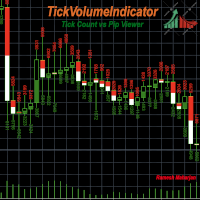
チャート上のトレンドを識別するための様々なインジケーターと手法があります。TickVolumeIndicatorもその一つです。ティックデータを用いて過去のトレンドを表示することで、将来のトレンドを特定し予測するのに役立ちます。 TickVolumeIndicatorは、ティックボリュームを用いてチャート上の表示可能なローソク足に色を描画するインジケーターです。ティックボリュームとは、ビッド値とアスク値です。ユーザーは、ローソク足の時間枠におけるビッド数とアスク数、またはピップの変化を選択できます。アスク数は、アスク値が前回のアスク値よりも大きい場合に加算され、ビッド数は、ビッド値が前回のビッド値よりも小さい場合に加算されます。これらは両方ともローソク足の高さに正規化されてチャートに表示されます。ピップの変化も同様に計算されます。 ユーザーには以下のオプションがあります。 1) アスク色:アスク値の色として、赤、緑、青、紫、黄、シアン、紫、茶、オレンジ、ピンク、白、なしから選択できます。デフォルトは緑です。 2) 入札色: 入札値の色として、赤、緑、青、紫、黄色、シアン、紫、
FREE
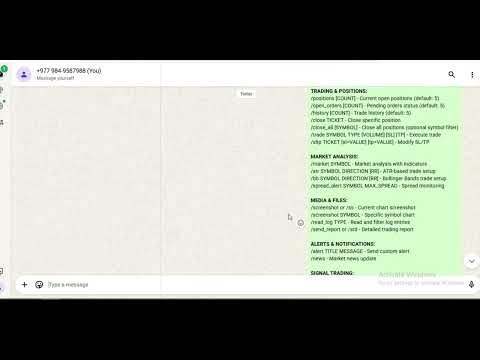
Telegramサービスは、このEAとTelegramチャンネル間の通信を行うトレーディングアプリケーションです。このアプリはレポートを生成し、取引の開始、終了、変更時にアラートを送信します。また、新規取引の開始、未決済取引の決済、既存取引の変更、取引履歴の表示、チャートのスクリーンショット取得、ストップロスとテイクプロフィット値の取得、現在の市場状況の表示、市場ニュースの取得、ログファイルの分析、そして最も重要な機能として、他のチャンネルから取引シグナルをコピー&ペーストして有効な取引を行うことができます。 このアプリケーションの概要、チャンネルとボットの作成方法、そしてアプリケーションの実行に必要なチャンネルIDとボットトークンの取得方法について解説したYouTube動画を作成しました。 以下は使用可能なコマンドです。 []内の値はオプションです。 アカウントとレポート: /account_status または /as - 口座残高と証拠金 /daily_report または /dr - 日次取引レポート /weekly_report または /wr - 週次取引レポ
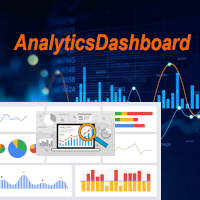
アナリティクスダッシュボードは、過去と現在の取引を分析し、詳細ビューとして円グラフを追加した分析ダッシュボードを作成するインジケーターです。 分析は主に4つのカテゴリーに分けられます。1)パフォーマンス指標、2)取引行動指標、3)約定品質指標、4)ポジションレベル指標です。 これら4つの一般的な分析指標は、さらに以下のように具体的な指標に分類されています。 パフォーマンス指標: 粗利益 粗損失 全体利益率 全体期待値 全体勝率 平均リスクリワードレシオ 最大ドローダウン 最大ランアップ これらすべてについて、円グラフを用いたチャート形式の指標表示も可能です。 取引行動指標: 総取引数 総勝ち数 総損失数 平均ホールド時間合計 平均取引サイズ SL到達により停止された取引総数 TP到達により停止された取引総数 手動ストップ注文合計 これらの指標は、平均取引サイズを除き、チャート形式でも表示されます。 約定品質指標: 平均スリッページ 平均エントリースプレッド 平均エグジットスプレッド 合計手数料 + スワップ手数料 粗利益への影響 粗損失への影響 これらの指標は、チャー
FREE
Info Exporter MT5は、ターミナル情報、アカウント情報、取引履歴、注文履歴をローカルCSVファイルへエクスポートし、メールを送信したり、Apps ScriptでデプロイされたURLを使用してGoogleスプレッドシートに直接エクスポートしたりできます。 CSVへのエクスポート、メールを使用したエクスポート、Googleスプレッドシートへのエクスポートから選択できます。また、エクスポートしたファイル名やスプレッドシート名を変更することもできます。 使用する入力パラメータ: export terminal informations ? : 端末情報をエクスポートするかどうかを選択します。値は true または false に変更できます。 terminal info file or sheet name : デフォルトは「 Terminal_Info 」ですが、入力プロンプトで変更できます。 export historical deals ? : 取引履歴をエクスポートするかどうかを選択します。値は true または false に変更できます。デフォルトは false で、
FREE
フィルタ:
レビューなし
レビューに返信