WhatsApp Integration for MetaTrader 5

MetaTrader 5용 WhatsApp 연동 - 실시간 거래 알림

MetaTrader 5와 WhatsApp을 완벽하게 연동하여 거래 경험을 혁신하세요. 이 전문가용 도구는 거래 이벤트 발생 시 WhatsApp으로 즉시 알림을 전송하여, 어디에 있든 포지션을 실시간으로 확인할 수 있도록 도와줍니다. 스마트폰으로 바로 전달되는 실시간 알림을 통해 중요한 시장 변동을 절대 놓치지 마세요.

주요 기능

실시간 거래 알림: 모든 거래 이벤트에 대한 WhatsApp 메시지 수신

포지션 개설 알림: 심볼, 거래량, 가격, 주문 정보 포함

포지션 청산 알림: 손익 결과 포함

손절매 및 이익실현 설정 변경 알림

간편한 QR 코드 인증: MT5 차트에 바로 표시되는 QR 코드를 스캔하여 WhatsApp으로 간편하게 설정

자동 설정 프로세스: 내장된 설치 마법사가 Node.js 종속성 설치 및 서버 구성을 자동으로 처리

맞춤 설정 가능한 거래 매개변수: 로트 크기, 위험 비율을 설정하고 모니터링할 심볼 선택

다중 심볼 지원: 설정 가능한 허용 심볼 목록을 통해 여러 통화 쌍을 동시에 모니터링

전문적인 형식: 모든 필수 거래 정보를 포함하여 명확하고 읽기 쉬운 구조로 메시지 표시

작동 방식

초기 설정: EA가 Node.js 설치를 자동으로 확인하고 필요한 서버 구성 요소를 설정합니다.

QR 코드 표시: 차트에 QR 코드가 표시됩니다. WhatsApp으로 스캔하여 연결 인증

자동 모니터링: 연결되면 EA가 모든 거래를 실시간으로 모니터링합니다.

즉시 알림: 포지션 개설, 청산 또는 변경 시 WhatsApp 메시지로 즉시 알림을 받습니다.

요구 사항

MetaTrader 5 터미널

시스템에 Node.js 설치 (nodejs.org에서 무료 다운로드)

스마트폰에 WhatsApp 계정

Windows 운영 체제

입력 매개변수

랏 크기: 거래에 사용할 고정 랏/볼륨 크기를 설정합니다 (0으로 설정하면 위험 기반 계산 사용).

손절매 위험 비율: 자동 랏 크기 계산에 사용할 위험 비율 (기본값: 2.0%)

허용 심볼: 모니터링할 심볼 목록을 쉼표로 구분하여 입력합니다 (주요 외환 쌍, 금, 은 포함).

장점

차트를 계속 확인하지 않고도 거래 활동에 대한 정보를 얻을 수 있습니다.

선호하는 메시징 플랫폼으로 즉시 알림을 받을 수 있습니다.

모든 중요한 거래 정보를 포함하는 전문적인 수준의 알림

자동 설치 프로세스로 간편하게 설정할 수 있습니다.

안정적인 연결 상태 모니터링 자동 재연결 기능 포함

기술 세부 정보

WhatsApp 웹 API 통합을 위해 내장 Node.js 서버를 사용합니다.

진행 상황 대화 상자를 통해 실시간 설정 상태를 확인할 수 있습니다.

자동 종속성 관리 및 서버 시작

적절한 리소스 정리를 통한 깔끔한 종료

MetaTrader 5용 WhatsApp 통합으로 거래 현황을 실시간으로 확인하세요. 이동 중에도 안정적이고 즉각적인 거래 알림이 필요한 트레이더에게 최적의 솔루션입니다.

설치 단계

(Node.js와 Git이 설치되어 있는지 확인하세요)

1. 이 EA를 실행하면 package.json, server.txt, start_server.ps1 파일이 C:\Users\<UserName>\AppData\Roaming\MetaQuotes\Terminal\Common\Files\ 디렉터리에 복사됩니다.

2. PowerShell 프로그램을 엽니다. 설치되어 있지 않으면 설치하세요.

3. PowerShell에서 스크립트 실행을 위해 "Set-ExecutionPolicy RemoteSigned -Scope CurrentUser" 명령어를 적용합니다.

4. 마지막으로 PowerShell에서 ".\start_server.ps1" 명령어를 실행하여 start_server 스크립트를 실행합니다. 그러면 실행 중인 Node.js 서버가 중지되고, server.txt 파일의 이름이 server.js로 변경되고, Node.js 종속성이 설치됩니다. 마지막으로 Node.js 서버가 실행되어 WhatsApp으로 스캔할 QR 코드가 표시됩니다.

5. 스캔이 성공적으로 완료되면... 이 EA를 아무 차트에서나 다시 실행하고 MetaTrader 5용 WhatsApp 연동 기능을 사용해 보세요.

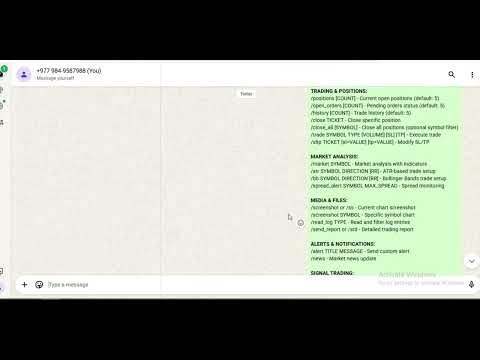
https://www.youtube.com/watch?v=GaYk6DxPQHw

이 모든 단계를 거치고 싶지 않으시면 모든 것이 자동화된 DLL 버전을 원하시면 저에게 연락해 주세요.

https://www.youtube.com/watch?v=nXVU-EIuI9Q

https://youtu.be/M9VVMb6UASU

최신 업데이트: https://youtu.be/2u1MVD3vImY

추천 제품
Orange Indicator by Quant Atlas Creator:  https://www.quant-atlas.com/ Orange Indicator is a clean reversal focused indicator for MetaTrader 5, designed to highlight potential turning points directly on the chart using simple orange buy and sell markers. The indicator focuses on moments where price may be transitioning out of short term exhaustion and into a possible reaction phase. When a bullish setup appears, an orange upward triangle is displayed below the candle. When a bearish setup appear
FREE
Automated Timeframe cycling with Symbols centered.  Force every timeframe onto one clock window, so the story you see on Daily is the same story you are slicing on H4, H1, and M1.  Traders usually flip timeframes and lose the span. A Daily chart shows a few weeks, then M15 shows a few hours, and the eye treats them as different markets. TASSERACT locks the window to N bars of the highest enabled timeframe — default 10 Daily — and maps every lower timeframe to that same stretch. You stay inside o
FREE
Malik Naveed Volume — Better Volume Multi Timeframe Malik Naveed Volume shows you what the volume is really doing. It reads each candle's volume and price range, splits it into buying vs selling pressure, and colours the bars so you can instantly see climax moves, absorption (churn), and low-volume exhaustion. It then draws support/resistance levels from those key bars and alerts you when price breaks and retests them — across six timeframes at once, on any symbol. Works on ANY symbol and ANY

FREE
Xau Vector
Johnny Da Silva
If you would like to receive more high-quality free EAs, please support my work by leaving a review. My Products: View My Products My Profile / Support / Contact: Visit My Profile My Channel: Follow My Channel XAU Vector is an automated trading system developed specifically for Gold (XAUUSD), combining quantitative analysis with local machine learning architecture. Designed for structural capital management, the Expert Advisor focuses on disciplined execution, making it suitable for both pe
FREE
Cable Hunter EA
Mathis Philippe Jean Deroy
Cable Hunter EA Turtle Soup Strategy — Counter-breakout + RSI Divergence | GBPUSD M15 Profit Factor Max Drawdown Annual Return Walk-Forward IS/OOS 1.67 5% ~15%/year 1.51 / 1.53 Compatible: GBPUSD M15 | All MT5 brokers | FTMO / Prop firms | VPS 1. Strategy Description Cable Hunter EA is based on the Turtle Soup strategy, a counter-breakout approach that exploits false breakouts of swing levels. Markets regularly trap traders who follow classic breakouts. Cable Hunter detects these traps and trade
Vector Local Copier
Sotirios Apostolos Adaloglou
This is the FREE DEMO version of Vector Local Copier. It's the complete copier — real-time local copying, symbol mapping, multipliers, SL/TP sync, the safety guards, the live dashboard — with one limitation: slave trades are capped to 0.01 lots. That's enough to prove it works perfectly on your exact terminals, brokers, and symbols before you buy the full-size version. GET THE FULL VERSION (no lot cap) HERE: https://www.mql5.com/en/market/product/187169 Vector Local Copier mirrors trades
FREE
PROP VOLUME PROFILE ==================== Cumulative Volume Profile for MetaTrader 5 -------------------------------------------- Prop Volume Profile shows you where price has spent the most time and volume over the selected period - directly on your chart, in a clean vertical profile on the right edge. One glance tells you the "fair value" zone, the strongest price level, and whether the current price is stretched far above or below where the market actually trades. HIGHLIGHTS ---------- -
FREE
-Liquidate at maximum loss percentage & amount of principal -Liquidate at daily maximum loss percentage & amount of principal -Close position at maximum loss percentage & amount per trade -Liquidate filtered during news events (2–5 mins before & after) -Liquidate at target profit percentage & amount (exit level) -Minimum trading days limit ≥ 4 -Liquidate before market close -Liquidate at maximum equity drawdown percentage (1-step) -Close position at specified equity amount -- -Display
Close by percentage MT5
Konstantin Kulikov
5 (1)
Hello friends. I wrote this utility specifically for use in my profile with a large number of Expert Advisors and sets ("Joint_profiles_from_grid_sets"   https://www.mql5.com/en/blogs/post/747929 ). Now, in order to limit losses on the account, there is no need to change the "Close_positions_at_percentage_of_loss" parameter on each chart. Just open   one   additional chart, attach this utility and set the desired percentage for closing all trades on the account. The utility has the following fu
MarginGrid
Andrej Nikitin
3 (1)
The analyzer allow estimating how the margin level changes when a position price or volume changes. It also displays price level at which StopOut and MarginCall may occur. Parameters: volume position upgrading - the number of lot position changes. number of levels on the chart - the number of levels plotted on the chart levels color - color for drawing levels
GDS Renko Pip ST Chart - Pip-Based Renko Chart Indicator for MetaTrader 5 GDS Renko Pip ST Chart is a pip-based Renko chart indicator for MetaTrader 5. It helps traders build and study cleaner Renko price movement using a practical fixed pip or point-based brick structure. This tool is designed as a Renko chart foundation for manual analysis. It does not predict the market, does not generate buy or sell signals and does not decide whether a trade should be opened. Renko EDGE EA Golden Delta | A
FibRetrace Zones 최근 스윙의 피보나치 되돌림 구간 FibRetrace Zones는 전문가 어드바이저 FibRetrace의 무료 비주얼 보조 도구입니다. 피보나치 되돌림 레벨을 그리고 최근 스윙의 풀백 구간을 강조 표시하여, 매매 전에 되돌림 진입점이 어디에 위치하는지 확인할 수 있습니다. 구간은 방향에 따라 색상으로 구분됩니다. 강세 셋업은 녹색, 약세 셋업은 빨간색입니다. 모든 종목과 모든 타임프레임에서 동작하며, 확정된 봉은 다시 그려지지 않습니다. 주요 기능 조정 가능한 룩백으로 자동 스윙 감지 클래식 피보나치 레벨(23.6%, 38.2%, 50%, 61.8%, 78.6%) 개별 표시 설정 가능 색상 설정이 가능한 강조 풀백 구간 방향 색상 코딩: 녹색 = 강세, 빨간색 = 약세 봉 마감 시 확정 — 리페인트 없음. 형성 중인 봉에 대한 선택적 실시간 업데이트 사용 방법 아무 차트에나 적용하세요. 가격이 색상 구간으로 되돌아오면, 바로 그곳이 FibRetrace가
FREE
Binary Profit Gainer
Myo Min Aung
5 (2)
This indicator is especially for the binary trading. Time frame is 1 minutes and exp time 5 or 3 minutes only. You must be use martingale 3 step. So you must put lots size is 10 % at most. You should use Mt2 trading platform to connect with my indicator to get more signal without human working. This indicator wining rate is over 80% but you may get 100% of profit by using martingale 3 step. You should use MT2 Trading Platform to connect meta trader platform and binary platform . You can get mt2
FREE
Renko Chart
Marcin Konieczny
3.56 (9)
This indicator allows to display Renko charts in the indicator window. Renko charts show only price movements that are bigger than the specified box size. It helps to eliminate noise and allows to focus on main trends. Time is not a factor here. Only price movements are taken into account. That's why Renko chart is not synchronized with the main chart it is attached to. Indicator works in two modes: CLOSE - only close prices are taken into account while building the chart HIGH_LOW - only high/l
FREE
OrderBook Utilities is a script, which performs several service operations on order book hob-files, created by OrderBook Recorder . The script processes a file for work symbol of the current chart. The file date is selected by means of the input parameter CustomDate (if it's filled in) or by the point where the script is dropped on the chart. Depending from the operation, useful information is written into the log, and optionally new file is created. The operation is selected by the input parame
FREE
메타트레이더 5 (MT5)용 UZFX - 손익분기점 즉시 설정 스크립트는 모든 오픈 포지션의 손절가를 진입 가격으로 빠르게 이동시켜 위험 없이 거래할 수 있는 강력한 도구입니다. 이 스크립트는 특히 활성 거래를 효율적으로 관리하는 데 유용하며 포지션이 유리하게 움직이면 잠재적 손실로부터 트레이더를 보호합니다. (프로필 방문 및 다른 모든 MT4/MT5 상품 확인) (리뷰 작성 잊지 마세요) 특징: 모든 오픈 포지션의 손절가를 손익분기점(진입가)으로 자동 설정합니다. 수익을 확보하고 잠재적 손실을 최소화하여 리스크 관리를 강화합니다. 사용 방법: 스크립트를 차트에 첨부하면 모든 오픈 포지션이 자동으로 조정됩니다. 포지션의 손절이 이미 손익분기점에 도달한 경우 건너뜁니다. 참고: 이 스크립트는 기존 거래만 수정하며 새 주문은 하지 않습니다. 심볼에 관계없이 모든 오픈 포지션에 적용됩니다. 브로커가 정확한 진입 가격으로 손절가 수정을 허용하는지 확인하세요.
FREE
DF Fib Trader Pro DF Fib Trader Pro는 MetaTrader 5용으로 설계된 자동 거래 시스템입니다. 피보나치 기반 가격 수준과 추세 및 구조 분석을 결합하여 진입 및 청산 시점을 정의합니다. EA는 롱 포지션과 숏 포지션을 모두 지원하며, 내장된 위험 관리 매개변수를 포함합니다. 핵심 기능: • 피보나치 되돌림 및 확장 로직을 사용하여 진입, 손절매, 이익실현 시점을 표시합니다. • 랏 크기 및 손절매/이익실현 수준 설정 가능 • 진입 시점 1개 또는 2개 선택 가능 • 시장 상황에 따라 고정 또는 동적 손절매 및 이익실현 지원 • 다양한 시간대 및 통화쌍 지원 • 최대 스프레드, 슬리피지, 거래 빈도 제어 옵션 포함 • 자동 거래 관리: 손익분기점, 트레일링 손절매, 부분 청산 옵션 • 원하는 경우 시장가 주문 지원 입력 개요: • 위험 관리: 랏 크기, 거래당 위험, 최대 거래 수 • 진입 조건: 피보나치 레벨 선택, 추세 필터 옵션 • 청산 관리:
FREE
Deviation Trend Profile Overview Deviation Trend Profile is a MetaTrader 5 chart indicator that combines three visual layers in a single chart window: a moving average with momentum-based coloring, deviation bands calculated from volatility, and a horizontal distribution profile drawn to the right of the current price. The indicator is an analytical tool. It does not open, modify or close trades, and it is not a complete trading system. It is designed to help the user observe trend direction, mo
FREE
Mirror Chart MT5
Andrej Hermann
5 (1)
The Mirror Chart MT5 is a overlay indicator specifically designed to project a second financial instrument directly onto the main chart window. This tool is invaluable for traders who rely on correlation analysis, as it visualizes the price movements of two different instruments in real time. Unlike traditional overlays, this indicator utilizes intelligent, dynamic centering and scaling logic. It continuously analyzes the visible price range in the current window for both symbols and calculates
FREE
Trades History Visualizer is a MetaTrader 5 indicator that displays your trading history directly on the chart, providing a clear visual representation of past trades with additional information. Key Features: Visual trade history display with entry arrows Entry, Stop Loss, and Take Profit horizontal lines Color-coded connector lines between entry and exit points (green for profit, red for loss) Risk-Reward ratio display for each closed trade Profit/Loss amount display option Pip display option
Clock Et Mt5
Andrew Tsujiguchi
미국 동부 시간(ET)을 표시하는 간단한 시계. 미국 시장 거래 시간과 자동 동기화. 매초 업데이트. Full description: ClockET — 현재 날짜와 시간을 미국 동부 시간(ET) 기준으로 차트에 직접 표시하는 경량 인디케이터. 수동으로 시간대를 계산할 필요 없이 미국 세션이 어느 시점에 있는지 항상 정확히 알 수 있습니다. 표시 내용 • 실시간 시계 — 요일, 월, 날짜, ET 시간을 매초 업데이트하여 표시 (예: "Thu Jul 24  07:36:45 ET") • 중앙 정렬 라벨 — 차트 하단에 표시되며, 차트 크기 변경 시 자동으로 재중앙 정렬 • 자동 서머타임(DST) 감지 — 미국 공식 서머타임 일정(3월 둘째 주 일요일 ~ 11월 첫째 주 일요일)에 따라 EDT(UTC-4)와 EST(UTC-5)를 자동 전환 — 연 2회 수동 조정 불필요 설정 • 글꼴 크기, 색상, 이름 — 시계 외관 커스터마이즈 • Y축 오프셋 — 차트 하단으로부터의 수직 위치
FREE
Trade Manger
Israr Hussain Shah
Here   our more valuable tools SMC Trend Trading   ,  Easy SMC Trading  ,  Institutional SMC Architect Volume Analysis Tools  ,  Volume flow Profile  ,  Market volume profile  , FVG with Volume  , Liquidity Heatmap Profile  ,  Volume Spread Analysis You Give an Instruction: When you run the script, a window pops up with a dropdown menu. You choose exactly what you want it to do from the list (e.g., "Close Profit Only" or "Delete Pending Orders"). It Scans Your Positions: The script then reads
Scan a fixed list of assets (Ibovespa) in the chosen timeframe (TimeFrame). For each pair and for various periods. Calculate a regression model between the two assets (and, if desired, using the bova11 index as a normalizer). Generate the spread of this relationship, its mean, standard deviation, speculative deviation, and betas (B1 and B2). Apply an ADF test without exclusion (cointegration/stationarity). Calculate the Z-score of the current exclusion (how many standard deviations are away from
FREE
Footprint is an indicator for order flow and volume analysis. It helps identify market structure at the cluster level, find key zones with increased activity, and work with filters directly on the chart without constantly opening the settings window. Footprint Indicator Features cluster-based Bid x Ask and Delta charts; on-chart control panel; sliders for filter adjustments; Absorption; Initiative; Stacked Imbalances; Big Trades; dPOC / Dynamic Point of Control; Delta; side market profile; cumul
This is a demo version of a non-trading expert , which utilizes so called the custom symbols feature ( available in MQL as well ) to build renko charts based on historical quotes of selected standard symbol and to refresh renko in real-time according to new ticks. Also it translates real ticks to the renko charts, which allows other EAs and indicators to trade and analyze renko. Place the EA on a chart of a working instrument. The lesser timeframe of the source chart is, the more precise resulti
FREE
Spread Monitor Live
Aleksandr Bezverkhikh
Spread Monitor Live Real-time Spread Monitoring Tool for MT5 Version:   1.00 Last update:   15.06.2026 Author:   Aleksandr Bezverkhikh Description Spread Monitor Live   is a lightweight and efficient indicator for MetaTrader 5 that displays the current spread in real time directly on your chart. Perfect for scalpers, day traders, and anyone who needs to keep a close eye on trading conditions. The indicator shows the spread in points with clear color coding, allowing you to instantly s
FREE
The utility displays the order book, as well as increases its depth, remembering the location of applications that have gone beyond the current "window" view. With the utility user can perform quick trading actions in one click - placing/cancelling/editing of explicit and hidden orders, and also opening/editing positions. Utility features The orders book display works only on those trading symbols for which it is broadcast by the broker. To reset the information about the rows that were recorde
Suvarna Scalper
Dhokiyas Money Map Investment Consultants - FZCO
Suvarna Scalper Suvarna Scalper 는 XAUUSD 거래를 위해 설계된 Gold 중심의 프리미엄 Expert Advisor 입니다. 간단한 설정, 제어된 recovery 로직, 차트에서의 명확한 모니터링을 원하는 트레이더를 위해 만들어졌습니다. 이 EA 는 짧은 백테스트에서만 좋아 보이도록 만든 제품이 아닙니다. Suvarna Scalper 의 가장 큰 강점은 장기 생존에 초점을 둔 구조입니다. Grid trading 은 본질적으로 위험하며, 많은 Grid EA 는 일정 기간 수익을 낼 수 있지만 시장이 강하게 움직이면 실패할 수 있습니다. Suvarna Scalper 는 Gold 시장 압력을 더 지능적으로 처리하기 위해 제어된 basket management 로 만들어졌습니다. 특별한 포인트 Suvarna Scalper 의 특별한 점은 장기간 Grid trading 조건에서 살아남도록 설계되었다는 것입니다. 일반적인 Grid trading 에서는 강한 시장
FREE
Risk Manager Best: The Benchmark for Professional Money Management Why do I consider this utility the best solution on the market? The answer is simple: it was created by a trader for traders who value their time and money. Unlike overloaded alternatives, it doesn't have a single unnecessary feature that could distract you from chart analysis. This is a tool that turns routine risk calculations into instant action. Here are the key advantages, broken down into sections: 1. Intuitive Interfac
TrendVision AI
Murtadha Majid Jeyad Al-Khuzaie
TrendVision AI – Smart Trend Channels & Price Forecasting for MetaTrader 5 Discover market structure and explore potential future price direction with TrendVision AI, an advanced technical indicator for MetaTrader 5 that combines automatic trendline analysis with a machine-learning-based price forecasting model. How Does TrendVision AI Work? TrendVision AI analyzes historical candlestick data within a configurable lookback window. It automatically draws two trendlines directly on the chart:
FREE
이 제품의 구매자들이 또한 구매함
Trade Assistant MT5
Evgeniy Kravchenko
4.43 (216)
거래당 위험 계산, 라인을 사용한 손쉬운 신규 주문, 부분 청산 기능을 통한 주문 관리, 7가지 유형의 트레일링 스탑 및 기타 유용한 기능을 제공합니다. 추가 자료 및 지침 설치 지침   -   애플리케이션 지침   -   데모 계정용 애플리케이션 평가판 라인 기능       - 차트에 개시선, 손절매, 차익실현을 표시합니다. 이 기능을 사용하면 새로운 주문을 쉽게 하고 개봉 전에 추가 특성을 볼 수 있습니다. 위기 관리       -       위험 계산 기능은 설정된 위험과 손절매 주문의 크기를 고려하여 새 주문의 볼륨을 계산합니다. 이를 통해 손절매 크기를 설정하고 동시에 설정된 위험을 존중할 수 있습니다. 로트 계산 버튼 - 위험 계산을 활성화/비활성화합니다. 필요한 위험 값은 위험 필드에 0에서 100 사이의 백분율 또는 예금 통화로 설정됩니다. 설정 탭에서 위험 계산 옵션을 선택합니다. $ 통화, % 잔액, % 지분, % 자유 마진, % 사용자 정의, % AB 이전
Trade Manager EA에 오신 것을 환영합니다. 이 도구는 거래를 보다 직관적이고 정확하며 효율적으로 만들기 위해 설계된 궁극적인 리스크 관리 도구 입니다. 단순한 주문 실행 도구가 아닌, 원활한 거래 계획, 포지션 관리 및 리스크 제어를 위한 종합 솔루션입니다. 초보자부터 고급 트레이더, 빠른 실행이 필요한 스캘퍼에 이르기까지 Trade Manager EA는 외환, 지수, 상품, 암호화폐 등 다양한 시장에서 유연성을 제공합니다. Trade Manager EA를 사용하면 복잡한 계산은 이제 과거의 일이 됩니다. 시장을 분석하고 진입, 손절 및 익절 수준을 차트의 수평선으로 표시한 후 리스크를 설정하면, Trade Manager가 이상적인 포지션 크기를 즉시 계산하고 SL 및 TP 값을 실시간으로 표시합니다. 모든 거래가 간편하게 관리됩니다. 주요 기능: 포지션 크기 계산기 : 정의된 리스크에 따라 거래 크기를 즉시 결정합니다. 간단한 거래 계획 : 진입, 손절, 익절을 위한
Telegram to MT5 Multi-Channel Copier   는 Telegram 및 Discord 채널의 트레이딩 시그널을 MetaTrader 5로 자동 복사합니다. 봇도, 브라우저 확장도, 수동 복사도 필요 없습니다. Telegram이나 Discord에 시그널이 도착하면 EA가 몇 초 안에 터미널에서 주문을 실행합니다. 그리고 채널을 복사하기 전에, 내장 백테스터가 그 채널이 내 계좌에서 어떤 결과를 냈을지 보여줍니다. 제품은 두 가지 구성 요소로 이루어집니다: Telegram 채널을 수신하는 Windows 애플리케이션과, MT5 터미널에서 시그널을 실행하는 본 EA입니다. MT4 버전도 제공됩니다   여기 . 설정 가이드와 앱 다운로드:   https://www.mql5.com/en/blogs/post/768988 텔레그램 시그널 채널을 백테스트하는 방법 을 확인하세요. 현재 가격은 향후 인상될 예정입니다. 작동 방식 앱은 여러분 자신의 Telegram 계정으로 연결되므
================================================================================ POC BREAKOUT - V20.72. Full Professional Grade Toolkit ================================================================================ POC Breakout is a full MetaTrader 5 trading dashboard for discretionary traders who want breakout signals, Point of Control (POC) context, volume profiles, order flow, market structure, news, alerts, and advanced trade planning in one professional workspace. Attached directly to you
TradePanel MT5
Alfiya Fazylova
4.88 (170)
Trade Panel은 다기능 거래 도우미입니다. 이 애플리케이션에는 50개 이상의 수동 거래 기능이 포함되어 있으며 대부분의 거래 작업을 자동화할 수 있습니다. 앱 사용 설명서: https://www.mql5.com/en/blogs/post/756482 데모 계정용 앱 체험판: https://www.mql5.com/en/blogs/post/750865 앱 설치 방법: https://www.mql5.com/en/blogs/post/756239 시각 모드에서 앱 테스트 방법: https://www.mql5.com/en/blogs/post/770277 VPS MetaTrader에 앱 설치 방법: https://www.mql5.com/en/blogs/post/770190 거래. 한 번의 클릭으로 거래를 수행할 수 있습니다: 리스크 자동 계산과 함께 예약 주문 및 포지션 열기. 한 번의 클릭으로 여러 주문 및 포지션 열기. 주문 그리드 열기. 예약 주문 및 포지션을 그룹별로 닫기. 포지션
The Patch
Mian Rameez Ali
The Patch It never opens a trade. It walks behind the ones that did. Every open position, every pending order — checked twice a second for the one thing that's easy to forget: a stop, a target. Found bare, it doesn't ask. It writes the missing number in, measured in points from wherever the position began, and moves on to the next. No strategy, no opinion on direction. Just the quiet assumption that nothing should ever sit on the market unprotected — not because someone decided it shouldn't,
내 거래 규칙에 맞춰 Telegram 신호 복사 Telegram to MT5 Signal Trader 는 공개 및 비공개 Telegram 채널과 그룹의 텍스트 기반 거래 신호를 MetaTrader 5로 자동 복사합니다. 하나의 데스크톱 앱에서 여러 신호 제공자와 MT5 계좌를 관리하고, 제공자마다 위험 관리 및 거래 설정을 개별적으로 지정 할 수 있습니다. 신호 복사에는 Telegram 봇이나 API 설정이 필요하지 않습니다. 전화번호 또는 QR 코드로 본인의 Telegram 계정에 로그인한 후, 이미 가입한 채널이나 그룹을 선택하면 됩니다. 봇을 만들거나 Telegram API 토큰, API ID 또는 API 해시를 입력할 필요가 없습니다. 포지션 크기를 선택하고, 여러 익절 목표에 청산 물량을 배분하며, 손익분기점 이동과 트레일링 스톱을 자동화하세요. 제공자의 신호를 따르면서도 실제 거래 방식은 직접 설정할 수 있습니다. 이 제품은 MT5 Expert Advisor와 필수 Win
Floor Watch
Syed Tauqeer Hussain Shah
Floor Watch One number, watched every thirty seconds: how far equity has fallen since the day began — or since its highest point, if it's told to trail the peak instead of the open. Cross the line and it doesn't argue. Every open position closes, every pending order vanishes, and anything that slips through afterward gets shut the moment it appears. Not asked. Removed. The floor holds until the clock turns 5 AM Pakistan time — then, and only then, does the day start over. One rule. No except
한 번 구매하면 현재 제공 중이거나 앞으로 출시할 제 모든 MT4 및 MT5 지표를 추가 비용 없이 받을 수 있습니다. 구매 후 수령 방법을 안내받으려면 저에게 연락해 주세요. 10회 구매마다 가격을 50$씩 인상하여 최대 999$ 까지 올릴 예정입니다. 결제 시점의 Market 가격이 적용됩니다. 신뢰하는 지표는 그대로 사용하고, 관련 작업을 자동화하세요. 당신의 신호. 당신의 규칙. 당신의 거래 실행. 신뢰하는 MT5 지표가 있지만 여전히 차트를 지켜보고, 신호를 기다리고, 랏을 계산하고, 주문을 넣고, 각 포지션을 직접 관리하고 계신가요? Stratiora Signal Engine MT5는 이러한 단계를 연결합니다. 호환되는 매수·매도 버퍼 신호를 진입, 거래량 계산, Stop Loss, Take Profit, 필터, 포지션 관리 및 계좌 보호까지 이어지는 자동화 과정으로 전환할 수 있습니다. 지표나 거래 아이디어를 바꿀 때마다 별도의 EA를 의뢰하는 대신, 하나의 유연한 엔
파워 캔들 전략 스캐너 - 자체 최적화 다중 종목 설정 찾기 도구 파워 캔들 전략 스캐너는 마켓 워치에 등록된 모든 종목에 대해 파워 캔들 지표와 동일한 자체 최적화 엔진을 동시에 실행합니다. 하나의 패널에서 현재 통계적으로 거래 가능한 종목, 각 종목별 최적의 전략, 최적의 손절매/익절 조합을 알려주며, 새로운 신호가 발생하면 즉시 알림을 전송합니다. 이 도구는 Stein Investments 에코시스템의 일부입니다. 18개 이상의 도구와 함께 당신의 1대1 AI 트레이딩 멘토 Max.  항상 대기 중, 모든 인디케이터를 깊이 있게 이해, 무언가를 차근차근 생각해보고 싶은 순간에 도움을 줍니다.  https://stein.investments 에서 만나보세요 완벽한 시장 모니터링. 종목당 3,000건 이상의 자동 최적화. 2가지 알림 유형. 한 번의 클릭으로 차트를 전환하고 바로 거래하세요. 이 도구가 필요한 이유 대부분의 다중 종목 스캐너는 가격 변동만 보여줍니다. 티커별
Grid Manual MT5
Alfiya Fazylova
4.73 (22)
"Grid Manual"은 주문 그리드 작업을 위한 거래 패널입니다. 이 유틸리티는 보편적이며 유연한 설정과 직관적인 인터페이스를 제공합니다. 그것은 손실을 평균화하는 방향뿐만 아니라 이익을 증가시키는 방향으로 주문 그리드와 함께 작동합니다. 거래자는 주문 그리드를 만들고 유지할 필요가 없으며 유틸리티에서 수행합니다. 거래자가 주문을 시작하는 것으로 충분하며 "Grid Manual"는 자동으로 그를 위한 주문 그리드를 생성하고 거래가 마감될 때까지 그와 동행할 것입니다. 전체 설명 및 데모 버전 여기 . 유틸리티의 주요 기능: 모바일 터미널을 포함하여 어떤 방식으로든 열린 주문과 함께 작동합니다. "제한" 및 "중지"의 두 가지 유형의 그리드와 함께 작동합니다. 고정 및 동적(ATR 표시기 기반)의 두 가지 유형의 그리드 간격 계산과 함께 작동합니다. 오픈 오더 그리드의 설정을 변경할 수 있습니다. 차트에서 각 주문 그리드의 손익분기점 수준을 표시합니다. 각 주문 그리드에 대한 이익
MT5 to Telegram Signal Provider 는 사용하기 쉽고 완전히 커스터마이즈 가능한 유틸리티로, 특정 신호를 Telegram의 채팅, 채널 또는 그룹으로 전송하고, 귀하의 계정을 신호 제공자 로 만듭니다. 경쟁 제품과 달리 DLL 임포트를 사용하지 않습니다. [ 데모 ] [ 매뉴얼 ] [ MT4 버전 ] [ 디스코드 버전 ] [ 텔레그램 채널 ]  New: [ Telegram To MT5 ] 설정 단계별 사용자 가이드 가 제공됩니다. 텔레그램 API에 대한 지식은 필요하지 않습니다; 개발자가 제공하는 모든 것이 필요합니다. 주요 특징 구독자에게 보낸 주문 상세 정보를 커스터마이즈할 수 있습니다. 예를 들어, 브론즈, 실버, 골드와 같은 계층 구독 모델을 만들 수 있습니다. 골드 구독에서는 모든 신호를 받습니다. id, 심볼, 또는 코멘트로 주문을 필터링할 수 있습니다. 주문이 실행된 차트의 스크린샷이 포함됩니다 보낸 스크린샷에 닫힌 주문을 그려 추가 검증을 합니다
Daily Trading Limiter
AL MOOSAWI ABDULLAH JAFFER BAQER
5 (8)
• Please test the product in the Strategy Tester before purchasing to understand how it works. • If you face any issues, contact me via private message—I’m always available to help. • After purchase, send me a screenshot of your order to receive a FREE EA as a gift. Daily Trading Limiter — the rule you cannot break Every trader knows the number. Three trades. Two percent. One bad day and stop. And every trader has watched themselves take the fourth trade anyway. The problem was never knowing th
Footprint Chart Pro — Professional OrderFlow EA for MetaTrader 5 Version 6.34 | Professional tool for real traders | Institutional-Grade Visualization DEMO USERS - PLEASE SELECT EVERY TICK / REAL TICK WHEN TESTING AND YOU HAVE DOWNLOADED HISTORICAL DATA. IF YOU SEE A WAITING SCREEN AND IT IS NOT DOWNLOADING, IT MEANS YOU HAVE LOW HISTORICAL DATA. TRY 1 MIN AND 5 MIN FIRST ON 1 DAY DATA. ONE DAY DATA SHOULD BE THE NEWEST AND MOST CURRENT DATE. PLEASE WAIT UNTIL THE MARKET HAS ROLLED OVER PERIOD.
Welcome to ENTRY IN THE ZONE with SMC MULTI TIMEFRAME SPECIAL BENEFIT / FOR OUR MQL5 CUSTOMERS FREE ACCESS TO THE NEW TOOL  — COMING SOON — Learn more on our official website  : https://www.fableedge.net Entry In The Zone with SMC Multi Timeframe is a real-time market analysis tool based on Smart Money Concepts (SMC), designed to analyze market structure, price direction, and key trading zones. It supports both Single-Timeframe and Multi-Timeframe Analysis, providing a clearer view of overall ma
VirtualTradePad PRO SE MT5 — MetaTrader 5용 전문 트레이딩 컨트롤 센터 VirtualTradePad PRO SE 는 MetaTrader 5 용 프리미엄 차트 기반 트레이딩 패널이자 거래 관리 워크스페이스입니다. 더 빠른 주문 실행, 더 명확한 포지션 관리, 구조화된 거래 관리, 시각적인 레벨 계획, 그리고 차트에서 직접 작업하는 전문적인 워크플로를 원하는 트레이더를 위해 설계되었습니다. 이 제품은 단순한 BUY / SELL 패널이 아닙니다. PRO SE는 수동 트레이딩, 예약 주문, 포지션 관리, 부분 청산, 바스켓 손익 관리, 평균가 레벨, ATM 규칙, 신호 모니터링, 실시간 시장 정보, 전략 테스터 (Strategy Tester) 워크플로, VPS 중심 운용을 하나의 연결된 인터페이스로 통합합니다. MT4 버전 | 전체 설명 및 스크린샷 | 구입 방법 | 설치 방법 | 로그 파일을 얻는 방법 | 테스트 및 최적화 방법 | Expforex의 모든
Trading Chaos Expert
Hennadii Stanilevych
5 (11)
This software has no equals in the world and represents a universal trade "console" covering trading signals, automated market entry, setting of Stop Loss and Take Profit, as well as Trailing Profit for multiple trades at the same time in a single open window. Intuitive control of the Expert Advisor in "three clicks" ensures a comprehensive use of all its functions on different computers, including tablets PCs. Interacting with additional signal indicators that mark the chart to give a real mark
Copy your MT5 trades to Interactive Brokers You keep using MT5. Every order you open or close is sent to your IB account. In real time. No coding. No changes to your strategy or EA. Try it first Rent 1 month: $30. Test on a live or paper account. What it does Real-time copying: same direction, reverse, or one side only. Map any MT5 symbol to any IB symbol. Set a lot ratio for each. Forex, Futures, Stocks, CFDs, Metals and Crypto. Position sync: both accounts checked, any difference fixed. Optio
Exp COPYLOT CLIENT for MT5
Vladislav Andruschenko
3.97 (35)
MetaTrader 5용 전문 트레이드 복사기 MetaTrader 용 빠르고 전문적이며 신뢰할 수 있는 트레이드 복사기 입니다. COPYLOT 은 MT4와 MT5 터미널 간의 Forex 거래 복사를 지원하며, Hedge 및 Netting 계좌를 모두 지원합니다. COPYLOT MT5 버전 지원 구성: - MT5 Hedge → MT5 Hedge - MT5 Hedge → MT5 Netting - MT5 Netting → MT5 Hedge - MT5 Netting → MT5 Netting - MT4 → MT5 Hedge - MT4 → MT5 Netting MT4 버전 전체 설명 + DEMO + PDF 구매 방법 설치 방법 로그 파일 확인 방법 테스트 및 최적화 방법 Expforex의 모든 제품 MT4 터미널로도 거래를 복사할 수 있습니다(MT4 → MT4, MT5 → MT4): COPYLOT CLIENT for MT4 COPYLOT은 2개, 3개, 심지어 10개의 터미널과 동시에 작동할
Trade Manager DaneTrades
Levi Dane Benjamin
4.23 (30)
거래 관리자는 위험을 자동으로 계산하는 동시에 거래를 빠르게 시작하고 종료하는 데 도움을 줍니다. 과잉 거래, 복수 거래 및 감정 거래를 방지하는 데 도움이 되는 기능이 포함되어 있습니다. 거래를 자동으로 관리할 수 있으며 계정 성과 지표를 그래프로 시각화할 수 있습니다. 이러한 기능은 이 패널을 모든 수동 거래자에게 이상적으로 만들고 MetaTrader 5 플랫폼을 향상시키는 데 도움이 됩니다. 다중 언어 지원. MT4 버전  |  사용자 가이드 + 데모 트레이드 매니저는 전략 테스터에서 작동하지 않습니다. 데모를 보려면 사용자 가이드로 이동하세요. 위기 관리 % 또는 $를 기준으로 위험 자동 조정 고정 로트 크기 또는 거래량과 핍을 기반으로 한 자동 로트 크기 계산을 사용하는 옵션 RR, Pips 또는 Price를 사용한 손익분기점 손실 설정 추적 중지 손실 설정 목표 달성 시 모든 거래를 자동으로 마감하는 최대 일일 손실률(%)입니다. 과도한 손실로부터 계정을 보호하고 과도한
Premium Trade Manager - 코치가 내장된 트레이딩 패널 Premium Trade Manager 는 차트 안에 트레이딩 코치를 심어놓은 도구입니다. 주문을 확정하기 전에, AI 트레이딩 코치 Max가 설정된 거래를 직접 읽고 명확한 판단을 내려줍니다. 스톱이 규율 있는 접근 방식에 맞는지, 리스크 크기가 합리적인지, 고영향 뉴스 이벤트가 몇 분 후에 있는지, 프롭 펌 한도에 근접했는지. 그 아래에는 완전한 실행 엔진이 있습니다. 원클릭 리스크 기반 진입, 차트에서 드래그로 세우고 거래가 진행되는 동안에도 계속 움직일 수 있는 플랜, 최대 4단계 분할 익절, 7가지 트레일링 방식, 실시간 프롭 펌 컴플라이언스, 뉴스 가드, 그리고 자체 비용을 평가하는 스프레드까지. 결정은 당신이 내립니다. Max가 두 번째 시선으로 확인합니다. 패널이 그 이후의 모든 것을 처리합니다. 구매 전에 직접 체험해 보세요. 브라우저에서 라이브 패널을 직접 클릭해볼 수 있습니다. 구매 전에 실제
Signal TradingView to MT5 Pro Automator TradingView와 MetaTrader 5 간의 즉각적인 전문 실행 TradingView 알림과 MT5의 실제 실행을 연결하는 가장 강력한 커뮤니케이션 브리지로 거래 전략을 자동화하세요. 속도, 유연성 및 완벽한 위험 관리를 요구하는 트레이더를 위해 설계된 이 Expert Advisor는 모든 알림 메시지를 정확한 시장가 또는 지정가 주문으로 변환합니다. 강점 및 이점 범용 파싱 엔진(독점 기술): 모든 알림 형식에서 데이터를 자동으로 인식하고 추출할 수 있는 고급 기술입니다. 단일하고 엄격한 형식에 얽매일 필요가 없습니다. 시스템은 심볼, 액션, 가격, SL 및 TP를 자동으로 이해합니다. 실시간 실행: 지연 시간을 최소화하도록 최적화된 1초 미만의 초고속 폴링 기술. 신호 수신 후 몇 밀리초 내에 주문 실행이 이루어집니다. 기관 수준의 위험 관리: 다음 기준에 따른 자동적이고 정확한 로트(Lot) 크기 계
Trade Indicator Assistant   is a powerful MT5 utility designed to turn indicators into automated trading systems. Its main feature is the ability to automatically detect an indicator’s   BUY and SELL signal buffers , without requiring you to know the buffer numbers, search through indicator settings, or modify the indicator source code. Bonus Indicator:   After purchasing Trade Indicator Assistant, contact me to receive   Trade Signal Pro   completely free as a bonus indicator. [Download Demo V
Anchor Trade Manager
Kalinskie Gilliam
5 (9)
Your EAs cannot see each other, but Anchor can. Anchor gives you one place to coordinate your EAs, manage risk, and decide when trading is allowed. It works alongside the trading bots you already use without any changes to them. The Problem One EA opens a trade. Then another starts trading. The next thing you know, you wake up to multiple grids built across your account. Each EA may be doing exactly what it was designed to do, but together they can place far more risk on your account than you in
EA Overfitter
Stephen J Martret
5 (1)
That backtest looks great. But will it still be making money tomorrow, next week, next month? EA Overfitter re-runs your EA on 100 price histories it has never seen. One score tells you if the edge is real. A backtest tells you what an EA did on one price history — the one that happened to occur. What you cannot tell from it is how much of that result was the strategy and how much was the particular path. EA Overfitter answers that. It builds up to 100 synthetic price histories your EA has n
Astro Trade MT5
Indra Maulana
5 (8)
25% discount on the release of the tool: only for the next 3 buyers Send a message to receive a demo version. AstroTrade Trading Assistant AstroTrade is a comprehensive multi-functional trading utility developed for the MetaTrader 5 platform. It integrates essential tools for trade execution, risk management, and technical monitoring into a single unified interface. The application is designed to assist traders in managing their daily operations through a visual and structured environment. Vi
The News Filter MT5
Leolouiski Gan
4.78 (23)
이 제품은 뉴스 시간 동안 모든 전문가 어드바이저 및 수동 차트를 필터링하여 수동 거래 설정이나 다른 전문가 어드바이저가 입력한 거래가 파괴될 수 있는 급격한 가격 상승으로부터 걱정하지 않아도 됩니다. 이 제품은 또한 뉴스 발표 전에 열린 포지션과 대기 주문을 처리할 수 있는 완전한 주문 관리 시스템이 함께 제공됩니다.   The News Filter  를 구매하면 더 이상 내장 뉴스 필터에 의존할 필요가 없으며 이제부터 모든 전문가 어드바이저를 여기서 필터링할 수 있습니다. 뉴스 선택 뉴스 소스는 Forex Factory의 경제 캘린더에서 얻어집니다. USD, EUR, GBP, JPY, AUD, CAD, CHF, NZD 및 CNY와 같은 어떤 통화 기준으로 선택할 수 있습니다. Non-Farm (NFP), FOMC, CPI 등과 같은 키워드 식별을 기준으로 선택할 수도 있습니다. 저, 중, 고 영향을 가지는 뉴스를 필터링할 수 있도록 선택할 수 있습니다. 차트와 관련된 뉴스만 선
MetaTrader 5용 트레이딩 패널 — 차트와 키보드에서 실행하는 프로페셔널 원클릭 트레이딩 활동적인 트레이더를 위해 설계된 고급 Trading Panel로, MetaTrader 기본 인터페이스보다 훨씬 빠르고 직관적으로 포지션과 주문을 열고, 관리하고, 종료할 수 있습니다. 이 패널은 포지션 관리, 대기 주문 제어, 총수익 관리, 체결 속도를 하나의 전문적인 작업 공간에 통합하고 싶은 트레이더를 위한 솔루션입니다. 이것은 단순한 보조 유틸리티가 아닙니다. MetaTrader 5를 위한 진정한 trading cockpit입니다. 차트에서 직접 거래하고, 키보드로 빠르게 명령을 실행하며, 자동 계산과 시각적 가이드를 통해 수동 트레이딩을 더 빠르고, 더 명확하고, 더 편리하게 만들어 줍니다.  이 패널을 사용하면 차트에서 단 한 번의 클릭으로 거래를 실행할 수 있으며, 표준 MetaTrader 컨트롤보다 최대 30배 빠르게 거래 작업을 수행할 수 있습니다. 새로운 프리미엄 버전
Farmed Hedge Yield Farming | All Markets (Manual - Hybrid - Semi/Automated EA) VERIFIED TRADING RESULTS - Farmed Hedge Yield Axi Copy:  https://www.mql5.com/en/signals/2356376 - Farmed Hedge Yield Exn Copy:   https://www.mql5.com/en/signals/2356404 - Farmed Hedge Yield V Copy:  https://www.mql5.com/en/signals/2357156 IMPORTANT NOTICE: FarmedHedge is a MANUAL-FOCUSED TRADING UTILITY ,not a fully automated EA. Results shown on this Signal include manual trades and overall strategic management.
YuClusters
Yury Kulikov
4.93 (43)
Attention: You can view the program operation in the free version  YuClusters DEMO .  YuClusters is a professional market analysis system. The trader has unique opportunities to analyze the flow of orders, trade volumes, price movements using various charts, profiles, indicators, and graphical objects. YuClusters operates on data based on Time&Sales or ticks information, depending on what is available in the quotes of a financial instrument. YuClusters allows you to build graphs by combining da
제작자의 제품 더 보기
TelegramTrades
Ramesh Maharjan
TelegramTrades는 아래 나열된 10개의 텔레그램 채널에서 전문가들이 제공하는 거래 신호를 수신하여 유효한 거래 신호로 변환하는 전문가 어드바이저(EA)입니다. 서버에서 상시 실행되는 파이로그램 스크립트가 신호를 분석하여 유효한 거래 신호로 변환한 후, 해당 신호를 텔레그램 봇으로 전달합니다. 손절매, 목표 수익, 가격, 거래 유형, 종목 코드 등의 정보가 포함된 유효한 신호가 수신되면, EA는 이를 읽어 차트에서 거래를 실행합니다. 아래에 언급된 모든 차트를 열 필요는 없습니다. 차트 하나만 열고 EA를 실행하면 됩니다. 열려 있지 않은 차트에 거래 신호가 발생하면 EA가 해당 차트에서 자동으로 거래를 실행합니다. 새로 수신된 거래 신호는 파일에도 기록되므로, 전문가들의 채널에서 제공하는 신호를 검증할 수 있습니다. 주요 기능: 1. 과거 데이터를 사용하여 전략 테스터에서 테스트 가능 2. 손절매 및 익절 값은 14개 봉 크기의 ATR 지표를 사용하여 설정되며, 사
FREE
Telegram Services
Ramesh Maharjan
5 (1)
텔레그램 서비스는 이 EA와 사용자의 텔레그램 채널 간의 통신을 제공하는 트레이딩 애플리케이션입니다. 이 앱은 거래 보고서를 생성하고, 거래 개시, 종료 및 수정 시 알림을 보내며, 새로운 거래를 시작하고, 기존 거래를 종료하고, 기존 거래를 수정하고, 거래 내역을 보여주고, 차트 스크린샷을 찍고, 손절매 및 이익 실현 값을 계산해 줍니다. 또한 현재 시장 상황을 표시하고, 시장 뉴스를 제공하며, 로그 파일을 분석합니다. 가장 중요한 기능은 다른 채널의 거래 신호를 복사하여 붙여넣어 유효한 거래를 실행할 수 있다는 점입니다. 이 애플리케이션 소개와 채널 및 봇 생성 방법, 그리고 애플리케이션 실행에 필요한 채널 ID와 봇 토큰을 얻는 방법에 대한 영상은 이 YouTube 영상에서 확인하실 수 있습니다. 아래는 사용 가능한 명령어입니다. 대괄호([]) 안의 값은 선택 사항입니다. 계좌 및 보고서: /account_status 또는 /as - 계좌 잔액 및 자산 /daily_r
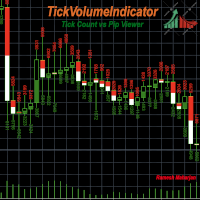
차트에서 추세를 파악하는 데에는 다양한 지표와 방법이 있습니다. TickVolumeIndicator는 그중 하나입니다. 이 지표는 틱 데이터를 사용하여 과거 추세를 표시하여 미래 추세를 파악하고 예측하는 데 도움을 줍니다. TickVolumeIndicator는 차트에서 볼 수 있는 캔들에 틱 볼륨을 사용하여 색상을 표시하는 지표입니다. 틱 볼륨은 매수 및 매도 가격입니다. 사용자는 틱의 매수 및 매도 수 또는 캔들 시간대의 핍 변화량을 선택할 수 있습니다. 매도 가격이 이전 매도 가격보다 높으면 매도 가격이 더해지고, 매수 가격이 이전 매도 가격보다 낮으면 매수 가격이 더해지며, 두 값 모두 캔들의 높이를 기준으로 정규화되어 차트에 표시됩니다. 핍 변화량도 같은 방식으로 계산됩니다. 사용자는 다음과 같은 옵션을 사용할 수 있습니다. 1) 매도 색상: 사용자는 매도 가격 색상으로 빨간색, 녹색, 파란색, 보라색, 노란색, 청록색, 보라색, 갈색, 주황색, 분홍색, 흰색, 없음
FREE
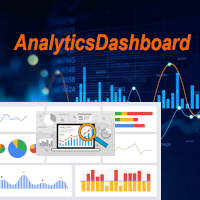
분석 대시보드는 과거 및 현재 거래를 분석하고, 추가 원형 차트를 통해 세부 정보 보기로 볼 수 있는 분석 대시보드를 제공하는 지표입니다. 주로 네 가지 분석 범주가 고려됩니다. 1) 성과 지표 2) 거래 행동 지표 3) 실행 품질 지표 4) 포지션 수준 지표. 네 가지 일반적인 분석 지표는 아래와 같이 더욱 구체적인 지표로 세분화됩니다. 성과 지표: 총이익 총손실 전체 이익률 전체 기대수익률 전체 승률 평균 위험 보상률 최대 손실률 최대 상승률 이 모든 지표는 원형 차트를 통해 표시되는 차트별 지표도 있습니다. 거래 행동 지표: 총 거래 총 수익 총 손실 총 평균 보유 시간 사용된 평균 거래 규모 손절매로 중단된 총 거래 손절매로 중단된 총 거래 총 수동 손절매 이러한 지표는 사용된 평균 거래 규모를 제외하고 차트별로 표시됩니다. 실행 품질 지표: 평균 슬리피지 평균 진입 스프레드 평균 청산 스프레드 총 수수료 + 스왑 수수료 총 이익에 미치는 영향 총 손실에 미치
FREE
Info Exporter MT5는 터미널 정보, 계좌 정보, 거래 내역 및 주문 내역을 로컬 CSV 파일로 내보내고, 이메일을 발송하고, 앱 스크립트에 배포된 URL을 사용하여 Google 스프레드시트로 직접 내보낼 수 있도록 지원합니다. CSV로 내보내거나, 이메일을 사용하거나, Google 스프레드시트로 내보낼 수 있으며, 내보낸 파일 이름과 시트 이름도 수정할 수 있습니다. 사용된 입력 매개변수: export terminal informations? : 터미널 정보를 내보낼지 여부를 선택합니다. 값은 true 또는 false로 변경할 수 있습니다. terminal info file or sheet name : 기본값은 "Terminal_Info"이지만 입력 프롬프트에서 변경할 수 있습니다. export historical deals? : 거래 내역을 내보낼지 여부를 선택합니다. 값은 true 또는 false로 변경할 수 있습니다. 기본값은 false입니다. 즉, 내보내지 않습니
FREE
필터:
리뷰 없음
리뷰 답변