WhatsApp Integration for MetaTrader 5

Intégration WhatsApp pour MetaTrader 5 - Notifications de trading en temps réel

Optimisez votre expérience de trading grâce à l'intégration fluide de WhatsApp pour MetaTrader 5. Ce conseiller expert envoie automatiquement des notifications instantanées sur WhatsApp à chaque événement de trading, vous permettant de rester connecté à vos positions où que vous soyez. Ne manquez plus jamais les mouvements importants du marché grâce aux alertes en temps réel directement sur votre smartphone.

Fonctionnalités clés

Notifications de trading en temps réel : Recevez des notifications instantanées WhatsApp pour chaque transaction.

Alertes d’ouverture de position avec symbole, volume, prix et détails du ticket.

Notifications de fermeture de position avec résultats de gains/pertes.

Alertes de modification des niveaux Stop Loss et Take Profit.

Authentification facile par QR Code : Configuration simple avec un QR Code affiché directement sur votre graphique MT5 ; scannez-le simplement avec WhatsApp pour vous connecter.

Processus d’installation automatisé : L’assistant d’installation intégré gère automatiquement l’installation des dépendances Node.js et la configuration du serveur.

Paramètres de trading personnalisables : Configurez la taille des lots, les pourcentages de risque et sélectionnez les symboles à surveiller.

Prise en charge multi-symboles : Surveillez simultanément plusieurs paires de devises grâce à une liste de symboles autorisés configurable.

Formatage professionnel : Messages clairs et lisibles, incluant toutes les informations essentielles sur les transactions.

Fonctionnement

Configuration initiale : Le conseiller expert vérifie automatiquement l’installation de Node.js et configure les composants serveur nécessaires.

Affichage du QR Code : Un QR Code apparaît sur votre graphique ; scannez-le avec WhatsApp pour vous authentifier.

Automatique Surveillance : Une fois connecté, le conseiller expert (EA) surveille toutes les transactions en temps réel.

Notifications instantanées : Recevez des notifications WhatsApp immédiatement lors de l'ouverture, de la fermeture ou de la modification de positions.

Configuration requise :

Terminal MetaTrader 5

Node.js installé sur votre système (téléchargement gratuit sur nodejs.org)

Compte WhatsApp sur votre smartphone

Système d'exploitation Windows

Paramètres d'entrée :

Taille du lot : Définissez la taille/le volume fixe des lots pour vos transactions (0 pour un calcul basé sur le risque)

Pourcentage de risque pour le stop loss : Pourcentage de risque pour le calcul automatique de la taille du lot (par défaut : 2 %)

Symboles autorisés : Liste des symboles à surveiller, séparés par des virgules (incluant les principales paires de devises, l'or et l'argent)

Avantages :

Restez informé de votre activité de trading sans avoir à surveiller constamment les graphiques.

Recevez des alertes instantanées sur votre messagerie préférée.

Notifications professionnelles contenant toutes les informations essentielles sur vos transactions.

Configuration facile grâce à un processus d'installation automatisé.

Surveillance fiable de la connexion avec reconnexion automatique.

Caractéristiques techniques Détails

Utilise un serveur Node.js intégré pour l'intégration de l'API Web WhatsApp

Une boîte de dialogue de progression affiche des mises à jour en temps réel sur l'état de la configuration

Gestion automatique des dépendances et démarrage du serveur

Désinitialisation propre avec libération des ressources

Restez connecté à vos transactions grâce à l'intégration WhatsApp pour MetaTrader 5 : la solution idéale pour les traders qui ont besoin de notifications de transactions fiables et instantanées, où qu'ils soient.

Étapes d'installation

(Assurez-vous que Node.js et Git sont installés sur votre machine)

1. Exécutez ce script d'installation (EA) qui copiera les fichiers package.json, server.txt et start_server.ps1 dans le répertoire C:\Users\<Nom d'utilisateur>\AppData\Roaming\MetaQuotes\Terminal\Common\Files\.

2. Ouvrez PowerShell. Si vous ne l'avez pas déjà installé, installez-le.

3. Dans PowerShell, appliquez la commande « Set-ExecutionPolicy RemoteSigned -Scope CurrentUser » pour autoriser l'exécution des scripts.

4. Exécutez le script start_server en saisissant « .\start_server.ps1 » dans PowerShell. Ce script arrêtera les serveurs Node.js en cours d'exécution, renommera server.txt en server.js, installera les dépendances Node.js et lancera le serveur Node.js pour afficher un code QR à scanner avec WhatsApp.

5. Après une numérisation réussie… Relancez ce robot de trading sur n'importe quel graphique et profitez de l'intégration WhatsApp pour MetaTrader 5.

https://www.youtube.com/watch?v=GaYk6DxPQHw

Si vous préférez éviter ces étapes, contactez-moi pour obtenir la version DLL entièrement automatisée.

https://www.youtube.com/watch?v=nXVU-EIuI9Q

https://youtu.be/M9VVMb6UASU

Dernière mise à jour : https://youtu.be/2u1MVD3vImY

Produits recommandés
Orange Indicator by Quant Atlas Creator:  https://www.quant-atlas.com/ Orange Indicator is a clean reversal focused indicator for MetaTrader 5, designed to highlight potential turning points directly on the chart using simple orange buy and sell markers. The indicator focuses on moments where price may be transitioning out of short term exhaustion and into a possible reaction phase. When a bullish setup appears, an orange upward triangle is displayed below the candle. When a bearish setup appear
FREE
Automated Timeframe cycling with Symbols centered.  Force every timeframe onto one clock window, so the story you see on Daily is the same story you are slicing on H4, H1, and M1.  Traders usually flip timeframes and lose the span. A Daily chart shows a few weeks, then M15 shows a few hours, and the eye treats them as different markets. This indicator locks the window to N bars of the highest enabled timeframe — default 10 Daily — and maps every lower timeframe to that same stretch. You stay ins
FREE
Malik Naveed Volume — Better Volume Multi Timeframe Malik Naveed Volume shows you what the volume is really doing. It reads each candle's volume and price range, splits it into buying vs selling pressure, and colours the bars so you can instantly see climax moves, absorption (churn), and low-volume exhaustion. It then draws support/resistance levels from those key bars and alerts you when price breaks and retests them — across six timeframes at once, on any symbol. Works on ANY symbol and ANY
FREE
Xau Vector
Johnny Da Silva
If you would like to receive more high-quality free EAs, please support my work by leaving a review. My Products: View My Products My Profile / Support / Contact: Visit My Profile My Channel: Follow My Channel XAU Vector is an automated trading system developed specifically for Gold (XAUUSD), combining quantitative analysis with local machine learning architecture. Designed for structural capital management, the Expert Advisor focuses on disciplined execution, making it suitable for both pe
FREE
Cable Hunter EA
Mathis Philippe Jean Deroy
Cable Hunter EA Stratégie Turtle Soup — Counter-breakout + Divergence RSI | GBPUSD M15 Profit Factor Drawdown max Rendement annuel Walk-Forward IS/OOS 1.67 5% ~15%/an 1.51 / 1.53 Compatible : GBPUSD M15 | Tous brokers MT5 | FTMO / Prop firms | VPS 1. Description de la stratégie Cable Hunter EA est basé sur la stratégie Turtle Soup , une approche de counter-breakout qui exploite les faux cassages de niveaux de swing. Les marchés piègent régulièrement les traders qui suivent les breakouts classiqu
Monte Carlo Grid Stop Out est un script qui estime à quelle fréquence un modèle de grille simplifié atteindrait le niveau de stop-out du courtier sur un horizon choisi. Il construit de nombreuses trajectoires de prix aléatoires à partir de l'historique du symbole et simule la grille sur chacune avec le spread, la commission, l'effet de levier et le stop-out. Fonctions principales Block bootstrap de l'historique chargé (M1, M5 ou M15) : des blocs de barres consécutives sont enchaînés dans un ordr
FREE
PROP VOLUME PROFILE ==================== Cumulative Volume Profile for MetaTrader 5 -------------------------------------------- Prop Volume Profile shows you where price has spent the most time and volume over the selected period - directly on your chart, in a clean vertical profile on the right edge. One glance tells you the "fair value" zone, the strongest price level, and whether the current price is stretched far above or below where the market actually trades. HIGHLIGHTS ---------- -
FREE
-Liquidate at maximum loss percentage & amount of principal -Liquidate at daily maximum loss percentage & amount of principal -Close position at maximum loss percentage & amount per trade -Liquidate filtered during news events (2–5 mins before & after) -Liquidate at target profit percentage & amount (exit level) -Minimum trading days limit ≥ 4 -Liquidate before market close -Liquidate at maximum equity drawdown percentage (1-step) -Close position at specified equity amount -- -Display
Close by percentage MT5
Konstantin Kulikov
5 (1)
Hello friends. I wrote this utility specifically for use in my profile with a large number of Expert Advisors and sets ("Joint_profiles_from_grid_sets"   https://www.mql5.com/en/blogs/post/747929 ). Now, in order to limit losses on the account, there is no need to change the "Close_positions_at_percentage_of_loss" parameter on each chart. Just open   one   additional chart, attach this utility and set the desired percentage for closing all trades on the account. The utility has the following fu
JT360 DNA Mini PnL Pointer V1.04 Public Компактно. Наглядно. Всегда перед глазами. JT360 DNA Mini PnL Pointer — это лёгкий индикатор для MetaTrader 5, который отображает суммарную текущую прибыль или убыток по всем открытым позициям текущего символа графика. Компактная индикация непосредственно на графике объединяет PnL относительно первоначального риска в формате R, тонкую мини-полоску и настраиваемую цветовую матрицу. Фирменные цвета JT360 — бирюзовый и пурпурный — выделяют крайние значения и
FREE
GDS Renko Pip ST Chart - Pip-Based Renko Chart Indicator for MetaTrader 5 GDS Renko Pip ST Chart is a pip-based Renko chart indicator for MetaTrader 5. It helps traders build and study cleaner Renko price movement using a practical fixed pip or point-based brick structure. This tool is designed as a Renko chart foundation for manual analysis. It does not predict the market, does not generate buy or sell signals and does not decide whether a trade should be opened. Renko EDGE EA Golden Delta | A
FREE
MarginGrid
Andrej Nikitin
3 (1)
The analyzer allow estimating how the margin level changes when a position price or volume changes. It also displays price level at which StopOut and MarginCall may occur. Parameters: volume position upgrading - the number of lot position changes. number of levels on the chart - the number of levels plotted on the chart levels color - color for drawing levels
This indicator is especially for the binary trading. Time frame is 1 minutes and exp time 5 or 3 minutes only. You must be use martingale 3 step. So you must put lots size is 10 % at most. You should use Mt2 trading platform to connect with my indicator to get more signal without human working. This indicator wining rate is over 80% but you may get 100% of profit by using martingale 3 step. You should use MT2 Trading Platform to connect meta trader platform and binary platform . You can get mt2
FREE
Signal pro new
Benjamin Quispe Flores
SIGNAL PRO – Professional Trading Signals for MetaTrader 5 Trade with Precision. Define Your Risk. Target Your Profits. Looking for clearer trading opportunities and a more structured trading approach? Signal Pro is a professional trading signal indicator for MetaTrader 5, designed to help traders identify potential BUY and SELL opportunities with clearly marked entry points, Stop Loss (SL) ️, and Take Profit (TP) levels. A Powerful Tool for Prop Firm Traders! Sig
Renko Chart
Marcin Konieczny
3.5 (10)
This indicator allows to display Renko charts in the indicator window. Renko charts show only price movements that are bigger than the specified box size. It helps to eliminate noise and allows to focus on main trends. Time is not a factor here. Only price movements are taken into account. That's why Renko chart is not synchronized with the main chart it is attached to. Indicator works in two modes: CLOSE - only close prices are taken into account while building the chart HIGH_LOW - only high/l
FREE
Smart Trade Pad Pro — Visual Risk Manager, Draggable Scale-In Cockpit & 1- Click Lot Sizer   ** Stop guessing lot sizes. Eliminate human math errors. Never breach a Prop-Firm drawdown rule again.**   Have you ever lost a funded Prop-Firm evaluation because of a hasty lot size calculation error? Have you ever missed a high-probability breakout on Gold (XAUUSD) or Bitcoin (BTCUSD) because you were busy typing numbers into an external web calculator? Have you ever wanted to scale into an order bl
️ This is a free version of the tool. Developed by a practicing trader with 12 years of real trading experience (with confirmed tax reporting and 51 Finam Training Center certificates). Looking for professional trading solutions (Volume Profile, SMC, Risk Manager)? Full lineup of the author's PRO indicators: https://www.mql5.com/en/users/musa1994/seller Official website and portfolio: https://developer-mql4-mql5.netlify.app/ VolumeAnalysis is a professional library for integrating advan
FREE
OrderBook Utilities is a script, which performs several service operations on order book hob-files, created by OrderBook Recorder . The script processes a file for work symbol of the current chart. The file date is selected by means of the input parameter CustomDate (if it's filled in) or by the point where the script is dropped on the chart. Depending from the operation, useful information is written into the log, and optionally new file is created. The operation is selected by the input parame
FREE
TS Trading Trade Manager is a trade panel for MetaTrader 5. You set your risk, draw the position on the chart and send it with one click. The panel calculates the lot size for you. It makes no trading decisions. There are no signals and no automation. Nothing is sent until you press a button. Position size from your risk Choose your risk as a percentage of the balance, as a cash amount or as a fixed lot size. The lot size is calculated from the real loss between entry and stop, using the convers
FREE
Le script UZFX - Set Stop Loss to Breakeven Instantly pour MetaTrader 5 (MT5) est un outil puissant qui permet aux traders de déplacer rapidement le stop loss de toutes les positions ouvertes vers leur prix d'entrée, sécurisant ainsi les trades sans risque. Ce script est particulièrement utile pour gérer efficacement les transactions actives, en s'assurant qu'une fois qu'une position évolue favorablement, le trader est protégé contre les pertes potentielles. (Visitez le profil et consultez to
FREE
DF Fib Trader Pro DF Fib Trader Pro est un système de trading automatisé conçu pour MetaTrader 5. Il utilise les niveaux de prix basés sur Fibonacci, combinés à une analyse des tendances et des structures, pour définir les points d'entrée et de sortie. L'EA prend en charge les positions longues et courtes et intègre des paramètres de gestion des risques. Fonctionnalités principales : • Utilise la logique de retracement et d'extension de Fibonacci pour tracer les points d'entrée, SL et TP. • Ta
FREE
Deviation Trend Profile Overview Deviation Trend Profile is a MetaTrader 5 chart indicator that combines three visual layers in a single chart window: a moving average with momentum-based coloring, deviation bands calculated from volatility, and a horizontal distribution profile drawn to the right of the current price. The indicator is an analytical tool. It does not open, modify or close trades, and it is not a complete trading system. It is designed to help the user observe trend direction, mo
FREE
Negative Swap Rollover Guard
AL MOOSAWI ABDULLAH JAFFER BAQER
Run it free first: load Negative Swap Rollover Guard in the Strategy Tester with visual mode on. Its demo positions are held into the rollover on purpose, so you can watch the countdown run down, the check fire ten minutes before midnight, and the next morning's line that puts the estimated swap next to the swap the tester really booked. SWAP IS THE COST YOU NEVER SEE COMING. THIS GUARD LOOKS AT IT BEFORE THE BROKER DOES. Negative Swap Rollover Guard is a utility Expert Advisor for MetaTrader 5.
Mirror Chart MT5
Andrej Hermann
5 (1)
The Mirror Chart MT5 is a overlay indicator specifically designed to project a second financial instrument directly onto the main chart window. This tool is invaluable for traders who rely on correlation analysis, as it visualizes the price movements of two different instruments in real time. Unlike traditional overlays, this indicator utilizes intelligent, dynamic centering and scaling logic. It continuously analyzes the visible price range in the current window for both symbols and calculates
FREE
Trades History Visualizer is a MetaTrader 5 indicator that displays your trading history directly on the chart, providing a clear visual representation of past trades with additional information. Key Features: Visual trade history display with entry arrows Entry, Stop Loss, and Take Profit horizontal lines Color-coded connector lines between entry and exit points (green for profit, red for loss) Risk-Reward ratio display for each closed trade Profit/Loss amount display option Pip display option
Clock Et Mt5
Andrew Tsujiguchi
Horloge simple de l'heure de l'Est des États-Unis (ET) sur votre graphique, synchronisée automatiquement avec les horaires du marché américain. Mise à jour chaque seconde. Full description: ClockET — Indicateur léger qui affiche la date et l'heure actuelles selon l'heure de l'Est des États-Unis (ET) directement sur votre graphique, pour toujours savoir exactement où en est la session américaine — sans calcul manuel de fuseau horaire. Ce qui s'affiche • Horloge en temps réel — Jour, mois, dat
FREE
BBMA with EMA50
Teeraporn Satitman
This indicator consist of Standard BBMA Standard signal Sign on chart added EMA50 Behavior Tracking: The chart background changes color based on the EMA50 (default is black) and shifts to white when a breakout of the Bollinger Bands occurs. Three Engulfing Color Change: Automatically adjusts colors to help you easily determine market zones. default yellow/white High-Low Line Sign: Highlights the potential trading range and key price levels for better visual  MHV
FREE
Export Pairs name
Hussein Adnan Kadhim
MT5 Tick History Sync – Real Tick Downloader, History Verification & Data Export Download. Synchronize. Verify. Export. Make Every Backtest Count. Are you confident that your MetaTrader 5 backtests are using complete real tick history? Missing historical ticks can compromise the reliability of your backtesting results, especially when testing scalping strategies, high-frequency trading systems, and Expert Advisors that depend on precise price movements. MT5 Tick History Sync by Zistilo is a prof
FREE
Scan a fixed list of assets (Ibovespa) in the chosen timeframe (TimeFrame). For each pair and for various periods. Calculate a regression model between the two assets (and, if desired, using the bova11 index as a normalizer). Generate the spread of this relationship, its mean, standard deviation, speculative deviation, and betas (B1 and B2). Apply an ADF test without exclusion (cointegration/stationarity). Calculate the Z-score of the current exclusion (how many standard deviations are away from
FREE
Footprint is an indicator for order flow and volume analysis. It helps identify market structure at the cluster level, find key zones with increased activity, and work with filters directly on the chart without constantly opening the settings window. Footprint Indicator Features cluster-based Bid x Ask and Delta charts; on-chart control panel; sliders for filter adjustments; Absorption; Initiative; Stacked Imbalances; Big Trades; dPOC / Dynamic Point of Control; Delta; side market profile; cumul
Les acheteurs de ce produit ont également acheté
Trade Assistant MT5
Evgeniy Kravchenko
4.43 (216)
It helps to calculate the risk per trade, the easy installation of a new order, order management with partial closing functions, trailing stop of 7 types and other useful functions. Additional materials and instructions Installation instructions - Application instructions Line function -   shows on the chart the Opening line, Stop Loss, Take Profit. With this function it is easy to set a new order and see its additional characteristics before opening.   Risk management  - The risk calculation
Bienvenue sur Trade Manager EA, l’outil ultime de gestion des risques conçu pour rendre le trading plus intuitif, précis et efficace. Ce n’est pas seulement un outil d’exécution d’ordres ; c’est une solution complète pour la planification des trades, la gestion des positions et le contrôle des risques. Que vous soyez débutant, trader expérimenté ou scalpeur ayant besoin d’une exécution rapide, Trade Manager EA s’adapte à vos besoins, offrant une flexibilité sur tous les marchés, des devises et i
Farmed Hedge Yield Farming | All Markets (Manual - Hybrid - Semi/Automated EA) VERIFIED TRADING RESULTS - Farmed Hedge Yield Axi Copy:  https://www.mql5.com/en/signals/2356376 - Farmed Hedge Yield Exn Copy:   https://www.mql5.com/en/signals/2356404 - Farmed Hedge Yield V Copy:  https://www.mql5.com/en/signals/2357156 IMPORTANT NOTICE: FarmedHedge is a MANUAL-FOCUSED TRADING UTILITY ,not a fully automated EA. Results shown on this Signal include manual trades and overall strategic management.
Telegram to MT5 Multi-Channel Copier   copie automatiquement les signaux de trading de vos canaux Telegram et Discord directement vers MetaTrader 5. Pas de bots, pas d'extensions de navigateur, pas de copie manuelle. Un signal arrive sur Telegram ou Discord et l'EA ouvre le trade dans votre terminal en quelques secondes. Et avant de copier un canal, le backtester intégré vous montre ce que ce canal aurait fait sur votre compte. Le produit comprend deux composants : une application Windows qui éc
EA Overfitter
Stephen J Martret
5 (4)
That backtest looks great. But will it still be making money tomorrow, next week, next month? EA Overfitter re-runs your EA on 100 price histories it has never seen. One score tells you if the edge is real. A backtest tells you what an EA did on one price history — the one that happened to occur. What you cannot tell from it is how much of that result was the strategy and how much was the particular path. EA Overfitter answers that. It builds up to 100 synthetic price histories your EA has n
TradePanel MT5
Alfiya Fazylova
4.89 (174)
Trade Panel est un assistant commercial multifonction. L'application contient plus de 50 fonctions de trading pour le trading manuel et permet d'automatiser la plupart des tâches commerciales. Instructions d'utilisation : https://www.mql5.com/fr/blogs/post/762589 Version d'essai de l'application pour un compte démo : https://www.mql5.com/fr/blogs/post/762644 Comment installer l'application : https://www.mql5.com/fr/blogs/post/762645 Comment tester l'application en mode visuel : https://www.mql5.
News Trade EA MT5
Konstantin Kulikov
4.55 (11)
Je voudrais vous présenter un robot efficace que j'utilise depuis plusieurs années. Il peut être utilisé en mode semi-automatique, comme en mode totalement automatique. >>> Chat <<< Le programme comporte des paramètres souples pour le commerce sur les nouvelles du calendrier économique. Il est impossible de le vérifier dans le testeur des stratégies. Ce qu’il faut, c’est le travail réel. Téléchargez la dernière archive des paramètres : https://www.mql5.com/en/blogs/post/747929 Surveillance des
Power Candles Strategy Scanner : détecteur de setups multi-symboles auto-optimisé Un scanner qui sonne au moindre frémissement vous apprend à l'ignorer. Une clôture de bougie agitée, alerte après alerte, et le seul setup que vous tradez vraiment se noie dans le bruit. Power Candles Strategy Scanner fait tourner le moteur auto-optimisé de Power Candles sur chaque symbole de votre Market Watch et ne vous alerte que sur ce qui passe vos propres filtres : la force de la dernière bougie clôturée, le
Copiez les signaux Telegram avec vos propres règles de trading Telegram to MT5 Signal Trader copie automatiquement les signaux de trading au format texte provenant de canaux et de groupes Telegram publics et privés vers MetaTrader 5. Gérez plusieurs fournisseurs et comptes MT5 depuis une seule application de bureau, avec des paramètres de risque et de trading propres à chaque fournisseur . Aucun bot Telegram ni configuration d'API n'est nécessaire pour copier les signaux. Connectez-vous simpleme
================================================================================ POC BREAKOUT - V20.72. Full Professional Grade Toolkit ================================================================================ POC Breakout is a full MetaTrader 5 trading dashboard for discretionary traders who want breakout signals, Point of Control (POC) context, volume profiles, order flow, market structure, news, alerts, and advanced trade planning in one professional workspace. Attached directly to you
Prochaine mise à jour — Version 2.52 bientôt disponible ! [NOUVEAU] Préparez-vous à découvrir 4 nouvelles fonctionnalités majeures conçues pour améliorer votre analyse du marché et votre flux de travail de trading Nous faisons passer l’analyse du marché au niveau supérieur avec 4 nouvelles fonctionnalités conçues pour répondre à vos besoins en trading. Découvrez : 1. TRADE OVERVIEW DASHBOARD 2. CONFLUENCE AT ZONE 3. STRONG & WEAK HIGH/LOW 4. OTE 1. TRADE OVERVIEW DASHBOARD Un tableau de bord qu
Strategy Builder offers an incredible amount of functionality. It combines a trade panel with configurable automation (covert indicators into an EA), real-time statistics (profit & draw down) plus automatic optimization of SL, TP/exit, trading hours, indicator inputs. Multiple indicators can be combined into an single alert/trade signal and can include custom indicators, even if just have ex4 file or purchased from Market. The system is easily configured via a CONFIG button and associated pop-u
EA Auditor
Stephen J Martret
5 (7)
EA Auditor is an independent analysis tool for traders evaluating Expert Advisors and trading signals on MetaTrader 5. It audits backtest reports, reviews posted developer signals, and cross-verifies the two against each other to help traders assess strategies before committing capital. The MQL5 market offers a wide range of Expert Advisors from many developers, with varying approaches, quality, and transparency. EA Auditor provides a consistent, data-driven framework for reviewing them, answer
Kontrol01 Manager
Andrei Koval
5 (2)
EA Portfolio Control & Cloud Monitoring for MetaTrader 5 Your EAs manage trades. KONTROL_01 manages your EAs. A control system for traders running multiple Expert Advisors on the same account. Coordinate EA activity, manage trading risks and monitor your setup remotely. A detailed User Manual is available via DM after purchase. IN PRACTICE Multiple EAs. No coordination. Your EAs trade independently, unaware of each other's activity. KONTROL_01 coordinates them, limits simultaneous activity a
Trade Manager DaneTrades
Levi Dane Benjamin
4.13 (31)
Trade Manager pour vous aider à entrer et sortir rapidement des transactions tout en calculant automatiquement votre risque. Y compris des fonctionnalités pour vous aider à éviter le sur-trading, le trading de vengeance et le trading émotionnel. Les transactions peuvent être gérées automatiquement et les mesures de performances du compte peuvent être visualisées dans un graphique. Ces fonctionnalités rendent ce panneau idéal pour tous les traders manuels et contribuent à améliorer la plateforme
The product will copy all telegram signal to MT5 ( which you are member) , also it can work as remote copier.  Easy to set up, copy order instant, can work with almost signal formats, image signal,  s upport to translate other language to English Work with all type of channel or group, even channel have "Restrict Saving Content", work with  multi channel, multi MT5 Work as remote copier: with signal have ticket number, it will copy exactly via ticket number. Support to backtest signal. How to s
VirtualTradePad PRO SE MT5 — centre de contrôle de trading professionnel pour MetaTrader 5 VirtualTradePad PRO SE est un panneau de trading premium basé sur le graphique et un espace de gestion des trades pour MetaTrader 5 . Il est conçu pour les traders qui souhaitent une exécution plus rapide, un contrôle plus clair des positions, une gestion structurée des trades, une planification visuelle des niveaux et un flux de travail professionnel directement depuis le graphique. Ce n’est pas seulement
Le Local Trade Copier EA est une solution pour les commerçants individuels ou les gestionnaires de compte qui ont besoin d'exécuter des signaux commerciaux à partir de sources externes ou qui ont besoin de gérer plusieurs comptes en même temps, sans avoir besoin d'un compte MAM ou PAMM. Il copie jusqu'à 8 comptes maîtres vers un nombre illimité de comptes esclaves [ Guide d'installation | Guide de mise à jour | Dépannage | FAQ | Tous les produits ] 100% auto-hébergé Facile à installer et à util
Expert advisor order block, BOS et ChoCH pour MetaTrader 5, avec alertes Telegram SMC Trade Pilot MT5 lit la structure de marché sur votre graphique et envoie le signal sur Telegram. Il marque les cassures de structure (BOS) et les changements de caractère (ChoCH), dessine les order blocks avec une note de force , suit les fair value gaps (FVG) et les liquidity sweeps, affiche un volume profile avec point of control, value area high et value area low, et résume l'ensemble dans un tableau de bord
MT5 to Telegram Signal Provider est un utilitaire facile à utiliser et entièrement personnalisable qui permet l'envoi de signaux spécifiés vers un chat, un canal ou un groupe Telegram, transformant ainsi votre compte en fournisseur de signaux. Contrairement à la plupart des produits concurrents, il n'utilise pas d'importations DLL. [ Démonstration ] [ Manuel ] [ Version MT4 ] [ Version Discord ] [ Canal Telegram ]  New: [ Telegram To MT5 ] Configuration Un guide utilisateur étape par étape est
Dealer Panel
Mian Rameez Ali
Dealer's Panel No signal decides anything here — a hand does. One click, and the panel calculates what's underneath: lot size from risk, target from a 30-step balance ladder that remembers exactly how far an account has climbed. Toggle between market and pending without touching an input field. Set a stop, and the take-profit can write itself — a fixed share of the balance, translated into price with no arithmetic left for the trader to get wrong. One trade live at a time; it won't let a seco
RETAILBERG FOOTPRINT CHART PRO — Order-Flow Workspace for MetaTrader 5 Version 7.00  |  Professional System  |  31 tools  |  One chart A full 150-page illustrated User Manual is included. Please read the full manual to understand this feature packed footprint chart elements and ui. https://www.mql5.com/en/blogs/post/777982 DEMO / STRATEGY TESTER — PLEASE READ FIRST
Astro Trade MT5
Indra Maulana
5 (8)
25% discount on the release of the tool: only for the next 3 buyers Send a message to receive a demo version. AstroTrade Trading Assistant AstroTrade is a comprehensive multi-functional trading utility developed for the MetaTrader 5 platform. It integrates essential tools for trade execution, risk management, and technical monitoring into a single unified interface. The application is designed to assist traders in managing their daily operations through a visual and structured environment. Vi
Bneu Prop Firm Pass System
Marvinson Salavia Caballero
5 (1)
BNEU PROP FIRM PASS SYSTEM v2.37 PRODUCT OVERVIEW Bneu Prop Firm Pass System is a professional risk management and account protection utility for MetaTrader 5. Attach to any chart and configure your account rules. The system monitors daily loss, maximum drawdown, profit target, trading days, open risk, margin usage, news events, pending orders, weekend restrictions, and rollover restrictions from one dashboard. It includes a 5-tab premium dashboard, prop firm presets, custom rules, Risk Sentine
Elliott Wave Helper
Siarhei Vashchylka
4.93 (14)
Elliott Wave Helper is a panel for constructing wave analysis. Manual (Be sure to read before purchasing) | Version for MT4 Advantages 1. Constructing wave analysis and wave structure in a few clicks 2. Availability of all wave analysis patterns, including triangles and combinations 3. All nine wave display styles, including a special circle font 4. Change colors and display styles of wave groups directly from the chart 5. Binding all elements to a set timeframe or timeframes 6. A template syste
REVDEN AI Desk : pilotez votre trading depuis une seule conversation avec votre propre IA, sur le contexte de marché de REVDEN Imaginez piloter votre trading depuis une seule conversation. REVDEN AI Desk l'apporte dans MetaTrader 5 : vous demandez à votre propre IA comment elle lit le marché, et elle répond à partir du contexte complet de REVDEN sur les symboles que vous tradez, avec leur état, leur profil de risque et les publications à venir. Ses propositions arrivent avec entrée, stop, object
Anchor Trade Manager
Kalinskie Gilliam
5 (8)
Your EAs cannot see each other, but Anchor can. Anchor gives you one place to coordinate your EAs, manage risk, and decide when trading is allowed. It works alongside the trading bots you already use without any changes to them. The Problem One EA opens a trade. Then another starts trading. The next thing you know, you wake up to multiple grids built across your account. Each EA may be doing exactly what it was designed to do, but together they can place far more risk on your account than you in
Smart Renko Chart
Gianny Alexander Lugo Sanchez
This Expert Advisor creates a custom symbol (for example EURUSD_RK) from the symbol of the chart and converts the same chart to Renko. The chart keeps updating tick by tick. A control panel on the chart lets you change the Renko type and the way the brick size is calculated without restarting. Markets It works on any symbol that your broker offers in the terminal: forex pairs, stocks, indices, metals, energies, cryptocurrencies and synthetic indices. The brick size can be set in points, as a per
Telegram to MT5 signal copier: copy trading signals from Telegram channels and groups into MetaTrader 5 automatically, including entry zones, several take profits and edited messages. Telegram Signal Copier copies the trade signals of the Telegram channels you follow into MetaTrader 5 — including entry zones, several take profits, edited messages and every follow-up the provider posts later: break-even, close all, close half or a percentage, move SL or TP, cancel the pending order, "TP1 hit", "S
The product will copy all  Discord  signal   to MT5   ( which you are member  ) , also it can work as remote copier.  Easy to set up. Work with almost signal formats, support to translate other language to English Work with multi channel, multi MT5. Work with Image signal. Copy order instant, auto detect symbol. Work as remote copier: with signal have ticket number, it will copy exactly via ticket number. How to setup and guide: Let read all details about setup and download Discord To MetaTrader
Plus de l'auteur
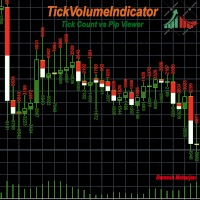
Il existe différents indicateurs et méthodes pour identifier les tendances sur un graphique. TickVolumeIndicator en fait partie. Il vous aide à identifier et à prédire les tendances futures en affichant les tendances passées à partir des données des ticks. TickVolumeIndicator est un indicateur qui colore les bougies visibles sur le graphique à partir des volumes de ticks. Les volumes de ticks correspondent aux valeurs des cours acheteur et vendeur. L'utilisateur peut choisir entre le nombre de
FREE
TelegramTrades
Ramesh Maharjan
TelegramTrades est un Expert Advisor qui analyse les signaux de trading (émis par des experts) provenant de 10 chaînes Telegram et les convertit en ordres valides. Un script pyrogram, exécuté en permanence sur un serveur, traite ces signaux et les transmet à mon bot Telegram. Dès qu'un signal valide, incluant stop loss, take profit, prix, type de transaction et symbole, est reçu, l'Expert Advisor l'interprète pour exécuter les transactions sur les graphiques. Il n'est pas nécessaire d'utiliser
FREE
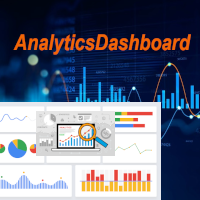
Le tableau de bord analytique est un outil qui analyse vos transactions passées et présentes et génère un tableau de bord analytique que vous pouvez consulter avec des graphiques circulaires supplémentaires pour une vue détaillée. Quatre catégories d'analyse principales sont prises en compte : 1) Indicateurs de performance ; 2) Indicateurs de comportement des transactions ; 3) Indicateurs de qualité d'exécution ; et 4) Indicateurs de niveau de position. Ces quatre indicateurs analytiques géné
FREE
Info Exporter MT5 prend en charge l'exportation des informations du terminal, des comptes, de l'historique des transactions et des commandes vers un fichier CSV local, l'envoi d'e-mails et l'exportation directe vers Google Sheets via l'URL déployée par le script d'application. Vous pouvez choisir d'exporter au format CSV, par e-mail ou vers Google Sheets. Vous pouvez même modifier les noms des fichiers exportés et des feuilles. Paramètres d'entrée utilisés : export terminal informations? : Choix
FREE
Telegram Services
Ramesh Maharjan
5 (1)
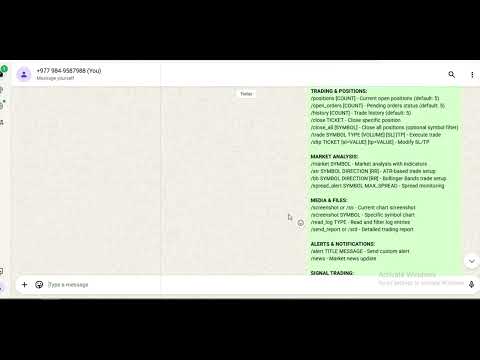
Le service Telegram est une application de trading qui assure la communication entre ce conseiller expert (EA) et votre chaîne Telegram. Cette application génère des rapports, vous alerte lors de l'ouverture, la fermeture et la modification de positions, ouvre de nouvelles positions, ferme les positions ouvertes, modifie les positions existantes, affiche l'historique des transactions, récupère des captures d'écran des graphiques, et récupère les valeurs de stop loss et de take profit. Elle affi
Filtrer:
Aucun avis
Répondre à l'avis