EA Performance Hub MT4
- ユーティリティ
- バージョン: 1.30
- アップデート済み: 11 6月 2026

EA Performance Hub (MT4)
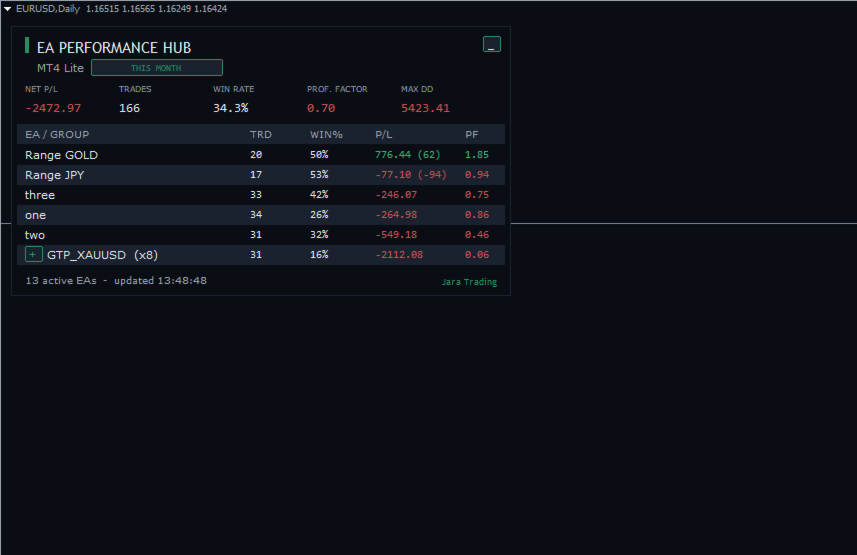
EA Performance Hub is a passive dashboard indicator that monitors the performance of every Expert Advisor running in your MT4 terminal. It automatically detects all magic numbers, reads EA names from order comments, groups multi-strategy robots, and shows core metrics in a single clean panel.
This is a read-only utility. It does not trade, does not modify orders, and does not touch your positions. It only reads your account history and open trades to display statistics.
What it shows
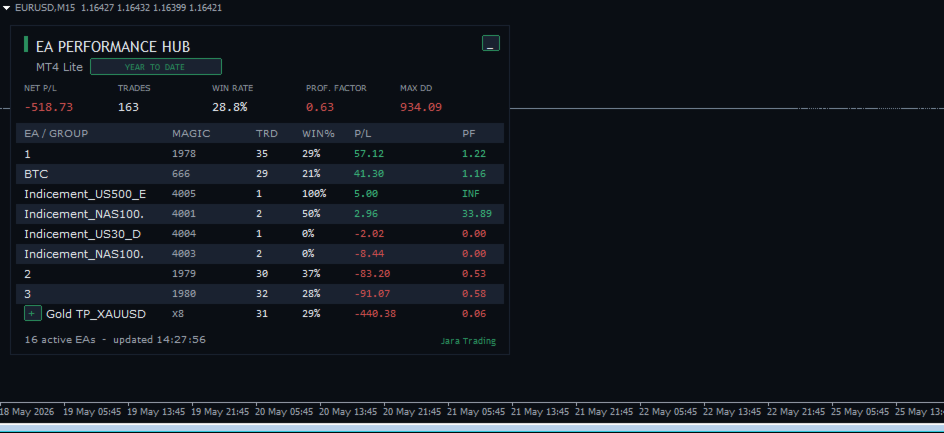
- Portfolio KPIs — Net P/L, total Trades, Win Rate, Profit Factor and Max Drawdown across all detected EAs.
- Per-EA table — for each EA or group: Trades, Win %, P/L (with floating P/L of open trades in brackets) and Profit Factor.
- Active EA count and last-update time in the footer.
Automatic magic grouping
Robots that run several strategies under different magic numbers are detected and merged into one aggregated row, so your panel stays readable.
- Auto-grouping by name — EAs sharing the same order comment are grouped together.
- Name-root grouping — a numeric suffix is stripped so that MyEA_1 , MyEA_2 , MyEA_3 collapse into a single MyEA (x3) row, while different names stay separate.
- Manual groups — define your own groups by magic number, for example Scalper:1001-1010;Swing:2001,2002 .
- Expandable rows — click the + / - button to expand a group and inspect each individual magic, then collapse it again.
Period and filters
- Period selector — Today, Last 7 days, This month, Year to date, All time, or a custom number of days. The period chip on the panel is clickable to cycle through periods on the fly.
- Symbol filter — restrict statistics to the current chart symbol only.
- Manual trades — optionally include or exclude trades placed by hand (magic 0).
Clean, scalable interface
- 4K / high-DPI ready — the panel scales automatically to your screen DPI, with independent manual overrides for panel size and font size.
- Clean chart mode — optionally hides grid, volumes, period separators and the price series so the chart becomes a dedicated dashboard. The original chart settings are saved and restored when the indicator is removed.
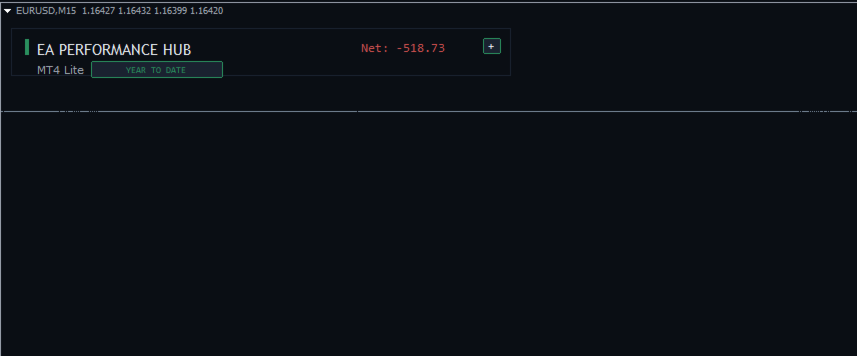
- Minimize button — collapse the panel to a compact header to free up chart space.
- Anchor corner, offsets, row height and full colour customisation.
How it works
The indicator reads closed trades from your account history and combines them with currently open trades for the selected period. Drawdown is computed per EA from the realised equity sequence. All calculations run on a refresh timer (default 5 seconds) and are processed in a single history pass, so the panel stays responsive even on accounts with a long trade history.
Notes
- Designed for MetaTrader 4. Attach to any one chart — it reads the whole terminal, not just that symbol.
- Statistics are based on the account history available in your terminal. Set the history depth in the terminal if you want longer periods.
- No DLLs, single-file indicator.
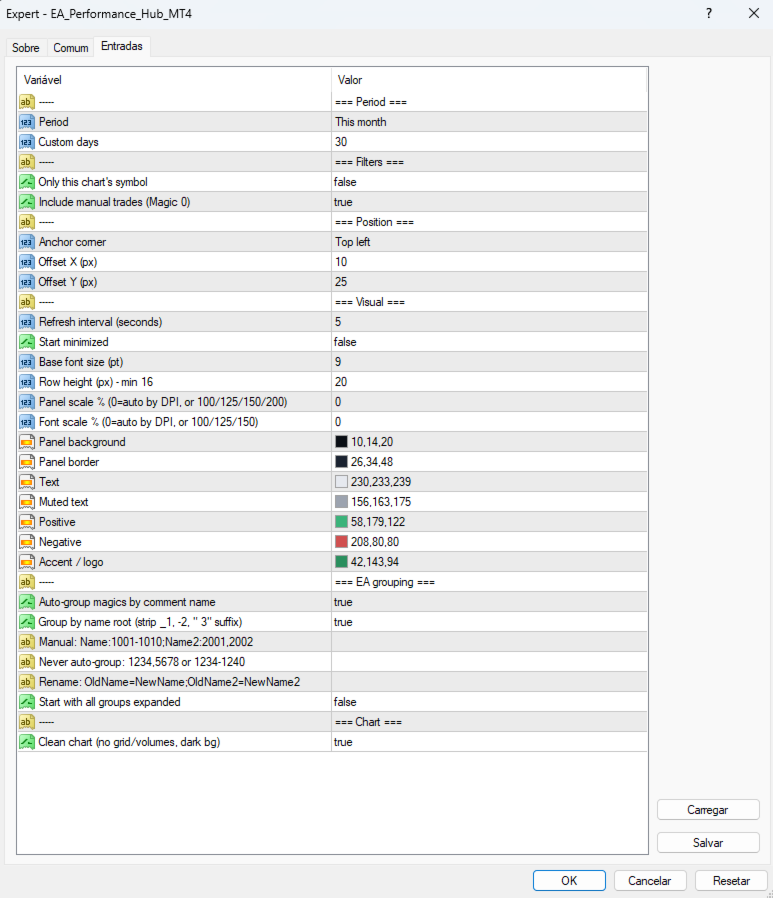
Inputs overview
- Period — reporting period and custom days.
- Filters — current-symbol only, include manual trades.
- Position — anchor corner and X/Y offset.
- Visual — refresh interval, font size, row height, panel/font scale, colours.
- EA grouping — auto-group, strip numeric suffix, manual groups, ungrouped list, rename groups.
- Chart — clean chart mode.