Follow Trend Steps MT5

Follow Trend Steps

Follow Trend Steps: See Your Price Zones Before the Market Moves

Plan your trades around clear price zones, not guesswork. Follow Trend Steps draws clean, color-coded zones directly on your chart, showing where price has recently turned and where it may react again, so you can plan entries, exits and risk with confidence. Available for Meta Trader 4 and Meta Trader 5.

Why traders use Follow Trend Steps
Every chart is full of noise. Support and resistance lines are drawn differently by every trader, and it is easy to lose time marking levels by hand. Follow Trend Steps does the marking for you. It reads recent price action, filters it with a trend reference, and places a zone box where price has shown a meaningful reaction.

The result is a chart that tells you at a glance:
  • Where the upper zones are, areas above the trend reference where price has pulled back.
  • Where the lower zones are, areas below the trend reference where price has bounced.
  • Which zones are the most recent, because older zones fade away gradually.
You spend less time drawing and more time deciding.

Built for planning
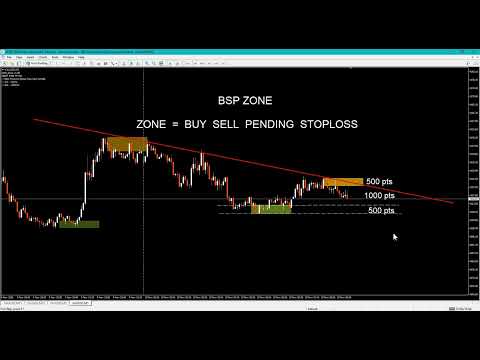
A zone is more than a line. It has a top and a bottom, so you can see a whole area of interest instead of a single price. That makes it easier to:
  • Plan entry areas and pending orders around zones
  • Place stop-loss levels beyond a zone edge
  • Set take-profit targets at the next zone in the opposite direction
  • Compare the distance to a zone with your intended risk
  • Prepare a trading plan before the session starts
Zones extend forward to the right of the price action, so you can see where they sit relative to the current price while you plan.

Clear at a glance
Follow Trend Steps was designed so the chart stays readable, even with many zones.
  • Two colors, two meanings. Upper zones and lower zones use different colors, so you know the side immediately.
  • Fading history. The newest zones are shown at full strength. Older zones blend gradually into the chart background, so your eyes go to what matters now.
  • Pending zones are marked differently. A zone that is still developing is drawn as a dashed outline. Once it is confirmed, it becomes a solid box. You always know which zones are final and which are still forming.
  • One zone per move. When price keeps pushing in the same direction, the indicator keeps only the strongest zone of that move, instead of stacking boxes on top of each other.
  • No clutter. The indicator uses lightweight chart objects that stay behind the price candles and cannot be moved by accident.
Fully adjustable
Every trader works differently. Follow Trend Steps lets you shape the display to match your own style and your own chart.
You can keep it minimal, with only a few of the newest zones visible, or keep a wider history for context. Change a setting and the chart updates immediately.

Works on your chart, your way
  • Works on short-term chart timeframes from M1 up to H1
  • Works on forex, metals, indices and other instruments offered by your broker
  • Updates live as new price data arrives
  • Light on resources, with no heavy calculation or lag
  • Zones are tied to price and time, so they stay in the right place as you scroll and zoom
  • Includes an on-chart information note showing your broker and account type
Who is it for?
  • Manual traders who want clear areas of interest on the chart without drawing them by hand
  • Intraday traders who plan each session around key price areas
  • Risk-focused traders who want to see the distance to a zone before they enter
  • Traders building a routine, who want the same objective zones every day instead of subjective levels
Quick start
  1. Attach Follow Trend Steps to any chart from M1 to H1.
  2. Pick your upper and lower zone colors.
  3. Set how far the zones extend to the left and to the right.
  4. Choose your look-back range.
  5. Use the zones to plan your entries, stops and targets.
The default settings are ready to use right away. Adjust them whenever you like.

A tool to support your decisions
Follow Trend Steps is a visual planning tool. It does not open or close trades, and it does not predict the future. Zones show areas where price has reacted before, and price may or may not react there again. Use it together with your own analysis and sound risk management.

Trading involves risk. Past price behavior does not guarantee future results. Only trade with money you can afford to lose.

Get Follow Trend Steps today
Add clear, customizable price zones to your Meta Trader chart and plan your next trade with a clearer picture of the market. Download Follow Trend Steps and see your chart in a new way.

_______________________________


_______________________________

PC , Laptop , Pocket PC

Minimum Requirements:

OS: Windows 7 SP1 or later

CPU: 500 MHz processor (Pentium IV or comparable)

RAM: 512 MB

Hard Disk: 20 MB free space

_______________________________

Thank you for your support

Subscribe & Follow to stay updated on new gadgets.

_______________________________
Prodotti consigliati
Algo Pumping
Ihor Otkydach
4.77 (22)
PUMPING STATION – La tua strategia personale "all inclusive" Ti presentiamo PUMPING STATION — un indicatore Forex rivoluzionario che trasformerà il tuo modo di fare trading in un’esperienza efficace ed entusiasmante. Non si tratta solo di un assistente, ma di un vero e proprio sistema di trading completo con potenti algoritmi che ti aiuteranno a operare in modo più stabile. Acquistando questo prodotto, riceverai GRATUITAMENTE: File di configurazione esclusivi: per un'impostazione automatica e pr
DoIt EA Monitor MT5
Diego Arribas Lopez
DoIt EA Monitor - Multi EA Performance Dashboard for MT5 Your account can be profitable while one EA quietly drags down the portfolio. MetaTrader history shows the combined result, but it does not clearly show which strategy deserves more capital and which one needs attention. DoIt EA Monitor runs on one chart and separates live and historical performance by magic number, EA and symbol. It is completely read-only. It never opens, closes or modifies a trade. KNOW WHICH EA IS EARNING ITS PLACE Aut
FREE
Broker XRay
Joao Jara Carvalho
BROKER XRAY — Execution Quality Audit See what your broker hides. Score your broker A+ to F. Most traders never know if their broker is silently bleeding their edge: spread expansion at rollover, asymmetric slippage, hidden requotes, latency spikes during news. Broker XRay gives you a Bloomberg-style dashboard that monitors all of this in real-time, scores it from 0 to 100, and exports everything to CSV for deep analysis. Run it for 24 hours. Get the truth. What it measures (6 weighted dimension
Aurum Reversion Pro MT5
Olaoluwa Oluwaseun Bamitale
Aurum Reversion Pro Aurum Reversion Pro is a professionally developed Expert Advisor designed for traders who want a structured, automated approach to trading Gold (XAUUSD) . Built with a strong focus on automation, flexibility and risk management, Aurum Reversion Pro combines intelligent trade management with configurable protection features to provide a streamlined trading experience. The EA is optimized for XAUUSD (Gold) and is recommended for the M15 (15-minute) timeframe . For best operatin
Chart Navigator Pro
ELITE FOREX TRADERS LLC
Introducing the   Elite Chart Navigator   — your ultimate MetaTrader 5 Expert Advisor designed to revolutionize multi-symbol trading with seamless chart navigation and superior usability. Product Overview The   Elite Chart Navigator EA   is a sophisticated trading utility enabling rapid switching between multiple trading pairs through an intuitive on-chart button interface. Built for professional traders managing numerous instruments, this EA dramatically improves workflow efficiency, ensuring
Orama shows you the whole market at once, and which parts of it move more than usual. Every symbol in your Market Watch, grouped in eight asset classes, as one map on your chart in 2D, 2.5D and free 3D. See which classes lead, which symbols are busier than usual for the time of day, which currencies are strong or weak, and which symbols are already in your book. One click opens the chart. Four views: Market Landscape, Relative Strength Wall, Class Correlation and Currency Strength, each in 2D,
Custom Alerts MT5
Daniel Stein
5 (9)
Custom Alerts: Monitora più mercati e non perdere mai un setup importante Panoramica Custom Alerts è una soluzione dinamica per i trader che desiderano monitorare più strumenti da un unico punto centrale. Integrando i dati dei nostri strumenti principali — come FX Power, FX Volume, FX Dynamic, FX Levels e IX Power — Custom Alerts ti avvisa automaticamente degli sviluppi cruciali del mercato, senza dover passare continuamente da un grafico all'altro o rischiare di perdere opportunità importanti
EUR 1 of 8
Tomas Michalek
Plug & Play portfolio - series of high-quality EURUSD H1 strategies for maximized success. This EA alone can bring you great profits, but for the best results check also rest of the   EUR portfolio . Strategy is using CCI indicator for finding suitable trade and then sets the pending order according to daily extremes. No grid, no martingale, no tuned backtest, no fairytales, but   real results. This EA has passed 9 robustness tests, indicating good strategy quality. Benefits for you Plug & Pla
​AlphaPulse Quant (Momentum Pulse Reversal System) ​ Strategy Overview ​AlphaPulse Quant is an intelligent quantitative trading system meticulously engineered to capture institutional market sweeps and extreme overbought/oversold inflection points. Rejecting the lagging nature of traditional trend-following indicators, the strategy utilizes a proprietary multi-dimensional momentum pulse algorithm to execute counter-trend deployments just as trends exhaust and retail market sentiment reaches F
CURRENCYPOWER NAVIGATOR MT5 Currency Strength Ranking Dashboard TAGLINE See the strongest and weakest currencies before choosing the pair. PRODUCT OVERVIEW CurrencyPower Navigator MT5 is a currency-strength indicator for MetaTrader 5. Instead of focusing on one chart only, it evaluates a basket of major Forex pairs and estimates the relative strength of individual currencies. The indicator then ranks the main currencies and helps identify stronger-versus-weaker combinations that may offer
FREE
10 Years of Candle Reading. Tested Across 16 Years of Markets. It started with just $50. The final backtest balance reached $445,320.39. Approximately 8,906× growth , representing a return of approximately 890,541% . 2,097 total trades. 1,378 profitable trades. 65.71% win rate. Profit Factor: 6.57. The test period runs from September 8, 2010 to September 16, 2026. This result was not produced by selecting a few favorable months from a bull market. It is the result of a long-term JP225Cash ba
Bneu Smart Monkey Concept Pro
Marvinson Salavia Caballero
Bneu Smart Money Concepts Pro — All-in-One ICT/SMC Analysis An automated Smart Money Concepts indicator that marks BOS, CHoCH, Order Blocks, Fair Value Gaps, Liquidity Sweeps, OTE Zone, Kill Zones, Asian Range, and Premium/Discount zones in real time. All signals use closed-bar data only. Non-repainting. WHAT IT DRAWS - BOS (Break of Structure) and CHoCH (Change of Character) labels - HH / HL / LH / LL swing point labels - Order Block zones (supply and demand) with midpoint lines - Fair Val
Product Name Scalper M1 Gold AI By June Short Description AI-powered Gold scalping EA for M1 timeframe. Fast, precise, and fully automated with adaptive learning system. Full Description Scalper M1 Gold AI Learning By June is a next-generation Expert Advisor designed for high-speed scalping on XAUUSD (Gold) using the M1 timeframe . Built with an advanced AI Learning Engine , this EA continuously analyzes market behavior, adapts to changing conditions, and executes trades with precision
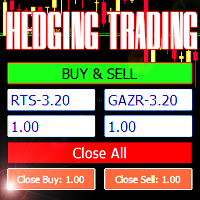
Advisor for hedging trading or pair trading. A convenient panel allows you to open positions on the necessary trading instruments and lots. Automatically determines the type of trading account - netting or hedging. Advisor can close all its positions upon reaching profit or loss (determined in the settings). A negative value is required to control losses (for example, -100, -500, etc.). If the corresponding fields are 0, the EA will not use this function.   Settings: Close profit (if 0 here
MENTALIST EA Mentalist EA combina l'analisi basata sull'IA con i concetti di Smart Money per individuare ingressi istituzionali ad alta probabilità. È un EA multi-valuta per tutte le coppie forex e i metalli, e tutta la strategia funziona da un unico grafico.  IMPORTANTE: LEGGERE ATTENTAMENTE - Mentalist non è un "sacro graal". Operazioni in perdita, drawdown e periodi di calma sono normali. - Non giudicare l'EA da poche operazioni o da una o due settimane. Usa una corretta gestione del risc
Tired of information overload when analyzing forex currency strength? Introducing "All Currency Strength Live", the ultimate dashboard indicator for MetaTrader 5 that simplifies your trading life. This innovative tool provides a clear, concise overview of the strength of all major currencies, empowering you to make informed trading decisions with ease. With "All Currency Strength Live,"  you gain access to real-time insights into both price and volume strength across all major currencies. No mor
Smart Strategy EA v6 VISUAL
Sergio Millares Raposo
XAUUSD Smart Strategy EA Price Action • Market Structure • Fibonacci • Smart Risk Management XAUUSD Smart Strategy EA is a professional MetaTrader 5 Expert Advisor designed specifically for Gold (XAUUSD) , combining Price Action, Market Structure, Dynamic Fibonacci analysis, trend confirmation, momentum filters, volatility analysis and advanced trade management into one integrated trading system. The EA is designed to identify structured trading opportunities rather than relying on a single tech
Max Lot Limiter with Auto Close Gestione automatizzata del rischio per MetaTrader 5 Max Lot Limiter with Auto Close è un Expert Advisor per la gestione automatizzata del rischio su MetaTrader 5. L'EA monitora continuamente il volume totale dei lotti di tutte le posizioni aperte su tutti gli strumenti di trading del conto. Quando il volume totale supera il limite massimo configurato, l'EA avvia automaticamente una procedura di chiusura di emergenza e tenta di chiudere TUTTE le posizioni aperte de
QFT Scalp Gold is a XAUUSD scalping Robot designed for the M1 timeframe.  The trading system is designed to identify high probability market action and  capitalize on such information.  The trouble with most scalping systems is the general lack of a credible response when the market makes very large moves against a huge number of open trades, often relying on very low reward to risk ratio.  QFT Scalp Gold solves this problem with a unique recovery system that uses the unfavorable market  mov
Pattern Recognition EA
Claudiu-georgian Zavera
Pattern Recognition EA - From Learn to Earn. The market repeats itself. This EA finds every past repeat of the current candle sequence - and lets history vote the direction. ONE SHAPE. EVERY REPEAT IN HISTORY VOTES. The last N candles on your signal timeframe form a shape. The EA scans the history you choose - a fixed number of bars or everything your broker provides - for the SAME shape, and checks what happened next, every single time. Only when enough repeats exist AND a clear majority of t
LIVE PRICE CHART: • Promo Stage 1: Only $99 (Final copy before price increase! + Gold Pulse Quantum MT5 or Gold AI Alpha Pro MT5 !) - LIVE NOW! • Promo Stage 2: Only $149 (For the next 10 buyers + Gold Pulse Quantum MT5 or Gold AI Alpha Pro MT5 !) • Promo Stage 3: Only $199 (For the next 15 buyers + Gold Pulse Quantum MT5 or Gold AI Alpha Pro MT5 !) • Promo Stage 4: Only $299 (Final discount before launch + Gold Pulse Quantum MT5 or Gold AI Alpha Pro MT5 !) FINAL RETAIL PRICE: $499 Lice
Versione MT4: https://www.mql5.com/en/market/product/128965 Versione MT5: https://www.mql5.com/en/market/product/128966 "One Shot One Kill" - Trading di precisione per l'oro (XAU/USD) Domina il mercato dell'oro con una strategia di trading sicura e redditizia "One Shot One Kill" è un Expert Advisor (EA) di livello professionale specificamente ottimizzato per il trading dell'oro (XAU/USD) e al tempo stesso abbastanza versatile da negoziare le principali coppie di valute. Questo EA segue un
EA Reversion Precio
Luigi Salvatores Buigues Morillo
La estrategia de reversión del precio (o mean reversion ) se basa en la idea de que los precios de los activos financieros tienden a regresar a su promedio o valor "normal" después de desviarse significativamente. Esta desviación puede ocurrir por factores externos, emociones del mercado o movimientos inesperados. La estrategia busca aprovechar esos momentos de desviación para entrar al mercado, esperando el retorno del precio a su media. Componentes clave de una estrategia de reversión del prec
PEPITO MANUAL ASSISTANT A trading panel for MetaTrader 5 for traders who decide their own entries. You choose when to buy or sell; the panel sizes the trade, places the stops, manages the open positions and shows you where support and resistance are. It does not open trades by itself. Every entry is your click. Pepito Agent Assistant helps traders identify and evaluate potential opportunities. It does not automatically open trades if is not enable from trade panels. Trading decisions remain u
FXEA365 Gold Neuron
Kenichiro Sakamoto
FXEA365 Gold Neuron — cinque motori decisionali indipendenti per XAUUSD in un unico EA (MetaTrader 5) === PREZZO DI LANCIO: ULTIMA COPIA A $35 === Il prezzo aumenta ogni 3 acquisti e continua a salire senza limite ($35 → $49 → $79 → $99 → $149 → …). Alla prossima vendita il prezzo salirà a $49. === LINK RAPIDI === - Guida utente e file set pronti all'uso (uno per modalità operativa, più un set per prop firm): https://www.mql5.com/en/blogs/post/779722 - Forward test: conto demo Exness (non den
Galaxy X Quantum Edge
Gezani Paulus Nkuna
GALAXY X [QUANTUM EDGE] is an advanced MetaTrader 5 automated trading robot designed around the Smart Money Concepts (SMC) strategy, using market structure, swing points, order blocks, Fair Value Gaps (FVG), liquidity/sweep confirmations, and trend analysis to identify potential high-quality trading opportunities. The robot is designed to adapt to changing market conditions by monitoring volatility and market regimes, adjusting its trading frequency and risk exposure accordingly, while incorpora
Kapitaltrader
Erick Gabriel Palma Montufar
The price is 450$ for next 10 buyers (Remaining copy :10) Next price: 600$ KAPITAL SECURE EA    : I s a fully automated "arbitrage" trading system, which is especially effective in trading popular currency pairs, it uses 11 pairs at the same time: EURCHF, GBPNZD, AUDNZD, NZDUSD, NZDJPY, GBPAUD, EURCAD, EURUSD, EURJPY. In order to pass the MQL4 tests, we have modified the settings, you just need to download our profitable settings that we use on LIVE accounts. LIVE Signals: Capital #1  50K € Cap
Gap Straddle EA
Nazat Hossain Adi
Gap Straddle Trailing EA Automated Pending Order Management with Smart Trailing Stop Gap Straddle Trailing EA is an Expert Advisor for MetaTrader 5 designed to manage pending orders and trade protection through configurable settings. It includes automated order management, risk-based lot sizing, trailing stop functionality, session controls, and an on-chart dashboard. Key Features Buy Stop & Sell Stop Management — Automated pending-order placement and management. OCO Functionality — Opposite pen
Quick start (2 minutes) Drag the utility onto the chart of the symbol you trade. "Allow Algo Trading" can stay off: it never sends orders. The mini HUD shows the live spread. Click Open for the full panel. Tabs on top: Session · Trades · News . Small pills below choose the view. News › Broker profile : how far your broker widens the spread on NFP, CPI and rate decisions, ready after about one minute. Details › HTML report : a one-page summary you can open in any browser. Unsure what a value mea
FX28 Trader MT5
Tsvetan Tsvetanov
3 (1)
Presentazione del FX28 Trader Dashboard - Il tuo gestore di trading definitivo Scopri tutto il potenziale della tua esperienza di trading con il FX28 Trader Dashboard, un gestore di trading completo e intuitivo progettato per portare il tuo trading Forex a nuove vette. Che tu sia un trader esperto o stia iniziando il tuo percorso finanziario, questo potente strumento è stato sviluppato per semplificare le tue attività di trading e migliorare il processo decisionale. Caratteristiche principali:
Gli utenti di questo prodotto hanno anche acquistato
Trade Assistant MT5
Evgeniy Kravchenko
4.43 (216)
It helps to calculate the risk per trade, the easy installation of a new order, order management with partial closing functions, trailing stop of 7 types and other useful functions. Additional materials and instructions Installation instructions - Application instructions Line function -   shows on the chart the Opening line, Stop Loss, Take Profit. With this function it is easy to set a new order and see its additional characteristics before opening.   Risk management  - The risk calculation
FarmedHedge Pair Trading Dashboard
Tanapisit Tepawarapruek
5 (7)
Farmed Hedge Yield Farming | All Markets (Manual - Hybrid - Semi/Automated EA) VERIFIED TRADING RESULTS - Farmed Hedge Yield Axi Copy:  https://www.mql5.com/en/signals/2356376 - Farmed Hedge Yield Exn Copy:   https://www.mql5.com/en/signals/2356404 - Farmed Hedge Yield V Copy:  https://www.mql5.com/en/signals/2357156 IMPORTANT NOTICE: FarmedHedge is a MANUAL-FOCUSED TRADING UTILITY ,not a fully automated EA. Results shown on this Signal include manual trades and overall strategic management.
Forex Trade Manager MT5
InvestSoft
4.98 (689)
Benvenuto a Trade Manager EA, lo strumento definitivo per la gestione del rischio , progettato per rendere il trading più intuitivo, preciso ed efficiente. Non è solo uno strumento per l'esecuzione degli ordini, ma una soluzione completa per la pianificazione delle operazioni, la gestione delle posizioni e il controllo del rischio. Che tu sia un principiante, un trader avanzato o uno scalper che necessita di esecuzioni rapide, Trade Manager EA si adatta alle tue esigenze, offrendo flessibilità s
Telegram to MT5 MultiChannel Copier
Sergio Marquez Uroz
4.68 (22)
Telegram to MT5 Multi-Channel Copier   copia automaticamente i segnali di trading dai tuoi canali Telegram e Discord direttamente su MetaTrader 5. Niente bot, niente estensioni del browser, niente copia manuale. Il segnale arriva su Telegram o Discord e l'EA apre l'operazione nel tuo terminale in pochi secondi. E prima di copiare un canale, il backtester integrato ti mostra cosa avrebbe fatto quel canale sul tuo conto. Il prodotto include due componenti: un'applicazione Windows che ascolta i tuo
TradePanel MT5
Alfiya Fazylova
4.88 (172)
Trade Panel è un assistente commerciale multifunzionale. L'applicazione contiene più di 50 funzioni di trading per il trading manuale e permette di automatizzare la maggior parte delle attività commerciali. Istruzioni per l'applicazione: https://www.mql5.com/it/blogs/post/762331 Versione di prova dell'applicazione per un conto demo: https://www.mql5.com/it/blogs/post/762419 Come installare l'applicazione: https://www.mql5.com/it/blogs/post/762362 Come testare l'applicazione in modalità visuale:
Local Trade Copier EA MT5
Juvenille Emperor Limited
4.94 (150)
Local Trade Copier EA MT5 è un trade copier rapido e flessibile per copiare e gestire operazioni tra più conti MetaTrader 5 sullo stesso computer Windows o Windows VPS. Combina la sincronizzazione locale delle operazioni con controlli lato Receiver per dimensione del lotto, gestione del rischio, filtraggio delle operazioni, mappatura dei simboli, gestione delle operazioni e protezione del conto. Configura i terminali Transmitter e Receiver in circa 1 minuto e copia operazioni manuali o aperte d
News Trade EA MT5
Konstantin Kulikov
4.55 (11)
Presento un utile robot che io stesso utilizzo da diversi anni. Questo robot può essere utilizzato sia in modalità semiautomatica che completamente automatica. >>> Chat <<< Il programma contiene le impostazioni flessibili per fare trading sulle notizie del calendario economico. Non può essere verificato nel tester delle strategie. Soltanto il vero lavoro. Scarica l'ultimo archivio di impostazioni: https://www.mql5.com/en/blogs/post/747929 Monitoraggio dei segnali: https://www.mql5.com/en/signa
Exp COPYLOT CLIENT for MT5
Vladislav Andruschenko
3.97 (35)
Copiatore professionale di trade per MetaTrader 5 Un copiatore di trade veloce, professionale e affidabile per MetaTrader . COPYLOT consente di copiare operazioni Forex tra terminali MT4 e MT5 con supporto per conti Hedge e Netting . La versione MT5 di COPYLOT supporta: - MT5 Hedge → MT5 Hedge - MT5 Hedge → MT5 Netting - MT5 Netting → MT5 Hedge - MT5 Netting → MT5 Netting - MT4 → MT5 Hedge - MT4 → MT5 Netting Versione MT4 Descrizione completa + DEMO + PDF Come acquistare Come installare Come ot
Copia i segnali Telegram con le tue regole di trading Telegram to MT5 Signal Trader copia automaticamente i segnali di trading testuali dai canali e gruppi Telegram pubblici e privati in MetaTrader 5. Gestisci più fornitori e conti MT5 da un'unica applicazione desktop, con impostazioni di rischio e di trading specifiche per ogni fornitore . Per copiare i segnali non servono bot Telegram né configurazioni API. Accedi semplicemente con il tuo account Telegram tramite numero di telefono o codice QR
The product will copy all telegram signal to MT5 ( which you are member) , also it can work as remote copier.  Easy to set up, copy order instant, can work with almost signal formats, image signal,  s upport to translate other language to English Work with all type of channel or group, even channel have "Restrict Saving Content", work with  multi channel, multi MT5 Work as remote copier: with signal have ticket number, it will copy exactly via ticket number. Support to backtest signal. How to s
Strategy Ledger Pro
Abdullah Uygar Tuna
5 (14)
Ora disponibile in italiano. Strategy Ledger Pro è un pannello di analisi del conto in sola lettura per MetaTrader 5. Separa i risultati del conto per Expert Advisor, strategia, simbolo e numero magic, così puoi vedere quanto contribuisce davvero ciascuno. Il pannello è disponibile in 11 lingue: English, Français, Deutsch, Español, Italiano, Português, Русский, Türkçe, 中文, 日本語 e 한국어. Prima di scaricare la demo. Il Market esegue la demo di qualsiasi prodotto a pagamento solo nello Strategy Teste
================================================================================ POC BREAKOUT - V20.72. Full Professional Grade Toolkit ================================================================================ POC Breakout is a full MetaTrader 5 trading dashboard for discretionary traders who want breakout signals, Point of Control (POC) context, volume profiles, order flow, market structure, news, alerts, and advanced trade planning in one professional workspace. Attached directly to you
EA Overfitter
Stephen J Martret
5 (3)
That backtest looks great. But will it still be making money tomorrow, next week, next month? EA Overfitter re-runs your EA on 100 price histories it has never seen. One score tells you if the edge is real. A backtest tells you what an EA did on one price history — the one that happened to occur. What you cannot tell from it is how much of that result was the strategy and how much was the particular path. EA Overfitter answers that. It builds up to 100 synthetic price histories your EA has n
Power Candles Strategy Scanner - Strumento di ricerca configurazioni multi-simbolo con ottimizzazione automatica Power Candles Strategy Scanner utilizza lo stesso motore di auto-ottimizzazione che alimenta l'indicatore Power Candles, applicandolo a tutti i simboli presenti nel tuo Market Watch, uno accanto all'altro. Un unico pannello ti indica quali simboli sono statisticamente negoziabili in questo momento, quale strategia è vincente su ciascuno di essi, la coppia ottimale di Stop Loss / Take
Timeless Charts
Samuel Manoel De Souza
5 (9)
Timeless Charts è un'utilità di trading completa progettata per trader professionisti. Combina tipi di grafici personalizzati come Grafici a Secondi e Renko con analisi avanzata del flusso ordini tramite Footprints , Clusters , Profili di Volume , studi VWAP e strumenti di analisi ancorata per una visione più approfondita del mercato. Il trading e la gestione delle posizioni vengono eseguiti direttamente dal grafico tramite un pannello integrato di gestione delle operazioni , mentre Market Repla
Telegram to MT5 Coppy
Sergey Batudayev
5 (10)
Da Telegram a MT5:   la soluzione definitiva per la copia del segnale Semplifica il tuo trading con Telegram su MT5, il moderno strumento che copia i segnali di trading direttamente dai canali e dalle chat di Telegram sulla tua piattaforma MetaTrader 5, senza bisogno di DLL. Questa potente soluzione garantisce un'esecuzione precisa dei segnali, ampie opzioni di personalizzazione, fa risparmiare tempo e aumenta la tua efficienza. [ Instructions and DEMO ] Caratteristiche principali Integrazione d
VirtualTradePad One Click Trading Panel
Vladislav Andruschenko
4.59 (74)
Pannello di trading per MetaTrader 5 — controllo professionale del trading in un clic dal grafico e dalla tastiera Un pannello di trading avanzato progettato per trader attivi, pensato per aprire, gestire e chiudere operazioni molto più velocemente rispetto all’interfaccia standard di MetaTrader. Questa soluzione è dedicata a chi desidera controllare posizioni, ordini pendenti, profitto totale ed esecuzione da un unico spazio di lavoro professionale. Non si tratta di un semplice utilitario. È u
Prossimo aggiornamento — Versione 2.52 in arrivo! [NOVITÀ] Preparati a 4 nuove funzionalità principali progettate per migliorare la tua analisi di mercato e il tuo flusso di lavoro nel trading Portiamo l’analisi di mercato a un livello superiore con 4 nuove funzionalità progettate per soddisfare le tue esigenze di trading. Ecco le novità: 1. TRADE OVERVIEW DASHBOARD 2. CONFLUENCE AT ZONE 3. STRONG & WEAK HIGH/LOW 4. OTE 1. TRADE OVERVIEW DASHBOARD Una dashboard che ti aiuta a comprendere più fa
Telegram To MT5 Ultra
Mirel Daniel Gheonu
5 (5)
Telegram To MT5 — Copiatore di segnali Trasforma le indicazioni di trading dei tuoi canali Telegram in veri ordini MT5 — automaticamente, su quanti account vuoi, con rischio e regole totalmente sotto il tuo controllo. Telegram To MT5 collega i canali VIP / di segnali che già segui su Telegram al tuo terminale MetaTrader 5. Un'app desktop companion gratuita legge i messaggi (anche dai canali che bloccano i bot), e questo Expert Advisor li esegue sul tuo conto — applicando le tue impostazioni di r
Anchor Trade Manager
Kalinskie Gilliam
5 (8)
Your EAs cannot see each other, but Anchor can. Anchor gives you one place to coordinate your EAs, manage risk, and decide when trading is allowed. It works alongside the trading bots you already use without any changes to them. The Problem One EA opens a trade. Then another starts trading. The next thing you know, you wake up to multiple grids built across your account. Each EA may be doing exactly what it was designed to do, but together they can place far more risk on your account than you in
Trade Indicator Assistant   is a powerful MT5 utility designed to turn indicators into automated trading systems. Its main feature is the ability to automatically detect an indicator’s   BUY and SELL signal buffers , without requiring you to know the buffer numbers, search through indicator settings, or modify the indicator source code. Bonus Indicator:   After purchasing Trade Indicator Assistant, contact me to receive   Trade Signal Pro   completely free as a bonus indicator. [Download Demo V
EA Auditor
Stephen J Martret
5 (7)
EA Auditor is an independent analysis tool for traders evaluating Expert Advisors and trading signals on MetaTrader 5. It audits backtest reports, reviews posted developer signals, and cross-verifies the two against each other to help traders assess strategies before committing capital. The MQL5 market offers a wide range of Expert Advisors from many developers, with varying approaches, quality, and transparency. EA Auditor provides a consistent, data-driven framework for reviewing them, answer
Trade Manager DaneTrades
Levi Dane Benjamin
4.13 (31)
Trade Manager per aiutarti a entrare e uscire rapidamente dalle operazioni calcolando automaticamente il tuo rischio. Incluse funzionalità che ti aiutano a prevenire l'eccessivo trading, il vendetta trading e il trading emotivo. Le operazioni possono essere gestite automaticamente e i parametri di performance del conto possono essere visualizzati in un grafico. Queste caratteristiche rendono questo pannello ideale per tutti i trader manuali e aiuta a migliorare la piattaforma MetaTrader 5. Suppo
MT5 to Telegram Signal Provider è un'utilità facile da usare e completamente personalizzabile che consente l'invio di segnali specificati a una chat, canale o gruppo Telegram, rendendo il tuo account un fornitore di segnali. A differenza della maggior parte dei prodotti concorrenti, non utilizza importazioni DLL. [ Dimostrativo ] [ Manuale ] [ Versione MT4 ] [ Versione Discord ] [ Canale Telegram ]  New: [ Telegram To MT5 ] Configurazione Una guida utente passo-passo è disponibile. Nessuna cono
RETAILBERG FOOTPRINT CHART PRO — Order-Flow Workspace for MetaTrader 5 Version 7.00  |  Professional System  |  31 tools  |  One chart A full 150-page illustrated User Manual is included. Please read the full manual to understand this feature packed footprint chart elements and ui. https://www.mql5.com/en/blogs/post/777982 DEMO / STRATEGY TESTER — PLEASE READ FIRST
DrawDown Limiter
Haidar Lionel Haj Ali
5 (23)
DrawDown Limiter v5.0 — Controller avanzato per la protezione del conto DrawDown Limiter v5.0 è un controller di protezione del conto lato client, progettato per monitorare il tuo conto di trading e reagire automaticamente quando vengono raggiunti i limiti configurati relativi a rischio, profitto, notizie, pianificazione, rollover o numero di posizioni. Può monitorare operazioni manuali, strategie automatizzate, più Expert Advisor, ordini pendenti e posizioni aperte da un unico grafico dedicato.
Exp5 VirtualTradePad PRO SE for MT5
Vladislav Andruschenko
5 (1)
VirtualTradePad PRO SE MT5 — centro di controllo professionale per il trading su MetaTrader 5 VirtualTradePad PRO SE è un pannello di trading premium basato sul grafico e un ambiente di gestione delle operazioni per MetaTrader 5 . È progettato per i trader che desiderano esecuzione più rapida, controllo più chiaro delle posizioni, gestione strutturata delle operazioni, pianificazione visiva dei livelli e un workflow professionale direttamente dal grafico. Non è soltanto un semplice pannello BUY
Trader Evolution
Siarhei Vashchylka
5 (7)
" Trader Evolution " - A utility designed for traders who use wave and technical analysis in their work. One tab of the utility is capable of money management and opening orders, and the other can help in making Elliott wave and technical analysis. Manual (Be sure to read before purchasing) | Version for MT4 Advantages 1. Trading in a few clicks. Immediate and pending orders are available in the panel 2. Money management. The program automatically selects the appropriate lot size 3. Simplifies
Trade copier MT5
Alfiya Fazylova
4.61 (57)
Trade Copier è un'utilità professionale progettata per copiare e sincronizzare le transazioni tra conti di trading. La copiatura avviene dal conto/terminale del fornitore al conto/terminale del destinatario, che sono installati sullo stesso computer o vps. Prima di acquistare, puoi testare la versione demo su un account demo. Versione demo qui . Istruzioni complete qui . Funzionalità e vantaggi principali: Supporta la copia degli ordini: MT5> MT5, MT4> MT5, MT5> MT4, inclusi i conti di compensaz
AW Trade Manager
AW Trading Software Limited
AW Trade Manager è un pannello di trading per MetaTrader 5 con uno strumento rischio/rendimento sul grafico. Il trade si pianifica con le linee Entry, Stop Loss e Take Profit, che si trascinano con il mouse: le etichette mostrano prezzo, distanza e importo in denaro, le zone mostrano profitto e perdita, e il volume si calcola dal rischio. Prima dell'invio la finestra di conferma mostra l'intero trade con rischio, margine e regole della posizione. Manuale e istruzioni -> QUI / Demo LIVE gratuita
Altri dall’autore
Symbol Spec MT5
Sakda Prempreenon
Symbol Spec MT5 Stop guessing what your broker charges or allows. This clean,  draggable panel puts the key contract specifications of your chart symbol right in front of you,  updated automatically. What you see: Stop Level Minimal Volume Swap Long and Swap Short, with the unit shown 3-Day Swap day (Mon-Fri), so you know when triple swap hits Broker name, Account type  Real / Contest Built for comfort: Click the header to move it anywhere; position is remembered Minimize and expand with one
FREE
Drawdown Alert
Sakda Prempreenon
4.5 (2)
Drawdown Alerts Free ! Meta Trader 4 Indicator. Please leave a review about this product to help other users benefit from it. This Drawdown Alerts indicator shows the drawdown percentage in real time and alerts you when the limit you specify is reached. Calculation of drawdown depends on the amount of the trade balance. ! New version upgraded ::  + Drag & Drop  + Symbol  + TF  + Alert On Off Button  You can customize Drawdown Alerts for Corner - Left , Right , Up , Down X Y Color Number of deci
FREE
Symbol Spec MT4
Sakda Prempreenon
Symbol Spec MT4 Stop guessing what your broker charges or allows. This clean,  draggable panel puts the key contract specifications of your chart symbol right in front of you,  updated automatically. What you see: Stop Level Minimal Volume Swap Long and Swap Short, with the unit shown 3-Day Swap day (Mon-Fri), so you know when triple swap hits Broker name, Account type  Real / Contest Built for comfort: Click the header to move it anywhere; position is remembered Minimize and expand with on
FREE
Export Order History Free ! Meta Trader 4 script Please leave a review about this product to help other users benefit from it. Export trades history into a CSV file ( Excel sheet ) The summary is saved into a file in MQL4\Files folder. Choose  /  A ccount history  /  C ustom   period from your MT4  Select period Click OK to Export file directory  Open MT4 data folder CSV file ( Excel sheet ) Order  >  Open time  >  Close time  >  Type  >  Symbol  >  Size  >  Entry price  >  Exit price  >  T/P  >
FREE
Candles Size ( Points ) Please leave a review about this product to help other users benefit from it. This simple tool provides crucial insights into current and historical market conditions, helping traders make informed decisions. Identify the longest candlestick over a customizable historical period. This information helps you spot significant price movements. See on YOUTUBE for key features This indicator is compatible with MetaTrader 4 The indicator   is easy to install and use, making it
FREE
Open Popup Notification Please leave a review about this product to help other users benefit from it. " Free " Script to turn on pop-up notifications to view past trading alert messages including displaying account information. This script is compatible with MetaTrader 4 The script is easy to install and use, making it suitable for traders of all experience levels. There's nothing to worry about, including a freezing screen and any kind of effects on other chart windows. Disclaimer: This script
FREE
Close Pending Active chart. Closing - Deleting, all pending orders For only the window you selected Please leave a review about this product to help other users benefit from it. Key Features: Effortless Order Management: This script streamlines your trading by allowing you to close all pending orders on the active chart with a single click. Comprehensive Order Handling: It's not just about market orders! Our script closes Buy Limit, Sell Limit, Buy Stop, and Sell Stop orders, ensuring a thorough
Close All Selected Chart Overview: This is one of the smart choices to help you make your trading management a lot easier. Especially when you have to manage a large number of orders. This utility will work like a helping hand to close all the unrelated order windows in less than no time, plus without making any kind of unwanted effects. :: 3 simple steps to use :: 1. Select your chart window.  2. Click "Close All" 3. Click "OK" Note: For the better understanding on how this utility works, plea
Modify  TP SL  Multi-Order Selected chart. Please leave a review about this product to help other users benefit from it. Looking for an easy-to-use multiple trading helper? This is the right choice! Why? + User-friendly utility + Help adjusting Stop Loss & Take Profit for all your running orders automatically + Compatible with orders Sell , Buy , Sell Limit , Buy Limit , Sell Stop , Buy Stop + Easily edit all orders with appropriate new P&L values + The indicator works only on the select
Modify TP SL Pending Orders Selected chart. Please leave a review about this product to help other users benefit from it. This script avoids modifying existing BUY and  SELL ( TP & SL ) orders. + User-friendly utility + Help adjusting Take Profit and Stop Loss points for all your running orders automatically + Compatible with orders Sell Limit , Buy Limit , Sell Stop , Buy Stop + Easily edit all orders with appropriate new P&L values + The indicator works only on the selected window. There's no
BSRRRpanel
Sakda Prempreenon
TRADE  ASSISTANT  PANEL Updated to version 2.2 Trade faster, manage risk clearly, and keep your whole chart under control from one clean, draggable panel. ::What you get:: One-click trading: Set your lot size, enter your target profit and stop loss in USD, and press BUY or SELL. TP and SL are calculated for you. Pending order ladders: Buy Limit, Sell Limit, Buy Stop and Sell Stop panels let you place many orders at once. Set the start offset, TP, SL, order count and step distance. Trailing stop:
Panel AccSummary
Sakda Prempreenon
Account Summary Panel: Your Trading Results at a Glance Stop digging through the History tab. This indicator puts your daily, weekly and monthly performance on your chart in one clean dashboard, updated automatically as you trade. Your capital, your rules Set your own Initial Balance, whether that’s your full account or just the amount assigned to this month’s plan. Every percentage is measured against the number you choose. Built-in goal tracking Enter one Weekly Goal % and the panel does th
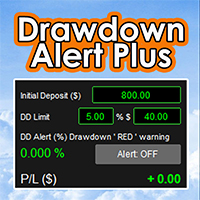
Drawdown Alert Plus: Know Your Drawdown at a Glance Drawdown comes first Live drawdown, always visible. The panel shows your account’s floating loss (profit plus swap, all open orders) as a percentage of your Initial Deposit, updated with every price move. Three-level colour warning. Green when risk is low, orange when you pass your warning level, red when you reach your drawdown limit. You choose the colours and the warning level. Set your limit your way. Type the limit in % or in $, and the o
Follow Trend Steps Follow Trend Steps: See Your Price Zones Before the Market Moves Plan your trades around clear price zones, not guesswork. Follow Trend Steps draws clean, color-coded zones directly on your chart, showing where price has recently turned and where it may react again, so you can plan entries, exits and risk with confidence. Available for Meta Trader 4 and Meta Trader 5. Why traders use Follow Trend Steps Every chart is full of noise. Support and resistance lines are drawn diff
Panel AccountSum
Sakda Prempreenon
Account Summary Panel: Your Trading Results at a Glance Stop digging through the History tab. This indicator puts your daily, weekly and monthly performance on your chart in one clean dashboard, updated automatically as you trade. Your capital, your rules Set your own Initial Balance, whether that’s your full account or just the amount assigned to this month’s plan. Every percentage is measured against the number you choose. Built-in goal tracking Enter one Weekly Goal % and the panel does th
One4Allassistant
Sakda Prempreenon
One4Allassistant: Your All-in-One Manual Trading Assistant for MT5 Version 2.2 Trade faster, manage risk clearly, and keep your whole chart under control from one clean, draggable panel. ::What you get:: One-click trading: Set your lot size, enter your target profit and stop loss in USD, and press BUY or SELL. TP and SL are calculated for you. Pending order ladders: Buy Limit, Sell Limit, Buy Stop and Sell Stop panels let you place many orders at once. Set the start offset, TP, SL, order count
Drawdown Alert x Plus: Know Your Drawdown at a Glance Drawdown comes first Live drawdown, always visible. The panel shows your account’s floating loss (profit plus swap, all open orders) as a percentage of your Initial Deposit, updated with every price move. Three-level colour warning. Green when risk is low, orange when you pass your warning level, red when you reach your drawdown limit. You choose the colours and the warning level. Set your limit your way. Type the limit in % or in $, and the
Filtro:
Nessuna recensione
Rispondi alla recensione