KF Trailing Stop Master
- Utilità
- Versione: 1.0

KF Trailing Stop Master — Professional Adaptive Trailing Stop & Auto-Breakeven Manager for MT5
KF Trailing Stop Master is a comprehensive position management utility designed to protect profits and automate trade risk management. Featuring 5 adaptive trailing stop algorithms and an independent auto-breakeven engine, it dynamically trails open positions according to market structure, volatility, and trend momentum. Built with strict broker stops-level and freeze-level validation, it helps avoid trade modification rejections while maintaining a disciplined one-way ratchet rule.
KEY FEATURES
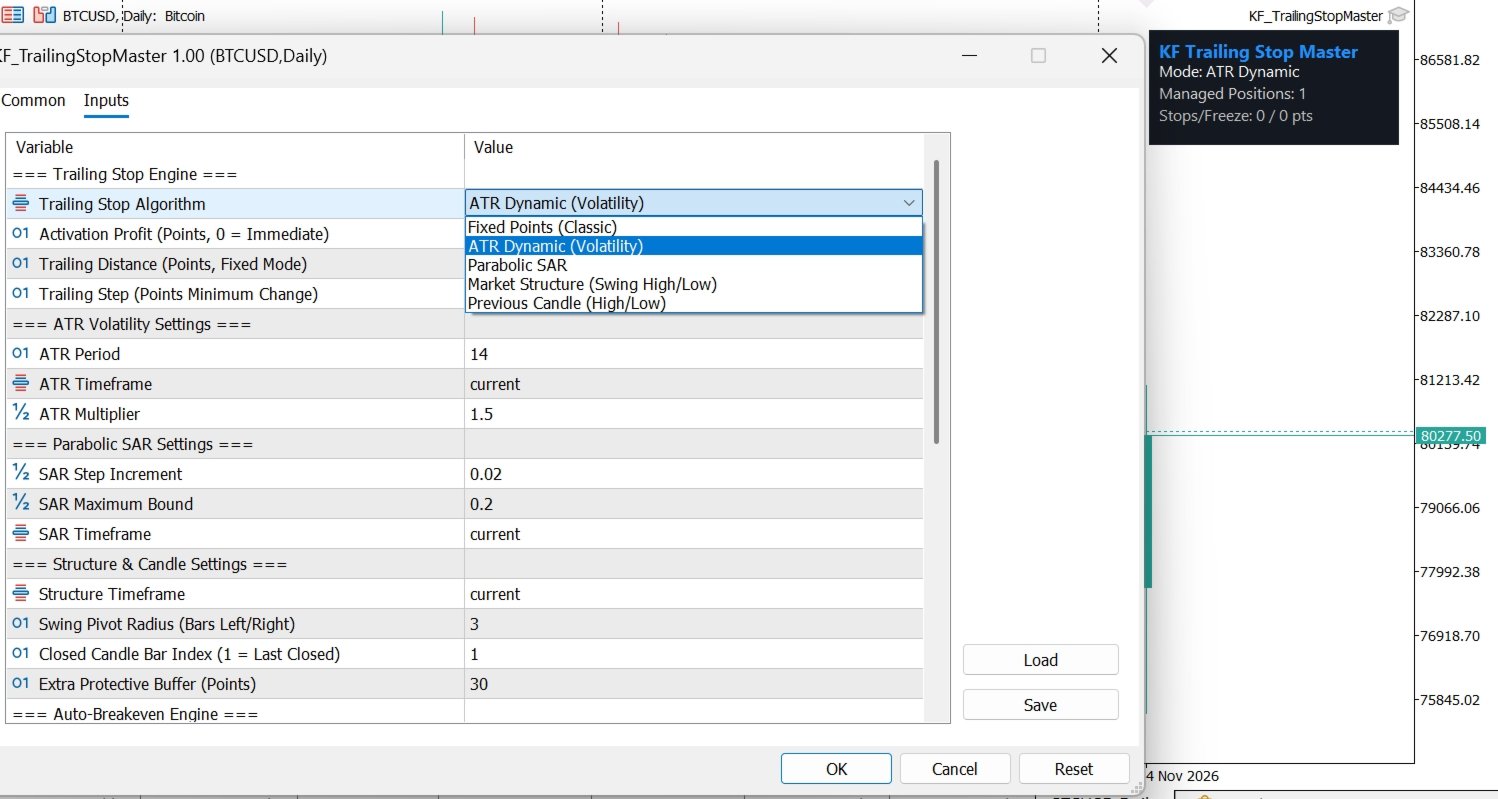
- 5 Adaptive Trailing Stop Algorithms:
1. Fixed Points (Classic): Trails position stop loss by a user-defined point distance and minimum step increment.
2. ATR Dynamic (Volatility): Adapts trailing distance dynamically to market volatility using the Average True Range indicator.
3. Parabolic SAR: Follows trend acceleration curves using completed bar SAR values.
4. Market Structure Swings: Places stop loss behind confirmed swing high and swing low pivot points.
5. Previous Candle High/Low: Trails behind the high or low of the previous closed candlestick with extra protective buffer.
- Independent Auto-Breakeven Engine:
Automatically shifts Stop Loss to entry price plus a configurable profit lock-in buffer once the position reaches the target profit threshold.
- One-Way Ratchet Safety:
Stop Loss only moves in the direction that locks in profit and reduces risk. The utility never loosens or regresses your stop loss.
- Broker Stops-Level & Freeze-Level Protection:
Pre-validates current price distance against broker minimum stops and freeze levels before submitting requests, minimizing order rejection errors.
- Flexible Position Filtering:
Manage positions on the current chart or across all account symbols. Filter by manual trades (magic 0), specific expert advisor magic numbers, or trade direction (buy only, sell only, or all).
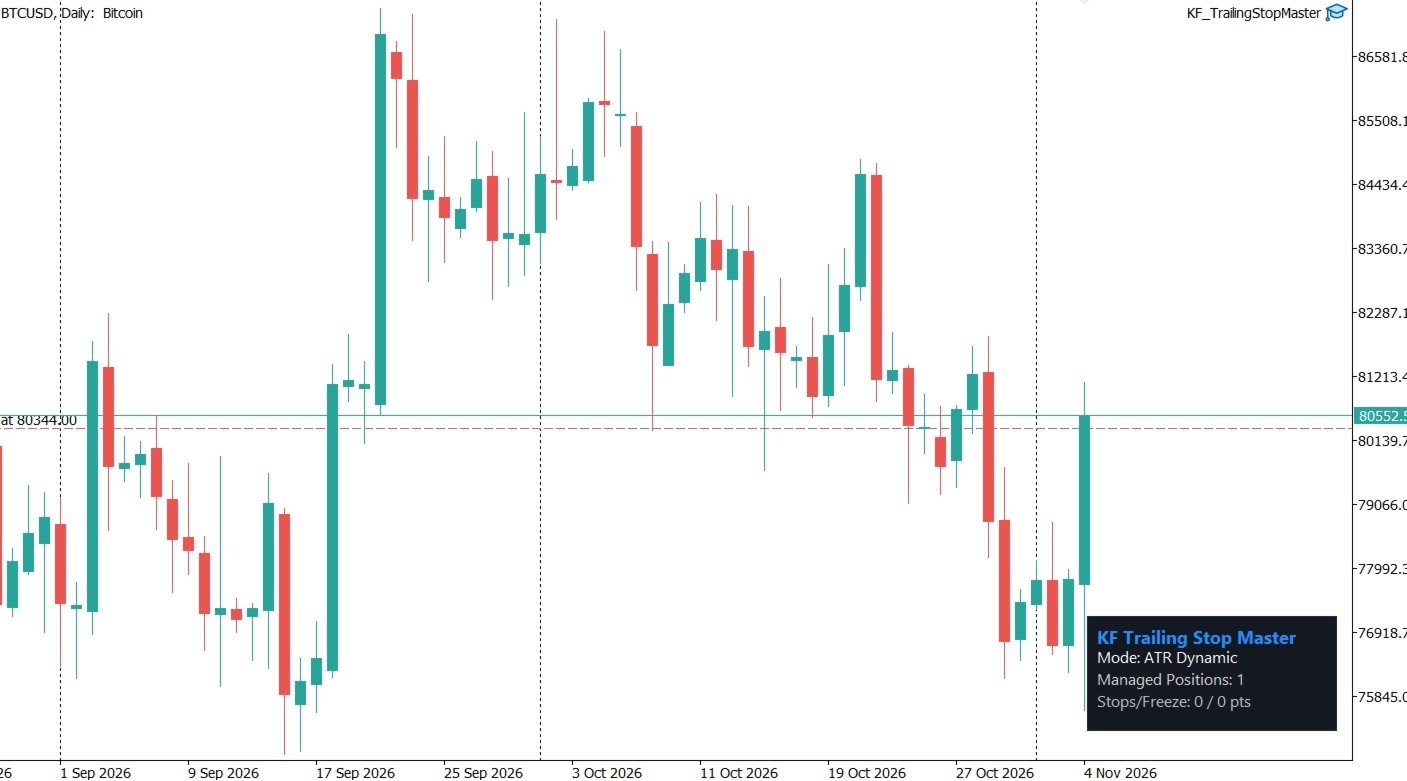
- Lightweight On-Chart HUD:
Clean, non-intrusive status overlay displaying current trailing mode, managed position count, and active broker stops level.
- Multi-Channel Notifications:
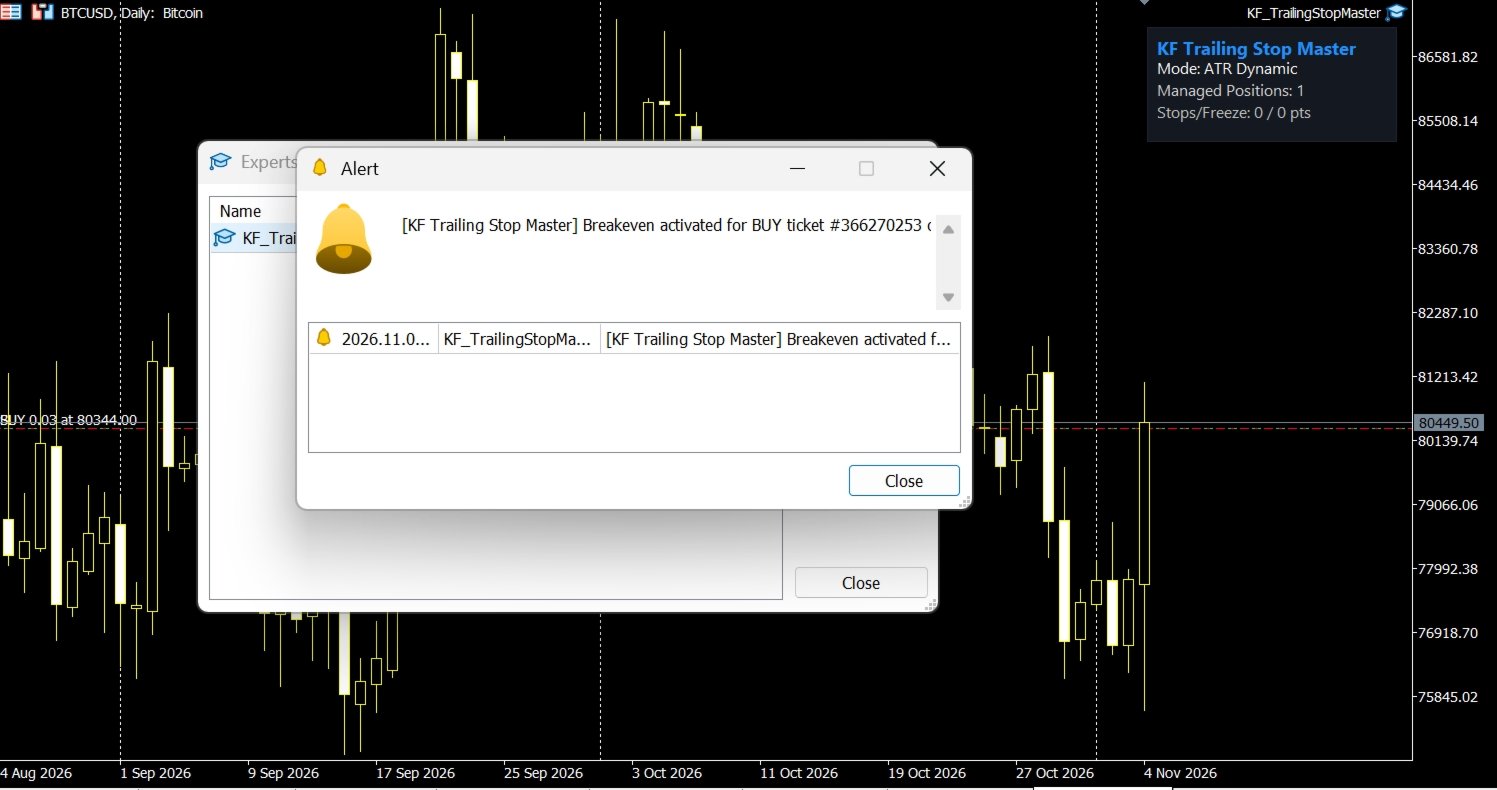
Optional terminal pop-up alerts and mobile push notifications when breakeven or trailing modifications take place.
HOW TO USE
1. Attach KF Trailing Stop Master to any MetaTrader 5 chart.
2. Select your desired Trailing Stop Algorithm (ATR, Fixed, SAR, Market Structure, or Candle).
3. Set your preferred Activation Profit and Trailing Step.
4. Enable Auto-Breakeven if you wish to lock in profit early.
5. The utility will automatically monitor qualifying open positions and manage their stop loss levels.
INPUT PARAMETERS
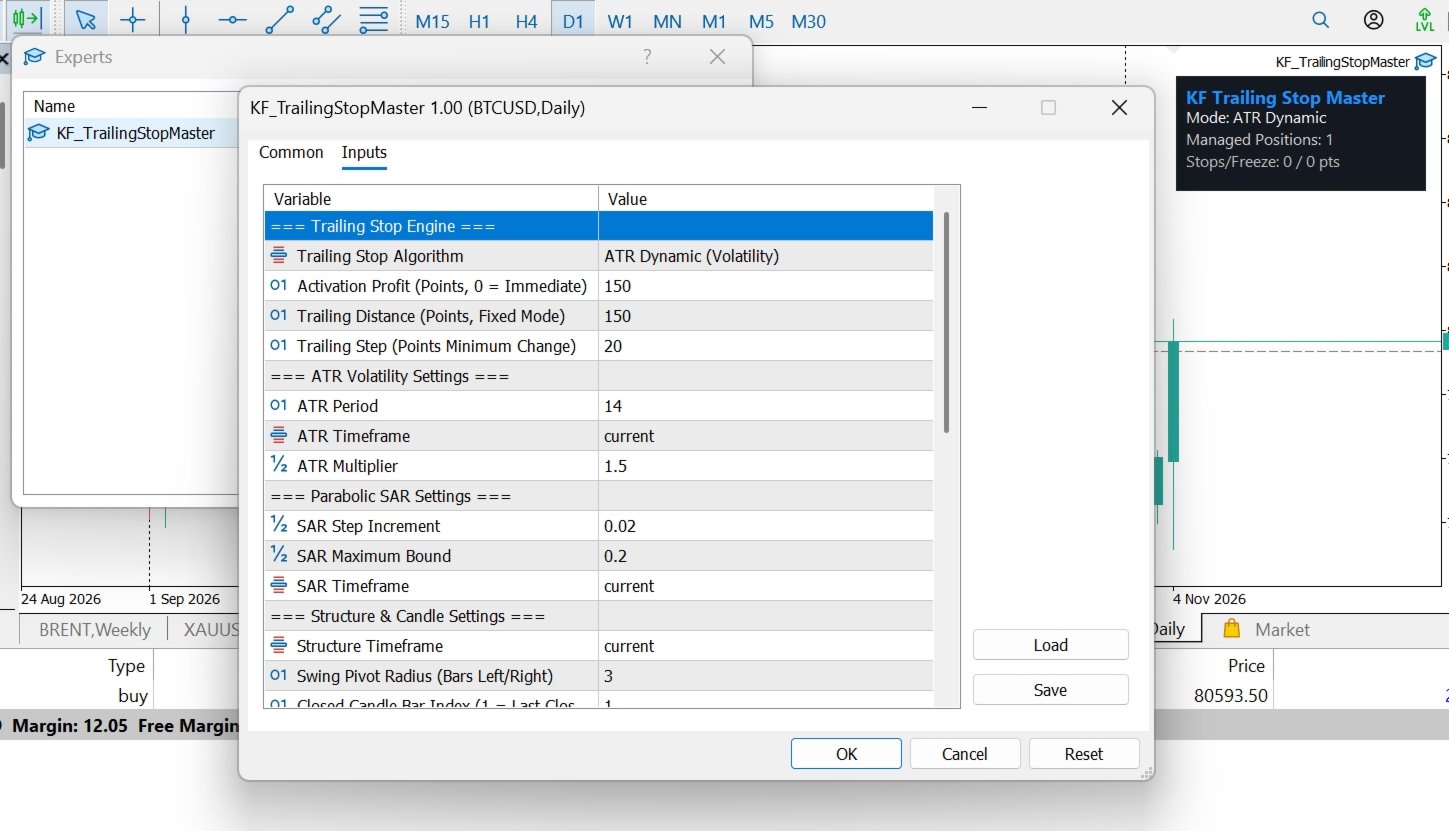
- Trailing Stop Algorithm: Select from Fixed Points, ATR Dynamic, Parabolic SAR, Market Structure, or Candle High/Low.
- Activation Profit (Points): Minimum profit in points before trailing begins (0 = immediate trailing).
- Trailing Distance (Points): Distance for Fixed Points mode.
- Trailing Step (Points): Minimum price improvement required before sending a modification request.
- ATR Period / Timeframe / Multiplier: Settings for ATR Volatility mode.
- SAR Step / Maximum / Timeframe: Parameters for Parabolic SAR mode.
- Swing Pivot Radius (Bars): Radius for structure swing pivot detection.
- Closed Candle Bar Index: Reference bar for candle mode (1 = last closed bar).
- Extra Protective Buffer (Points): Additional buffer placed beyond swing pivots or candle extremes.
- Enable Auto-Breakeven: Toggles the independent breakeven manager.
- Breakeven Trigger Profit (Points): Profit required to trigger breakeven.
- Extra Profit Lock-in Buffer (Points): Additional points locked beyond open price to cover spread and commission.
- Symbol Filter Scope: Choose Current Chart Symbol or All Symbols.
- Magic Number Filter: Choose All Orders, Manual Trades Only (Magic = 0), or Specific Magic.
- Specific Magic Number Value: Target magic number when Specific Magic is chosen.
- Position Direction Scope: All, Buy Only, or Sell Only.
- Display On-Chart Status HUD: Shows or hides the corner status overlay.
- HUD Chart Corner: Corner anchor for the status HUD.
- Popup Terminal Alert / Mobile Push Alert: Enable real-time alerts on SL modifications.
REQUIREMENTS & SPECIFICATIONS
- Platform: MetaTrader 5 Desktop (Hedging and Netting accounts supported).
- Instruments: Forex pairs, Gold (XAUUSD), Indices, and Cryptocurrencies.
- Execution: Requires "Allow Algo Trading" enabled in terminal settings.
- External dependencies: None. Does not use DLLs or external web requests.
LIMITATIONS
- This utility is a trade management tool for existing open positions; it does not generate automated trade entry signals.
- In fast-moving market conditions or slippage during high-impact news, broker execution may occur slightly beyond target levels due to market liquidity.
RISK WARNING
Trading foreign exchange, precious metals, and financial derivatives carries a high level of risk and may not be suitable for all investors. Past performance and strategy tester results do not guarantee future performance. Always test new utilities and settings on a demo account before applying them to real capital.
UPGRADE OPTIONS
Looking for an all-in-one execution dashboard with one-click trading, risk calculation, and position management on-chart? Explore KF Trade Manager Pro Dashboard on the MQL5 Market.
CHANGELOG
v1.00:
- Initial official release on MQL5 Market.
- 5 trailing algorithms: Fixed Points, ATR Volatility, Parabolic SAR, Market Structure Swings, and Previous Candle High/Low.
- Independent auto-breakeven engine with profit lock-in buffer.
- Dynamic broker stops-level and freeze-level protection.
- Comprehensive position filtering by symbol, magic number, and direction.
- On-chart status HUD with automatic window resize adjustment.