KF Partial Close Manager
- Utilità
- Versione: 1.0

KF Partial Close Manager — Automated Multi-Tier Position Scaling & Protection for MetaTrader 5
KF Partial Close Manager is an automated trade management utility for MetaTrader 5 that helps discretionary and algorithmic traders systematically secure profits. Instead of prematurely closing winning positions or exposing floating gains to sudden market reversals, this utility executes multi-stage partial closures, moves your Stop Loss to Breakeven, and maintains strict broker volume compliance.
The tool operates seamlessly across both Retail Hedging and Netting account modes, ensuring mathematical precision in lot size calculations without order volume rejections.
==================================================
KEY BENEFITS & FEATURES
==================================================
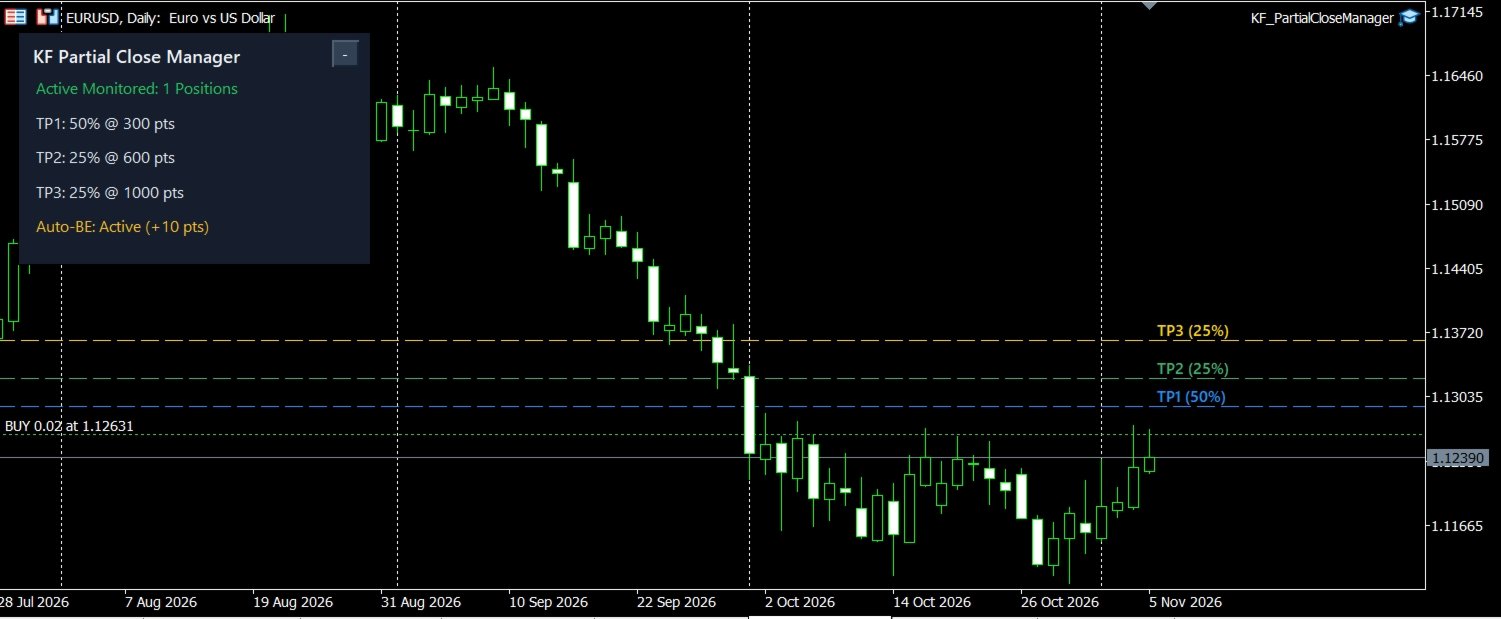
- Multi-Tier Profit Targets: Define up to 3 individual scaling targets (TP1, TP2, TP3) configured in either Fixed Points or R-Multiple (risk ratio relative to initial Stop Loss).
- Customizable Scaling Percentages: Allocate specific closing percentages per stage (e.g., 50% at TP1, 25% at TP2, 25% at TP3).
- Failsafe Lot Math: Automatically normalizes all reduction volumes to your broker's SYMBOL_VOLUME_STEP and SYMBOL_VOLUME_MIN to prevent volume rejection errors.
- Automatic Breakeven Protection: Instantly advances your Stop Loss to the entry price plus an optional profit buffer once Tier 1 is secured, fully respecting broker Stop and Freeze levels.
- Dual Margin Mode Architecture: Native operational logic tailored for both Retail Hedging and Netting accounts.
- Flexible Filtering: Filter monitored positions by Magic Number (set to 0 for manual trades) and choose between current chart or global symbol monitoring.
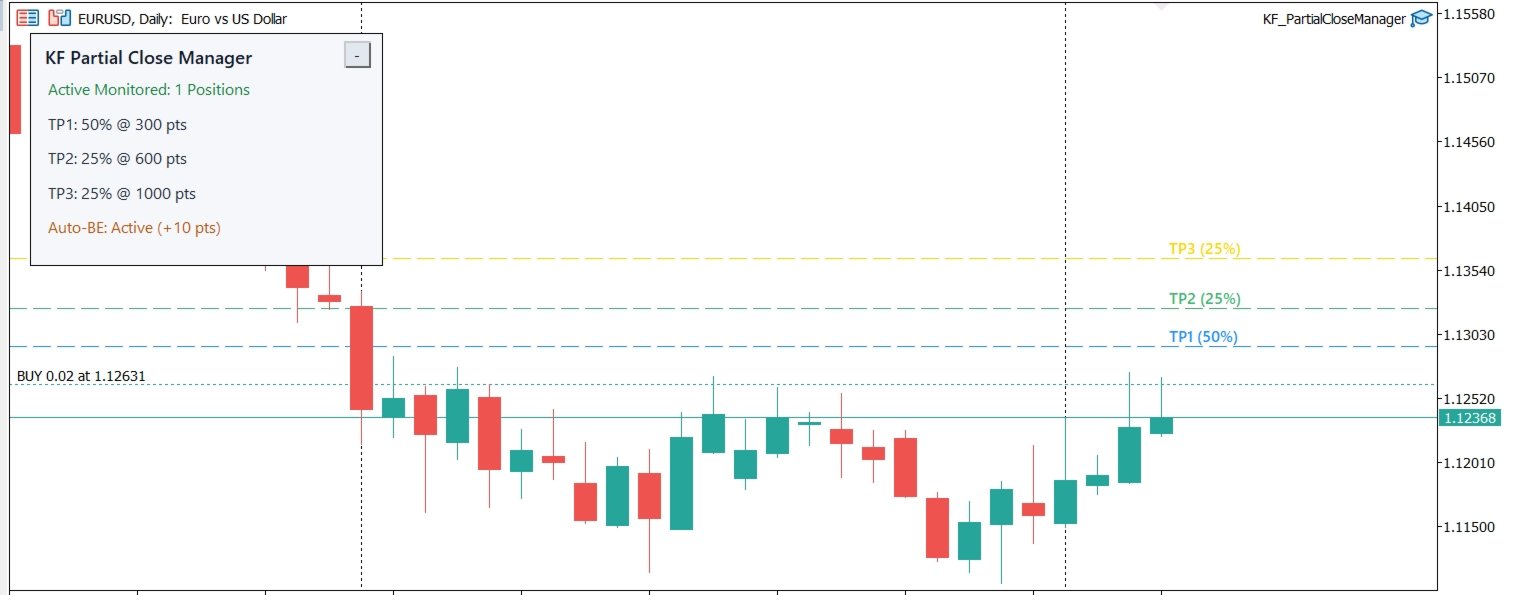
- Interactive Chart Visuals: Displays distinct horizontal target lines directly on your chart corresponding to active monitored positions.
- High-DPI Responsive HUD: Clean dashboard with automatic Dark/Light theme detection, single-click minimize toggle, and non-blocking asynchronous event handling.
- Multi-Channel Notifications: Stay informed via Terminal Popups, Audio Alerts, and optional Mobile Push Notifications.
- Pure MQL5 Architecture: Zero external DLLs, zero WebRequest requirements, and fully compatible with Strategy Tester.
==================================================
HOW IT WORKS
==================================================
1. Attach KF Partial Close Manager to any chart where you execute trades.
2. When you open a position (manually or via another Expert Advisor), the utility detects it and calculates the designated scaling targets.
3. Once market price reaches Tier 1, the utility partially closes the position according to your configured percentage and immediately moves your Stop Loss into positive breakeven.
4. If market momentum continues toward Tier 2 and Tier 3, subsequent partial closures trigger automatically until the remaining position reaches full take profit or trailing exit.
==================================================
INPUT PARAMETERS GUIDE
==================================================
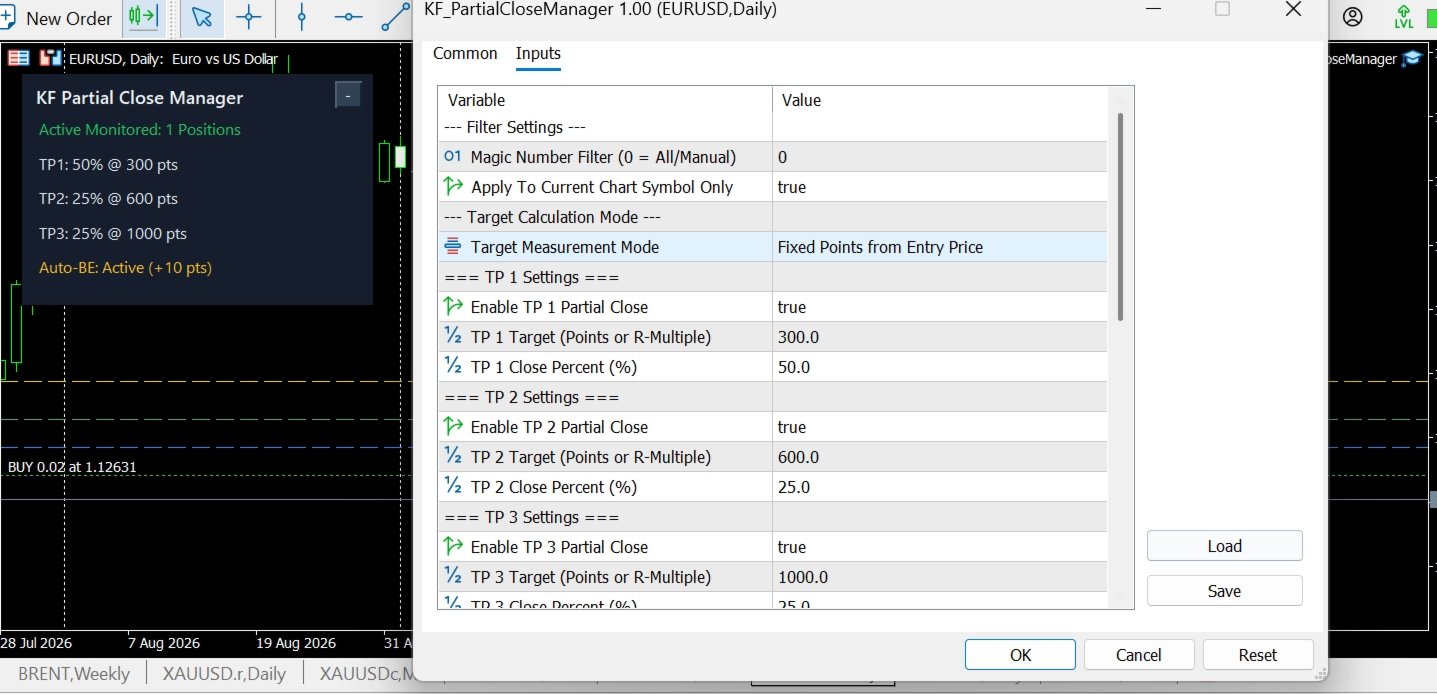
Filter Settings:
- Magic Number Filter: 0 manages all manual trades; enter a specific magic number to manage trades from an external EA.
- Apply To Current Chart Symbol Only: True restricts monitoring to the chart symbol; False tracks all account positions.
Target Calculation Mode:
- Target Measurement Mode: Choose between Points (distance from open price) or R-Multiple (multiplier of initial Stop Loss distance).
TP 1 / 2 / 3 Settings:
- Enable TP: Enable or disable individual scaling stages.
- Target: Distance in points or R-multiple required to trigger closure.
- Close Percent (%): Proportion of volume to close at this stage.
Auto-Breakeven Protection:
- Move SL to Breakeven on TP 1: Automatically shift Stop Loss to entry upon TP1 completion.
- Breakeven Profit Buffer (Points): Additional positive points added above entry to cover broker commissions or spread.
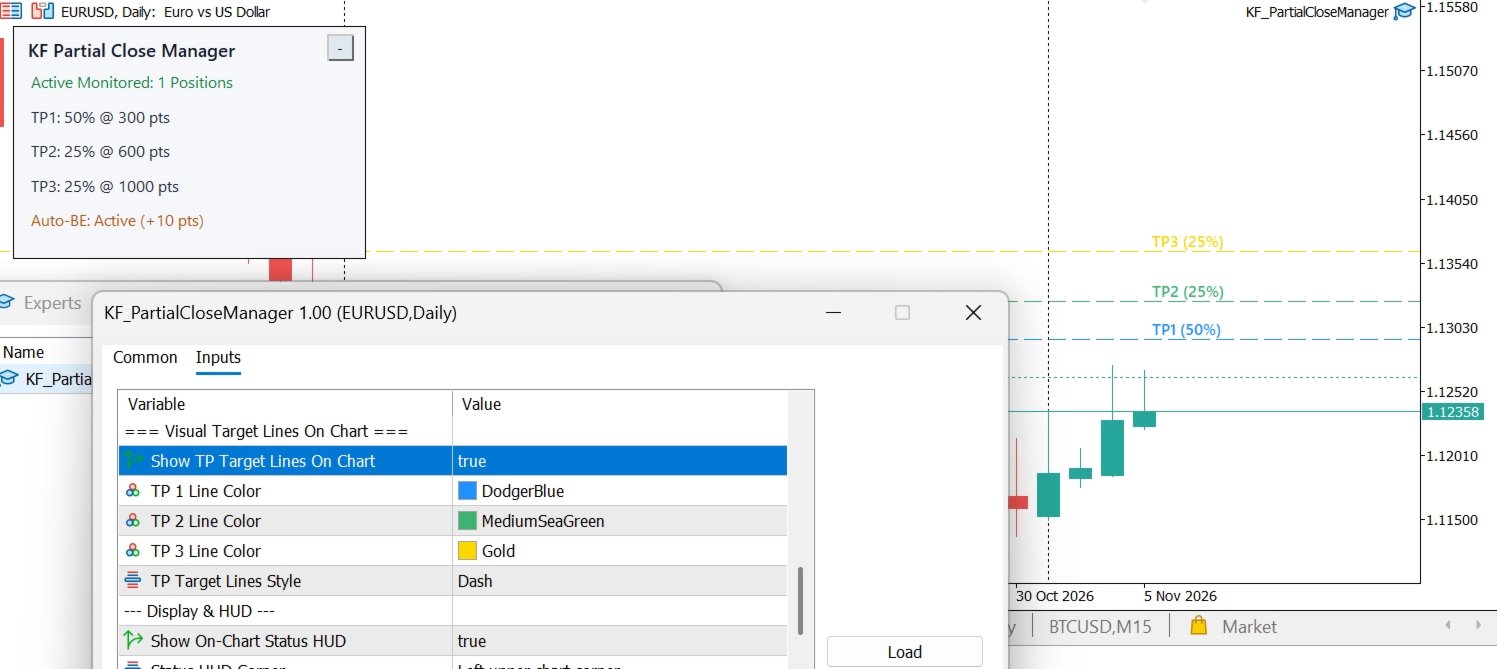
Visual & HUD Settings:
- Show TP Target Lines On Chart: Render colorful target lines on the chart with visible labels (TP1, TP2, TP3).
- Show On-Chart Status HUD: Display the live status panel.
- Status HUD Corner: Select any of the 4 chart corners for panel placement.
- HUD Horizontal / Vertical Offset: Fine-tune dashboard placement margins.
- HUD Color Theme: Choose Auto (adapts to chart background), Modern Dark, or Paper White.
Alerts & Notifications:
- Send Terminal Alert On Action: Desktop popup dialog.
- Send Mobile Push Notification: Sends push notification to your MetaQuotes ID.
- Play Sound On Partial Close: Plays alert audio upon order execution.
==================================================
RECOMMENDED WORKFLOW PRODUCTS
==================================================
Enhance your trade execution and risk management workflow with our complementary tools available on MQL5 Market:
- KF Trailing Stop Master: Dynamic multi-algorithm trailing stop manager (ATR, Parabolic SAR, Fractals, Candlestick High/Low).
- KF Hidden SL TP: Virtual stealth stop loss and take profit protection against adverse spread spikes.
- KF Risk Calculator: High-precision lot sizing panel with real-time margin validation.
- KF Spread Swap Monitor: Real-time spread and overnight swap cost tracker.
==================================================
RISK DISCLAIMER
==================================================
Trading foreign exchange, commodities, indices, and financial instruments involves substantial risk of loss. Past performance is no guarantee of future results. Execution speed and fill prices during rapid news events depend on your broker's liquidity, slippage, and server latency. Always test on a demo account before applying to live trading accounts.