EquityGuard Drawdown Monitor and Protector

  • Utilità
  • Ahmed Aangour
    Ahmed Aangour
    Based in France. I am a trader first: I run my own accounts on MT4 and MT5, and I develop my own trading robots from that experience, built only on strategies that have proven solid in the market.
  • Versione: 2.30
  • Attivazioni: 20
EquityGuard watches your account and does two things: it records the real drawdown — day, month, all time, on equity and on balance — and, if you ask it to, it closes every open positions when a drawdown limit or a profit target is reached.

It opens no position of its own. No strategy, no entries, no orders. It only ever closes, and only when you have told it to, so it runs alongside your manual trading or any other EA without interfering.

WHAT MAKES IT DIFFERENT

Most equity protectors act. EquityGuard measures first.

• Real drawdown, kept. The maximum drawdown of the day, the month and all time — on equity and separately on balance. The gap between those two figures is what an account statement never shows: how long a strategy stays under water before it recovers.

• A daily journal. One CSV row per trading day in the terminal's Files folder: opening balance, close, realised result, maximum equity and balance drawdown. The panel shows today; the journal lets you open last Tuesday.

• Drawdown per EA. Each magic number's floating result is tracked and its deepest reading of the day is written to a second CSV. Account drawdown tells you how deep the hole was. This tells you which of your EAs dug it.

• Rebuilt from history. Switch on "Count the profit or loss already running at startup" and the balance drawdown of the day and the month is replayed deal by deal from the account history — exact from the first minute, even on an account the EA has never seen.

PROTECTION

• Equity Protector — closes everything on a drawdown limit, as a percentage or an amount, measured since attach, since the start of the trading day, since the start of the month, or from the all-time high.

• Profit Target — closes everything once a profit is reached, same choice of basis.

• After it fires: stand down until the next trading day, stand down until re-armed by hand, keep monitoring and re-arm at once, or stop every other EA by closing their charts.

• Trading day rollover at the server hour you choose — prop-firm daily limits do not reset at midnight.

• Close scope: the whole account, this chart's symbol only, or one magic number. Pending orders cancelled as well.

• Dry run: reports exactly as it would in earnest and closes nothing, so you can settle your thresholds against a live market before trusting it.

• Terminal alert, push notification, email.

IT TELLS YOU WHEN IT DID NOT WORK

Closing is never assumed to have succeeded. The EA retries every second and only stands down once the number of open positions in scope reaches zero. If it cannot close after the configured number of attempts, the panel reads CLOSE FAILED — ACT NOW and you are notified. If the limit is already breached when the EA starts, it refuses to arm rather than flattening the account by surprise, and says so. Whenever nothing can fire, the reading is greyed and marked ASLEEP so a number past its limit is never mistaken for one about to act.

Both triggers are off by default. A fresh attach can never close anything.

WHAT YOU SHOULD KNOW

• One chart is enough: it watches the whole account, not the chart's symbol.
• One instance per account. A second copy refuses to start.
• MetaTrader 4 and MetaTrader 5 versions share the same settings in the same order.
• On MT4, the history the EA can read is what the Account History tab has loaded. Set it to cover the period you measure.
• The equity drawdown of a period the EA did not observe cannot be recovered — the balance drawdown can, and is.

A user guide covering every setting and the common scenarios is available here

Prodotti consigliati
Xiao Dan Kuai Pao is a fast and clean one-click order panel for MetaTrader 5. Open and manage your trades instantly, with Stop Loss and Take Profit placed automatically — no more typing TP distances by hand. Key features: - One-click buttons: BUY, SELL, CLOSE, BREAK EVEN - Custom Stop Loss and Take Profit (in points) — set any distance you want - Flexible risk/reward — combine SL and TP freely to build any ratio, such as 1:1, 1:2, 1:3, 1:4 or 1:5 - Real-time price display (Bid) - Bar countdown t
Smart Panel Trade
Nereu Ferreira Junior
Make Trades in MetaTrader 5 with Profit Panel! If you are a MetaTrader 5 trader, you know how important it is to act quickly and accurately. With this in mind, we created the Profit Panel – an essential tool for negotiations What is the Profit Panel? Designed to make your daily trading easier. It offers a simplified and intuitive interface where you can open, manage and close transactions with just a few clicks. How does it work? The MT5 Trading Dashboard puts all the most important trading func
Inserisca una sola volta i limiti di perdita giornaliera e di drawdown della sua società. Multi-Account Risk Sync Panel controlla il suo conto rispetto a tali limiti per tutto il giorno e, nel momento in cui un limite viene raggiunto, chiude le sue posizioni aperte, elimina i suoi ordini pendenti e si arresta da solo. Creato per le sfide delle prop firm, i conti finanziati e qualsiasi conto con un limite di perdita rigido. Non apre operazioni, non copia operazioni e non tocca nessun altro conto.
Sistema semiautomatico Martin introdurre Questo strumento viene utilizzato per il trading semiautomatico di Martin, fai clic sul pannello per effettuare un ordine e l'EA gestirà la posizione Basta decidere la direzione della transazione e lasciare il resto alla direzione di EA Martin automatico, aggiungi magazzino in base alla griglia impostata, puoi anche disabilitare questa funzione Liquidazione con un clic Una funzione di blocco dei tasti controllo del tempo Avviso sonoro caratteristica
StatsBoard — Account P&L Statistics Board StatsBoard is a lightweight MT5 indicator that turns your entire trading history into a clear, on-chart statistics dashboard. No equity curve, no clutter — just the numbers that matter, organized by day, week, month, quarter, year, symbol, magic number, and comment. **Key Features** - **10 built-in tabs**: Summary, Day, Week, Month, Quarter, Year, Symbol, Magic, Comment, Account - **Full P&L breakdown per period**: lots, min/max lots, trade count, ne
Utilità per copiare le transazioni da un conto MT5 o MT4 a un altro conto MT5. Demo-version can be downloaded   here . È possibile copiare le posizioni tra conti Netting e Hedging in qualsiasi combinazione. È possibile impostare i filtri in base al nome dello strumento e ai numeri magici delle posizioni da copiare. Finora, la fonte invia informazioni solo sulle posizioni di mercato. Gli ordini in sospeso vengono elaborati al momento della loro trasformazione in posizioni di mercato aperte. Su
Questo strumento può aiutarti a chiudere tutti gli ordini aperti con un clic, basta fare clic su "Chiudi tutto". Se desideri chiudere solo gli ordini redditizi, fai clic sul pulsante "Chiudi redditizi" Dopo aver cliccato, tutti gli ordini fluttuanti verranno chiusi; Se desideri chiudere solo gli ordini con perdite fluttuanti, fai clic sul pulsante "Chiudi perdibili" Dopo aver cliccato, tutti gli ordini con perdite fluttuanti verranno chiusi. Questo strumento è stato testato per un anno. La funzi
VRD Insight è uno strumento di monitoraggio delle prestazioni degli EA e di analisi dei trade per MT5, in sola lettura. Suddivide le statistiche del conto per magic number, così vedi come ogni EA usa il conto: il suo risultato, i lotti e le posizioni aperte e l'attività di trading, accanto al drawdown del conto, in un unico pannello sul grafico. Quando più EA condividono un conto, i totali del conto nascondono quale EA sostiene il capitale e quale lo mette a rischio. Insight dà a ogni EA una rig
FREE
Risk Manager Rocket
Rick in t Veld
5 (1)
Risk Manager Rocket – MT5 Daily Loss Limit & Drawdown Protection EA Take full control of your trading risk with Risk Manager Rocket , a professional-grade MetaTrader 5 Expert Advisor designed to protect your account from excessive losses and enforce strict risk discipline. Whether you are trading manually or using automated strategies, this EA acts as a risk firewall , ensuring you never exceed your predefined daily loss limit. Core Features Daily Loss Limit (Hard Protection) Automatically track
FREE
One Click Trader  is a tool designed for MetaTrader 4 platform, which enables you to take your trading to the next level. It enables you to open, manage and close your trades in simple an efficient way by just one click of your mouse button. "-"   ,  "+"  change OCT window size  Up arrow minimizes the OCT panel Down arrow maximizes the OCT panel Right arrow displays the next panel with additional features Left arrow hides the panel with additional features Red  SELL  button enables you to open s
HotKeys MT5
Alexey Valeev
This utility provides the ability to use hot keys in manual trading instantly responding to the current market situation. You can assign hot keys to open/close positions by their type, open/close all positions on the current chart and remove all orders on the current chart. You can also assign hot keys for five predefined trade volumes and switch between them if necessary with no need to change the volume manually from time to time. It is also possible to set the auto calculation of a trade volu
Trading Tool Panel MT5 – Risk Management Utility for Scalping and Day Trading ________________________________________ Description Trading Tool is a minimalist and easy-to-use trading utility for MetaTrader 5 (MT5), designed to simplify manual trading with a compact visual trading panel. It offers the minimum controls necessary to execute trades quickly and accurately.   This MT5 trading tool is ideal for traders focused on scalping and day trading, combining instant and pending orders, risk
RealCost Auditor MT5 is an execution-cost monitor for MetaTrader 5. It does not open, close, or modify trades. It watches the chart symbol, samples live spread, records executed deals, estimates signed slippage when the terminal exposes the requested price, and saves a local CSV audit file. Many backtests use spread, slippage, commission, and swap assumptions that are cleaner than real trading conditions. This utility gives you broker and account data from your own terminal before you trust a s
OB FVG Trade Copier: Unified Master & Slave EA Version: 2.00 Type: Trade Copier / Risk Management Utility Compatibility: MetaTrader 4 & MetaTrader 5 (Cross-compatible codebase) Overview The OB FVG Trade Copier is a professional-grade, unified trade copying system designed to mirror trades between Master and Slave accounts seamlessly. Built with a unified architecture, a single EA file serves as both the sender (Master) and receiver (Slave) simply by toggling the EA Mode in the settings. It uti
FREE
Position Manager Breakeven Partial Trailing takes care of positions that are already open: trades you opened by hand, from your phone, or by any other Expert Advisor. It does not open trades on your account. It only moves stop losses, closes part of a position once, and (if you want) closes everything at a set time. Main features Break-even with lock offset. When the trade has moved far enough in your favour, the stop loss is moved to the open price plus a small offset (for example +10 points),
Visual Trade Manager for MT5 is an interactive trade execution and position management tool designed for traders who want fast chart-based control over risk and execution. The panel provides a visual trade box with entry, stop and target lines directly on the chart. Position size is calculated from the selected risk percentage, and the tool supports both market execution and pending order placement. Main features - BUY and SELL switching directly from chart buttons - Draggable Entry, Stop and
Daily Loss Equity Guard
Fernando Altair Kuhn
Daily Loss Equity Guard watches the equity of the whole account against the loss limits you set. When a limit is reached it closes every position, deletes the pending orders and keeps the account flat until the next daily reset. It never opens trades on your account. It is meant for traders who follow fixed loss rules, for example on evaluation accounts with a daily loss limit and a maximum loss limit, and for anyone who wants a hard stop for a bad day. Daily loss limit In percent or in account
Trade Control Panel
Jerry Jilun Anak Liban
Trade Control Panel Function Normal One Click Function Close All Close All Profit Close All Loss Close All Pending Order Close All Sell Close All Buy Advance One Click Function 1.  Close Partial Lot Sell by Percent It will help you partial close for all open position by desire percent you wanted. No longer partial close one by one for every open position Manual input for desire percent 2. Close Partial Lot Buy by Percent It will help you partial close for all open position by desire percent
Live Forex Signals è progettato per il trading sui segnali del sito   https://live-forex-signals.com/en e https://foresignal.com/en . Live Forex Signal for MetaTrader 4   https://www.mql5.com/en/market/product/81445 Parametri Username   e   Password   se si dispone di un abbonamento ai siti live-forex-signals.com/foresignal.com. quindi dovresti compilare questi parametri con le tue credenziali; se non c'è abbonamento, lascia i campi vuoti; Comment   Commento sulle offerte sbloccabili Risk   ri
Overview Breakout Meter is a price action tool that identifies key breakout zones based on recent daily price activity. It highlights areas where momentum is likely to trigger, helping traders anticipate breakouts or reversals with minimal configuration. How It Works The EA analyzes a user-defined number of recent daily candles and marks high and low zones where price has shown strong reactions. It automatically updates levels with new data and removes outdated zones to keep charts clear. Users
Daily Account Guard
Cintia Andrea Boos
Daily guard for MT5 - staged daily protection for any manual or EA trading. What it does: - L0 daily level (40.0 default in account currency, or 1.0 pct of balance). - L1: level reached, 30-minute cooldown, no new entries allowed (optional 50 pct partial close on hedging accounts). - L2: 2x level reached, closes all positions and blocks trading until 00:00 server time. - L3: 3x level overflow, closes all and switches to close-only. - Daily safety switch at -2 pct: closes all and blocks the day
This QuickClose help you to close all orders having profit immediately with only ONE CLICK, its work is very fast. You can choose which symbol you want or close all symbols so it will helpful for you in your trading to manage trading faster. This EA can quick close all Buy and Sell Orders by a selected symbol or total, And delete all pending orders. This SymbolButton is designed for closing orders. There is available Manual and Automatic closing functions. Automatic closing function will close t

Drawdown Tracker MT5
AL MOOSAWI ABDULLAH JAFFER BAQER
KNOW YOUR REAL DRAWDOWN. TODAY, THIS SESSION AND FOR THE WHOLE LIFE OF THE ACCOUNT. Your broker shows equity. It does not show how deep the account has ever fallen, how much room you have left today or how far you are from your best balance. Drawdown Tracker keeps those numbers on one calm card and saves them, so they are still there after a restart. Try it free first: load it in the MetaTrader 5 Strategy Tester in visual mode and watch every card update tick by tick before you put it on a live
All Pending Orders with StopLoss opens any combination of Buy Stop, Sell Stop, Buy Limit and Sell Limit pending orders and closes all existing pending orders. If boolSL = true then this Script will calculate one common StopLoss value as the StopLoss for a first/last orders and put this value in all pending orders. Input Parameters Before placing all pending orders, the input window is opened allowing you to modify all input parameters: DeleteAllPendings : if true , then all pending orders (for
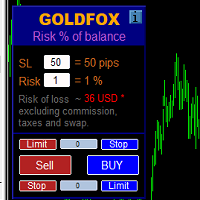
Automatic calculation of a trading lot taking into account Stop Loss (in pips) and the percentage of risk from the account balance. The Expert Advisor panel is located on the chart at the top left. On the panel of the advisor, you can select the size of the stop loss in pips and the percentage of risk from the balance. You can set the deviation from the current price in pips for pending orders. The red color indicates the amount in the deposit currency that you can lose when the stop loss is tr
Copy Trader for MT5   is a professional cross-terminal trade copier that instantly replicates every trade from a Master account to one or more Slave accounts running on the same PC. No third-party servers, no cloud subscriptions, no VPS required — it works entirely through MetaTrader 5's shared common folder, giving you near-zero latency copying between terminals.
Close Assistant 5
Gheis Mohammadi
5 (2)
Close Assistant (CA)  is a full featured utility for monitoring and closing a set of positions placed by trader or EA. It closes filtered orders in specified time or level or candle patterns or when a certain profit or loss of the total positions is reached. CA uses Zero Profit Lock function to save deposit when total profit falls to zero. Profit and loss levels can be set in fixed amount of account currency or percentage of balance or equity or margin. CA only monitors and works on filtered pos
DOES THIS SOUND FAMILIAR? Do you find the lot calculation slow and boring? Does it get worse with every new currency pair? Are you afraid of hitting a loss limit and losing the account? Does every lost account hurt more than the last one? I was caught in this loop myself. I built this tool for my own use. WHAT THIS IS This is an Expert Advisor. It lets you run several prop firm accounts from one PC. You enter on your main account and the trade is copied to the other accounts. Each account
Sentinel Follower
Luca Barone
5 (1)
MULTI-ACCOUNT TRADE COPYING WITH ADVANCED RISK MANAGEMENT Sentinel Follower is an automated trade-copying Expert Advisor for MetaTrader 5, designed to receive and execute trading positions published by Sentinel Master . The system allows traders to replicate trading activity across multiple accounts while maintaining independent control over position sizing, risk exposure, basket management, and trade execution. Unlike traditional trade copiers, Sentinel Follower includes additional risk-managem
Position Prime
Mariana Cordeiro Neves Fernandes
Scarica subito la versione demo gratuita e testa tutte le funzionalità di gestione del rischio all'interno del tuo Strategy Tester prima dell'acquisto! Position Prime è un assistente di esecuzione visiva e un gestore del rischio di livello istituzionale per MetaTrader 5. Progettato per i trader che esigono velocità e precisione, elimina la necessità di calcoli manuali dei lotti e trasforma il tuo grafico in una vera e propria postazione di trading. Pianifica, esegui e proteggi i tuoi trade in f
Gli utenti di questo prodotto hanno anche acquistato
Trade Assistant MT5
Evgeniy Kravchenko
4.43 (216)
It helps to calculate the risk per trade, the easy installation of a new order, order management with partial closing functions, trailing stop of 7 types and other useful functions. Additional materials and instructions Installation instructions - Application instructions Line function -   shows on the chart the Opening line, Stop Loss, Take Profit. With this function it is easy to set a new order and see its additional characteristics before opening.   Risk management  - The risk calculation
Forex Trade Manager MT5
InvestSoft
4.98 (689)
Benvenuto a Trade Manager EA, lo strumento definitivo per la gestione del rischio , progettato per rendere il trading più intuitivo, preciso ed efficiente. Non è solo uno strumento per l'esecuzione degli ordini, ma una soluzione completa per la pianificazione delle operazioni, la gestione delle posizioni e il controllo del rischio. Che tu sia un principiante, un trader avanzato o uno scalper che necessita di esecuzioni rapide, Trade Manager EA si adatta alle tue esigenze, offrendo flessibilità s
FarmedHedge Pair Trading Dashboard
Tanapisit Tepawarapruek
5 (7)
Farmed Hedge Yield Farming | All Markets (Manual - Hybrid - Semi/Automated EA) VERIFIED TRADING RESULTS - Farmed Hedge Yield Axi Copy:  https://www.mql5.com/en/signals/2356376 - Farmed Hedge Yield Exn Copy:   https://www.mql5.com/en/signals/2356404 - Farmed Hedge Yield V Copy:  https://www.mql5.com/en/signals/2357156 IMPORTANT NOTICE: FarmedHedge is a MANUAL-FOCUSED TRADING UTILITY ,not a fully automated EA. Results shown on this Signal include manual trades and overall strategic management.
Telegram to MT5 MultiChannel Copier
Sergio Marquez Uroz
4.68 (22)
Telegram to MT5 Multi-Channel Copier   copia automaticamente i segnali di trading dai tuoi canali Telegram e Discord direttamente su MetaTrader 5. Niente bot, niente estensioni del browser, niente copia manuale. Il segnale arriva su Telegram o Discord e l'EA apre l'operazione nel tuo terminale in pochi secondi. E prima di copiare un canale, il backtester integrato ti mostra cosa avrebbe fatto quel canale sul tuo conto. Il prodotto include due componenti: un'applicazione Windows che ascolta i tuo
Local Trade Copier EA MT5
Juvenille Emperor Limited
4.94 (150)
Local Trade Copier EA MT5 è un trade copier rapido e flessibile per copiare e gestire operazioni tra più conti MetaTrader 5 sullo stesso computer Windows o Windows VPS. Combina la sincronizzazione locale delle operazioni con controlli lato Receiver per dimensione del lotto, gestione del rischio, filtraggio delle operazioni, mappatura dei simboli, gestione delle operazioni e protezione del conto. Configura i terminali Transmitter e Receiver in circa 1 minuto e copia operazioni manuali o aperte d
TradePanel MT5
Alfiya Fazylova
4.88 (172)
Trade Panel è un assistente commerciale multifunzionale. L'applicazione contiene più di 50 funzioni di trading per il trading manuale e permette di automatizzare la maggior parte delle attività commerciali. Istruzioni per l'applicazione: https://www.mql5.com/it/blogs/post/762331 Versione di prova dell'applicazione per un conto demo: https://www.mql5.com/it/blogs/post/762419 Come installare l'applicazione: https://www.mql5.com/it/blogs/post/762362 Come testare l'applicazione in modalità visuale:
News Trade EA MT5
Konstantin Kulikov
4.55 (11)
Presento un utile robot che io stesso utilizzo da diversi anni. Questo robot può essere utilizzato sia in modalità semiautomatica che completamente automatica. >>> Chat <<< Il programma contiene le impostazioni flessibili per fare trading sulle notizie del calendario economico. Non può essere verificato nel tester delle strategie. Soltanto il vero lavoro. Scarica l'ultimo archivio di impostazioni: https://www.mql5.com/en/blogs/post/747929 Monitoraggio dei segnali: https://www.mql5.com/en/signa
Copia i segnali Telegram con le tue regole di trading Telegram to MT5 Signal Trader copia automaticamente i segnali di trading testuali dai canali e gruppi Telegram pubblici e privati in MetaTrader 5. Gestisci più fornitori e conti MT5 da un'unica applicazione desktop, con impostazioni di rischio e di trading specifiche per ogni fornitore . Per copiare i segnali non servono bot Telegram né configurazioni API. Accedi semplicemente con il tuo account Telegram tramite numero di telefono o codice QR
Strategy Ledger Pro
Abdullah Uygar Tuna
5 (14)
Ora disponibile in italiano. Strategy Ledger Pro è un pannello di analisi del conto in sola lettura per MetaTrader 5. Separa i risultati del conto per Expert Advisor, strategia, simbolo e numero magic, così puoi vedere quanto contribuisce davvero ciascuno. Il pannello è disponibile in 11 lingue: English, Français, Deutsch, Español, Italiano, Português, Русский, Türkçe, 中文, 日本語 e 한국어. Prima di scaricare la demo. Il Market esegue la demo di qualsiasi prodotto a pagamento solo nello Strategy Teste
================================================================================ POC BREAKOUT - V20.72. Full Professional Grade Toolkit ================================================================================ POC Breakout is a full MetaTrader 5 trading dashboard for discretionary traders who want breakout signals, Point of Control (POC) context, volume profiles, order flow, market structure, news, alerts, and advanced trade planning in one professional workspace. Attached directly to you
Exp COPYLOT CLIENT for MT5
Vladislav Andruschenko
3.97 (35)
Copiatore professionale di trade per MetaTrader 5 Un copiatore di trade veloce, professionale e affidabile per MetaTrader . COPYLOT consente di copiare operazioni Forex tra terminali MT4 e MT5 con supporto per conti Hedge e Netting . La versione MT5 di COPYLOT supporta: - MT5 Hedge → MT5 Hedge - MT5 Hedge → MT5 Netting - MT5 Netting → MT5 Hedge - MT5 Netting → MT5 Netting - MT4 → MT5 Hedge - MT4 → MT5 Netting Versione MT4 Descrizione completa + DEMO + PDF Come acquistare Come installare Come ot
The product will copy all telegram signal to MT5 ( which you are member) , also it can work as remote copier.  Easy to set up, copy order instant, can work with almost signal formats, image signal,  s upport to translate other language to English Work with all type of channel or group, even channel have "Restrict Saving Content", work with  multi channel, multi MT5 Work as remote copier: with signal have ticket number, it will copy exactly via ticket number. Support to backtest signal. How to s
EA Overfitter
Stephen J Martret
5 (3)
That backtest looks great. But will it still be making money tomorrow, next week, next month? EA Overfitter re-runs your EA on 100 price histories it has never seen. One score tells you if the edge is real. A backtest tells you what an EA did on one price history — the one that happened to occur. What you cannot tell from it is how much of that result was the strategy and how much was the particular path. EA Overfitter answers that. It builds up to 100 synthetic price histories your EA has n
Power Candles Strategy Scanner - Strumento di ricerca configurazioni multi-simbolo con ottimizzazione automatica Power Candles Strategy Scanner utilizza lo stesso motore di auto-ottimizzazione che alimenta l'indicatore Power Candles, applicandolo a tutti i simboli presenti nel tuo Market Watch, uno accanto all'altro. Un unico pannello ti indica quali simboli sono statisticamente negoziabili in questo momento, quale strategia è vincente su ciascuno di essi, la coppia ottimale di Stop Loss / Take
Telegram To MT5 Ultra
Mirel Daniel Gheonu
5 (5)
Telegram To MT5 — Copiatore di segnali Trasforma le indicazioni di trading dei tuoi canali Telegram in veri ordini MT5 — automaticamente, su quanti account vuoi, con rischio e regole totalmente sotto il tuo controllo. Telegram To MT5 collega i canali VIP / di segnali che già segui su Telegram al tuo terminale MetaTrader 5. Un'app desktop companion gratuita legge i messaggi (anche dai canali che bloccano i bot), e questo Expert Advisor li esegue sul tuo conto — applicando le tue impostazioni di r
Timeless Charts
Samuel Manoel De Souza
5 (9)
Timeless Charts è un'utilità di trading completa progettata per trader professionisti. Combina tipi di grafici personalizzati come Grafici a Secondi e Renko con analisi avanzata del flusso ordini tramite Footprints , Clusters , Profili di Volume , studi VWAP e strumenti di analisi ancorata per una visione più approfondita del mercato. Il trading e la gestione delle posizioni vengono eseguiti direttamente dal grafico tramite un pannello integrato di gestione delle operazioni , mentre Market Repla
VirtualTradePad One Click Trading Panel
Vladislav Andruschenko
4.59 (74)
Pannello di trading per MetaTrader 5 — controllo professionale del trading in un clic dal grafico e dalla tastiera Un pannello di trading avanzato progettato per trader attivi, pensato per aprire, gestire e chiudere operazioni molto più velocemente rispetto all’interfaccia standard di MetaTrader. Questa soluzione è dedicata a chi desidera controllare posizioni, ordini pendenti, profitto totale ed esecuzione da un unico spazio di lavoro professionale. Non si tratta di un semplice utilitario. È u
Anchor Trade Manager
Kalinskie Gilliam
5 (8)
Your EAs cannot see each other, but Anchor can. Anchor gives you one place to coordinate your EAs, manage risk, and decide when trading is allowed. It works alongside the trading bots you already use without any changes to them. The Problem One EA opens a trade. Then another starts trading. The next thing you know, you wake up to multiple grids built across your account. Each EA may be doing exactly what it was designed to do, but together they can place far more risk on your account than you in
Exp5 VirtualTradePad PRO SE for MT5
Vladislav Andruschenko
5 (1)
VirtualTradePad PRO SE MT5 — centro di controllo professionale per il trading su MetaTrader 5 VirtualTradePad PRO SE è un pannello di trading premium basato sul grafico e un ambiente di gestione delle operazioni per MetaTrader 5 . È progettato per i trader che desiderano esecuzione più rapida, controllo più chiaro delle posizioni, gestione strutturata delle operazioni, pianificazione visiva dei livelli e un workflow professionale direttamente dal grafico. Non è soltanto un semplice pannello BUY
Trade Indicator Assistant   is a powerful MT5 utility designed to turn indicators into automated trading systems. Its main feature is the ability to automatically detect an indicator’s   BUY and SELL signal buffers , without requiring you to know the buffer numbers, search through indicator settings, or modify the indicator source code. Bonus Indicator:   After purchasing Trade Indicator Assistant, contact me to receive   Trade Signal Pro   completely free as a bonus indicator. [Download Demo V
Trade Manager DaneTrades
Levi Dane Benjamin
4.13 (31)
Trade Manager per aiutarti a entrare e uscire rapidamente dalle operazioni calcolando automaticamente il tuo rischio. Incluse funzionalità che ti aiutano a prevenire l'eccessivo trading, il vendetta trading e il trading emotivo. Le operazioni possono essere gestite automaticamente e i parametri di performance del conto possono essere visualizzati in un grafico. Queste caratteristiche rendono questo pannello ideale per tutti i trader manuali e aiuta a migliorare la piattaforma MetaTrader 5. Suppo
Prossimo aggiornamento — Versione 2.52 in arrivo! [NOVITÀ] Preparati a 4 nuove funzionalità principali progettate per migliorare la tua analisi di mercato e il tuo flusso di lavoro nel trading Portiamo l’analisi di mercato a un livello superiore con 4 nuove funzionalità progettate per soddisfare le tue esigenze di trading. Ecco le novità: 1. TRADE OVERVIEW DASHBOARD 2. CONFLUENCE AT ZONE 3. STRONG & WEAK HIGH/LOW 4. OTE 1. TRADE OVERVIEW DASHBOARD Una dashboard che ti aiuta a comprendere più fa
MT5 to Telegram Signal Provider è un'utilità facile da usare e completamente personalizzabile che consente l'invio di segnali specificati a una chat, canale o gruppo Telegram, rendendo il tuo account un fornitore di segnali. A differenza della maggior parte dei prodotti concorrenti, non utilizza importazioni DLL. [ Dimostrativo ] [ Manuale ] [ Versione MT4 ] [ Versione Discord ] [ Canale Telegram ]  New: [ Telegram To MT5 ] Configurazione Una guida utente passo-passo è disponibile. Nessuna cono
Seconds Chart MT5
Boris Sedov
4.61 (18)
Seconds Chart - uno strumento unico per creare grafici in secondi su MetaTrader 5 . Con Seconds Chart , puoi generare grafici con timeframe definiti in secondi, ottenendo una flessibilità e una precisione d'analisi ideali, non disponibili nei grafici standard in minuti o ore. Ad esempio, il timeframe S15 indica un grafico con candele di 15 secondi. Puoi utilizzare qualsiasi indicatore e Expert Advisor con supporto per simboli personalizzati. Lavorare con loro è comodo quanto operare sui grafici
Trade copier MT5
Alfiya Fazylova
4.61 (57)
Trade Copier è un'utilità professionale progettata per copiare e sincronizzare le transazioni tra conti di trading. La copiatura avviene dal conto/terminale del fornitore al conto/terminale del destinatario, che sono installati sullo stesso computer o vps. Prima di acquistare, puoi testare la versione demo su un account demo. Versione demo qui . Istruzioni complete qui . Funzionalità e vantaggi principali: Supporta la copia degli ordini: MT5> MT5, MT4> MT5, MT5> MT4, inclusi i conti di compensaz
DrawDown Limiter
Haidar Lionel Haj Ali
5 (23)
DrawDown Limiter v5.0 — Controller avanzato per la protezione del conto DrawDown Limiter v5.0 è un controller di protezione del conto lato client, progettato per monitorare il tuo conto di trading e reagire automaticamente quando vengono raggiunti i limiti configurati relativi a rischio, profitto, notizie, pianificazione, rollover o numero di posizioni. Può monitorare operazioni manuali, strategie automatizzate, più Expert Advisor, ordini pendenti e posizioni aperte da un unico grafico dedicato.
Telegram to MT5 Coppy
Sergey Batudayev
5 (10)
Da Telegram a MT5:   la soluzione definitiva per la copia del segnale Semplifica il tuo trading con Telegram su MT5, il moderno strumento che copia i segnali di trading direttamente dai canali e dalle chat di Telegram sulla tua piattaforma MetaTrader 5, senza bisogno di DLL. Questa potente soluzione garantisce un'esecuzione precisa dei segnali, ampie opzioni di personalizzazione, fa risparmiare tempo e aumenta la tua efficienza. [ Instructions and DEMO ] Caratteristiche principali Integrazione d
RS Trade Copier - il local trade copier ultra-veloce con una vera interfaccia grafica. Smetti di inserire i numeri di conto manualmente. Addio alle interminabili liste di oltre 200 parametri nelle impostazioni. Uno strumento affidabile e flessibile per copiare operazioni di trading tra multipli terminali MT5 e MT4. È adatto sia a trader esperti e servizi di segnali, sia a investitori privati. Permette di sincronizzare il trading da uno o più Fornitori a uno o più Clienti con elevata precisione e
Ingresso dimensionato sul rischio, break-even, chiusure parziali, trailing stop e un limite di perdita giornaliero, in un solo pannello per MetaTrader 5. Trascinate lo stop dove il trade risulta sbagliato e la dimensione del lotto segue il vostro rischio. Il suo pulsante invia l'ordine con quella dimensione. Poi gestisce il trade a ogni tick, che l'abbiate aperto dal pannello, a mano, dal telefono o con un altro EA, e vi ferma per la giornata quando il limite di perdita viene raggiunto. Non deci
RETAILBERG FOOTPRINT CHART PRO — Order-Flow Workspace for MetaTrader 5 Version 7.00  |  Professional System  |  31 tools  |  One chart A full 150-page illustrated User Manual is included. Please read the full manual to understand this feature packed footprint chart elements and ui. https://www.mql5.com/en/blogs/post/777982 DEMO / STRATEGY TESTER — PLEASE READ FIRST
Altri dall’autore
BoxGate
Ahmed Aangour
Launch price: 99 USD. Next price: 199 USD after the first 10 copies, then +100 USD after every 10 copies. Live Signal No grid, no martingale.  Prop-firm ready.  Profitable every single year since 2012 in backtests — 15 years out of 15, USDJPY and Gold together, with a fixed 1 % risk per trade (2012-2018 on minute-bar data, 2019-2026 on real ticks). BoxGate is the first EA of the Gate series, a set of rule-based MetaTrader 5 experts being released over the coming weeks, each built around one clea
EquityGuard watches your account and does two things:   it   records the real drawdown   — day, month, all time, on equity and on balance — and, if you ask it to,   it   t   closes every open positions when a drawdown limit or a profit target is reached. It opens no position of its own. No strategy, no entries, no orders. It only ever closes, and only when you have told it to, so it runs alongside your manual trading or any other EA without interfering. WHAT MAKES IT DIFFERENT Most equity pr
Turn any MT5 backtest into a monthly return and drawdown report, and combine several EAs into one portfolio. Free three-day trial on ea-backtest-analyzer.com - no card, no email, no account to create. WHAT IT DOES The strategy tester gives you one number: net profit . It does not tell you what the year of losses looked like, which month nearly broke the account, or what happens when you run three EAs together. This tool does. Export your backtest and it reads it straight away. You get the report
ElasticGate
Ahmed Aangour
Launch price: 99 USD. Next price: 199 USD after the first 10 copies, then +100 USD after every 10 copies. Live signal A smart grid for gold: it waits for confirmation before trading, adapts its spacing to volatility, and comes with a protective stop loss switched on by default. Fixed lot on every level, no martingale. ElasticGate is part of the Gate series, a set of rule-based MetaTrader 5 experts, each built around one clearly explained mechanism. When gold stretches too far, too fast, it often
ScoopGate
Ahmed Aangour
Launch price: 99 USD. Next price: 199 USD after the first 10 copies, then +100 USD after every 10 copies, up to a final price of 999 USD. Live signal A patient EA for gold and the Nasdaq 100: it trades only on strong trend days, buys small pullbacks in the trend and closes on small gains. Capped at 10 positions, same lot on every position, no martingale, equity protector on by default. Gold and Nasdaq together were positive in every year of the 2019-2026 backtests (8 out of 8, 2026 to September)
Filtro:
Nessuna recensione
Rispondi alla recensione