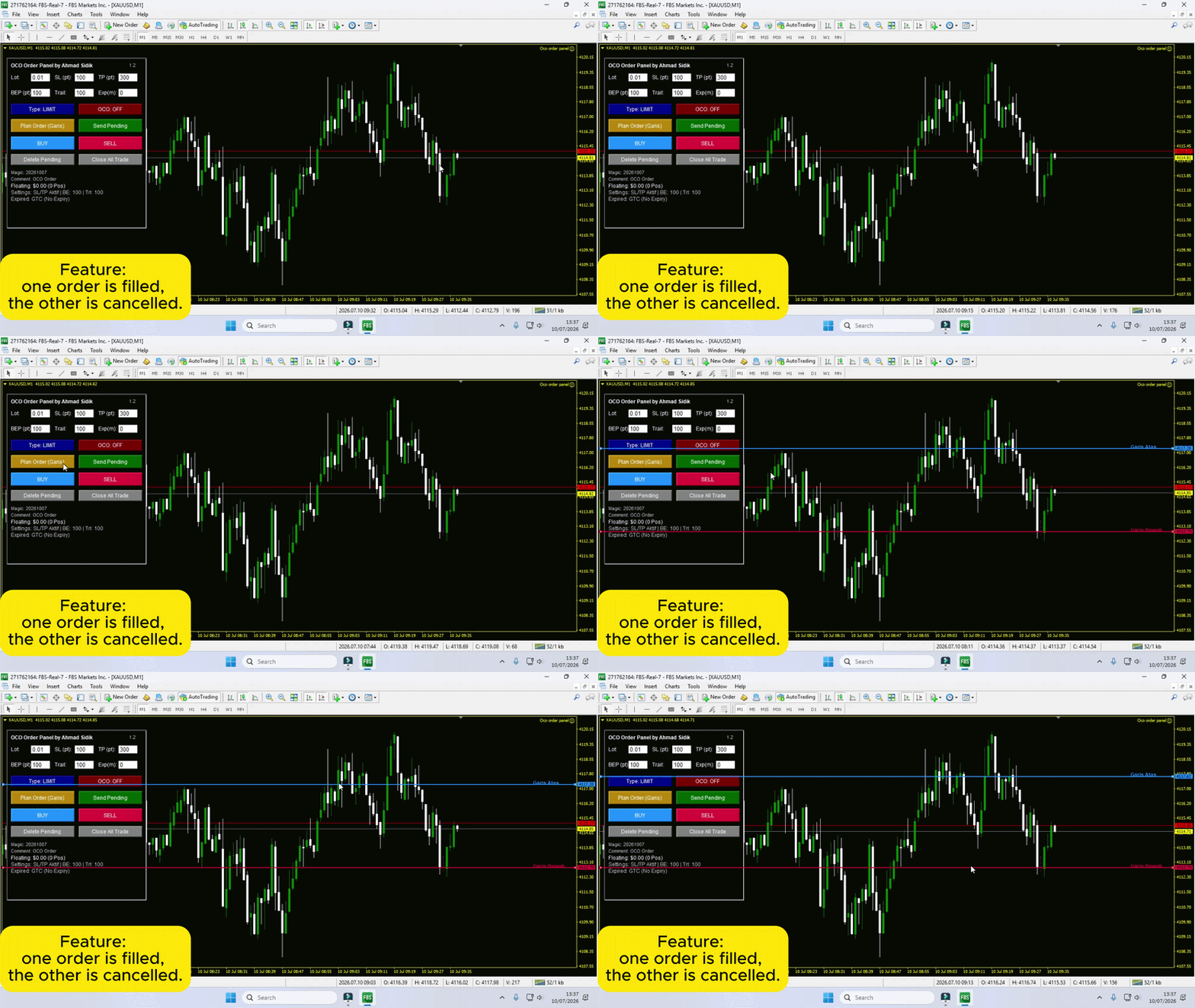
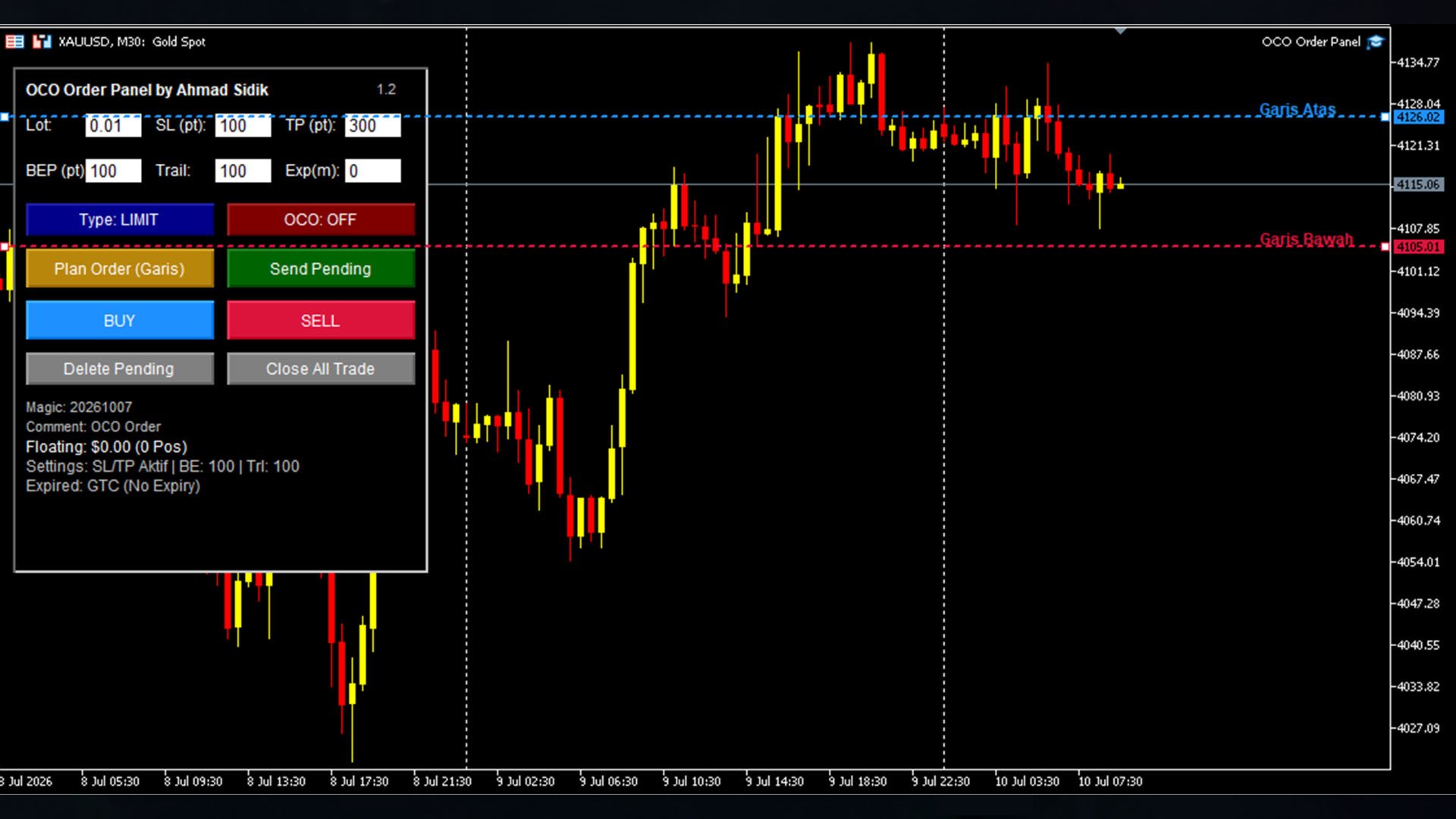
OCO Order Panel MT5
- Utilità
- Versione: 1.3
- Aggiornato: 10 luglio 2026
- Attivazioni: 15

OCO Order Panel is a chart-based trading panel for MetaTrader 5 that helps place, manage and protect pending and market orders directly from the chart. It is built around a One-Cancels-the-Other (OCO) workflow: two opposite pending orders are placed around the current price, and when one of them is triggered, the other is automatically deleted.
Description in normal tone. No profit is promised or implied. Results depend on the trading symbol, broker execution conditions, account settings and market volatility. Past behavior of the panel's logic does not guarantee future results. Users are responsible for testing the panel on a demo account before using it with real funds.
How it works
The panel is displayed directly on the chart. Two horizontal lines ("Plan Lines") can be dragged to the desired entry prices for the upper and lower pending orders. Pressing the send button places both orders at once, either as Limit or Stop orders, depending on the selected order type. Market Buy and Sell buttons are also available for immediate execution.
Main features
- Dual pending order placement (upper and lower price) from adjustable chart lines
- One-Cancels-the-Other (OCO) logic: when one pending order is filled, the opposite one is deleted automatically
- Selectable pending order mode: Limit or Stop
- Market Buy and Market Sell buttons for instant execution
- Adjustable Stop Loss and Take Profit in points
- Automatic minimum-distance validation for Stop Loss, Take Profit and pending order price, based on the symbol's stop level, freeze level and current spread
- Breakeven management: moves Stop Loss to the entry price once the trade reaches a configured profit distance
- Trailing stop management in points
- Order expiration in minutes, with a countdown shown on the panel. Depending on how many minutes are set and on the broker's supported expiration modes, the expiration is either sent to the broker as a native pending order expiration, or tracked and removed by the panel itself when the time is reached, so that short expiration periods behave consistently across different brokers
- One-click buttons to delete all pending orders or close all open positions for the symbol
- Floating profit/loss, order status and expiration countdown shown on the panel
- Configurable lot size, magic number and order comment
Input parameters
Order settings: default lot size, Stop Loss in points, Take Profit in points.
Risk management settings: breakeven distance in points, trailing stop distance in points, order expiration in minutes (0 disables expiration).
System settings: magic number used to identify orders placed by the panel, and a text comment attached to each order.
Notes
The panel adjusts pending order prices and Stop Loss/Take Profit distances automatically when they are closer to the market than the symbol's minimum allowed distance. Order expiration behavior depends on the trading symbol and the broker's supported expiration modes; the panel is designed to keep the displayed countdown and the actual order removal time consistent. Users should verify the panel's behavior on their own broker and account type before live use.