PL Tracker
- Utilità
- Versione: 1.0
- Attivazioni: 5

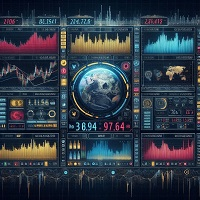
A clean, draggable on-chart panel that shows your floating profit/loss in real time — one symbol at a time or your entire account at once — with permanent high/low watermark history and one-click close.
Stop scrolling through the Trade tab or doing mental math. zProfit Loss Tracker keeps your floating P/L, your best and worst moments on every symbol, and your account health always visible in a compact, modern panel — and lets you close positions with a single click, right where you're already looking.
Key Features
- Two tracking modes, switchable directly on the panel (no need to touch EA inputs):
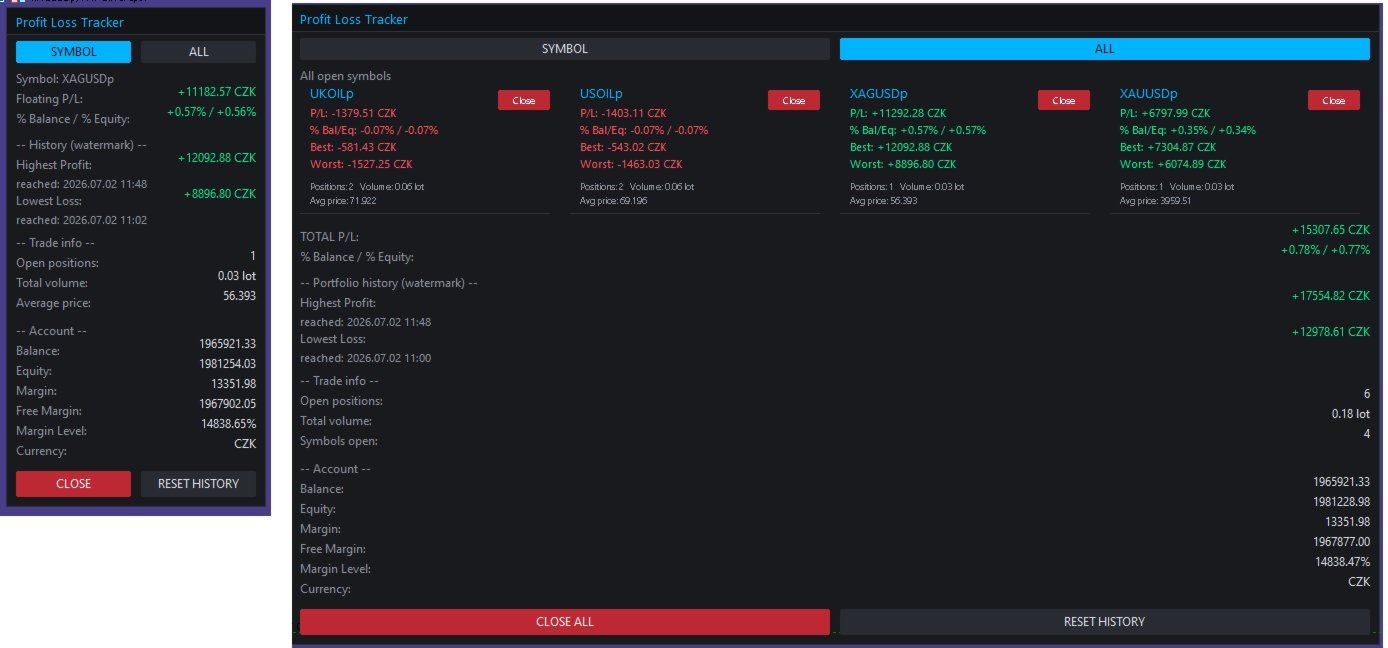
- SYMBOL mode — floating P/L, % of balance/equity, and full trade detail for the current chart symbol only.
- ALL mode — every open symbol gets its own card, arranged in a clean 2-column grid, plus a portfolio-wide total.
- Permanent High/Low watermark history. The panel remembers the highest profit and the lowest loss ever reached — per symbol in SYMBOL mode, and for the whole account in ALL mode — including the exact date/time each record was hit. History survives terminal restarts (stored per account login).
- One-click position closing. Close the current symbol, close a specific symbol from its card in ALL mode, or close everything with a single "Close All" button — with an optional confirmation prompt.
- Live account snapshot. Balance, equity, margin, free margin, margin level and account currency, always visible at the bottom of the panel.
- Fully draggable panel — grab the header and drop it anywhere on the chart; position is remembered while the EA runs.
- Magic number filter — track and close only the trades opened by a specific EA/strategy, or leave it at 0 to track everything.
- Reactive layout. In ALL mode the panel automatically widens to fit two symbol cards per row instead of growing endlessly downward, so it stays readable even with many open symbols.
- Dark neon theme, fully customizable. Every color (background, accent, profit/loss, buttons, alternating rows) is exposed as an input, so the panel matches your own chart setup.
- Lightweight. Pure chart-object panel, no DLLs, no external dependencies. Configurable refresh rate (default 200 ms).
How It Works
SYMBOL mode
Shows everything for the symbol on the current chart:
- Floating P/L and % of balance / % of equity
- All-time highest profit and lowest loss ever recorded for this symbol, with timestamps
- Open positions, total volume and average entry price
- One-click CLOSE for this symbol's positions
ALL mode
Every symbol with an open position gets its own compact card (P/L, % Bal/Eq, Best, Worst, positions, volume, average price, and a per-card Close button), laid out two-per-row. Below the cards you get the combined portfolio P/L, the portfolio-wide watermark history, and a CLOSE ALL button.
Switching between modes is done directly on the panel with the SYMBOL / ALL buttons — the Default mode on start input only decides which view loads when the EA is first attached.
Inputs
Tracking
- Default mode on start (Symbol / All)
- Magic Number filter (0 = track all trades)
- Panel refresh rate (ms)
Panel appearance
- Chart corner, X/Y offset, draggable on/off
- Panel width, font, font size
Colors
- Background, header, border, accent, text, dimmed text
- Profit color, loss color
- Button background, close-button background, alternate row background
Behaviour
- Confirm before closing trades
- Confirm before resetting history
- Delete stored history on removal (on/off)
Notes
- Compatible with both netting and hedging accounts.
- Works on any symbol and any timeframe — attach it once to any chart and it tracks whatever is actually open.
- All colors used for profit/loss values (including "Best"/"Worst" and "Highest"/"Lowest" watermarks) always follow the real sign of the number — green for positive, red for negative — so nothing is ever visually misleading.
- History is saved to the terminal's Common Files folder per account login, so it persists across restarts and is not tied to a single chart.