Session Volatility Swinger EA
- Experts
- Versione: 1.0
- Attivazioni: 5

NOTE: EA is prop account ready and compliant, tested on FundedNext 2 step accounts. Recommende non prop accounts should preferably be low spread and for long term use a VPS may make sense as the trades will be very spaced out, which may not be convinient. VPS speed can be on the slow end and will be fine as speed is not quite the priority, rather it just has to be 'always ON'. Expert Magic number must be set to 40829
It has proven quite pointless in writing a detailed one of these as you either prioritise explaining the techinical details of the software (which is usually only useful to people who already know they are looking for exactly that, which is not majority of people who are browsing), or you spend as much of this real estate overselling the software, which is a bit annoying and has a bit of a 'salesman' slime I don't feel comfortable with.
This is an EA that trades session breakouts. Price only does two things all day and every trading day.
1. It goes up, until its too high, then it comes back down to a more reasonable price target.
Or, 2. It goes down until its too low, then it comes back up to a more reasonable price target.
The vast majority of traders spend time figuring out the two unknows of these two realities; what is 'too high/low' and what is the reasonable price price will close under/above.
This EA uses a very straighfoward approach to figuring these out. Session time. Every trader, even ones that have only been trading for a year understand the
amount of value that is created and destroyed at the open and close of a trading session. That alone has implied predictive power for what price will then continue to do.
Here's an oversimplified example: if you opened the US Dow Jones chart right now, and saw that price rose by 100 000 points in the past day,
you would obviously start preparing for a massive sell off. However you likely wouldn't be comfortable with entering 100 000 points
above until you've seen xyz conditions be fulfiled that point to price being ready to sell. Same applies to all traders that will view that same chart with no currently US30 trades or other correlated positions
And that is why the EA using session breakouts as the entry point results in such good performance. Because even in the cases where it's wrong, price is so far out that the EA can hit SL
and price starts reversing a few 10s of points later, however it is software and needs strict stop-go conditions so those we just need to live with.
Another strong advantage here is that because of the main signal gen algorithm that is running in the EA specifically being pointed towards session breakouts for entry signals, and the
algorithim having a weighting formula applied specifcally to price action within, right before and right after a session, we result with these interestingly accurate entries where
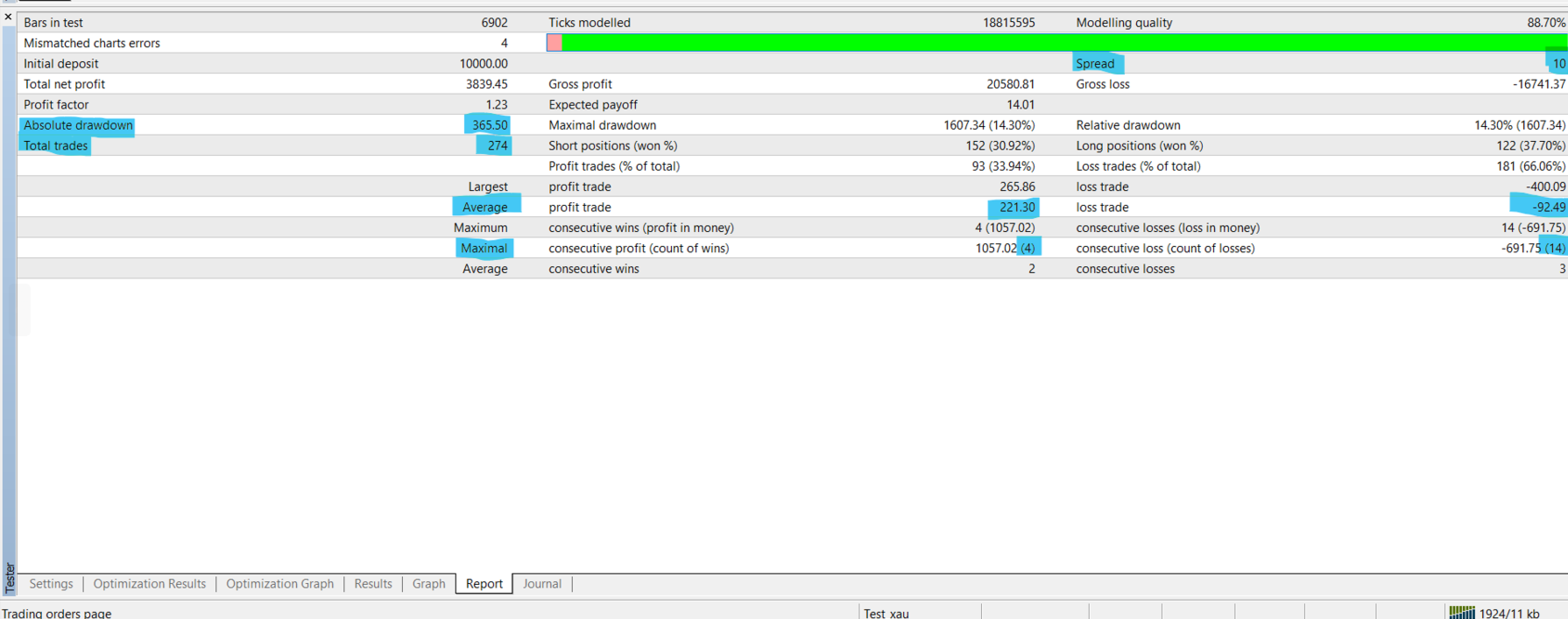
price holds strong at around our entry level, even in cases where it hits SL (with the average holding time for losing trades on US indices being about 4+ hours, whilst the average holding time for winning trades being 4 - 5 hours. With an RR of 1:2.5, that is a significant metric, not necessarily for profitability, but rather the lack of 'incorrect' entry lvl predictions.
I honestly could oversell this by overfitting it, generate a beautiful sparkling image logo, add a bunch of pointless add ons to the EA that are either confusing or useless, but just download the demo, look at the recommended settings for your symbol of choice, run, decide if it's good enough.
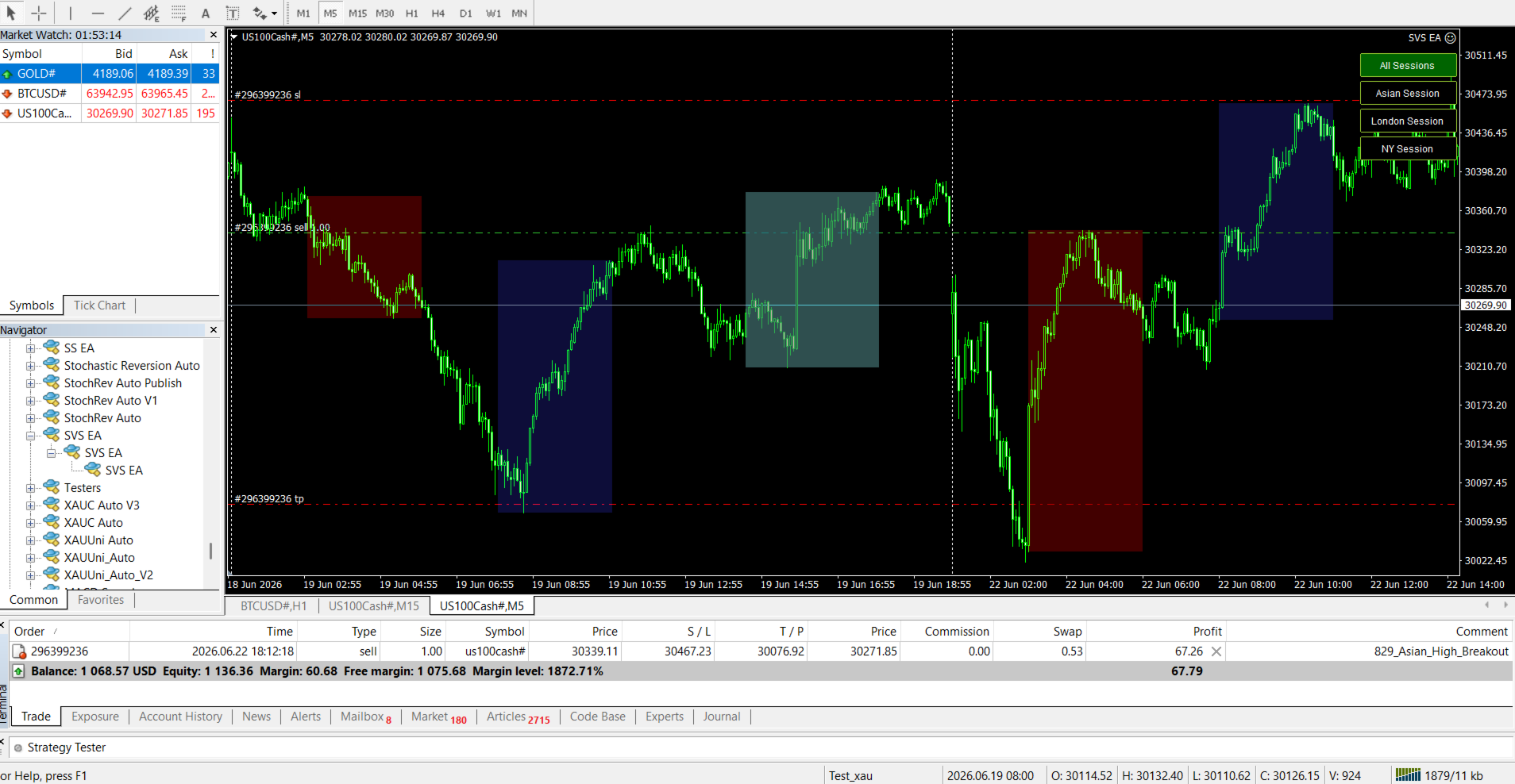
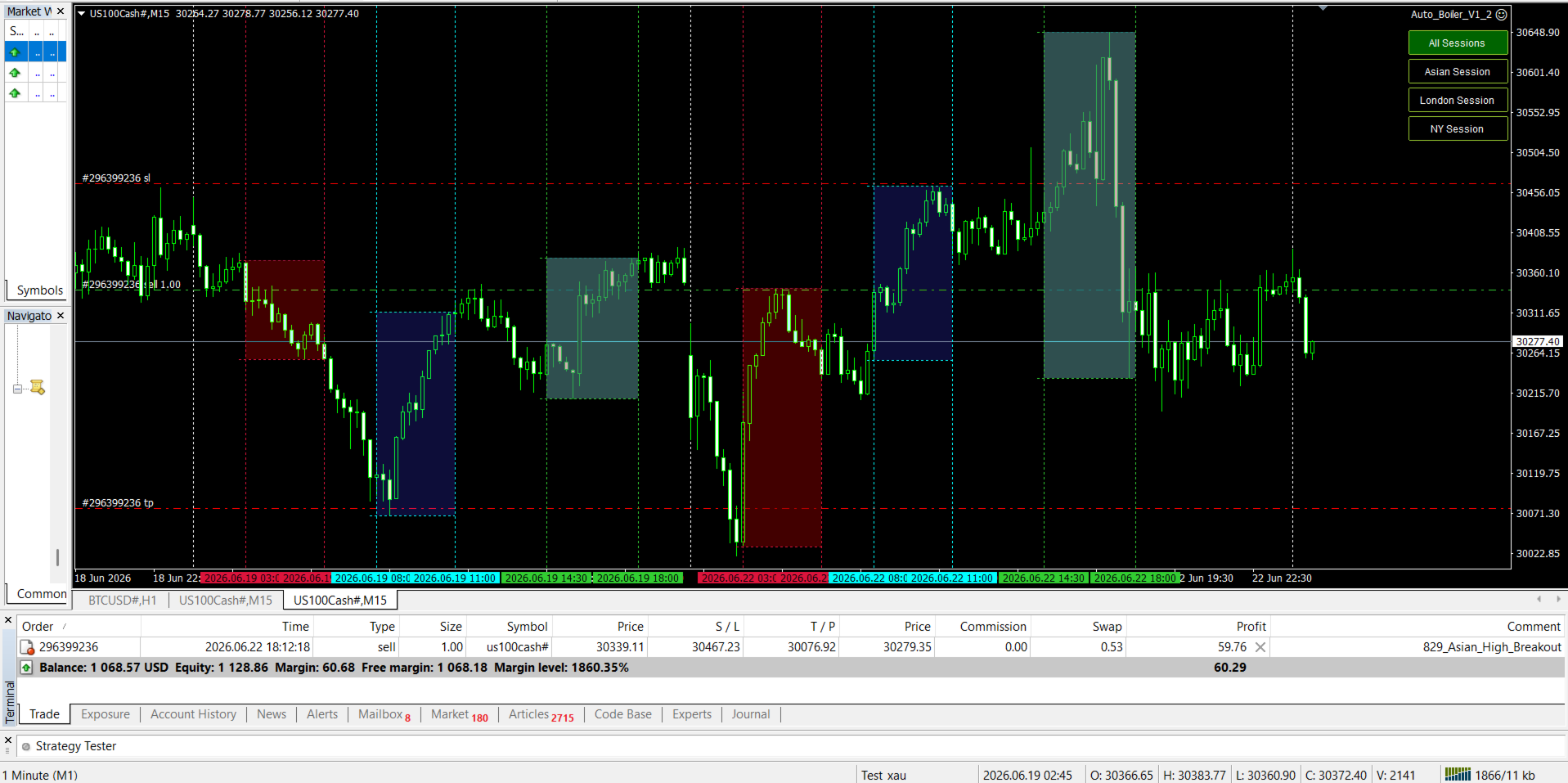
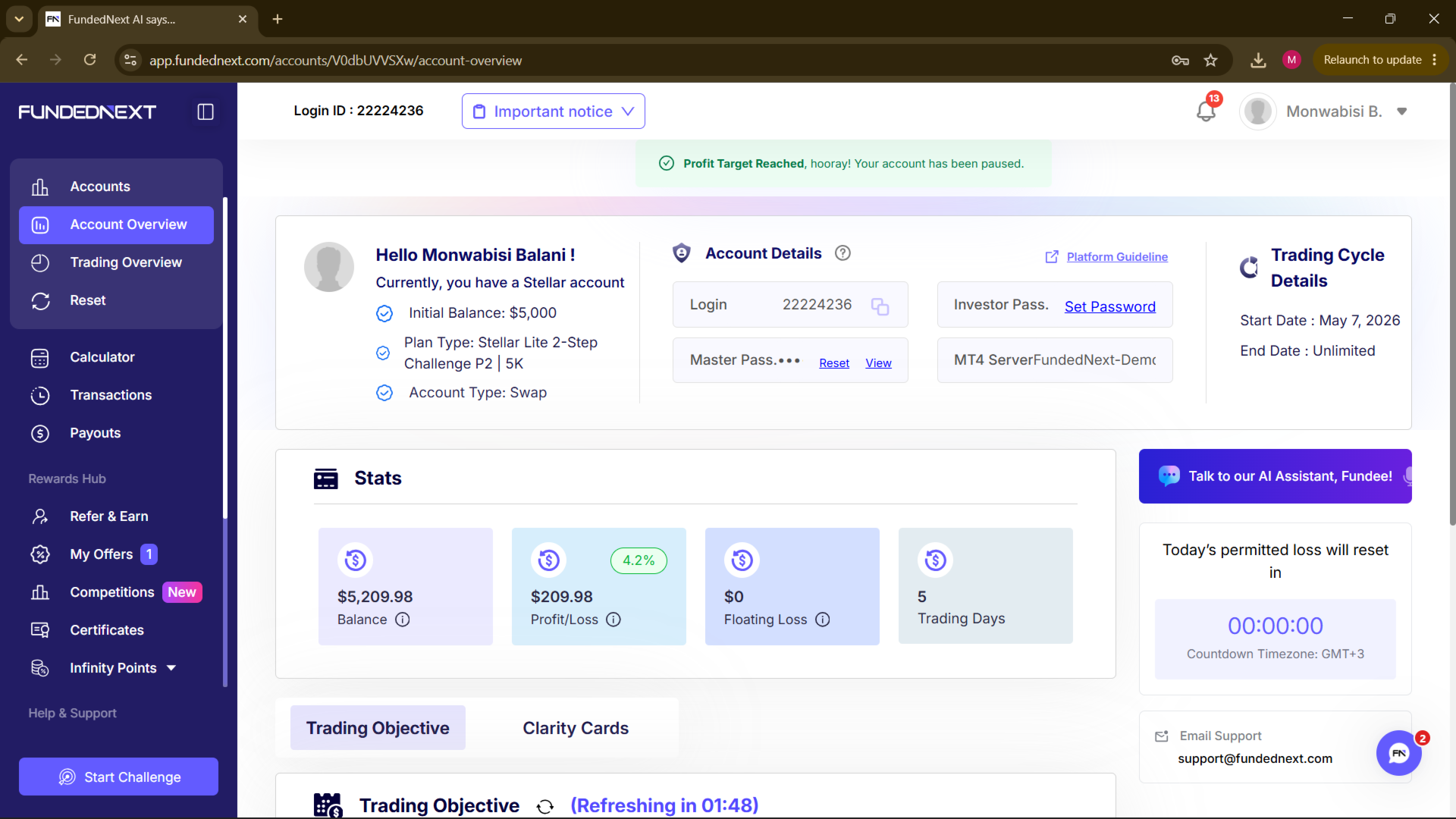
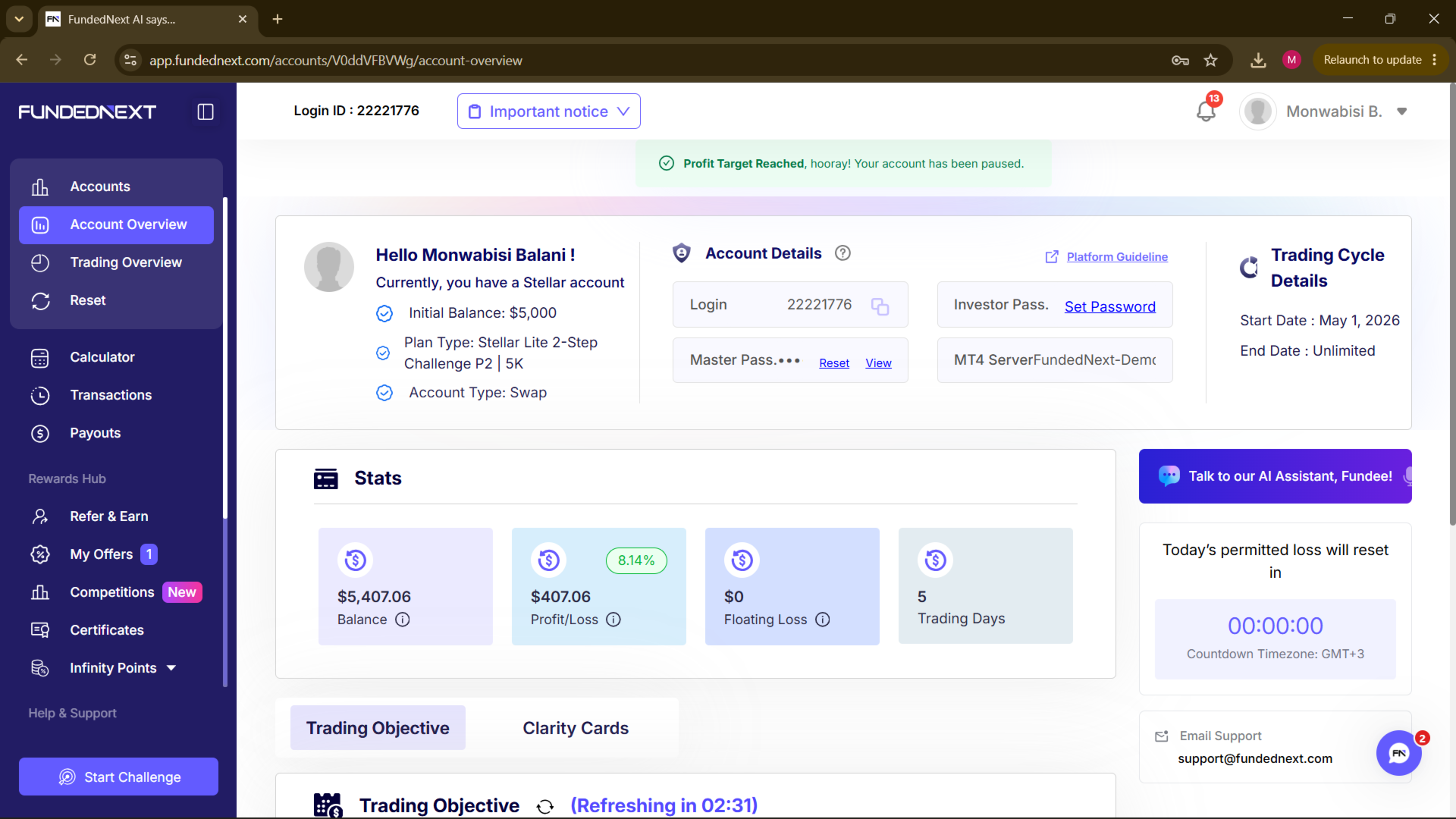
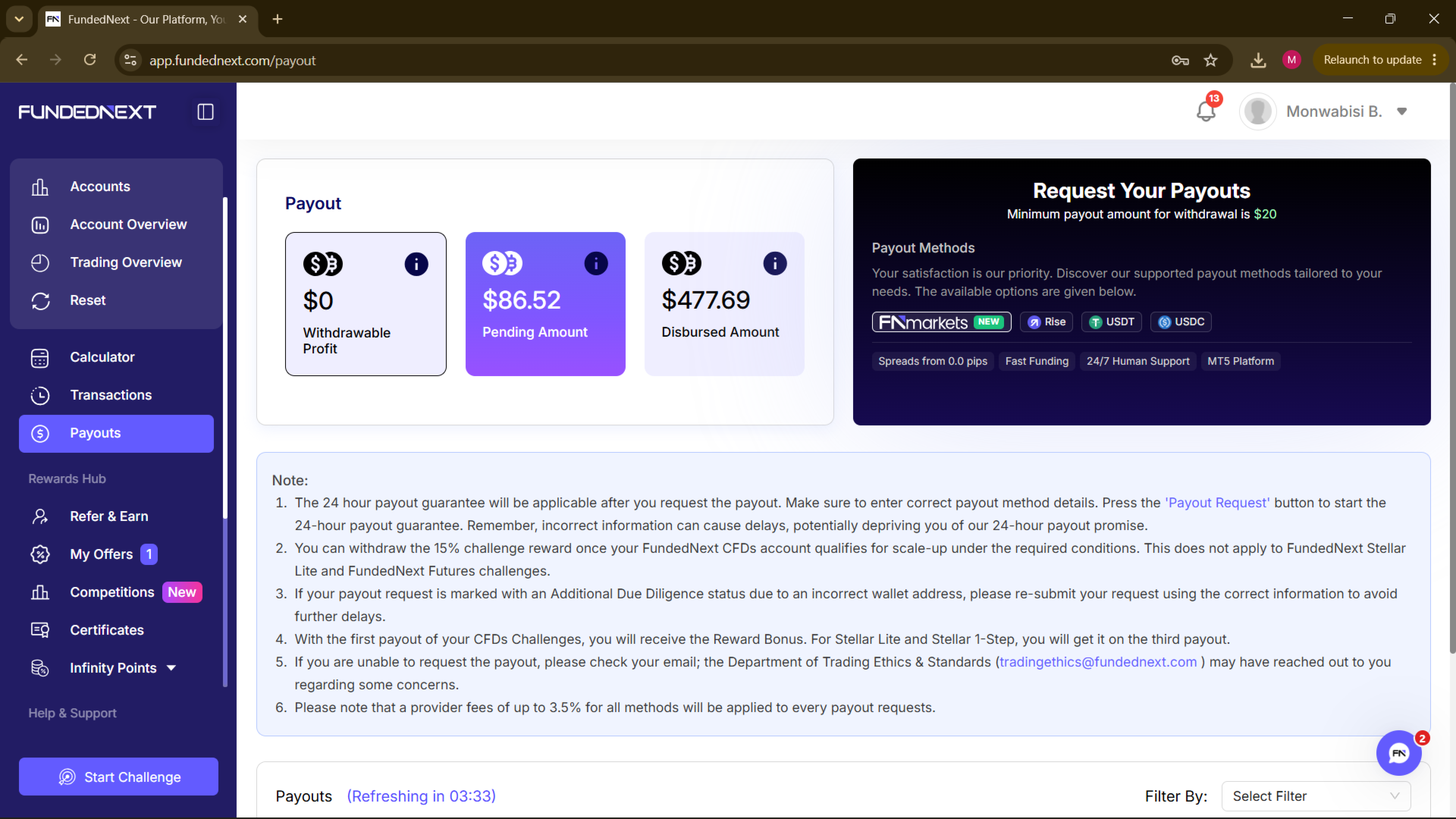
This is not the EA for people who want a superscalping system, or an HFT or a Grid system. I myself have purely used it on prop accounts simply because it generates small consistent long term profits, takes some well calculated losses, but not frequently enough to run at a low account balance as I would have if I was running it on a live account. See images to view the 6 prop accounts I passed with this in the past 3 months thus far. All on Nasdaq and Dow Jones, zero gold trades because I think if you specifically want something to trade gold with, you can likely find something better elsewhere because with Gold you would be leaving a lot of market volatility outside these sessions (because Gold moves a lot even outside the Asian, London & US session).
---
Expert Advisor Inputs:
Trade Settings
Expert Magic - It is important that the Magic is always set to 40829 when running in strategy tester less the EA will not execute any trades.
Lot Size - 1.00 on US Indices per $1000 equity to maintain a small DD risk.
For Gold, not more than 0.15 per $1000 to account for the more frequent gapping between session breakouts.
Stop Loss (in points) - 100 points as standard for all trades on US indices but slight deviations are okay
Take Profit (in points) - 240 point as standard for Nasdaq, Dow Jones as minimum TP, can go up to 350 if longer holding, but not for US500 (!max 240)
For Gold, be mindful of the raw point differences between brokers, but 70 point SL and 140 point TP as minimums, most Gold trades however
will be closed automatically and not SLTP.
Auto Close on next Session Start? - SET TO TRUE (COMPULSORY)
Signal Generation Settings
MAX BARS - ANY, but preferably no more than 1000 to reduce strain on resources. When running on VPS, ideally run 200 bars as max.
minimum bars are obviously at least the length of two days applied to the timeframe. Suffice to say, a MAX BARS input of 200 is recommended
as the lowest is about 194 bars on M15 or 500 bars on M5. Sticking to M15 on the VPS would be recommended as well as there is a OnTimer function
implemented in the EA which will consume resources anyway, hence there is no need to spend additional resources on graphical objects.
TIME INPUTS (extremenly IMPORTANT)
it is imperative that all this inputs are accurate and correct according to the BROKER CHART TIME.
Again, for the less technical, if your local time is 12:00, but the X-axis on MT4 shows 13:00, then the EA is using 13:00.
So if unsure, just check the time your broker uses, most use GMT+1, GMT+3 and GMT+4. These settings are supposed to be set based off what time the Asian, London and NY session start in your broker's GM time offset. You are allowed to add a small time buffer to hold trades for a shorter period or take entries earlier by subtracting one hour from the session start time.
However it is not recommended to change the end time as it plays a very significant role in the core strategy (prices tend to be significantly more volatilite at the start and end of a session, hence changing the end time will move the price the EA should be placing weight on at the incorrect point (after the session has ended) resulting in poorer entry signals)
Asian Session Start Time
Asian Session End Time
LDN Session Start Time
LDN Session End Time
NY Session Start Time
NY Session End Time
- ALL SHOULD USE FORMAT 'HH:MM' STRICTLY. The date is set automatically so do not include.
ALL Max line color inputs - ANY / NONE
ALL Min line color inputs - ANY / NONE
Zone Line Width - ANY
Add color filling to zone - OPTIONAL
Asian Session Fill color - ANY / NONE
London Session Fill color - ANY / NONE
New York session Fill color - ANY / NONE
Vertical Zone ON? - OPTIONAL