Mean Reversion MT4 Swinger
- Experts
- Versione: 1.1
- Aggiornato: 19 novembre 2025
- Attivazioni: 5

This is a mean reversion system as the name implies. EA performs best on Nasdaq and Dow Jones.
The EA is a high frequency trading system and is not suitable for high spread accounts. The EA finds high probability zones and executes order blocks to quickly capture market edge. This is NOT a directional trading system.
See: V1.2 backtest example: https://youtu.be/YkUcL6xMfBY
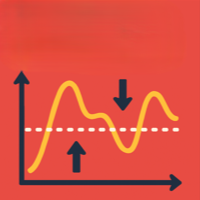
The concept, for those unfamiliar, is simple: price tends to revert back to normal levels after periods of price irregularities due to sudden hikes in volatility or one sided trading as a result of news.
Ever noticed most US Cash Indices tend to always trend back to right about where it last closed before a news event? That's basically the concept. The EA does not news trade but calculates how much price has been pushed against the statistical mean price and when conditions are ripe, it enters a trade to capture that mispricing.
I did not include too many screenshots as I figured I would rather specify the settings and allow potential users to download the demo and test as far back as they want to see the raw returns on this. If running on strategy tester it would be ideal to set the max allowed loss to be a reasonably high amount (20%+).
The main reason is simply because no matter how much I can show this EA has generated for me it won't be well representative of your experience. (My risk tolerance may be lower/Higher than yours, which is crucial to the returns).
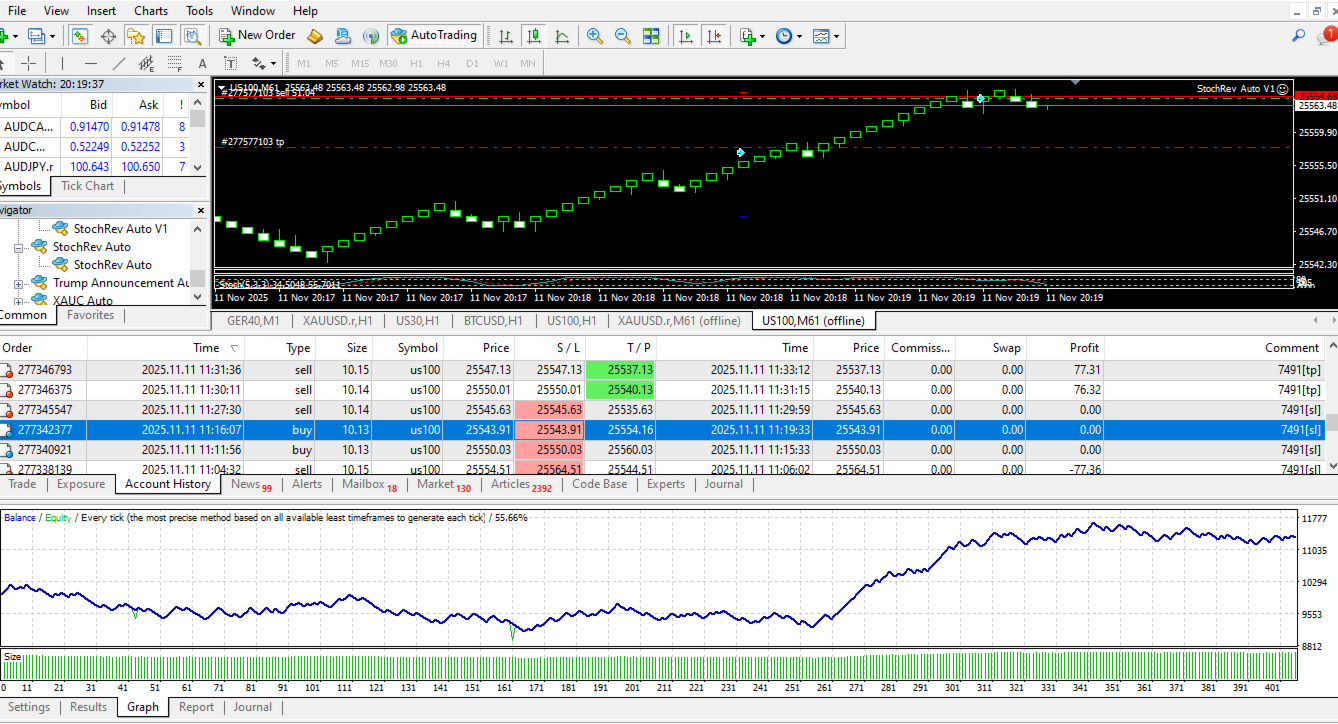
As a standard the tester results (see screenshots) are results over a minimum of 200 trades to demonstrate consistency.
This uses a custom "overbought/oversold" pricing model derived from a few reliable volatility pricing formulas.
Remember, most markets are efficient, but only over a long period of time. That's why this works.
You're welcome to test the demo, EA is great for US indices as that has enough volatility and absorbs mispricing fairly quickly.
If none of the above made sense, you are unlkely to be the target market however you are more than welcome to ask me questions about the strategy.
Settings:
The EA is best for short term trades when used with a renko chart for profit maximization. In the settings however you can run it on a non renko chart. In this case, a higher timeframe should be selected as the main algorithm does not filter reliably for volatility spikes in timeframes like M1.
Refer to the screenshots for clarity.
[Renko chart settings]
// Reversion Applied Timeframe -> Leave as default
// Using Renko chart -> Set to true if EA is running on renko chart
// Renko size (if true) -> Specify Renko bar size, recommended: 80 - 150 for US indices
// Expert Magic -> Must be changed each time the EA is applied to more than one chart on the same account
// $ Commission per trade -> User defined
// Risk % per trade -> User defined
// Stop Loss (in points) -> User defined - recommended 100 - 200 points for US indices
// RR (SL:TP) -> User defined - recommended: 1:1 or less for renko
// Use Break Even -> Preferably leave ON for renko chart trades
Account settings
NOTE:
* All figures are calculated based off the "Opening/Deposit $" amount.
* Account does not have to be USD.
// Starting Opening/Deposit $ -> Preferably use your current balance when running the EA for the first time on the Account
// Max Daily Loss % -> User defined (EA will stop taking trades after this is reached)
// Max Overall Loss % -> User defined (max amount the EA can lose throughout it's run)
// Daily Target Profit % -> User defined (EA will stop taking trades after this is reached)
// All other settings must be kept as default
Tester was run at 1:0.6 RR and BE was turned ON. (See account statement screenshots)
[Non-renko chart settings] - Type is irrelevant as the strategy does not have any "pattern recognition"
// Reversion Applied Timeframe -> User defined: M15 and higher is recommended
// Using Renko chart -> Set to false
// Renko size (if true) -> Leave as default
// Expert Magic -> Must be changed each time the EA is applied to more than one chart on the same account
// $ Commission per trade -> User defined
// Risk % per trade -> User defined
// Stop Loss (in points) -> User defined - recommended 100 - 200 points for US indices
// RR (SL:TP) -> User defined - recommended: 1:1.5 or more for non-renko
// Use Break Even -> User defined
Account settings
NOTE:
* All figures are calculated based off the "Opening/Deposit $" amount.
* Account does not have to be USD.
// Starting Opening/Deposit $ -> Preferably use your current balance when running the EA for the first time on the Account
// Max Daily Loss % -> User defined (EA will stop taking trades after this is reached)
// Max Overall Loss % -> User defined (max amount the EA can lose throughout it's run)
// Daily Target Profit % -> User defined (EA will stop taking trades after this is reached)
// All other settings must be kept as default
Tester settings were run at 1:1.5 RR and BE was off. (See Startegy tester screenshots)