Minimalist Manager
- Utilità
- Versione: 9.10
- Aggiornato: 23 ottobre 2026

Minimalist Manager is a manual trade-management panel for traders who place their own entries and want precise, fast control over risk, stops, and targets directly on the chart.
It is a discretionary tool. You decide when to enter; Minimalist Manager handles the sizing, stop-loss, take-profit, break-even and trailing mechanics around your decision. Trading several accounts? Its Trade Copier places the same trade on all of them, each at its own risk.
Key features
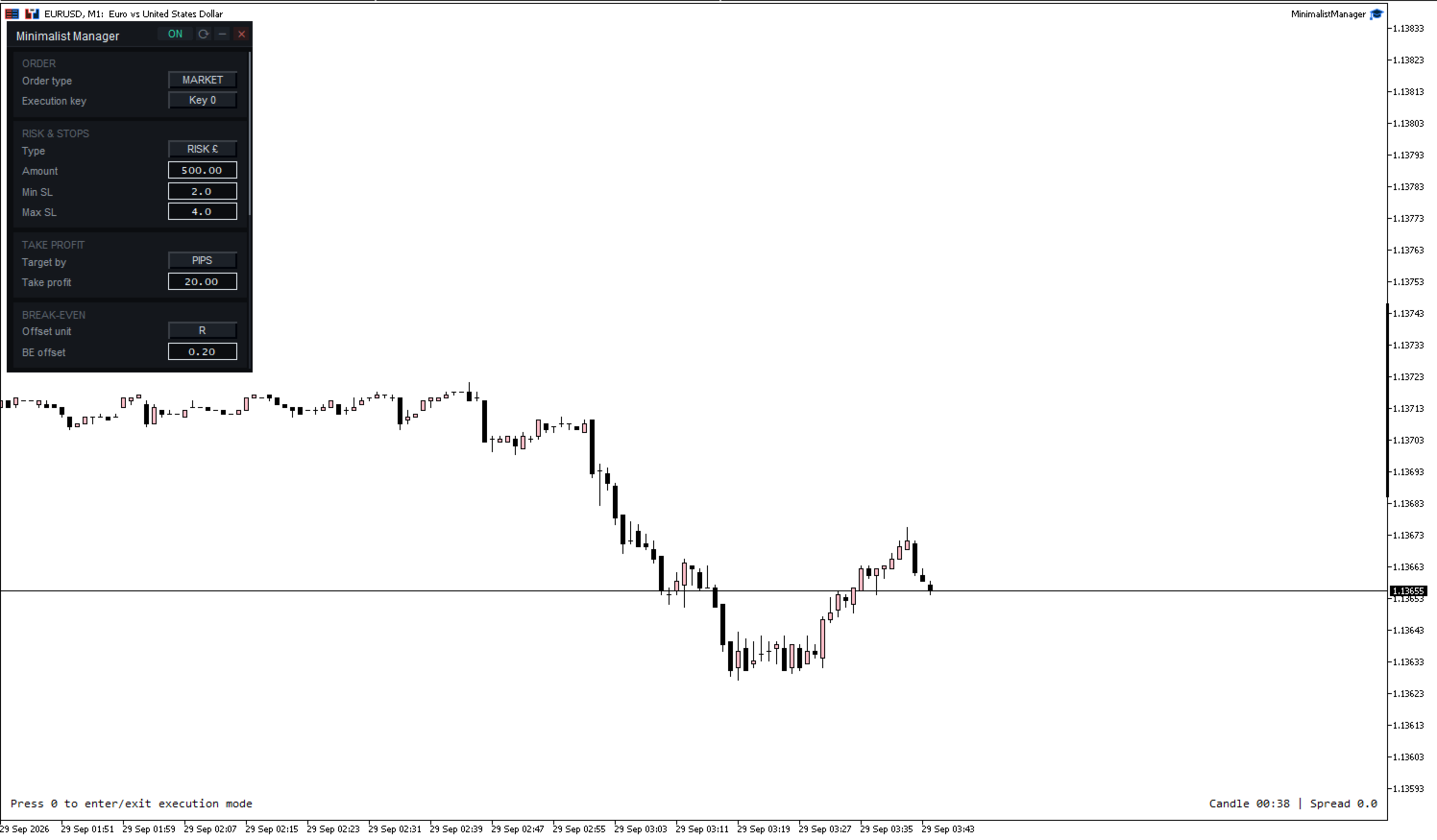
Risk-based position sizing. Set your risk as a percentage of balance, a fixed cash amount, or a fixed lot size. The lot is calculated automatically from your stop distance so every trade risks what you intend. The risk field shows your account currency symbol.
Mouse-driven execution mode. Arm execution mode with a customisable key, then move your mouse to set the stop-loss distance and left-click to place the trade. The stop follows the cursor and is held at the exact distance you choose.
Minimum and maximum stop-loss band. Define the tightest and widest stop you will accept, in pips on forex and points on indices. The stop is clamped to stay within that band at all times.
Take-profit with partial close. Set your target by risk-to-reward ratio or by pips. The take-profit accounts for the live spread so your intended distance is applied accurately, and you can close only part of the position at the target and let the rest run.
Draggable management lines. Once a trade is open, drag the stop-loss, take-profit, and break-even lines directly on the chart to modify the live order. Changes are sent to your broker instantly.
Automatic break-even. Enable a draggable break-even line. When price reaches it, the stop is moved to your entry plus an offset, in pips or in R, to protect the position.
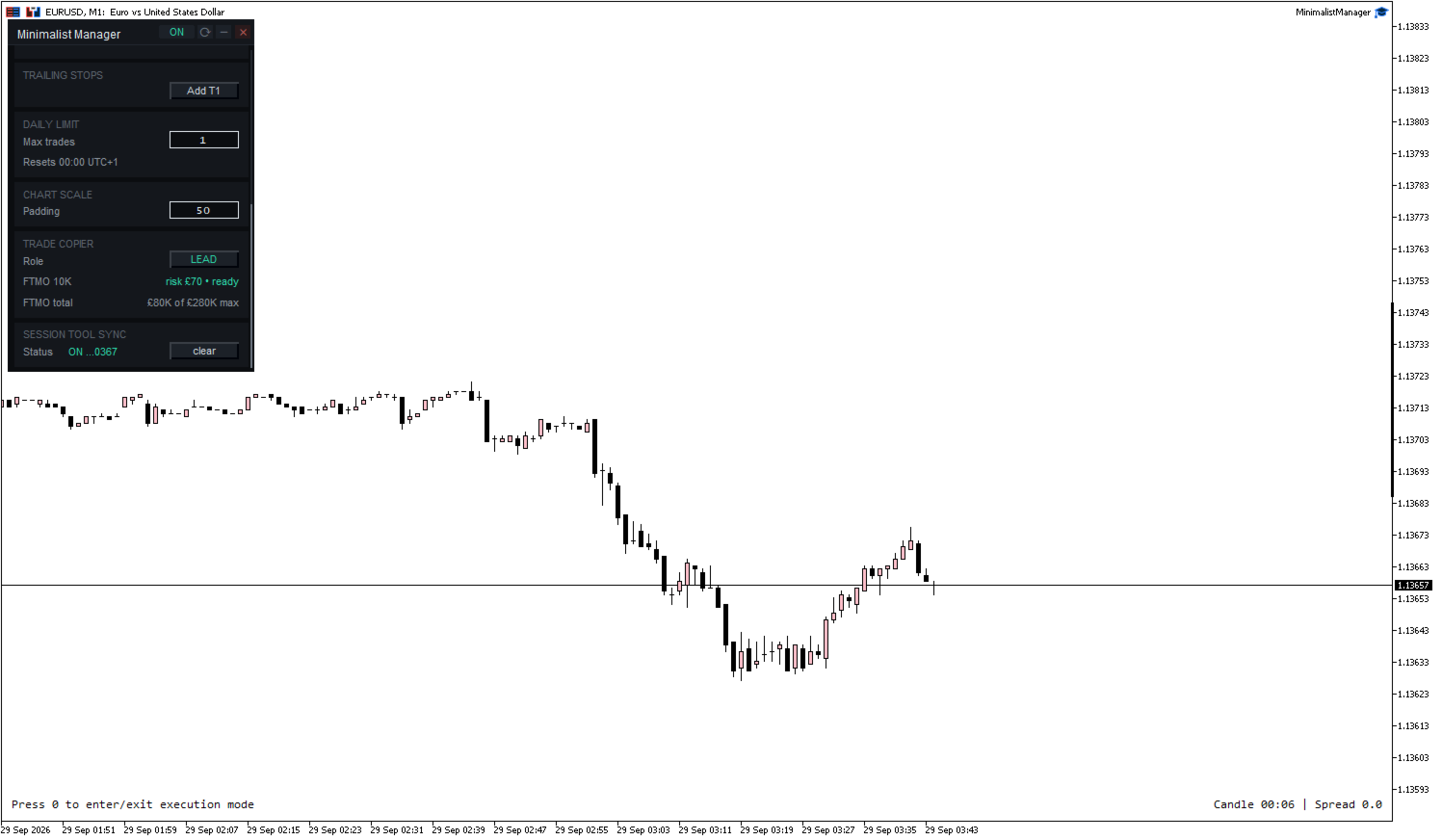
Trailing stop steps. Add up to four steps from the panel. Each has a trigger line you drag onto the chart and a destination measured past your entry, in R or pips (0 = break-even, 0.5 = half an R in profit): when price reaches the trigger, the stop moves to that destination. Trailing stays off until you add a step.
Daily trade limit. Set the most trades you will take in a day, on the panel or in the inputs. When you reach it, the panel pauses new trades until the next day, which starts at midnight in your own timezone.
Trade Copier for your own accounts. Trading several prop-firm or personal accounts? Set one MT5 to Lead and the others to Follow on the panel's Trade Copier card: every trade you place on the Lead is copied to each Follow account within about a second, sized from that account's own risk setting over the same stop distance (for example 500 on a 70K account and 70 on a 10K account - the same R everywhere). Stops and targets are copied as a distance from each account's own fill, so break-even, trailing steps and a dragged stop follow exactly; partial closes are copied as the same share and closes close. It never reverses a trade, skips a late entry rather than chasing it, and a Follow account's daily trade limit and Algo Trading switch stop new copies. All terminals must run on the same PC or VPS. For FTMO accounts the Lead's card tracks your total allocation against FTMO's maximum. Check that your prop firm allows copying between your own accounts, and never set a real account to follow a demo.
Scrolling panel. The panel opens at the top (Order, Risk & Stops, Take Profit, Break-even) and scrolls with the mouse wheel or the bar on its right edge, so it never runs out of room.
On-chart information. A bottom-corner readout shows a live candle-close countdown and the current spread, readable on light and dark charts.
Master visibility toggle. One button hides every line for a clean chart and brings them all back instantly.
Input parameters
Trade Setup
Default order type — market, limit, or stop. Magic number — identifies trades placed by this tool. Slippage fallback (points) — the maximum price deviation used when it cannot be set from your stop (normally it is a share of the stop).
Risk
Risk mode — percentage of balance, fixed amount, or fixed lot. Risk percentage (%) — risk per trade when using percentage mode. Risk amount (account currency) — risk per trade when using fixed-amount mode. Fixed lot size — lot used when using fixed-lot mode. Override account balance? — use a custom balance figure for sizing. Custom balance (if overriding) — the balance value to size from.
Stop Loss (pips on forex, points on indices)
Minimum SL size — tightest allowed stop. Maximum SL size — widest allowed stop.
Take Profit
TP measured by RR or pips — how the target is calculated. Take-profit enabled — turn the take-profit on or off. TP target (RR or pips) — the target size. % of position to close at TP — the part closed at the target; the rest keeps running.
Break Even
Show break-even line? — enable the break-even feature. BE trigger distance (in R) — where the break-even line is placed. BE offset measured in pips or R — the unit of the offset. SL offset past entry on BE — how far beyond entry the stop is moved.
Panel
Panel X (from left) — horizontal screen position. Panel Y (from top) — vertical screen position. Start with panel expanded? — open or collapsed on load. Panel height before it scrolls (px) — 0 shows everything down to Break-even.
Chart Scale
Lock chart scale on load — fixes the price scale with padding above and below price, so you can scroll the chart vertically. Padding above & below price (pips) — how much room is left.
Hotkeys
Execution-mode key — single letter that arms execution mode. Execute trade (backup) — key to place a trade. Cancel all pending — key to remove pending orders. Close all positions — key to close open trades. Close 50% of each position — key to halve open trades. Switch order type — use the panel button (this key is no longer used).
Trade Copier
Magic number a Follow account gives its copies — identifies the trades a Follow account opens as copies. Lead account login to copy — only needed when two Lead accounts run on the same PC (0 = the one Lead on this PC). Symbols named differently — Lead=Follow pairs for brokers that name a symbol differently, e.g. US30=DJ30,NAS100=USTEC. The role (Off / Lead / Follow) is set per account on the panel's Trade Copier card.
Daily Trade Limit
Max trades per day — the default limit (0 = no limit); you can also change it on the panel. Timezone — Auto (from this PC or VPS clock), or None / EU / US / South (AU-NZ) daylight-saving rules, so your day starts at your own midnight. Manual standard (winter) UTC offset — used only when the timezone is not Auto (UK 0, Spain 1, New York -5, Tokyo 9, India 5.5).
Important
This is a manual utility: it never decides to enter a trade. The one exception is the optional Trade Copier, which copies the trades you place on your Lead account to your other accounts. It does not perform actions in the Strategy Tester, which means the free trial available on every Market product cannot demonstrate its behaviour. The tool is designed for use on a live or demo chart with your own discretionary entries.