Prop Protector 2
- Utilità
-
Georgii Poletaev
 I specialize in developing and optimizing Expert Advisors (EAs) and custom indicators for the MetaTrader 5 platform.
 - Versione: 1.1
!!!The first 10 users are free!!!
Prop Protector — Trading Panel and Risk Management Utility
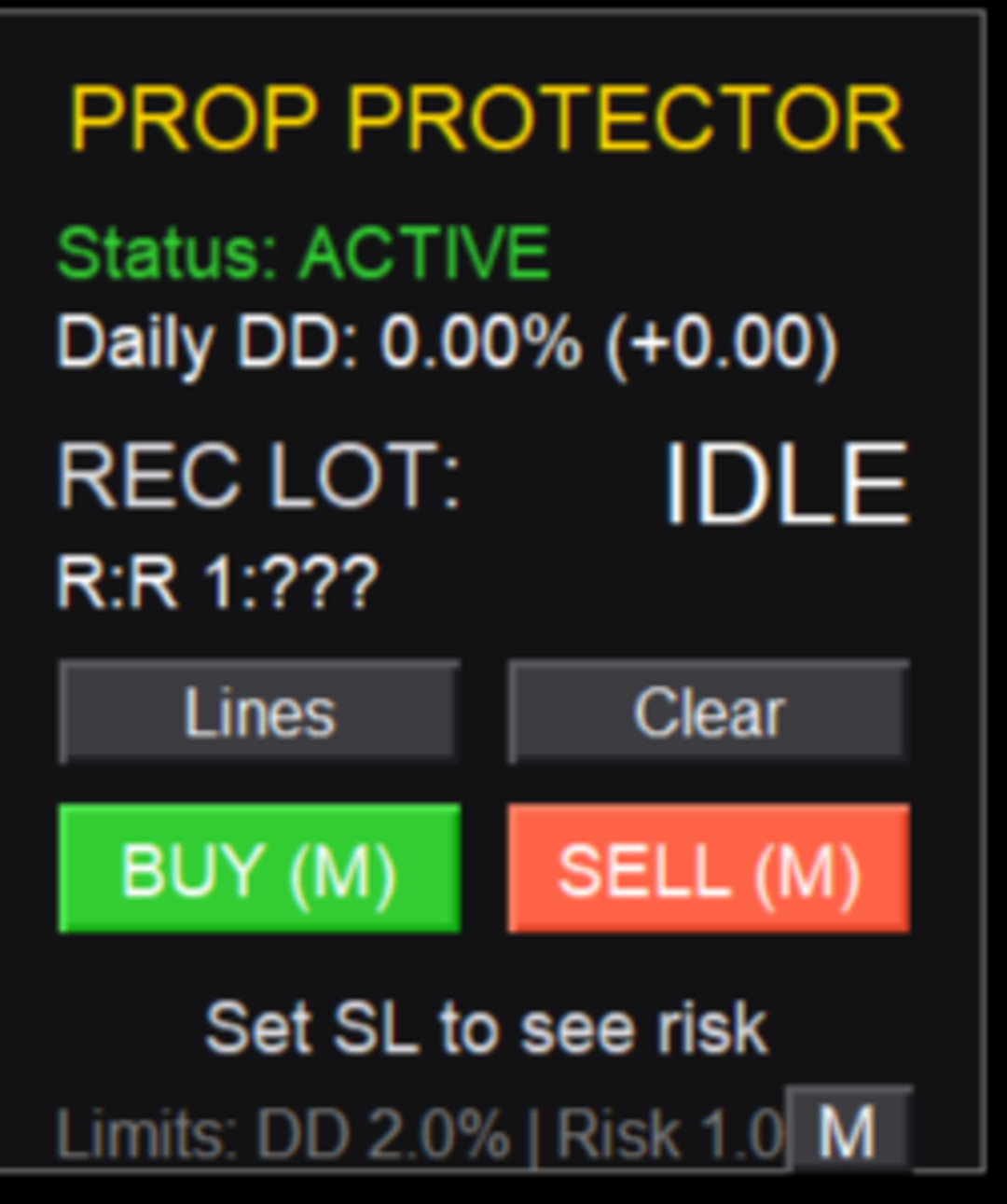
Prop Protector is a utility designed for position sizing and risk management in the MetaTrader 5 terminal. The tool assists in calculating lot sizes based on defined risk parameters and monitoring daily drawdown limits.
Key Features:
-
Trading Panel: Provides an interface for executing market Buy and Sell orders directly from the chart.
-
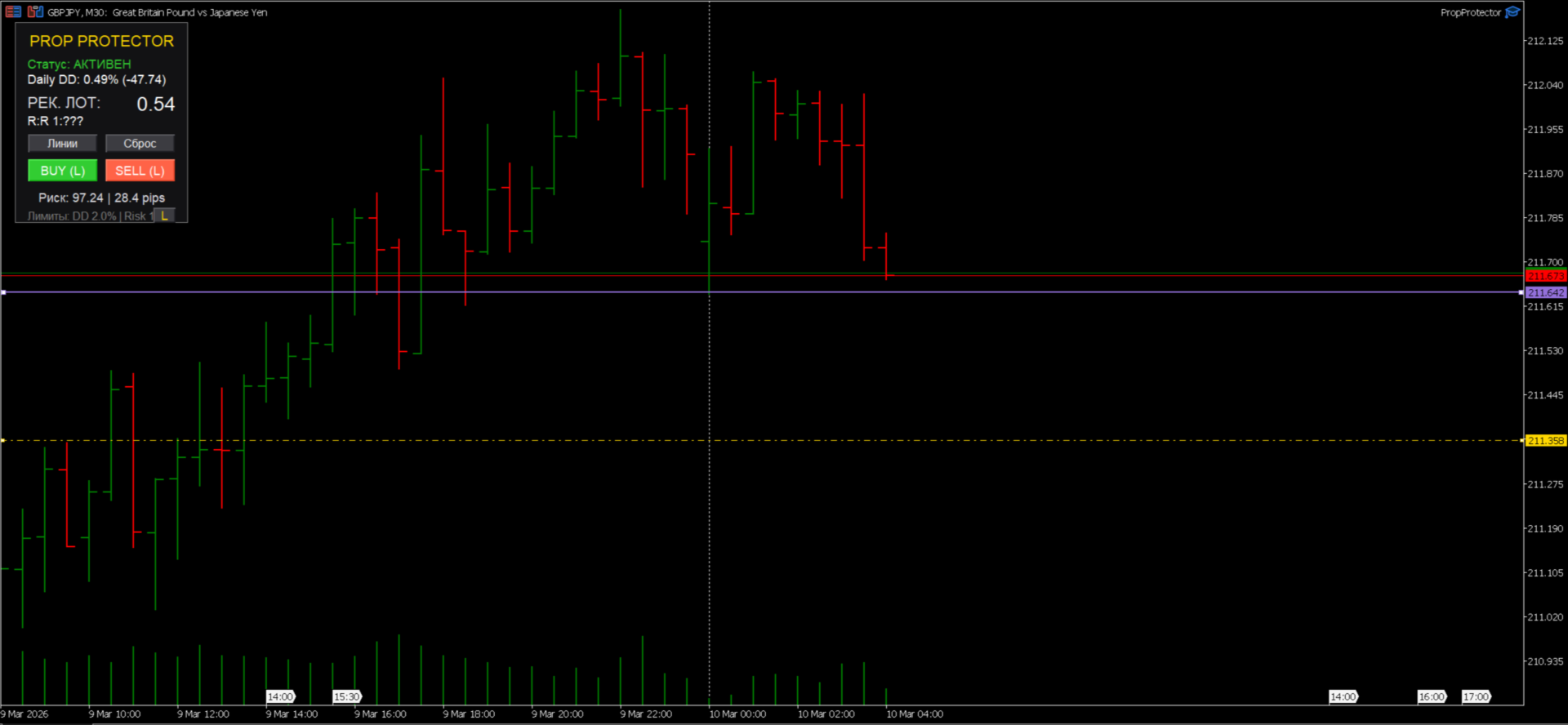
Lot Size Calculation: Automatically calculates the required lot size based on a specified risk percentage of the account balance or a fixed monetary amount.
-
Visual Management:
-
Buttons to display Stop Loss and Take Profit levels on the chart.
-
Real-time calculation of position size when adjusting SL/TP levels.
-
Calculation of the Risk-to-Reward (R:R) ratio.
-
-
Order Types: Supports market and pending orders (Buy/Sell Limit, Buy/Sell Stop) according to broker trading conditions.
-
Drawdown Control: A monitoring system for daily account drawdown. Upon reaching a predefined limit, the utility closes open positions and restricts further trading for the remainder of the day.
-
Notifications: Provides status updates regarding trade execution and account drawdown limits via Telegram messaging.
Technical Specifications:
-
Asset Support: Compatible with all Forex currency pairs, metals (Gold/Silver), and indices.
-
Account Compatibility: Supports both Netting and Hedging account types.
-
Resource Efficiency: Optimized code ensures minimal CPU and memory usage, even when running on multiple charts.
-
Order Flexibility: Full support for both market execution and pending orders (Buy/Sell Limits and Stops).
-
Real-time Synchronization: The panel updates parameters instantly upon every tick or object modification.
FAQ:
-
Does the utility account for floating drawdown - Yes, the utility monitors real-time account equity. If the floating loss exceeds your daily drawdown limit, the system triggers the protection mechanism.
-
Can I use this utility on multiple charts simultaneously? - Yes, the panel functions independently for each symbol. However, the daily drawdown protection logic monitors the equity of the entire account, ensuring comprehensive risk control.
-
Q: Does the utility work with manual positions? - the system tracks the total account equity, meaning it monitors the performance of your entire portfolio regardless of whether the position was opened via the panel or manually.
-
Is it compatible with Prop Firm rules? -Yes, the tool is specifically configured to assist in adhering to standard daily drawdown limits often found in modern prop trading evaluations.
Setup Instructions:
-
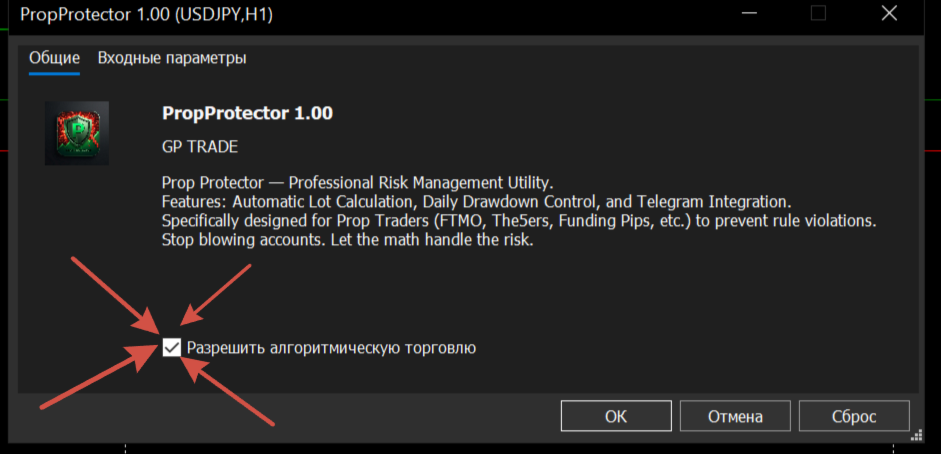
Enable "Allow algorithmic trading" in the Expert Advisor settings and the terminal's global settings.
-
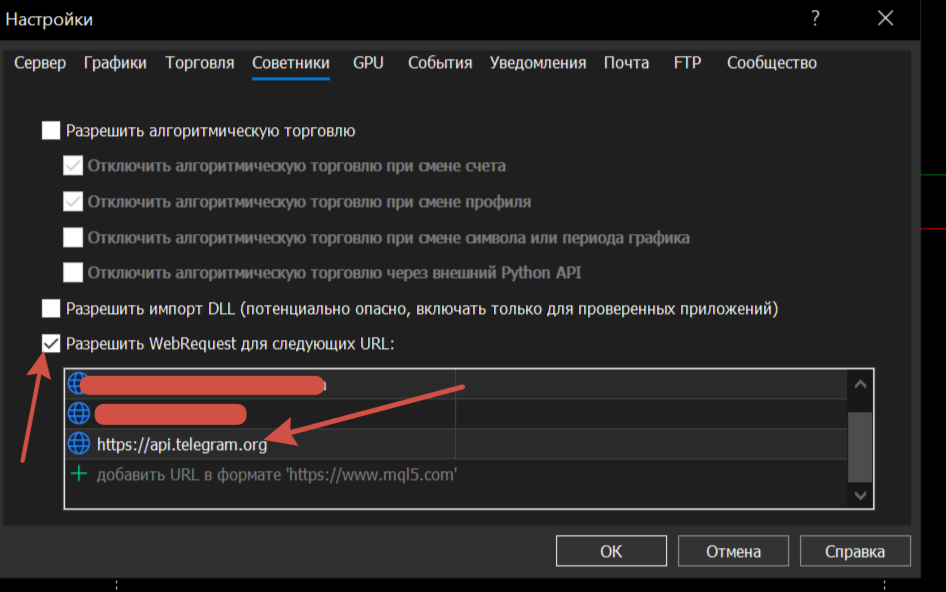
For Telegram notifications, go to Tools -> Options -> Expert Advisors, enable "Allow WebRequest for listed URL," and add https://api.telegram.org.
-
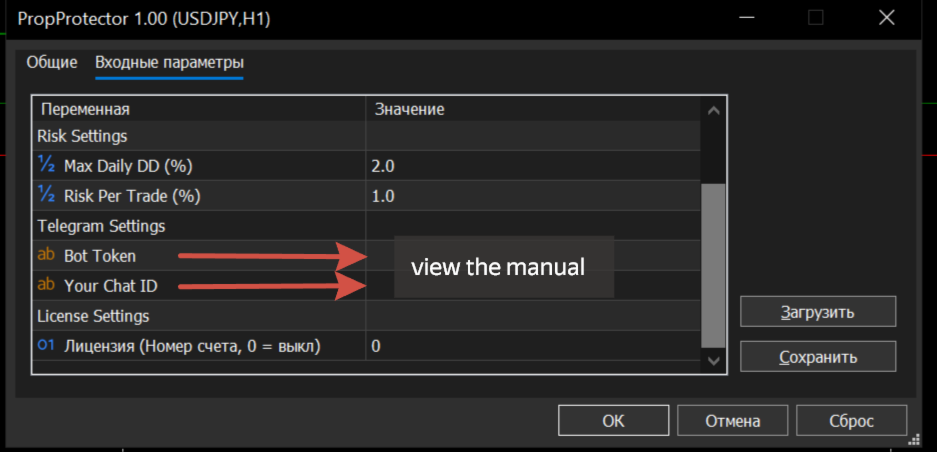
Enter your Bot Token and Chat ID in the utility's input parameters.
Technical Support
If you have any questions regarding configuration or suggestions for future updates, please contact me through the MQL5 internal chat system. I provide regular updates and am committed to prompt technical support for all users.