MasterTradingTools
- Utilità
- Versione: 1.0
- Attivazioni: 20

MasterTradingTools – All-in-One Forex Toolkit (MT4)
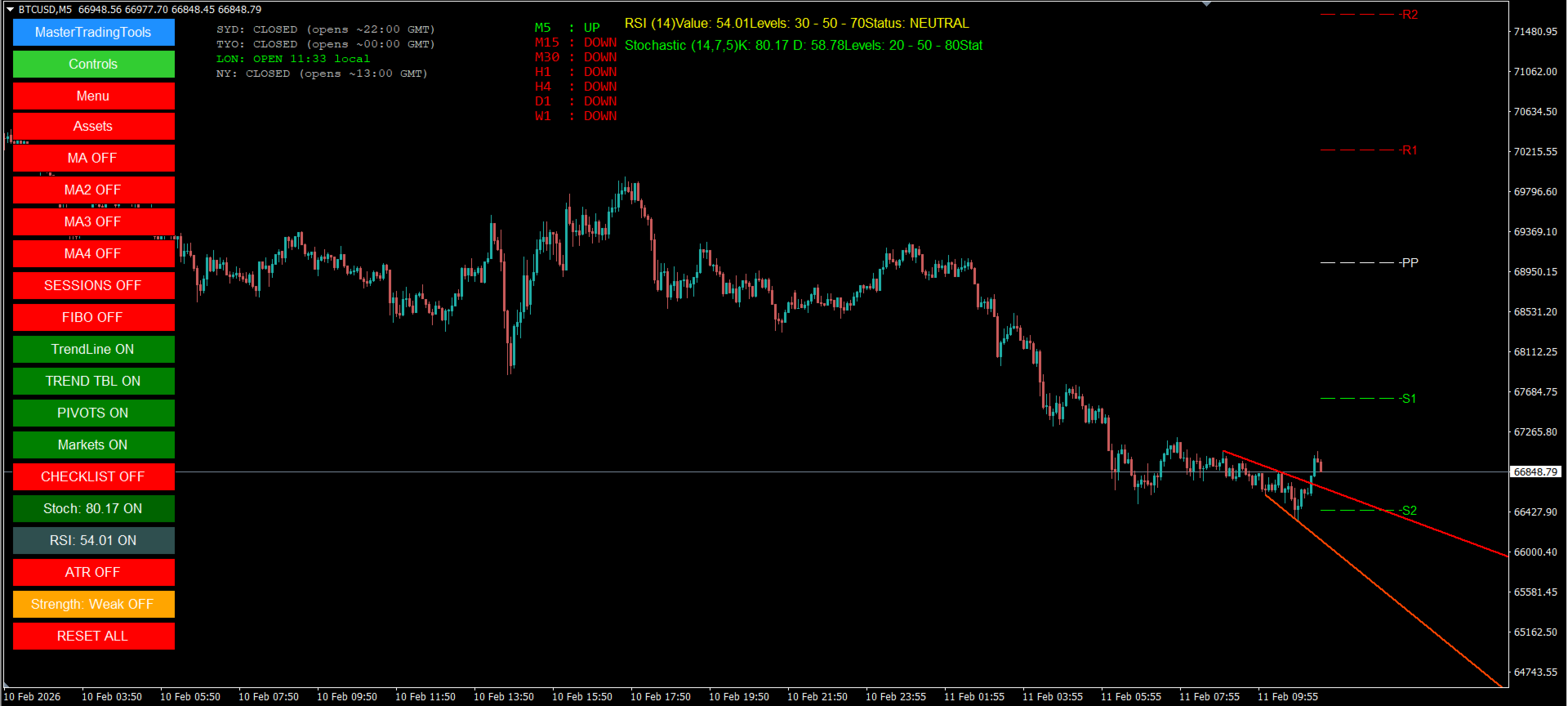
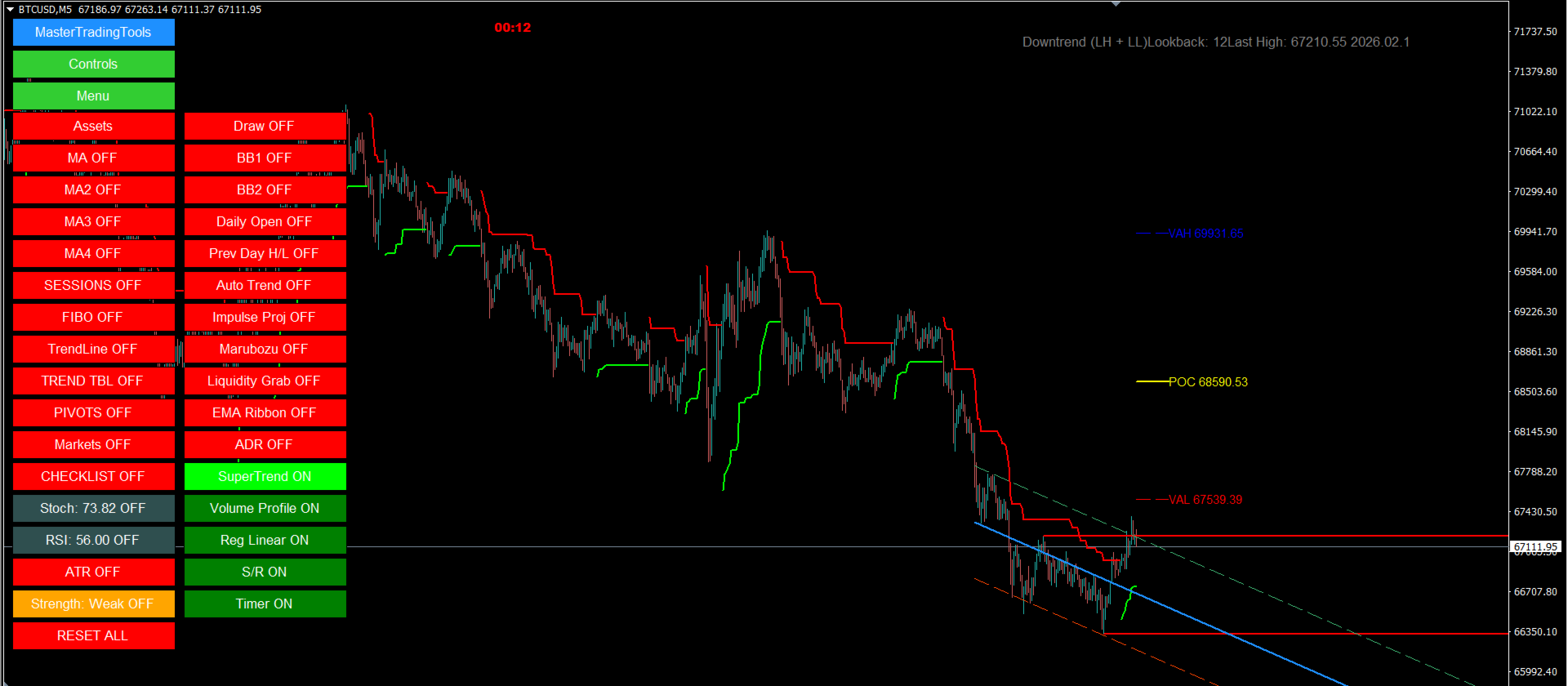
MasterTradingTools is a modular “all-in-one” panel for MetaTrader 4, built for beginner and intermediate Forex traders who want to turn their chart into a clearer, more organized, and more disciplined process.
Instead of using multiple separate indicators (and cluttering the chart), you enable only what you need with ON/OFF buttons, keeping your focus on context + key levels + execution.
Who it is for
- MT4 Forex traders looking for clarity and routine
- Traders who prefer a clean chart with tools on demand
- Anyone who wants a complete toolkit for reading context, levels, and discipline
Who it is NOT for
- Anyone looking for “guaranteed signals” or profit promises
- Anyone who wants a 100% automatic robot
What you gain in practice
- Less guessing: clearer visibility of levels and context for objective decisions
- Less clutter: modular panel (you control what is displayed)
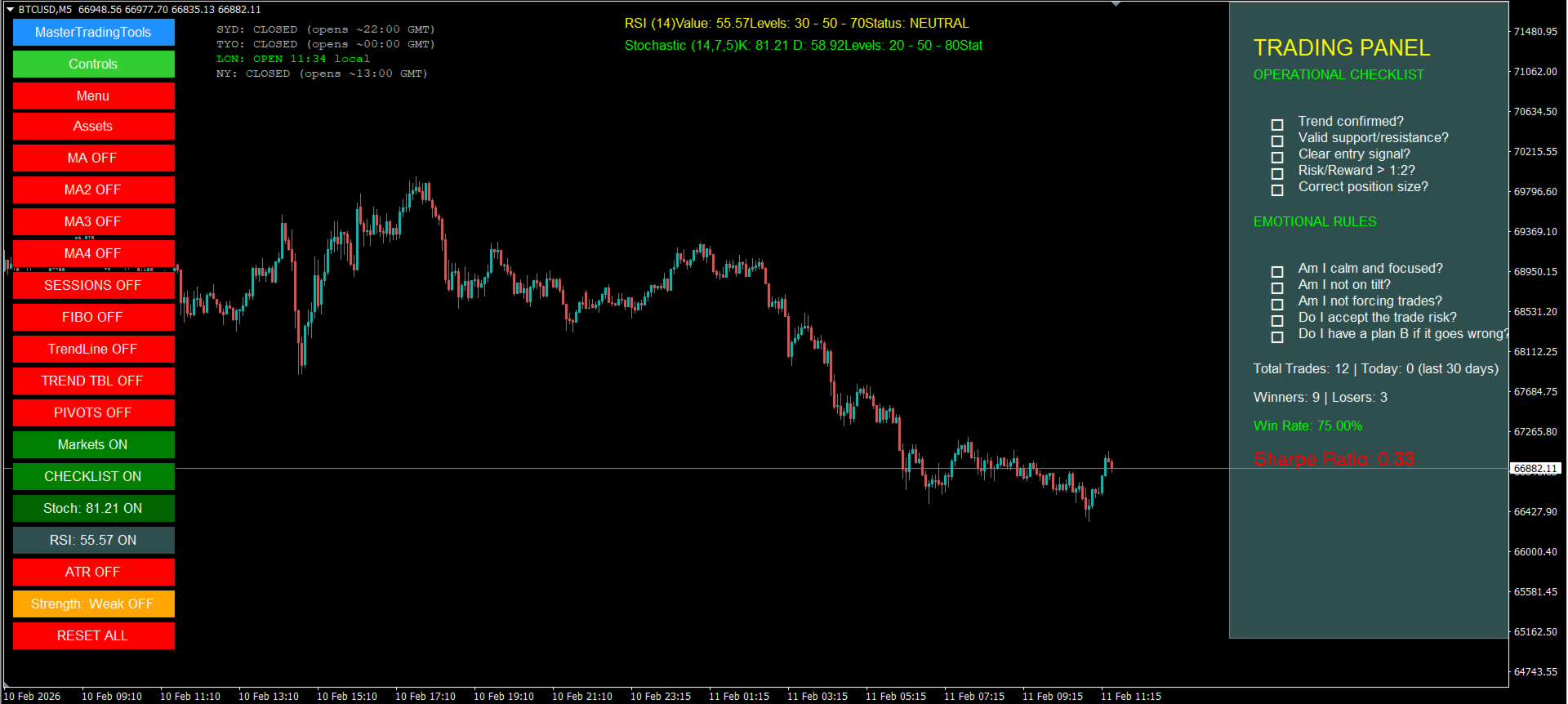
- More process: visual support to standardize routine and help reduce overtrading
Key Features
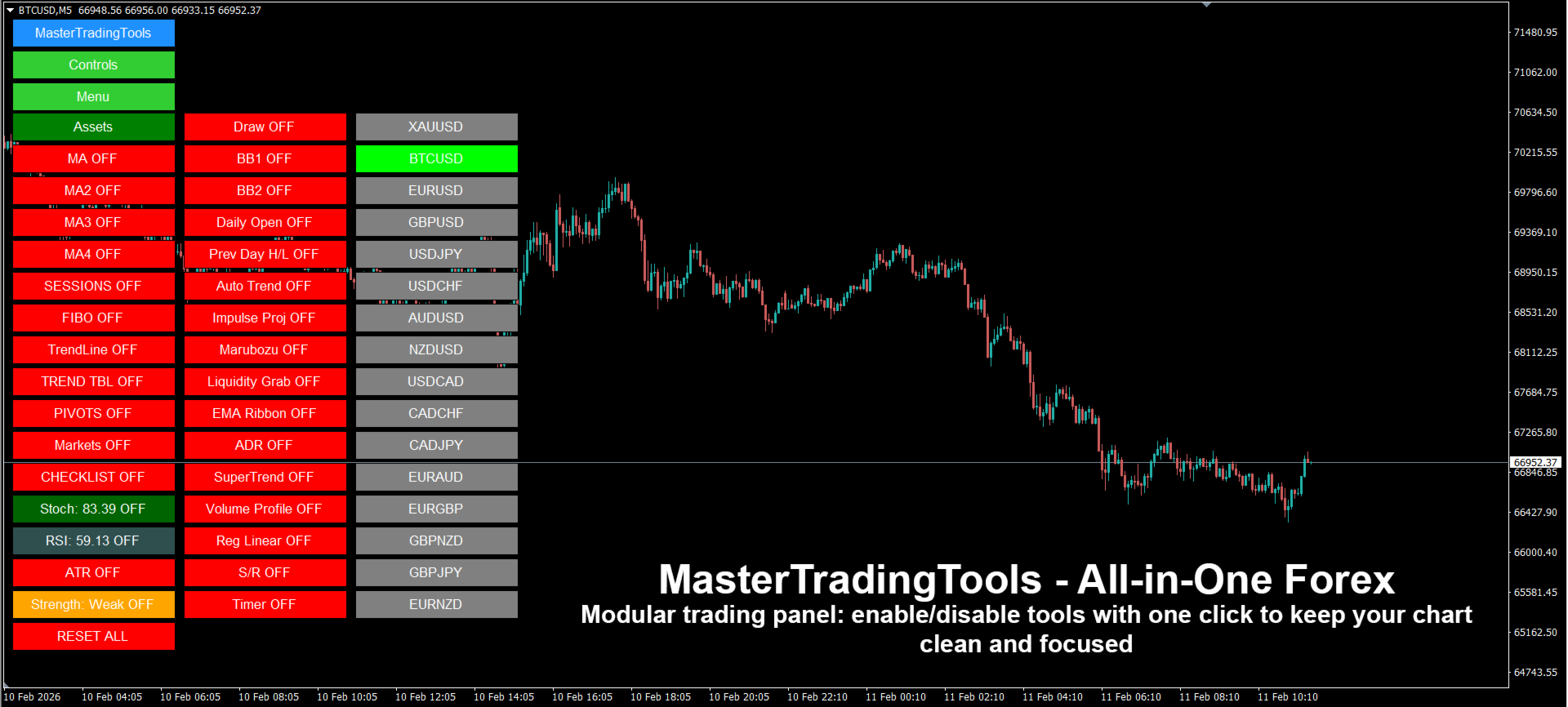
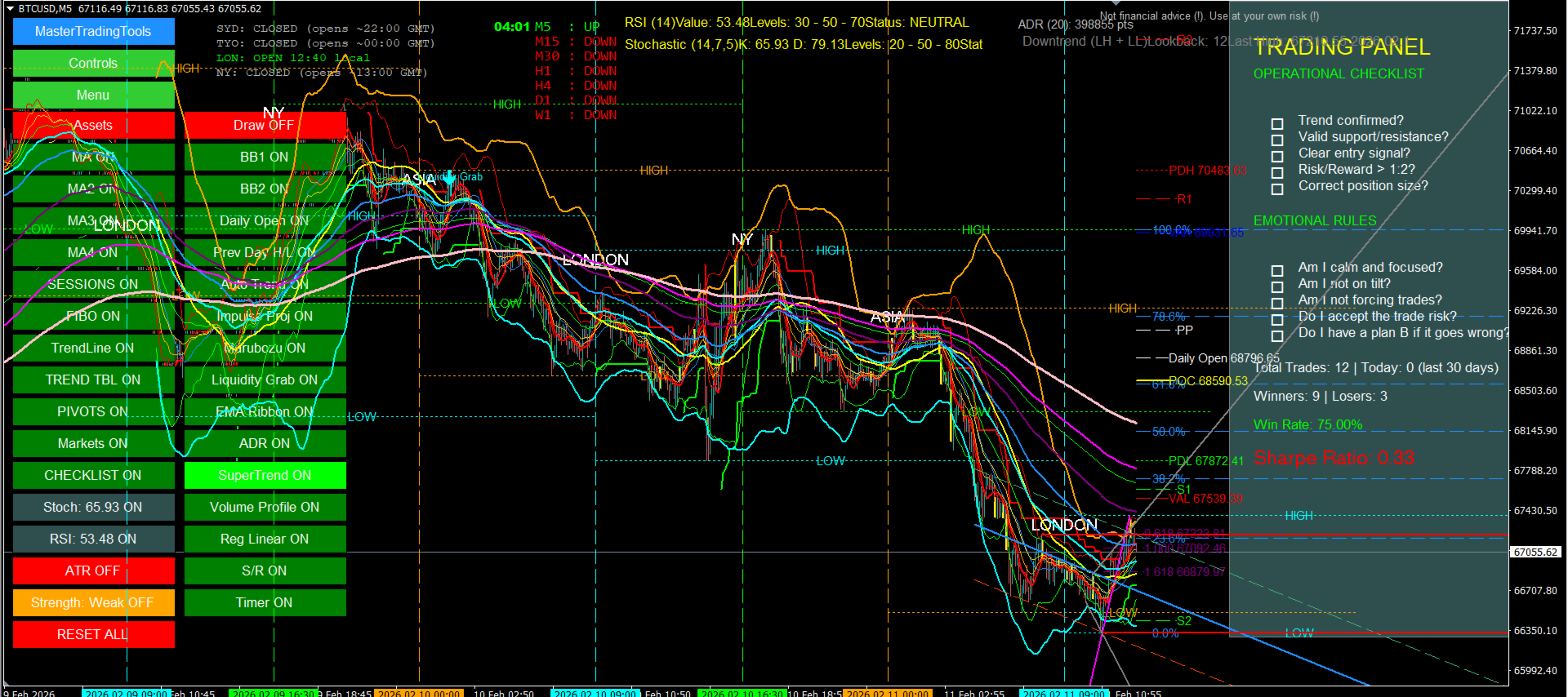
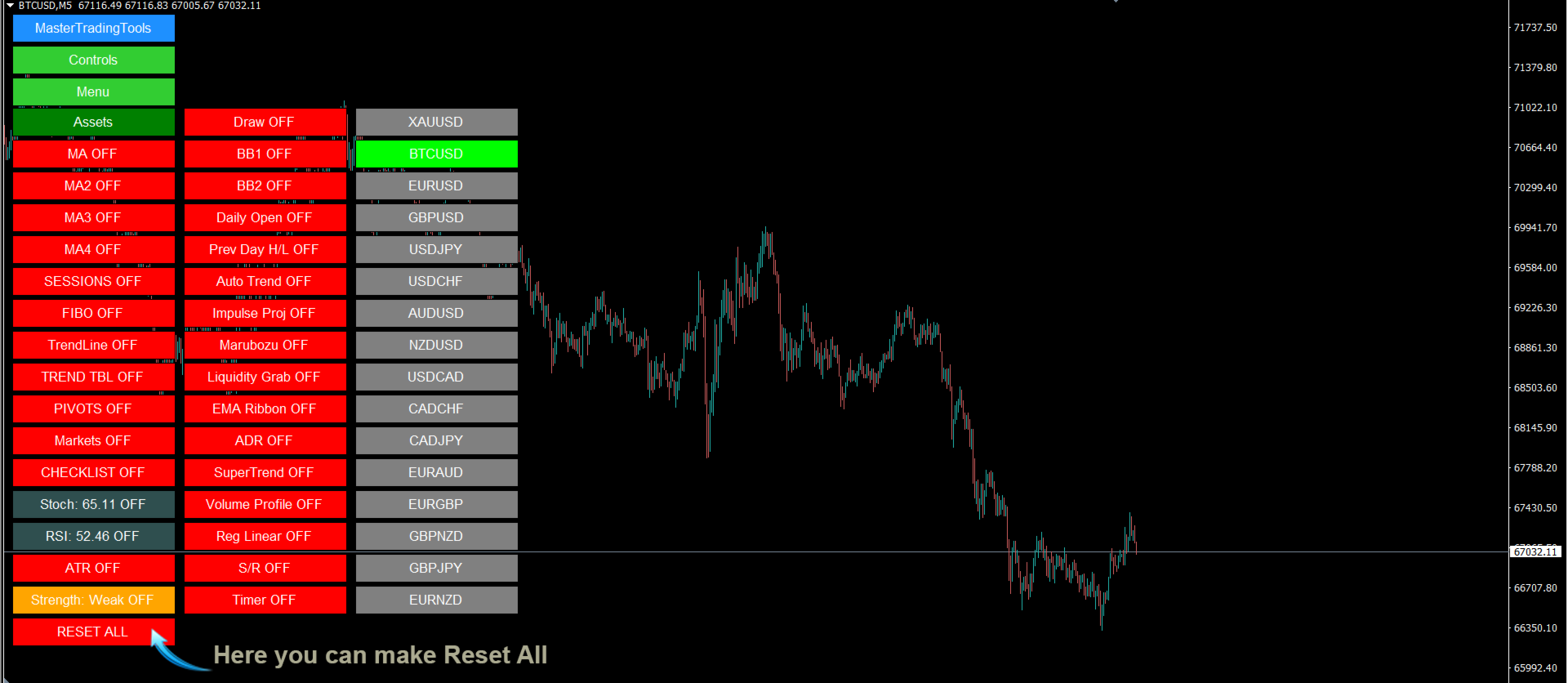
Modular panel (ON/OFF)
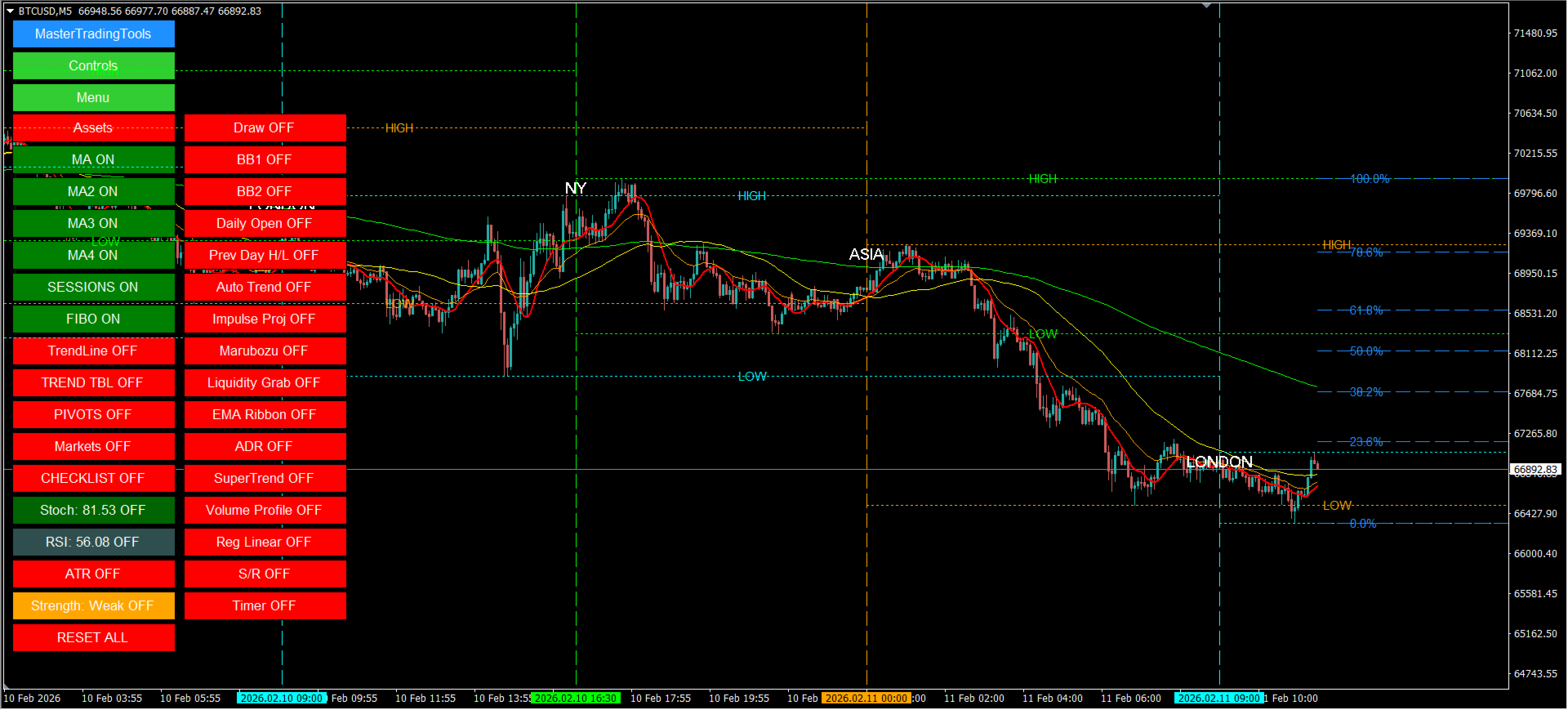
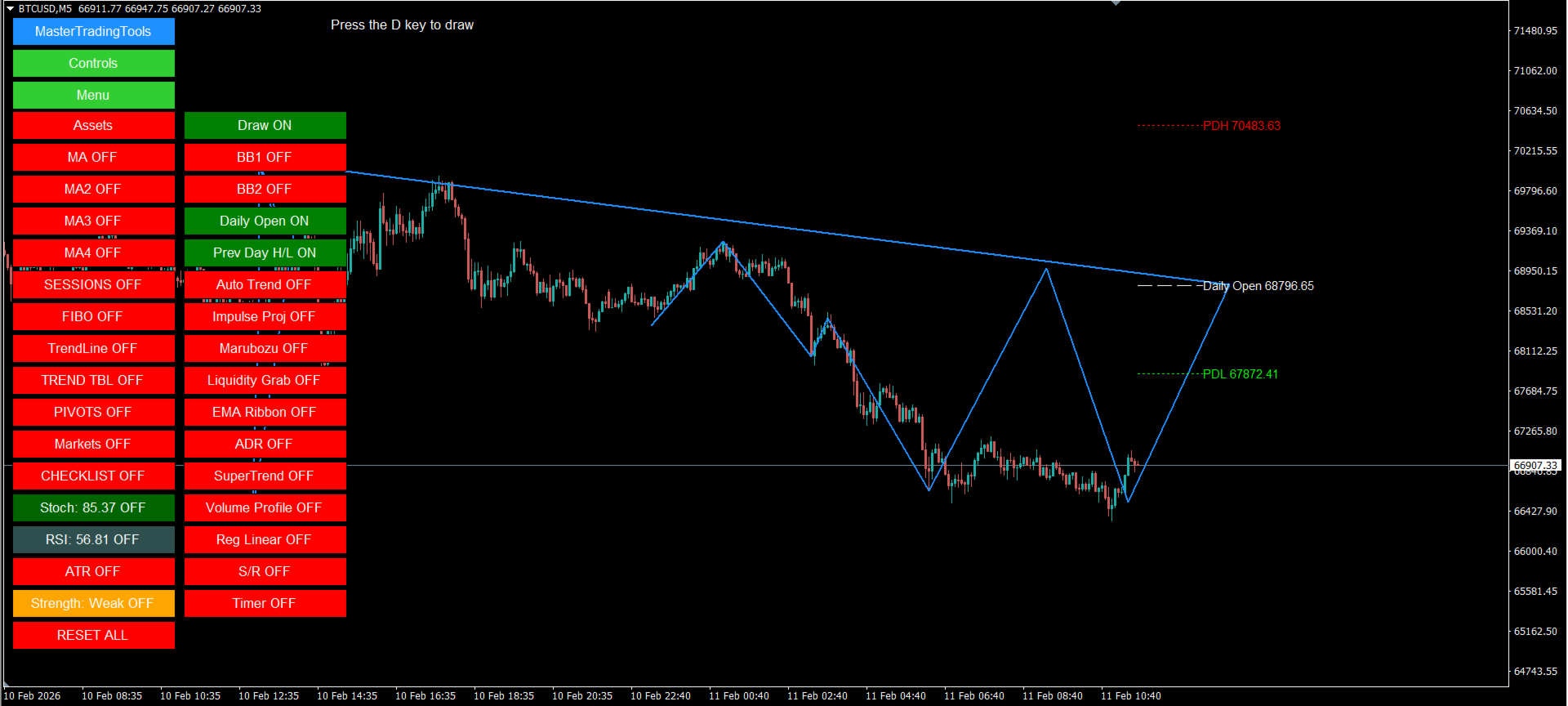
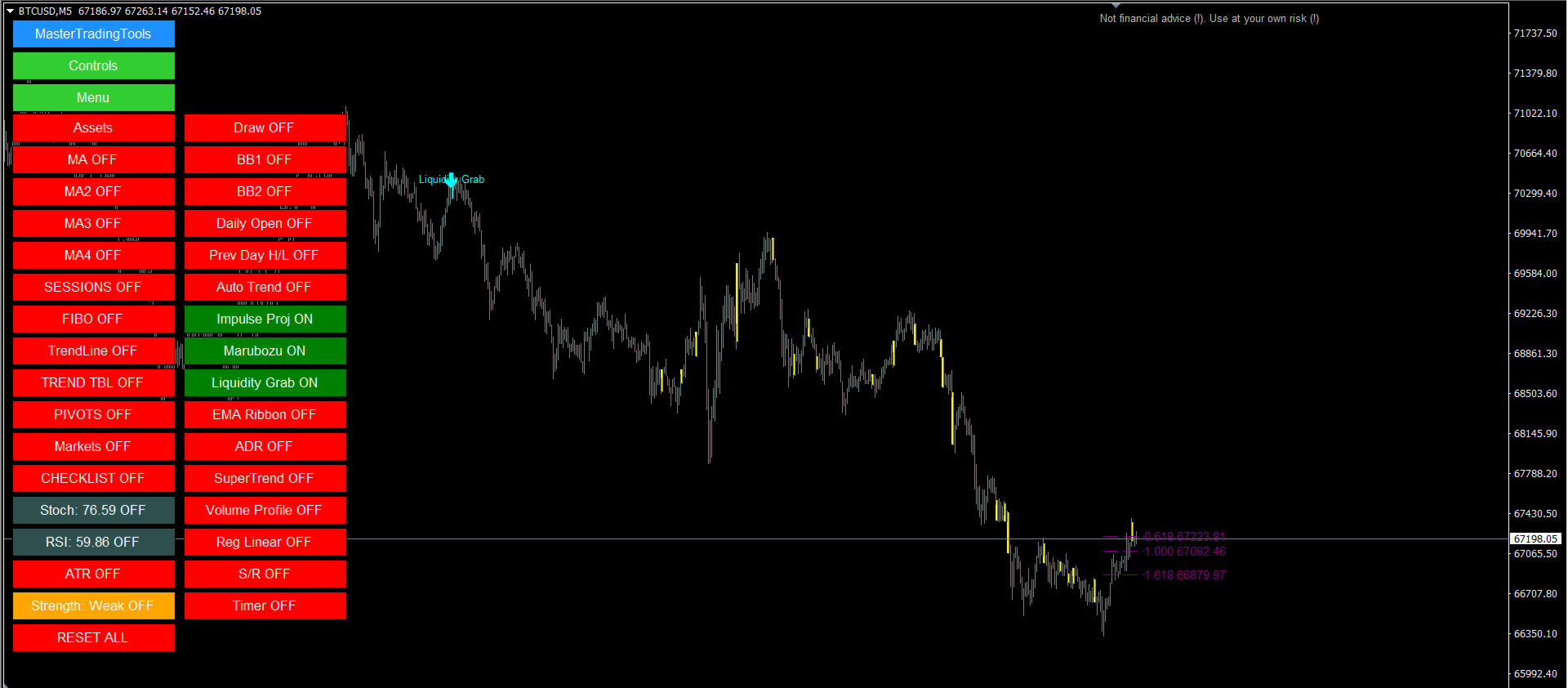
- Buttons/controls to enable and disable modules
- Keeps the chart clean and focused on what you are using
Levels & price references
- ADR Levels
- Pivot Points
- Daily Open
- Previous Day High/Low
- Additional lines/markings to support structure reading
Market context
- Market sessions (visualization for context and volatility awareness)
Technical tools (inside the same toolkit)
- SuperTrend (ATR)
- Moving Averages (up to 4)
- Bollinger Bands (2 sets)
- RSI and Stochastic
- Trend Table / Trend Strength (quick view of trend/strength)
Advanced modules (optional)
- Volume Profile
- Linear Regression (Reg Linear)
- EMA Ribbon
- Auto Trend / S/R (support & resistance / automatic lines)
- Visual highlights (when enabled): Impulse / Marubozu / Liquidity Grab
- Candle Timer
How to use (simple, clean workflow)
- Start by enabling 2–4 essential modules (e.g., Daily Open + Pivots + SuperTrend + 1 MA).
- Use sessions + ADR + levels to filter bad conditions (great for beginners).
- Execute entries with a logical stop (invalidation) and realistic targets.
- Apply risk management: risk per trade, daily limit, and exposure control.
Installation (standard MT4)
- Open MT4 → Navigator
- Drag MasterTradingTools onto the chart and adjust modules in the panel/inputs
FAQ (objections answered the right way for the Market)
Is this a robot?
No. It is a decision-support indicator/panel for manual trading.
Does it guarantee results?
No. No tool can guarantee results. The goal is organization, clarity, and discipline.
Can it be heavy on performance?
Because it’s a toolkit with visual modules, it’s recommended to enable only what you need. Advanced modules (e.g., Volume Profile) may require adjustments depending on your PC and loaded history.
Risk warning (compliance)
Trading involves risk and may result in losses. MasterTradingTools is a decision-support tool and does not offer any profit promise. Test on a demo account before trading with real money and use proper risk management.
Support & updates
Support via messages on the MQL5 platform (product page). Improvement suggestions are welcome.