Pullbacks on Trend 4
- Indicatori
-
Svetoslav Boyadzhiev
 Developer of indicators and advisors for Meta Trader 4 and 5.
Developer of indicators for the "Masters of Risk" trading system. - Versione: 4.6
- Aggiornato: 5 marzo 2026
- Attivazioni: 20
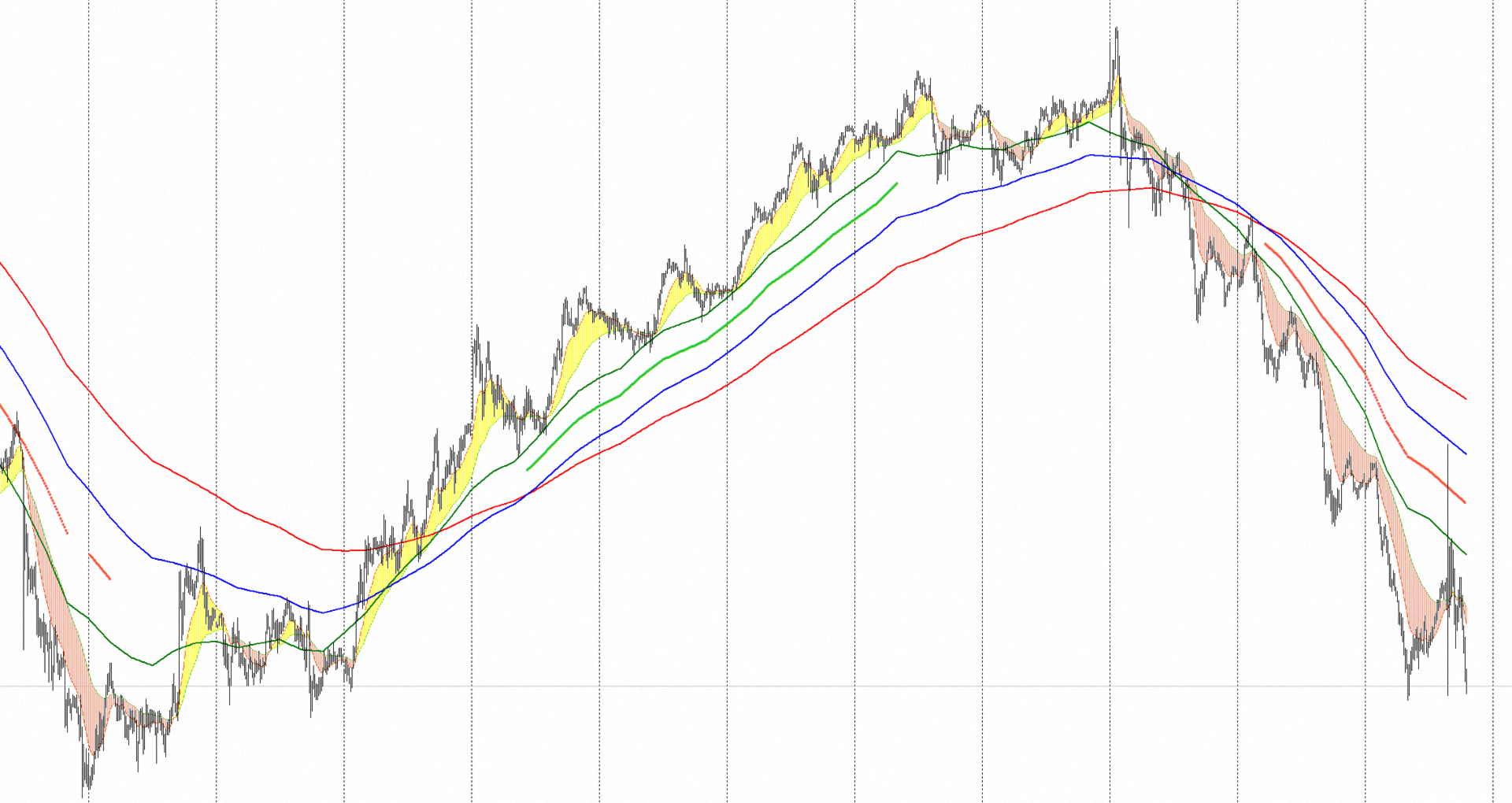
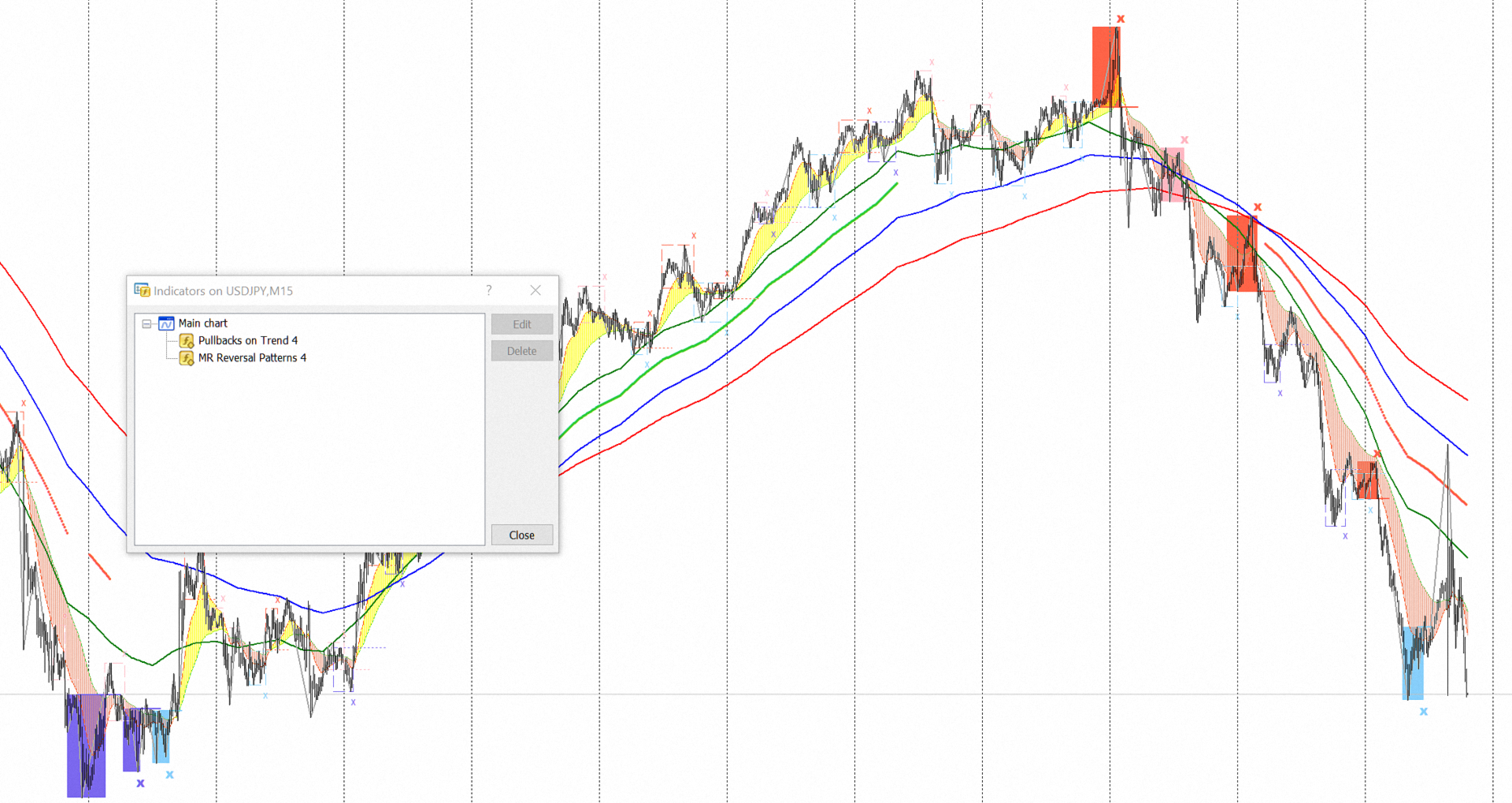
"Pullbacks on Trend 4" is designed to help traders navigate the market situation. The indicator displays three multi-time frame moving averages that describe the "Trend" of price movements of financial instruments. Depending on the time frame you choose to display the trend, you can automatically see the structure of the trend on a lower time frame from its price movements and pullbacks using the histogram between two additional moving averages. Additionally, filters have been added to show the acceleration or deceleration of the "Trend".
Attention: The indicator is set by default to work on the M15 time frame!
The indicator uses exponential moving averages with calculation parameters of 24, 16 and 8 bars. These moving averages describe the trend of the price movement of a given financial instrument. Additionally, on a lower time frame, smoothed moving averages with a calculation period of 24 and 8 bars are visualized, as well as a bearish or bullish histogram between these two moving averages.
- When the "Fast" (calculated for 8 bars) moving average is above the "Medium" (calculated for 16 bars), and the "Medium" is above the "Slow" (calculated for 24 bars) moving average, there is an "Uptrend".
- When the "Fast" (calculated for 8 bars) moving average is below the "Medium" (calculated for 16 bars), and the "Medium" is below the "Slow" (calculated for 24 bars) moving average, there is a "Downtrend".
The "Pullbacks on Trend 4" indicator provides two types of visualization of trend moving averages:
- The first option is through "Linear interpolation" for the number of intermediate bars between two bars of a higher time interval at the "Close" price. In this variant, the curves look in the classic way we are used to seeing them. The problem with this visualization is that since the last zero bar is not complete, the linear interpolation is performed between the previous bar 1 and the zero bar, and this leads to rewriting the result until the formation of the zero bar is completed.
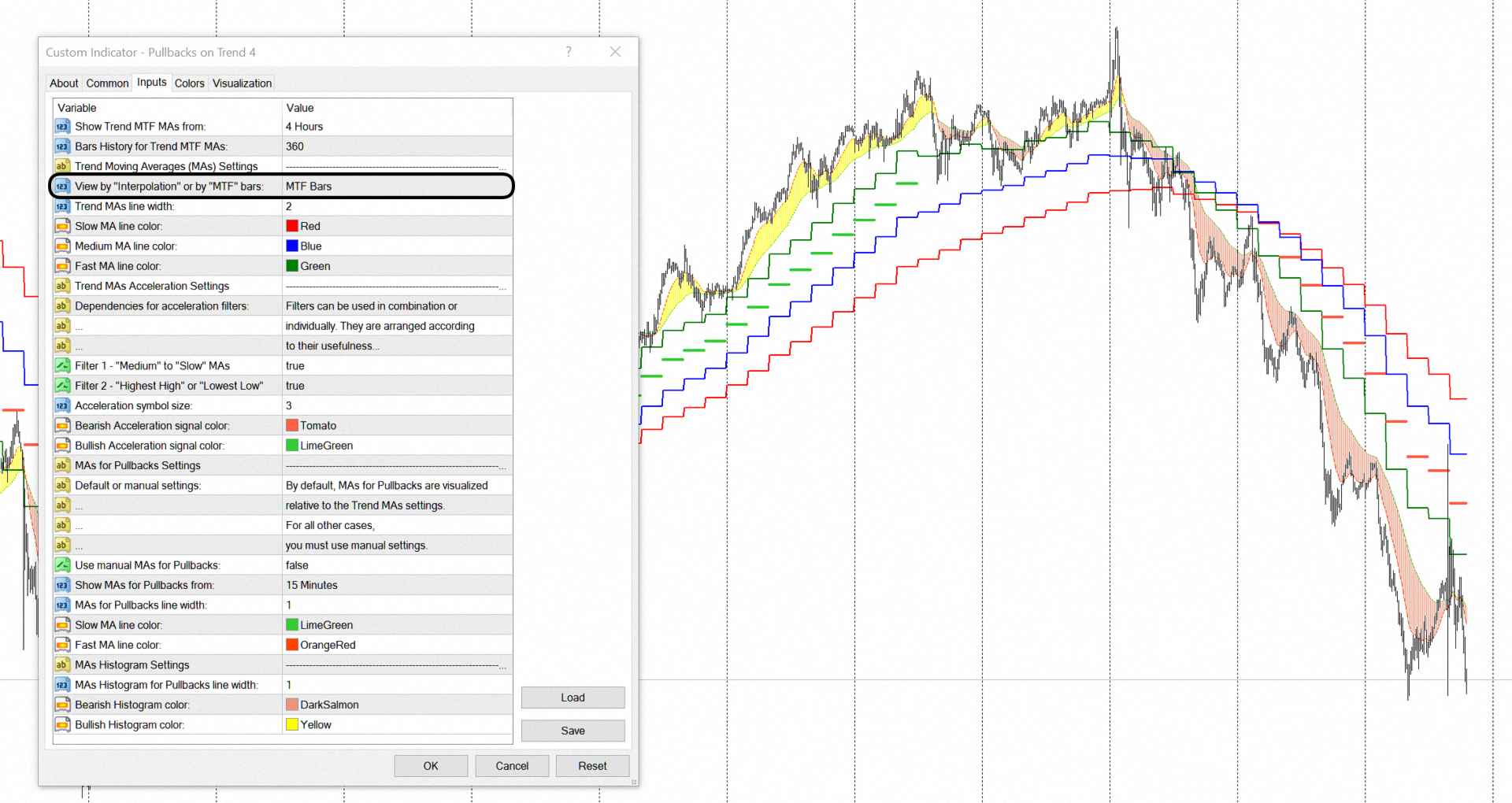
- The second option is to visualize the moving averages by drawing a line at the "Close" price between two bars of a higher time interval. In this variant, the result is rewritten only for the last zero bar. However, the graphical visualization is more unusual.
"Moving Аverages Acceleration" is the result of analyzing the dependencies between trend moving averages. This analysis shows the "Acceleration" of the price movement of financial instruments, as well as the places where the price movement slows down. Visually, the "Acceleration" of the price movement is represented in the form of dots between the "Fast" and "Medium" moving averages. "Moving Averages Acceleration" is equivalent to the term "Trend Acceleration" because it is derived from the signals received from trend moving averages.
- If there are "Acceleration" signals, traders can look for entry points into a trade or consider holding an open position.
- If there are no "Acceleration" signals, but the three moving averages have not yet crossed, traders can look for a partial closure of an open position or an exit point.
For "Trend Acceleration", two filters have been developed:
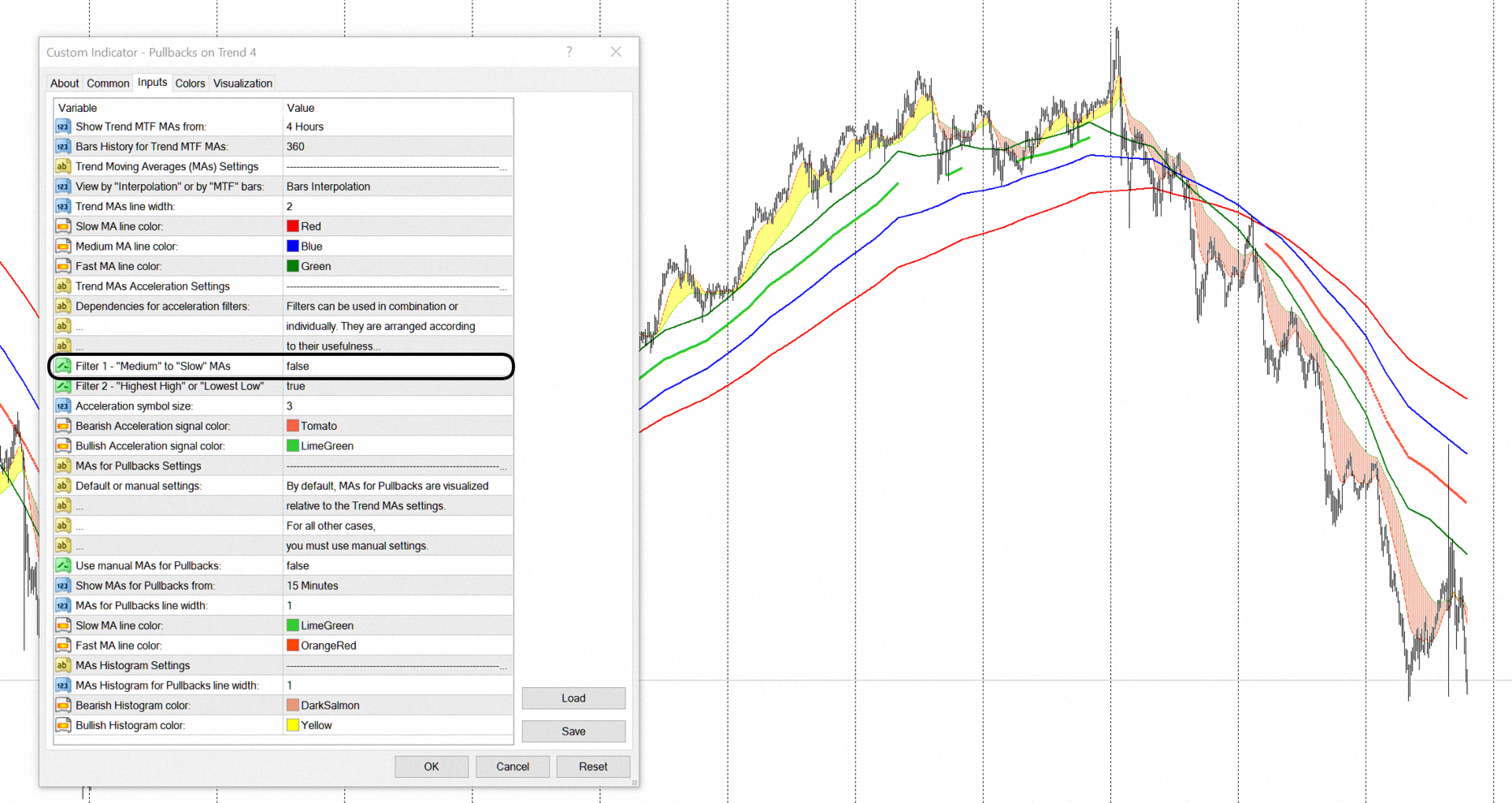
Filter 1 - Shows dependencies between the "Medium" and the "Slow" moving averages. This filter analyzes the divergence of the "Medium" and "Slow" moving averages. When they converge, it is said that the "Trend Acceleration" slows down. This filter is suitable for moving stop losses.
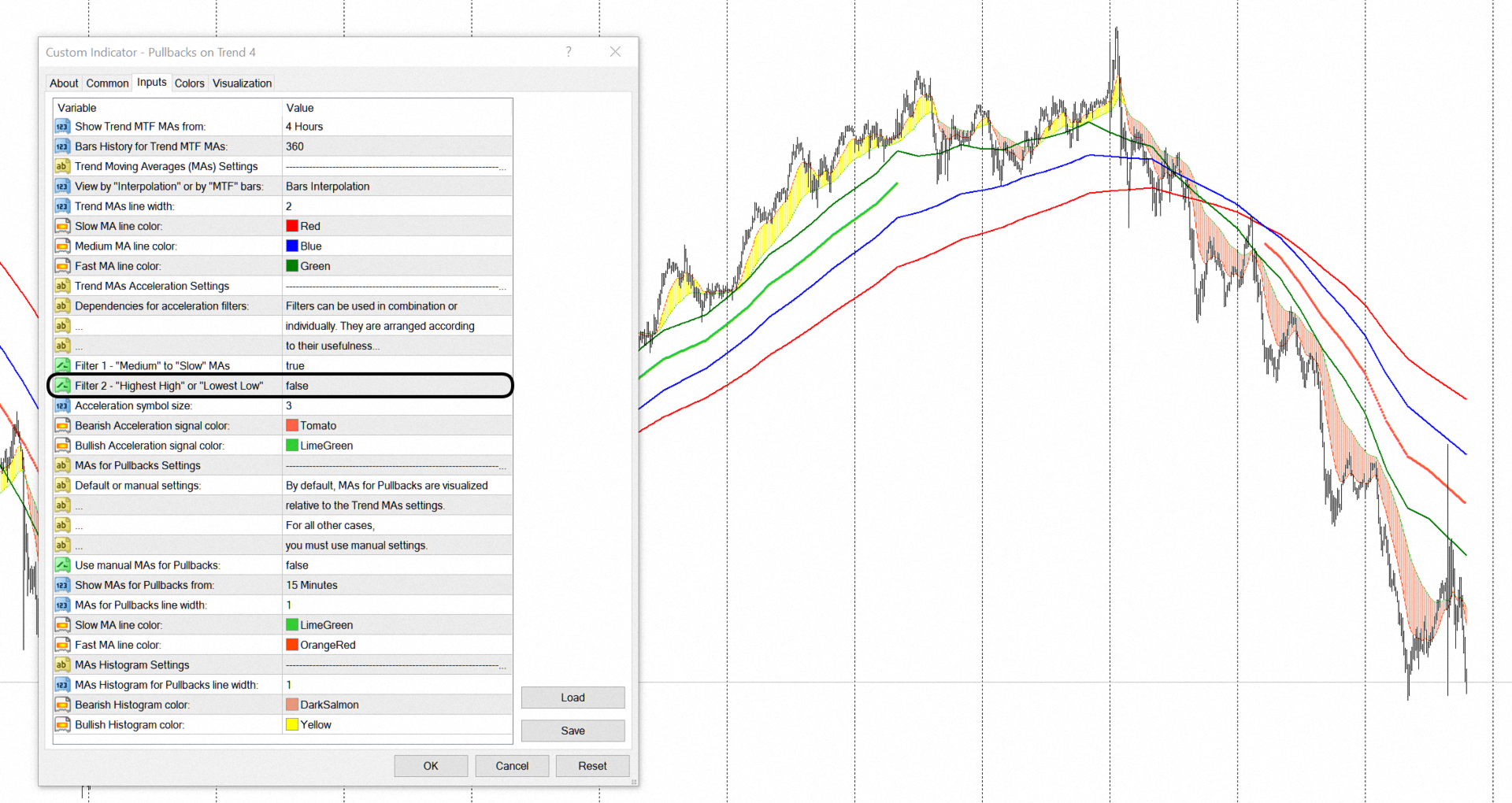
Filter 2 - Shows updates of new "Highest High" or new "Lowest Low". This filter is quite simple, but it shows well where the corrections or ranges occur in the price movement.
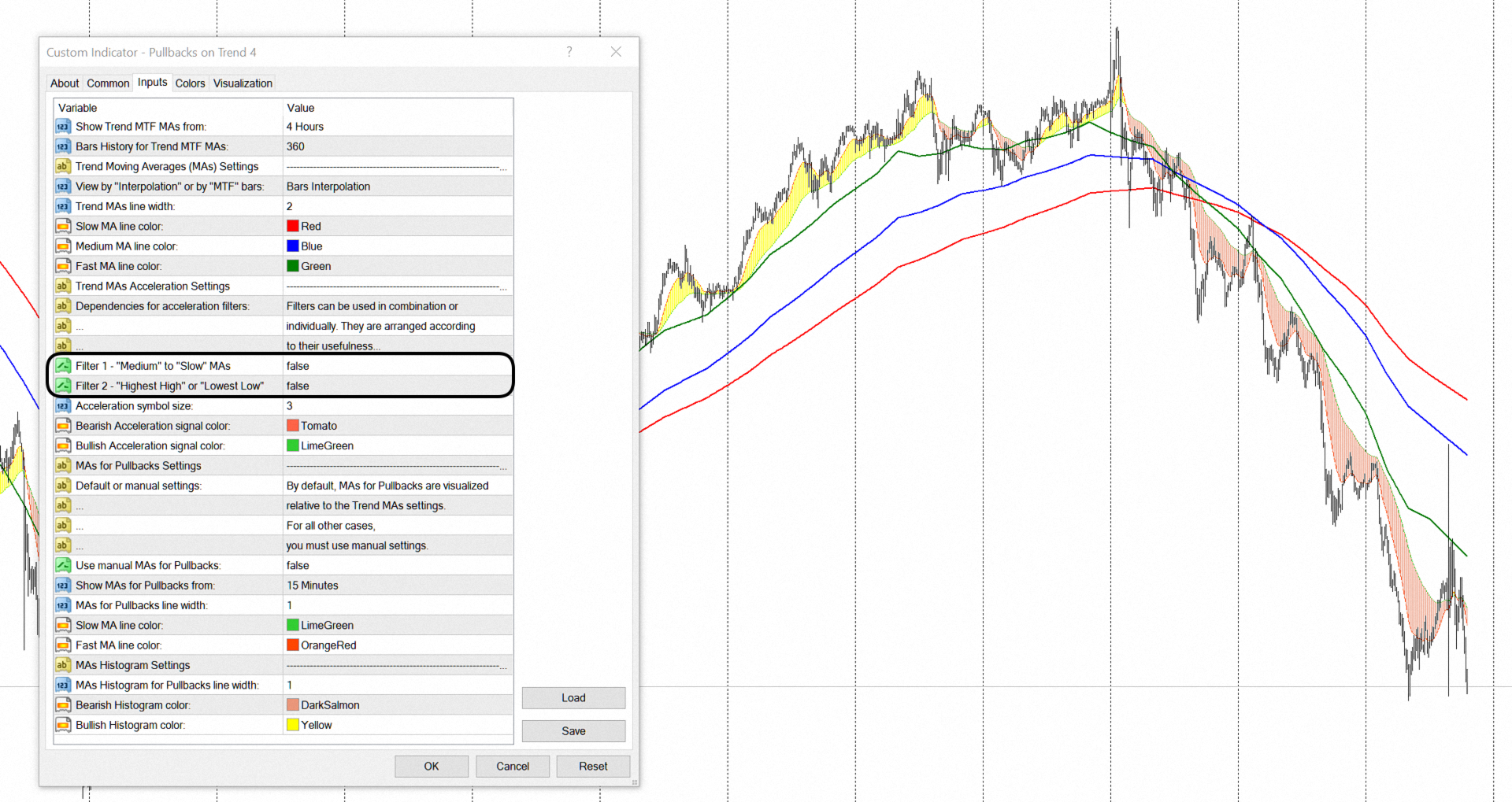
Both filters are enabled by default. They can be used together or separately. Each financial instrument has its own characteristics, that's why some filters work well on a given financial instrument, and others don't.
Finally, the indicator shows the structure of the price movement on the trend. This can be seen on a lower time frame than the one selected for displaying the trend. For the standard time frames in the MetaTrader Terminal, from which you can choose to display trend moving averages, two moving averages and a histogram built between them are set to be automatically displayed on lower time frames. It is on these lower time frames, and through these two additional moving averages and the histogram between them, that you can visually see the price movement and pullbacks on the trend. This helps to search for justified points for entering a position, holding an already opened position, as well as for fixing the profit or loss.
- If you choose a monthly (MN1) time frame to display the trend, then the structure of the price movement and pullbacks will be visualized on a daily (D1) or lower time frame.
- If you choose a weekly (W1) time frame to display the trend, then the price movement structure and pullbacks will be visualized on a 4-hour (H4) or lower time frame.
- If you choose a daily (D1) time frame to display the trend, then the structure of the price movement and pullbacks will be visualized on an hourly (H1) or lower time frame.
- If you choose a 4-hour (H4) time frame to display the trend, then the structure of the price movement and pullbacks will be visualized on a 15-minute (M15) or lower time frame.
- If you choose a one-hour (H1) time frame to display the trend, then the structure of the price movement and pullbacks will be visualized on a 5-minute (M5) or lower time frame.
- Finally, if you choose a 15-minute (M15) time frame to display the trend, then the structure of the price movement and pullbacks will be visualized on a one-minute (M1) or lower time frame.
The 30-minute (M30) time frame is not included in the default settings because it does not match the proportions for trend and pullbacks. Therefore, the indicator provides the option to manually select a time frame based on your chosen time frame for displaying the trend.
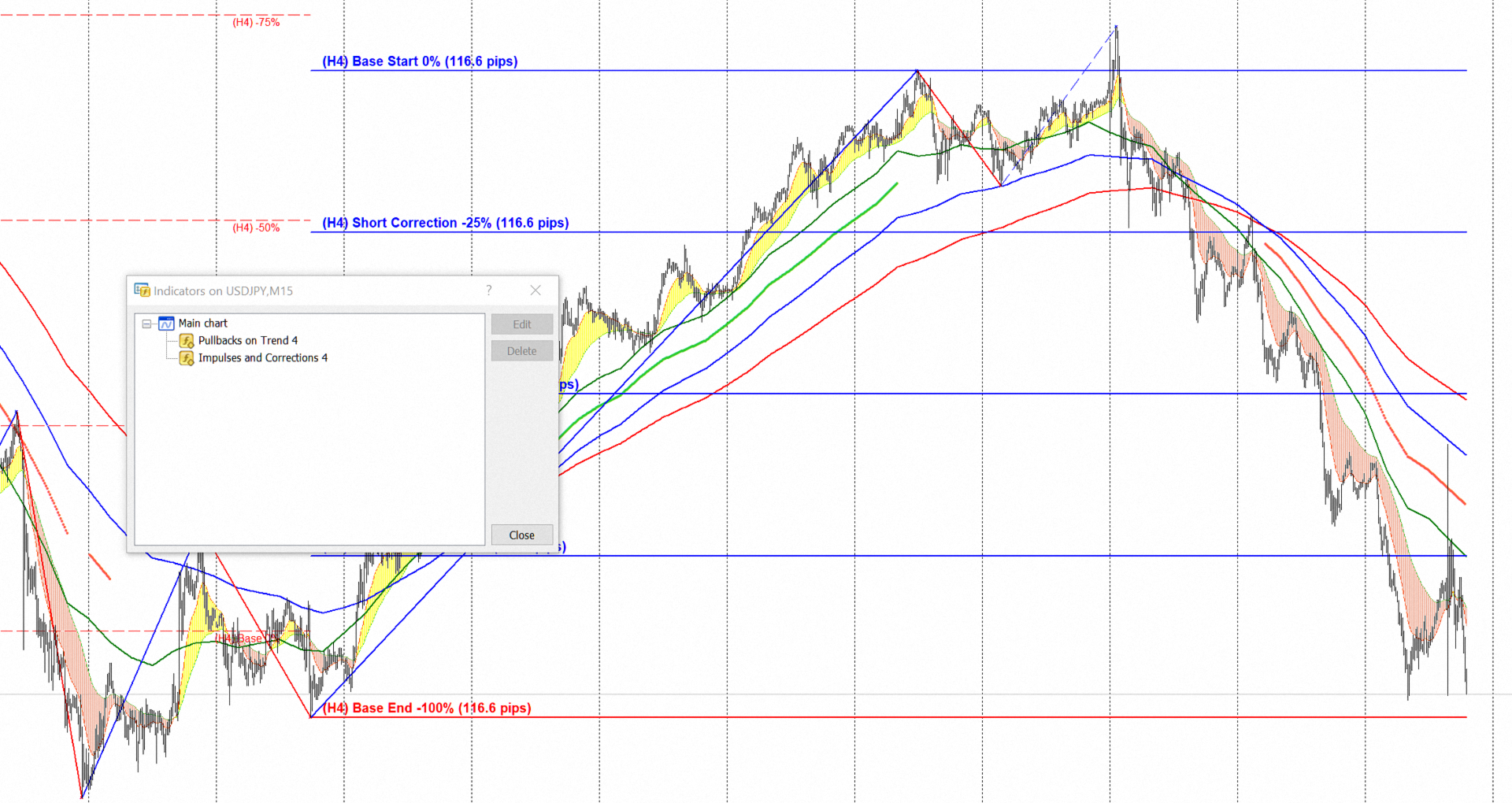
The "Pullbacks on Trend 4" indicator is synchronized with the "Impulses and Corrections 4" indicator. In combination, the two indicators will help traders determine the current situation in the financial markets to the greatest extent. When combined with the "Volumes and Sentiments 4" indicator, you can track when major players are preparing their positions for a trend reversal.
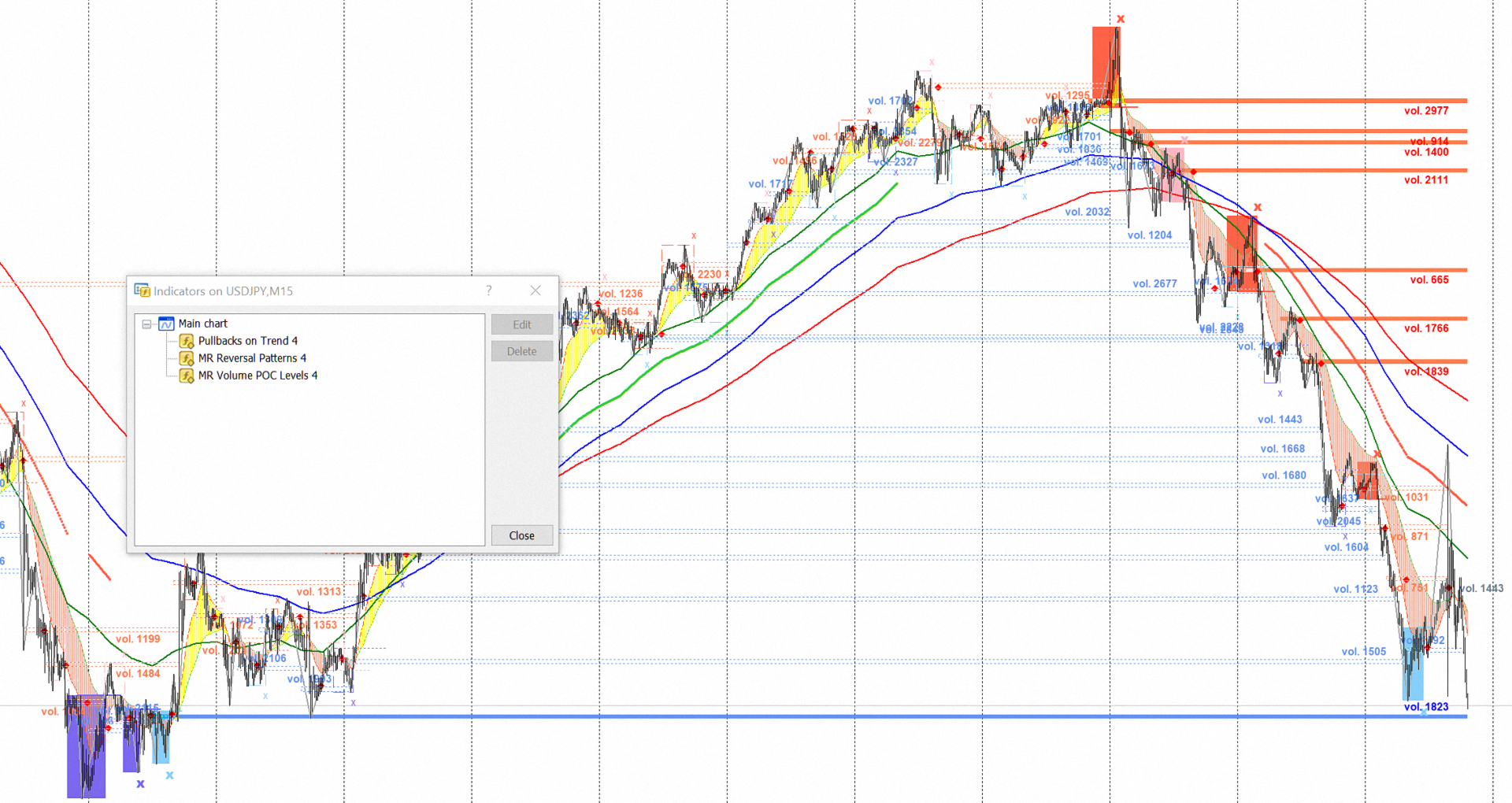
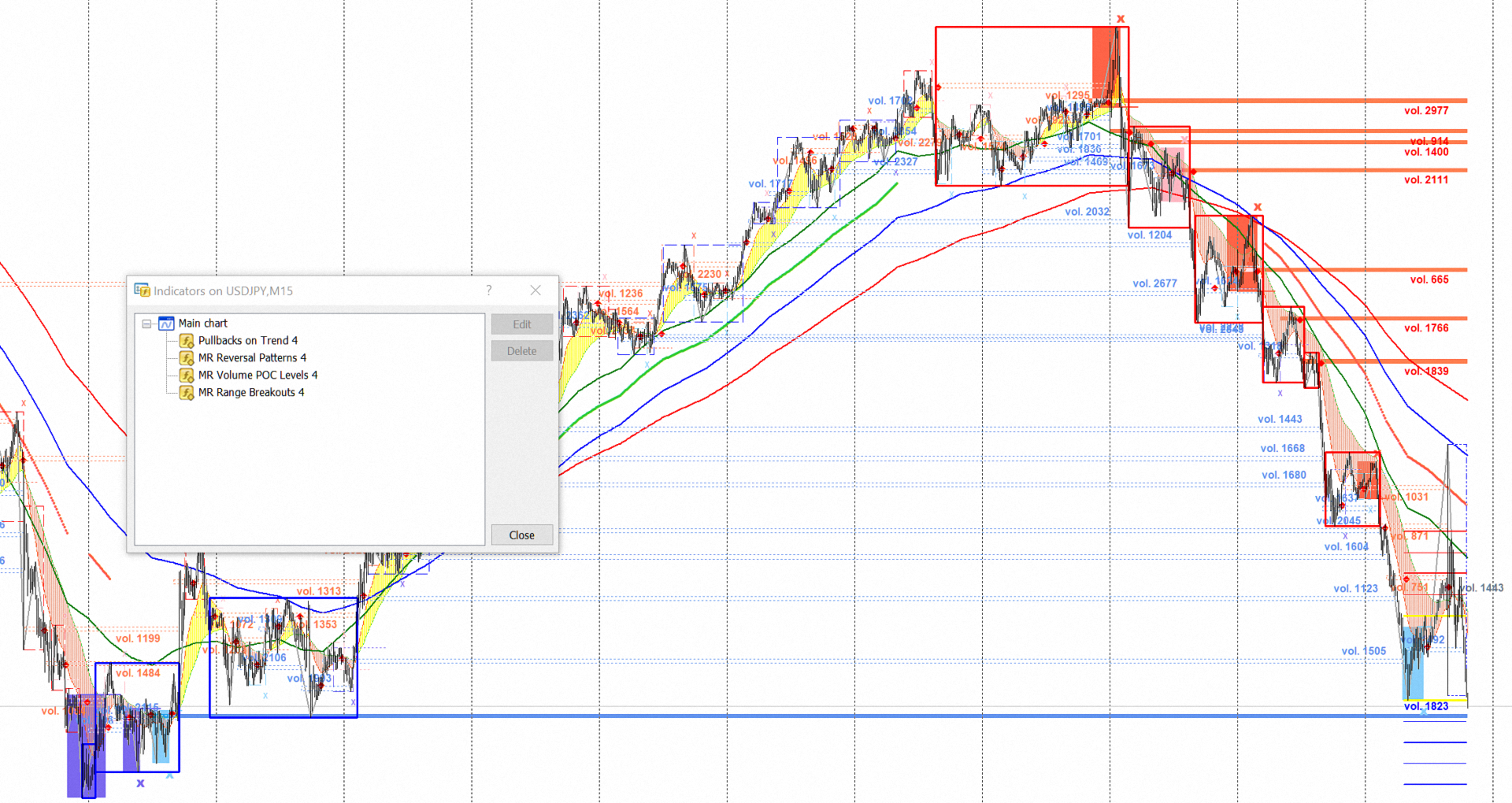
In combination with the “MR Reversal Patterns 4” indicator, you can accurately determine entry points in the direction of the trend, correctly place stop-losses, and lock in profits. The same applies to combinations with other indicators from the "Masters of Risk" ("MR Volume POC Levels 4", "MR Range Breakouts 4") series.
If you liked the indicator, please support our work by giving it 5 stars!
For MetaTrader 5 https://www.mql5.com/en/market/product/165096
How to use indicators - Article
Indicator settings:
Show Trend MTF MAs from: - Multi-time frame on which the "Trend" Moving Averages (MAs) are calculated. By default, the indicator shows a "Trend" from the H4 time frame.
Bars History for Trend MTF MAs: - Number of bars on which the indicator works from multi-time frame H4.
Section Trend Moving Averages (MAs) Settings
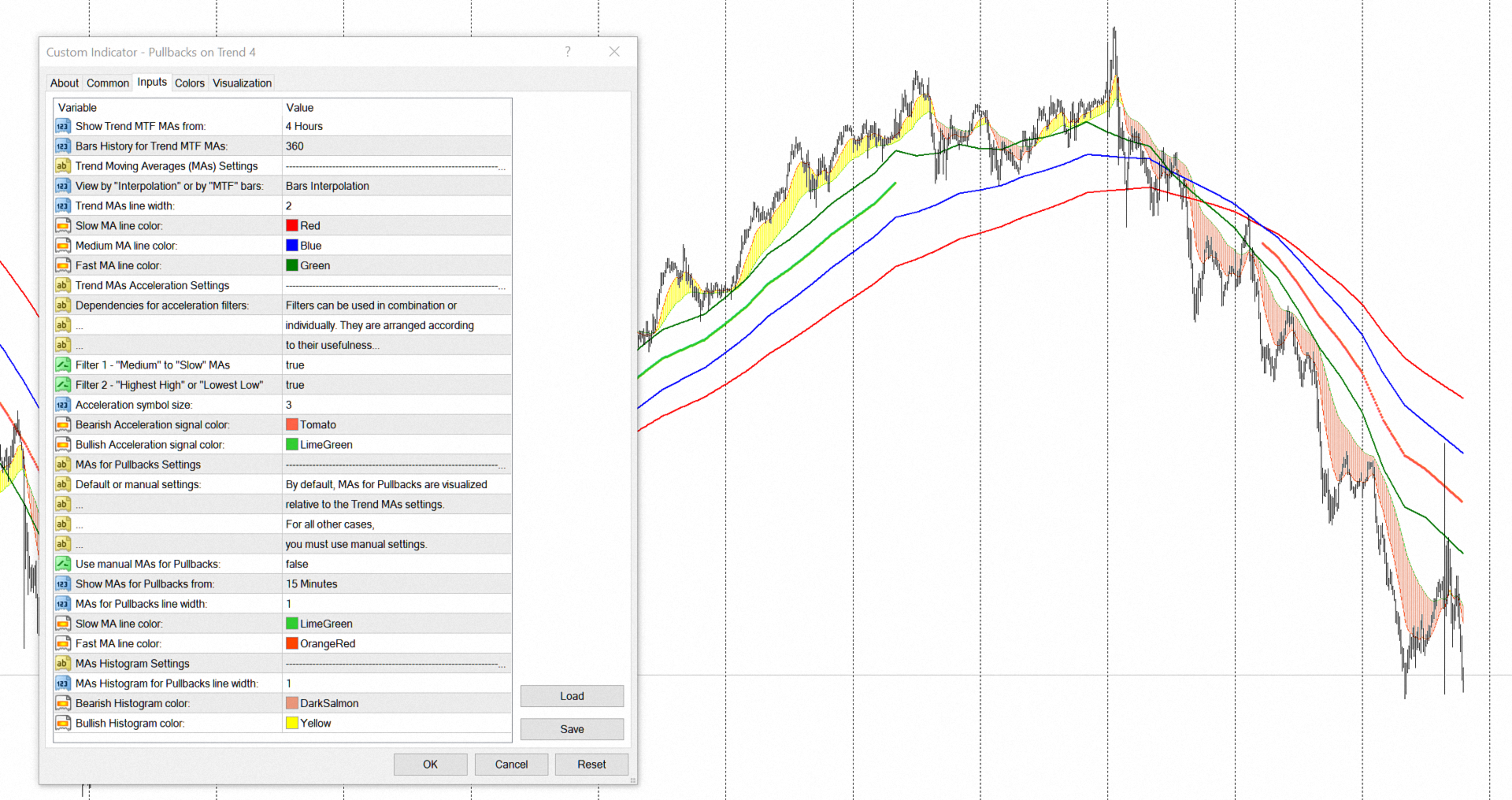
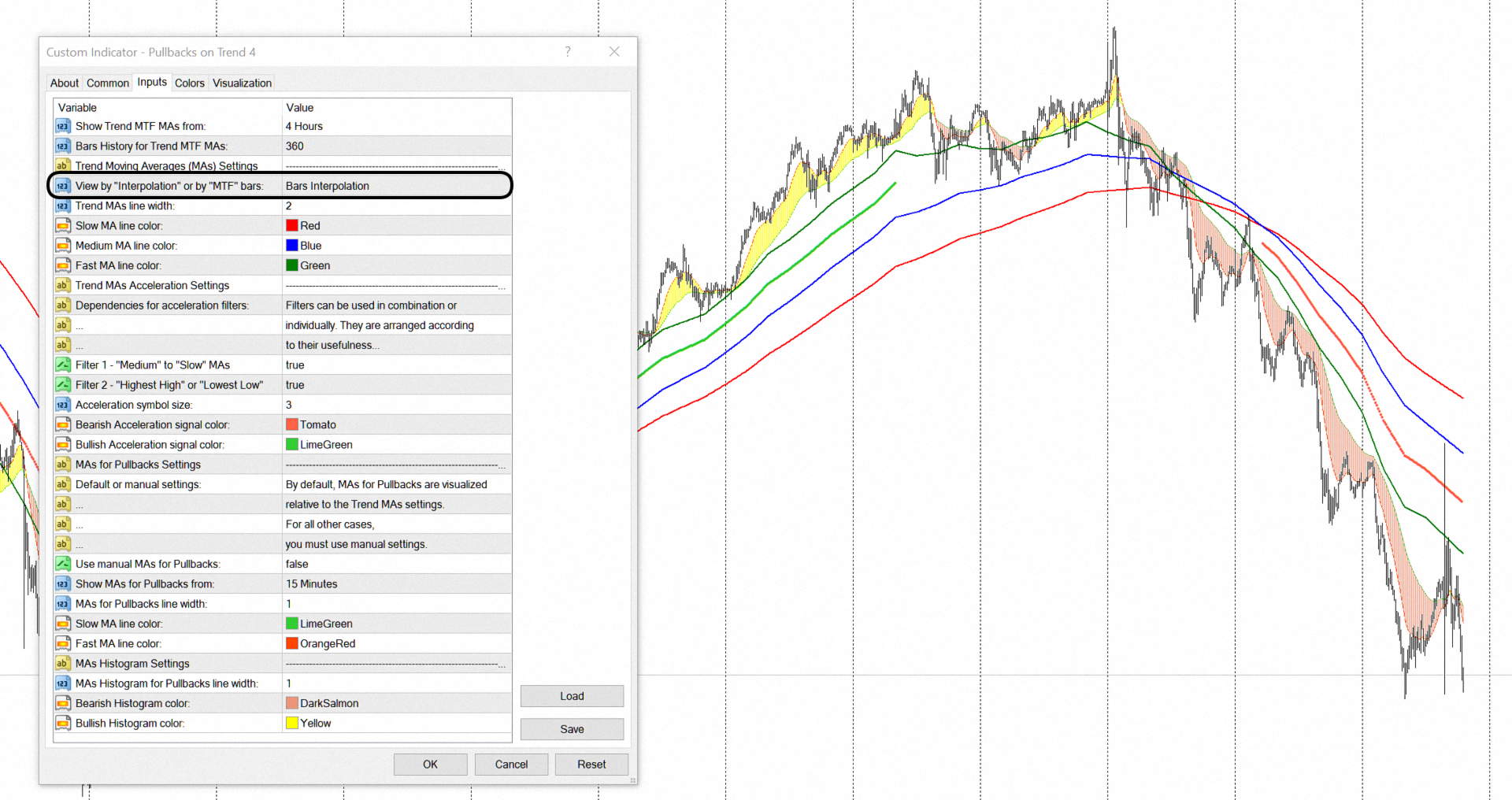
View by "Interpolation" or by "MTF" bars: - You choose the visualization method for moving averages. "Interpolation" view shows moving averages with smoothed lines. The "MTF" bars view displays moving averages, with stepped lines corresponding to the bars of the H4 time frame.
Trend MAs line width: - Width of the trend moving average line.
Slow MA line color: - Color of the Slow moving average line.
Medium MA line color: - Color of the Medium moving average line.
Fast MA line color: - Color of the Fast moving average line.
Section Trend MAs Acceleration Settings
Filter 1 - "Medium" to "Slow" MAs - Uses or does not use "Filter 1".
Filter 2 - "Highest High" or "Lowest Low" - Uses or does not use "Filter 2".
Acceleration symbol size: - Symbol size for "Acceleration" of moving averages.
Bearish Acceleration signal color: - Bearish "Acceleration" signal color.
Bullish Acceleration signal color: - Bullish "Acceleration" signal color.
Section MAs for Pullbacks Settings
Use manual MAs for Pullbacks: - By default, the time frames for displaying moving averages that visualize the "Pullbacks" on the trend are set to the standard time frames in the MetaTrader terminal from which the trend is visualized. If you decide to use non-standard time frames in the terminal, then you will need to manually set the time frame for the moving averages for "Pullbacks".
Show MAs for Pullbacks from: - Multi-time frame on which the moving averages for "Pullbacks" are calculated.
Section MAs Settings
MAs for Pullbacks line width: - Width of the moving average line for "Pullbacks".
Slow MA line color: - Color of the Slow moving average line.
Fast MA line color: - Color of the Fast moving average line.
Section MAs Histogram Settings
MAs Histogram for Pullbacks line width: - Width of the "Histogram" line for "Pullbacks".
Bearish Histogram color: - Color of the bearish "Histogram".
Bullish Histogram color: - Color of the bullish "Histogram".