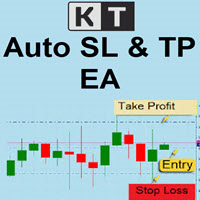
Auto SL y TP
- Utilità
- Henry Silva
- Versione: 1.0
Professional Risk-Based Position Protection for MetaTrader 5
🎯 Overview
Auto SL/TP Manager is a professional utility that automatically protects your open positions by adding Stop Loss and Take Profit levels based on your monetary risk tolerance (not pips).
Never worry about unprotected positions again. This EA silently monitors your trades and adds proper risk management automatically, calculating exact distances based on how much money you're willing to risk per trade in your account currency.
⭐ Key Features
🔄 How It Works
- Monitoring: Checks all open positions at your configured interval (default: every 3 seconds)
- Filtering: Applies your chosen filters (operation type, Magic Number)
- Detection: Identifies positions without Stop Loss or Take Profit
- Calculation: Calculates the exact price distance equivalent to your monetary risk
- Execution: Places SL/TP automatically with broker validation
- Protection: Never touches that position again - your manual changes are respected
⚙️ Configuration Parameters
💰 Risk Configuration
| Parameter | Default | Description |
|---|---|---|
| Risk per trade | 1.0 | Amount you're willing to lose per trade (in your account currency) |
| Profit target | 3.0 | Amount you aim to gain per trade (creates 1:3 risk/reward ratio) |
⏱️ Time Configuration
| Parameter | Default | Description |
|---|---|---|
| Check interval | 3 seconds | How often to check for unprotected positions |
🎛️ Operation Filters
| Option | Description |
|---|---|
| All operations | Manages any open position regardless of how it was opened |
| Manual operations only | Only manages positions you opened manually (Magic = 0) |
| EA operations only | Only manages positions opened by Expert Advisors (Magic ≠ 0) |
🔧 Additional Settings
| Parameter | Default | Description |
|---|---|---|
| Show logs | Yes | Display detailed information in the terminal |
| Magic Number | 0 (all) | Filter by specific Magic Number, or 0 to manage all positions |
💼 Use Cases
1. Conservative Manual Trader
Goal: Protect manual trades with tight risk control
Configuration:
- Risk per trade: 1.0 (your currency)
- Profit target: 2.0 (1:2 ratio)
- Check interval: 5 seconds
- Operation type: Manual only
- Magic Number: 0
2. Aggressive Day Trader
Goal: Higher risk for all positions with aggressive targets
Configuration:
- Risk per trade: 5.0
- Profit target: 15.0 (1:3 ratio)
- Check interval: 3 seconds
- Operation type: All operations
- Magic Number: 0
3. EA User - Specific Protection
Goal: Protect only one EA's positions with custom risk
Configuration:
- Risk per trade: 2.0
- Profit target: 6.0
- Check interval: 10 seconds
- Operation type: EA only
- Magic Number: 12345 (your EA's magic)
4. Multi-Strategy Portfolio
Goal: Different risk per EA strategy
Solution: Run multiple instances with different Magic Numbers and risk settings for each strategy.
🏦 Account Type Compatibility
Full support with automatic requote handling and retry system
Seamless operation with fixed spreads and predictable execution
Adapts to current market prices automatically
Handles rejection with intelligent retry logic
🌍 Supported Instruments
- Forex (all currency pairs: majors, minors, exotics)
- Indices (US30, SPX500, DAX40, NIKKEI, etc.)
- Commodities (Gold, Silver, Oil, Natural Gas, etc.)
- Cryptocurrencies (Bitcoin, Ethereum, etc.)
- Stocks and ETFs
💱 Account Currencies
Works automatically with any account currency: USD, EUR, GBP, AUD, CAD, CHF, JPY, NZD, and more. The EA detects your currency on startup and adjusts all calculations accordingly.
🔧 Technical Features
📐 Distance Calculation Formula
The EA uses this formula to calculate Stop Loss distance:
Distance (in price) = (Risk in account currency) / (Tick Value × Position Volume)
Where Tick Value is automatically provided by MT5 already converted to your account currency, ensuring precision across all instruments.
🛡️ Safety Mechanisms
- Detects and respects broker's minimum stop level (SYMBOL_TRADE_STOPS_LEVEL)
- Automatically adjusts if calculated distance is too small
- Verifies current BID/ASK prices before placing orders
- Retry system (up to 3 attempts) for requotes and temporary errors
- 100ms delay between retries to avoid overwhelming the broker
- Updates prices on each retry for accuracy
- Never attempts to modify positions that already have SL/TP
⚡ Performance
- Low resource usage: Checks positions only at configured intervals
- Fast execution: Typically places SL/TP within 1-2 seconds
- Scalable: Handles portfolios with dozens of positions efficiently
- No impact on trading: Operates independently of your trading decisions
📋 Installation & Setup
Step 1: Install
- Download AutoSLTP_Manager.mq5
- Copy to: MT5/MQL5/Experts/
- Restart MT5 or press F5 in Navigator
Step 2: Configure
- Drag the EA to any chart (it manages all account positions)
- Set your risk parameters in the inputs dialog
- Choose your operation filters
- Enable AutoTrading (green button in toolbar)
- Verify the smiley face appears on the chart
Step 3: Test
- Open a small test position (0.01 lots) without SL/TP
- Wait for the configured interval (default: 3 seconds)
- Check the terminal for success message
- Verify SL/TP appeared on your position
❓ Frequently Asked Questions
Does the EA modify my SL/TP if I move them manually?
No. Once a position has both SL and TP set, the EA never touches it again. Your manual adjustments are fully respected.
Will it work with my account currency (EUR, AUD, etc.)?
Yes. The EA automatically detects your account currency on startup and adjusts all calculations. No manual configuration needed.
Can I use it alongside other Expert Advisors?
Yes. You can configure it to manage only your manual trades, only specific EA trades (via Magic Number), or everything.
Does it work for scalping?
Yes. Set a smaller risk amount (e.g., 0.25-0.50) for tighter stops suitable for scalping strategies.
What if my broker has a high minimum stop level?
The EA detects this automatically and adjusts your SL/TP to comply. It will show a warning in the logs if adjustment was needed.
Do I need to attach it to every chart?
No. Attach it to any single chart and it will manage all positions in your entire account.

Does it work in backtesting?
No. This EA is designed exclusively for live trading where it monitors actual open positions.
What about spread and commissions?
The EA calculates based on tick values which include currency conversion, but doesn't directly factor in spread or commissions. Consider this when setting your risk amount.

⚠️ Important Disclaimers
- This EA does NOT open or close positions
- This EA does NOT guarantee profits - trading involves risk
- Always test on a demo account first before using on real money
- Past performance does not guarantee future results
- You are responsible for your trading decisions and results
📊 System Requirements
- Platform: MetaTrader 5 Build 3400 or higher
- Operating System: Windows, Mac (via Wine), or Linux (via Wine)
- AutoTrading: Must be enabled
- Internet: Stable connection required
- VPS: Recommended for 24/7 operation (optional)
📞 Support & Updates
For questions, bug reports, or feature requests:
- Use the comments section on MQL5.com
- Include: MT5 build version, account type, and relevant terminal logs
- Regular updates and improvements based on user feedback
🌟 What Users Say
Leave your review after using the EA to help other traders make an informed decision!
Ready to Protect Your Trades?
Download Auto SL/TP Manager now and never worry about unprotected positions again!
⭐ If you find this EA useful, please leave a rating and review! ⭐
Version: 1.00 | Last Update: January 2026
Compatibility: MetaTrader 5 Build 3400+
Thank you for choosing Auto SL/TP Manager! 📈