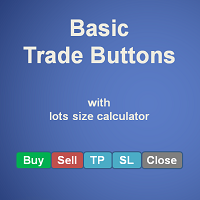
Risk Management Buttons
- Utilità
- Versione: 1.1
- Attivazioni: 10

This is a common, simple and easy to use but effective tool to manage trading risks for all traders. It also help trader places stop loss and take profit levels at the same time the order is filled.
How to set the expert advisor's parameters to support your trading style?
- Lots size.
- Fixed lots size - For traders who prefered to trade with fixed lots size, they can input the lots size in 'User lots' menu in the expert advisor's properties. The input value should be from the 'Minimum Volume' to the 'Maximum Volume' which can be seen in specification of the asset.
- Fixed risks per trade - For traders who wish to risk each trade in a specific amount of percentage from the account balance, simply input number 0.00 in 'User lots' menu then put number of percentage of risks per trade they prefered in 'Maximum risks per trade' menu.
- Stop loss. There are 2 options to calculate Initial stop loss length, including
- Define stop loss length in a specific number of points from open price. This can be done by input the prefered number into 'Initial SL points' menu.
- Calculates stop loss length from the value of ATR indicator multiply by a defined multiplier. To use this method trader must adjust the value of 'Initial SL points' menu to 0.00 and input number of ATR multiplier in 'Initial SL in x times ATR' menu.
- Take profit. Initial take profit length is calculated by multiply stop loss length by a defined multiplier from 'Initial TP in x times SL' menu.
Stop loss and take profit levels can be adjusted later before from the screen before sending the order to trade server of the broker.
Other features;
- New bar alert.
- Play sound on trade execution.