
Gold Street
- Experts
- Versione: 1.141
- Aggiornato: 8 febbraio 2026
- Attivazioni: 5

🔥 Limited-Time Introductory Offer (Evaluation Period)
To allow new users to properly evaluate GoldStreetEA in real market conditions, this Expert Advisor is currently available at a special introductory price for a strictly limited time.
This offer is intended to give traders hands-on access to the strategy logic, risk management, and trade handling before the price returns to its standard level.
⚠️ This is a temporary evaluation offer. Once the introductory period ends, the product price will revert to its original value.
📢 ⚠️ Important Notice for Buyers
🛒 After purchasing the product, please leave a message in the "Comments" section of the product page.
📩 Due to certain platform communication limitations, private messages may not always be received.
🔧 For installation guidance, setup optimization, or full support, please contact me through the Comments section and I will respond as quickly as possible.
🙏 Thank you for your trust and support.
GoldStreetEA — Hybrid Expert Advisor (Auto + Assistant)
GoldStreetEA is a disciplined, rules-based Expert Advisor designed for traders who value consistency, controlled risk, and clean execution.
It can be used fully automated or in Assistant Mode, where you manually enter trades while the EA manages risk and exits with strict rules.
The EA ships pre-tuned for Gold (XAUUSD) on M5 and is intended to be used as delivered for best results.
What’s new in the latest version
-
✅ Trailing Stop enabled and improved in the latest configuration for more adaptive trade management
-
✅ Enhanced overall stability and execution flow
-
✅ Additional fine-tuning focused on reducing drawdown and improving trade efficiency
Core highlights
-
Auto Mode and Assistant Mode in one engine
-
Always-on Stop-Loss discipline
-
Rule-based Take-Profit handling (no manual chasing)
-
Market-friendly behavior: no HFT, no grid spam, no news exploitation
-
Lightweight build — no DLLs, no external files
-
Compatible with hedging and netting accounts
Advanced filters (selectively used)
GoldStreetEA includes multiple professional-grade filters that help define market context and trade quality:
-
RSI
-
Ichimoku
-
ADX
-
EMA Trend
-
Multi-Timeframe EMA
-
SuperTrend
-
ATR vs Spread Regime Filter
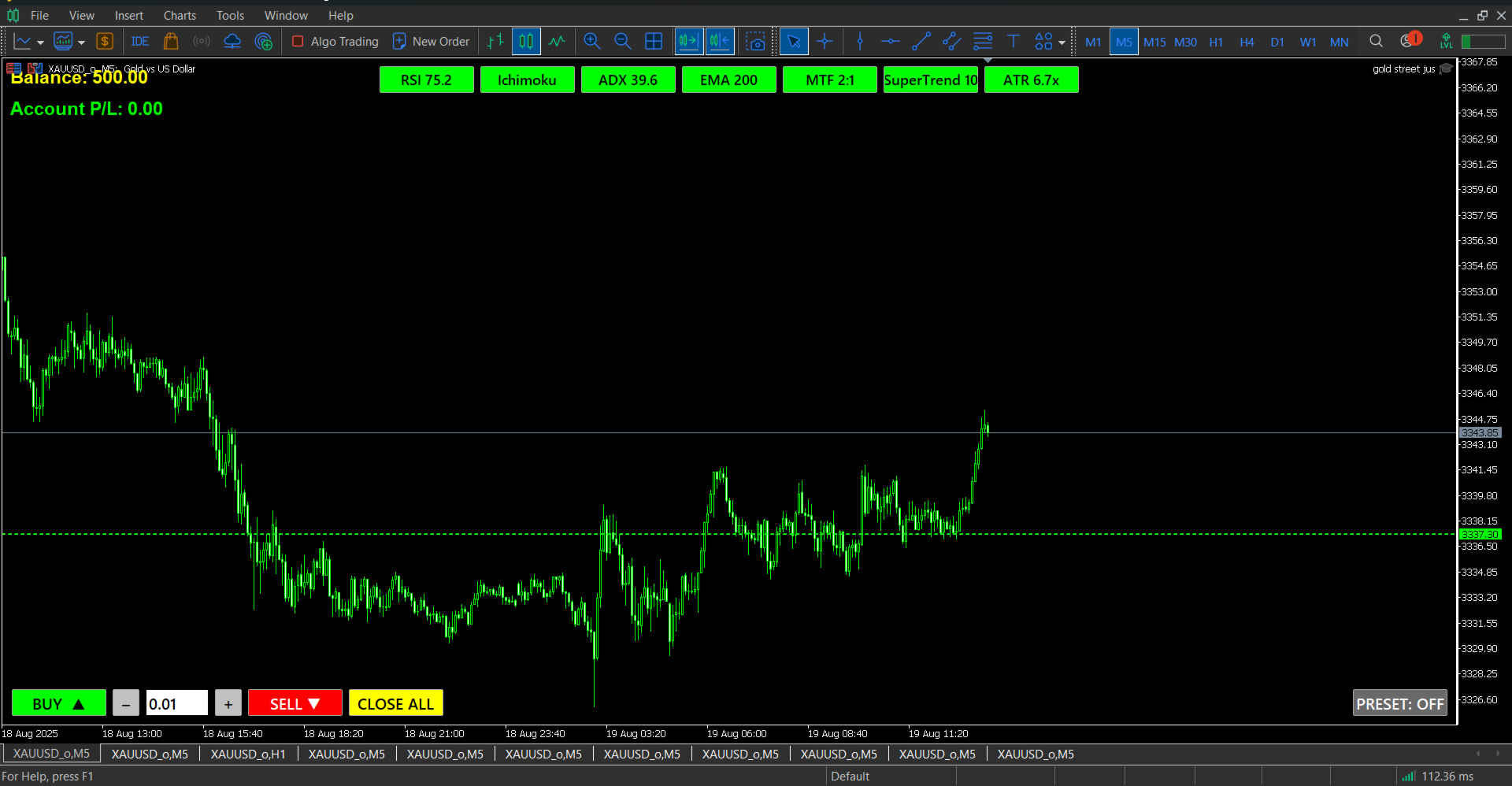
These filters are intelligently integrated and visually presented in the on-chart panel, especially useful in Assistant Mode.
Who this EA is for
-
Traders seeking measured frequency and disciplined risk
-
Discretionary traders who want manual entries with rule-based exits
-
Users who prefer transparent, non-aggressive strategies suitable for prop-firm style environments
Important notes
-
Past performance does not guarantee future results.
-
Always test on a demo account with your broker’s data before going live.
-
Changing inputs, symbols, or timeframes creates a new trading profile that must be independently tested.
📢Input Parameters & Configuration Guide
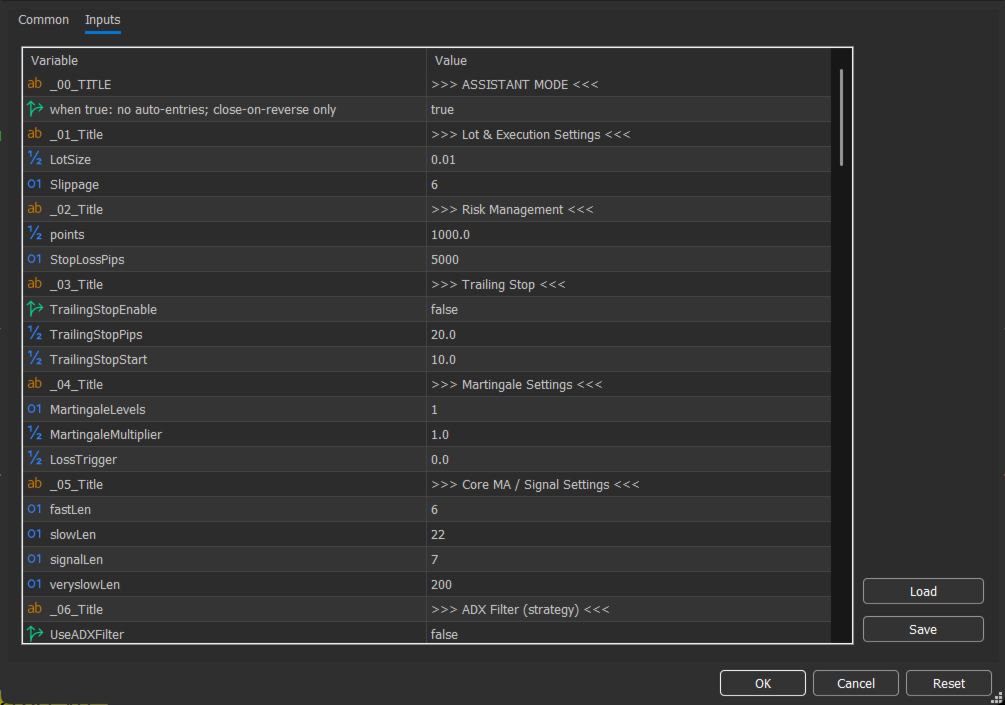
This section provides a complete and structured explanation of all Expert Advisor input parameters.
All default settings have been carefully optimized and configured for general use. In most situations, no modification is required. However, there are a few specific parameters that may need adjustment depending on market conditions or your personal risk management preferences.
📌 It is strongly recommended to carefully read all parameter descriptions before making any changes to ensure proper system behavior and consistent performance.
🔹 ASSISTANT_MODE (Default: false)When disabled, the EA runs fully automatic.
When enabled, trades must be opened manually (via buttons or manual entry), and the EA will manage them automatically using predefined Take Profit, Stop Loss, Trailing Stop, and risk rules.
Recommended to practice on a demo account before live use.
🔹 Prop Lock & Execution SettingsOptional features for accounts that require time-based trade control.
-
UsePropLock: Forces trades to remain open for a minimum duration.
-
PropLockMinutes (4): Minimum holding time.
-
BrokerSL_Buffer_Points (2000): Adds buffer to broker-side SL.
Optional delay before order execution.
-
RandomDelayMsMin (500 ms)
-
RandomDelayMsMax (2000 ms)
Adds a small random delay to make execution more dynamic.
🔹 Lot & ExecutionLotSize (0.01 default)
Minimum recommended lot: 0.01 per ~$200 balance.
Conservative option: 0.01 per $400–$500.
Always adjust according to capital and test on demo first.
Slippage (6 points)
Maximum allowed execution deviation.
TakeProfitAll (4000 pts) – Trade profit target distance.
StopLossPips (4000 pts) – Maximum loss distance per trade.
Collective Target
Closes all positions when total profit reaches 150 points (optional).
Max SL Distance
Prevents trade entry if required SL exceeds 3500 points.
Max Loss Per Trade
Keep disabled. Main system relies on point-based SL.
Max Daily Loss (Default: 15 USD – Enabled)
Stops opening new trades once daily loss reaches limit.
For high volatility (e.g., Gold), it may be adjusted proportionally.
Example: with 0.01 lot, it may increase to $70–$80 depending on risk tolerance.
Max Consecutive Losses
Stops new trades after 3 consecutive losing trades (optional).
🔹 Trailing Stop & Break-EvenTrailingStop (Enabled) – Moves SL into profit.
Start: 1000 pts | Distance: 500 pts | Step: 200 pts
BreakEven (Disabled) – Moves SL to entry after 200 pts profit (+5 pts offset).
🔹 Martingale (Not Recommended)System operates safely without Martingale.
Default:
-
Levels = 1
-
Multiplier = 1.0
If used, do not exceed 1 additional level. Higher values significantly increase risk.
🔹 Core Strategy ParametersCore MA / Slope / Anti-Range settings control internal signal calculations.
Defaults are optimized.
Modification is recommended only for advanced users.
You can restrict trading by:
-
Specific hours (up to 4 windows)
-
Selected weekdays
Actions:
-
Manage only
-
Close trades during blocked time
Based on broker server time.
🔹 Spread FilterPrevents entries if spread exceeds 50 points.
🔹 Filter System OverviewFilters (RSI, Ichimoku, ADX, EMA, MTF, SuperTrend, ATR):
-
Display-only unless enabled in Filter Gating
-
If enabled → affect entry logic
-
Default optimized settings
⚠ Do not remove filters from the chart.
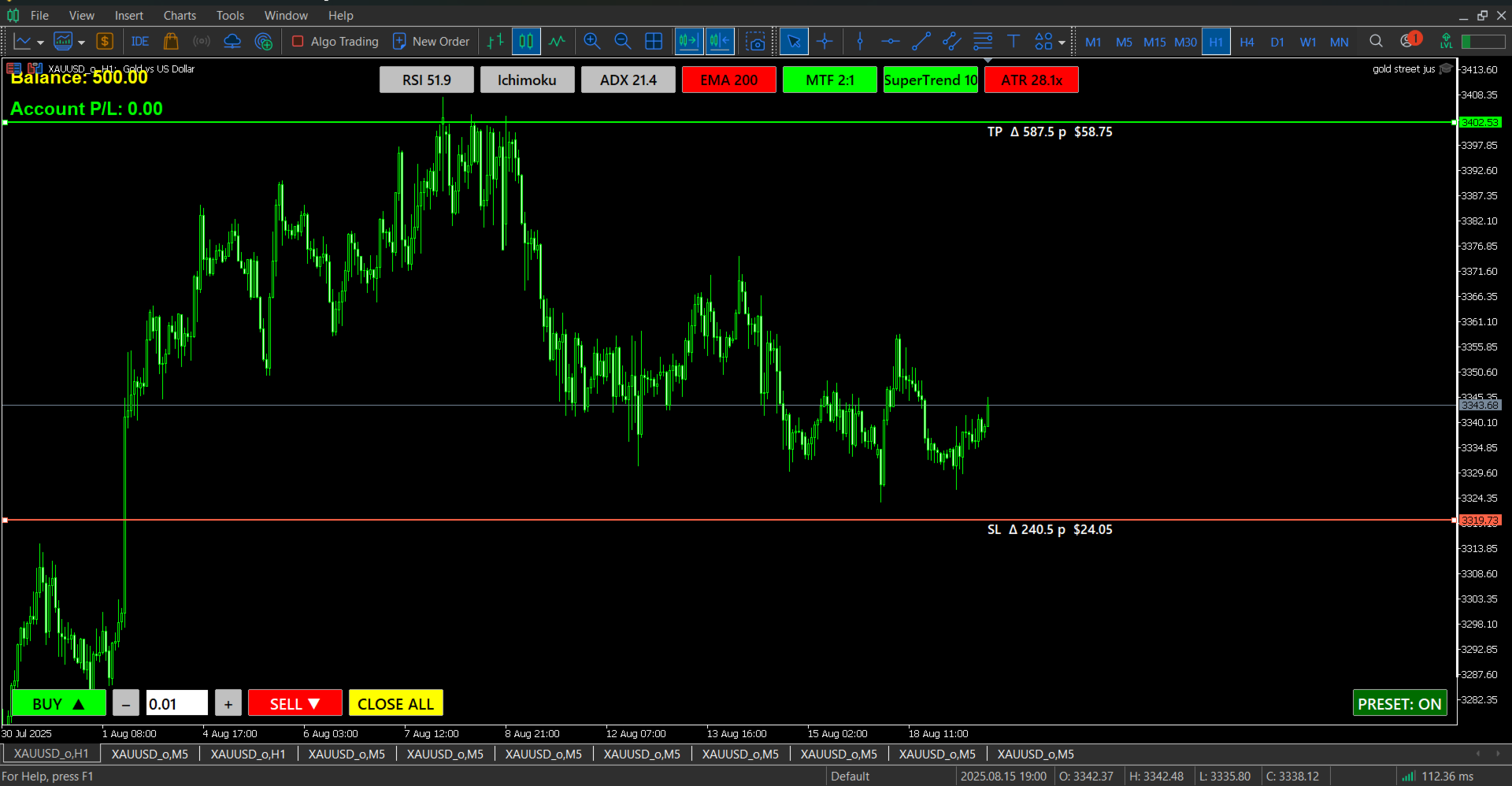
🔹 Manual Pre-Trade SL/TPAllows preset SL/TP levels for manual trades using on-chart buttons.
Does not affect automatic trading.
🔹 S/R ProximityPrevents entries near detected support/resistance zones (optional).
Can also display levels on chart.
Advanced customization available.
🔹 Entry & Exit Logic-
CloseOnReverse: Enabled
-
CloseOnTarget: Optional
Supports broker-side shared Take Profit management.
🔹 EA IdentificationRobotName – Display name
MagicNumber – Unique trade identifier (must be unique per EA)































Ich aktualisiere meine Bewertung, weil ich vorher wohl mit falschen Einstellungen getestet habe.
Fazit nach 1 Monat auf Vantage Demo (XAUUSD+, 1:500) mit Standard-Einstellungen: 76 Trades, 140€ Gewinn.
Es gibt definitiv schlechtere EAs hier im Market.